
Collection
Remote Work Equipment
2026.10.12
Remote-Work Network Gear That Cuts Dropouts and Security Variables
Comparing Wi-Fi 6E and 7 routers and compact network gateways under real installation conditions
When a video call keeps dropping, switching to the most expensive router isn't always the answer. The latency of the internet line itself, router placement, walls and furniture, interference from neighboring channels, your laptop's wireless standard, and background uploads all affect perceived quality. Even if you install a Wi-Fi 7 router, you can't use its new features if your work laptop doesn't support the standard, and while the 6GHz band is fast, its range through walls can be short.
This list compares seven products, from standalone routers to models that can expand into a mesh and compact gateways with management features. Rather than top-speed figures, it's organized around home size, wired ports, whether 6GHz is used, mesh expansion, VPN and security updates, and management difficulty. If you use a company VPN and remote desktop often, you should also check that the features don't conflict with your company IT team's policy before turning them on.
This list compares seven products, from standalone routers to models that can expand into a mesh and compact gateways with management features. Rather than top-speed figures, it's organized around home size, wired ports, whether 6GHz is used, mesh expansion, VPN and security updates, and management difficulty. If you use a company VPN and remote desktop often, you should also check that the features don't conflict with your company IT team's policy before turning them on.
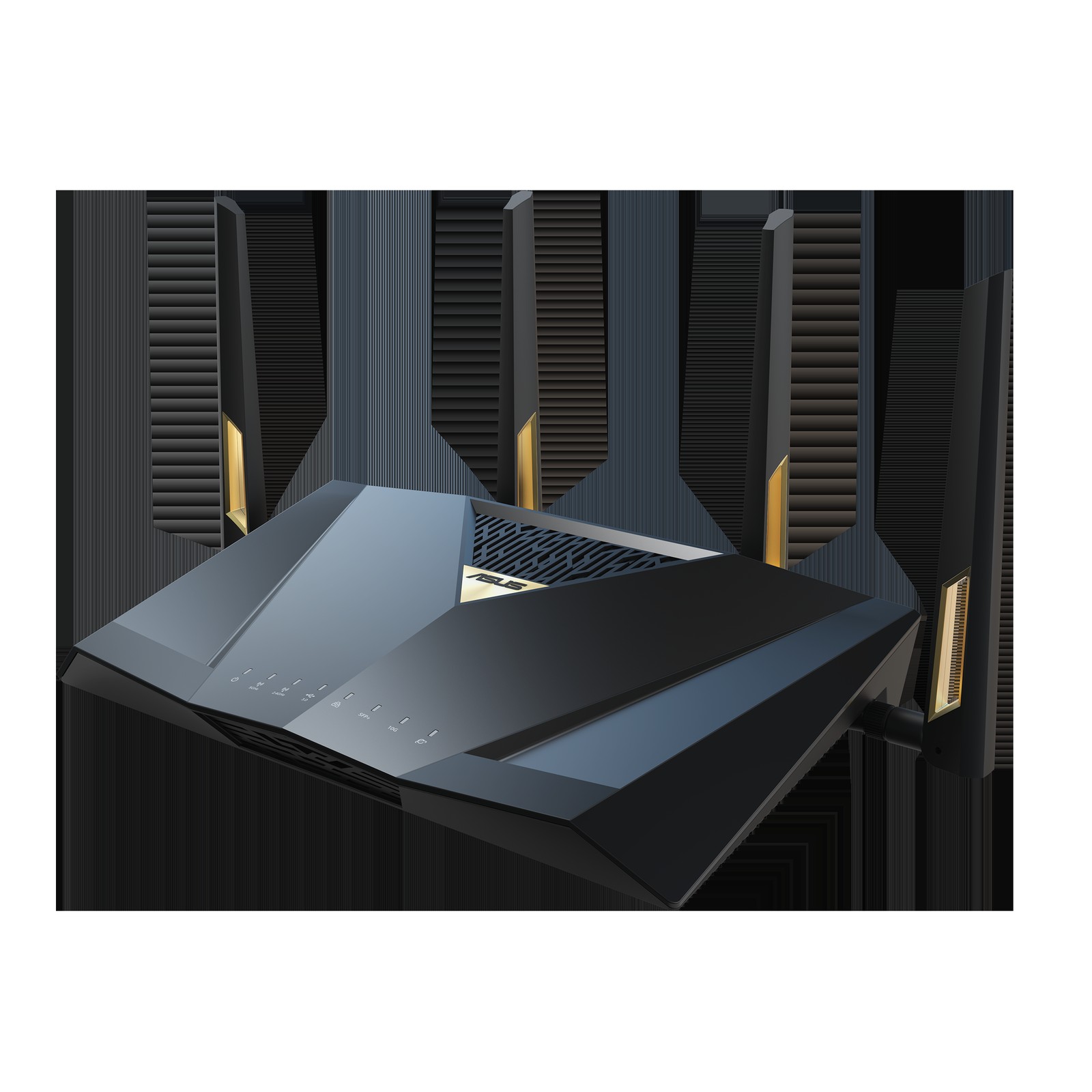
ASUS RT-BE88U
In the 'Remote-Work Network Gear That Cuts Dropouts and Security Variables' list, the ASUS RT-BE88U is a dual-band router that combines numerous multi-gigabit wired ports with Wi-Fi 7. When you build the ASUS RT-BE88U around 'a home with many wired NAS and desktop connections that prioritizes port configuration over 6GHz,' both its strengths and its limits come into view. If the feature you'll use most is the '10G and 2.5G ports and AiMesh expansion,' the ASUS RT-BE88U moves up the priority list, but if not, its cost-effectiveness deserves a second look.
To avoid compatibility problems with the ASUS RT-BE88U, check 'confirming client Wi-Fi standards and the conditions for using the internet line and SFP+' first, and compare 'the absence of a 6GHz band and the number of wired ports you actually need' against the model sold in your region as well. Even if the ASUS RT-BE88U's specs look good, usage can drop off quickly if it doesn't fit your 'Remote-Work Network Gear That Cuts Dropouts and Security Variables' workflow, so review ASUS's support policy together with your actual movement patterns and avoid overbuilding.
To avoid compatibility problems with the ASUS RT-BE88U, check 'confirming client Wi-Fi standards and the conditions for using the internet line and SFP+' first, and compare 'the absence of a 6GHz band and the number of wired ports you actually need' against the model sold in your region as well. Even if the ASUS RT-BE88U's specs look good, usage can drop off quickly if it doesn't fit your 'Remote-Work Network Gear That Cuts Dropouts and Security Variables' workflow, so review ASUS's support policy together with your actual movement patterns and avoid overbuilding.
브랜드 ASUS
잘 맞는 상황 유선 NAS·데스크톱 연결이 많고 6GHz보다 포트 구성을 우선하는 집
핵심 특징 10G·2.5G 포트와 AiMesh 확장
연결·호환 클라이언트 Wi-Fi 규격과 인터넷 회선·SFP+ 사용 조건 확인
구매 전 확인 6GHz 대역 부재와 실제 필요한 유선 포트 수
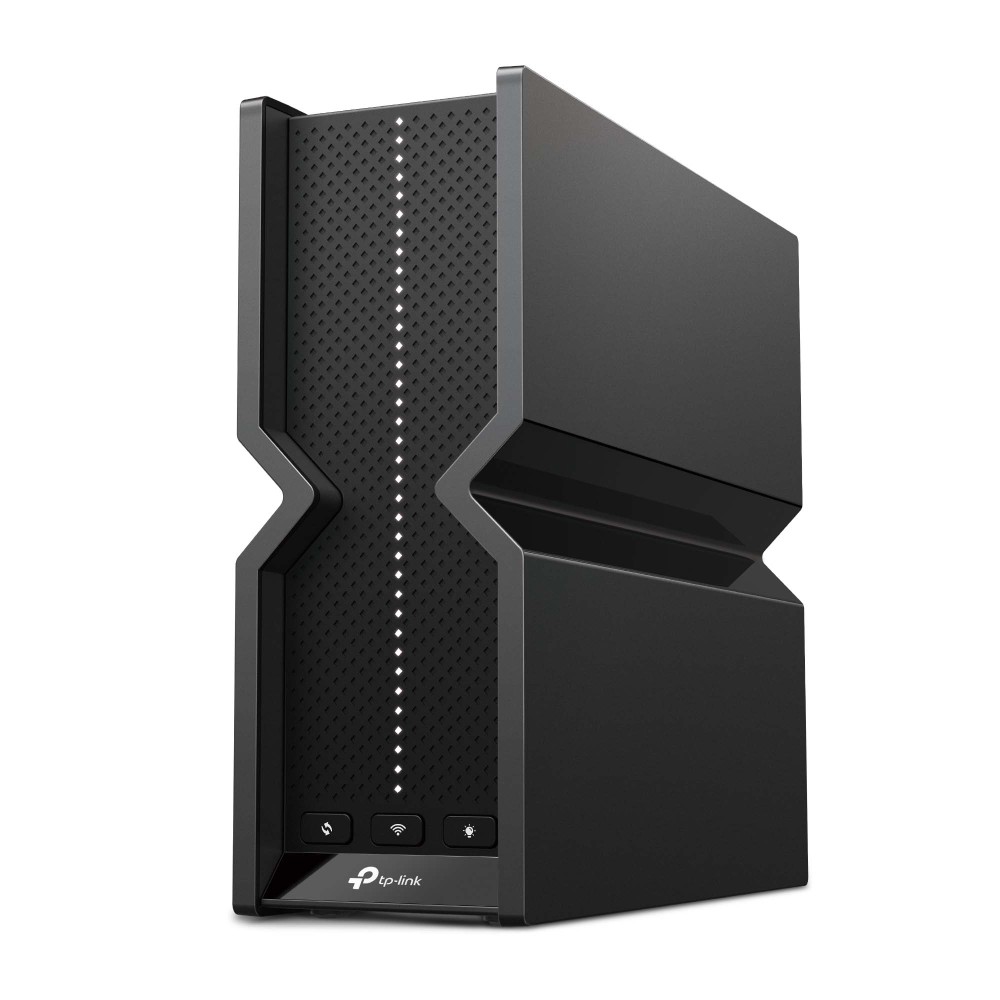
TP-Link Archer BE550
In the 'Remote-Work Network Gear That Cuts Dropouts and Security Variables' list, the TP-Link Archer BE550 is a router that offers tri-band Wi-Fi 7 including 6GHz and 2.5GbE ports. The purchase decision should start not from the TP-Link Archer BE550's name but from the needs of 'a mid-sized space preparing for both Wi-Fi 6E and 7 devices and multi-gigabit wired connections.' Whether the TP-Link Archer BE550 stays on the shortlist depends on whether its 'tri-band Wi-Fi 7 and EasyMesh' line up exactly with what your current equipment lacks.
On the spec sheet, check the TP-Link Archer BE550's 'confirming 6GHz and MLO support on your devices and region-specific firmware' and 'the need for a 2.5GbE switch and mesh-compatible models' separately so that the actual configuration doesn't diverge from your expectations. In the 'Remote-Work Network Gear That Cuts Dropouts and Security Variables' list, it's realistic to set the TP-Link Archer BE550's priority by how much improvement you'll feel every day, and to confirm you can handle TP-Link's warranty coverage and the maintenance burden.
On the spec sheet, check the TP-Link Archer BE550's 'confirming 6GHz and MLO support on your devices and region-specific firmware' and 'the need for a 2.5GbE switch and mesh-compatible models' separately so that the actual configuration doesn't diverge from your expectations. In the 'Remote-Work Network Gear That Cuts Dropouts and Security Variables' list, it's realistic to set the TP-Link Archer BE550's priority by how much improvement you'll feel every day, and to confirm you can handle TP-Link's warranty coverage and the maintenance burden.
브랜드 TP-Link
잘 맞는 상황 Wi-Fi 6E·7 기기와 멀티기가비트 유선을 함께 준비하는 중형 공간
핵심 특징 트라이밴드 Wi-Fi 7과 EasyMesh
연결·호환 단말의 6GHz·MLO 지원과 지역별 펌웨어 확인
구매 전 확인 2.5GbE 스위치 필요성과 메시 호환 모델
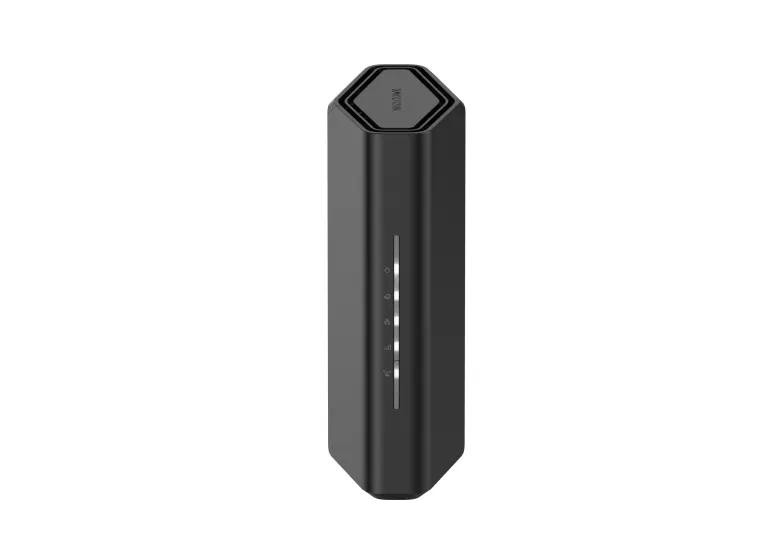
NETGEAR Nighthawk RS300
In the 'Remote-Work Network Gear That Cuts Dropouts and Security Variables' list, the NETGEAR Nighthawk RS300 is a Nighthawk router with tri-band Wi-Fi 7 and multi-gigabit ports. If 'using a single router for the 6GHz connections of the latest laptops and phones' is a recurring situation in your work, it's worth looking into the real-world usefulness of the NETGEAR Nighthawk RS300. The item the official specs emphasize is 'tri-band Wi-Fi 7 and high-speed WAN/LAN.' Review your actual workflow to see whether the NETGEAR Nighthawk RS300 delivers the same benefit in your space.
Before adding the NETGEAR Nighthawk RS300 to your existing equipment, verify the 'confirming internet line speed and client 6GHz support' conditions, and confirm 'the scope of subscription security features and the mesh expansion method' on the official sales page as a final step. If you choose the NETGEAR Nighthawk RS300, decide which features to test first in your 'Remote-Work Network Gear That Cuts Dropouts and Security Variables' environment and how to roll back if it doesn't work out, and learn NETGEAR's customer support terms to cut down on trial and error after adoption.
Before adding the NETGEAR Nighthawk RS300 to your existing equipment, verify the 'confirming internet line speed and client 6GHz support' conditions, and confirm 'the scope of subscription security features and the mesh expansion method' on the official sales page as a final step. If you choose the NETGEAR Nighthawk RS300, decide which features to test first in your 'Remote-Work Network Gear That Cuts Dropouts and Security Variables' environment and how to roll back if it doesn't work out, and learn NETGEAR's customer support terms to cut down on trial and error after adoption.
브랜드 NETGEAR
잘 맞는 상황 최신 노트북·휴대전화의 6GHz 연결을 한 대의 라우터로 쓰는 경우
핵심 특징 Wi-Fi 7 트라이밴드와 고속 WAN/LAN
연결·호환 인터넷 회선 속도와 클라이언트 6GHz 지원 확인
구매 전 확인 구독형 보안 기능 범위와 메시 확장 방식
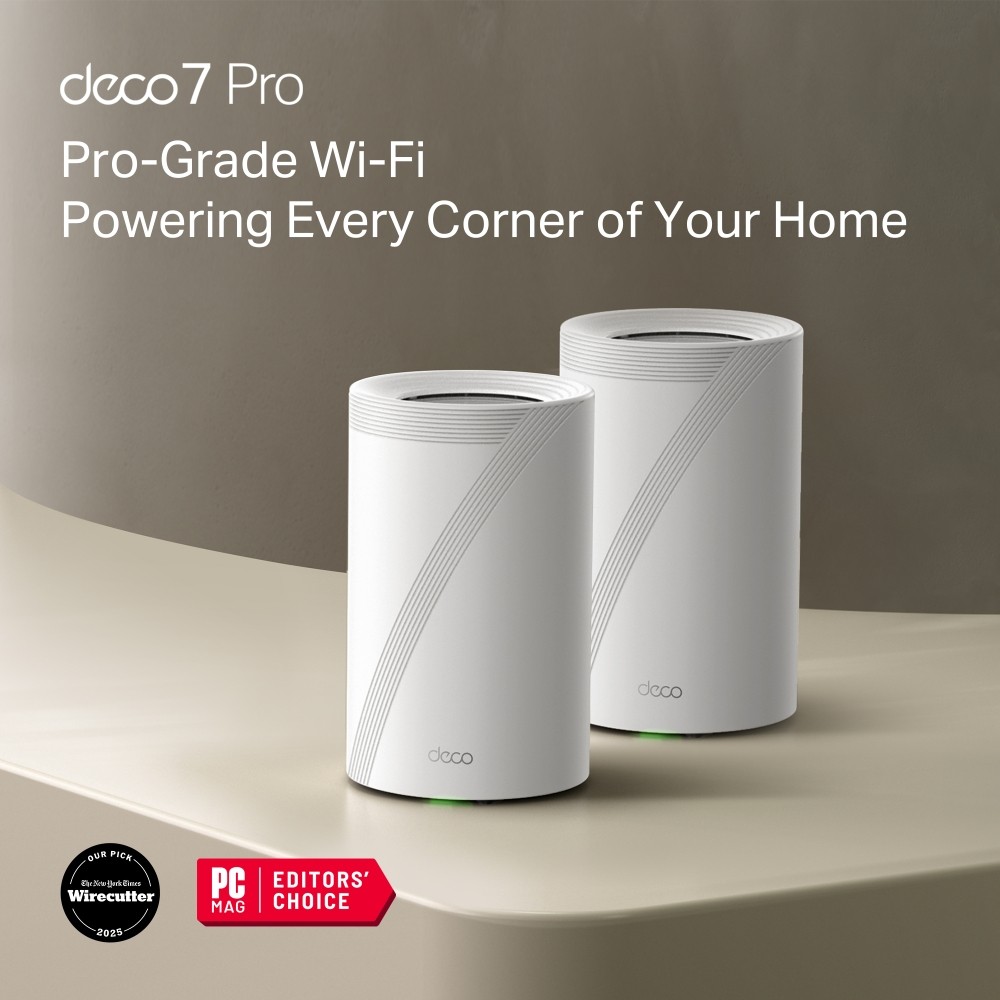
TP-Link Deco BE63
In the 'Remote-Work Network Gear That Cuts Dropouts and Security Variables' list, the TP-Link Deco BE63 is a tri-band Wi-Fi 7 mesh system that includes 6GHz. The starting point for choosing the TP-Link Deco BE63 is confirming that 'a home that wants to spread nodes across several rooms and build an app-centered mesh' matches your environment. The TP-Link Deco BE63's 'tri-band Wi-Fi 7 and multi-gigabit ports' are closer to convenience features, so the right order is to confirm the basic performance and installation stability first and evaluate them afterward.
At the actual purchase stage, the TP-Link Deco BE63's 'confirming the model sold in your country and 6GHz and MLO support on your devices' conditions come first, and it's a good idea to note 'the number of nodes needed and whether wired backhaul cabling is possible' along with the product number. When comparing the TP-Link Deco BE63 for a 'Remote-Work Network Gear That Cuts Dropouts and Security Variables' setup, put price, frequency of use, and installation difficulty in the same table and add TP-Link's support coverage to make the real cost of ownership easier to judge.
At the actual purchase stage, the TP-Link Deco BE63's 'confirming the model sold in your country and 6GHz and MLO support on your devices' conditions come first, and it's a good idea to note 'the number of nodes needed and whether wired backhaul cabling is possible' along with the product number. When comparing the TP-Link Deco BE63 for a 'Remote-Work Network Gear That Cuts Dropouts and Security Variables' setup, put price, frequency of use, and installation difficulty in the same table and add TP-Link's support coverage to make the real cost of ownership easier to judge.
브랜드 TP-Link
잘 맞는 상황 여러 방에 노드를 나눠 앱 중심으로 메시를 구성하려는 집
핵심 특징 트라이밴드 Wi-Fi 7과 멀티기가비트 포트
연결·호환 국가별 판매 모델과 단말 6GHz·MLO 지원 확인
구매 전 확인 필요 노드 수와 유선 백홀 배선 가능 여부
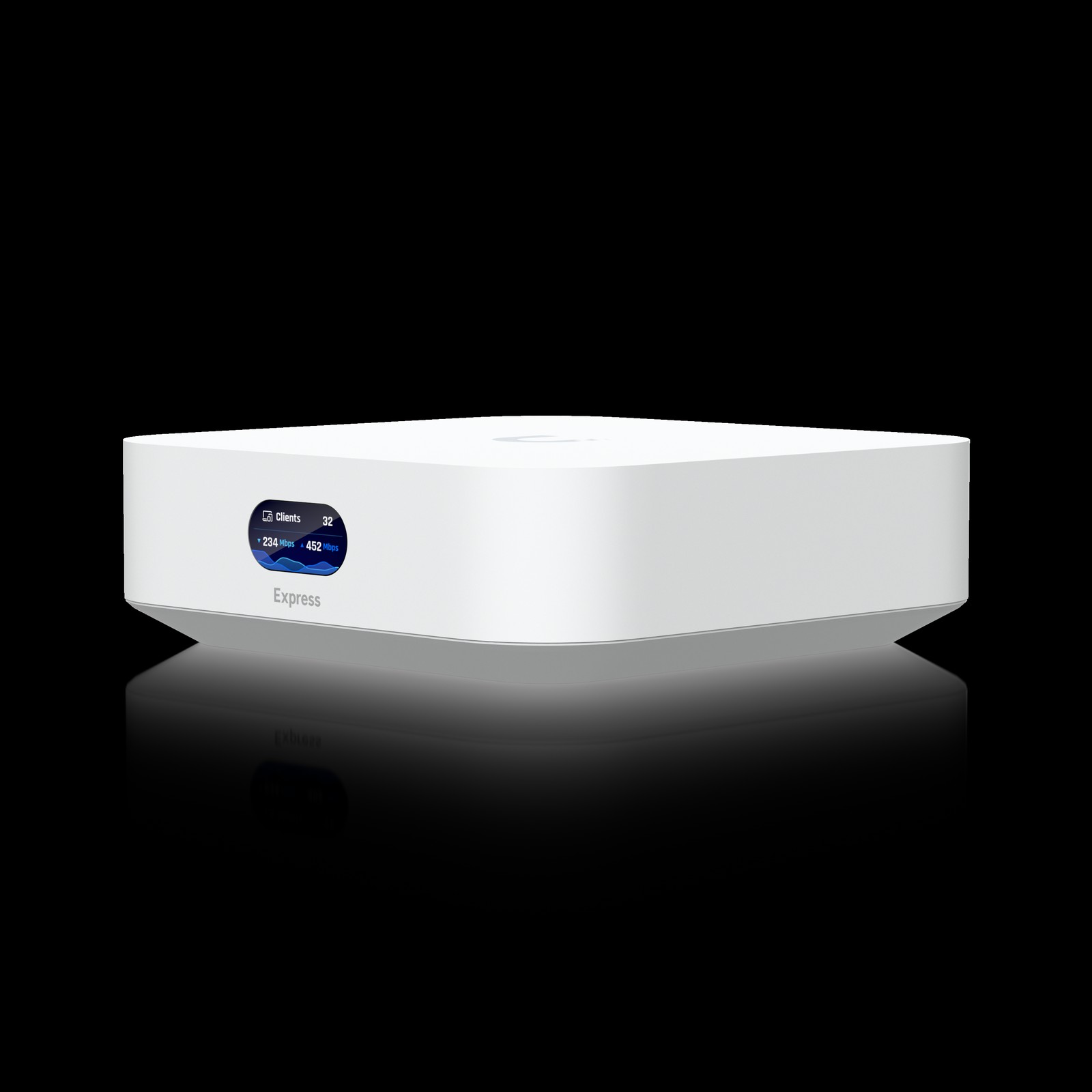
Ubiquiti UniFi Express
In the 'Remote-Work Network Gear That Cuts Dropouts and Security Variables' list, the Ubiquiti UniFi Express is a cloud gateway that combines UniFi Network management features and Wi-Fi in a small unit. When you take 'a small environment that wants to manage device status and the guest network on a single screen' as the benchmark use case, the role of the Ubiquiti UniFi Express comes into sharp focus. The key items are the 'built-in controller and Wi-Fi 6 access point.' Since the experience changes with desk size and hours of use per day, you should also look at where the Ubiquiti UniFi Express will sit.
Before adopting it, check 'confirming line speed, the number of manageable devices, and the method for adding APs' first, and at the ordering stage, cross-check 'the higher configuration complexity compared with a typical router and the port count' against the Ubiquiti UniFi Express's official page and the retail model designation as well. When viewing the Ubiquiti UniFi Express as a selection criterion in the 'Remote-Work Network Gear That Cuts Dropouts and Security Variables' list, don't isolate a single advantage; it's better to make the final call with Ubiquiti's support coverage and your actual work habits side by side.
Before adopting it, check 'confirming line speed, the number of manageable devices, and the method for adding APs' first, and at the ordering stage, cross-check 'the higher configuration complexity compared with a typical router and the port count' against the Ubiquiti UniFi Express's official page and the retail model designation as well. When viewing the Ubiquiti UniFi Express as a selection criterion in the 'Remote-Work Network Gear That Cuts Dropouts and Security Variables' list, don't isolate a single advantage; it's better to make the final call with Ubiquiti's support coverage and your actual work habits side by side.
브랜드 Ubiquiti
잘 맞는 상황 장치 현황과 게스트 네트워크를 한 화면에서 관리하고 싶은 소규모 환경
핵심 특징 내장 컨트롤러와 Wi-Fi 6 액세스 포인트
연결·호환 회선 속도·관리 가능 장치 수와 확장 AP 방식 확인
구매 전 확인 일반 공유기보다 높은 설정 복잡도와 포트 수
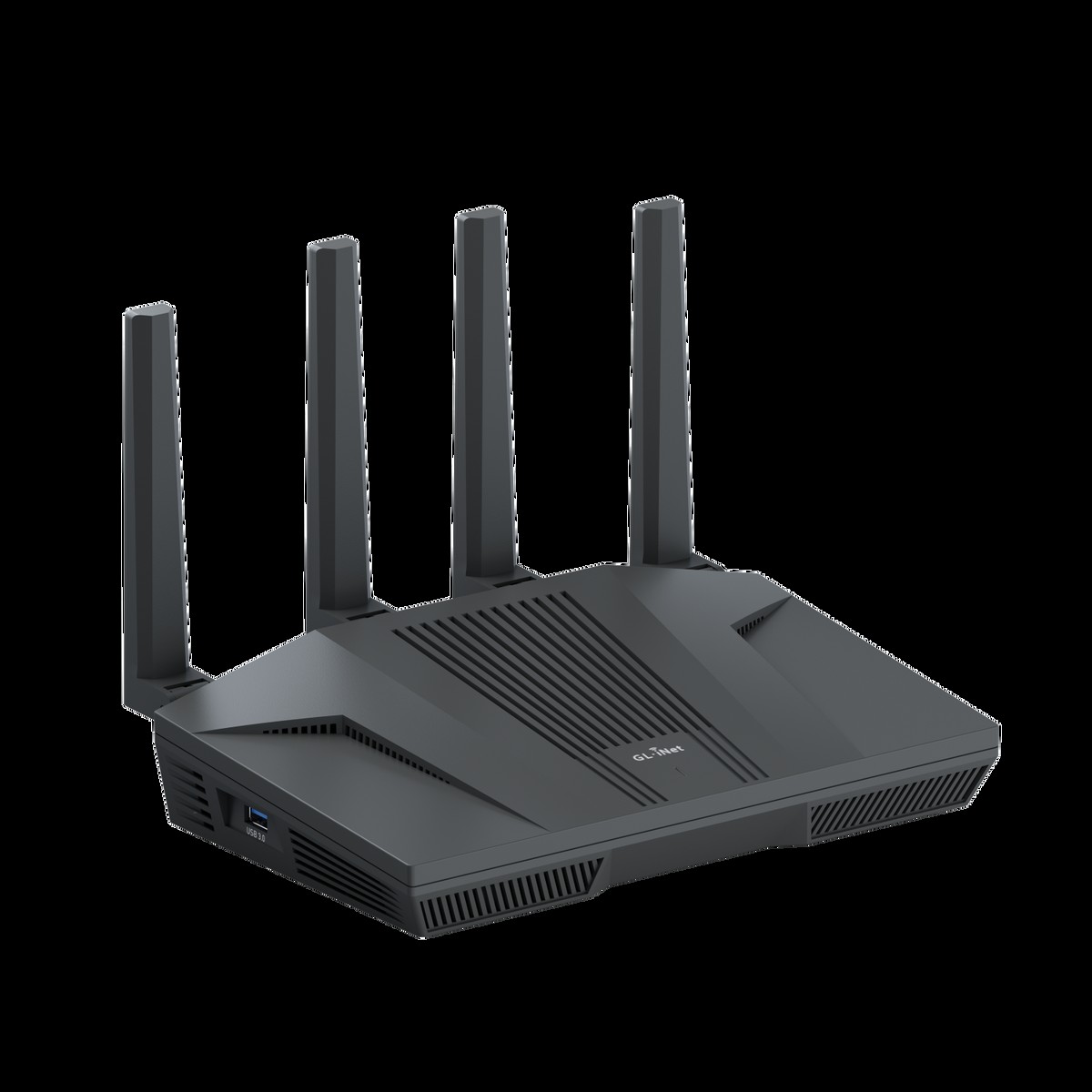
GL.iNet Flint 2 (GL-MT6000)
In the 'Remote-Work Network Gear That Cuts Dropouts and Security Variables' list, the GL.iNet Flint 2 (GL-MT6000) is a Wi-Fi 6 router that offers OpenWrt-based features and 2.5GbE ports. The GL.iNet Flint 2 (GL-MT6000) is worth comparing first for desks that need 'a user who wants to manage VPN clients and detailed network settings directly.' The first specs to look at on the GL.iNet Flint 2 (GL-MT6000) are the 'OpenWrt-based UI and WireGuard and OpenVPN features,' and you should compare whether these features actually reduce the discomfort of your existing equipment.
The conditions to check before paying for the GL.iNet Flint 2 (GL-MT6000) are 'confirming your company VPN policy and firmware and plugin compatibility.' The 'configuration difficulty and regional wireless regulations' should also be checked before the parts arrive. In the end, the value of the GL.iNet Flint 2 (GL-MT6000) depends on whether there's a feature you'll clearly use often in your 'Remote-Work Network Gear That Cuts Dropouts and Security Variables' environment, so confirm GL.iNet's warranty coverage and then decide whether it replaces or supplements your existing equipment.
The conditions to check before paying for the GL.iNet Flint 2 (GL-MT6000) are 'confirming your company VPN policy and firmware and plugin compatibility.' The 'configuration difficulty and regional wireless regulations' should also be checked before the parts arrive. In the end, the value of the GL.iNet Flint 2 (GL-MT6000) depends on whether there's a feature you'll clearly use often in your 'Remote-Work Network Gear That Cuts Dropouts and Security Variables' environment, so confirm GL.iNet's warranty coverage and then decide whether it replaces or supplements your existing equipment.
브랜드 GL.iNet
잘 맞는 상황 VPN 클라이언트와 세부 네트워크 설정을 직접 관리하려는 사용자
핵심 특징 OpenWrt 기반 UI와 WireGuard·OpenVPN 기능
연결·호환 회사 VPN 정책과 펌웨어·플러그인 호환성 확인
구매 전 확인 설정 난이도와 지역별 무선 규정
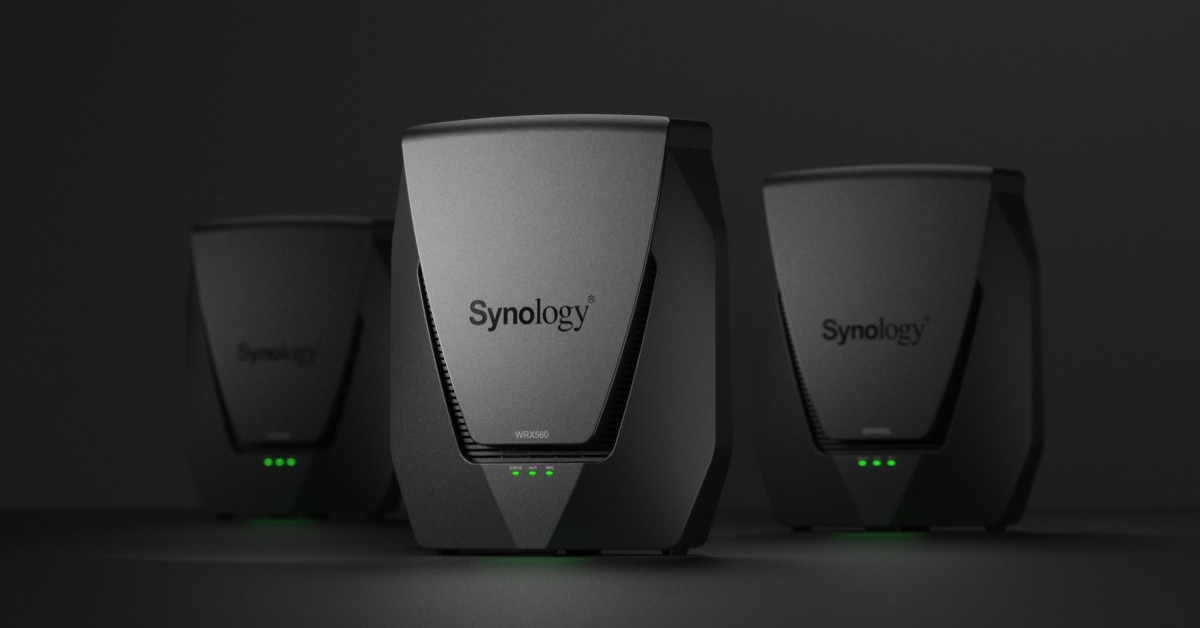
Synology WRX560
In the 'Remote-Work Network Gear That Cuts Dropouts and Security Variables' list, the Synology WRX560 is a Wi-Fi 6 router that uses Synology Router Manager and a 2.5GbE port. The reason this product made the list is that it ties in with 'a home that wants to run per-device access policies and network management through a graphical UI.' The Synology WRX560's signature advantage is its 'SRM management features and mesh expansion support,' but if it doesn't match your work habits, you may end up using it less.
To reduce setup failures, review the Synology WRX560's 'confirming supported mesh models and the regions where 5.9GHz can be used,' then recheck 'the wireless band configuration, port count, and long-term update policy' against the retailer's description. To complete your 'Remote-Work Network Gear That Cuts Dropouts and Security Variables' setup, look not only at the Synology WRX560's convenience but also at the conditions that are hard to reverse after installation, and compare Synology's support policy with your own work sequence.
To reduce setup failures, review the Synology WRX560's 'confirming supported mesh models and the regions where 5.9GHz can be used,' then recheck 'the wireless band configuration, port count, and long-term update policy' against the retailer's description. To complete your 'Remote-Work Network Gear That Cuts Dropouts and Security Variables' setup, look not only at the Synology WRX560's convenience but also at the conditions that are hard to reverse after installation, and compare Synology's support policy with your own work sequence.
브랜드 Synology
잘 맞는 상황 기기별 접속 정책과 네트워크 관리를 그래픽 UI로 운영하려는 집
핵심 특징 SRM 관리 기능과 메시 확장 지원
연결·호환 지원 메시 모델과 5.9GHz 사용 가능 지역 확인
구매 전 확인 무선 대역 구성·포트 수와 장기 업데이트 정책
Before replacing your router, measure line speed and latency over a wired connection, and try moving your existing router to an open spot in the center of the home rather than on the floor or inside a metal cabinet. If the problem disappears when your meeting PC is connected over Ethernet, you can focus your improvements on the wireless link. Placing mesh nodes too close together or where the signal is already weak turns the node-to-node connection into a bottleneck, so placement testing is necessary.
Change the administrator password from the default, and check automatic firmware updates, WPA2/WPA3 settings, and the guest network. To separate your work PC from smart home devices at the network level, you need not only a feature like VLANs but also the capacity to handle the configuration complexity. Backing up your current configuration before changing settings and leaving yourself a way to roll back when something breaks is the final step in a stable remote-work environment.
Change the administrator password from the default, and check automatic firmware updates, WPA2/WPA3 settings, and the guest network. To separate your work PC from smart home devices at the network level, you need not only a feature like VLANs but also the capacity to handle the configuration complexity. Backing up your current configuration before changing settings and leaving yourself a way to roll back when something breaks is the final step in a stable remote-work environment.
At a glance
7 items
ASUS RT-BE88U
ASUS · 유선 NAS·데스크톱 연결이 많고 6GHz보다 포트 구성을 우선하는 집 · 10G·2.5G 포트와 AiMesh 확장 · 클라이언트 Wi-Fi 규격과 인터넷 회선·SFP+ 사용 조건 확인 · 6GHz 대역 부재와 실제 필요한 유선 포트 수
TP-Link Archer BE550
TP-Link · Wi-Fi 6E·7 기기와 멀티기가비트 유선을 함께 준비하는 중형 공간 · 트라이밴드 Wi-Fi 7과 EasyMesh · 단말의 6GHz·MLO 지원과 지역별 펌웨어 확인 · 2.5GbE 스위치 필요성과 메시 호환 모델
NETGEAR Nighthawk RS300
NETGEAR · 최신 노트북·휴대전화의 6GHz 연결을 한 대의 라우터로 쓰는 경우 · Wi-Fi 7 트라이밴드와 고속 WAN/LAN · 인터넷 회선 속도와 클라이언트 6GHz 지원 확인 · 구독형 보안 기능 범위와 메시 확장 방식
TP-Link Deco BE63
TP-Link · 여러 방에 노드를 나눠 앱 중심으로 메시를 구성하려는 집 · 트라이밴드 Wi-Fi 7과 멀티기가비트 포트 · 국가별 판매 모델과 단말 6GHz·MLO 지원 확인 · 필요 노드 수와 유선 백홀 배선 가능 여부
Ubiquiti UniFi Express
Ubiquiti · 장치 현황과 게스트 네트워크를 한 화면에서 관리하고 싶은 소규모 환경 · 내장 컨트롤러와 Wi-Fi 6 액세스 포인트 · 회선 속도·관리 가능 장치 수와 확장 AP 방식 확인 · 일반 공유기보다 높은 설정 복잡도와 포트 수
GL.iNet Flint 2 (GL-MT6000)
GL.iNet · VPN 클라이언트와 세부 네트워크 설정을 직접 관리하려는 사용자 · OpenWrt 기반 UI와 WireGuard·OpenVPN 기능 · 회사 VPN 정책과 펌웨어·플러그인 호환성 확인 · 설정 난이도와 지역별 무선 규정
Synology WRX560
Synology · 기기별 접속 정책과 네트워크 관리를 그래픽 UI로 운영하려는 집 · SRM 관리 기능과 메시 확장 지원 · 지원 메시 모델과 5.9GHz 사용 가능 지역 확인 · 무선 대역 구성·포트 수와 장기 업데이트 정책
As part of the Coupang Partners program, this post may earn a commission from qualifying purchases.
Comments 0
Log in to leave a comment.
Be the first to comment.
How about these lists?


You might also like


🎲
Not ready to stop here?
Wondering what to read next is the biggest waste of time.
Let the dice decide — you won't know what pops up until you roll.
If you don't press it… won't you wonder forever? 👀
 Log in or sign up with KakaoTalk in 5 seconds