
Collection
Remote Work Equipment
2026.10.12
Work Headsets and Microphones Whose Differences Show as Calls Run Longer
Remote-call gear compared through real products by wearing style, microphone pickup, and meeting-platform compatibility
When choosing call equipment for working from home, comparing only active noise cancellation figures makes it easy to overlook the thing that matters most: the voice that reaches the other person. A headset's ability to let you hear less of your surroundings and a boom microphone's ability to pass along less background noise are two different things, and earcup pressure and weight make a noticeable difference the longer a meeting runs. A separate USB microphone can capture your voice naturally, but it can also pick up speaker output and the room's reverberation, so placement matters.
This list is built from five wireless work headsets and two desktop USB microphones, all real products. We focus on wearing style, dedicated USB dongles, Teams and UC variants, wired connections, microphone directionality, and software settings. If you're on calls often, it's more practical to check microphone position, mute controls, and whether you can install the dedicated app on your company PC before worrying about music-listening performance.
This list is built from five wireless work headsets and two desktop USB microphones, all real products. We focus on wearing style, dedicated USB dongles, Teams and UC variants, wired connections, microphone directionality, and software settings. If you're on calls often, it's more practical to check microphone position, mute controls, and whether you can install the dedicated app on your company PC before worrying about music-listening performance.
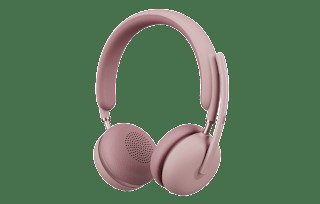
Logitech Zone Wireless 2
In the 'Work Headsets and Microphones Whose Differences Show as Calls Run Longer' list, the Logitech Zone Wireless 2 is a binaural wireless work headset that combines a boom microphone with active noise cancellation. If 'a user who takes meetings in shared spaces while switching between a laptop and a phone' is a recurring situation in your work, it's worth looking into the real-world usefulness of the Logitech Zone Wireless 2. The item the official specs emphasize is 'microphone noise suppression and Bluetooth and USB dongle connectivity.' Review your actual workflow to see whether the Logitech Zone Wireless 2 delivers the same benefit in your space.
Before adding the Logitech Zone Wireless 2 to your existing equipment, verify the 'supported operating systems, Logi Tune, and the distinction between Teams and UC models' conditions, and confirm 'whether the dongle is included and the scope of wired audio use' on the official sales page as a final step. If you choose the Logitech Zone Wireless 2, decide which features to test first in your 'Work Headsets and Microphones Whose Differences Show as Calls Run Longer' environment and how to roll back if it doesn't work out, and learn Logitech's customer support terms to cut down on trial and error after adoption.
Before adding the Logitech Zone Wireless 2 to your existing equipment, verify the 'supported operating systems, Logi Tune, and the distinction between Teams and UC models' conditions, and confirm 'whether the dongle is included and the scope of wired audio use' on the official sales page as a final step. If you choose the Logitech Zone Wireless 2, decide which features to test first in your 'Work Headsets and Microphones Whose Differences Show as Calls Run Longer' environment and how to roll back if it doesn't work out, and learn Logitech's customer support terms to cut down on trial and error after adoption.
브랜드 Logitech
잘 맞는 상황 공용 공간에서 노트북과 휴대전화를 오가며 회의하는 사용자
핵심 특징 마이크 소음 억제와 Bluetooth·USB 동글 연결
연결·호환 지원 운영체제와 Logi Tune, Teams·UC 모델 구분
구매 전 확인 동글 포함 여부와 유선 오디오 사용 범위
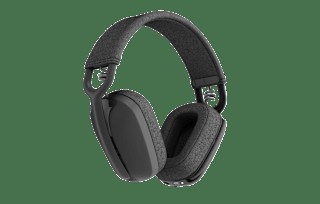
Logitech Zone Vibe Wireless
In the 'Work Headsets and Microphones Whose Differences Show as Calls Run Longer' list, the Logitech Zone Vibe Wireless is a wireless work headset with a lightweight over-ear design and a folding boom microphone. The starting point for choosing the Logitech Zone Vibe Wireless is confirming that 'a user who weighs long-wear comfort together with dual use for work and music' matches your environment. The Logitech Zone Vibe Wireless's 'flip-to-mute boom and multi-device Bluetooth' are closer to convenience features, so the right order is to confirm the basic performance and setup stability first and evaluate them afterward.
At the actual purchase stage, the Logitech Zone Vibe Wireless's 'Logi Bolt receiver and the range of supported Bluetooth devices' conditions come first, and it's a good idea to note 'the differences in what's included between the Zone Vibe 100 and the Wireless model' along with the product number. When comparing the Logitech Zone Vibe Wireless for a 'Work Headsets and Microphones Whose Differences Show as Calls Run Longer' setup, put price, frequency of use, and setup difficulty in the same table and add Logitech's support coverage to make the real cost of ownership easier to judge.
At the actual purchase stage, the Logitech Zone Vibe Wireless's 'Logi Bolt receiver and the range of supported Bluetooth devices' conditions come first, and it's a good idea to note 'the differences in what's included between the Zone Vibe 100 and the Wireless model' along with the product number. When comparing the Logitech Zone Vibe Wireless for a 'Work Headsets and Microphones Whose Differences Show as Calls Run Longer' setup, put price, frequency of use, and setup difficulty in the same table and add Logitech's support coverage to make the real cost of ownership easier to judge.
브랜드 Logitech
잘 맞는 상황 장시간 착용 무게와 업무·음악 겸용성을 함께 보는 사용자
핵심 특징 플립 음소거 붐과 다중 기기 Bluetooth
연결·호환 Logi Bolt 수신기와 Bluetooth 기기 지원 범위
구매 전 확인 Zone Vibe 100과 Wireless 모델의 구성 차이
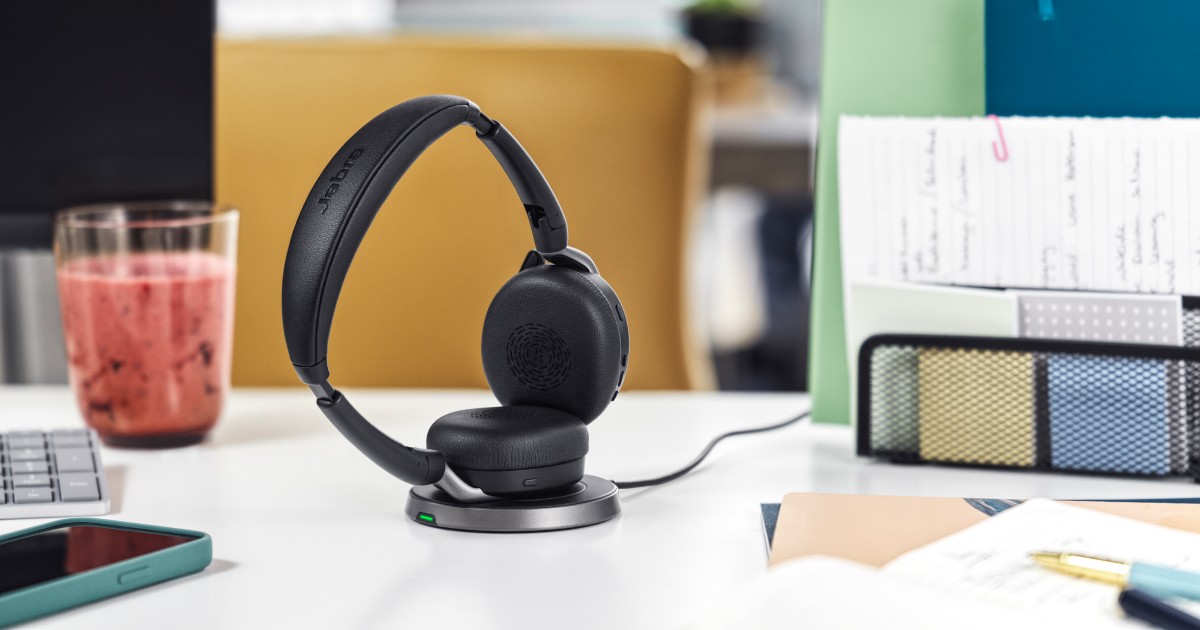
Jabra Evolve2 65 Flex
In the 'Work Headsets and Microphones Whose Differences Show as Calls Run Longer' list, the Jabra Evolve2 65 Flex is a portable work headset with a folding design, a boom microphone, and active noise cancellation. When you take 'a user who moves between business trips and working from home and needs to keep bag volume down' as the benchmark use case, the role of the Jabra Evolve2 65 Flex comes into sharp focus. The key items are the 'foldable hinges, boom microphone, and ANC.' Since the experience changes with desk size and hours of use per day, you should also look at where the Jabra Evolve2 65 Flex will sit.
Before adopting it, check the 'Link dongle specification, UC and Teams variants, and Bluetooth devices' first, and at the ordering stage, cross-check 'the option that includes a charging stand and ear pad comfort' against the Jabra Evolve2 65 Flex's official page and the retail model designation as well. When viewing the Jabra Evolve2 65 Flex as a selection criterion in the 'Work Headsets and Microphones Whose Differences Show as Calls Run Longer' list, don't isolate a single advantage; it's better to make the final call with Jabra's support coverage and your actual work habits side by side.
Before adopting it, check the 'Link dongle specification, UC and Teams variants, and Bluetooth devices' first, and at the ordering stage, cross-check 'the option that includes a charging stand and ear pad comfort' against the Jabra Evolve2 65 Flex's official page and the retail model designation as well. When viewing the Jabra Evolve2 65 Flex as a selection criterion in the 'Work Headsets and Microphones Whose Differences Show as Calls Run Longer' list, don't isolate a single advantage; it's better to make the final call with Jabra's support coverage and your actual work habits side by side.
브랜드 Jabra
잘 맞는 상황 출장과 재택을 오가며 가방 부피를 줄여야 하는 사용자
핵심 특징 폴더블 힌지와 붐 마이크·ANC
연결·호환 Link 동글 규격과 UC·Teams 변형, Bluetooth 기기
구매 전 확인 충전 스탠드 포함 옵션과 이어패드 착용감
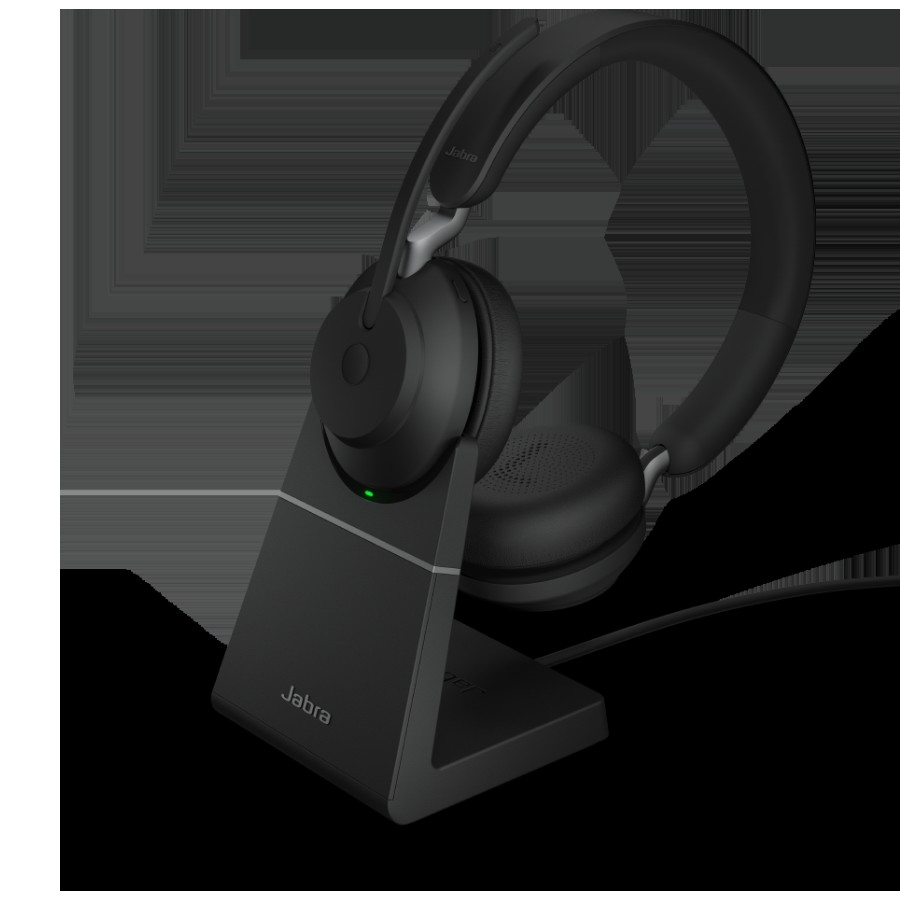
Jabra Evolve2 55
In the 'Work Headsets and Microphones Whose Differences Show as Calls Run Longer' list, the Jabra Evolve2 55 is a work headset that offers an on-ear fit, a boom microphone, and wireless connectivity. The Jabra Evolve2 55 is worth comparing first for desks that need 'a user who has frequent video calls and wants to keep microphone controls simple.' The first spec to look at on the Jabra Evolve2 55 is the 'boom arm mute and active noise cancellation,' and you should compare whether this feature actually reduces the discomfort of your existing equipment.
The conditions to check before paying for the Jabra Evolve2 55 are 'USB-A or USB-C dongle and confirming the Teams or UC model.' The 'mono and stereo variants and charging accessories' should also be checked before the parts arrive. In the end, the value of the Jabra Evolve2 55 depends on whether there's a feature you'll clearly use often in your 'Work Headsets and Microphones Whose Differences Show as Calls Run Longer' environment, so confirm Jabra's warranty coverage and then decide whether it replaces or supplements your existing equipment.
The conditions to check before paying for the Jabra Evolve2 55 are 'USB-A or USB-C dongle and confirming the Teams or UC model.' The 'mono and stereo variants and charging accessories' should also be checked before the parts arrive. In the end, the value of the Jabra Evolve2 55 depends on whether there's a feature you'll clearly use often in your 'Work Headsets and Microphones Whose Differences Show as Calls Run Longer' environment, so confirm Jabra's warranty coverage and then decide whether it replaces or supplements your existing equipment.
브랜드 Jabra
잘 맞는 상황 화상회의가 잦고 마이크 조작을 단순하게 유지하려는 사용자
핵심 특징 붐 암 음소거와 능동 소음 제거
연결·호환 USB-A·USB-C 동글 및 Teams·UC 모델 확인
구매 전 확인 모노·스테레오 변형과 충전 액세서리
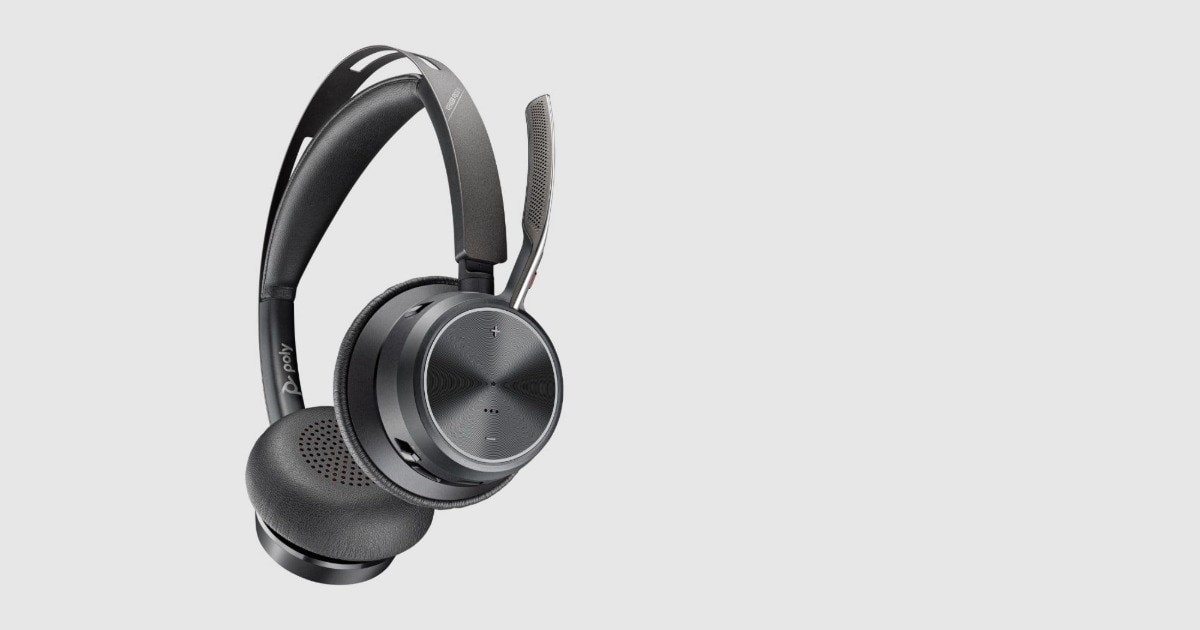
Poly Voyager Focus 2
In the 'Work Headsets and Microphones Whose Differences Show as Calls Run Longer' list, the Poly Voyager Focus 2 is a stereo work headset that offers a boom microphone and multi-level active noise cancellation. The reason this product made the list is that it ties in with 'a user who handles multiple meeting apps and phone calls with a single headset.' The Poly Voyager Focus 2's signature advantage is its 'Acoustic Fence microphone and hybrid ANC,' but if it doesn't match your work habits, you may end up using it less.
To reduce setup failures, review the Poly Voyager Focus 2's 'compatibility range of the BT700 dongle and the desk phone base option,' then recheck 'the Microsoft Teams certified model and charging stand configuration' against the retailer's description. To complete your 'Work Headsets and Microphones Whose Differences Show as Calls Run Longer' setup, look not only at the Poly Voyager Focus 2's convenience but also at the conditions that are hard to reverse after installation, and compare HP Poly's support policy with your own work sequence.
To reduce setup failures, review the Poly Voyager Focus 2's 'compatibility range of the BT700 dongle and the desk phone base option,' then recheck 'the Microsoft Teams certified model and charging stand configuration' against the retailer's description. To complete your 'Work Headsets and Microphones Whose Differences Show as Calls Run Longer' setup, look not only at the Poly Voyager Focus 2's convenience but also at the conditions that are hard to reverse after installation, and compare HP Poly's support policy with your own work sequence.
브랜드 HP Poly
잘 맞는 상황 여러 회의 앱과 전화 통화를 한 헤드셋으로 처리하는 사용자
핵심 특징 Acoustic Fence 마이크와 하이브리드 ANC
연결·호환 BT700 동글과 데스크폰 베이스 옵션의 호환 범위
구매 전 확인 Microsoft Teams 인증 모델과 충전 스탠드 구성
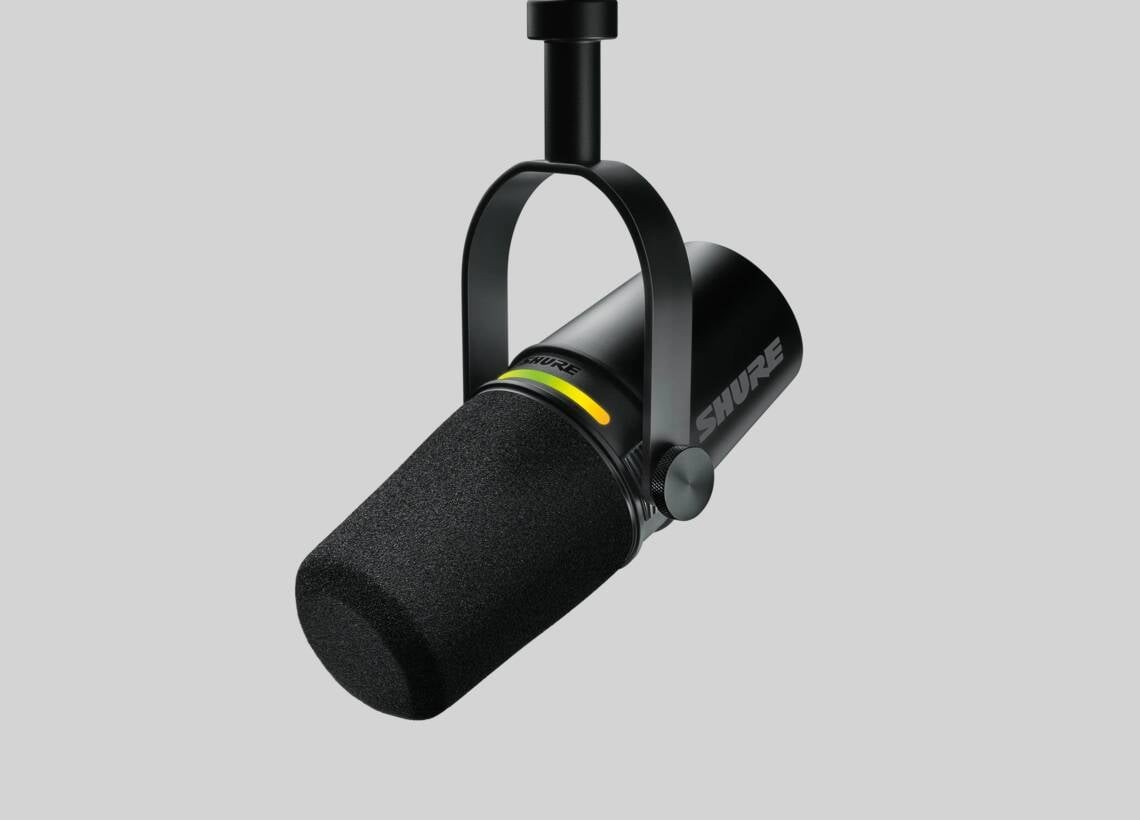
Shure MV7+
In the 'Work Headsets and Microphones Whose Differences Show as Calls Run Longer' list, the Shure MV7+ is a dynamic vocal microphone that provides both USB-C and XLR outputs. The Shure MV7+'s usefulness shows most clearly when solving the 'a desk that handles lecture and podcast recording with one microphone in addition to meetings' situation. For the Shure MV7+'s 'dynamic capsule and dual USB-C and XLR outputs,' how often they get used in your everyday work sequence matters more than the peak figures.
The Shure MV7+'s range of use changes depending on the 'operating systems supported by MOTIV Mix and the audio interface needed when using XLR' conditions, and 'whether a stand or boom arm is sold separately and the distance to your mouth' are also hard to change after purchase. The Shure MV7+ is a candidate that reduces a specific discomfort in the 'Work Headsets and Microphones Whose Differences Show as Calls Run Longer' list, not the right answer for every environment, so check Shure's support coverage and your actual frequency of use and spend only on the features you need.
The Shure MV7+'s range of use changes depending on the 'operating systems supported by MOTIV Mix and the audio interface needed when using XLR' conditions, and 'whether a stand or boom arm is sold separately and the distance to your mouth' are also hard to change after purchase. The Shure MV7+ is a candidate that reduces a specific discomfort in the 'Work Headsets and Microphones Whose Differences Show as Calls Run Longer' list, not the right answer for every environment, so check Shure's support coverage and your actual frequency of use and spend only on the features you need.
브랜드 Shure
잘 맞는 상황 회의 외에 강의·팟캐스트 녹음까지 한 마이크로 처리하는 책상
핵심 특징 다이내믹 캡슐과 USB-C·XLR 이중 출력
연결·호환 MOTIV Mix 지원 운영체제와 XLR 사용 시 오디오 인터페이스
구매 전 확인 스탠드·붐암 별도 여부와 입과의 거리
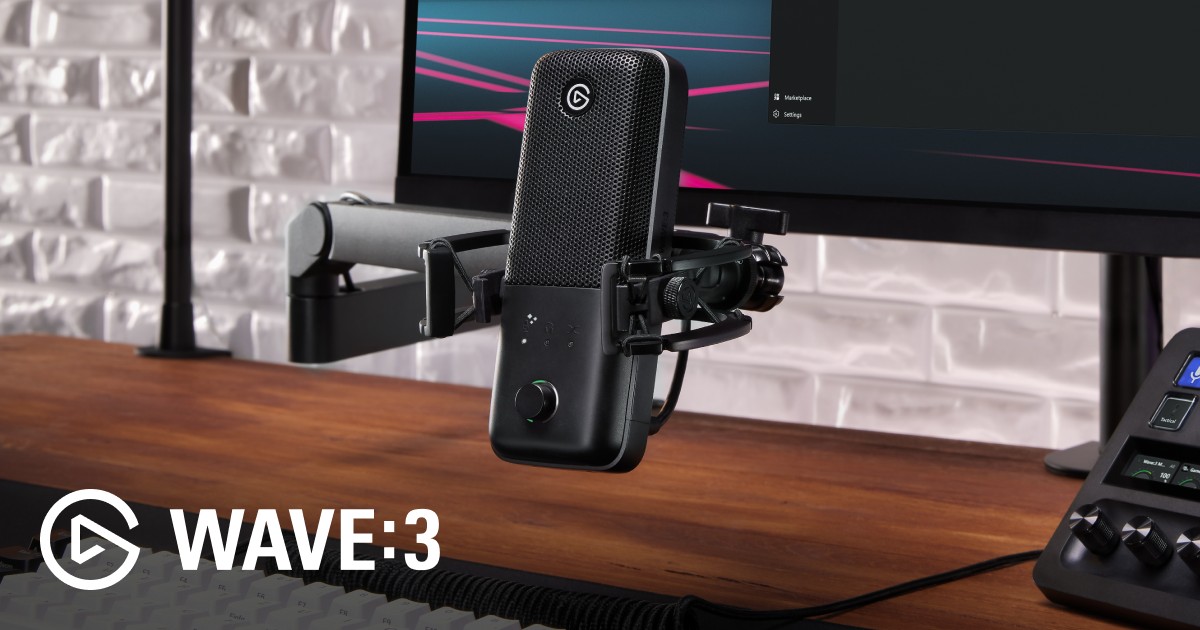
Elgato Wave:3
In the 'Work Headsets and Microphones Whose Differences Show as Calls Run Longer' list, the Elgato Wave:3 is a condenser microphone that supports a USB-C connection and headphone monitoring. The selection criteria become clearer when you place it on 'a personal desk where meeting and broadcast audio sources are managed separately through software' rather than simply looking at spec-sheet numbers. In the comparison process, it's realistic to judge the Elgato Wave:3's 'cardioid pickup and Wave Link mixing' side by side with your current desk configuration.
Before keeping the Elgato Wave:3 on your shopping list, checking 'the USB connection and the operating systems supported by Wave Link' and then 'the possibility of picking up keyboard noise and reflections in a reverberant room' in turn can reduce unnecessary returns. When evaluating the Elgato Wave:3 from the 'Work Headsets and Microphones Whose Differences Show as Calls Run Longer' perspective, what matters is how much it simplifies the tasks you repeat every day rather than the number of features, and it becomes a choice that lasts only when Elgato's after-sales support and your desk environment line up as well.
Before keeping the Elgato Wave:3 on your shopping list, checking 'the USB connection and the operating systems supported by Wave Link' and then 'the possibility of picking up keyboard noise and reflections in a reverberant room' in turn can reduce unnecessary returns. When evaluating the Elgato Wave:3 from the 'Work Headsets and Microphones Whose Differences Show as Calls Run Longer' perspective, what matters is how much it simplifies the tasks you repeat every day rather than the number of features, and it becomes a choice that lasts only when Elgato's after-sales support and your desk environment line up as well.
브랜드 Elgato
잘 맞는 상황 소프트웨어로 회의·방송 음원을 나눠 관리하려는 개인 책상
핵심 특징 카디오이드 수음과 Wave Link 믹싱
연결·호환 USB 연결과 Wave Link 지원 운영체제
구매 전 확인 반사음이 많은 방과 키보드 소음 유입 가능성
If you have to wear a headset all day, take it off periodically to relieve pressure on your ears and head rather than wearing it for long stretches at a time, and check the state of the ear pads and your volume. For wireless models, confirm whether you can continue a call over a USB cable when the battery runs out, and whether the dongle can be replaced if you lose it. If your company requires a model certified for a specific meeting platform, you'll need to distinguish between the UC version and the Teams version that share the same name.
With a USB microphone, keeping it within 15 to 30 cm of your mouth and lowering the gain reduces keyboard noise and reflections more easily than placing it far away and raising the input sensitivity. Before an important meeting, listen to your actual voice and background noise with a recording app, and make sure the input device is the same in both the operating system and the meeting app. In many cases, adjusting position solves the problem before replacing equipment does.
With a USB microphone, keeping it within 15 to 30 cm of your mouth and lowering the gain reduces keyboard noise and reflections more easily than placing it far away and raising the input sensitivity. Before an important meeting, listen to your actual voice and background noise with a recording app, and make sure the input device is the same in both the operating system and the meeting app. In many cases, adjusting position solves the problem before replacing equipment does.
At a glance
7 items
Logitech Zone Wireless 2
Logitech · 공용 공간에서 노트북과 휴대전화를 오가며 회의하는 사용자 · 마이크 소음 억제와 Bluetooth·USB 동글 연결 · 지원 운영체제와 Logi Tune, Teams·UC 모델 구분 · 동글 포함 여부와 유선 오디오 사용 범위
Logitech Zone Vibe Wireless
Logitech · 장시간 착용 무게와 업무·음악 겸용성을 함께 보는 사용자 · 플립 음소거 붐과 다중 기기 Bluetooth · Logi Bolt 수신기와 Bluetooth 기기 지원 범위 · Zone Vibe 100과 Wireless 모델의 구성 차이
Jabra Evolve2 65 Flex
Jabra · 출장과 재택을 오가며 가방 부피를 줄여야 하는 사용자 · 폴더블 힌지와 붐 마이크·ANC · Link 동글 규격과 UC·Teams 변형, Bluetooth 기기 · 충전 스탠드 포함 옵션과 이어패드 착용감
Jabra Evolve2 55
Jabra · 화상회의가 잦고 마이크 조작을 단순하게 유지하려는 사용자 · 붐 암 음소거와 능동 소음 제거 · USB-A·USB-C 동글 및 Teams·UC 모델 확인 · 모노·스테레오 변형과 충전 액세서리
Poly Voyager Focus 2
HP Poly · 여러 회의 앱과 전화 통화를 한 헤드셋으로 처리하는 사용자 · Acoustic Fence 마이크와 하이브리드 ANC · BT700 동글과 데스크폰 베이스 옵션의 호환 범위 · Microsoft Teams 인증 모델과 충전 스탠드 구성
Shure MV7+
Shure · 회의 외에 강의·팟캐스트 녹음까지 한 마이크로 처리하는 책상 · 다이내믹 캡슐과 USB-C·XLR 이중 출력 · MOTIV Mix 지원 운영체제와 XLR 사용 시 오디오 인터페이스 · 스탠드·붐암 별도 여부와 입과의 거리
Elgato Wave:3
Elgato · 소프트웨어로 회의·방송 음원을 나눠 관리하려는 개인 책상 · 카디오이드 수음과 Wave Link 믹싱 · USB 연결과 Wave Link 지원 운영체제 · 반사음이 많은 방과 키보드 소음 유입 가능성
As part of the Coupang Partners program, this post may earn a commission from qualifying purchases.
Comments 0
Log in to leave a comment.
Be the first to comment.
How about these lists?


You might also like


🎲
Not ready to stop here?
Wondering what to read next is the biggest waste of time.
Let the dice decide — you won't know what pops up until you roll.
If you don't press it… won't you wonder forever? 👀
 Log in or sign up with KakaoTalk in 5 seconds