
Collection
Remote Work Equipment
2026.10.11
Gear That Carries Your Face and Voice Clearly in Video Meetings
Comparing personal-desk webcams and small-meeting speakerphones separately, through real products
Video meeting quality isn't decided by camera resolution alone. If you sit with a window behind you, even a high-resolution webcam captures your face in shadow, and if you speak far from the laptop, the microphone picks up keyboard noise and the room's reverberation along with your voice. The equipment you need also changes depending on whether one person is on a call at a desk or several people are sitting around a table. That's why webcams and speakerphones shouldn't be compared by the same yardstick.
This list includes three webcams that offer auto-framing or a wide field of view and four speakerphones that differ in portability and meeting room scale. It's organized so you check installation distance, field of view, microphone pickup range, USB and Bluetooth connectivity, and meeting platform certification before resolution. Company security policy may block dedicated app installs or Bluetooth, so you should also check the conditions for using them on a company-issued PC.
This list includes three webcams that offer auto-framing or a wide field of view and four speakerphones that differ in portability and meeting room scale. It's organized so you check installation distance, field of view, microphone pickup range, USB and Bluetooth connectivity, and meeting platform certification before resolution. Company security policy may block dedicated app installs or Bluetooth, so you should also check the conditions for using them on a company-issued PC.
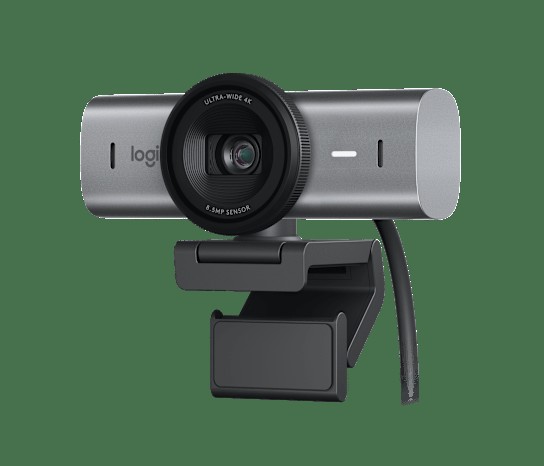
Logitech MX Brio
In the 'Gear That Carries Your Face and Voice Clearly in Video Meetings' list, the Logitech MX Brio is a business webcam that offers 4K capture, adjustable field of view, and a privacy shutter. The selection criteria become clearer when you place it in the context of 'meetings at a personal desk where both screen sharing and your face need to appear sharp' rather than simply looking at spec-sheet numbers. In the comparison process, it's realistic to judge the Logitech MX Brio's '4K sensor and software field-of-view adjustment' side by side with your current desk configuration.
Before keeping the Logitech MX Brio on your shopping list, checking 'the USB-C connection and confirming operating system and meeting app support' and then 'monitor thickness, lighting conditions, and bandwidth when using 4K' in turn can reduce unnecessary returns. When evaluating the Logitech MX Brio from the 'Gear That Carries Your Face and Voice Clearly in Video Meetings' perspective, what matters is how much it simplifies the tasks you repeat every day rather than the number of features, and it becomes a choice that lasts only when Logitech's after-sales support and your desk environment line up as well.
Before keeping the Logitech MX Brio on your shopping list, checking 'the USB-C connection and confirming operating system and meeting app support' and then 'monitor thickness, lighting conditions, and bandwidth when using 4K' in turn can reduce unnecessary returns. When evaluating the Logitech MX Brio from the 'Gear That Carries Your Face and Voice Clearly in Video Meetings' perspective, what matters is how much it simplifies the tasks you repeat every day rather than the number of features, and it becomes a choice that lasts only when Logitech's after-sales support and your desk environment line up as well.
브랜드 Logitech
잘 맞는 상황 개인 책상에서 화면 공유와 얼굴 영상을 함께 선명하게 보여 주는 회의
핵심 특징 4K 센서와 소프트웨어 화각 조절
연결·호환 USB-C 연결, 운영체제와 회의 앱 지원 확인
구매 전 확인 모니터 두께·조명 조건과 4K 사용 시 대역폭
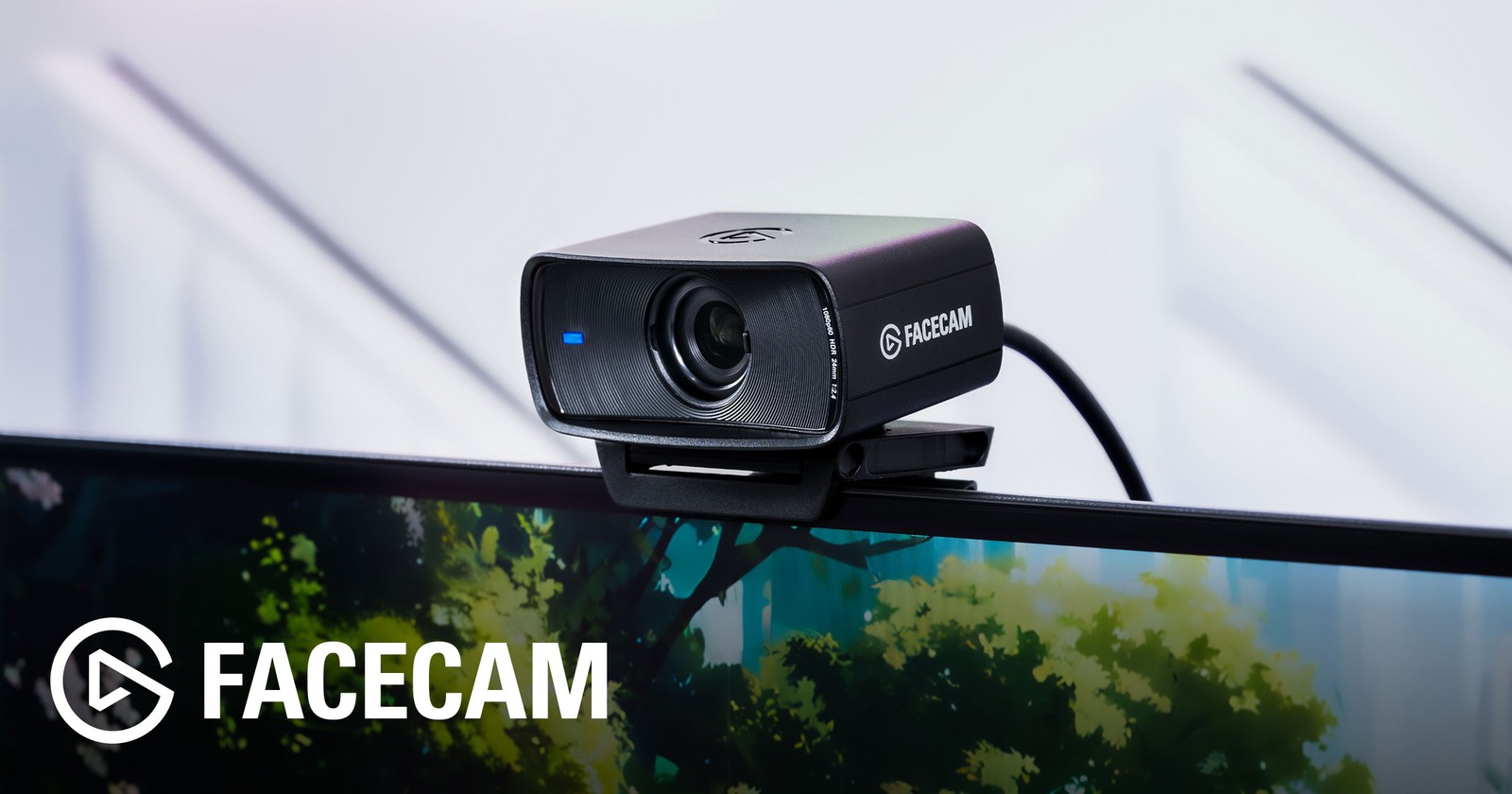
Elgato Facecam MK.2
In the 'Gear That Carries Your Face and Voice Clearly in Video Meetings' list, the Elgato Facecam MK.2 is a webcam that emphasizes high-frame-rate Full HD video and manual camera settings. When reviewing the Elgato Facecam MK.2, it's best to start from the actual workflow in which 'adjusting lighting and exposure yourself to set up presentation- or broadcast-style meetings' comes up. The '1080p60 video and Camera Hub settings' that the Elgato Facecam MK.2 provides only do their job when the placement and surrounding equipment line up.
Whether the Elgato Facecam MK.2 gets real use hinges on the 'USB 3.0 connection and confirming supported operating systems' conditions, so it's safer to verify even 'the absence of a built-in microphone and the need for separate audio equipment' in official documents. Before the final choice, sum up in one sentence the role the Elgato Facecam MK.2 will play in your 'Gear That Carries Your Face and Voice Clearly in Video Meetings' setup, and raise its purchase priority when that role is clear and Elgato's support terms also make sense to you.
Whether the Elgato Facecam MK.2 gets real use hinges on the 'USB 3.0 connection and confirming supported operating systems' conditions, so it's safer to verify even 'the absence of a built-in microphone and the need for separate audio equipment' in official documents. Before the final choice, sum up in one sentence the role the Elgato Facecam MK.2 will play in your 'Gear That Carries Your Face and Voice Clearly in Video Meetings' setup, and raise its purchase priority when that role is clear and Elgato's support terms also make sense to you.
브랜드 Elgato
잘 맞는 상황 조명과 노출을 직접 조절해 발표·방송형 회의를 구성하는 경우
핵심 특징 1080p60 영상과 Camera Hub 설정
연결·호환 USB 3.0 연결과 지원 운영체제 확인
구매 전 확인 내장 마이크 부재와 별도 음향 장비 필요성
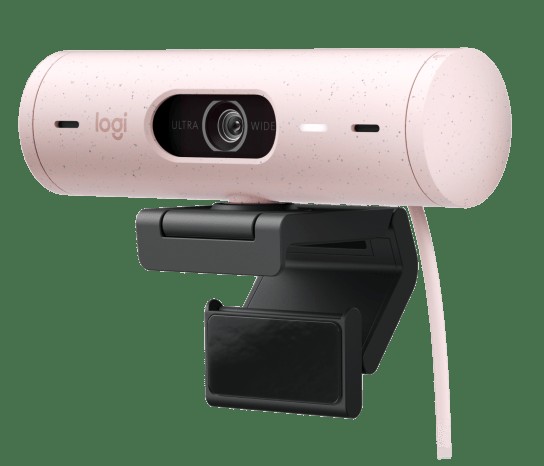
Logitech Brio 500
In the 'Gear That Carries Your Face and Voice Clearly in Video Meetings' list, the Logitech Brio 500 is a webcam with Full HD video, automatic exposure correction, and a privacy shutter. If your situation matches 'keeping setup and operation simple for ordinary personal video meetings,' there's a solid reason to put the Logitech Brio 500 on your shortlist. Keep in mind, too, that if you don't need '1080p video, Show Mode, and field-of-view adjustment,' a simpler product than the Logitech Brio 500 may be the more sensible choice.
To bring the Logitech Brio 500 into your current environment, the 'USB-C connection and confirming operating systems supported by Logi Tune' conditions have to be met, and treat 'the monitor mounting method and any USB adapter you'll need' as the final criterion for choosing a model. Whether the Logitech Brio 500 stays on the 'Gear That Carries Your Face and Voice Clearly in Video Meetings' list should be judged by whether it actually reduces your current discomfort rather than by how flashy its new features are, and Logitech's warranty and exchange terms should be factored into the cost calculation as well.
To bring the Logitech Brio 500 into your current environment, the 'USB-C connection and confirming operating systems supported by Logi Tune' conditions have to be met, and treat 'the monitor mounting method and any USB adapter you'll need' as the final criterion for choosing a model. Whether the Logitech Brio 500 stays on the 'Gear That Carries Your Face and Voice Clearly in Video Meetings' list should be judged by whether it actually reduces your current discomfort rather than by how flashy its new features are, and Logitech's warranty and exchange terms should be factored into the cost calculation as well.
브랜드 Logitech
잘 맞는 상황 일반적인 개인 화상회의에서 설치와 조작을 단순하게 유지하는 경우
핵심 특징 1080p 영상과 Show Mode·화각 조절
연결·호환 USB-C 연결과 Logi Tune 지원 운영체제 확인
구매 전 확인 모니터 장착 방식과 필요한 USB 변환 어댑터
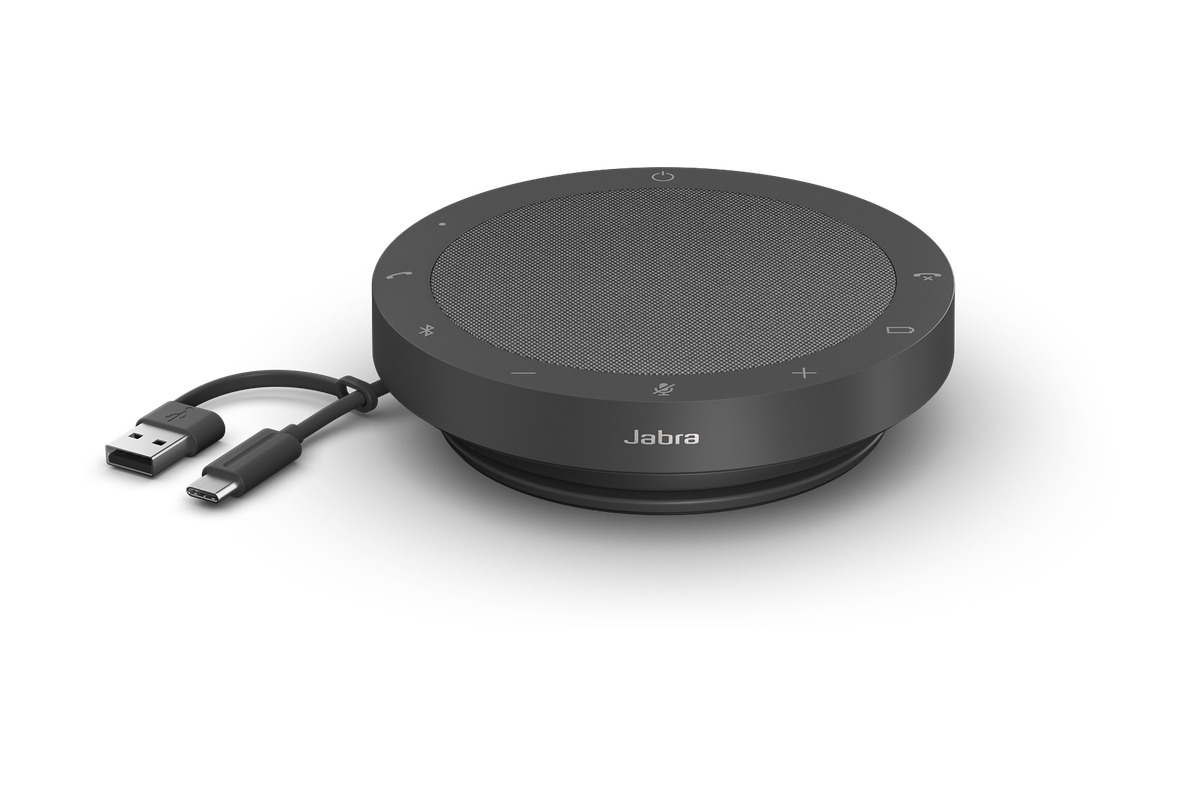
Jabra Speak2 55
In the 'Gear That Carries Your Face and Voice Clearly in Video Meetings' list, the Jabra Speak2 55 is a conference speakerphone that packs multiple microphones and a speaker into a portable round body. This piece of equipment is worth comparing for users who prioritize 'small table meetings and group calls while traveling for work.' For the Jabra Speak2 55's distinguishing feature, the 'multiple microphones and USB and Bluetooth connectivity,' what matters is the actual operation and accessibility rather than simply whether the feature exists.
Check that the space and devices where you'll use the Jabra Speak2 55 satisfy the 'confirming the UC or Teams variant and the PC and mobile connection method' conditions, then confirm 'the number of participants, table size, and whether a dongle is included' in the final order details. Before adding the Jabra Speak2 55 to your 'Gear That Carries Your Face and Voice Clearly in Video Meetings' environment, check whether the same goal can be met by reconfiguring your existing equipment, and when an additional purchase is needed, cross-check Jabra's support coverage and installation requirements as a last step.
Check that the space and devices where you'll use the Jabra Speak2 55 satisfy the 'confirming the UC or Teams variant and the PC and mobile connection method' conditions, then confirm 'the number of participants, table size, and whether a dongle is included' in the final order details. Before adding the Jabra Speak2 55 to your 'Gear That Carries Your Face and Voice Clearly in Video Meetings' environment, check whether the same goal can be met by reconfiguring your existing equipment, and when an additional purchase is needed, cross-check Jabra's support coverage and installation requirements as a last step.
브랜드 Jabra
잘 맞는 상황 소규모 테이블 회의와 출장지의 그룹 통화
핵심 특징 다중 마이크와 USB·Bluetooth 연결
연결·호환 UC·Teams 변형과 PC·모바일 연결 방식 확인
구매 전 확인 참석 인원·테이블 크기와 동글 포함 여부
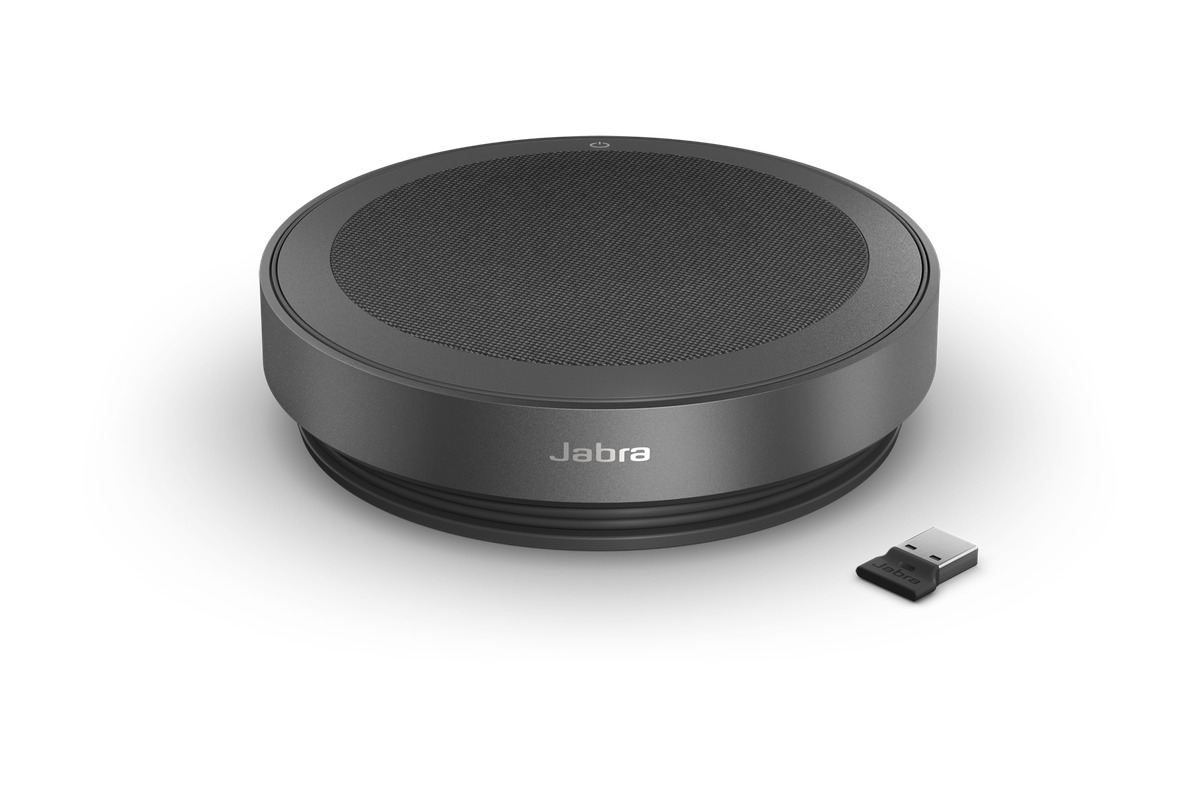
Jabra Speak2 75
In the 'Gear That Carries Your Face and Voice Clearly in Video Meetings' list, the Jabra Speak2 75 is a higher-end speakerphone that packs multiple microphones and full-duplex audio into a portable body. When you build the Jabra Speak2 75 around 'small table meetings run while switching between a laptop and a phone,' both its strengths and its limits come into view. If the feature you'll use most is the 'multiple microphones and USB and Bluetooth connectivity,' the Jabra Speak2 75 moves up the priority list, but if not, its cost-effectiveness deserves a second look.
To avoid compatibility problems with the Jabra Speak2 75, check 'confirming the UC or Teams variant and whether a Link dongle is included' first, and compare 'the recommended meeting size and wireless connection policy' against the model sold in your region as well. Even if the Jabra Speak2 75's specs look good, usage can drop off quickly if it doesn't fit your 'Gear That Carries Your Face and Voice Clearly in Video Meetings' workflow, so review Jabra's support policy together with your actual movement patterns and avoid overbuilding.
To avoid compatibility problems with the Jabra Speak2 75, check 'confirming the UC or Teams variant and whether a Link dongle is included' first, and compare 'the recommended meeting size and wireless connection policy' against the model sold in your region as well. Even if the Jabra Speak2 75's specs look good, usage can drop off quickly if it doesn't fit your 'Gear That Carries Your Face and Voice Clearly in Video Meetings' workflow, so review Jabra's support policy together with your actual movement patterns and avoid overbuilding.
브랜드 Jabra
잘 맞는 상황 노트북과 휴대전화를 오가며 진행하는 소규모 테이블 회의
핵심 특징 다중 마이크와 USB·Bluetooth 연결
연결·호환 UC·Teams 변형과 링크 동글 포함 여부 확인
구매 전 확인 권장 회의 규모와 무선 연결 정책
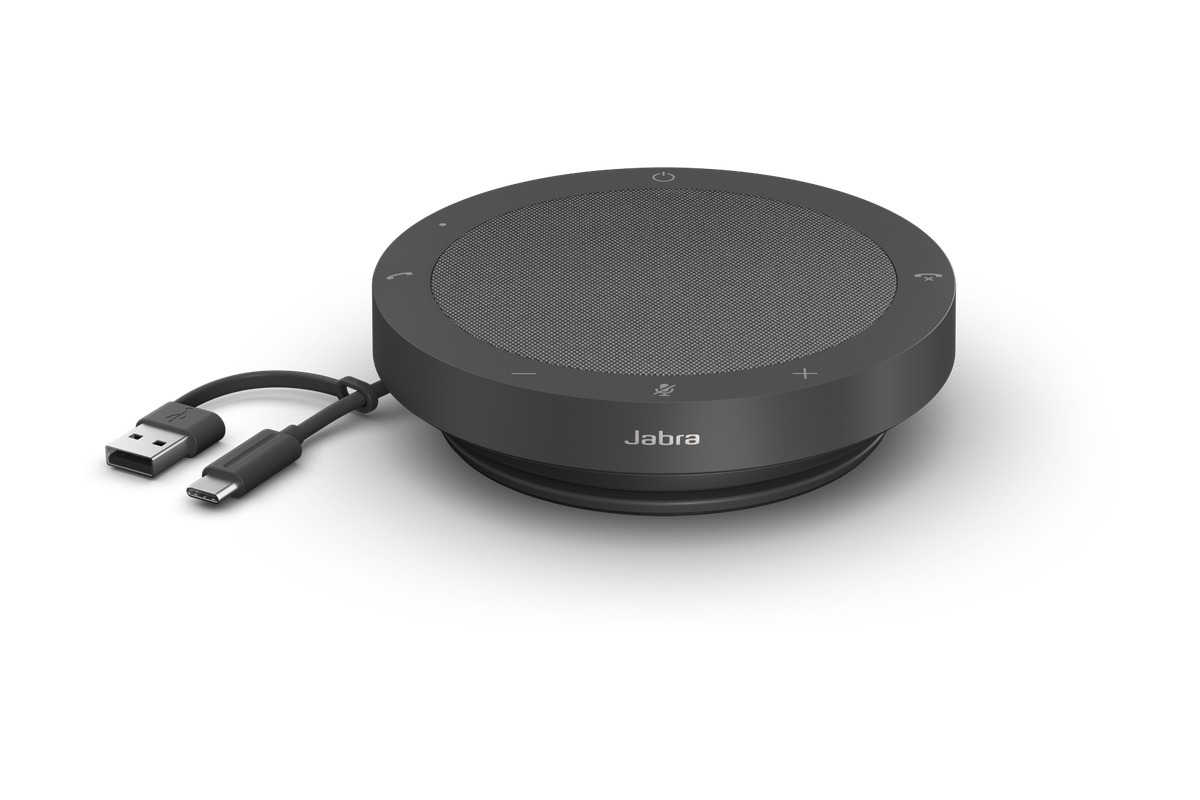
Jabra Speak2 40
In the 'Gear That Carries Your Face and Voice Clearly in Video Meetings' list, the Jabra Speak2 40 is a portable conference speakerphone designed around a USB cable connection. The purchase decision should start not from the Jabra Speak2 40's name but from the needs of 'running small meetings reliably over a wired connection without Bluetooth.' Whether the Jabra Speak2 40 stays on the shortlist depends on whether its 'integrated USB-A and USB-C cable and multiple microphones' line up exactly with what your current equipment lacks.
On the spec sheet, check the Jabra Speak2 40's 'UC or Teams certified variant and confirming the PC's USB port' and 'whether you need wireless features and the cable length' separately so that the actual configuration doesn't diverge from your expectations. In the 'Gear That Carries Your Face and Voice Clearly in Video Meetings' list, it's realistic to set the Jabra Speak2 40's priority by how much improvement you'll feel every day, and to confirm you can handle Jabra's warranty coverage and the maintenance burden.
On the spec sheet, check the Jabra Speak2 40's 'UC or Teams certified variant and confirming the PC's USB port' and 'whether you need wireless features and the cable length' separately so that the actual configuration doesn't diverge from your expectations. In the 'Gear That Carries Your Face and Voice Clearly in Video Meetings' list, it's realistic to set the Jabra Speak2 40's priority by how much improvement you'll feel every day, and to confirm you can handle Jabra's warranty coverage and the maintenance burden.
브랜드 Jabra
잘 맞는 상황 Bluetooth 없이 유선 연결로 작은 회의를 안정적으로 진행하는 경우
핵심 특징 USB-A·USB-C 통합 케이블과 다중 마이크
연결·호환 UC·Teams 인증 변형과 PC USB 포트 확인
구매 전 확인 무선 기능 필요 여부와 케이블 길이
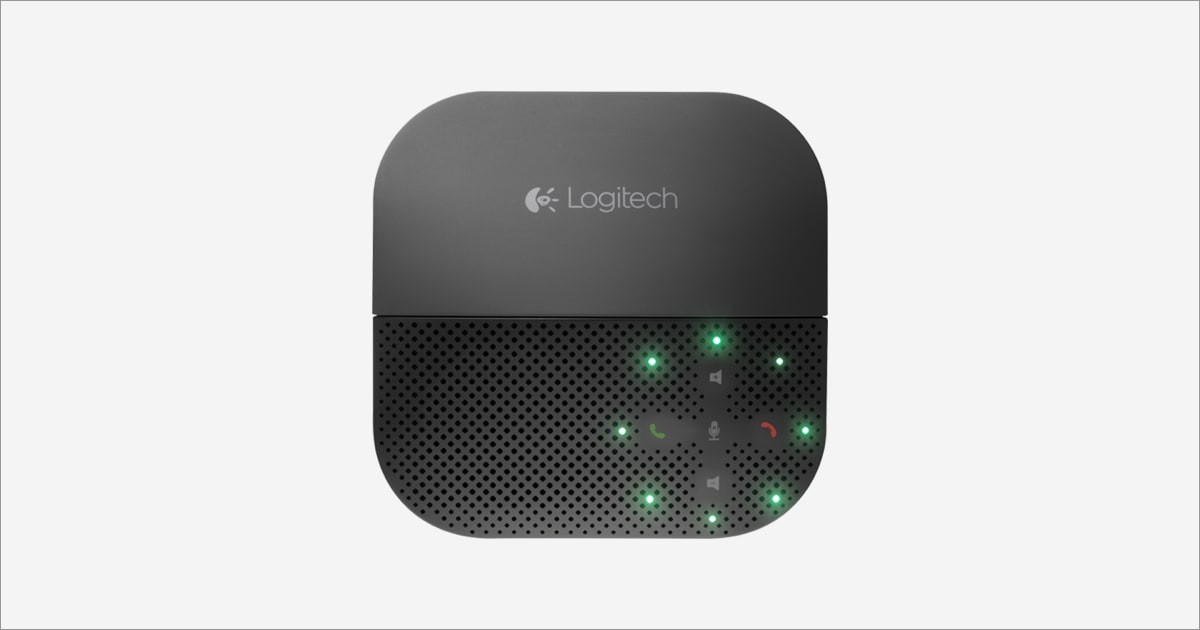
Logitech P710e Mobile Speakerphone
In the 'Gear That Carries Your Face and Voice Clearly in Video Meetings' list, the Logitech P710e Mobile Speakerphone is a mobile speakerphone with USB and Bluetooth connectivity and a phone stand. If 'calls with one to a few people while alternating between a phone and a laptop' is a recurring situation in your work, it's worth looking into the real-world usefulness of the Logitech P710e Mobile Speakerphone. The item the official specs emphasize is the 'mobile device stand and wired and wireless connectivity.' Review your actual workflow to see whether the Logitech P710e Mobile Speakerphone delivers the same benefit in your space.
Before adding the Logitech P710e Mobile Speakerphone to your existing equipment, verify the 'confirming USB and Bluetooth device compatibility' conditions, and confirm 'the support status of this older model and the connectors you'll need' on the official sales page as a final step. If you choose the Logitech P710e Mobile Speakerphone, decide which features to test first in your 'Gear That Carries Your Face and Voice Clearly in Video Meetings' environment and how to roll back if it doesn't work out, and learn Logitech's customer support terms to cut down on trial and error after adoption.
Before adding the Logitech P710e Mobile Speakerphone to your existing equipment, verify the 'confirming USB and Bluetooth device compatibility' conditions, and confirm 'the support status of this older model and the connectors you'll need' on the official sales page as a final step. If you choose the Logitech P710e Mobile Speakerphone, decide which features to test first in your 'Gear That Carries Your Face and Voice Clearly in Video Meetings' environment and how to roll back if it doesn't work out, and learn Logitech's customer support terms to cut down on trial and error after adoption.
브랜드 Logitech
잘 맞는 상황 휴대전화와 노트북을 번갈아 쓰는 1~소수 인원 통화
핵심 특징 모바일 기기 스탠드와 유선·무선 연결
연결·호환 USB 및 Bluetooth 기기 호환성 확인
구매 전 확인 구형 모델의 지원 현황과 필요한 연결 단자
For a personal video meeting, simply placing the camera close to eye level and getting soft light on the front of your face can make a bigger difference than replacing equipment. Turning up both the speaker and the microphone at once can make echo cancellation harder, so when you're on a call alone, a headset is sometimes the simpler choice. A speakerphone is more accurately seen as a device you put in the center of a table so that the pickup distance matches when several people are speaking.
Before a meeting, check the operating system's camera and microphone permissions and the input device inside the app, and recording or auto-tracking features should follow the participants' consent and company rules. The field of view and pickup range in the official specs can vary with the room's sound absorption and layout, so before an important presentation, make a short recording from your actual seat and check both video and audio.
Before a meeting, check the operating system's camera and microphone permissions and the input device inside the app, and recording or auto-tracking features should follow the participants' consent and company rules. The field of view and pickup range in the official specs can vary with the room's sound absorption and layout, so before an important presentation, make a short recording from your actual seat and check both video and audio.
At a glance
7 items
As part of the Coupang Partners program, this post may earn a commission from qualifying purchases.
Comments 0
Log in to leave a comment.
Be the first to comment.
How about these lists?


You might also like


🎲
Not ready to stop here?
Wondering what to read next is the biggest waste of time.
Let the dice decide — you won't know what pops up until you roll.
If you don't press it… won't you wonder forever? 👀
