
Collection
Remote Work Equipment
2026.10.12
Electric Desks and Monitor Arms That Build a Sit-Stand Rhythm
A home-office guide that checks height range, load capacity, desktop size, and screen placement against real products
An electric desk is less a piece of equipment that makes you stand for hours and more a tool for cutting down the time you spend in any single posture. If the lowest height doesn't fit your body, your shoulders creep up when you sit, and frame wobble and desktop size can shape the real-world experience far more than the maximum height does. A monitor arm isn't settled just because the weight rating matches, either: screen size, VESA holes, the structure of the desk edge, and the clearance to the wall all have to line up as well.
This list is made up of four electric desks and three single and dual monitor arms. We look mainly at height range, frame structure, memory controllers, recommended load, clamp installation conditions, and screen compatibility. If you plan to replace the desk and the arm at the same time, it's a good idea to check the drawings first to make sure the frame crossbar and cable tray won't block where the clamp needs to go.
This list is made up of four electric desks and three single and dual monitor arms. We look mainly at height range, frame structure, memory controllers, recommended load, clamp installation conditions, and screen compatibility. If you plan to replace the desk and the arm at the same time, it's a good idea to check the drawings first to make sure the frame crossbar and cable tray won't block where the clamp needs to go.
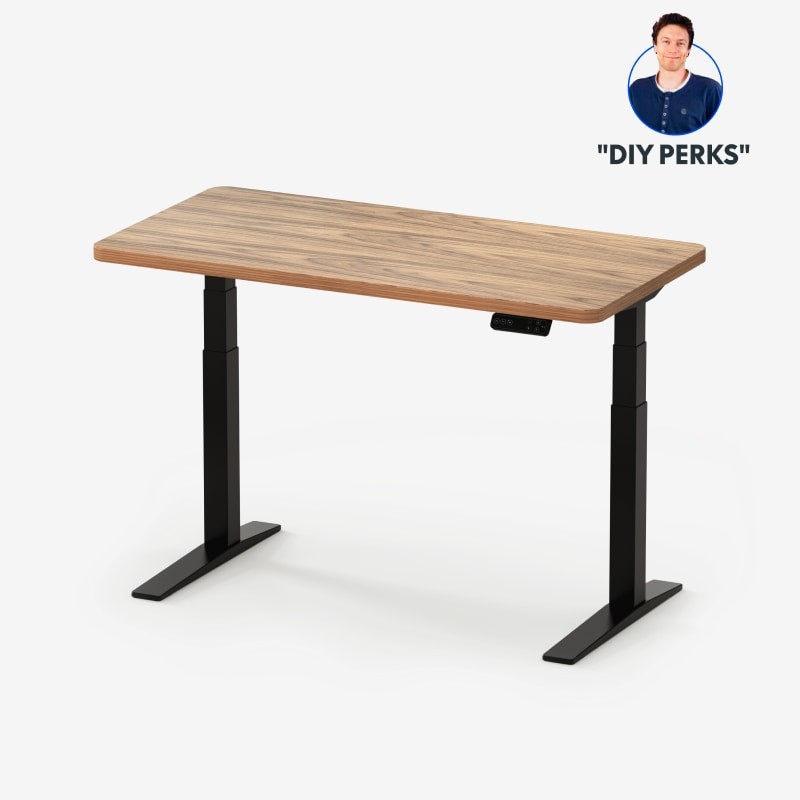
FlexiSpot E7 Pro Plus Standing Desk
In the 'Electric Desks and Monitor Arms That Build a Sit-Stand Rhythm' list, the FlexiSpot E7 Pro Plus Standing Desk is an electric standing desk that offers a dual-motor frame and memory height adjustment. If your setup matches 'a home office with a wide desktop and multiple monitors on it,' there's a solid reason to put the FlexiSpot E7 Pro Plus Standing Desk on your shortlist. Keep in mind, too, that if you don't need the 'C-shaped frame and height memory controller,' a simpler product than the FlexiSpot E7 Pro Plus Standing Desk may be the more sensible choice.
To bring the FlexiSpot E7 Pro Plus Standing Desk into your current environment, the 'chosen desktop size, frame adjustment range, and power specification' conditions have to be met, and treat 'whether the desktop is included and the delivery and assembly scope' as the final criterion for choosing a model. Whether the FlexiSpot E7 Pro Plus Standing Desk stays on the 'Electric Desks and Monitor Arms That Build a Sit-Stand Rhythm' list should be judged by whether it actually reduces your current discomfort rather than by how flashy its new features are, and FlexiSpot's warranty and exchange terms should be factored into the cost calculation as well.
To bring the FlexiSpot E7 Pro Plus Standing Desk into your current environment, the 'chosen desktop size, frame adjustment range, and power specification' conditions have to be met, and treat 'whether the desktop is included and the delivery and assembly scope' as the final criterion for choosing a model. Whether the FlexiSpot E7 Pro Plus Standing Desk stays on the 'Electric Desks and Monitor Arms That Build a Sit-Stand Rhythm' list should be judged by whether it actually reduces your current discomfort rather than by how flashy its new features are, and FlexiSpot's warranty and exchange terms should be factored into the cost calculation as well.
브랜드 FlexiSpot
잘 맞는 상황 넓은 상판과 모니터 여러 대를 올리는 홈오피스
핵심 특징 C형 프레임과 높이 메모리 컨트롤러
연결·호환 선택 상판 크기와 프레임 조절 폭·전원 규격
구매 전 확인 상판 포함 옵션과 배송·조립 범위
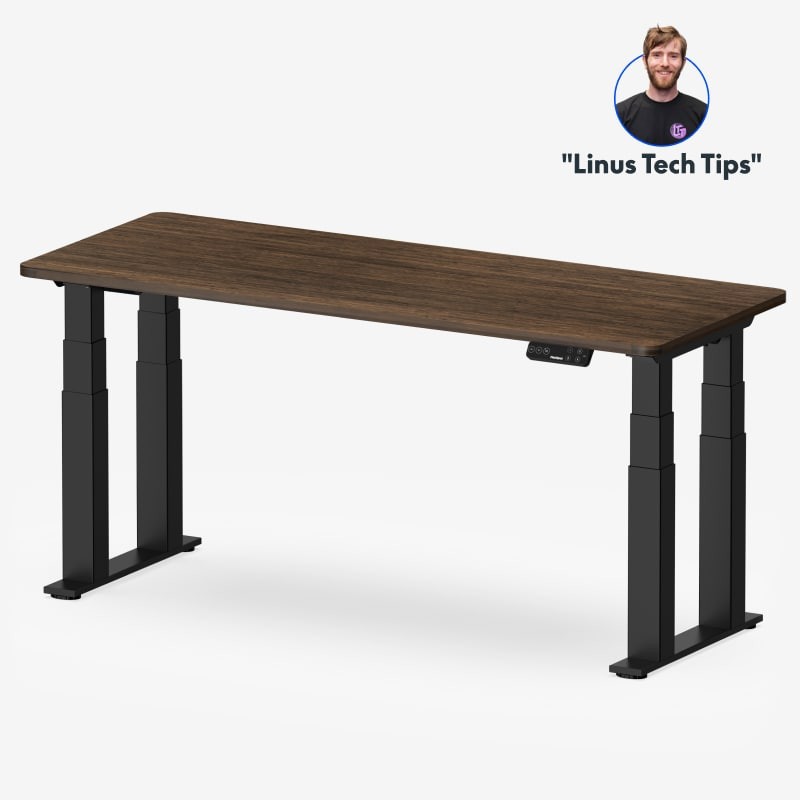
FlexiSpot E7 Plus 4-Leg Standing Desk
In the 'Electric Desks and Monitor Arms That Build a Sit-Stand Rhythm' list, the FlexiSpot E7 Plus 4-Leg Standing Desk is an electric height-adjustable desk that boosts stability with a four-leg structure. This piece of equipment is worth comparing for users who prioritize 'a desk that needs less side-to-side wobble under large screens and heavy gear.' For the FlexiSpot E7 Plus 4-Leg Standing Desk's distinguishing feature, the '4-leg frame with electric height adjustment,' what matters is the actual operation and accessibility rather than simply whether the feature exists.
Check that the space and devices where you'll install the FlexiSpot E7 Plus 4-Leg Standing Desk satisfy the 'desktop size, load, and frame installation space' conditions, then confirm 'desk depth and cable tray interference' in the final order details. Before adding the FlexiSpot E7 Plus 4-Leg Standing Desk to your 'Electric Desks and Monitor Arms That Build a Sit-Stand Rhythm' environment, check whether the same goal can be met by reconfiguring your existing equipment, and when an additional purchase is needed, cross-check FlexiSpot's support coverage and installation requirements as a last step.
Check that the space and devices where you'll install the FlexiSpot E7 Plus 4-Leg Standing Desk satisfy the 'desktop size, load, and frame installation space' conditions, then confirm 'desk depth and cable tray interference' in the final order details. Before adding the FlexiSpot E7 Plus 4-Leg Standing Desk to your 'Electric Desks and Monitor Arms That Build a Sit-Stand Rhythm' environment, check whether the same goal can be met by reconfiguring your existing equipment, and when an additional purchase is needed, cross-check FlexiSpot's support coverage and installation requirements as a last step.
브랜드 FlexiSpot
잘 맞는 상황 대형 화면과 무거운 장비에서 좌우 흔들림을 줄이고 싶은 책상
핵심 특징 4-레그 프레임과 전동 높이 조절
연결·호환 상판 크기·하중과 프레임 설치 공간
구매 전 확인 책상 깊이와 케이블 트레이 간섭
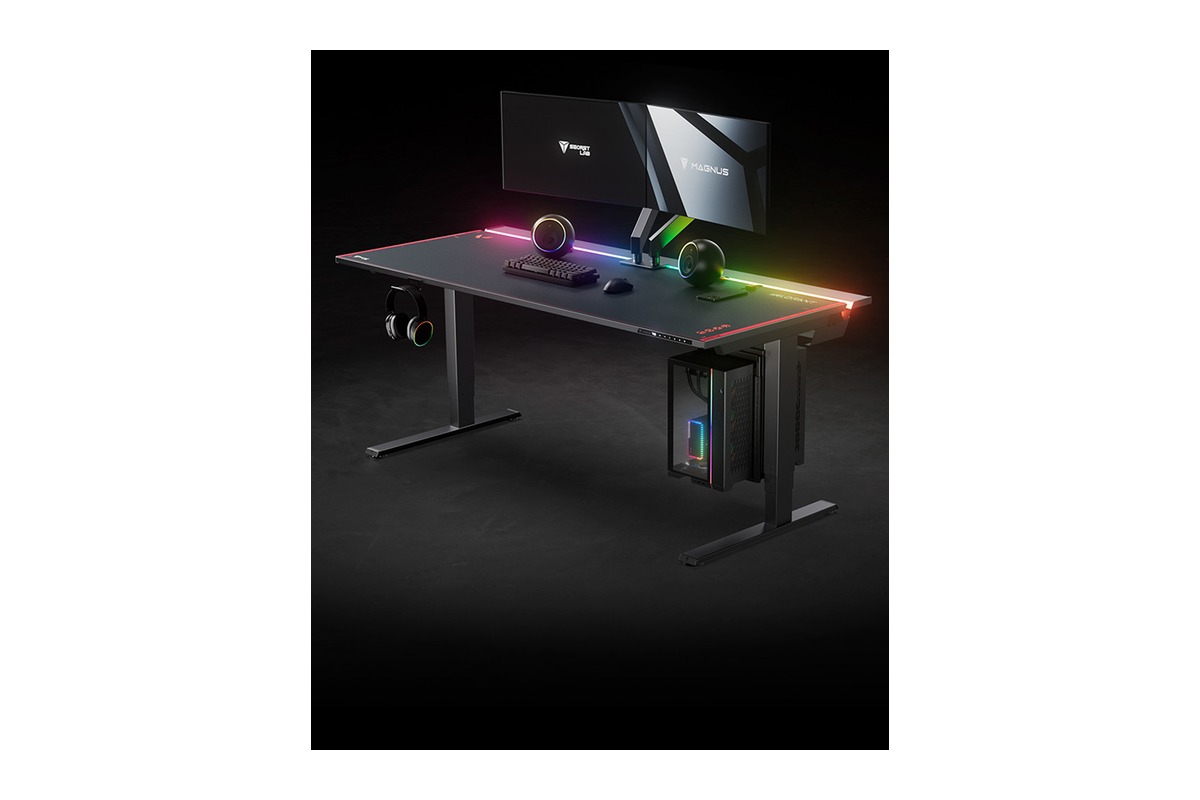
Secretlab MAGNUS Pro
In the 'Electric Desks and Monitor Arms That Build a Sit-Stand Rhythm' list, the Secretlab MAGNUS Pro is a desk that integrates electric height adjustment and a cable tray into a metal desktop. When you build the Secretlab MAGNUS Pro around 'a setup that hides cables in a tray behind the desk and changes height frequently,' both its strengths and its limits come into view. If the feature you'll use most is the 'built-in cable management and magnetic accessory ecosystem,' the Secretlab MAGNUS Pro moves up the priority list, but if not, its cost-effectiveness deserves a second look.
To avoid compatibility problems with the Secretlab MAGNUS Pro, check the 'region-specific power column and desktop size and accessory compatibility' first, and compare 'the weight of the metal desktop and the cost of dedicated accessories' against the model sold in your region as well. Even if the Secretlab MAGNUS Pro's specs look good, usage can drop off quickly if it doesn't fit your 'Electric Desks and Monitor Arms That Build a Sit-Stand Rhythm' workflow, so review Secretlab's support policy together with your actual movement patterns and avoid overbuilding.
To avoid compatibility problems with the Secretlab MAGNUS Pro, check the 'region-specific power column and desktop size and accessory compatibility' first, and compare 'the weight of the metal desktop and the cost of dedicated accessories' against the model sold in your region as well. Even if the Secretlab MAGNUS Pro's specs look good, usage can drop off quickly if it doesn't fit your 'Electric Desks and Monitor Arms That Build a Sit-Stand Rhythm' workflow, so review Secretlab's support policy together with your actual movement patterns and avoid overbuilding.
브랜드 Secretlab
잘 맞는 상황 케이블을 책상 뒤 트레이에 숨기고 자주 높이를 바꾸는 구성
핵심 특징 내장 케이블 관리와 자석 액세서리 생태계
연결·호환 지역별 전원 컬럼과 상판 크기·액세서리 호환
구매 전 확인 금속 상판의 무게와 전용 액세서리 비용
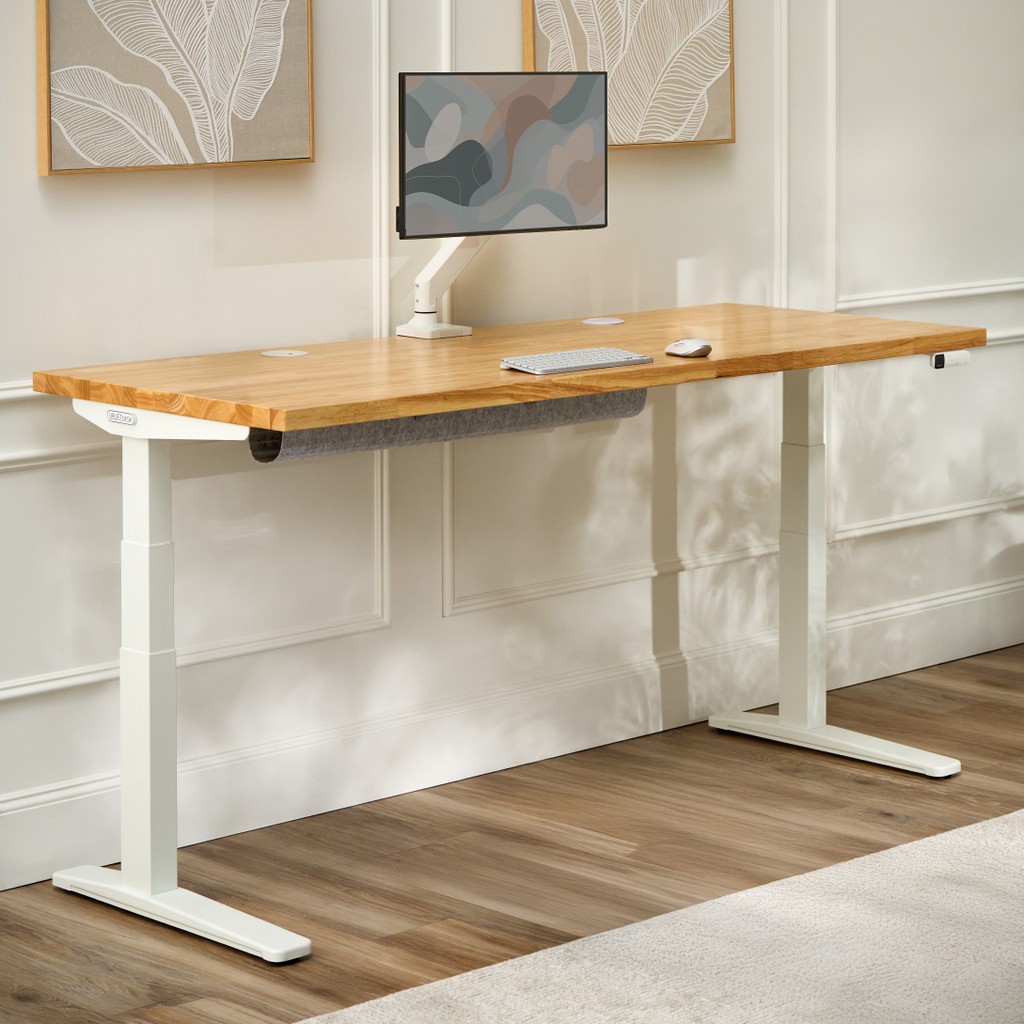
UPLIFT V2 Standing Desk
In the 'Electric Desks and Monitor Arms That Build a Sit-Stand Rhythm' list, the UPLIFT V2 Standing Desk is an electric height-adjustable desk with a wide range of desktop and frame options to choose from. The purchase decision should start not from the UPLIFT V2 Standing Desk's name but from the needs of 'a user who wants to pick the frame, desktop, and controller in detail to suit their height and space.' Whether the UPLIFT V2 Standing Desk stays on the shortlist depends on whether its 'V2 and Commercial frames with a variety of desktop options' line up exactly with what your current equipment lacks.
On the spec sheet, check the UPLIFT V2 Standing Desk's 'minimum and maximum height and assembly conditions for each selected part' and 'international power, shipping, and total weight by option' separately so that the actual configuration doesn't diverge from your expectations. In the 'Electric Desks and Monitor Arms That Build a Sit-Stand Rhythm' list, it's realistic to set the UPLIFT V2 Standing Desk's priority by how much improvement you'll feel every day, and to confirm you can handle UPLIFT Desk's warranty coverage and the maintenance burden.
On the spec sheet, check the UPLIFT V2 Standing Desk's 'minimum and maximum height and assembly conditions for each selected part' and 'international power, shipping, and total weight by option' separately so that the actual configuration doesn't diverge from your expectations. In the 'Electric Desks and Monitor Arms That Build a Sit-Stand Rhythm' list, it's realistic to set the UPLIFT V2 Standing Desk's priority by how much improvement you'll feel every day, and to confirm you can handle UPLIFT Desk's warranty coverage and the maintenance burden.
브랜드 UPLIFT Desk
잘 맞는 상황 키와 공간에 맞춰 프레임·상판·컨트롤러를 세부 선택하려는 사용자
핵심 특징 V2·Commercial 프레임과 다양한 상판 옵션
연결·호환 최저·최고 높이와 선택 부품별 조립 조건
구매 전 확인 해외 전원·배송 및 옵션별 총중량
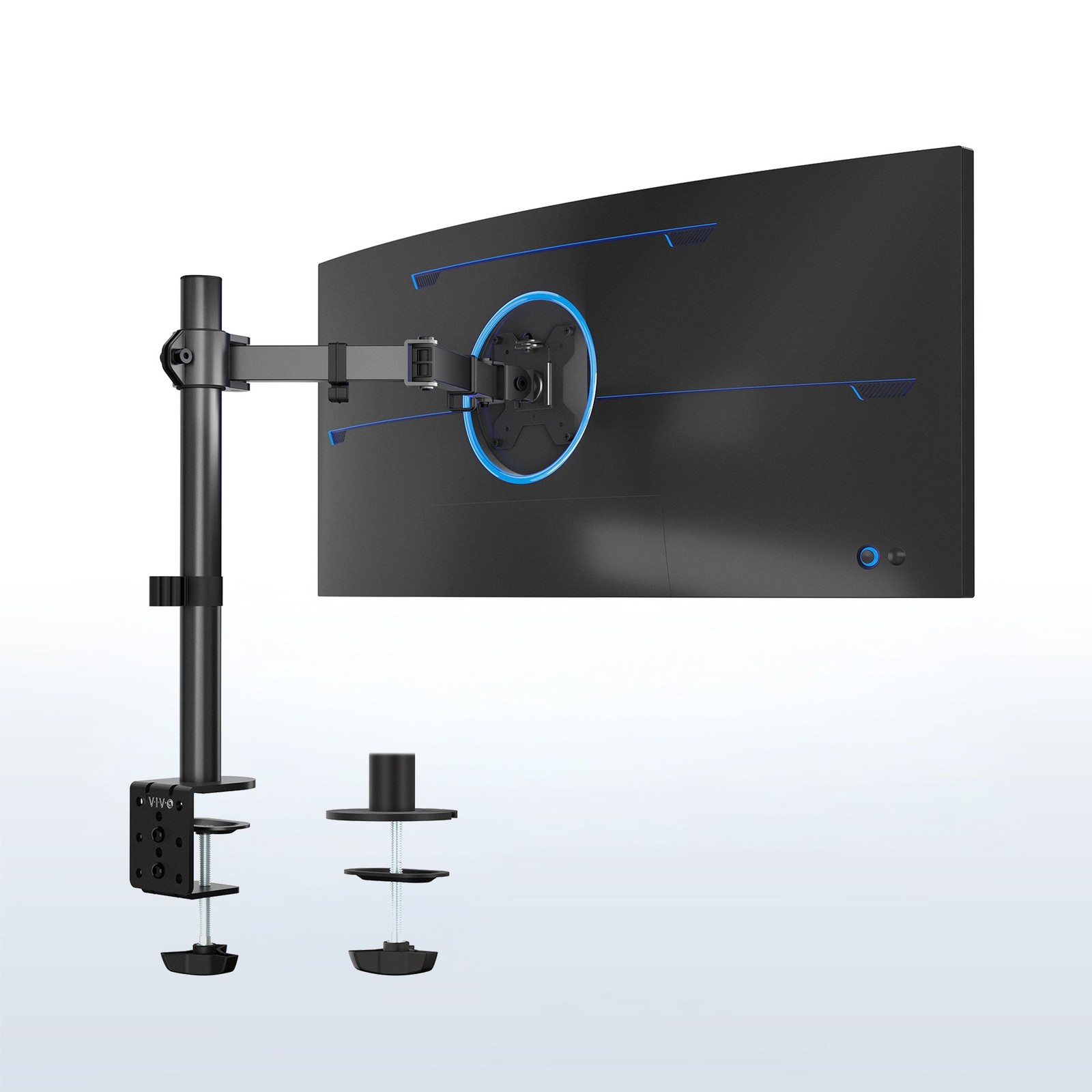
VIVO STAND-V001 Single Monitor Desk Mount
In the 'Electric Desks and Monitor Arms That Build a Sit-Stand Rhythm' list, the VIVO STAND-V001 Single Monitor Desk Mount is a single monitor arm that uses mechanical joints and a height-adjustable pole. If 'a desk where one standard monitor is adjusted forward and back within a fixed height range' is a recurring situation in your work, it's worth looking into the real-world usefulness of the VIVO STAND-V001 Single Monitor Desk Mount. The item the official specs emphasize is the 'VESA plate with clamp and grommet mounting.' Review your actual workflow to see whether the VIVO STAND-V001 Single Monitor Desk Mount delivers the same benefit in your space.
Before adding the VIVO STAND-V001 Single Monitor Desk Mount to your existing equipment, verify the 'monitor weight, VESA pattern, and desktop thickness' conditions, and confirm 'how its height adjustment differs from gas-spring models' on the official sales page as a final step. If you choose the VIVO STAND-V001 Single Monitor Desk Mount, decide which features to test first in your 'Electric Desks and Monitor Arms That Build a Sit-Stand Rhythm' environment and how to roll back if it doesn't work out, and learn VIVO's customer support terms to cut down on trial and error after adoption.
Before adding the VIVO STAND-V001 Single Monitor Desk Mount to your existing equipment, verify the 'monitor weight, VESA pattern, and desktop thickness' conditions, and confirm 'how its height adjustment differs from gas-spring models' on the official sales page as a final step. If you choose the VIVO STAND-V001 Single Monitor Desk Mount, decide which features to test first in your 'Electric Desks and Monitor Arms That Build a Sit-Stand Rhythm' environment and how to roll back if it doesn't work out, and learn VIVO's customer support terms to cut down on trial and error after adoption.
브랜드 VIVO
잘 맞는 상황 일반 모니터 한 대를 고정된 높이 범위 안에서 앞뒤로 조절하는 책상
핵심 특징 VESA 플레이트와 클램프·그로밋 고정
연결·호환 모니터 무게·VESA 패턴과 상판 두께
구매 전 확인 가스 스프링형과 다른 높이 조절 방식
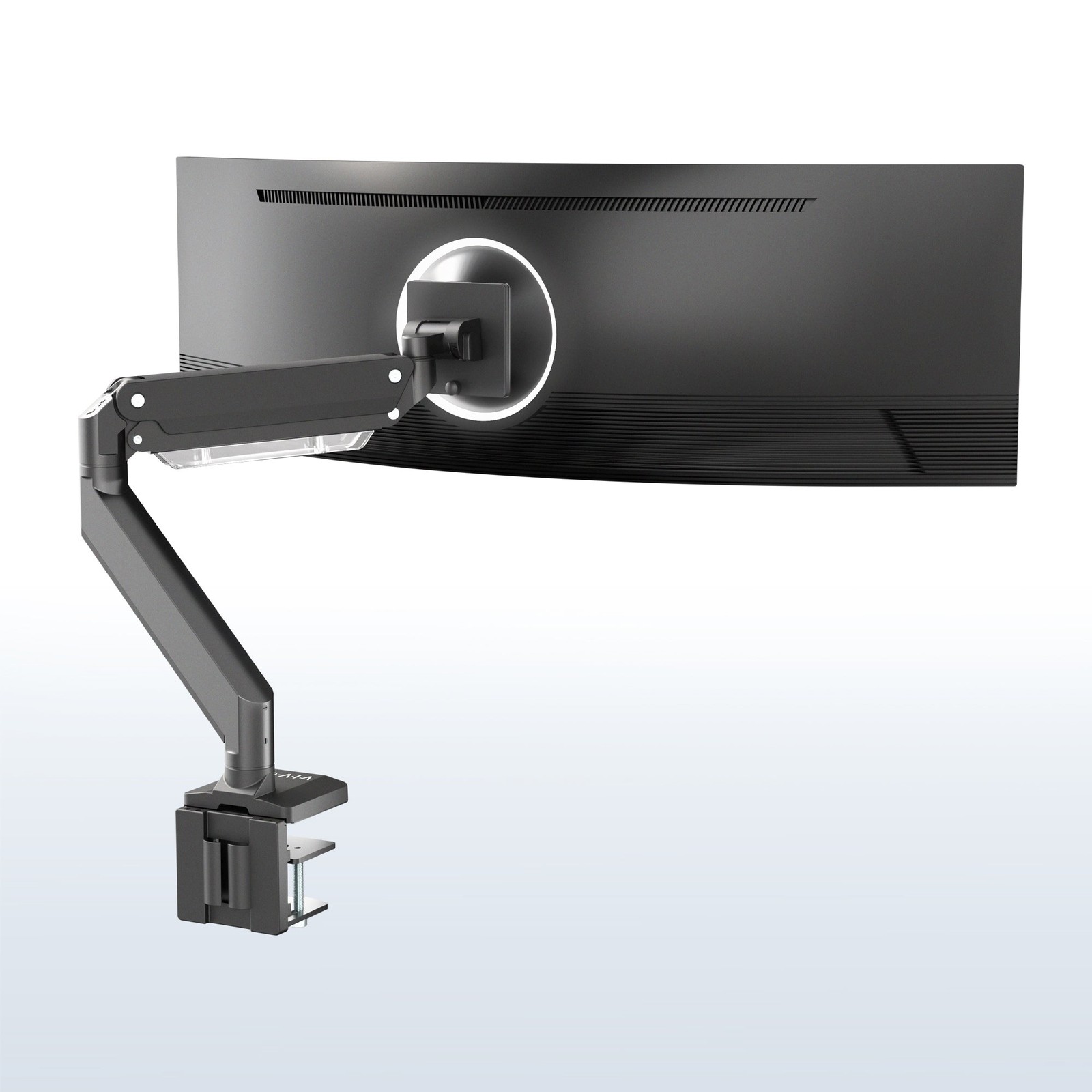
VIVO STAND-V101G1 Pneumatic Monitor Arm
In the 'Electric Desks and Monitor Arms That Build a Sit-Stand Rhythm' list, the VIVO STAND-V101G1 Pneumatic Monitor Arm is a single monitor arm that adjusts screen position with pneumatic joints. The starting point for choosing the VIVO STAND-V101G1 Pneumatic Monitor Arm is confirming that 'a personal desk where the screen is moved forward, back, and up and down often' matches your environment. The VIVO STAND-V101G1 Pneumatic Monitor Arm's 'pneumatic spring and detachable VESA plate' are closer to convenience features, so the right order is to confirm the basic performance and mounting stability first and evaluate them afterward.
At the actual purchase stage, the VIVO STAND-V101G1 Pneumatic Monitor Arm's 'monitor size and weight and clamp installation range' conditions come first, and it's a good idea to note 'tension adjustment and the swing clearance behind the desk' along with the product number. When comparing the VIVO STAND-V101G1 Pneumatic Monitor Arm for an 'Electric Desks and Monitor Arms That Build a Sit-Stand Rhythm' setup, put price, frequency of use, and installation difficulty in the same table and add VIVO's support coverage to make the real cost of ownership easier to judge.
At the actual purchase stage, the VIVO STAND-V101G1 Pneumatic Monitor Arm's 'monitor size and weight and clamp installation range' conditions come first, and it's a good idea to note 'tension adjustment and the swing clearance behind the desk' along with the product number. When comparing the VIVO STAND-V101G1 Pneumatic Monitor Arm for an 'Electric Desks and Monitor Arms That Build a Sit-Stand Rhythm' setup, put price, frequency of use, and installation difficulty in the same table and add VIVO's support coverage to make the real cost of ownership easier to judge.
브랜드 VIVO
잘 맞는 상황 화면을 앞뒤·높이 방향으로 자주 움직이는 개인 책상
핵심 특징 공압 스프링과 탈착식 VESA 플레이트
연결·호환 모니터 크기·무게와 클램프 설치 범위
구매 전 확인 장력 조절과 책상 뒤 회전 공간
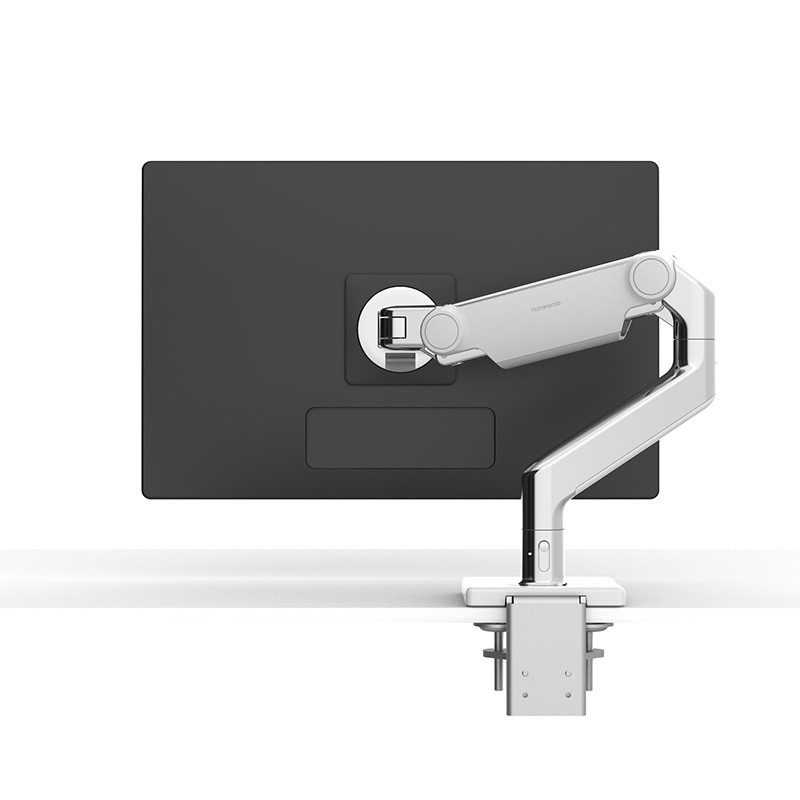
Humanscale M8.1 Monitor Arm
In the 'Electric Desks and Monitor Arms That Build a Sit-Stand Rhythm' list, the Humanscale M8.1 Monitor Arm is a mechanical-spring monitor arm designed to support large screens. The Humanscale M8.1 Monitor Arm is worth comparing first for desks that need 'a workspace that places a heavy monitor on a clean, simple arm structure.' The first spec to look at on the Humanscale M8.1 Monitor Arm is the 'Smart Stop rotation limit and cable management,' and you should compare whether this feature actually reduces the discomfort of your existing equipment.
The conditions to check before paying for the Humanscale M8.1 Monitor Arm are 'screen weight, VESA mount, and desk mounting method.' The 'dynamic link option and edge clearance for installation' should also be checked before the parts arrive. In the end, the value of the Humanscale M8.1 Monitor Arm depends on whether there's a feature you'll clearly use often in your 'Electric Desks and Monitor Arms That Build a Sit-Stand Rhythm' environment, so confirm Humanscale's warranty coverage and then decide whether it replaces or supplements your existing equipment.
The conditions to check before paying for the Humanscale M8.1 Monitor Arm are 'screen weight, VESA mount, and desk mounting method.' The 'dynamic link option and edge clearance for installation' should also be checked before the parts arrive. In the end, the value of the Humanscale M8.1 Monitor Arm depends on whether there's a feature you'll clearly use often in your 'Electric Desks and Monitor Arms That Build a Sit-Stand Rhythm' environment, so confirm Humanscale's warranty coverage and then decide whether it replaces or supplements your existing equipment.
브랜드 Humanscale
잘 맞는 상황 무거운 모니터를 간결한 암 구조로 배치하려는 업무 공간
핵심 특징 Smart Stop 회전 제한과 케이블 관리
연결·호환 화면 중량·VESA 마운트와 책상 고정 방식
구매 전 확인 다이나믹 링크 옵션과 설치 가장자리 여유
When seated, confirm that your feet rest flat on the floor and your elbows line up naturally with keyboard height, then save that desk height. For standing, set a height that doesn't force your elbows to overextend, and rather than standing for hours from day one, switching every 20 to 30 minutes is easier to adapt to. The anti-collision feature on an electric frame doesn't detect every obstacle, so keep chair armrests and drawers out of the path.
After installing a monitor arm, adjust it so the center of the screen sits slightly below eye level, and put the screen you use most directly in front of you. Overtightening the clamp can damage a thin or hollow desktop, so check for a reinforcement plate and the manufacturer's limits. Leave enough slack in the cables that nothing pulls across the full height-adjustment range, and test repeatedly to make sure the power cord doesn't get pinched in the frame joints.
After installing a monitor arm, adjust it so the center of the screen sits slightly below eye level, and put the screen you use most directly in front of you. Overtightening the clamp can damage a thin or hollow desktop, so check for a reinforcement plate and the manufacturer's limits. Leave enough slack in the cables that nothing pulls across the full height-adjustment range, and test repeatedly to make sure the power cord doesn't get pinched in the frame joints.
At a glance
7 items
FlexiSpot E7 Pro Plus Standing Desk
FlexiSpot · 넓은 상판과 모니터 여러 대를 올리는 홈오피스 · C형 프레임과 높이 메모리 컨트롤러 · 선택 상판 크기와 프레임 조절 폭·전원 규격 · 상판 포함 옵션과 배송·조립 범위
FlexiSpot E7 Plus 4-Leg Standing Desk
FlexiSpot · 대형 화면과 무거운 장비에서 좌우 흔들림을 줄이고 싶은 책상 · 4-레그 프레임과 전동 높이 조절 · 상판 크기·하중과 프레임 설치 공간 · 책상 깊이와 케이블 트레이 간섭
Secretlab MAGNUS Pro
Secretlab · 케이블을 책상 뒤 트레이에 숨기고 자주 높이를 바꾸는 구성 · 내장 케이블 관리와 자석 액세서리 생태계 · 지역별 전원 컬럼과 상판 크기·액세서리 호환 · 금속 상판의 무게와 전용 액세서리 비용
UPLIFT V2 Standing Desk
UPLIFT Desk · 키와 공간에 맞춰 프레임·상판·컨트롤러를 세부 선택하려는 사용자 · V2·Commercial 프레임과 다양한 상판 옵션 · 최저·최고 높이와 선택 부품별 조립 조건 · 해외 전원·배송 및 옵션별 총중량
VIVO STAND-V001 Single Monitor Desk Mount
VIVO · 일반 모니터 한 대를 고정된 높이 범위 안에서 앞뒤로 조절하는 책상 · VESA 플레이트와 클램프·그로밋 고정 · 모니터 무게·VESA 패턴과 상판 두께 · 가스 스프링형과 다른 높이 조절 방식
VIVO STAND-V101G1 Pneumatic Monitor Arm
VIVO · 화면을 앞뒤·높이 방향으로 자주 움직이는 개인 책상 · 공압 스프링과 탈착식 VESA 플레이트 · 모니터 크기·무게와 클램프 설치 범위 · 장력 조절과 책상 뒤 회전 공간
Humanscale M8.1 Monitor Arm
Humanscale · 무거운 모니터를 간결한 암 구조로 배치하려는 업무 공간 · Smart Stop 회전 제한과 케이블 관리 · 화면 중량·VESA 마운트와 책상 고정 방식 · 다이나믹 링크 옵션과 설치 가장자리 여유
As part of the Coupang Partners program, this post may earn a commission from qualifying purchases.
Comments 0
Log in to leave a comment.
Be the first to comment.
How about these lists?


You might also like


🎲
Not ready to stop here?
Wondering what to read next is the biggest waste of time.
Let the dice decide — you won't know what pops up until you roll.
If you don't press it… won't you wonder forever? 👀
 Log in or sign up with KakaoTalk in 5 seconds