
Collection
Remote Work Equipment
2026.10.11
Portable Work Gear That Expands Your Screen and Ports from a Single Laptop
A small-desk guide to choosing portable monitors and docking stations by real connection conditions
Even when a laptop screen feels cramped, there isn't always room for a large desktop monitor. A portable monitor can be stood up out of the way after use and taken along for work outside, but having a USB-C port doesn't mean every one of them supports video output and power delivery together. With a docking station, too, whether your laptop supports Thunderbolt, USB4, or DisplayPort Alt Mode determines the real range of expansion more than the number of ports does.
This list compares four 14- to 16-inch-class portable monitors alongside three docks that gather ports on your desk. Beyond screen brightness and resolution, the explanations focus on stand structure, whether a single-cable connection is possible, charging output, and multi-monitor limits. The number of external displays varies by laptop model and operating system, so the starting point is checking the product specs and the laptop manufacturer's documentation at the same time.
This list compares four 14- to 16-inch-class portable monitors alongside three docks that gather ports on your desk. Beyond screen brightness and resolution, the explanations focus on stand structure, whether a single-cable connection is possible, charging output, and multi-monitor limits. The number of external displays varies by laptop model and operating system, so the starting point is checking the product specs and the laptop manufacturer's documentation at the same time.
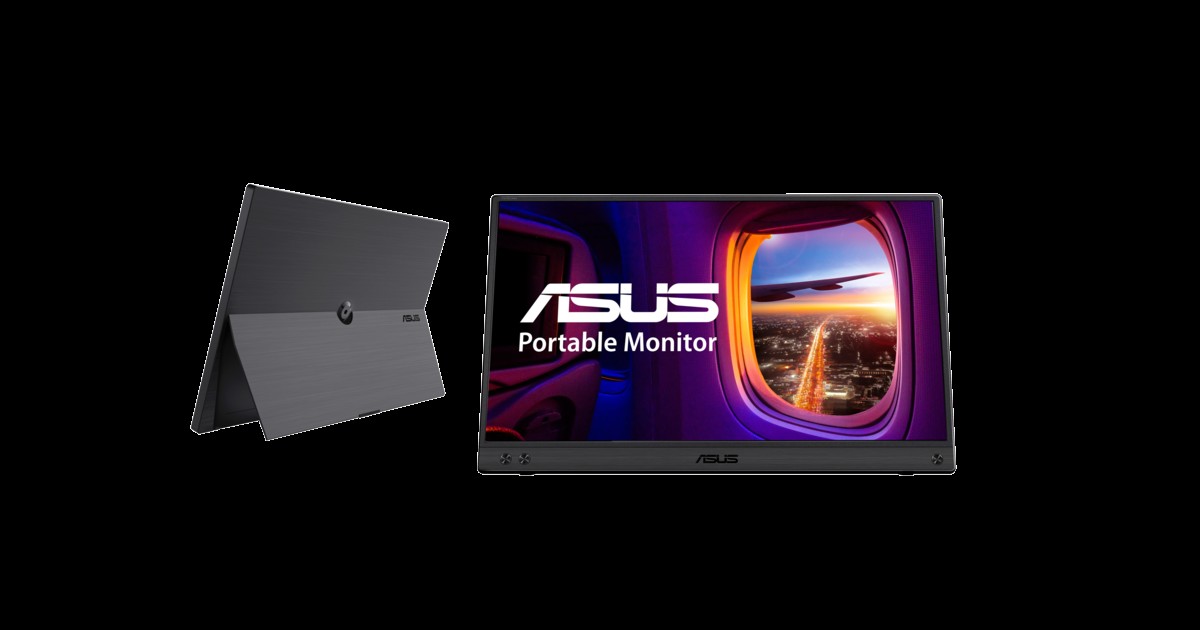
ASUS ZenScreen MB16ACV
In the 'Portable Work Gear That Expands Your Screen and Ports from a Single Laptop' list, the ASUS ZenScreen MB16ACV is a portable monitor with a 15.6-inch Full HD panel and a folding kickstand. When you build the ASUS ZenScreen MB16ACV around 'mobile work that uses documents and a messenger on a secondary screen in portrait or landscape,' both its strengths and its limits come into view. If the feature you'll use most is the 'USB-C hybrid signal and the range of auto-rotation support,' the ASUS ZenScreen MB16ACV moves up the priority list, but if not, its cost-effectiveness deserves a second look.
To avoid compatibility problems with the ASUS ZenScreen MB16ACV, check 'confirming video output from the laptop's USB-C or the USB-A driver requirements' first, and compare 'brightness, stand angle, and the included cable configuration' against the model sold in your region as well. Even if the ASUS ZenScreen MB16ACV's specs look good, usage can drop off quickly if it doesn't fit your 'Portable Work Gear That Expands Your Screen and Ports from a Single Laptop' workflow, so review ASUS's support policy together with your actual movement patterns and avoid overbuilding.
To avoid compatibility problems with the ASUS ZenScreen MB16ACV, check 'confirming video output from the laptop's USB-C or the USB-A driver requirements' first, and compare 'brightness, stand angle, and the included cable configuration' against the model sold in your region as well. Even if the ASUS ZenScreen MB16ACV's specs look good, usage can drop off quickly if it doesn't fit your 'Portable Work Gear That Expands Your Screen and Ports from a Single Laptop' workflow, so review ASUS's support policy together with your actual movement patterns and avoid overbuilding.
브랜드 ASUS
잘 맞는 상황 문서와 메신저를 세로 또는 가로 보조 화면으로 쓰는 이동 업무
핵심 특징 USB-C 하이브리드 신호와 자동 회전 지원 범위
연결·호환 노트북 USB-C의 영상 출력 또는 USB-A 드라이버 조건 확인
구매 전 확인 밝기·스탠드 각도와 연결 케이블 구성
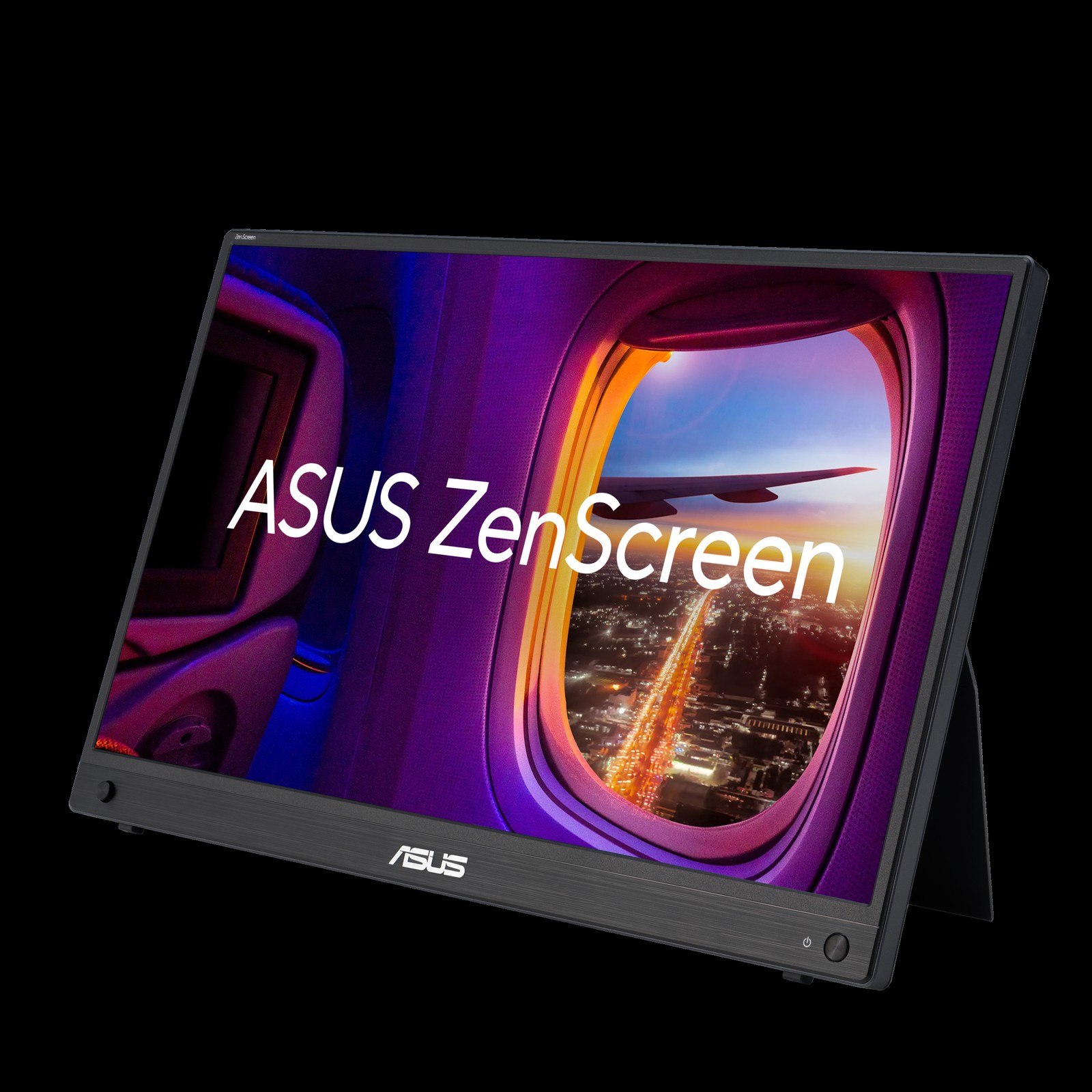
ASUS ZenScreen MB16AHG
In the 'Portable Work Gear That Expands Your Screen and Ports from a Single Laptop' list, the ASUS ZenScreen MB16AHG is a portable monitor with a 15.6-inch Full HD panel that supports a 144Hz refresh rate. The purchase decision should start not from the ASUS ZenScreen MB16AHG's name but from the needs of 'mobile work where you want screens with lots of scrolling and motion to look smooth.' Whether the ASUS ZenScreen MB16AHG stays on the shortlist depends on whether its '144Hz panel and built-in kickstand' line up exactly with what your current equipment lacks.
On the spec sheet, check the ASUS ZenScreen MB16AHG's 'confirming USB-C DisplayPort Alt Mode or HDMI connection requirements' and 'the laptop's output refresh rate and whether additional power is needed' separately so that the actual configuration doesn't diverge from your expectations. In the 'Portable Work Gear That Expands Your Screen and Ports from a Single Laptop' list, it's realistic to set the ASUS ZenScreen MB16AHG's priority by how much improvement you'll feel every day, and to confirm you can handle ASUS's warranty coverage and the maintenance burden.
On the spec sheet, check the ASUS ZenScreen MB16AHG's 'confirming USB-C DisplayPort Alt Mode or HDMI connection requirements' and 'the laptop's output refresh rate and whether additional power is needed' separately so that the actual configuration doesn't diverge from your expectations. In the 'Portable Work Gear That Expands Your Screen and Ports from a Single Laptop' list, it's realistic to set the ASUS ZenScreen MB16AHG's priority by how much improvement you'll feel every day, and to confirm you can handle ASUS's warranty coverage and the maintenance burden.
브랜드 ASUS
잘 맞는 상황 스크롤과 움직임이 많은 화면을 부드럽게 확인하려는 이동 업무
핵심 특징 144Hz 패널과 내장 킥스탠드
연결·호환 USB-C DisplayPort Alt Mode 또는 HDMI 연결 조건 확인
구매 전 확인 노트북 출력 주사율과 추가 전원 필요 여부
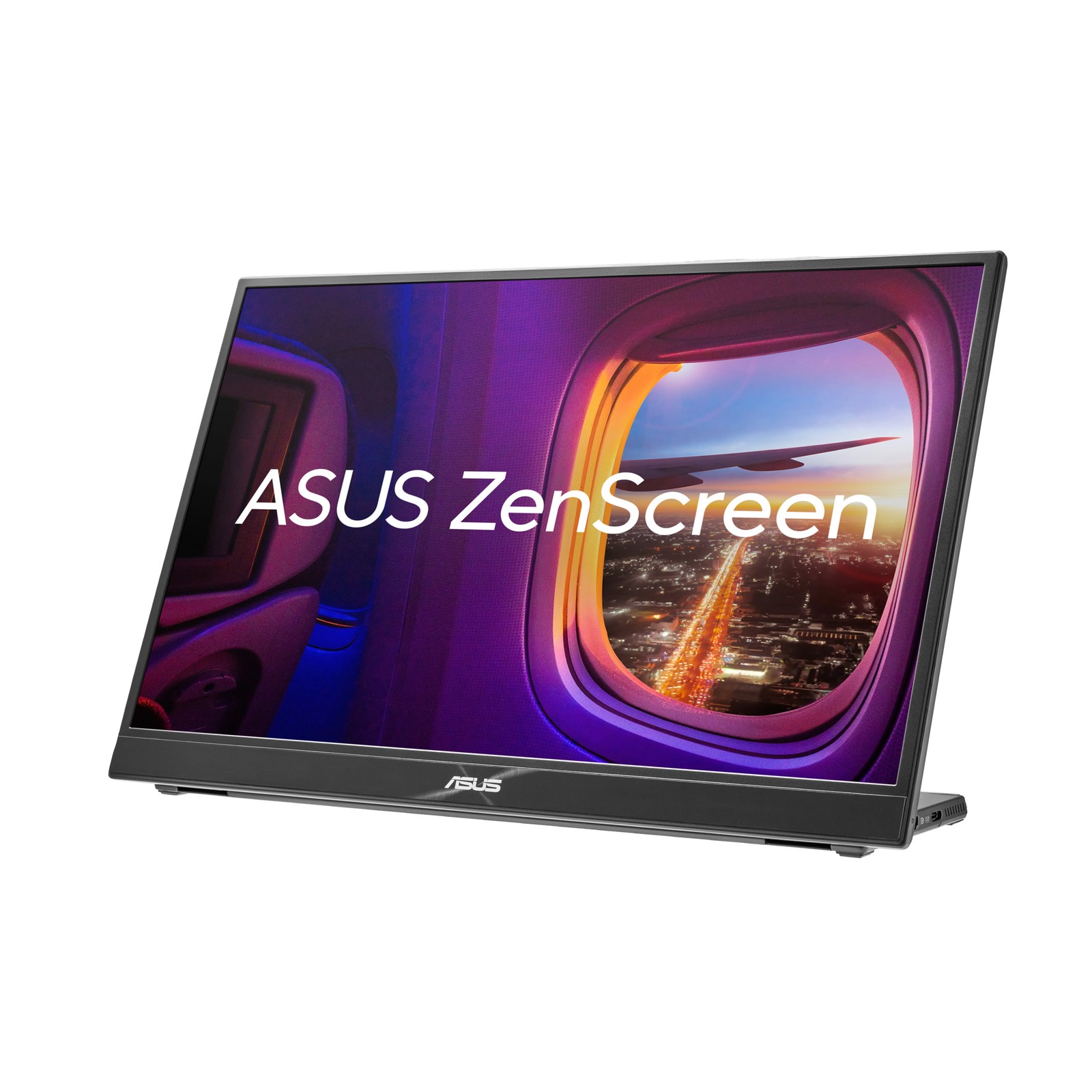
ASUS ZenScreen MB16QHG
In the 'Portable Work Gear That Expands Your Screen and Ports from a Single Laptop' list, the ASUS ZenScreen MB16QHG is a portable monitor that uses a 16-inch, 16:10 high-resolution panel. If 'wanting a document or coding screen with generous vertical space next to the laptop' is a recurring situation in your work, it's worth looking into the real-world usefulness of the ASUS ZenScreen MB16QHG. The item the official specs emphasize is the 'WQXGA resolution and 16:10 aspect ratio.' Review your actual workflow to see whether the ASUS ZenScreen MB16QHG delivers the same benefit in your space.
Before adding the ASUS ZenScreen MB16QHG to your existing equipment, verify the 'confirming USB-C DisplayPort Alt Mode and HDMI output' conditions, and confirm 'the laptop GPU's resolution support and the carry weight' on the official sales page as a final step. If you choose the ASUS ZenScreen MB16QHG, decide which features to test first in your 'Portable Work Gear That Expands Your Screen and Ports from a Single Laptop' environment and how to roll back if it doesn't work out, and learn ASUS's customer support terms to cut down on trial and error after adoption.
Before adding the ASUS ZenScreen MB16QHG to your existing equipment, verify the 'confirming USB-C DisplayPort Alt Mode and HDMI output' conditions, and confirm 'the laptop GPU's resolution support and the carry weight' on the official sales page as a final step. If you choose the ASUS ZenScreen MB16QHG, decide which features to test first in your 'Portable Work Gear That Expands Your Screen and Ports from a Single Laptop' environment and how to roll back if it doesn't work out, and learn ASUS's customer support terms to cut down on trial and error after adoption.
브랜드 ASUS
잘 맞는 상황 세로 공간이 넓은 문서·코딩 화면을 노트북 옆에 두려는 경우
핵심 특징 WQXGA 해상도와 16:10 화면비
연결·호환 USB-C DisplayPort Alt Mode 및 HDMI 출력 확인
구매 전 확인 노트북 GPU의 해상도 지원과 휴대 무게
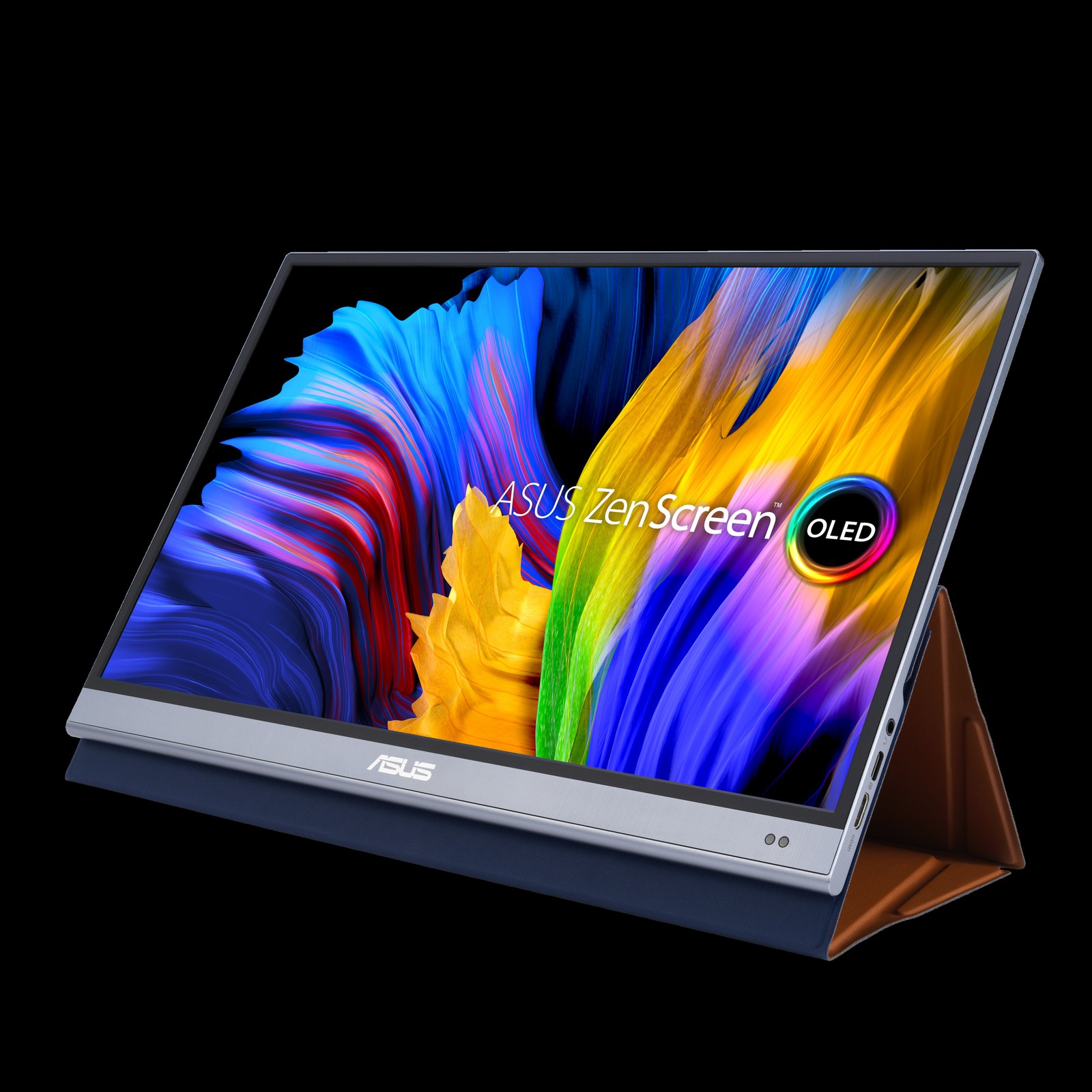
ASUS ZenScreen OLED MQ16AH
In the 'Portable Work Gear That Expands Your Screen and Ports from a Single Laptop' list, the ASUS ZenScreen OLED MQ16AH is a portable monitor that uses a 15.6-inch Full HD OLED panel. The starting point for choosing the ASUS ZenScreen OLED MQ16AH is confirming that 'wanting to check the contrast and color of photos and video on a secondary screen as well' matches your environment. The ASUS ZenScreen OLED MQ16AH's 'OLED panel and USB-C and Mini HDMI inputs' are closer to convenience features, so the right order is to confirm the basic performance and setup stability first and evaluate them afterward.
At the actual purchase stage, the ASUS ZenScreen OLED MQ16AH's 'confirming the laptop's video output and the OLED screen care requirements' conditions come first, and it's a good idea to note 'long-term display of static images and burn-in prevention features' along with the product number. When comparing the ASUS ZenScreen OLED MQ16AH for a 'Portable Work Gear That Expands Your Screen and Ports from a Single Laptop' setup, put price, frequency of use, and setup difficulty in the same table and add ASUS's support coverage to make the real cost of ownership easier to judge.
At the actual purchase stage, the ASUS ZenScreen OLED MQ16AH's 'confirming the laptop's video output and the OLED screen care requirements' conditions come first, and it's a good idea to note 'long-term display of static images and burn-in prevention features' along with the product number. When comparing the ASUS ZenScreen OLED MQ16AH for a 'Portable Work Gear That Expands Your Screen and Ports from a Single Laptop' setup, put price, frequency of use, and setup difficulty in the same table and add ASUS's support coverage to make the real cost of ownership easier to judge.
브랜드 ASUS
잘 맞는 상황 사진·영상의 명암과 색을 보조 화면에서도 확인하려는 경우
핵심 특징 OLED 패널과 USB-C·Mini HDMI 입력
연결·호환 노트북 영상 출력과 OLED 화면 관리 조건 확인
구매 전 확인 정적 화면 장시간 표시와 번인 예방 기능
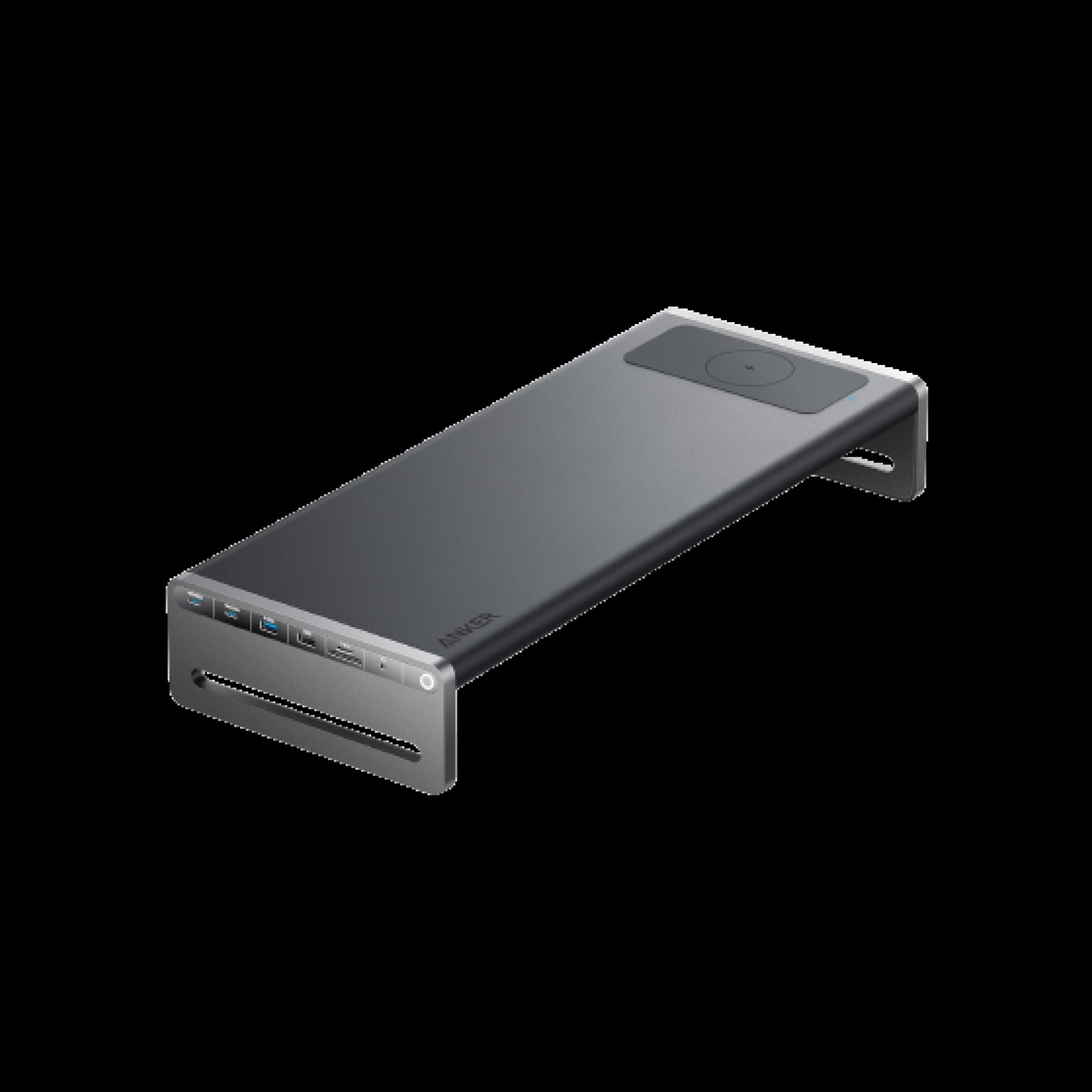
Anker 675 USB-C Docking Station
In the 'Portable Work Gear That Expands Your Screen and Ports from a Single Laptop' list, the Anker 675 USB-C Docking Station is a desk device that combines a monitor stand, a 12-in-1 dock, and a wireless charging surface. When you take 'a setup that raises the laptop screen while tidying ports and charging space in one go' as the benchmark use case, the role of the Anker 675 USB-C Docking Station comes into sharp focus. The key items are the 'stand-style body and HDMI, Ethernet, and USB ports.' Since the experience changes with desk size and hours of use per day, you should also look at where the Anker 675 USB-C Docking Station will sit.
Before adopting it, check 'confirming the host's USB-C video output and the PD input adapter requirements' first, and at the ordering stage, cross-check 'desk depth, monitor stand width, and whether a charger is included' against the Anker 675 USB-C Docking Station's official page and the retail model designation as well. When viewing the Anker 675 USB-C Docking Station as a selection criterion in the 'Portable Work Gear That Expands Your Screen and Ports from a Single Laptop' list, don't isolate a single advantage; it's better to make the final call with Anker's support coverage and your actual work habits side by side.
Before adopting it, check 'confirming the host's USB-C video output and the PD input adapter requirements' first, and at the ordering stage, cross-check 'desk depth, monitor stand width, and whether a charger is included' against the Anker 675 USB-C Docking Station's official page and the retail model designation as well. When viewing the Anker 675 USB-C Docking Station as a selection criterion in the 'Portable Work Gear That Expands Your Screen and Ports from a Single Laptop' list, don't isolate a single advantage; it's better to make the final call with Anker's support coverage and your actual work habits side by side.
브랜드 Anker
잘 맞는 상황 노트북 화면을 올리면서 포트와 충전 공간을 한 번에 정리하는 구성
핵심 특징 스탠드형 본체와 HDMI·Ethernet·USB 포트
연결·호환 호스트 USB-C 영상 출력과 PD 입력 어댑터 조건 확인
구매 전 확인 책상 깊이·모니터 받침 폭과 충전기 포함 여부
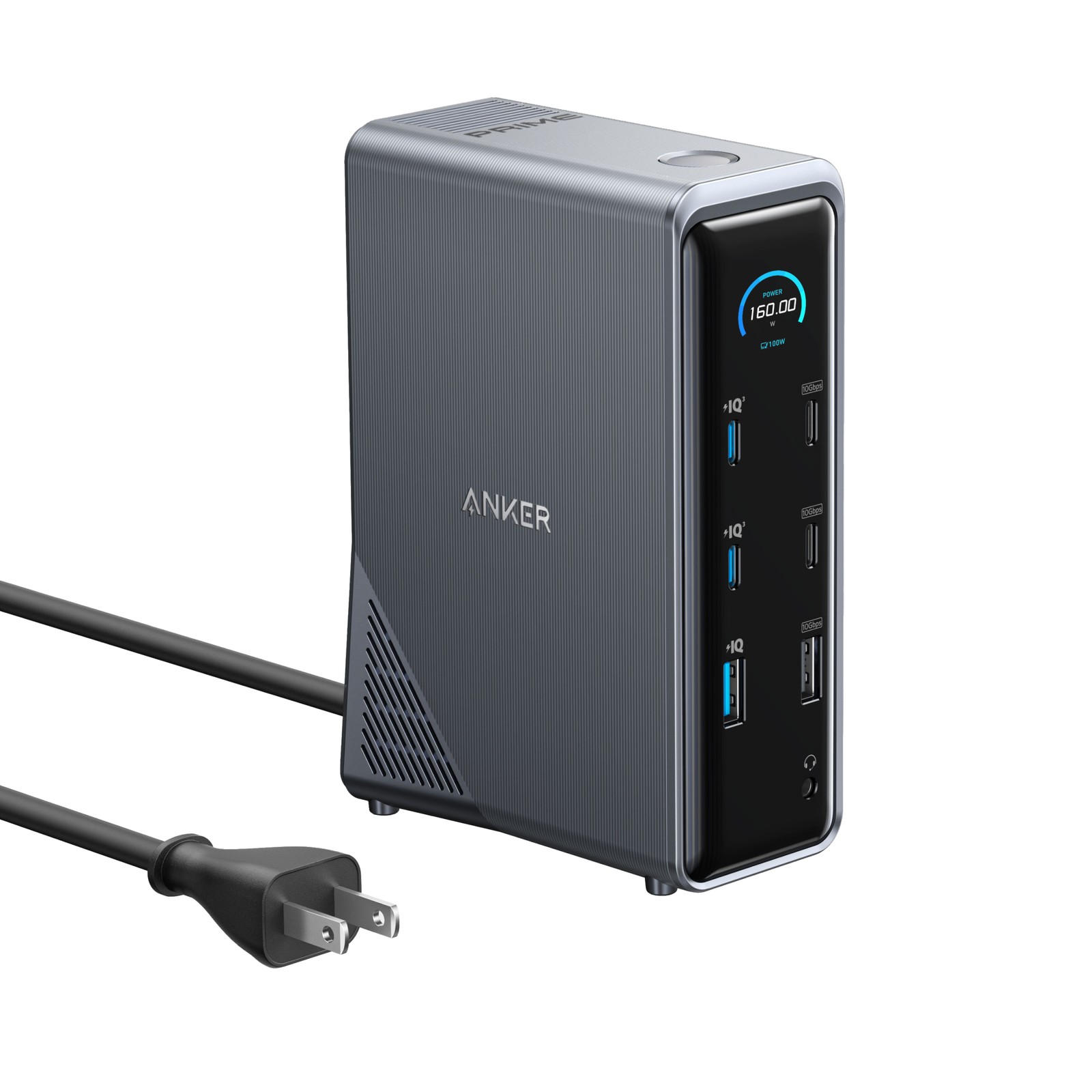
Anker Prime Docking Station 14-in-1
In the 'Portable Work Gear That Expands Your Screen and Ports from a Single Laptop' list, the Anker Prime Docking Station 14-in-1 is a 14-in-1 desktop docking station that combines charging with multiple ports. The Anker Prime Docking Station 14-in-1 is worth comparing first for desks that need 'to consolidate laptop charging and charging for several desk devices into a single unit.' The first specs to look at on the Anker Prime Docking Station 14-in-1 are the 'built-in power supply and the dual-display and USB port configuration,' and you should compare whether these features actually reduce the discomfort of your existing equipment.
The conditions to check before paying for the Anker Prime Docking Station 14-in-1 are 'confirming the external display limits per operating system and the host's USB-C standard.' The 'total output and how it's distributed when ports are used simultaneously' should also be checked before the parts arrive. In the end, the value of the Anker Prime Docking Station 14-in-1 depends on whether there's a feature you'll clearly use often in your 'Portable Work Gear That Expands Your Screen and Ports from a Single Laptop' environment, so confirm Anker's warranty coverage and then decide whether it replaces or supplements your existing equipment.
The conditions to check before paying for the Anker Prime Docking Station 14-in-1 are 'confirming the external display limits per operating system and the host's USB-C standard.' The 'total output and how it's distributed when ports are used simultaneously' should also be checked before the parts arrive. In the end, the value of the Anker Prime Docking Station 14-in-1 depends on whether there's a feature you'll clearly use often in your 'Portable Work Gear That Expands Your Screen and Ports from a Single Laptop' environment, so confirm Anker's warranty coverage and then decide whether it replaces or supplements your existing equipment.
브랜드 Anker
잘 맞는 상황 노트북 충전과 책상 위 여러 기기 충전을 한 장치로 정리하려는 경우
핵심 특징 내장 전원과 듀얼 디스플레이·USB 포트 구성
연결·호환 운영체제별 외부 화면 제한과 호스트 USB-C 규격 확인
구매 전 확인 총 출력과 포트 동시 사용 시 배분 방식
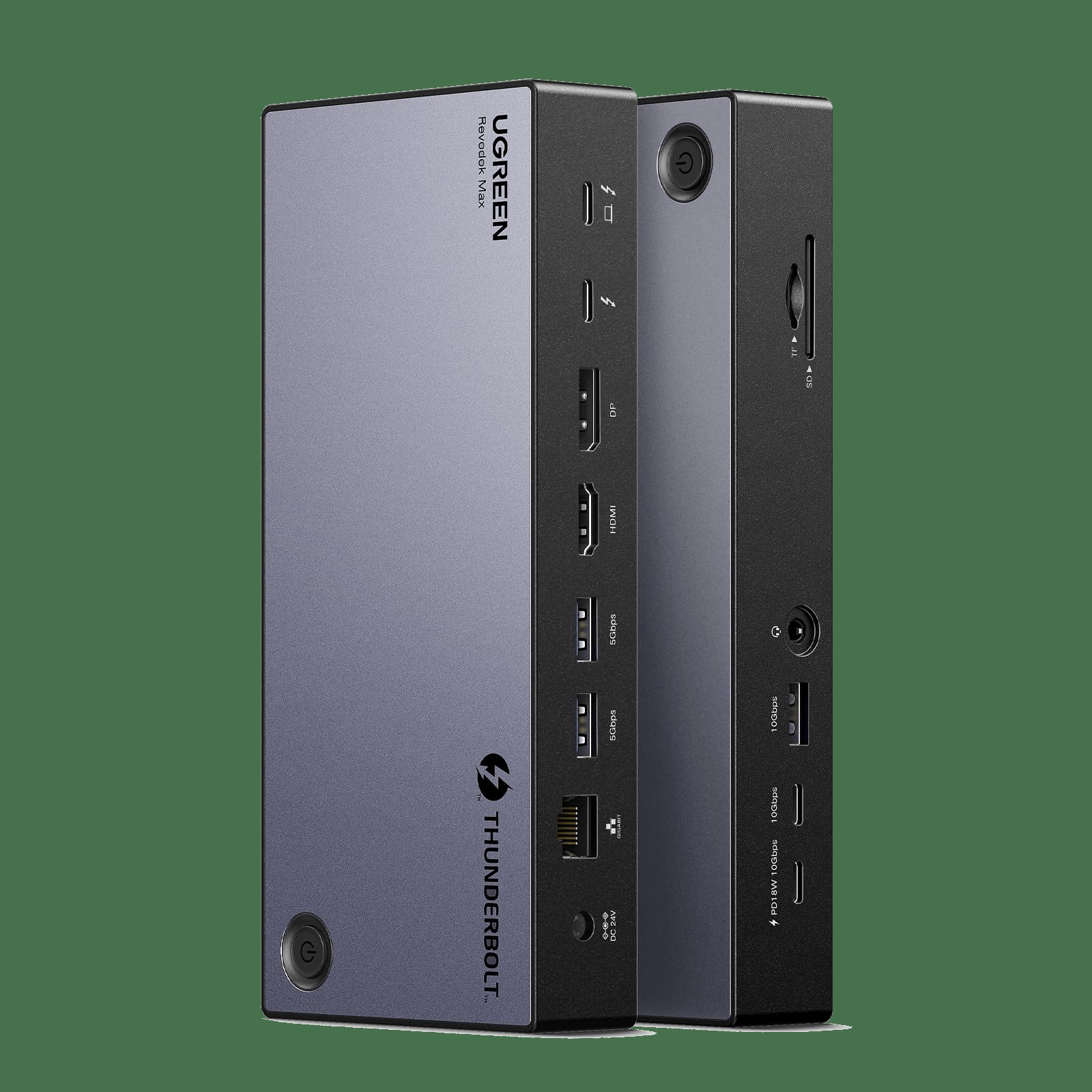
UGREEN Revodok Max 13-in-1 Thunderbolt 4 Dock
In the 'Portable Work Gear That Expands Your Screen and Ports from a Single Laptop' list, the UGREEN Revodok Max 13-in-1 Thunderbolt 4 Dock is a 13-in-1 dock that bundles Thunderbolt 4 with video, storage, and network ports. The reason this product made the list is that it ties in with 'connecting a work laptop to a monitor, storage, and wired LAN from a single spot.' The UGREEN Revodok Max 13-in-1 Thunderbolt 4 Dock's signature advantage is its 'Thunderbolt 4 and multiple display ports,' but if it doesn't match your work habits, you may end up using it less.
To reduce setup failures, review the UGREEN Revodok Max 13-in-1 Thunderbolt 4 Dock's 'confirming the number of supported displays and resolutions on Windows and macOS,' then recheck 'the included charger's output and the display limits per operating system' against the retailer's description. To complete your 'Portable Work Gear That Expands Your Screen and Ports from a Single Laptop' setup, look not only at the UGREEN Revodok Max 13-in-1 Thunderbolt 4 Dock's convenience but also at the conditions that are hard to reverse after installation, and compare UGREEN's support policy with your own work sequence.
To reduce setup failures, review the UGREEN Revodok Max 13-in-1 Thunderbolt 4 Dock's 'confirming the number of supported displays and resolutions on Windows and macOS,' then recheck 'the included charger's output and the display limits per operating system' against the retailer's description. To complete your 'Portable Work Gear That Expands Your Screen and Ports from a Single Laptop' setup, look not only at the UGREEN Revodok Max 13-in-1 Thunderbolt 4 Dock's convenience but also at the conditions that are hard to reverse after installation, and compare UGREEN's support policy with your own work sequence.
브랜드 UGREEN
잘 맞는 상황 업무 노트북을 한 자리에서 모니터·저장장치·랜에 연결하는 경우
핵심 특징 Thunderbolt 4와 다중 디스플레이 포트
연결·호환 Windows·macOS별 지원 화면 수와 해상도 확인
구매 전 확인 포함 충전기 출력과 운영체제별 화면 제한
If a portable monitor isn't at the same eye level as the laptop, you may find yourself turning your neck from side to side often. Put the screen you look at most directly in front of you and assign the secondary screen to things your eyes rest on less, like a messenger or reference documents. Also check the connector direction and the footprint of the stand so that a tugged cable doesn't topple the monitor. If you carry the screen around, it's more accurate to calculate the real carry weight with the case and charger added to the monitor's own weight.
With a dock, what matters is how power and bandwidth are divided when every port you need is plugged in. Using a high-resolution monitor, wired networking, and an external SSD at the same time may not deliver the maximum figures in the product table. Company-issued laptops sometimes restrict driver installation and DisplayLink use, so check the IT policy before building your setup.
With a dock, what matters is how power and bandwidth are divided when every port you need is plugged in. Using a high-resolution monitor, wired networking, and an external SSD at the same time may not deliver the maximum figures in the product table. Company-issued laptops sometimes restrict driver installation and DisplayLink use, so check the IT policy before building your setup.
At a glance
7 items
As part of the Coupang Partners program, this post may earn a commission from qualifying purchases.
Comments 0
Log in to leave a comment.
Be the first to comment.
How about these lists?


You might also like


🎲
Not ready to stop here?
Wondering what to read next is the biggest waste of time.
Let the dice decide — you won't know what pops up until you roll.
If you don't press it… won't you wonder forever? 👀
