
Collection
Remote Work Equipment
2026.10.12
External SSDs and NAS to Set Up Before You Lose Your Work Files
A work-from-home data guide splitting portable backup and multi-device sharing across real storage devices
External SSDs and NAS both store files, but they solve different problems. An external SSD sits next to your laptop for fast copying and is easy to carry around, but it can be exposed to loss, failure, and ransomware all at once. A NAS is great for access from multiple devices and for setting up automatic backups, but you have to install the disks and manage permissions and updates, and even with RAID it will not protect you from accidentally deleted files or a disaster at the site itself.
This list is made up of four portable external SSDs and three 2-bay-class NAS units, all real products. We explain them with a focus on interface, real-world speed, durability, hardware encryption, whether disks are sold separately, network ports, and operating system support. For important work data, rather than keeping just one original and one backup, it is safer to design around the 3-2-1 rule, which includes different media and different locations.
This list is made up of four portable external SSDs and three 2-bay-class NAS units, all real products. We explain them with a focus on interface, real-world speed, durability, hardware encryption, whether disks are sold separately, network ports, and operating system support. For important work data, rather than keeping just one original and one backup, it is safer to design around the 3-2-1 rule, which includes different media and different locations.
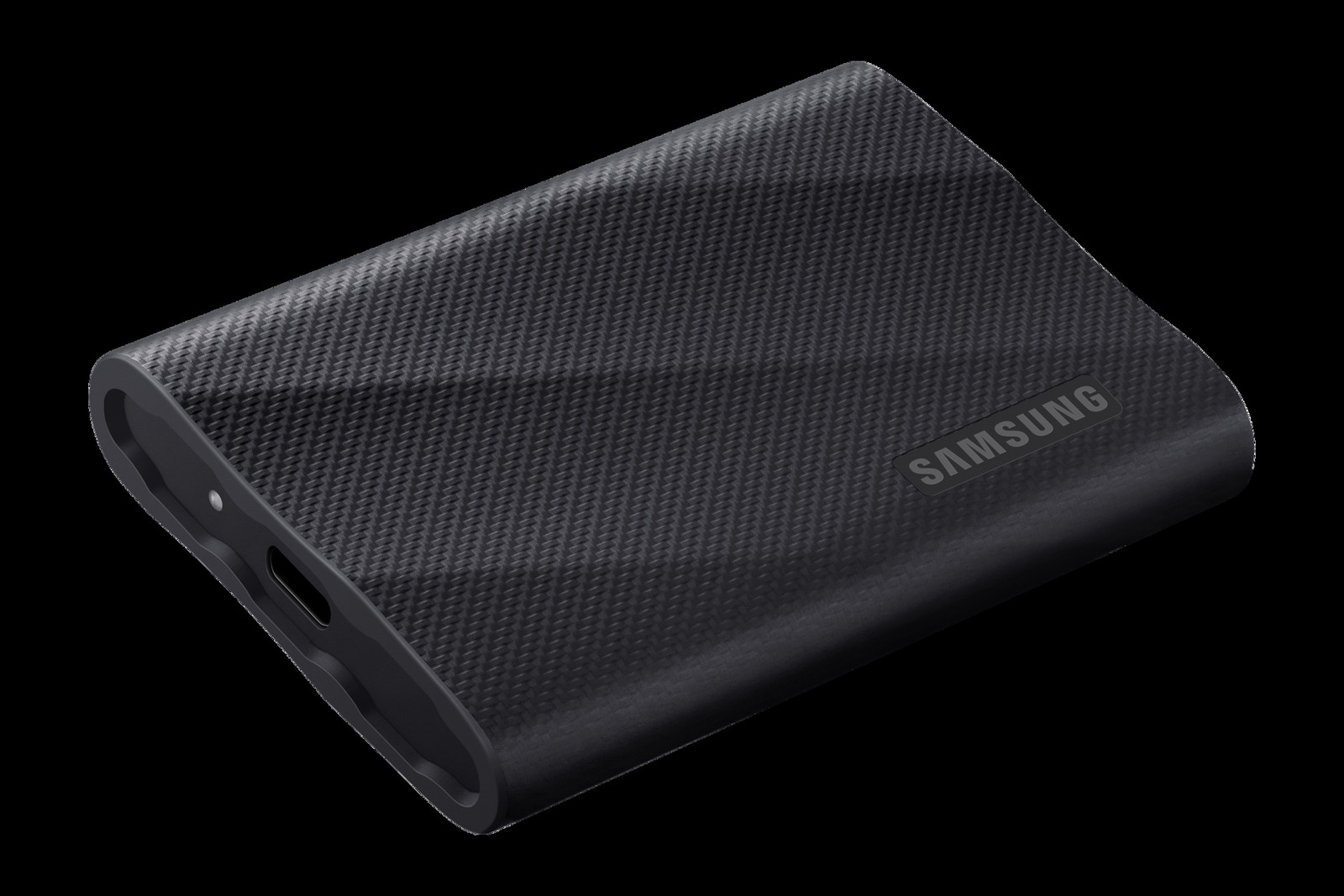
Samsung Portable SSD T9
In our list of external SSDs and NAS to set up before you lose your work files, the Samsung Portable SSD T9 is a portable external SSD with a USB 3.2 Gen 2x2 interface and a heat-dissipating design. If you repeatedly find yourself needing to move large video and design files quickly between compatible PCs, it is worth looking into the real-world usefulness of the Samsung Portable SSD T9. The features highlighted in the official specifications are the up to 20Gbps interface and Dynamic Thermal Guard. Check, based on how you actually move around, whether the Samsung Portable SSD T9 delivers the same benefits in the space where you will use it.
Before adding the Samsung Portable SSD T9 to your existing equipment, verify that your host supports USB 3.2 Gen 2x2 and that your cable meets the spec, and do a final check of the actual interface speed on each device and the capacity options on the official sales page. Once you have chosen the Samsung Portable SSD T9, decide which functions to test first in your setup of external SSDs and NAS to set up before you lose your work files and how to roll back if they fail, and learn Samsung's customer support terms as well to reduce trial and error after adoption.
Before adding the Samsung Portable SSD T9 to your existing equipment, verify that your host supports USB 3.2 Gen 2x2 and that your cable meets the spec, and do a final check of the actual interface speed on each device and the capacity options on the official sales page. Once you have chosen the Samsung Portable SSD T9, decide which functions to test first in your setup of external SSDs and NAS to set up before you lose your work files and how to roll back if they fail, and learn Samsung's customer support terms as well to reduce trial and error after adoption.
브랜드 Samsung
잘 맞는 상황 대용량 영상·디자인 파일을 호환 PC에서 빠르게 옮기는 사용자
핵심 특징 최대 20Gbps 인터페이스와 Dynamic Thermal Guard
연결·호환 호스트의 USB 3.2 Gen 2x2 지원과 케이블 규격
구매 전 확인 장치별 실제 인터페이스 속도와 용량 옵션
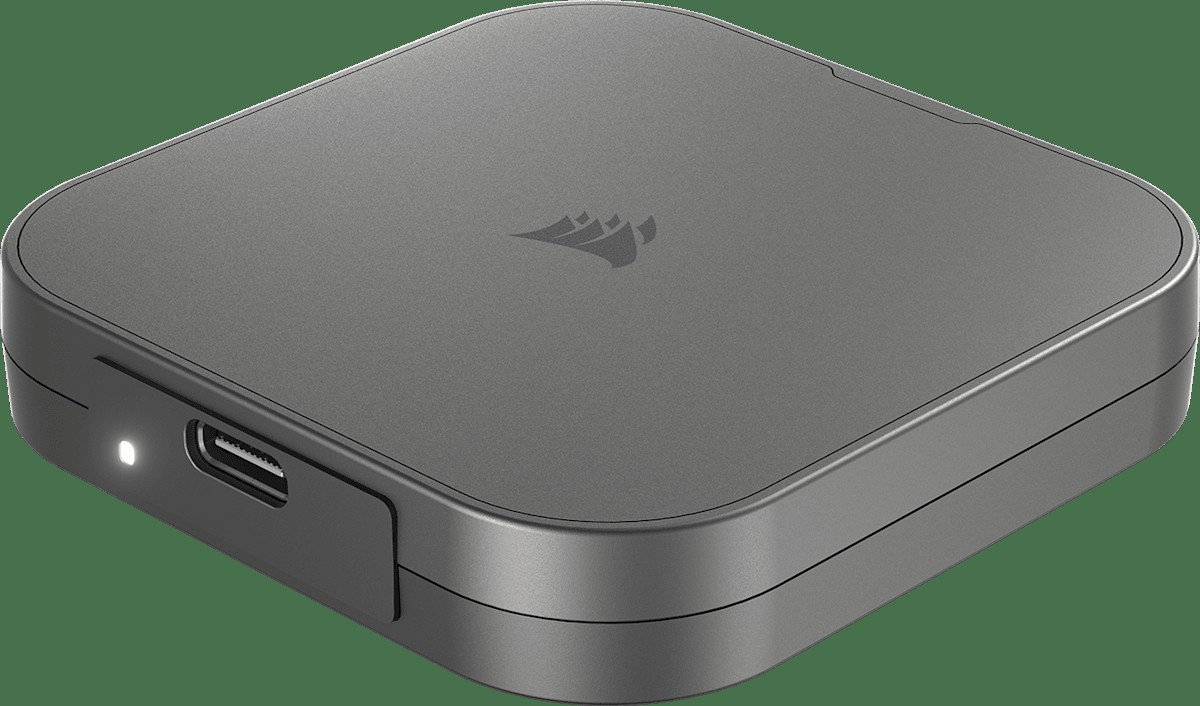
CORSAIR EX400U USB4 External SSD
In our list of external SSDs and NAS to set up before you lose your work files, the CORSAIR EX400U USB4 External SSD is a compact external SSD with a USB4 interface and a magnetic protective cap. The starting point for choosing the CORSAIR EX400U USB4 External SSD is checking whether the profile of a user who moves large project files quickly from a USB4 laptop matches your own environment. Because the CORSAIR EX400U USB4 External SSD's up to 40Gbps USB4 connection and MagSafe-compatible attachment are closer to convenience features, the right order is to confirm its core performance and installation stability first, then evaluate those.
At the actual purchase stage, the CORSAIR EX400U USB4 External SSD's compatibility with your host's USB4 or Thunderbolt port and your USB-C cable comes first, and it is a good idea to note the model name for each capacity and the heat build-up during long transfers alongside the product number. When comparing the CORSAIR EX400U USB4 External SSD for a setup of external SSDs and NAS to set up before you lose your work files, putting price, frequency of use, and installation difficulty in the same table and adding CORSAIR's support coverage makes it easier to judge the real cost of ownership.
At the actual purchase stage, the CORSAIR EX400U USB4 External SSD's compatibility with your host's USB4 or Thunderbolt port and your USB-C cable comes first, and it is a good idea to note the model name for each capacity and the heat build-up during long transfers alongside the product number. When comparing the CORSAIR EX400U USB4 External SSD for a setup of external SSDs and NAS to set up before you lose your work files, putting price, frequency of use, and installation difficulty in the same table and adding CORSAIR's support coverage makes it easier to judge the real cost of ownership.
브랜드 CORSAIR
잘 맞는 상황 USB4 노트북에서 대용량 프로젝트 파일을 빠르게 옮기는 사용자
핵심 특징 최대 40Gbps USB4 연결과 MagSafe 호환 부착
연결·호환 호스트의 USB4·Thunderbolt 호환과 USB-C 케이블
구매 전 확인 용량별 모델명과 장시간 전송 시 발열
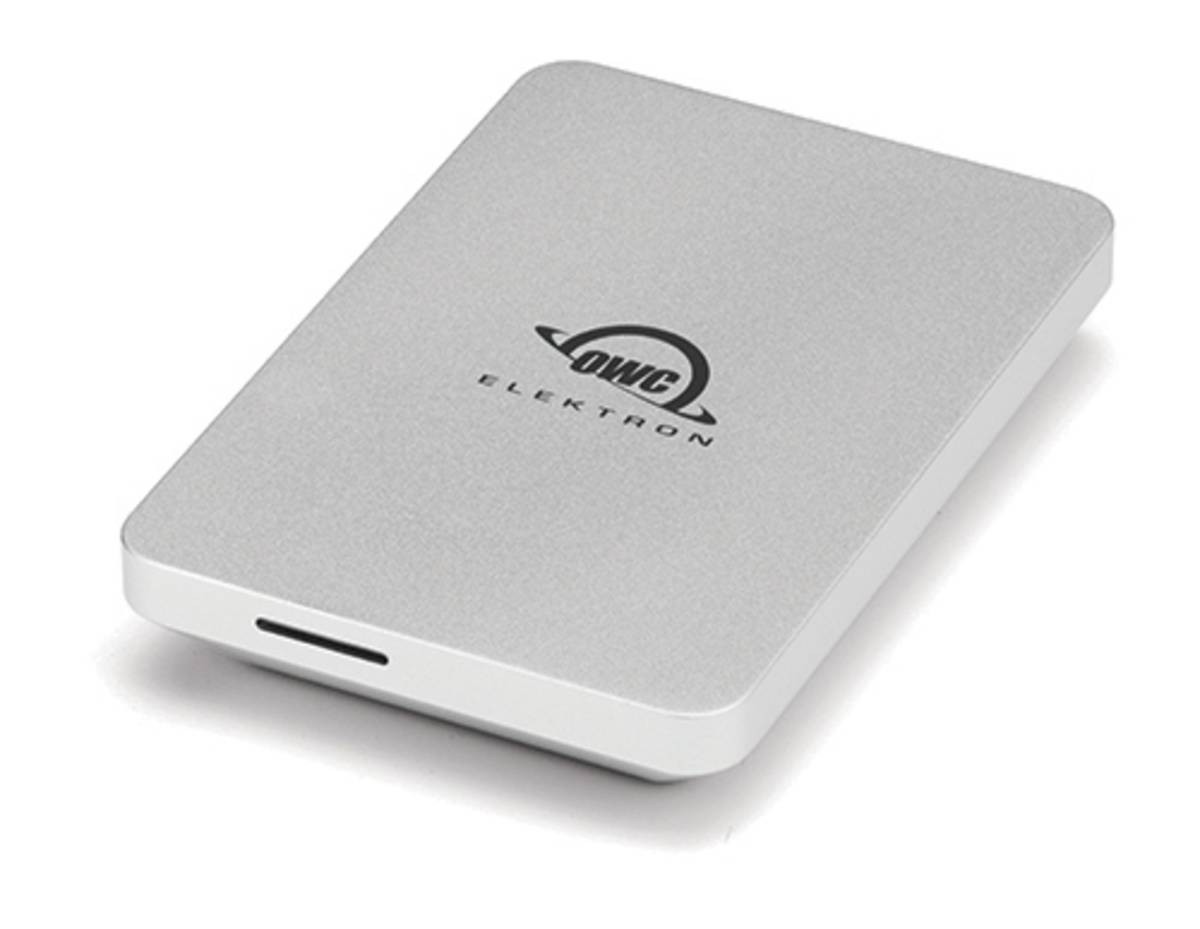
OWC Envoy Pro Elektron
In our list of external SSDs and NAS to set up before you lose your work files, the OWC Envoy Pro Elektron is a small portable external SSD with an aluminum body and a USB-C connection. When you take the condition of a user who carries a small, rugged backup device for documents and photos as the benchmark for your use case, the OWC Envoy Pro Elektron's role becomes clear. The key features are the USB 3.2 Gen 2 interface and IP67 rating. Since how it feels in use varies with your desk size and daily usage time, you should also consider where the OWC Envoy Pro Elektron will sit.
Before adoption, first check the USB-C and USB-A adapters and supported operating systems, and at the ordering stage, cross-check the test conditions behind the protection rating and the actual performance at each capacity against the OWC Envoy Pro Elektron's official page and the model designation on sale. When looking at the OWC Envoy Pro Elektron by the selection criteria of this list of external SSDs and NAS to set up before you lose your work files, do not isolate a single advantage; instead, make your final judgment with OWC's support coverage and your actual work habits considered together.
Before adoption, first check the USB-C and USB-A adapters and supported operating systems, and at the ordering stage, cross-check the test conditions behind the protection rating and the actual performance at each capacity against the OWC Envoy Pro Elektron's official page and the model designation on sale. When looking at the OWC Envoy Pro Elektron by the selection criteria of this list of external SSDs and NAS to set up before you lose your work files, do not isolate a single advantage; instead, make your final judgment with OWC's support coverage and your actual work habits considered together.
브랜드 OWC
잘 맞는 상황 문서·사진 백업 장치를 작고 견고하게 들고 다니는 사용자
핵심 특징 USB 3.2 Gen 2 인터페이스와 IP67 등급
연결·호환 USB-C·USB-A 어댑터와 지원 운영체제
구매 전 확인 보호 등급 시험 조건과 용량별 실제 성능
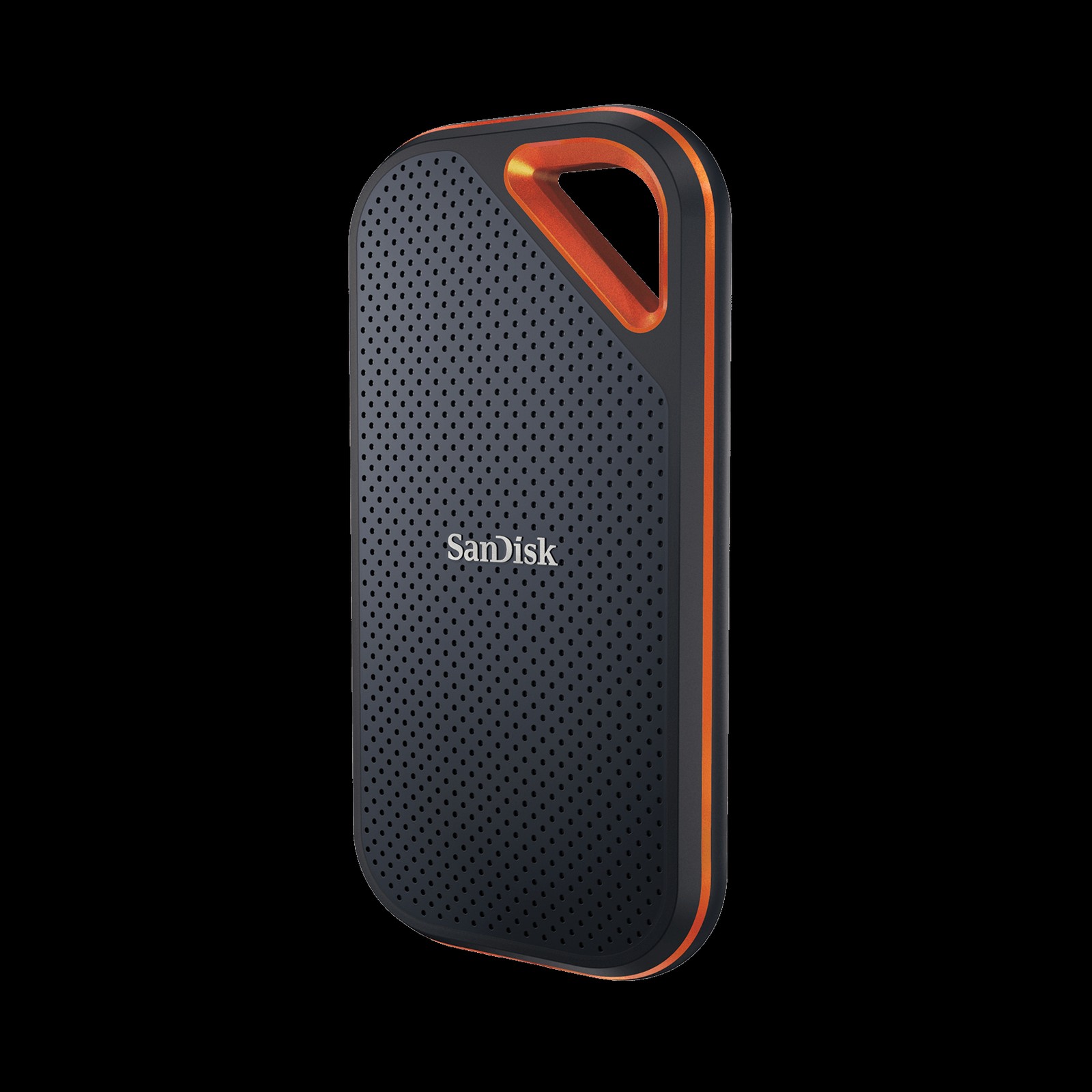
SanDisk Extreme PRO Portable SSD V2
In our list of external SSDs and NAS to set up before you lose your work files, the SanDisk Extreme PRO Portable SSD V2 is a portable SSD that uses USB 3.2 Gen 2x2 and an aluminum chassis. The SanDisk Extreme PRO Portable SSD V2 is worth comparing first for a desk that handles work involving repeated transfers of large files between the field and home. The first specs to look at on the SanDisk Extreme PRO Portable SSD V2 are its 20Gbps-class transfer speed and IP65 rating, and you should compare whether these features actually reduce the frustrations of your existing equipment.
The conditions to check before paying for the SanDisk Extreme PRO Portable SSD V2 are your host port and cable and support for its security software. The exact generation and model number and the firmware guidance should also be checked before the package arrives. Ultimately, the SanDisk Extreme PRO Portable SSD V2's value depends on whether the functions you will use often in your setup of external SSDs and NAS to set up before you lose your work files are clear, so check SanDisk's warranty coverage as well before deciding whether it will replace or complement your existing equipment.
The conditions to check before paying for the SanDisk Extreme PRO Portable SSD V2 are your host port and cable and support for its security software. The exact generation and model number and the firmware guidance should also be checked before the package arrives. Ultimately, the SanDisk Extreme PRO Portable SSD V2's value depends on whether the functions you will use often in your setup of external SSDs and NAS to set up before you lose your work files are clear, so check SanDisk's warranty coverage as well before deciding whether it will replace or complement your existing equipment.
브랜드 SanDisk
잘 맞는 상황 현장과 집에서 대용량 파일을 반복 전송하는 업무
핵심 특징 20Gbps급 전송과 IP65 등급
연결·호환 호스트 포트·케이블 및 보안 소프트웨어 지원
구매 전 확인 정확한 세대·모델 번호와 펌웨어 안내
Synology DiskStation DS224+
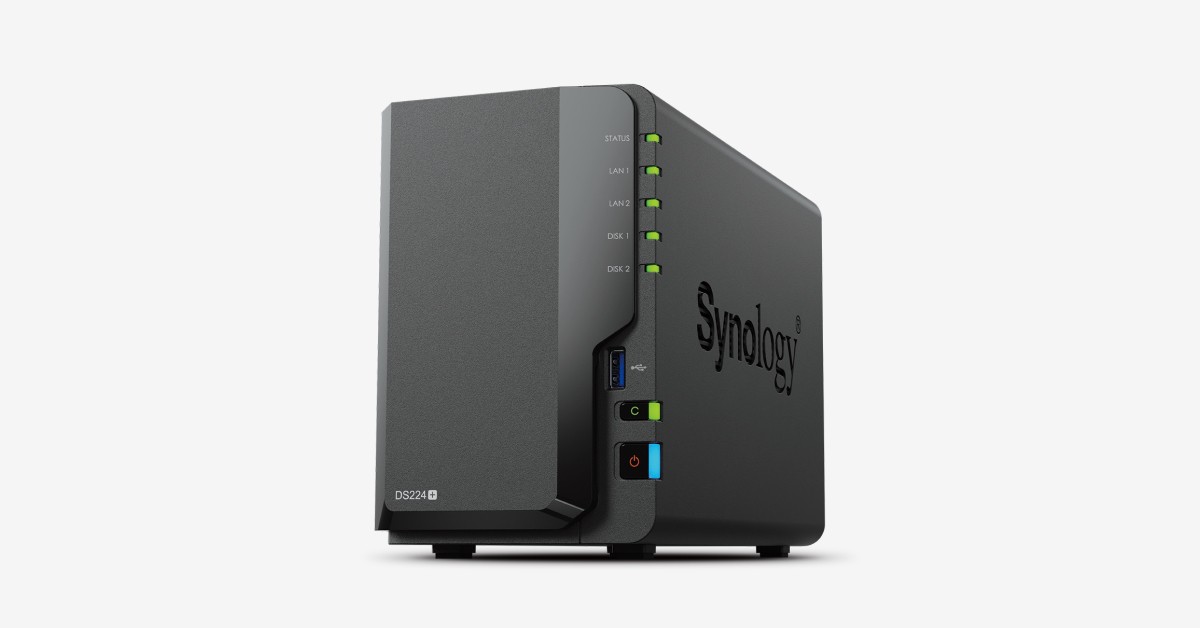
In our list of external SSDs and NAS to set up before you lose your work files, the Synology DiskStation DS224+ is a 2-bay desktop NAS running DiskStation Manager. The reason this product made the list is that it aligns with the needs of a household or small team that wants to back up documents and photos centrally. The Synology DiskStation DS224+'s signature advantages are its 2-bay design and the DSM backup and sync apps, but if they do not fit your work habits, you may end up using it less.
To reduce the chance of a failed setup, review the Synology DiskStation DS224+'s compatible drive list and 1GbE networking, then recheck the fact that disks are sold separately and the actual usable capacity after RAID configuration against the seller's description. To complete a setup of external SSDs and NAS to set up before you lose your work files, look not only at the Synology DiskStation DS224+'s convenience but also at the conditions that are hard to reverse after installation, and compare Synology's support policy with your own workflow.
To reduce the chance of a failed setup, review the Synology DiskStation DS224+'s compatible drive list and 1GbE networking, then recheck the fact that disks are sold separately and the actual usable capacity after RAID configuration against the seller's description. To complete a setup of external SSDs and NAS to set up before you lose your work files, look not only at the Synology DiskStation DS224+'s convenience but also at the conditions that are hard to reverse after installation, and compare Synology's support policy with your own workflow.
브랜드 Synology
잘 맞는 상황 가족·소규모 팀의 문서와 사진을 중앙에서 백업하는 환경
핵심 특징 2베이 구조와 DSM 백업·동기화 앱
연결·호환 호환 드라이브 목록과 1GbE 네트워크
구매 전 확인 디스크 별매와 RAID 구성 후 실제 사용 용량
Synology DiskStation DS725+
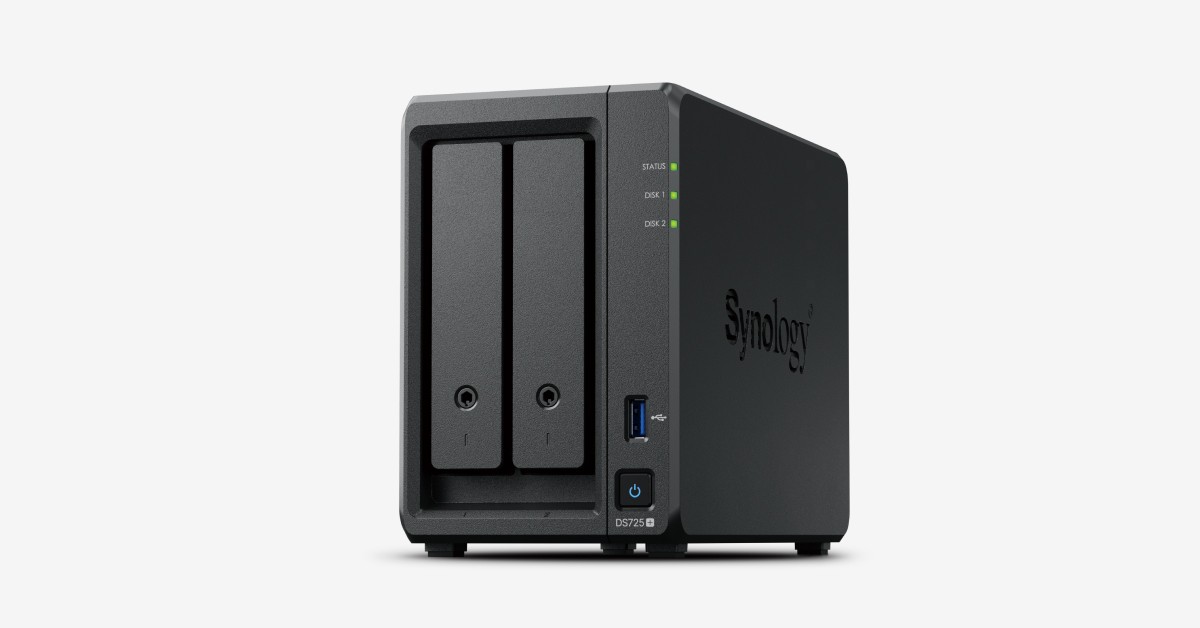
In our list of external SSDs and NAS to set up before you lose your work files, the Synology DiskStation DS725+ is a Plus-series NAS that offers expansion and 2.5GbE connectivity in a 2-bay body. Where the Synology DiskStation DS725+ really shows its value is in solving the needs of a small workspace that weighs backup speed together with future bay expansion. For the Synology DiskStation DS725+, the 2.5GbE port and expansion unit support matter less for their maximum figures than for how often they actually come into play in your everyday workflow.
How far the Synology DiskStation DS725+ can take you depends on compatible drives and memory and your network switch, and details like disks being sold separately and the volume design when expanding are hard to change after purchase. Within this list of external SSDs and NAS to set up before you lose your work files, the Synology DiskStation DS725+ is a candidate for relieving a specific annoyance rather than the right answer for every setup, so check Synology's support coverage and how often you will actually use it, and spend only on the features you need.
How far the Synology DiskStation DS725+ can take you depends on compatible drives and memory and your network switch, and details like disks being sold separately and the volume design when expanding are hard to change after purchase. Within this list of external SSDs and NAS to set up before you lose your work files, the Synology DiskStation DS725+ is a candidate for relieving a specific annoyance rather than the right answer for every setup, so check Synology's support coverage and how often you will actually use it, and spend only on the features you need.
브랜드 Synology
잘 맞는 상황 백업 속도와 향후 베이 확장을 함께 고려하는 소규모 업무 공간
핵심 특징 2.5GbE와 확장 유닛 지원
연결·호환 호환 드라이브·메모리 및 네트워크 스위치
구매 전 확인 디스크 별매와 확장 시 볼륨 설계
QNAP TS-264
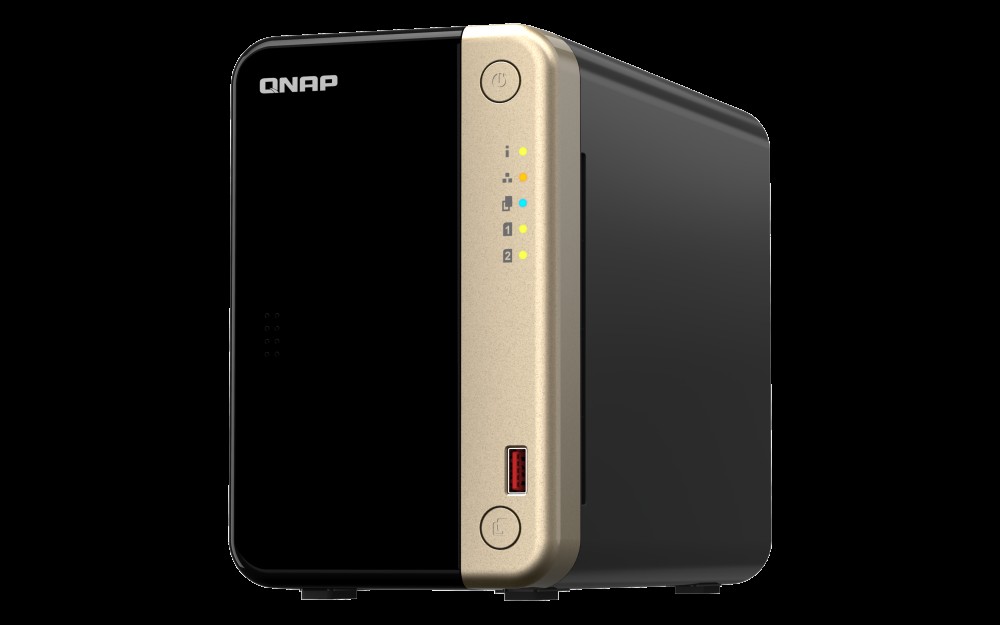
In our list of external SSDs and NAS to set up before you lose your work files, the QNAP TS-264 is a 2-bay desktop NAS with 2.5GbE ports and M.2 slots. The selection criteria become much clearer when you look at it in the context of a user who wants to try file sharing alongside multimedia and virtualization features, rather than just the numbers on the spec sheet. When comparing, the realistic approach is to set the QNAP TS-264's dual 2.5GbE and M.2 and PCIe expansion side by side with your current desk configuration and judge from there.
Before leaving the QNAP TS-264 on your shopping list, checking the QTS-supported apps and compatible drives and memory, followed by the initial security setup and the fact that disks and cache are sold separately, will help you avoid an unnecessary return. When evaluating the QNAP TS-264 from the perspective of external SSDs and NAS to set up before you lose your work files, what matters is how much it simplifies the tasks you repeat every day rather than the number of features, and it only becomes a choice that lasts when QNAP's after-sales support and your desk environment both fit.
Before leaving the QNAP TS-264 on your shopping list, checking the QTS-supported apps and compatible drives and memory, followed by the initial security setup and the fact that disks and cache are sold separately, will help you avoid an unnecessary return. When evaluating the QNAP TS-264 from the perspective of external SSDs and NAS to set up before you lose your work files, what matters is how much it simplifies the tasks you repeat every day rather than the number of features, and it only becomes a choice that lasts when QNAP's after-sales support and your desk environment both fit.
브랜드 QNAP
잘 맞는 상황 파일 공유와 멀티미디어·가상화 기능을 함께 시험하는 사용자
핵심 특징 듀얼 2.5GbE와 M.2·PCIe 확장
연결·호환 QTS 지원 앱과 호환 드라이브·메모리
구매 전 확인 초기 보안 설정과 디스크·캐시 별매
When your external SSD arrives, first match the file system to your work operating system, and store the encryption recovery key somewhere other than the device. After a large copy, spot-check that the files open, and while on the move, disconnect the cable so the drive is not jolted while plugged in. Even when a manufacturer highlights durability, water and dust resistance does not apply outside the tested scope, such as with the port cover open or beyond the rated drop height.
For a NAS, rather than exposing it directly to the internet, start by configuring automatic updates, administrator account protection, two-factor authentication, and a separate backup. Even with two disks mirrored, that is still a copy inside the same device, so back up once more to a USB disk or a trusted external storage location. A backup whose restore procedure has never been tested gives you no way of knowing whether it will work in a real failure, so it is a good idea to restore a small folder every quarter.
For a NAS, rather than exposing it directly to the internet, start by configuring automatic updates, administrator account protection, two-factor authentication, and a separate backup. Even with two disks mirrored, that is still a copy inside the same device, so back up once more to a USB disk or a trusted external storage location. A backup whose restore procedure has never been tested gives you no way of knowing whether it will work in a real failure, so it is a good idea to restore a small folder every quarter.
At a glance
7 items
Samsung Portable SSD T9
Samsung · 대용량 영상·디자인 파일을 호환 PC에서 빠르게 옮기는 사용자 · 최대 20Gbps 인터페이스와 Dynamic Thermal Guard · 호스트의 USB 3.2 Gen 2x2 지원과 케이블 규격 · 장치별 실제 인터페이스 속도와 용량 옵션
CORSAIR EX400U USB4 External SSD
CORSAIR · USB4 노트북에서 대용량 프로젝트 파일을 빠르게 옮기는 사용자 · 최대 40Gbps USB4 연결과 MagSafe 호환 부착 · 호스트의 USB4·Thunderbolt 호환과 USB-C 케이블 · 용량별 모델명과 장시간 전송 시 발열
OWC Envoy Pro Elektron
OWC · 문서·사진 백업 장치를 작고 견고하게 들고 다니는 사용자 · USB 3.2 Gen 2 인터페이스와 IP67 등급 · USB-C·USB-A 어댑터와 지원 운영체제 · 보호 등급 시험 조건과 용량별 실제 성능
SanDisk Extreme PRO Portable SSD V2
SanDisk · 현장과 집에서 대용량 파일을 반복 전송하는 업무 · 20Gbps급 전송과 IP65 등급 · 호스트 포트·케이블 및 보안 소프트웨어 지원 · 정확한 세대·모델 번호와 펌웨어 안내
Synology DiskStation DS224+
Synology · 가족·소규모 팀의 문서와 사진을 중앙에서 백업하는 환경 · 2베이 구조와 DSM 백업·동기화 앱 · 호환 드라이브 목록과 1GbE 네트워크 · 디스크 별매와 RAID 구성 후 실제 사용 용량
Synology DiskStation DS725+
Synology · 백업 속도와 향후 베이 확장을 함께 고려하는 소규모 업무 공간 · 2.5GbE와 확장 유닛 지원 · 호환 드라이브·메모리 및 네트워크 스위치 · 디스크 별매와 확장 시 볼륨 설계
QNAP TS-264
QNAP · 파일 공유와 멀티미디어·가상화 기능을 함께 시험하는 사용자 · 듀얼 2.5GbE와 M.2·PCIe 확장 · QTS 지원 앱과 호환 드라이브·메모리 · 초기 보안 설정과 디스크·캐시 별매
As part of the Coupang Partners program, this post may earn a commission from qualifying purchases.
Comments 0
Log in to leave a comment.
Be the first to comment.
How about these lists?


You might also like


🎲
Not ready to stop here?
Wondering what to read next is the biggest waste of time.
Let the dice decide — you won't know what pops up until you roll.
If you don't press it… won't you wonder forever? 👀
 Log in or sign up with KakaoTalk in 5 seconds