
Collection
Remote Work Equipment
2026.10.12
Work-From-Home Desk Lighting That Cuts Glare and Flatters Your Face
Comparing the direction of light across real products, from monitor light bars to video-call key lights
Work-from-home lighting is not done once the desk is bright. A light source shining directly in front of the monitor creates screen reflections, and a bright window behind you makes the camera darken your face to compensate. A monitor light bar is great for illuminating the keyboard and documents but does little to light your face, while a key light improves video-call quality at the cost of having to manage glare and installation space.
This list includes three monitor-top lights, three key lights for the camera, and one portable light that adds ambient fill. We compare them with a focus on color temperature and brightness control, asymmetric light distribution, clamp mechanisms, app connectivity, and power requirements. Rather than looking only at brightness numbers, sorting out whether the light is aimed at the screen, your eyes, or your face will narrow down the product you need much faster.
This list includes three monitor-top lights, three key lights for the camera, and one portable light that adds ambient fill. We compare them with a focus on color temperature and brightness control, asymmetric light distribution, clamp mechanisms, app connectivity, and power requirements. Rather than looking only at brightness numbers, sorting out whether the light is aimed at the screen, your eyes, or your face will narrow down the product you need much faster.
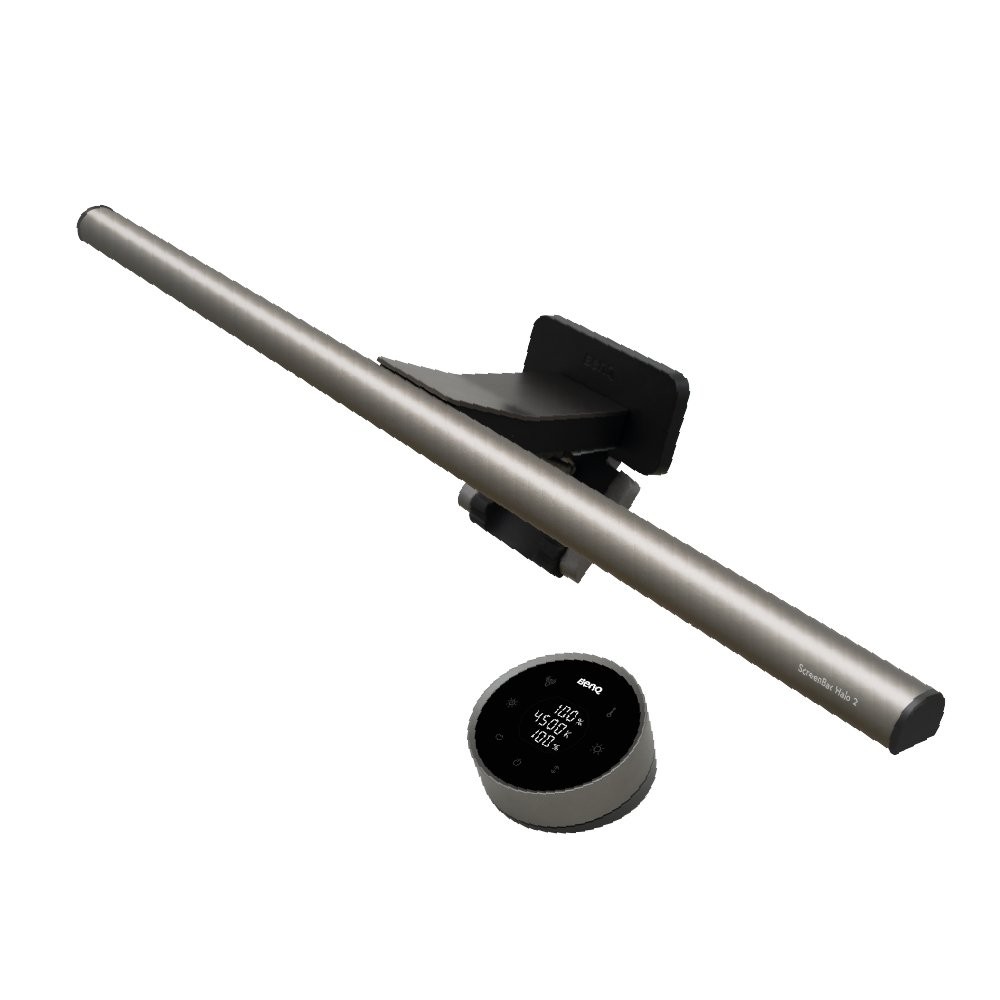
BenQ ScreenBar Halo 2
In our list of work-from-home desk lighting that cuts glare and flatters your face, the BenQ ScreenBar Halo 2 is a monitor light bar that provides front-facing asymmetric lighting together with rear indirect light. The reason this product made the list is that it aligns with the needs of a setup where you want to reduce the brightness gap between the desk in front of the screen and the wall behind it at the same time. The BenQ ScreenBar Halo 2's signature advantages are its front and rear lighting and wireless controller, but if they do not fit your work habits, you may end up using it less.
To reduce the chance of a failed setup, review the BenQ ScreenBar Halo 2's supported monitor thickness and curvature and its USB-C power requirements, then recheck the space available for mounting a webcam and the position of the auto-dimming sensor against the seller's description. To complete a setup of work-from-home desk lighting that cuts glare and flatters your face, look not only at the BenQ ScreenBar Halo 2's convenience but also at the conditions that are hard to reverse after installation, and compare BenQ's support policy with your own workflow.
To reduce the chance of a failed setup, review the BenQ ScreenBar Halo 2's supported monitor thickness and curvature and its USB-C power requirements, then recheck the space available for mounting a webcam and the position of the auto-dimming sensor against the seller's description. To complete a setup of work-from-home desk lighting that cuts glare and flatters your face, look not only at the BenQ ScreenBar Halo 2's convenience but also at the conditions that are hard to reverse after installation, and compare BenQ's support policy with your own workflow.
브랜드 BenQ
잘 맞는 상황 화면 앞 책상과 뒤쪽 벽의 밝기 차이를 함께 줄이고 싶은 환경
핵심 특징 전·후면 조명과 무선 컨트롤러
연결·호환 지원 모니터 두께·곡률과 USB-C 전원
구매 전 확인 웹캠 장착 공간과 자동 조광 위치
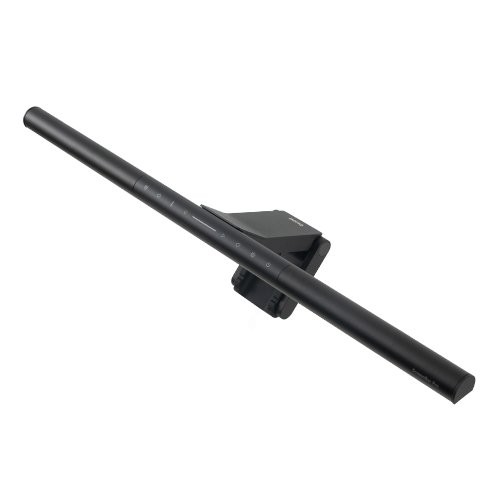
BenQ ScreenBar Pro
In our list of work-from-home desk lighting that cuts glare and flatters your face, the BenQ ScreenBar Pro is a monitor light that illuminates a wide area of the desk and offers an auto-on function. Where the BenQ ScreenBar Pro really shows its value is in solving the needs of a user who wants to light the document and keyboard area broadly on a deep desk. For the BenQ ScreenBar Pro, the asymmetric light distribution and motion-sensing auto-on matter less for their maximum figures than for how often they actually come into play in your everyday workflow.
How far the BenQ ScreenBar Pro can take you depends on your monitor's thickness and curvature and its USB-C power draw, and details like the sensor position and interference with a webcam on top of the screen are hard to change after purchase. Within this list of work-from-home desk lighting that cuts glare and flatters your face, the BenQ ScreenBar Pro is a candidate for relieving a specific annoyance rather than the right answer for every setup, so check BenQ's support coverage and how often you will actually use it, and spend only on the features you need.
How far the BenQ ScreenBar Pro can take you depends on your monitor's thickness and curvature and its USB-C power draw, and details like the sensor position and interference with a webcam on top of the screen are hard to change after purchase. Within this list of work-from-home desk lighting that cuts glare and flatters your face, the BenQ ScreenBar Pro is a candidate for relieving a specific annoyance rather than the right answer for every setup, so check BenQ's support coverage and how often you will actually use it, and spend only on the features you need.
브랜드 BenQ
잘 맞는 상황 깊은 책상에서 문서와 키보드 영역을 넓게 밝히려는 사용자
핵심 특징 비대칭 배광과 모션 감지 자동 점등
연결·호환 모니터 두께·곡률과 USB-C 전원 요구량
구매 전 확인 센서 위치와 화면 위 웹캠 간섭
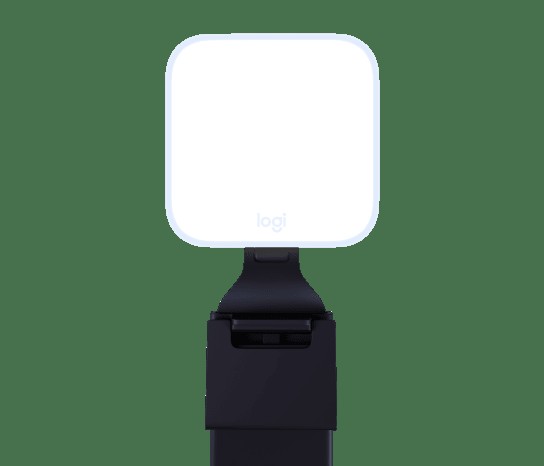
Logitech Litra Glow
In our list of work-from-home desk lighting that cuts glare and flatters your face, the Logitech Litra Glow is a small diffused LED key light that mounts around the monitor. The selection criteria become much clearer when you look at it in the context of a desk where you want to supplement video-call face lighting with a small footprint, rather than just the numbers on the spec sheet. When comparing, the realistic approach is to set the Logitech Litra Glow's TrueSoft diffused light and monitor mount side by side with your current desk configuration and judge from there.
Before leaving the Logitech Litra Glow on your shopping list, checking its USB power and the operating systems supported by G HUB, followed by your monitor thickness, webcam position, and glasses reflections, will help you avoid an unnecessary return. When evaluating the Logitech Litra Glow from the perspective of work-from-home desk lighting that cuts glare and flatters your face, what matters is how much it simplifies the tasks you repeat every day rather than the number of features, and it only becomes a choice that lasts when Logitech's after-sales support and your desk environment both fit.
Before leaving the Logitech Litra Glow on your shopping list, checking its USB power and the operating systems supported by G HUB, followed by your monitor thickness, webcam position, and glasses reflections, will help you avoid an unnecessary return. When evaluating the Logitech Litra Glow from the perspective of work-from-home desk lighting that cuts glare and flatters your face, what matters is how much it simplifies the tasks you repeat every day rather than the number of features, and it only becomes a choice that lasts when Logitech's after-sales support and your desk environment both fit.
브랜드 Logitech
잘 맞는 상황 화상회의 얼굴 조명을 작은 설치 면적으로 보완하려는 책상
핵심 특징 TrueSoft 확산광과 모니터 마운트
연결·호환 USB 전원과 G HUB 지원 운영체제
구매 전 확인 모니터 두께·웹캠 위치와 안경 반사
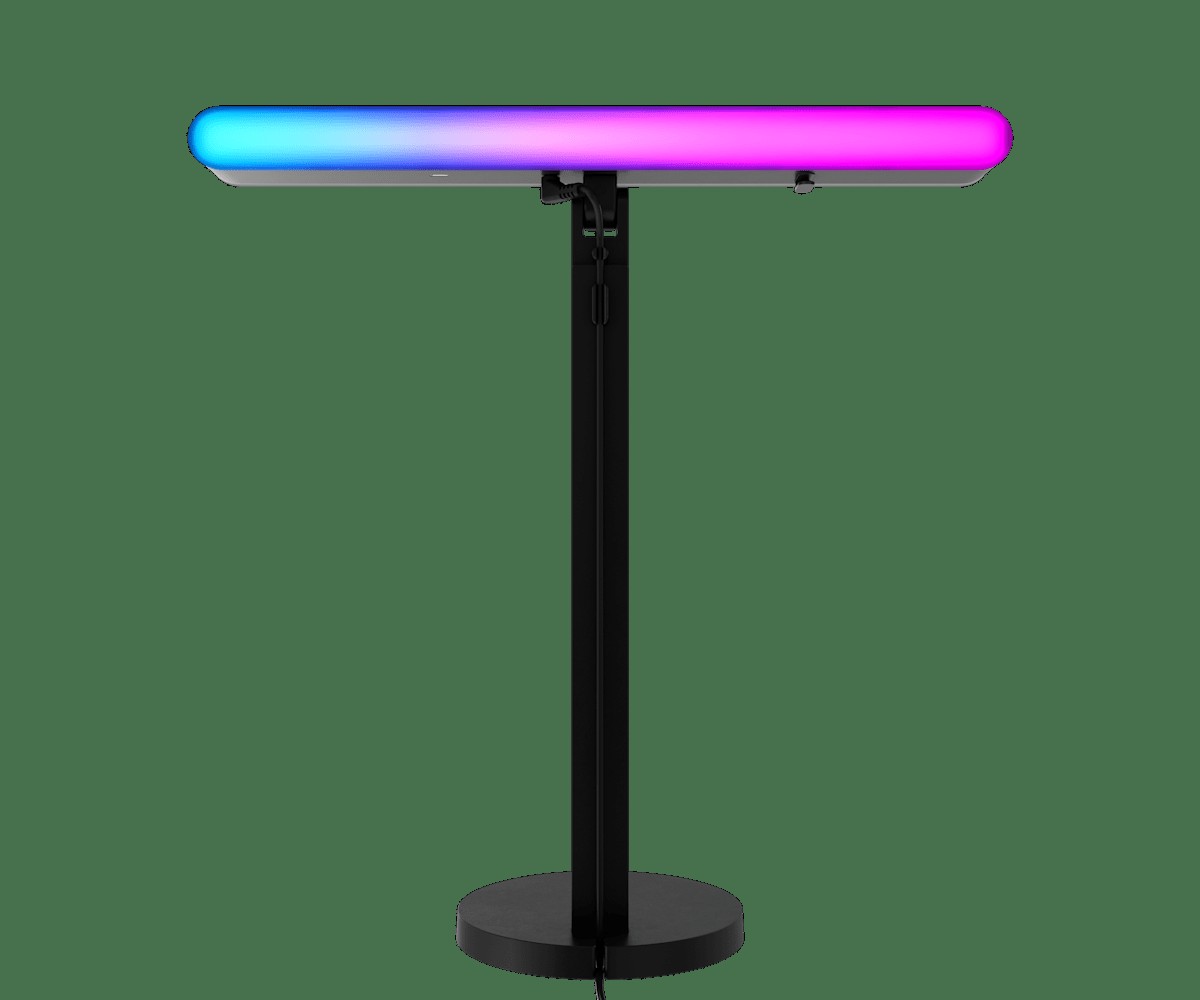
Logitech Litra Beam LX
In our list of work-from-home desk lighting that cuts glare and flatters your face, the Logitech Litra Beam LX is a light that combines a front key light and rear RGB lighting in a single bar-shaped body. When considering the Logitech Litra Beam LX, it helps to start by picturing the actual workflow that creates the situation of controlling video-call face lighting and the background color of your desk with one device. The TrueSoft front light and LIGHTSYNC RGB rear light the Logitech Litra Beam LX provides only do their job properly when the installation spot and surrounding equipment match.
Whether the Logitech Litra Beam LX works in practice comes down to its USB and Bluetooth connectivity and the operating systems supported by G HUB, so it is safest to confirm the footprint of the stand and reflections in the camera and on glasses in the official documentation as well. Before making a final decision, sum up in one sentence the role the Logitech Litra Beam LX would play in your setup of work-from-home desk lighting that cuts glare and flatters your face, and move it up your purchase priority only when that role is clear and Logitech's support terms also make sense to you.
Whether the Logitech Litra Beam LX works in practice comes down to its USB and Bluetooth connectivity and the operating systems supported by G HUB, so it is safest to confirm the footprint of the stand and reflections in the camera and on glasses in the official documentation as well. Before making a final decision, sum up in one sentence the role the Logitech Litra Beam LX would play in your setup of work-from-home desk lighting that cuts glare and flatters your face, and move it up your purchase priority only when that role is clear and Logitech's support terms also make sense to you.
브랜드 Logitech
잘 맞는 상황 화상회의 얼굴 조명과 책상 배경색을 한 장치로 조절하는 환경
핵심 특징 TrueSoft 전면광과 LIGHTSYNC RGB 후면광
연결·호환 USB·Bluetooth 연결 및 G HUB 지원 운영체제
구매 전 확인 스탠드 설치 면적과 카메라·안경 반사
Elgato Key Light
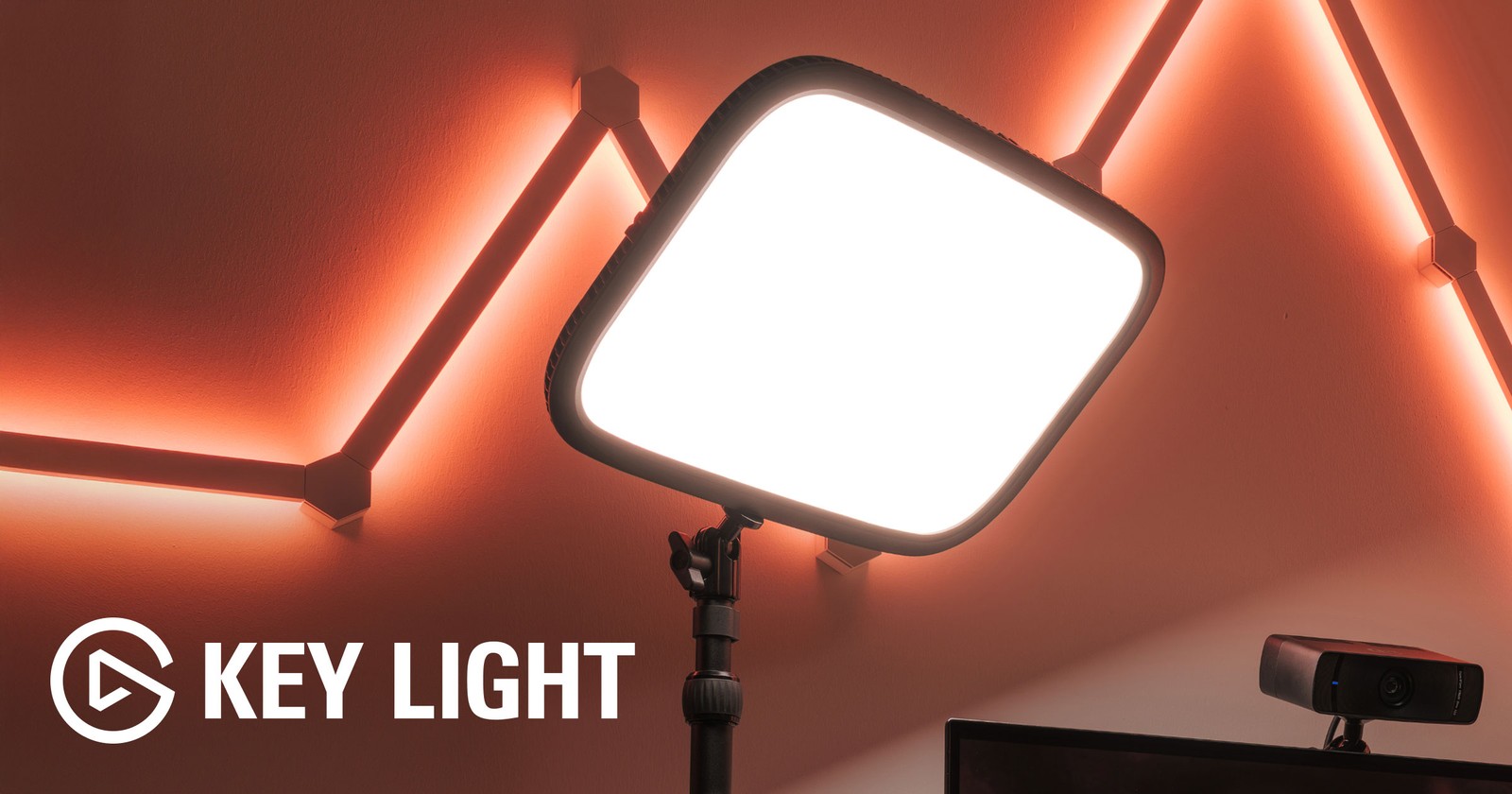
In our list of work-from-home desk lighting that cuts glare and flatters your face, the Elgato Key Light is a networked key light with a large diffusion panel and a desk-clamp stand. If you have a fixed desk where your face needs broad, soft lighting, as for presentations or lectures, you have a solid reason to put the Elgato Key Light on your shortlist. Keep in mind, too, that if you do not need the large diffusion panel and Wi-Fi control, a simpler product than the Elgato Key Light may be the more sensible choice.
To fit the Elgato Key Light into your current environment, you need 2.4GHz Wi-Fi and an environment that supports Control Center, and the desktop thickness the clamp can accommodate and the distance to the wall should be your final criteria when choosing the model. Whether the Elgato Key Light stays on this list of work-from-home desk lighting that cuts glare and flatters your face should be judged by whether it actually reduces your current frustration rather than by how impressive its new features sound, and Elgato's warranty and exchange terms should be factored into your cost calculation as well.
To fit the Elgato Key Light into your current environment, you need 2.4GHz Wi-Fi and an environment that supports Control Center, and the desktop thickness the clamp can accommodate and the distance to the wall should be your final criteria when choosing the model. Whether the Elgato Key Light stays on this list of work-from-home desk lighting that cuts glare and flatters your face should be judged by whether it actually reduces your current frustration rather than by how impressive its new features sound, and Elgato's warranty and exchange terms should be factored into your cost calculation as well.
브랜드 Elgato
잘 맞는 상황 발표·강의처럼 얼굴을 넓고 부드럽게 비춰야 하는 고정 책상
핵심 특징 대형 확산 패널과 Wi-Fi 제어
연결·호환 2.4GHz Wi-Fi와 Control Center 지원 환경
구매 전 확인 클램프 가능한 상판 두께와 벽까지 거리
Elgato Key Light Neo
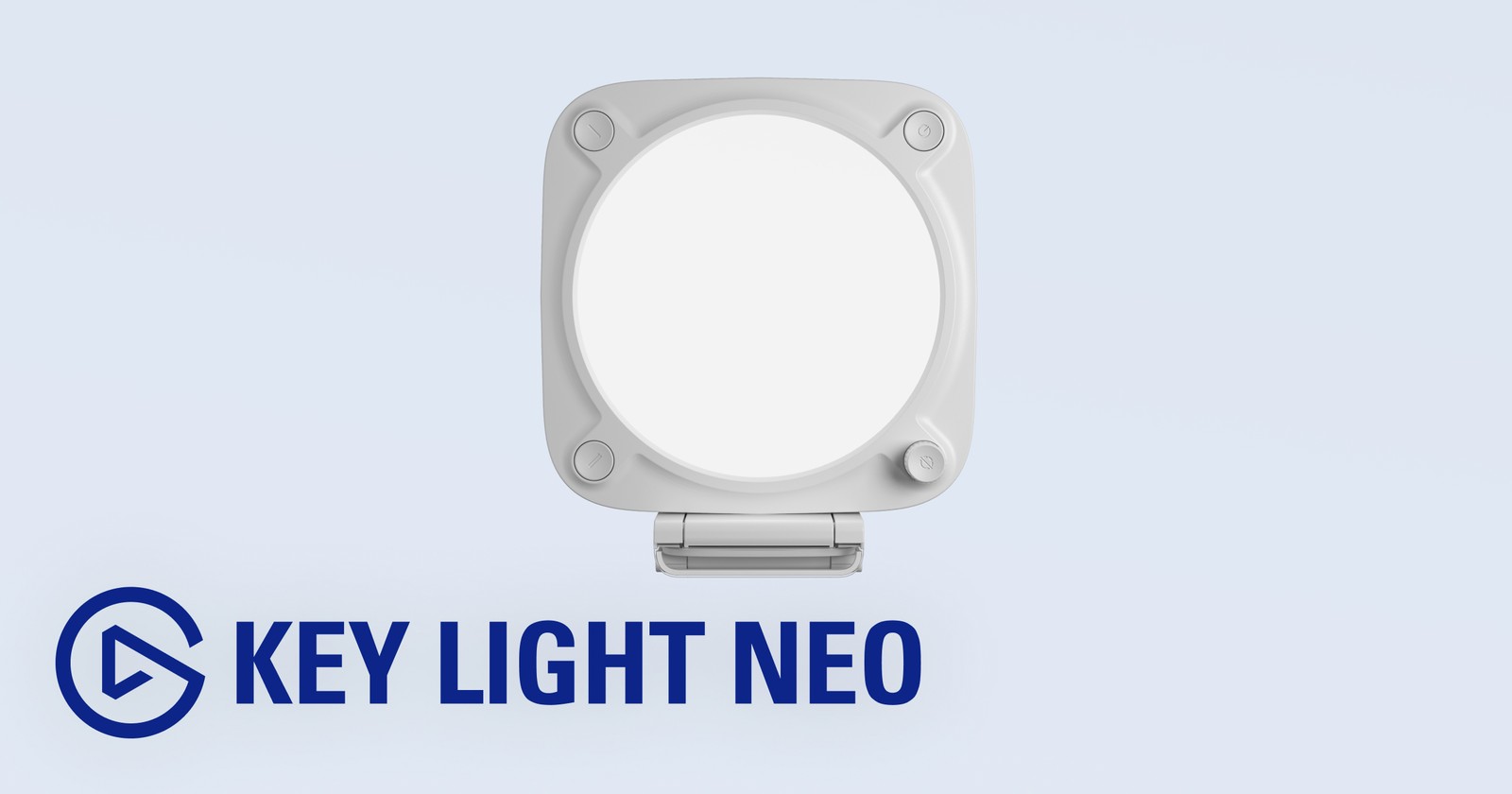
In our list of work-from-home desk lighting that cuts glare and flatters your face, the Elgato Key Light Neo is a small diffused key light that can be installed around the monitor. This gear is worth comparing for users who prioritize a small video-call desk where a large light stand is hard to fit. For the Elgato Key Light Neo's distinguishing feature, the small diffusion panel and USB power, what you should verify is how it is actually operated and how accessible it is, not just whether the feature exists.
Check that the space and devices where you plan to install the Elgato Key Light Neo meet the requirements for USB power delivery and Stream Deck and app support, then confirm the installation space behind the monitor and the glare angle in the final order details. Before adding the Elgato Key Light Neo to your setup of work-from-home desk lighting that cuts glare and flatters your face, check whether the same goal can be met by reconfiguring the equipment you already have, and when an additional purchase is needed, do a final cross-check of Elgato's support coverage and the installation requirements.
Check that the space and devices where you plan to install the Elgato Key Light Neo meet the requirements for USB power delivery and Stream Deck and app support, then confirm the installation space behind the monitor and the glare angle in the final order details. Before adding the Elgato Key Light Neo to your setup of work-from-home desk lighting that cuts glare and flatters your face, check whether the same goal can be met by reconfiguring the equipment you already have, and when an additional purchase is needed, do a final cross-check of Elgato's support coverage and the installation requirements.
브랜드 Elgato
잘 맞는 상황 큰 조명 스탠드를 놓기 어려운 작은 화상회의 책상
핵심 특징 소형 확산 패널과 USB 전원
연결·호환 USB 전력 공급량과 Stream Deck·앱 지원
구매 전 확인 모니터 뒤 설치 공간과 눈부심 각도
Philips Hue Go Portable Table Lamp
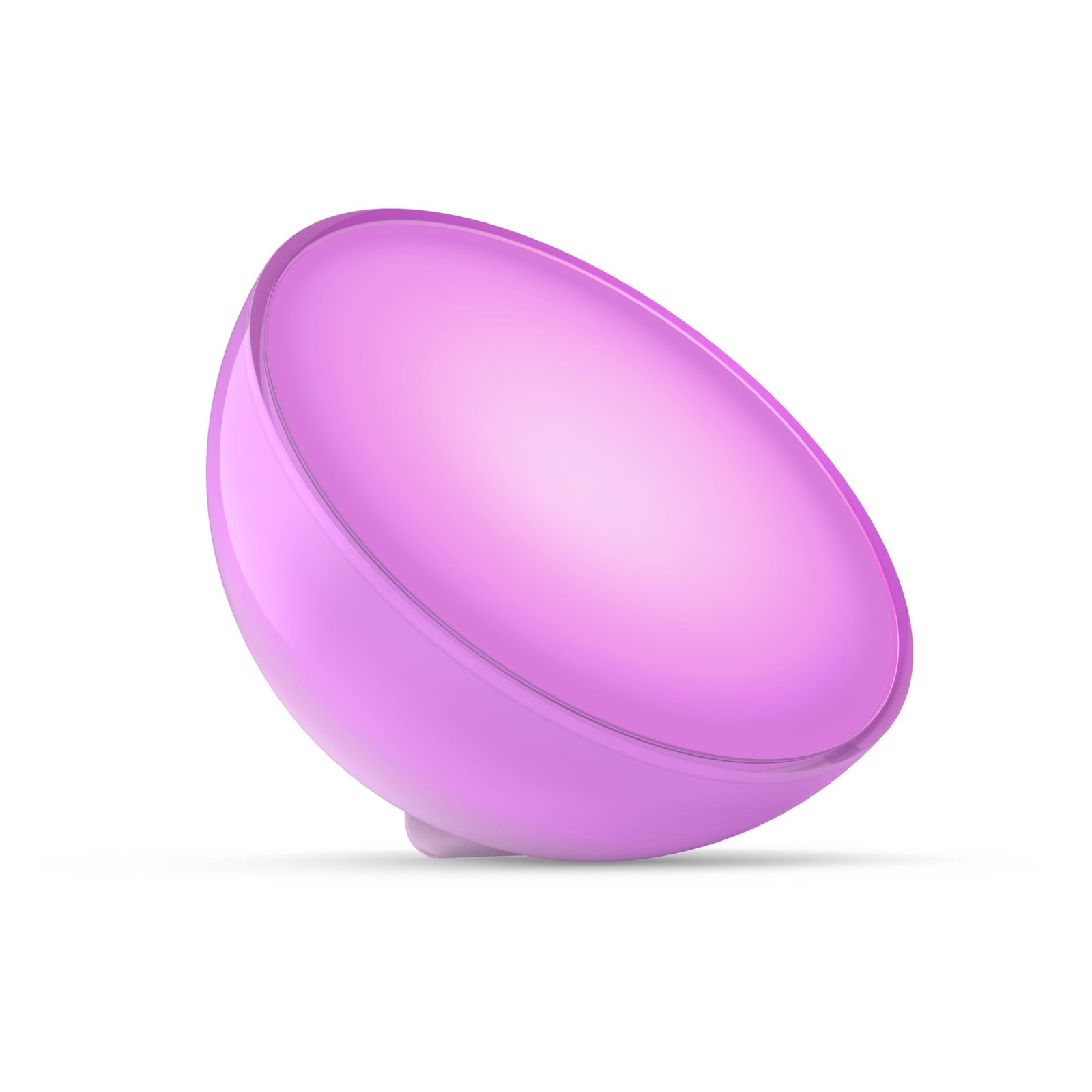
In our list of work-from-home desk lighting that cuts glare and flatters your face, the Philips Hue Go Portable Table Lamp is a portable table light with a rechargeable battery and color control. The Philips Hue Go Portable Table Lamp's strengths and limits both come into view when you build around the scenario of a space where you add indirect light to a meeting background or wall and move it around often. If the feature you use most often is the portable battery and White and Color Ambiance, the Philips Hue Go Portable Table Lamp moves up your priority list; if not, you should take another look at the cost-to-benefit ratio.
To avoid compatibility problems with the Philips Hue Go Portable Table Lamp, first check the feature scope of the Hue app over Bluetooth or with a Bridge, and compare the fact that it is meant for background and indirect light rather than direct face lighting against the model sold in your region. Even if the Philips Hue Go Portable Table Lamp's specs look good, if it does not match the workflow of your work-from-home desk lighting that cuts glare and flatters your face, you may quickly find yourself using it less, so review Philips Hue's support policy together with how you actually move around your workspace to avoid an overbuilt setup.
To avoid compatibility problems with the Philips Hue Go Portable Table Lamp, first check the feature scope of the Hue app over Bluetooth or with a Bridge, and compare the fact that it is meant for background and indirect light rather than direct face lighting against the model sold in your region. Even if the Philips Hue Go Portable Table Lamp's specs look good, if it does not match the workflow of your work-from-home desk lighting that cuts glare and flatters your face, you may quickly find yourself using it less, so review Philips Hue's support policy together with how you actually move around your workspace to avoid an overbuilt setup.
브랜드 Philips Hue
잘 맞는 상황 회의 배경이나 벽면에 간접광을 더하고 위치를 자주 바꾸는 공간
핵심 특징 휴대형 배터리와 White and Color Ambiance
연결·호환 Hue 앱·Bluetooth 또는 Bridge 기능 범위
구매 전 확인 직접 얼굴 조명보다 배경·간접광 용도라는 점
During the day, try positioning the window to your side rather than in front of the monitor or behind you, and use blinds to reduce the brightness contrast. Angle a monitor light bar so it does not shine directly on the screen, and it is more comfortable to add indirect light so the surroundings are not too dark. For video-call lighting, place the light slightly above and to the side of the camera and raise the brightness starting from a low level; that makes it easier to reduce glasses reflections and harsh shadows on your face.
For app-controlled lights, check whether they need a Wi-Fi or Bluetooth connection separate from your company network, and for products that rely solely on an app with no physical buttons, learn how to operate them when the connection fails. For products that mount on top of the screen, check your monitor's thickness, curvature, and webcam position all at once. If eye strain persists, adjust not just the lighting but also your text size, screen brightness, and break schedule.
For app-controlled lights, check whether they need a Wi-Fi or Bluetooth connection separate from your company network, and for products that rely solely on an app with no physical buttons, learn how to operate them when the connection fails. For products that mount on top of the screen, check your monitor's thickness, curvature, and webcam position all at once. If eye strain persists, adjust not just the lighting but also your text size, screen brightness, and break schedule.
At a glance
7 items
BenQ ScreenBar Halo 2
BenQ · 화면 앞 책상과 뒤쪽 벽의 밝기 차이를 함께 줄이고 싶은 환경 · 전·후면 조명과 무선 컨트롤러 · 지원 모니터 두께·곡률과 USB-C 전원 · 웹캠 장착 공간과 자동 조광 위치
BenQ ScreenBar Pro
BenQ · 깊은 책상에서 문서와 키보드 영역을 넓게 밝히려는 사용자 · 비대칭 배광과 모션 감지 자동 점등 · 모니터 두께·곡률과 USB-C 전원 요구량 · 센서 위치와 화면 위 웹캠 간섭
Logitech Litra Glow
Logitech · 화상회의 얼굴 조명을 작은 설치 면적으로 보완하려는 책상 · TrueSoft 확산광과 모니터 마운트 · USB 전원과 G HUB 지원 운영체제 · 모니터 두께·웹캠 위치와 안경 반사
Logitech Litra Beam LX
Logitech · 화상회의 얼굴 조명과 책상 배경색을 한 장치로 조절하는 환경 · TrueSoft 전면광과 LIGHTSYNC RGB 후면광 · USB·Bluetooth 연결 및 G HUB 지원 운영체제 · 스탠드 설치 면적과 카메라·안경 반사
Elgato Key Light
Elgato · 발표·강의처럼 얼굴을 넓고 부드럽게 비춰야 하는 고정 책상 · 대형 확산 패널과 Wi-Fi 제어 · 2.4GHz Wi-Fi와 Control Center 지원 환경 · 클램프 가능한 상판 두께와 벽까지 거리
Elgato Key Light Neo
Elgato · 큰 조명 스탠드를 놓기 어려운 작은 화상회의 책상 · 소형 확산 패널과 USB 전원 · USB 전력 공급량과 Stream Deck·앱 지원 · 모니터 뒤 설치 공간과 눈부심 각도
Philips Hue Go Portable Table Lamp
Philips Hue · 회의 배경이나 벽면에 간접광을 더하고 위치를 자주 바꾸는 공간 · 휴대형 배터리와 White and Color Ambiance · Hue 앱·Bluetooth 또는 Bridge 기능 범위 · 직접 얼굴 조명보다 배경·간접광 용도라는 점
As part of the Coupang Partners program, this post may earn a commission from qualifying purchases.
Comments 0
Log in to leave a comment.
Be the first to comment.
How about these lists?


You might also like


🎲
Not ready to stop here?
Wondering what to read next is the biggest waste of time.
Let the dice decide — you won't know what pops up until you roll.
If you don't press it… won't you wonder forever? 👀
 Log in or sign up with KakaoTalk in 5 seconds