
Collection
Smart Home
2026.10.06
Smart Home Routine Devices for Organizing Morning and Bedtime
A setup that combines lighting, curtains, and sensors to create stable living scenes with just a word
The 'Smart Home Routine Devices for Organizing Morning and Bedtime' focuses on simplifying recurring tasks like waking up, leaving home, returning, and going to bed through lighting and sensor automation. Even though smart home products may share the same functional names, their communication methods, hubs, and installation conditions can vary significantly, so making a decision based on a single device can easily disrupt automation. This post will delineate the roles of each product while considering frequently used functions and their readiness conditions in daily life.
In practical sense, rather than making curtains and lights move together right after the alarm, it’s more realistic to start by testing the brightness change of a single light and then connecting the motion sensor and curtains one by one. Before purchasing, it’s essential to compare the following conditions across products: malfunction during sleep, wall switch with continuous power, scheduling conflicts among family members, manual operation in case of internet failure, and permissions for voice platform accounts. Ensuring not only the functions visible in the app screen but also actions during internet disconnection, methods for family members to manually control, and the designated person to check in case of issues can help minimize automation complications in daily life.
In practical sense, rather than making curtains and lights move together right after the alarm, it’s more realistic to start by testing the brightness change of a single light and then connecting the motion sensor and curtains one by one. Before purchasing, it’s essential to compare the following conditions across products: malfunction during sleep, wall switch with continuous power, scheduling conflicts among family members, manual operation in case of internet failure, and permissions for voice platform accounts. Ensuring not only the functions visible in the app screen but also actions during internet disconnection, methods for family members to manually control, and the designated person to check in case of issues can help minimize automation complications in daily life.
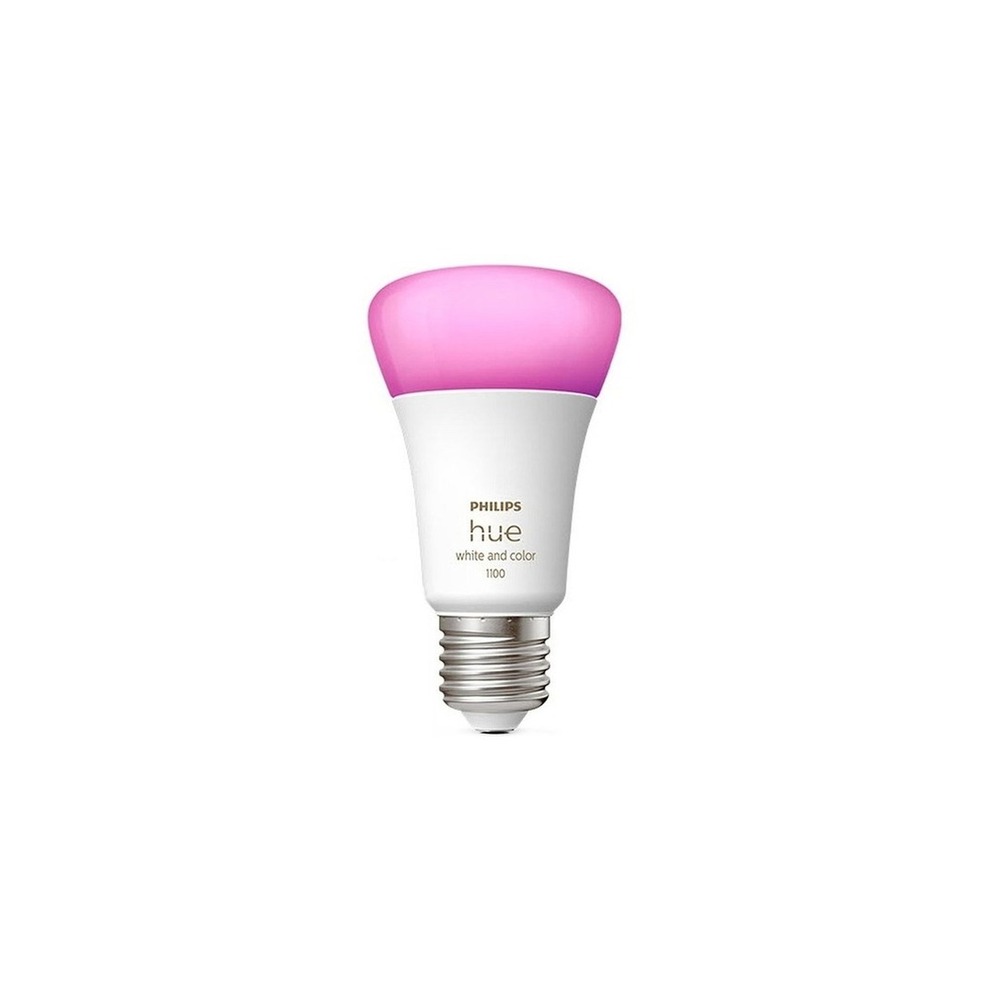
Philips Hue 4.0 White and Color Smart Bulb
Philips Hue White and Color Ambiance Bulb 1100 9W 9290035384
The inclusion of the Philips Hue 4.0 White and Color Smart Bulb in the 'Smart Home Routine Devices for Organizing Morning and Bedtime' is due to its ability to adjust brightness and color temperature according to wake-up, focus, and relaxation scenes, which aligns directly with the purpose of the list. Especially from the perspective of 'Smart Home Routine Devices for Organizing Morning and Bedtime', it becomes easier to appreciate the benefits of the Philips Hue 4.0 White and Color Smart Bulb when expanding routines in multiple rooms around the Hue Bridge. However, it’s important to note that the Philips Hue 4.0 White and Color Smart Bulb isn’t just a plug-and-play device. The compatibility conditions to check for the Philips Hue 4.0 White and Color Smart Bulb within the 'Smart Home Routine Devices for Organizing Morning and Bedtime' are 'Verify Bluetooth or Hue Bridge configuration and voice platform support', and the power condition is 'Continuous power at E26 socket', so this should be compared with the actual home environment.
For aligning with the 'Smart Home Routine Devices for Organizing Morning and Bedtime', the installation requirement for the Philips Hue 4.0 White and Color Smart Bulb is to 'replace it in the existing socket and keep the wall switch on'. Based on this condition, define the location and movement paths first. When considering the cost of setting up the 'Smart Home Routine Devices for Organizing Morning and Bedtime', make sure to check that 'the basic app can be used without subscription and confirm some service policies', and manage the account and records of the Philips Hue 4.0 White and Color Smart Bulb based on principles of 'remote access and managing automation sharing members'. After installing the Philips Hue 4.0 White and Color Smart Bulb referencing the 'Smart Home Routine Devices for Organizing Morning and Bedtime', spend the first few days testing the automation results together with manual operations. Before finalizing your purchase, it’s safest to double-check the model name, components, specifications, and selling status of the Philips Hue 4.0 White and Color Smart Bulb linked in the connected original source.
For aligning with the 'Smart Home Routine Devices for Organizing Morning and Bedtime', the installation requirement for the Philips Hue 4.0 White and Color Smart Bulb is to 'replace it in the existing socket and keep the wall switch on'. Based on this condition, define the location and movement paths first. When considering the cost of setting up the 'Smart Home Routine Devices for Organizing Morning and Bedtime', make sure to check that 'the basic app can be used without subscription and confirm some service policies', and manage the account and records of the Philips Hue 4.0 White and Color Smart Bulb based on principles of 'remote access and managing automation sharing members'. After installing the Philips Hue 4.0 White and Color Smart Bulb referencing the 'Smart Home Routine Devices for Organizing Morning and Bedtime', spend the first few days testing the automation results together with manual operations. Before finalizing your purchase, it’s safest to double-check the model name, components, specifications, and selling status of the Philips Hue 4.0 White and Color Smart Bulb linked in the connected original source.
브랜드 필립스 Hue
주요 용도 기상·집중·휴식 장면에 맞춰 밝기와 색온도를 바꿈
알맞은 공간 Hue Bridge 중심으로 여러 방의 루틴을 확장할 때
호환 조건 Bluetooth 또는 Hue Bridge 구성과 음성 플랫폼 지원 확인
전원 E26 소켓 상시 전원
설치 확인 기존 소켓에 교체하고 벽 스위치는 켜 둠
구독 기본 앱은 구독 없이 사용하며 일부 서비스 정책 확인
개인정보·보안 계정 원격접속과 자동화 공유 구성원 관리
이미지 출처 기존 검증 쿠팡 상품 이미지
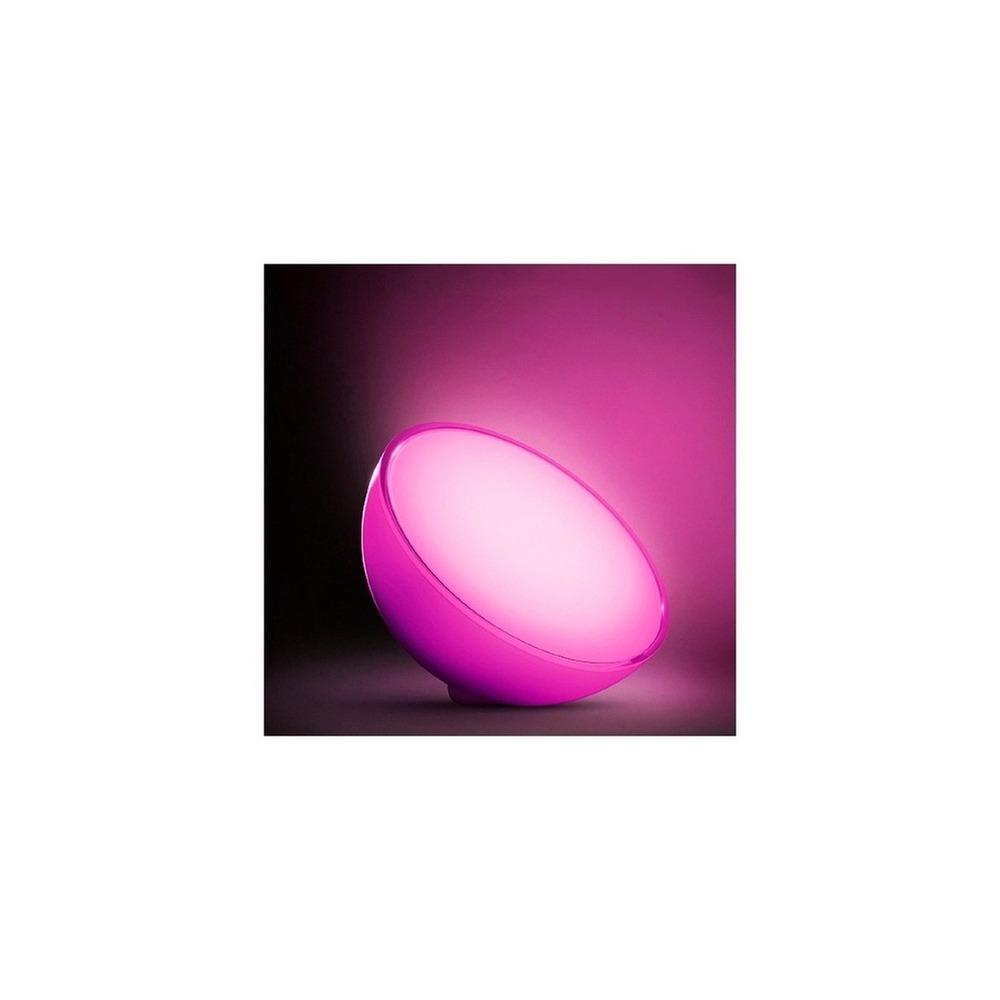
Philips Hue Go Ver.2 Mood Light
The inclusion of the Philips Hue Go Ver.2 Mood Light in the 'Smart Home Routine Devices for Organizing Morning and Bedtime' is because of its use as a chargeable indirect light next to the bed to create bedtime scenes, which directly aligns with the list's purpose. Particularly from the perspective of 'Smart Home Routine Devices for Organizing Morning and Bedtime', the benefits of the Philips Hue Go Ver.2 Mood Light are easy to appreciate when a portable night light is needed without a fixed fixture. However, the Philips Hue Go Ver.2 Mood Light is not just a plug-and-play product. The compatibility requirements for the Philips Hue Go Ver.2 Mood Light in the 'Smart Home Routine Devices for Organizing Morning and Bedtime' include 'Check Bluetooth, Hue Bridge support range and app', while the power requirement is 'Rechargeable battery and power adapter', so this should also be matched with the home environment.
For the 'Smart Home Routine Devices for Organizing Morning and Bedtime', the installation conditions for the Philips Hue Go Ver.2 Mood Light are to 'place it on a flat surface and ensure cable length for charging'. Based on this condition, define location and movement paths first. When considering the costs of the 'Smart Home Routine Devices for Organizing Morning and Bedtime', check that 'basic control does not require subscription', and manage the account and records of the Philips Hue Go Ver.2 Mood Light according to the principle of 'checking remote control account and location-based automation permissions'. Referencing the 'Smart Home Routine Devices for Organizing Morning and Bedtime', after installing the Philips Hue Go Ver.2 Mood Light, spend the first few days testing both automation results and manual operations. Before purchasing, it’s a good practice to verify the model name, components, specifications, and selling status of the Philips Hue Go Ver.2 Mood Light linked in the original connected text.
For the 'Smart Home Routine Devices for Organizing Morning and Bedtime', the installation conditions for the Philips Hue Go Ver.2 Mood Light are to 'place it on a flat surface and ensure cable length for charging'. Based on this condition, define location and movement paths first. When considering the costs of the 'Smart Home Routine Devices for Organizing Morning and Bedtime', check that 'basic control does not require subscription', and manage the account and records of the Philips Hue Go Ver.2 Mood Light according to the principle of 'checking remote control account and location-based automation permissions'. Referencing the 'Smart Home Routine Devices for Organizing Morning and Bedtime', after installing the Philips Hue Go Ver.2 Mood Light, spend the first few days testing both automation results and manual operations. Before purchasing, it’s a good practice to verify the model name, components, specifications, and selling status of the Philips Hue Go Ver.2 Mood Light linked in the original connected text.
브랜드 필립스 Hue
주요 용도 침대 옆에서 충전식 간접 조명으로 취침 장면을 만듦
알맞은 공간 고정 등기구 없이 이동 가능한 야간 조명이 필요할 때
호환 조건 Bluetooth·Hue Bridge 지원 범위와 앱 확인
전원 충전식 배터리와 전원 어댑터
설치 확인 평평한 곳에 두고 충전선 동선 확보
구독 기본 제어는 구독 없음
개인정보·보안 원격제어 계정과 위치 기반 자동화 권한 확인
이미지 출처 기존 검증 쿠팡 상품 이미지
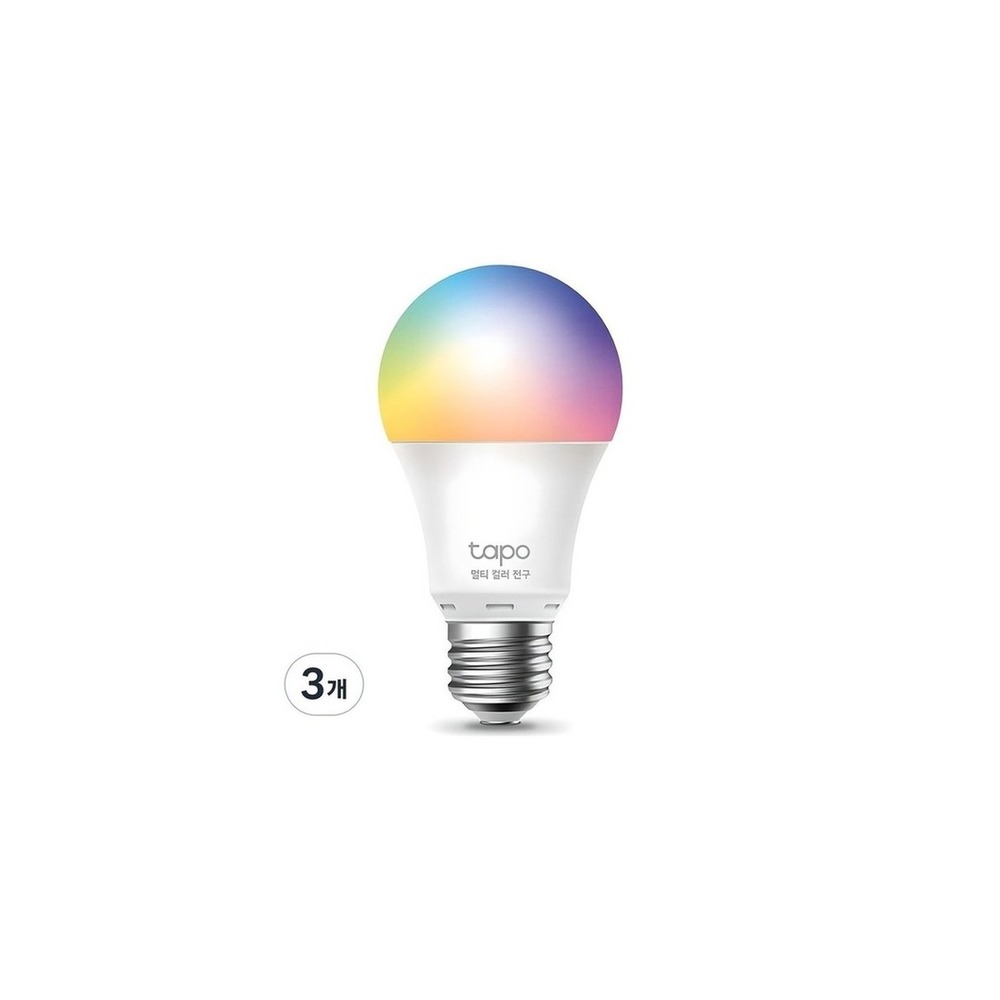
TP-Link Tapo L530E Smart Bulb
TP-Link Tapo Smart Wi-Fi Multi-Color Bulb 8.7W L530E
The inclusion of the TP-Link Tapo L530E Smart Bulb in the 'Smart Home Routine Devices for Organizing Morning and Bedtime' is because it allows scheduling and setting colors via Wi-Fi without a separate hub, which is directly connected to the list's purpose. Particularly from the perspective of 'Smart Home Routine Devices for Organizing Morning and Bedtime', the benefits of the TP-Link Tapo L530E Smart Bulb can be readily appreciated when starting wake-up lighting with one or two bulbs. However, the TP-Link Tapo L530E Smart Bulb is not simply a plug-and-play product. The compatibility conditions for the TP-Link Tapo L530E Smart Bulb to check within the 'Smart Home Routine Devices for Organizing Morning and Bedtime' include 'Tapo app and 2.4GHz Wi-Fi, verification of supported voice assistants', while the power condition is 'Continuous power at E26 socket', so this must be verified against the actual home environment.
The installation conditions for the TP-Link Tapo L530E Smart Bulb for the 'Smart Home Routine Devices for Organizing Morning and Bedtime' are to 'check socket specifications and usage conditions for enclosed fixtures'. Establish the location and movement paths based on this condition. When considering the costs for the 'Smart Home Routine Devices for Organizing Morning and Bedtime', ensure that 'basic features do not require a subscription', and manage the account and records of the TP-Link Tapo L530E Smart Bulb based on the principle of 'security for Tapo account and management of permissions for shared users'. Referencing the 'Smart Home Routine Devices for Organizing Morning and Bedtime', after installing the TP-Link Tapo L530E Smart Bulb, spend the first few days testing automation results along with manual operations. Before purchasing, consider it safe to reconfirm the model name, components, specifications, and selling status of the TP-Link Tapo L530E Smart Bulb linked in the original source.
The installation conditions for the TP-Link Tapo L530E Smart Bulb for the 'Smart Home Routine Devices for Organizing Morning and Bedtime' are to 'check socket specifications and usage conditions for enclosed fixtures'. Establish the location and movement paths based on this condition. When considering the costs for the 'Smart Home Routine Devices for Organizing Morning and Bedtime', ensure that 'basic features do not require a subscription', and manage the account and records of the TP-Link Tapo L530E Smart Bulb based on the principle of 'security for Tapo account and management of permissions for shared users'. Referencing the 'Smart Home Routine Devices for Organizing Morning and Bedtime', after installing the TP-Link Tapo L530E Smart Bulb, spend the first few days testing automation results along with manual operations. Before purchasing, consider it safe to reconfirm the model name, components, specifications, and selling status of the TP-Link Tapo L530E Smart Bulb linked in the original source.
브랜드 TP-Link Tapo
주요 용도 별도 허브 없이 Wi-Fi로 일정과 색상을 설정
알맞은 공간 전구 한두 개로 기상 조명을 시작할 때
호환 조건 Tapo 앱과 2.4GHz Wi-Fi, 지원 음성비서 확인
전원 E26 소켓 상시 전원
설치 확인 소켓 규격과 밀폐형 등기구 사용 조건 확인
구독 기본 기능은 구독 없음
개인정보·보안 Tapo 계정 보안과 공유 사용자 권한 관리
이미지 출처 기존 검증 쿠팡 상품 이미지
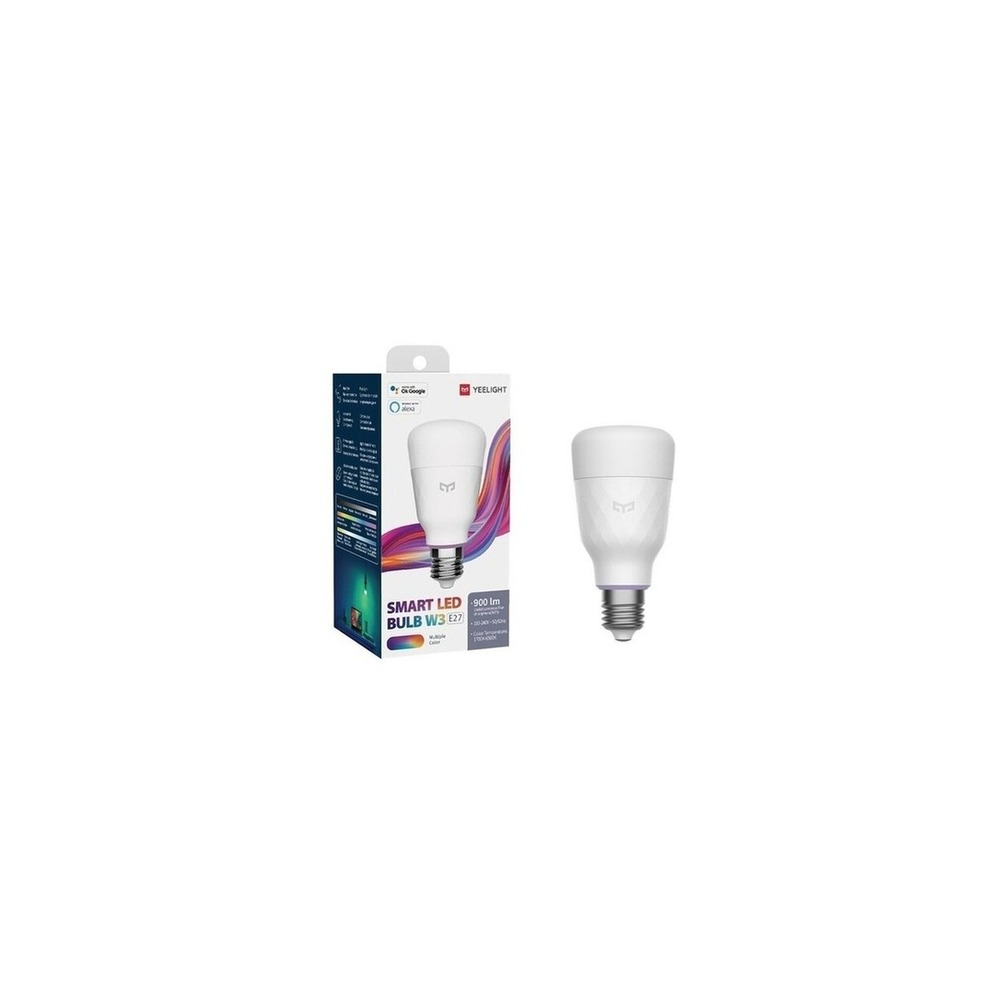
Yeelight Smart LED Bulb W3 YLDP005
Yeelight Smart LED Bulb W3 Color YLDP005, Wireless Wi-Fi Control RGBW Lamp, No Hub Required
The reason for including the Yeelight Smart LED Bulb W3 YLDP005 in the 'Smart Home Routine Devices for Organizing Morning and Bedtime' is its ability to execute scenes with colors and brightness according to the Yeelight app schedule, which is directly linked to the purpose of the list. Particularly from the perspective of 'Smart Home Routine Devices for Organizing Morning and Bedtime', it is easier to appreciate the benefits of the Yeelight Smart LED Bulb W3 YLDP005 when using existing Yeelight or Xiaomi accounts in the bedroom. However, the Yeelight Smart LED Bulb W3 YLDP005 is not just a plug-and-play device. The compatibility conditions to confirm for the Yeelight Smart LED Bulb W3 YLDP005 within the 'Smart Home Routine Devices for Organizing Morning and Bedtime' include 'Yeelight app and 2.4GHz Wi-Fi, verification of regional platform support', while the power condition is 'Continuous power at E26 socket', requiring comparisons with the actual home environment.
For aligning with the 'Smart Home Routine Devices for Organizing Morning and Bedtime', the installation requirements for the Yeelight Smart LED Bulb W3 YLDP005 are 'Check socket specifications and internal fixture heat clearance.' Establish location and movement paths based on this condition. When analyzing the costs of the 'Smart Home Routine Devices for Organizing Morning and Bedtime', verify that 'basic lighting control does not require subscription', and manage the Yeelight Smart LED Bulb W3 YLDP005 account and records based on the principle of 'checking regional settings for cloud accounts and the scope of device sharing'. Referencing the 'Smart Home Routine Devices for Organizing Morning and Bedtime', after installing the Yeelight Smart LED Bulb W3 YLDP005, test automation results alongside manual operations in the first few days. Before finalizing your purchase, it’s safe to reconfirm the model name, components, specifications, and selling status of the Yeelight Smart LED Bulb W3 YLDP005 linked in the connected original source.
For aligning with the 'Smart Home Routine Devices for Organizing Morning and Bedtime', the installation requirements for the Yeelight Smart LED Bulb W3 YLDP005 are 'Check socket specifications and internal fixture heat clearance.' Establish location and movement paths based on this condition. When analyzing the costs of the 'Smart Home Routine Devices for Organizing Morning and Bedtime', verify that 'basic lighting control does not require subscription', and manage the Yeelight Smart LED Bulb W3 YLDP005 account and records based on the principle of 'checking regional settings for cloud accounts and the scope of device sharing'. Referencing the 'Smart Home Routine Devices for Organizing Morning and Bedtime', after installing the Yeelight Smart LED Bulb W3 YLDP005, test automation results alongside manual operations in the first few days. Before finalizing your purchase, it’s safe to reconfirm the model name, components, specifications, and selling status of the Yeelight Smart LED Bulb W3 YLDP005 linked in the connected original source.
브랜드 Yeelight
주요 용도 색상과 밝기 장면을 Yeelight 앱 일정에 맞춰 실행
알맞은 공간 Yeelight·샤오미 계정을 이미 사용하는 침실
호환 조건 Yeelight 앱과 2.4GHz Wi-Fi, 지역별 플랫폼 지원 확인
전원 E26 소켓 상시 전원
설치 확인 소켓 규격과 등기구 내부 발열 여유 확인
구독 기본 조명 제어는 구독 없음
개인정보·보안 클라우드 계정의 지역 설정과 기기 공유 범위 확인
이미지 출처 기존 검증 쿠팡 상품 이미지
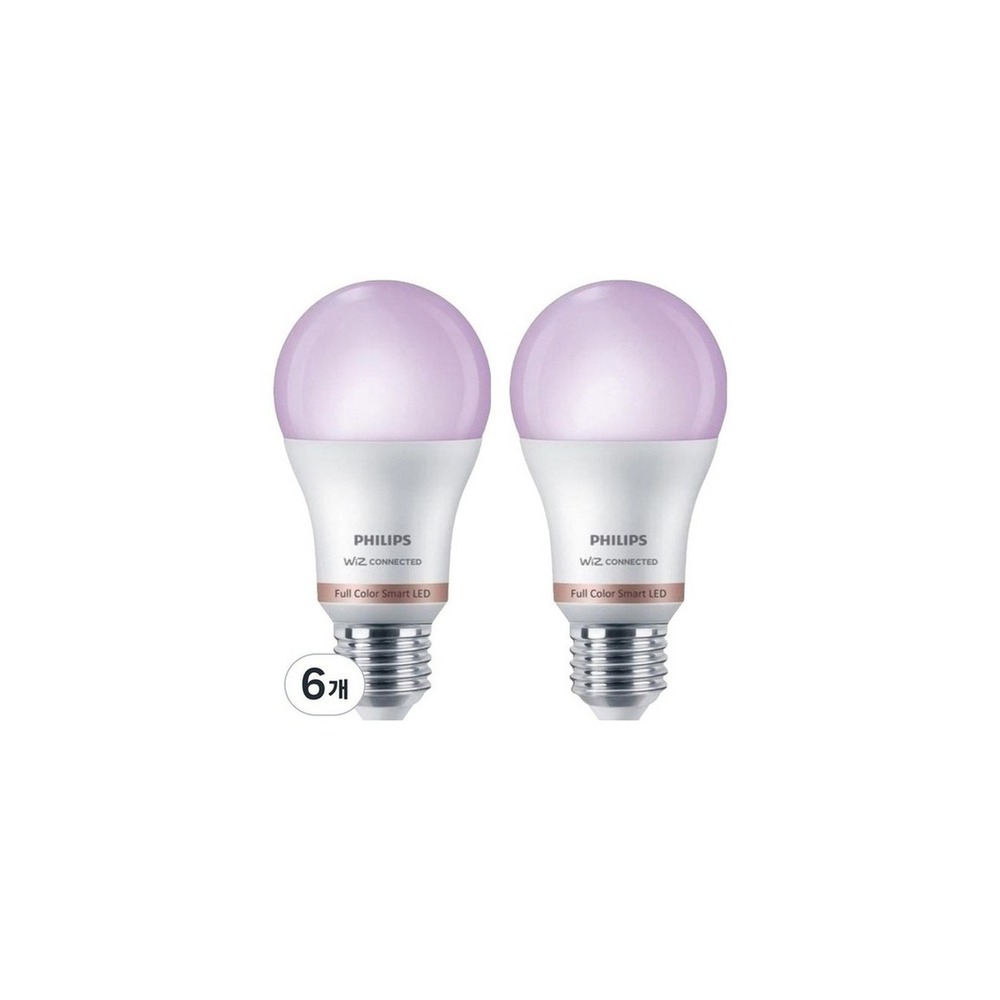
Philips Wiz RGB Smart Bulb
Philips WiZ Color Ambiance Smart Bulb E26 8.5W
The inclusion of the Philips WiZ RGB Smart Bulb in the 'Smart Home Routine Devices for Organizing Morning and Bedtime' is due to its functionality to adjust brightness, color, and schedules through the WiZ app, which is directly related to the purpose of the list. Particularly from the perspective of 'Smart Home Routine Devices for Organizing Morning and Bedtime', it’s easy to appreciate the advantages of the Philips WiZ RGB Smart Bulb when comparing multiple lighting scenes without a bridge. However, the Philips WiZ RGB Smart Bulb is not merely a plug-and-play product. The compatibility conditions for the Philips WiZ RGB Smart Bulb to confirm in the 'Smart Home Routine Devices for Organizing Morning and Bedtime' are 'WiZ app, Wi-Fi, and verification of voice platform support', while the power condition is 'Continuous power at socket', so cross-referencing with the actual home environment is necessary.
The installation requirements for the Philips WiZ RGB Smart Bulb aligning with the 'Smart Home Routine Devices for Organizing Morning and Bedtime' are to 'check socket specifications and conditions for enclosed fixtures'. Define location and movement paths based on this condition. When analyzing the costs for 'Smart Home Routine Devices for Organizing Morning and Bedtime', ensure that 'basic app control does not require a subscription', and manage the Philips WiZ RGB Smart Bulb account and records based on the principle of 'WiZ account, remote access, and verification of family sharing permissions'. Referencing the 'Smart Home Routine Devices for Organizing Morning and Bedtime', after installing the Philips WiZ RGB Smart Bulb, spend the first few days testing both automation results and manual operations. Before making a purchase decision, reconfirm the model name, components, specifications, and selling status of the Philips WiZ RGB Smart Bulb linked in the connected original text.
The installation requirements for the Philips WiZ RGB Smart Bulb aligning with the 'Smart Home Routine Devices for Organizing Morning and Bedtime' are to 'check socket specifications and conditions for enclosed fixtures'. Define location and movement paths based on this condition. When analyzing the costs for 'Smart Home Routine Devices for Organizing Morning and Bedtime', ensure that 'basic app control does not require a subscription', and manage the Philips WiZ RGB Smart Bulb account and records based on the principle of 'WiZ account, remote access, and verification of family sharing permissions'. Referencing the 'Smart Home Routine Devices for Organizing Morning and Bedtime', after installing the Philips WiZ RGB Smart Bulb, spend the first few days testing both automation results and manual operations. Before making a purchase decision, reconfirm the model name, components, specifications, and selling status of the Philips WiZ RGB Smart Bulb linked in the connected original text.
브랜드 Philips WiZ
주요 용도 WiZ 앱으로 밝기·색상과 시간표를 조절
알맞은 공간 Bridge 없이 여러 조명 장면을 비교할 때
호환 조건 WiZ 앱·Wi-Fi와 음성 플랫폼 지원 범위 확인
전원 소켓 상시 전원
설치 확인 소켓 규격과 밀폐형 등기구 사용 조건 확인
구독 기본 앱 제어는 구독 없음
개인정보·보안 WiZ 계정·원격접속과 가족 공유 권한 확인
이미지 출처 기존 검증 쿠팡 상품 이미지
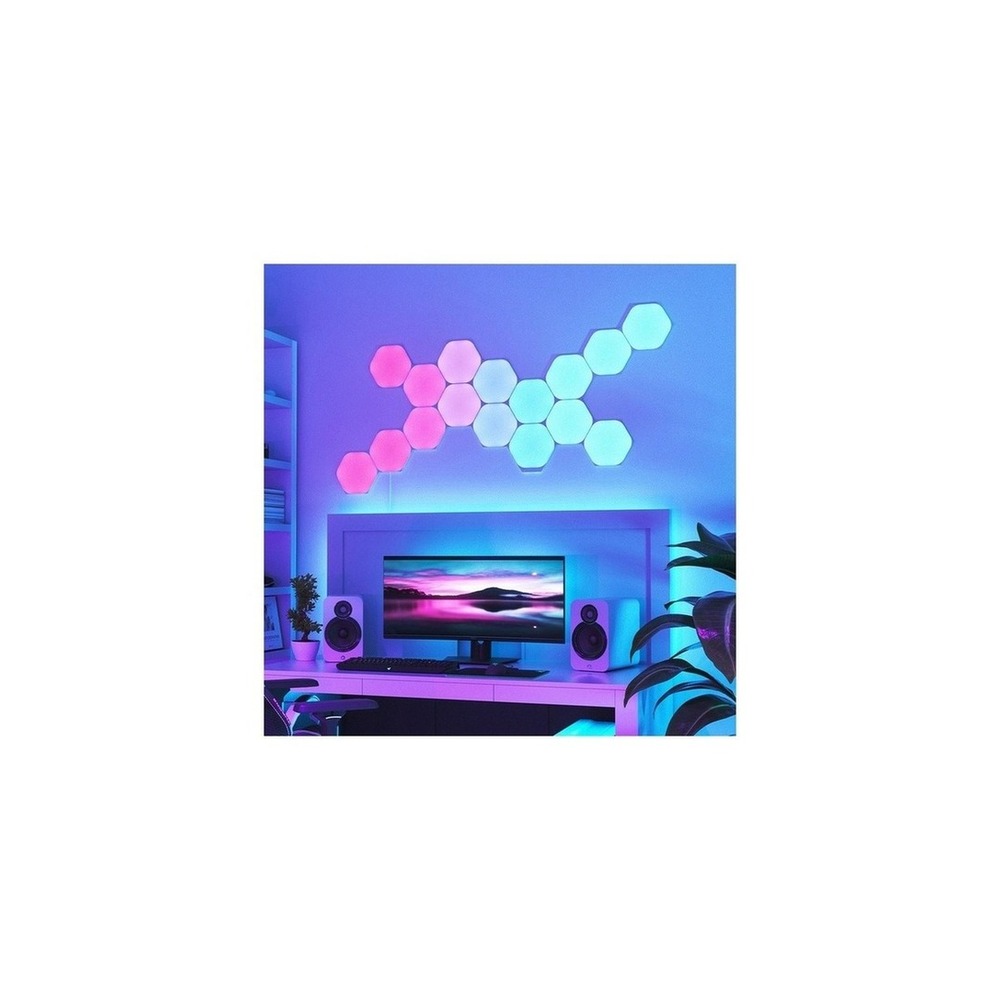
Nanoleaf Shapes Hexagon Starter Kit
Nanoleaf Shapes Hexagons 9 Pack Interior LED Smart Lighting, White
The inclusion of the Nanoleaf Shapes Hexagon Starter Kit in the 'Smart Home Routine Devices for Organizing Morning and Bedtime' is because it allows for the use of wall panels for scene lighting and visual notifications, directly related to the list’s purpose. It’s particularly easy to experience the benefits of the Nanoleaf Shapes Hexagon Starter Kit from the perspective of 'Smart Home Routine Devices for Organizing Morning and Bedtime' when making routines visible in game rooms or workspaces. However, the Nanoleaf Shapes Hexagon Starter Kit is not simply a plug-and-play product. The compatibility conditions to check for the Nanoleaf Shapes Hexagon Starter Kit within the 'Smart Home Routine Devices for Organizing Morning and Bedtime' include 'Nanoleaf app, Wi-Fi, and verification of Matter/Thread support by generation', while the power requirement is based on 'dedicated adapters', so this should also be validated against the actual home environment.
For the 'Smart Home Routine Devices for Organizing Morning and Bedtime', the installation requirements for the Nanoleaf Shapes Hexagon Starter Kit are to 'check adherence strength to the wall and power capacity based on the number of panels'. Define locations and movement paths based on this condition. When considering costs for the 'Smart Home Routine Devices for Organizing Morning and Bedtime', ensure that 'basic scene control does not require a subscription', and manage the account and records of the Nanoleaf Shapes Hexagon Starter Kit based on the principle of 'checking microphone permissions and account/device sharing settings'. Referencing the 'Smart Home Routine Devices for Organizing Morning and Bedtime', after setting up the Nanoleaf Shapes Hexagon Starter Kit, test both automation results and manual controls together in the initial days. Before making a purchase, it’s a safe practice to reconfirm the model name, components, specifications, and selling status of the Nanoleaf Shapes Hexagon Starter Kit linked in the original text.
For the 'Smart Home Routine Devices for Organizing Morning and Bedtime', the installation requirements for the Nanoleaf Shapes Hexagon Starter Kit are to 'check adherence strength to the wall and power capacity based on the number of panels'. Define locations and movement paths based on this condition. When considering costs for the 'Smart Home Routine Devices for Organizing Morning and Bedtime', ensure that 'basic scene control does not require a subscription', and manage the account and records of the Nanoleaf Shapes Hexagon Starter Kit based on the principle of 'checking microphone permissions and account/device sharing settings'. Referencing the 'Smart Home Routine Devices for Organizing Morning and Bedtime', after setting up the Nanoleaf Shapes Hexagon Starter Kit, test both automation results and manual controls together in the initial days. Before making a purchase, it’s a safe practice to reconfirm the model name, components, specifications, and selling status of the Nanoleaf Shapes Hexagon Starter Kit linked in the original text.
브랜드 Nanoleaf
주요 용도 벽면 패널을 장면 조명과 시각적 알림으로 사용
알맞은 공간 게임방·작업실의 루틴을 눈에 보이게 만들 때
호환 조건 Nanoleaf 앱·Wi-Fi·Matter/Thread 지원은 세대별 확인
전원 전용 어댑터
설치 확인 벽면 부착력과 패널 수별 전원 용량 확인
구독 기본 장면 제어는 구독 없음
개인정보·보안 마이크 권한과 계정·기기 공유 설정 확인
이미지 출처 기존 검증 쿠팡 상품 이미지
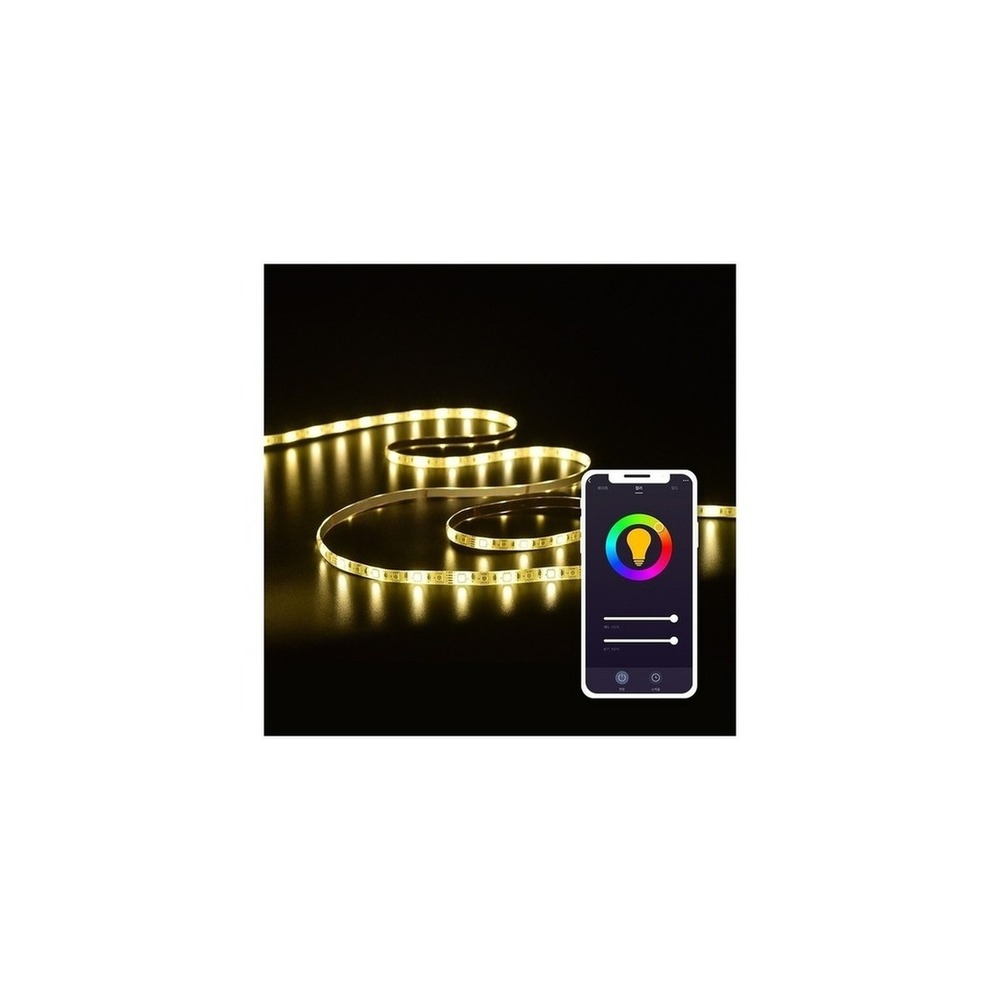
Heyhome Smart Line LED KKW-LS061-RGBW
Heyhome Smart Line LED Strip Light
The inclusion of the Heyhome Smart Line LED KKW-LS061-RGBW in the 'Smart Home Routine Devices for Organizing Morning and Bedtime' is due to its capability to provide indirect light behind beds or shelves based on schedules, which aligns directly with the list's purpose. Particularly from the perspective of 'Smart Home Routine Devices for Organizing Morning and Bedtime', it becomes easier to appreciate the benefits of the Heyhome Smart Line LED KKW-LS061-RGBW when wanting to create bedtime preparation signals without direct lighting. However, the Heyhome Smart Line LED KKW-LS061-RGBW is not simply a plug-and-play device. The compatibility conditions to check for the Heyhome Smart Line LED KKW-LS061-RGBW in relation to the 'Smart Home Routine Devices for Organizing Morning and Bedtime' include 'Check Hejhome app and Wi-Fi specifications, length extension support', while the power requirement is a 'dedicated adapter', which must be validated with the actual home environment.
For aligning with the 'Smart Home Routine Devices for Organizing Morning and Bedtime', the installation requirements for the Heyhome Smart Line LED KKW-LS061-RGBW include 'cleansing the mounting surface and checking cuttable points as well as the controller position'. Establish the layout and movement paths based on these conditions. In considering costs for the 'Smart Home Routine Devices for Organizing Morning and Bedtime', confirm that 'basic app control does not require a subscription', and address the account and records of the Heyhome Smart Line LED KKW-LS061-RGBW based on the principle of 'selectively allowing scene functions that require microphone and location permissions'. Referencing the 'Smart Home Routine Devices for Organizing Morning and Bedtime', after installing the Heyhome Smart Line LED KKW-LS061-RGBW, test both automation results and manual operations together within the first few days. Before making your purchase, it is wise to reconfirm the model name, components, specifications, and selling status of the Heyhome Smart Line LED KKW-LS061-RGBW linked in the original source.
For aligning with the 'Smart Home Routine Devices for Organizing Morning and Bedtime', the installation requirements for the Heyhome Smart Line LED KKW-LS061-RGBW include 'cleansing the mounting surface and checking cuttable points as well as the controller position'. Establish the layout and movement paths based on these conditions. In considering costs for the 'Smart Home Routine Devices for Organizing Morning and Bedtime', confirm that 'basic app control does not require a subscription', and address the account and records of the Heyhome Smart Line LED KKW-LS061-RGBW based on the principle of 'selectively allowing scene functions that require microphone and location permissions'. Referencing the 'Smart Home Routine Devices for Organizing Morning and Bedtime', after installing the Heyhome Smart Line LED KKW-LS061-RGBW, test both automation results and manual operations together within the first few days. Before making your purchase, it is wise to reconfirm the model name, components, specifications, and selling status of the Heyhome Smart Line LED KKW-LS061-RGBW linked in the original source.
브랜드 Hejhome
주요 용도 침대 헤드나 선반 뒤의 간접광을 일정에 맞춰 전환
알맞은 공간 직접광 없이 취침 준비 신호를 만들고 싶을 때
호환 조건 Hejhome 앱과 Wi-Fi 규격, 길이 확장 지원 확인
전원 전용 어댑터
설치 확인 부착면 탈지와 절단 가능 지점, 컨트롤러 위치 확인
구독 기본 앱 제어는 구독 없음
개인정보·보안 마이크·위치 권한이 필요한 장면 기능을 선택적으로 허용
이미지 출처 기존 검증 쿠팡 상품 이미지
If you have shortlisted some devices, do not install all devices of the 'Smart Home Routine Devices for Organizing Morning and Bedtime' at once. Instead, test one of the most frequently used functions for about a week. Start with testing the brightness change of a single light before making the curtains and lights move together right after the alarm. Repeating this in the actual timeframes can help identify unnecessary notifications, communication shadows, and actions that family members find inconvenient quickly. It’s also important to check whether basic functions can be used manually at this stage.
Before making your final purchase, keep the following checklist: malfunction during sleep, wall switch continuous power, scheduling conflicts among family members, manual operation during internet disruptions, and permissions for voice platform accounts. By checking the battery and consumables replacement cycle, account sharing range, and necessary initialization procedures before reselling or moving, you can better estimate management costs. For installations related to electricity, water, and access security, do not solely trust the phrases on the sales page; prioritize the manufacturer’s guidance and the regulations of the managing entity.
Before making your final purchase, keep the following checklist: malfunction during sleep, wall switch continuous power, scheduling conflicts among family members, manual operation during internet disruptions, and permissions for voice platform accounts. By checking the battery and consumables replacement cycle, account sharing range, and necessary initialization procedures before reselling or moving, you can better estimate management costs. For installations related to electricity, water, and access security, do not solely trust the phrases on the sales page; prioritize the manufacturer’s guidance and the regulations of the managing entity.
한눈에 보기
7개
Philips Hue 4.0 White and Color Smart Bulb
필립스 Hue · 기상·집중·휴식 장면에 맞춰 밝기와 색온도를 바꿈 · Hue Bridge 중심으로 여러 방의 루틴을 확장할 때 · Bluetooth 또는 Hue Bridge 구성과 음성 플랫폼 지원 확인 · E26 소켓 상시 전원 · 기존 소켓에 교체하고 벽 스위치는 켜 둠 · 기본 앱은 구독 없이 사용하며 일부 서비스 정책 확인 · 계정 원격접속과 자동화 공유 구성원 관리 · 기존 검증 쿠팡 상품 이미지
Philips Hue Go Ver.2 Mood Light
필립스 Hue · 침대 옆에서 충전식 간접 조명으로 취침 장면을 만듦 · 고정 등기구 없이 이동 가능한 야간 조명이 필요할 때 · Bluetooth·Hue Bridge 지원 범위와 앱 확인 · 충전식 배터리와 전원 어댑터 · 평평한 곳에 두고 충전선 동선 확보 · 기본 제어는 구독 없음 · 원격제어 계정과 위치 기반 자동화 권한 확인 · 기존 검증 쿠팡 상품 이미지
TP-Link Tapo L530E Smart Bulb
TP-Link Tapo · 별도 허브 없이 Wi-Fi로 일정과 색상을 설정 · 전구 한두 개로 기상 조명을 시작할 때 · Tapo 앱과 2.4GHz Wi-Fi, 지원 음성비서 확인 · E26 소켓 상시 전원 · 소켓 규격과 밀폐형 등기구 사용 조건 확인 · 기본 기능은 구독 없음 · Tapo 계정 보안과 공유 사용자 권한 관리 · 기존 검증 쿠팡 상품 이미지
Yeelight Smart LED Bulb W3 YLDP005
Yeelight · 색상과 밝기 장면을 Yeelight 앱 일정에 맞춰 실행 · Yeelight·샤오미 계정을 이미 사용하는 침실 · Yeelight 앱과 2.4GHz Wi-Fi, 지역별 플랫폼 지원 확인 · E26 소켓 상시 전원 · 소켓 규격과 등기구 내부 발열 여유 확인 · 기본 조명 제어는 구독 없음 · 클라우드 계정의 지역 설정과 기기 공유 범위 확인 · 기존 검증 쿠팡 상품 이미지
Philips Wiz RGB Smart Bulb
Philips WiZ · WiZ 앱으로 밝기·색상과 시간표를 조절 · Bridge 없이 여러 조명 장면을 비교할 때 · WiZ 앱·Wi-Fi와 음성 플랫폼 지원 범위 확인 · 소켓 상시 전원 · 소켓 규격과 밀폐형 등기구 사용 조건 확인 · 기본 앱 제어는 구독 없음 · WiZ 계정·원격접속과 가족 공유 권한 확인 · 기존 검증 쿠팡 상품 이미지
Nanoleaf Shapes Hexagon Starter Kit
Nanoleaf · 벽면 패널을 장면 조명과 시각적 알림으로 사용 · 게임방·작업실의 루틴을 눈에 보이게 만들 때 · Nanoleaf 앱·Wi-Fi·Matter/Thread 지원은 세대별 확인 · 전용 어댑터 · 벽면 부착력과 패널 수별 전원 용량 확인 · 기본 장면 제어는 구독 없음 · 마이크 권한과 계정·기기 공유 설정 확인 · 기존 검증 쿠팡 상품 이미지
Heyhome Smart Line LED KKW-LS061-RGBW
Hejhome · 침대 헤드나 선반 뒤의 간접광을 일정에 맞춰 전환 · 직접광 없이 취침 준비 신호를 만들고 싶을 때 · Hejhome 앱과 Wi-Fi 규격, 길이 확장 지원 확인 · 전용 어댑터 · 부착면 탈지와 절단 가능 지점, 컨트롤러 위치 확인 · 기본 앱 제어는 구독 없음 · 마이크·위치 권한이 필요한 장면 기능을 선택적으로 허용 · 기존 검증 쿠팡 상품 이미지
이 포스팅은 쿠팡 파트너스 활동의 일환으로, 이에 따른 일정액의 수수료를 제공받습니다.
댓글 0
로그인 후 댓글을 작성할 수 있습니다.
첫 댓글을 남겨보세요.
이런 리스트는 어때요?


이런 리스트도 추천해요


🎲
여기서 멈추기엔 아쉽잖아?
다음에 뭘 볼지 고민하는 시간이 제일 아까워.
주사위가 대신 골라줄게 — 무슨 리스트가 튀어나올지는 굴려봐야 알지.
안 누르면… 평생 궁금하지 않겠어? 👀
