Smart Safety Devices for Keeping an Eye on Parents' Home from Afar
Collection Smart Home 2026.10.06

Smart Safety Devices for Keeping an Eye on Parents' Home from Afar

A Practical Product Setup Focused on Checking In and Accident Response Rather than Surveillance

‘Smart Safety Devices for Keeping an Eye on Parents' Home from Afar’ is a list focused on quickly noticing unusual situations without excessively recording the lives of parents who live apart. Although smart home products may share the same function names, the communication methods, hubs, and installation conditions can vary significantly, making it easy to disrupt automation if you only consider one device. This article differentiates the tasks assigned to each product and examines the practical functions that will be frequently used in daily life along with their preparation requirements.

In a practical approach, it is realistic to explain the information collected from parents and the notification recipients first, obtain their consent, and begin installation with sensors that impose less privacy burdens such as those for water leaks and temperature/humidity. Before making a purchase, the following conditions should be compared for each product: camera installation consent, emergency contact order, Wi-Fi disruption, battery replacement responsibilities, and principles for regular direct contact even when there are no notifications. By determining actions for when internet connectivity is lost, as well as methods for family members to operate the system directly and individuals to check in during issues, you can minimize disturbances caused by automation in daily life.
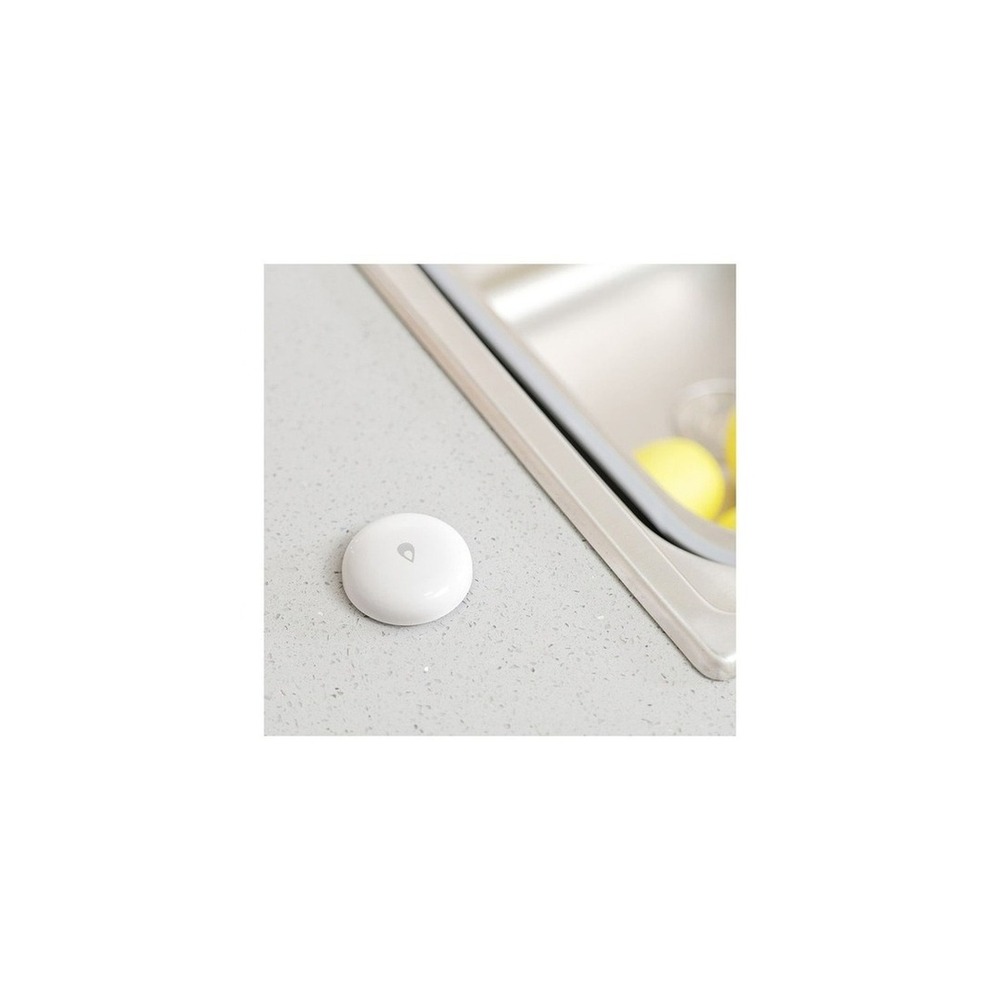
Official Akaras Smart Leak Detection Sensor T1

Official Akaras Smart Leak Detection Sensor T1

[Official Product] Aqara Smart Leak Detector T1

The reason for including the official Aqara Smart Leak Detector T1 in ‘Smart Safety Devices for Keeping an Eye on Parents' Home from Afar’ is that it can detect water pooling on the kitchen or boiler room floor and quickly send alerts, which directly correlates with the list's purpose. Particularly from the perspective of ‘Smart Safety Devices for Keeping an Eye on Parents' Home from Afar,’ it is easy for family members to appreciate the advantages of the Aqara Smart Leak Detector T1, which helps identify plumbing leaks that may be difficult for parents to notice. However, the Aqara Smart Leak Detector T1 is not just a matter of connecting it; the compatibility conditions to check in ‘Smart Safety Devices for Keeping an Eye on Parents' Home from Afar’ include ‘confirming compatibility with Aqara Hub and Zigbee support,’ and the power requirement is ‘replaceable battery,’ which should be compared with the actual home environment.

The installation condition to be considered for the Aqara Smart Leak Detector T1 in line with ‘Smart Safety Devices for Keeping an Eye on Parents' Home from Afar’ is ‘ensuring the sensor contacts the floor and is placed where it won't be pushed away by water cleaning.’ Based on this condition, prioritize determining the location and movement paths. When considering costs for the components of ‘Smart Safety Devices for Keeping an Eye on Parents' Home from Afar,’ check that ‘basic notifications require no subscription,’ and manage the Aqara Smart Leak Detector T1's account and records on the principle that ‘notifications do not replace actual responses, so designate a responder in case of absence.’ After installing the Aqara Smart Leak Detector T1 with reference to ‘Smart Safety Devices for Keeping an Eye on Parents' Home from Afar,’ initially test both automation results and manual operations together for the first few days. Before purchase, it is advisable to recheck the model name, components, ratings, and sales status of the Aqara Smart Leak Detector T1 linked in the original document related to ‘Smart Safety Devices for Keeping an Eye on Parents' Home from Afar.’
브랜드 Aqara 주요 용도 싱크대·보일러실 바닥의 물 고임을 감지해 빠르게 알림 알맞은 상황 배관 누수를 바로 발견하기 어려운 부모님 댁 호환 조건 호환 Aqara Hub와 Zigbee 지원 확인 전원 교체형 배터리 설치 확인 센서 접점이 바닥에 닿고 물청소에 떠밀리지 않게 배치 구독 기본 알림은 구독 없음 개인정보·보안 알림이 실제 차단을 대신하지 않으므로 부재 중 대응자를 지정 이미지 출처 기존 검증 쿠팡 상품 이미지
TP-Link Tapo T310 Temperature and Humidity Sensor

TP-Link Tapo T310 Temperature and Humidity Sensor

TP-Link Tapo T310 Smart Temperature and Humidity Sensor Wi-Fi Hub Monitoring Alarm

The reason for including the TP-Link Tapo T310 temperature and humidity sensor in ‘Smart Safety Devices for Keeping an Eye on Parents' Home from Afar’ is that it records changes in indoor temperature and humidity to quickly detect issues with heating and cooling, which directly connects with the list's purpose. Particularly in the context of ‘Smart Safety Devices for Keeping an Eye on Parents' Home from Afar,’ it is easy to realize the advantages of the TP-Link Tapo T310 sensor for families checking the room's environment during cold spells or heat waves. However, the TP-Link Tapo T310 temperature and humidity sensor is not simply a matter of finishing the connection; the compatibility conditions to check for the TP-Link Tapo T310 sensor in ‘Smart Safety Devices for Keeping an Eye on Parents' Home from Afar’ are ‘confirming the need for compatible hubs such as Tapo H100,’ and the power requirement is ‘replaceable battery,’ which should be compared with the actual home environment.

The installation condition to be reviewed in relation to the TP-Link Tapo T310 sensor for ‘Smart Safety Devices for Keeping an Eye on Parents' Home from Afar’ is ‘attach it where it won't be directly exposed to water and where air can circulate.’ Based on this condition, position and movement paths should be prioritized first. When evaluating the costs of the components for ‘Smart Safety Devices for Keeping an Eye on Parents' Home from Afar,’ confirm that ‘basic sensor functions require no subscription,’ and manage the TP-Link Tapo T310 sensor's account and records based on the principle of ‘managing lifestyle pattern data and family sharing permissions.’ After installing the TP-Link Tapo T310 temperature and humidity sensor with reference to ‘Smart Safety Devices for Keeping an Eye on Parents' Home from Afar,’ initially test both automation results and manual operations together for the first few days. Before purchase, recheck the model name, components, ratings, and sales status of the TP-Link Tapo T310 sensor linked in the original document for ‘Smart Safety Devices for Keeping an Eye on Parents' Home from Afar.’
브랜드 TP-Link Tapo 주요 용도 실내 온도와 습도 변화를 기록해 냉난방 이상을 알아차림 알맞은 상황 한파·폭염 때 방의 환경을 함께 확인할 가족 호환 조건 Tapo H100 등 호환 허브 필요 여부 확인 전원 교체형 배터리 설치 확인 직접 물이 닿지 않고 공기가 통하는 위치에 부착 구독 기본 센서 기능은 구독 없음 개인정보·보안 생활 패턴 데이터와 가족 공유 권한 관리 이미지 출처 기존 검증 쿠팡 상품 이미지
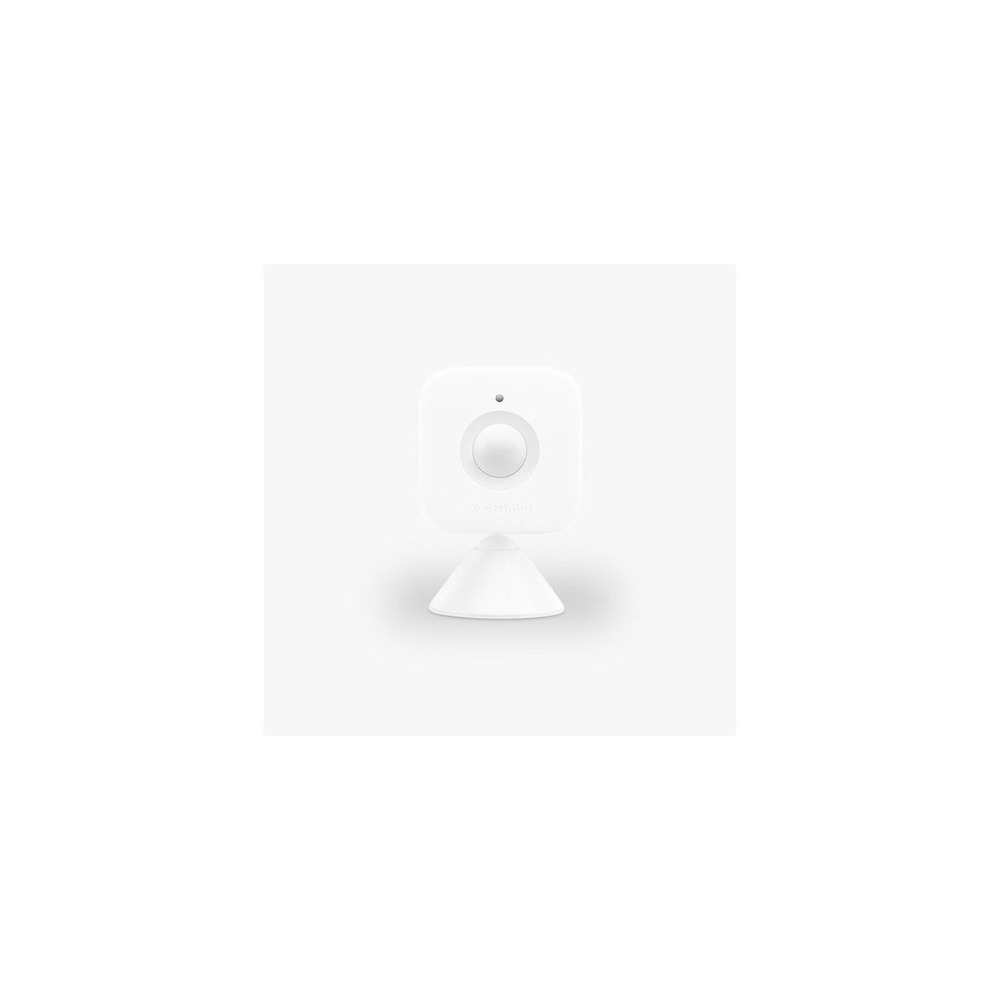
SwitchBot Motion Sensor

SwitchBot Motion Sensor

SwitchBot - Motion Sensor for Smart Movement Detection

The reason for including the SwitchBot motion sensor in ‘Smart Safety Devices for Keeping an Eye on Parents' Home from Afar’ is that it can minimally detect movement in hallways or entrances, which directly corresponds to the purpose of the list. Particularly from the perspective of ‘Smart Safety Devices for Keeping an Eye on Parents' Home from Afar,’ it’s easy to appreciate the advantages of the SwitchBot motion sensor for families wanting to check in with movement signals rather than video. However, the SwitchBot motion sensor is not just a matter of completing the connection; the compatibility conditions to check in ‘Smart Safety Devices for Keeping an Eye on Parents' Home from Afar’ include ‘requiring a compatible SwitchBot Hub for remote automation,’ and the power requirement is ‘replaceable battery,’ which should be compared with the actual home environment.

The installation condition for the SwitchBot motion sensor that aligns with ‘Smart Safety Devices for Keeping an Eye on Parents' Home from Afar’ is ‘test the detection range before attaching with double-sided tape or magnets.’ Based on this condition, prioritize determining location and movement paths first. While considering the costs of the components for ‘Smart Safety Devices for Keeping an Eye on Parents' Home from Afar,’ check that ‘basic functions do not require subscriptions,’ and manage the SwitchBot motion sensor's account and records according to the principle of ‘checking the detection records that reveal lifestyle patterns and sharing notification scopes.’ After installing the SwitchBot motion sensor with reference to ‘Smart Safety Devices for Keeping an Eye on Parents' Home from Afar,’ initially test both automation results and manual operations together for the first few days. Before purchase, it is advisable to recheck the model name, components, ratings, and sales status of the SwitchBot motion sensor linked in the original document for ‘Smart Safety Devices for Keeping an Eye on Parents' Home from Afar.’
브랜드 SwitchBot 주요 용도 복도나 현관의 움직임 여부를 최소 정보로 감지 알맞은 상황 영상보다 움직임 신호로 안부를 살피고 싶은 집 호환 조건 원격 자동화는 호환 SwitchBot Hub 필요 전원 교체형 배터리 설치 확인 양면테이프·자석 부착 전 감지 범위 시험 구독 기본 기능은 구독 없음 개인정보·보안 생활 패턴이 드러나는 감지 기록과 알림 공유 범위 확인 이미지 출처 기존 검증 쿠팡 상품 이미지
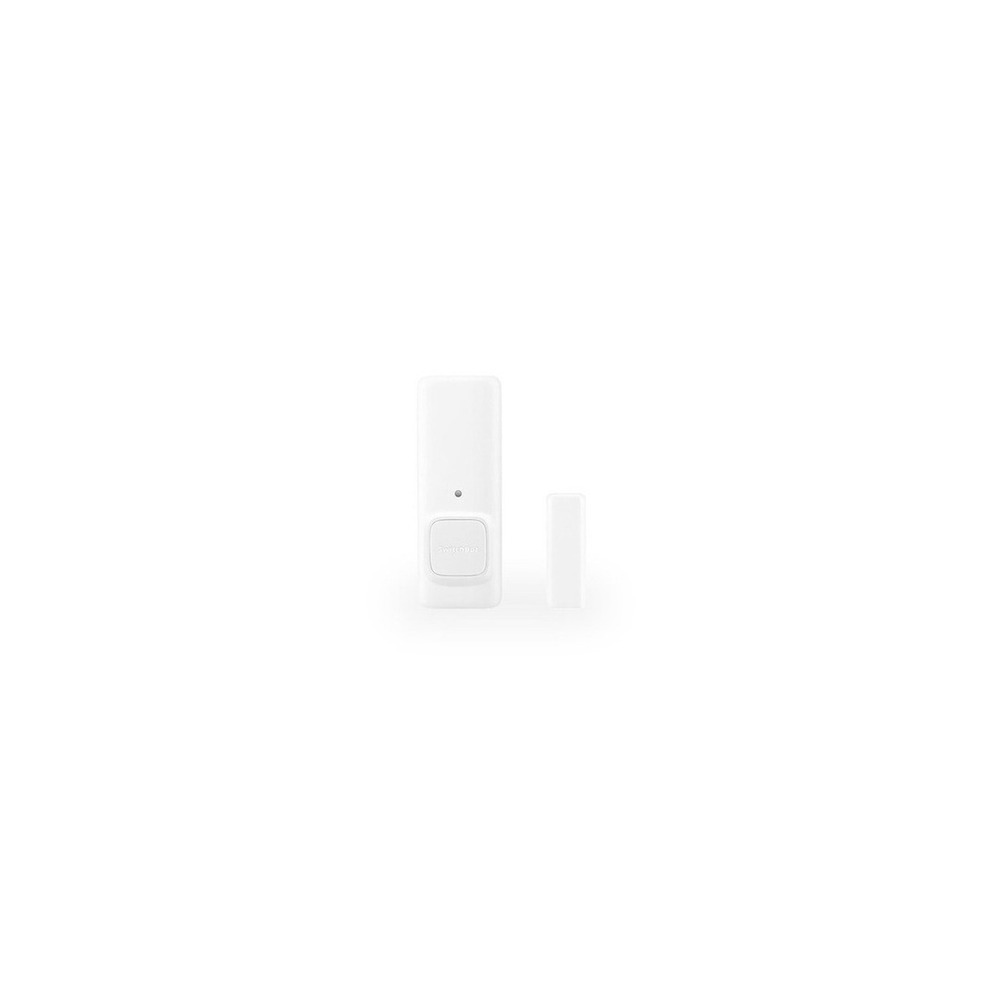
SwitchBot Contact Sensor Door Open

SwitchBot Contact Sensor Door Open

SwitchBot Contact Sensor - Door Open Sensor

The reason for including the SwitchBot contact sensor for door opening in ‘Smart Safety Devices for Keeping an Eye on Parents' Home from Afar’ is that it detects the opening and closing of the front door to provide notifications about arrivals and departures, which directly correlates with the purpose of the list. In particular, from the perspective of ‘Smart Safety Devices for Keeping an Eye on Parents' Home from Afar,’ it is easy to appreciate the advantages of the SwitchBot contact sensor for responding to situations when the door is left open for an extended period. However, the SwitchBot contact sensor for door opening is not just a matter of finalizing the connection; the compatibility conditions to check in ‘Smart Safety Devices for Keeping an Eye on Parents' Home from Afar’ include ‘requiring a compatible SwitchBot Hub and app for remote notifications,’ and the power requirement is ‘replaceable battery,’ which should be confirmed against the actual home environment.

The installation condition for the SwitchBot contact sensor for door opening that aligns with ‘Smart Safety Devices for Keeping an Eye on Parents' Home from Afar’ is ‘confirming the sensor and magnet spacing and motion detection direction.’ Based on this condition, prioritize determining the positioning and movement paths first. When evaluating the costs of the setup for ‘Smart Safety Devices for Keeping an Eye on Parents' Home from Afar,’ confirm that ‘basic automation requires no subscription,’ and manage the SwitchBot contact sensor’s account and records based on the principle of ‘limiting the account viewing entry records and notification recipients.’ After installing the SwitchBot contact sensor for door opening with reference to ‘Smart Safety Devices for Keeping an Eye on Parents' Home from Afar,’ initially test both automation results and manual operations together for the first few days. Before purchase, it’s advisable to check the model name, components, ratings, and sales status of the SwitchBot contact sensor for door opening linked in the original document for ‘Smart Safety Devices for Keeping an Eye on Parents' Home from Afar.’
브랜드 SwitchBot 주요 용도 현관문 개폐를 감지해 귀가·외출 상황을 알림 알맞은 상황 문이 장시간 열린 상황에 대응할 가족 호환 조건 원격 알림은 호환 SwitchBot Hub와 앱 필요 전원 교체형 배터리 설치 확인 센서·자석 간격과 모션 감지 방향 확인 구독 기본 자동화는 구독 없음 개인정보·보안 출입 기록을 볼 수 있는 계정과 알림 수신자 제한 이미지 출처 기존 검증 쿠팡 상품 이미지
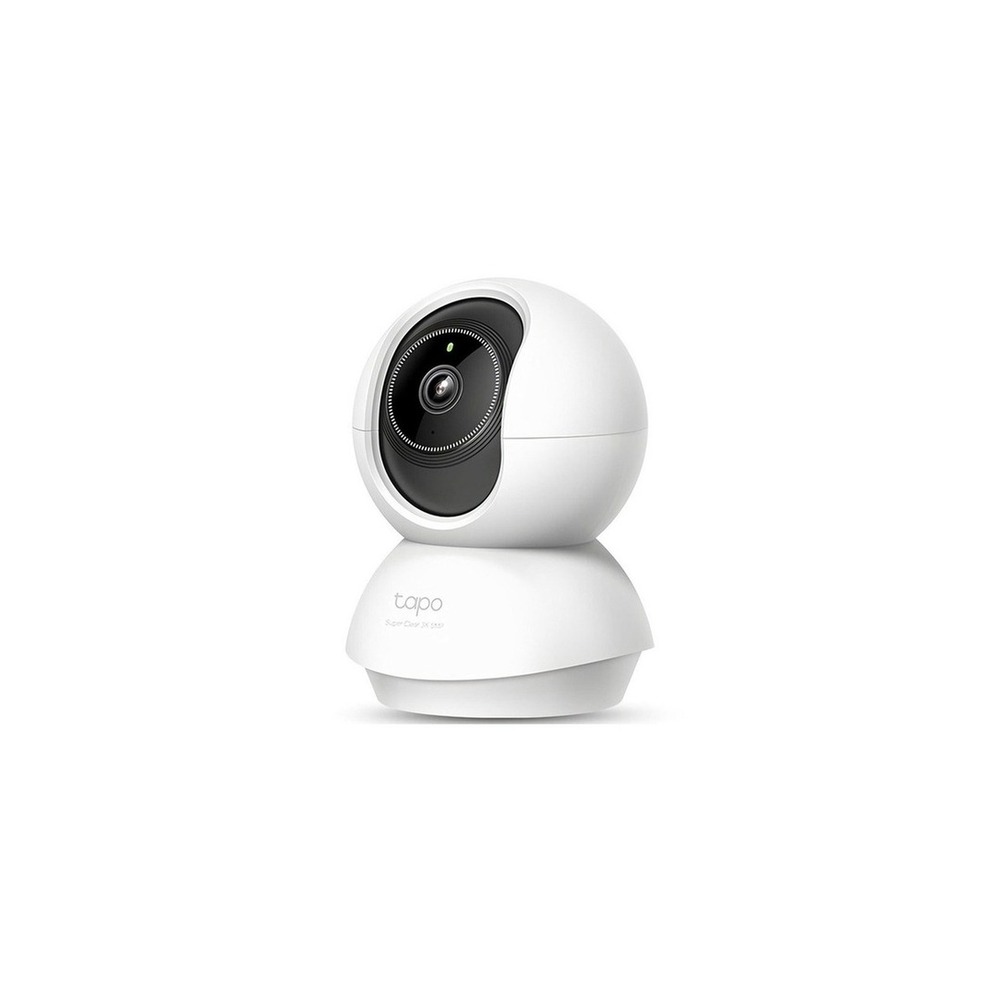
TP-Link Tapo C230 Home Camera

TP-Link Tapo C230 Home Camera

TP-Link Tapo 3K 5MP Rotating Smart Home WiFi Camera, Tapo C230, 1 unit

The reason for including the TP-Link Tapo C230 home camera in ‘Smart Safety Devices for Keeping an Eye on Parents' Home from Afar’ is that it allows for checking common areas only when necessary and enables two-way voice communication, aligning with the list's purpose. In particular, from the viewpoint of ‘Smart Safety Devices for Keeping an Eye on Parents' Home from Afar,’ it's easy to feel the benefits of the TP-Link Tapo C230 home camera in a living room where parents have clearly consented to using the camera. However, the TP-Link Tapo C230 home camera is not merely about establishing the connection; the compatibility conditions to check for ‘Smart Safety Devices for Keeping an Eye on Parents' Home from Afar’ include ‘confirming Tapo app, 2.4GHz Wi-Fi, and microSD and cloud support,’ with power requirements listed as ‘constant USB power,’ which should be compared with the actual home environment.

The installation condition for the TP-Link Tapo C230 home camera that corresponds with ‘Smart Safety Devices for Keeping an Eye on Parents' Home from Afar’ is ‘confirming the filming blind spots, power cables, and camera safety features.’ Based on this condition, determine the location and movement paths first. When evaluating the costs of the components that make up ‘Smart Safety Devices for Keeping an Eye on Parents' Home from Afar,’ confirm that ‘cloud storage is a subscription option, and local storage conditions require card support,’ and manage the TP-Link Tapo C230 home camera's account and records based on the principles of ‘two-step verification, camera sharing, mic permissions, and filming notifications.’ After installing the TP-Link Tapo C230 home camera with reference to ‘Smart Safety Devices for Keeping an Eye on Parents' Home from Afar,’ initially test both automation results and manual operations together for the first few days. Before purchase, it’s advisable to recheck the model name, components, ratings, and sales status of the TP-Link Tapo C230 home camera linked in the original document for ‘Smart Safety Devices for Keeping an Eye on Parents' Home from Afar.’
브랜드 TP-Link Tapo 주요 용도 필요할 때만 공용 공간을 확인하고 양방향 음성으로 연락 알맞은 상황 부모님이 카메라 사용에 명확히 동의한 거실 호환 조건 Tapo 앱·2.4GHz Wi-Fi·microSD와 클라우드 지원 확인 전원 상시 USB 전원 설치 확인 촬영 사각과 전원선, 카메라 전도 방지 확인 구독 클라우드 저장은 선택 구독, 로컬 저장은 카드 조건 확인 개인정보·보안 2단계 인증·카메라 공유·마이크 권한과 촬영 고지 이미지 출처 기존 검증 쿠팡 상품 이미지
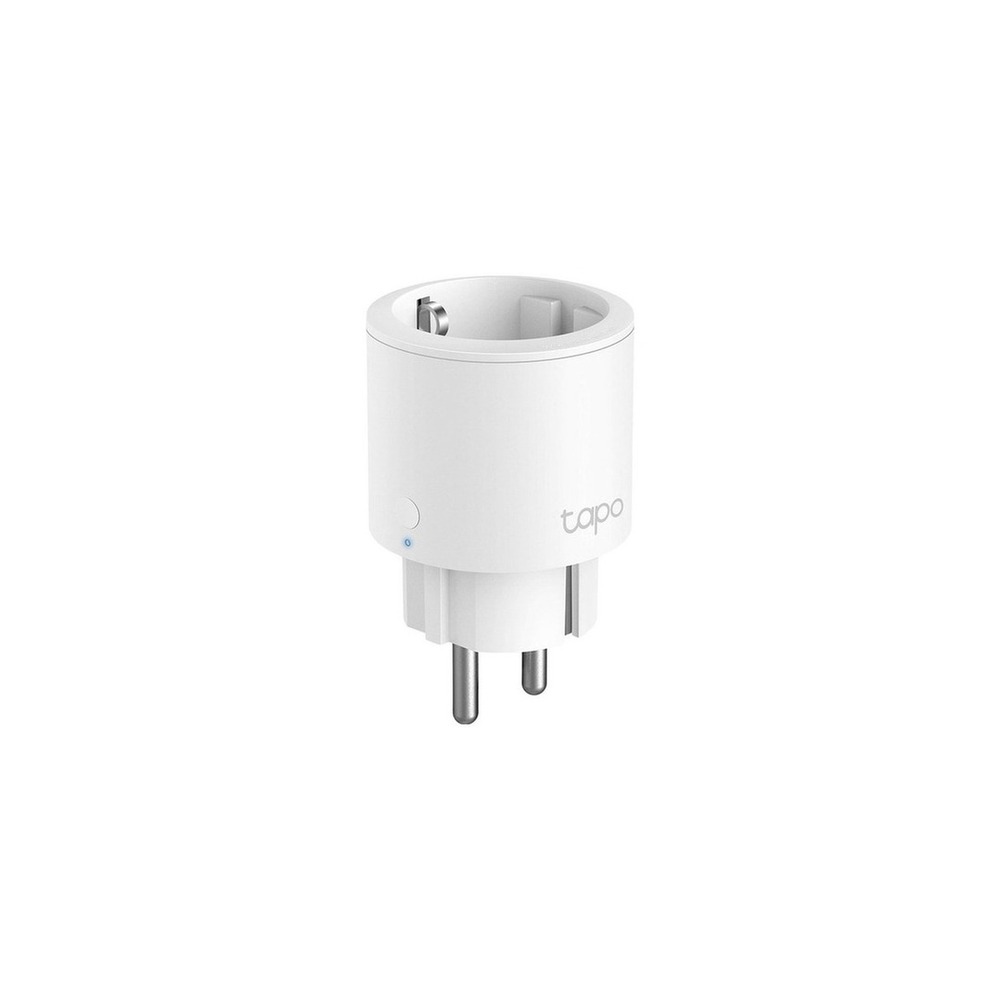
TP-Link Tapo P115 Smart Plug

TP-Link Tapo P115 Smart Plug

TP-Link 16A Energy Monitoring IoT Smart Wi-Fi Plug, Tapo P115, 1 unit

The reason for including the TP-Link Tapo P115 smart plug in ‘Smart Safety Devices for Keeping an Eye on Parents' Home from Afar’ is that it can monitor energy consumption and usage times of connected appliances, aligning directly with the list's purpose. Particularly in the context of ‘Smart Safety Devices for Keeping an Eye on Parents' Home from Afar,’ it’s easy to appreciate the benefits of the TP-Link Tapo P115 smart plug when checking the prolonged operation of devices like air purifiers and humidifiers. However, the TP-Link Tapo P115 smart plug is not just a product that requires a connection; the compatibility conditions to review for the TP-Link Tapo P115 smart plug in ‘Smart Safety Devices for Keeping an Eye on Parents' Home from Afar’ include ‘confirming Tapo app, 2.4GHz Wi-Fi, and voice platform support,’ with power requirements listed as ‘home outlet and rated product,’ which should be reviewed against the actual home settings.

The installation condition for the TP-Link Tapo P115 smart plug that corresponds with ‘Smart Safety Devices for Keeping an Eye on Parents' Home from Afar’ is ‘checking adjacent plug space and grounding and network connectivity.’ Based on this condition, the placement and movement paths should be determined first. When calculating costs for components in ‘Smart Safety Devices for Keeping an Eye on Parents' Home from Afar,’ confirm that ‘basic functions do not require subscriptions,’ and manage the TP-Link Tapo P115 smart plug’s account and records according to the principle of ‘Tapo account and family sharing permission management.’ After installing the TP-Link Tapo P115 smart plug with reference to ‘Smart Safety Devices for Keeping an Eye on Parents' Home from Afar,’ initially test both automation results and manual operations together during the first few days. Before purchase, it’s advisable to recheck the model name, components, ratings, and sales status of the TP-Link Tapo P115 smart plug linked in the original document for ‘Smart Safety Devices for Keeping an Eye on Parents' Home from Afar.’
브랜드 TP-Link Tapo 주요 용도 연결 가전의 소비전력과 켜진 시간을 확인 알맞은 상황 공기청정기·가습기의 장시간 작동을 점검할 때 호환 조건 Tapo 앱·2.4GHz Wi-Fi와 음성 플랫폼 지원 확인 전원 가정용 콘센트와 제품 정격 설치 확인 인접 플러그 공간과 접지·네트워크 연결 확인 구독 기본 기능은 구독 없음 개인정보·보안 Tapo 계정과 가족 공유 권한 관리 이미지 출처 기존 검증 쿠팡 상품 이미지
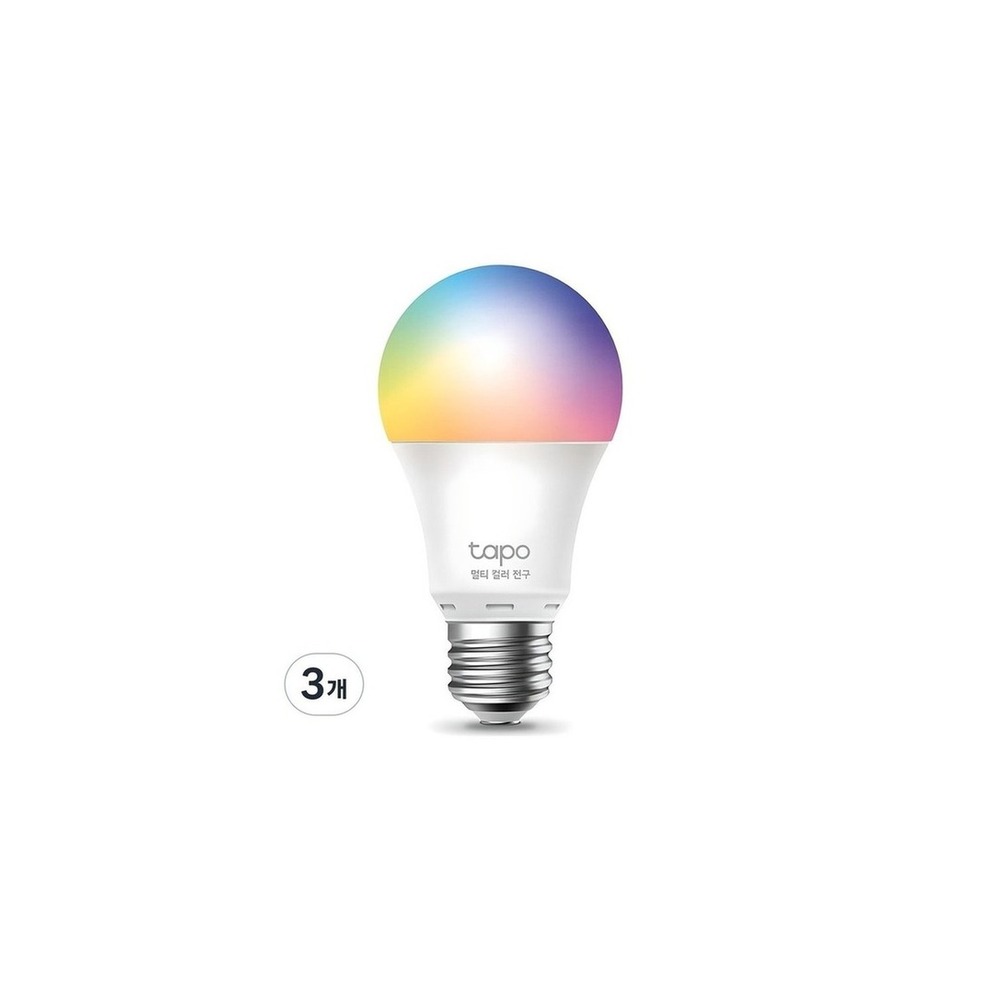
TP-Link Tapo L530E Smart Bulb

TP-Link Tapo L530E Smart Bulb

TP-Link Smart Wi-Fi Multi-Color Bulb 8.7W L530E

The reason for including the TP-Link Tapo L530E smart bulb in ‘Smart Safety Devices for Keeping an Eye on Parents' Home from Afar’ is that it can light up pathways for night-time movement by turning on the lights at preset times, which directly connects with the list's purpose. Particularly in the context of ‘Smart Safety Devices for Keeping an Eye on Parents' Home from Afar,’ it’s easy to appreciate the advantages of the TP-Link Tapo L530E smart bulb as an auxiliary light for moving from the bedroom to the bathroom. However, the TP-Link Tapo L530E smart bulb is not just a matter of making the connection; the compatibility conditions to check for the TP-Link Tapo L530E smart bulb in ‘Smart Safety Devices for Keeping an Eye on Parents' Home from Afar’ require confirming ‘Tapo app and 2.4GHz Wi-Fi, and supported voice assistants,’ with power needs stated as ‘constant power for E26 socket,’ which should be compared with the actual home layout.

The installation condition for the TP-Link Tapo L530E smart bulb that corresponds to ‘Smart Safety Devices for Keeping an Eye on Parents' Home from Afar’ is ‘checking the socket specifications and sealed fixture usage conditions.’ Based on this condition, determine the positioning and movement paths first. When calculating the costs of the components for ‘Smart Safety Devices for Keeping an Eye on Parents' Home from Afar,’ confirm that ‘basic functions do not require subscriptions,’ and manage the TP-Link Tapo L530E smart bulb’s account and records based on the principle of ‘Tapo account security and shared user permission management.’ After installing the TP-Link Tapo L530E smart bulb with reference to ‘Smart Safety Devices for Keeping an Eye on Parents' Home from Afar,’ initially test both automation results and manual operations together for the first few days. Before purchase, it’s advisable to recheck the model name, components, ratings, and sales status of the TP-Link Tapo L530E smart bulb linked in the original document for ‘Smart Safety Devices for Keeping an Eye on Parents' Home from Afar.’
브랜드 TP-Link Tapo 주요 용도 정해진 시간에 조명을 켜 야간 이동 동선을 밝힘 알맞은 상황 침실에서 화장실로 이동하는 길의 보조 조명 호환 조건 Tapo 앱과 2.4GHz Wi-Fi, 지원 음성비서 확인 전원 E26 소켓 상시 전원 설치 확인 소켓 규격과 밀폐형 등기구 사용 조건 확인 구독 기본 기능은 구독 없음 개인정보·보안 Tapo 계정 보안과 공유 사용자 권한 관리 이미지 출처 기존 검증 쿠팡 상품 이미지
Once you've shortlisted options, it's best not to install all the devices from ‘Smart Safety Devices for Keeping an Eye on Parents' Home from Afar’ at once, but rather to test the most frequently used function for about a week. After explaining the information collected from parents and the relevant notifications and obtaining their consent, start by installing sensors with lower privacy burdens, such as those for water leaks and temperature/humidity, and revisit them during practical hours to quickly identify unnecessary notifications, communication shadows, and actions that might cause discomfort for the family. Also, check whether basic functions can be used manually at this stage.

Before final purchase, make a checklist with the following: camera installation consent, emergency contact order, Wi-Fi disruption, battery replacement responsibilities, and principles for regular direct contact even when there are no notifications. Check the battery and consumable replacement cycle, account sharing scope, and necessary initialization procedures before reselling or moving to easily anticipate management costs. When it comes to installations related to electricity, water, and entry security, do not just rely on the wording on the sales page but prioritize the manufacturer's instructions and guidelines from the managing authority.
한눈에 보기 7개
Official Akaras Smart Leak Detection Sensor T1
Aqara · 싱크대·보일러실 바닥의 물 고임을 감지해 빠르게 알림 · 배관 누수를 바로 발견하기 어려운 부모님 댁 · 호환 Aqara Hub와 Zigbee 지원 확인 · 교체형 배터리 · 센서 접점이 바닥에 닿고 물청소에 떠밀리지 않게 배치 · 기본 알림은 구독 없음 · 알림이 실제 차단을 대신하지 않으므로 부재 중 대응자를 지정 · 기존 검증 쿠팡 상품 이미지
TP-Link Tapo T310 Temperature and Humidity Sensor
TP-Link Tapo · 실내 온도와 습도 변화를 기록해 냉난방 이상을 알아차림 · 한파·폭염 때 방의 환경을 함께 확인할 가족 · Tapo H100 등 호환 허브 필요 여부 확인 · 교체형 배터리 · 직접 물이 닿지 않고 공기가 통하는 위치에 부착 · 기본 센서 기능은 구독 없음 · 생활 패턴 데이터와 가족 공유 권한 관리 · 기존 검증 쿠팡 상품 이미지
SwitchBot Motion Sensor
SwitchBot · 복도나 현관의 움직임 여부를 최소 정보로 감지 · 영상보다 움직임 신호로 안부를 살피고 싶은 집 · 원격 자동화는 호환 SwitchBot Hub 필요 · 교체형 배터리 · 양면테이프·자석 부착 전 감지 범위 시험 · 기본 기능은 구독 없음 · 생활 패턴이 드러나는 감지 기록과 알림 공유 범위 확인 · 기존 검증 쿠팡 상품 이미지
SwitchBot Contact Sensor Door Open
SwitchBot · 현관문 개폐를 감지해 귀가·외출 상황을 알림 · 문이 장시간 열린 상황에 대응할 가족 · 원격 알림은 호환 SwitchBot Hub와 앱 필요 · 교체형 배터리 · 센서·자석 간격과 모션 감지 방향 확인 · 기본 자동화는 구독 없음 · 출입 기록을 볼 수 있는 계정과 알림 수신자 제한 · 기존 검증 쿠팡 상품 이미지
TP-Link Tapo C230 Home Camera
TP-Link Tapo · 필요할 때만 공용 공간을 확인하고 양방향 음성으로 연락 · 부모님이 카메라 사용에 명확히 동의한 거실 · Tapo 앱·2.4GHz Wi-Fi·microSD와 클라우드 지원 확인 · 상시 USB 전원 · 촬영 사각과 전원선, 카메라 전도 방지 확인 · 클라우드 저장은 선택 구독, 로컬 저장은 카드 조건 확인 · 2단계 인증·카메라 공유·마이크 권한과 촬영 고지 · 기존 검증 쿠팡 상품 이미지
TP-Link Tapo P115 Smart Plug
TP-Link Tapo · 연결 가전의 소비전력과 켜진 시간을 확인 · 공기청정기·가습기의 장시간 작동을 점검할 때 · Tapo 앱·2.4GHz Wi-Fi와 음성 플랫폼 지원 확인 · 가정용 콘센트와 제품 정격 · 인접 플러그 공간과 접지·네트워크 연결 확인 · 기본 기능은 구독 없음 · Tapo 계정과 가족 공유 권한 관리 · 기존 검증 쿠팡 상품 이미지
TP-Link Tapo L530E Smart Bulb
TP-Link Tapo · 정해진 시간에 조명을 켜 야간 이동 동선을 밝힘 · 침실에서 화장실로 이동하는 길의 보조 조명 · Tapo 앱과 2.4GHz Wi-Fi, 지원 음성비서 확인 · E26 소켓 상시 전원 · 소켓 규격과 밀폐형 등기구 사용 조건 확인 · 기본 기능은 구독 없음 · Tapo 계정 보안과 공유 사용자 권한 관리 · 기존 검증 쿠팡 상품 이미지

이 포스팅은 쿠팡 파트너스 활동의 일환으로, 이에 따른 일정액의 수수료를 제공받습니다.

댓글 0

로그인 후 댓글을 작성할 수 있습니다.

첫 댓글을 남겨보세요.

이런 리스트는 어때요?

이런 리스트도 추천해요

🎲

여기서 멈추기엔 아쉽잖아?

다음에 뭘 볼지 고민하는 시간이 제일 아까워.
주사위가 대신 골라줄게 — 무슨 리스트가 튀어나올지는 굴려봐야 알지.
안 누르면… 평생 궁금하지 않겠어? 👀

All menu
Login required
Log in
Categories
Language
Display mode
✦ ✦ ✦ ✦ ✦

Drum roll… picking a list!

모하지
Use Mohazi as an app
Open it from your home screen and browse faster.
On iPhone, tap the Share button at the bottom of Safari, then choose “Add to Home Screen” to use it like an app.