
Collection
Remote Work Equipment
2026.10.12
Work-From-Home Privacy Gear That Cuts Screen Exposure and Household Noise
A focus-environment guide sorting laptop privacy filters, white noise machines, and acoustic panels by real products
When you work in the living room or a shared space, two problems show up at once: the person next to you can see your screen, and household noise leaks into your calls. A privacy filter narrows the viewing angle from the sides but can also change brightness and color rendering, while a white noise machine does not remove surrounding sounds so much as make changes in them less noticeable with a steady sound. Acoustic panels are not soundproofing material that blocks sound from outside the room; they are gear that reduces indoor reflections so your voice echoes less.
This list includes three privacy filters for laptops and monitors, two standalone white noise machines, and two sound-absorbing products that can be placed around your desk. We explain them with a focus on measuring screen size, attachment methods, sound types, power, and panel placement and purpose. Only by sorting out what each product can actually solve can you genuinely improve screen security and your focus environment without unrealistic expectations.
This list includes three privacy filters for laptops and monitors, two standalone white noise machines, and two sound-absorbing products that can be placed around your desk. We explain them with a focus on measuring screen size, attachment methods, sound types, power, and panel placement and purpose. Only by sorting out what each product can actually solve can you genuinely improve screen security and your focus environment without unrealistic expectations.
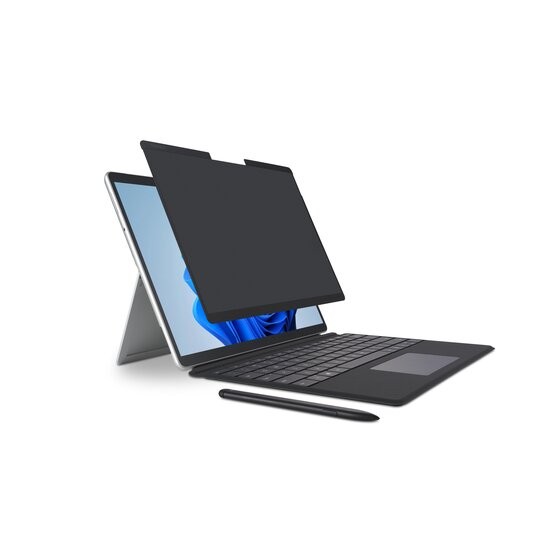
Kensington MagPro Elite Magnetic Privacy Screen for Surface Laptop
In our list of work-from-home privacy gear that cuts screen exposure and household noise, the Kensington MagPro Elite Magnetic Privacy Screen for Surface Laptop is a two-sided privacy filter that attaches magnetically to a Surface Laptop screen. If you are a user who wants to reduce side-angle exposure of a Surface screen in shared seating and removes the filter often, you have a solid reason to put the Kensington MagPro Elite Magnetic Privacy Screen for Surface Laptop on your shortlist. Keep in mind, too, that if you do not need the magnetic attachment and the matte and glossy two-sided design, a simpler product than the Kensington MagPro Elite Magnetic Privacy Screen for Surface Laptop may be the more sensible choice.
To fit the Kensington MagPro Elite Magnetic Privacy Screen for Surface Laptop into your current setup, it must match the exact Surface Laptop generation and screen size, and the webcam and sensor areas and whether the lid closes properly should be your final criteria when choosing the model. Whether the Kensington MagPro Elite Magnetic Privacy Screen for Surface Laptop stays on this list of work-from-home privacy gear that cuts screen exposure and household noise should be judged by whether it actually reduces your current frustration rather than by how impressive its new features sound, and Kensington's warranty and exchange terms should be factored into your cost calculation as well.
To fit the Kensington MagPro Elite Magnetic Privacy Screen for Surface Laptop into your current setup, it must match the exact Surface Laptop generation and screen size, and the webcam and sensor areas and whether the lid closes properly should be your final criteria when choosing the model. Whether the Kensington MagPro Elite Magnetic Privacy Screen for Surface Laptop stays on this list of work-from-home privacy gear that cuts screen exposure and household noise should be judged by whether it actually reduces your current frustration rather than by how impressive its new features sound, and Kensington's warranty and exchange terms should be factored into your cost calculation as well.
브랜드 Kensington
잘 맞는 상황 공유 좌석에서 Surface 화면의 측면 노출을 줄이고 자주 분리하는 사용자
핵심 특징 자석 부착과 무광·유광 양면
연결·호환 정확한 Surface Laptop 세대·화면 크기
구매 전 확인 웹캠·센서 영역과 덮개 닫힘
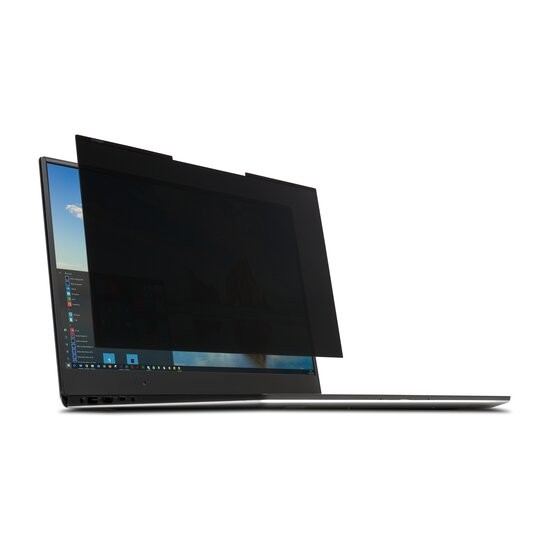
Kensington MagPro Magnetic Privacy Screen Filter for Laptops
In our list of work-from-home privacy gear that cuts screen exposure and household noise, the Kensington MagPro Magnetic Privacy Screen Filter for Laptops is a family of privacy filters that attach to slim-bezel laptops with magnetic strips. This gear is worth comparing for users who prioritize frequently removing and reattaching the filter on a work laptop. For the Kensington MagPro Magnetic Privacy Screen Filter for Laptops' distinguishing feature, magnetic attachment and removal with two-way viewing restriction, what you should verify is how it is actually operated and how accessible it is, not just whether the feature exists.
Check that the device where you plan to use the Kensington MagPro Magnetic Privacy Screen Filter for Laptops meets the conditions for laptop screen size, aspect ratio, and measured dimensions, then confirm you have selected the exact SKU among the 12.5-inch to 16-inch options in the final order details. Before adding the Kensington MagPro Magnetic Privacy Screen Filter for Laptops to your setup of work-from-home privacy gear that cuts screen exposure and household noise, check whether the same goal can be met by reconfiguring the equipment you already have, and when an additional purchase is needed, do a final cross-check of Kensington's support coverage and the installation requirements.
Check that the device where you plan to use the Kensington MagPro Magnetic Privacy Screen Filter for Laptops meets the conditions for laptop screen size, aspect ratio, and measured dimensions, then confirm you have selected the exact SKU among the 12.5-inch to 16-inch options in the final order details. Before adding the Kensington MagPro Magnetic Privacy Screen Filter for Laptops to your setup of work-from-home privacy gear that cuts screen exposure and household noise, check whether the same goal can be met by reconfiguring the equipment you already have, and when an additional purchase is needed, do a final cross-check of Kensington's support coverage and the installation requirements.
브랜드 Kensington
잘 맞는 상황 업무 노트북에서 필터를 자주 떼고 붙이는 사용자
핵심 특징 자석식 탈부착과 2방향 시야 제한
연결·호환 노트북 화면 크기·화면비와 실측 치수
구매 전 확인 12.5~16형 옵션 중 정확한 SKU 선택
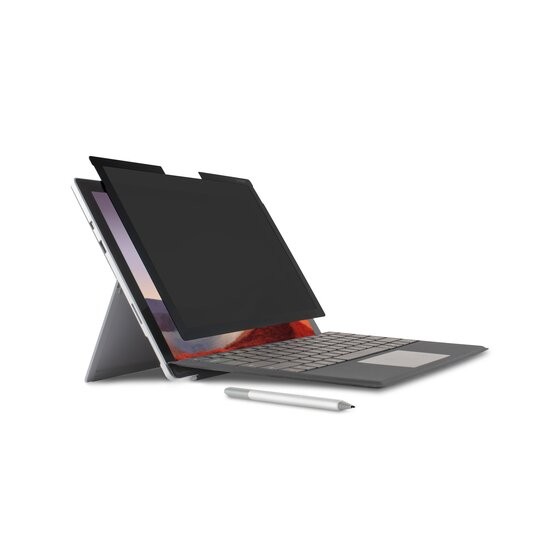
Kensington MagPro Elite Magnetic Privacy Screen for Surface Pro
In our list of work-from-home privacy gear that cuts screen exposure and household noise, the Kensington MagPro Elite Magnetic Privacy Screen for Surface Pro is a magnetic two-sided privacy filter sized for the Surface Pro screen. The Kensington MagPro Elite Magnetic Privacy Screen for Surface Pro's strengths and limits both come into view when you build around the scenario of a user who uses a tablet-style Surface like a laptop in shared seating. If the feature you use most often is magnetic attachment and removal with two-way viewing restriction, the Kensington MagPro Elite Magnetic Privacy Screen for Surface Pro moves up your priority list; if not, you should take another look at the cost-to-benefit ratio.
To avoid compatibility problems with the Kensington MagPro Elite Magnetic Privacy Screen for Surface Pro, first check the supported Surface Pro generations and screen dimensions, and compare the camera, sensor, and touch input areas and the exact SKU against the model sold in your region. Even if the Kensington MagPro Elite Magnetic Privacy Screen for Surface Pro's specs look good, if it does not match the workflow of your work-from-home privacy gear that cuts screen exposure and household noise, you may quickly find yourself using it less, so review Kensington's support policy together with how you actually move around your workspace to avoid an overbuilt setup.
To avoid compatibility problems with the Kensington MagPro Elite Magnetic Privacy Screen for Surface Pro, first check the supported Surface Pro generations and screen dimensions, and compare the camera, sensor, and touch input areas and the exact SKU against the model sold in your region. Even if the Kensington MagPro Elite Magnetic Privacy Screen for Surface Pro's specs look good, if it does not match the workflow of your work-from-home privacy gear that cuts screen exposure and household noise, you may quickly find yourself using it less, so review Kensington's support policy together with how you actually move around your workspace to avoid an overbuilt setup.
브랜드 Kensington
잘 맞는 상황 태블릿형 Surface를 공유 좌석에서 노트북처럼 사용하는 사용자
핵심 특징 자석식 탈부착과 2방향 시야 제한
연결·호환 지원 Surface Pro 세대와 화면 치수
구매 전 확인 카메라·센서·터치 입력 영역과 정확한 SKU
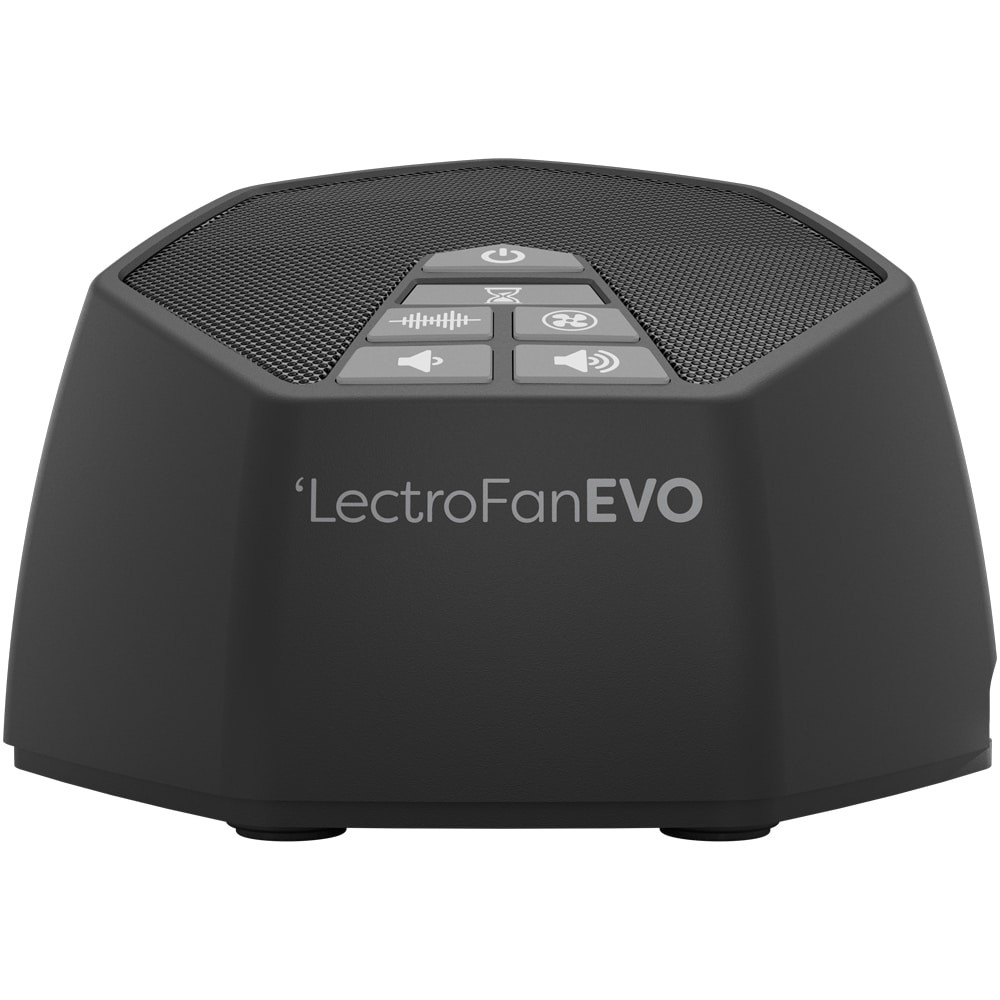
LectroFan EVO
In our list of work-from-home privacy gear that cuts screen exposure and household noise, the LectroFan EVO is a standalone sound machine that plays fan sounds and a variety of noise types without looping. The purchasing decision should start not with the LectroFan EVO's name but with the need for a space where you want intermittent household sounds to fade behind a steady background sound. Whether the LectroFan EVO stays on your shortlist depends on whether its fan, white, pink, and brown noise with volume control lines up exactly with what your current equipment is missing.
On the spec sheet, check the LectroFan EVO's AC adapter and USB power requirements separately from how much it bleeds into your call microphone and the listening distance and volume, so that your actual setup and your expectations do not drift apart. In this list of work-from-home privacy gear that cuts screen exposure and household noise, the LectroFan EVO's priority should be set by how much improvement you will notice every day, and the realistic approach is to confirm you can live with Adaptive Sound Technologies' warranty coverage and the maintenance burden.
On the spec sheet, check the LectroFan EVO's AC adapter and USB power requirements separately from how much it bleeds into your call microphone and the listening distance and volume, so that your actual setup and your expectations do not drift apart. In this list of work-from-home privacy gear that cuts screen exposure and household noise, the LectroFan EVO's priority should be set by how much improvement you will notice every day, and the realistic approach is to confirm you can live with Adaptive Sound Technologies' warranty coverage and the maintenance burden.
브랜드 Adaptive Sound Technologies
잘 맞는 상황 간헐적인 생활 소리를 일정한 배경음으로 덜 의식하고 싶은 공간
핵심 특징 팬·화이트·핑크·브라운 노이즈와 볼륨 조절
연결·호환 AC 어댑터와 USB 전원 조건
구매 전 확인 통화 마이크 유입과 청취 거리·볼륨
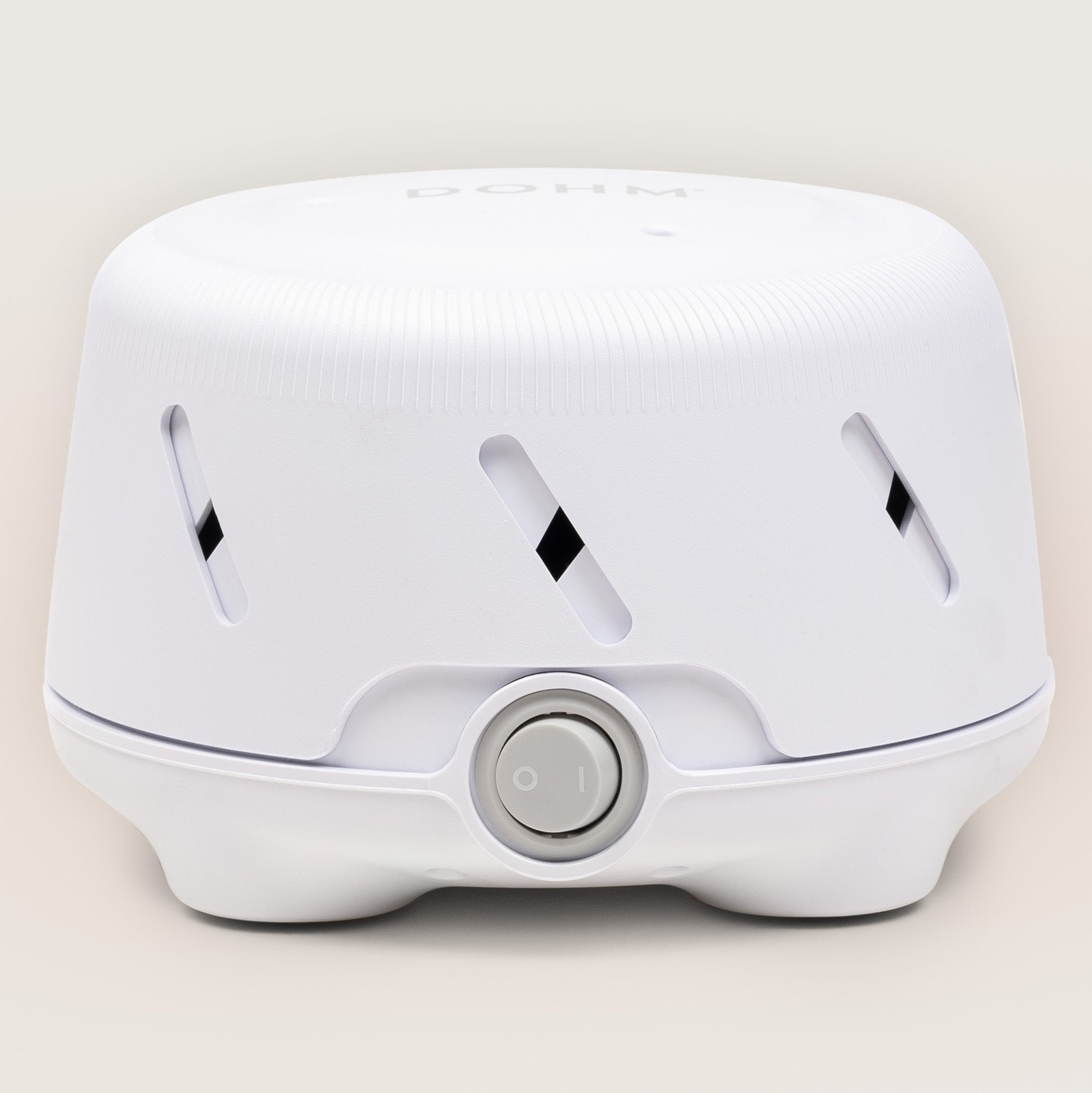
Yogasleep Dohm UNO
In our list of work-from-home privacy gear that cuts screen exposure and household noise, the Yogasleep Dohm UNO is a single-speed white noise machine that generates a steady rush of air with an internal fan. If you repeatedly find yourself wanting a physical fan sound at a fixed desk, without an app or looped audio, it is worth looking into the real-world usefulness of the Yogasleep Dohm UNO. The features highlighted in the official specifications are the real fan-based sound and the twist-to-adjust tone. Check, based on how you actually move around, whether the Yogasleep Dohm UNO delivers the same benefits in the space where you will use it.
Before adding the Yogasleep Dohm UNO to your existing equipment, verify the regional power voltage and plug, and do a final check of the volume adjustment range and where to place it during calls on the official sales page. Once you have chosen the Yogasleep Dohm UNO, decide which functions to test first in your setup of work-from-home privacy gear that cuts screen exposure and household noise and how to roll back if they fail, and learn Yogasleep's customer support terms as well to reduce trial and error after adoption.
Before adding the Yogasleep Dohm UNO to your existing equipment, verify the regional power voltage and plug, and do a final check of the volume adjustment range and where to place it during calls on the official sales page. Once you have chosen the Yogasleep Dohm UNO, decide which functions to test first in your setup of work-from-home privacy gear that cuts screen exposure and household noise and how to roll back if they fail, and learn Yogasleep's customer support terms as well to reduce trial and error after adoption.
브랜드 Yogasleep
잘 맞는 상황 앱이나 루프 음원 없이 물리 팬 소리를 원하는 고정 책상
핵심 특징 실제 팬 기반 사운드와 회전식 톤 조절
연결·호환 지역별 전원 전압과 플러그
구매 전 확인 소리 크기 조절 범위와 통화 중 사용 위치
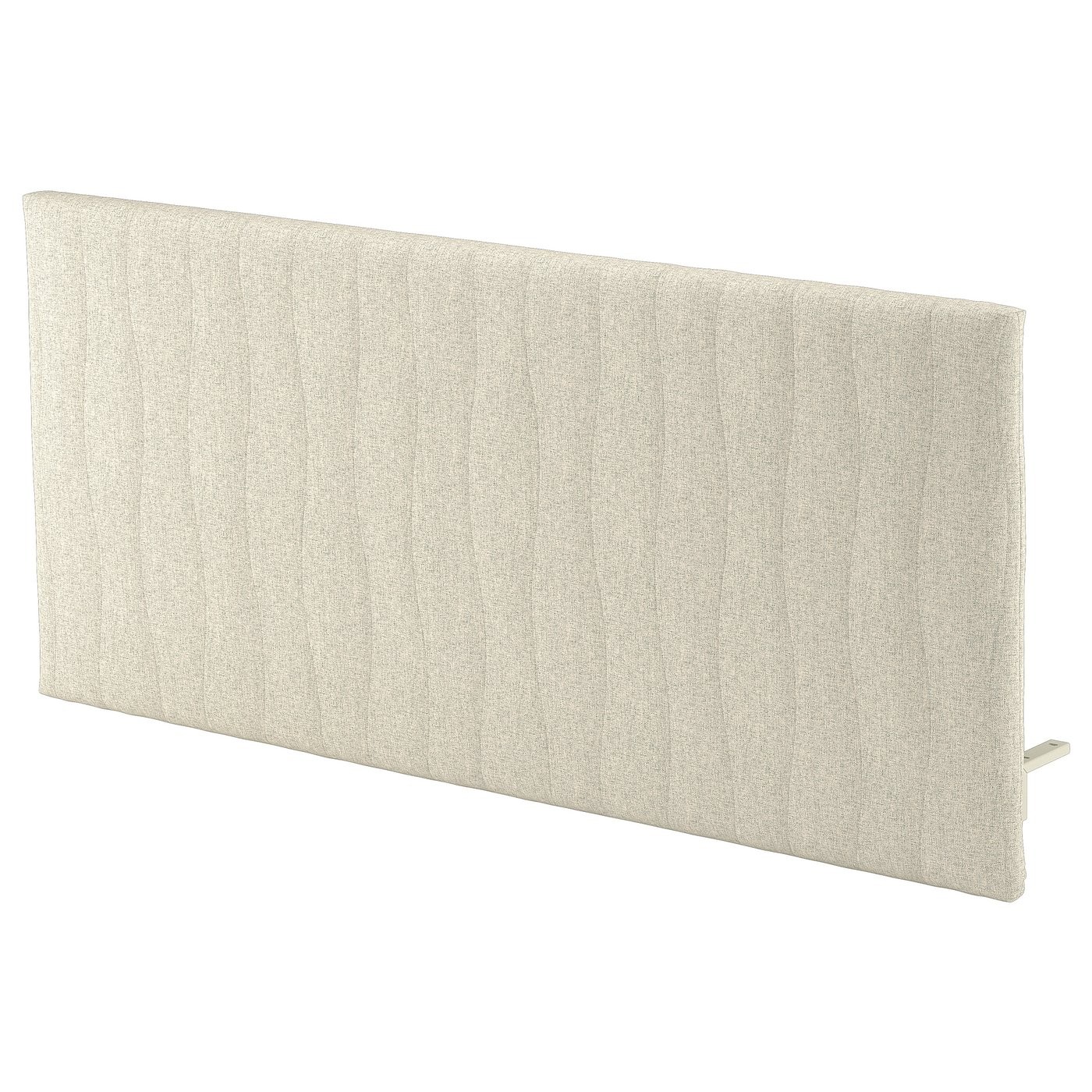
IKEA MITTZON acoustic screen for desk
In our list of work-from-home privacy gear that cuts screen exposure and household noise, the IKEA MITTZON acoustic screen for desk is a sound-absorbing screen that mounts on the edge of a desk to reduce sightlines and indoor reflections. The starting point for choosing the IKEA MITTZON acoustic screen for desk is checking whether the profile of a work spot in one corner of the living room that needs both a visual boundary and less voice reflection matches your own environment. Because the IKEA MITTZON acoustic screen for desk's desk-mounted panel with sound-absorbing filling is closer to a convenience feature, the right order is to confirm its core performance and installation stability first, then evaluate it.
At the actual purchase stage, the IKEA MITTZON acoustic screen for desk's compatibility with MITTZON desks and mounting parts and the dimensions of your desktop come first, and it is a good idea to note the fact that it is not full soundproofing material and the installation height alongside the product number. When comparing the IKEA MITTZON acoustic screen for desk for a setup of work-from-home privacy gear that cuts screen exposure and household noise, putting price, frequency of use, and installation difficulty in the same table and adding IKEA's support coverage makes it easier to judge the real cost of ownership.
At the actual purchase stage, the IKEA MITTZON acoustic screen for desk's compatibility with MITTZON desks and mounting parts and the dimensions of your desktop come first, and it is a good idea to note the fact that it is not full soundproofing material and the installation height alongside the product number. When comparing the IKEA MITTZON acoustic screen for desk for a setup of work-from-home privacy gear that cuts screen exposure and household noise, putting price, frequency of use, and installation difficulty in the same table and adding IKEA's support coverage makes it easier to judge the real cost of ownership.
브랜드 IKEA
잘 맞는 상황 거실 한쪽 업무 자리의 시각적 경계와 말소리 반사를 함께 줄이는 환경
핵심 특징 책상 고정형 흡음 충전재 패널
연결·호환 MITTZON 책상·고정 부품과 상판 치수
구매 전 확인 완전한 방음재가 아니라는 점과 설치 높이
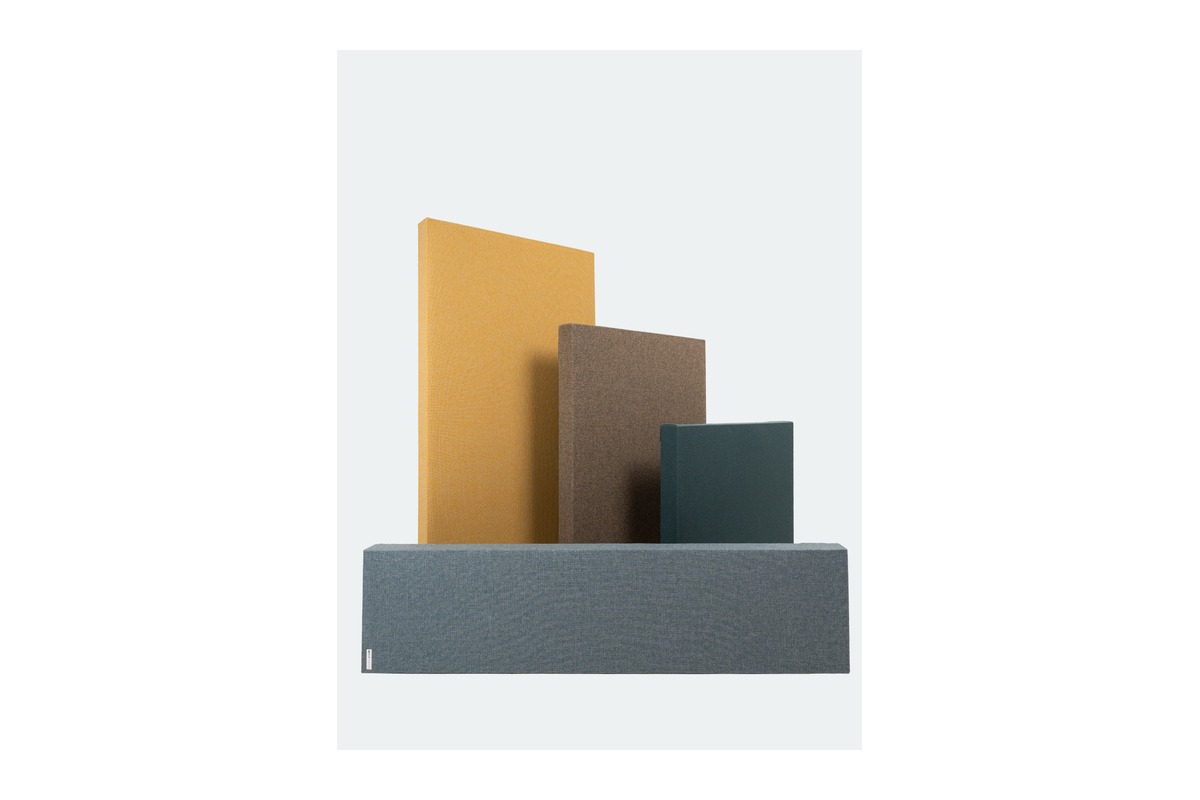
GIK Acoustics FlexRange Acoustic Panel
In our list of work-from-home privacy gear that cuts screen exposure and household noise, the GIK Acoustics FlexRange Acoustic Panel is a family of wall- and ceiling-mounted acoustic panels offering choices of size, thickness, and finish to control a room's early reflections and reverberation. When you take the condition of a workspace where you compare size, thickness, and placement to reduce wall reflections as the benchmark for your use case, the GIK Acoustics FlexRange Acoustic Panel's role becomes clear. The key feature is a family of acoustic panels with selectable size and thickness. Since how it feels in use varies with your desk size and daily usage time, you should also consider where the GIK Acoustics FlexRange Acoustic Panel will go.
Before adoption, first check the wall and ceiling mounting method and confirm the panel size and thickness you have chosen, and at the ordering stage, cross-check the mounting hardware, fabric color, and your room's main reflection points against the GIK Acoustics FlexRange Acoustic Panel's official page and the model designation on sale. When looking at the GIK Acoustics FlexRange Acoustic Panel by the selection criteria of this list of work-from-home privacy gear that cuts screen exposure and household noise, do not isolate a single advantage; instead, make your final judgment with GIK Acoustics' support coverage and your actual work habits considered together.
Before adoption, first check the wall and ceiling mounting method and confirm the panel size and thickness you have chosen, and at the ordering stage, cross-check the mounting hardware, fabric color, and your room's main reflection points against the GIK Acoustics FlexRange Acoustic Panel's official page and the model designation on sale. When looking at the GIK Acoustics FlexRange Acoustic Panel by the selection criteria of this list of work-from-home privacy gear that cuts screen exposure and household noise, do not isolate a single advantage; instead, make your final judgment with GIK Acoustics' support coverage and your actual work habits considered together.
브랜드 GIK Acoustics
잘 맞는 상황 벽 반사음을 줄이기 위해 크기·두께·배치를 비교하는 작업 공간
핵심 특징 크기와 두께를 선택할 수 있는 흡음 패널 제품군
연결·호환 벽·천장 설치 방식과 선택한 패널 크기·두께 확인
구매 전 확인 설치 부속과 원단 색상, 방의 주요 반사 지점
For a privacy filter, do not go by the screen's diagonal alone; check the measured width and height, whether the bezel is included, and the 16:9 or 16:10 aspect ratio. After attaching a filter, adjust the ambient lighting rather than cranking up brightness, and for work where color accuracy matters, it is better to remove it when needed. For confidential material, do not rely on the filter alone; lock your screen whenever you step away and follow your document storage rules as well.
Keep white noise low enough that the person on the other end of a call cannot hear it, and acoustic panels are easiest to verify when placed close to the first reflection points around your mouth and microphone. If you need to block noise from neighbors or keep your voice from leaking out of the room, you need a separate soundproofing approach that deals with door gaps, walls, and windows. Avoid listening to a loud, constant sound for long periods, and before an important call, make an actual recording to compare whether background noise and echo have been reduced.
Keep white noise low enough that the person on the other end of a call cannot hear it, and acoustic panels are easiest to verify when placed close to the first reflection points around your mouth and microphone. If you need to block noise from neighbors or keep your voice from leaking out of the room, you need a separate soundproofing approach that deals with door gaps, walls, and windows. Avoid listening to a loud, constant sound for long periods, and before an important call, make an actual recording to compare whether background noise and echo have been reduced.
At a glance
7 items
Kensington MagPro Elite Magnetic Privacy Screen for Surface Laptop
Kensington · 공유 좌석에서 Surface 화면의 측면 노출을 줄이고 자주 분리하는 사용자 · 자석 부착과 무광·유광 양면 · 정확한 Surface Laptop 세대·화면 크기 · 웹캠·센서 영역과 덮개 닫힘
Kensington MagPro Magnetic Privacy Screen Filter for Laptops
Kensington · 업무 노트북에서 필터를 자주 떼고 붙이는 사용자 · 자석식 탈부착과 2방향 시야 제한 · 노트북 화면 크기·화면비와 실측 치수 · 12.5~16형 옵션 중 정확한 SKU 선택
Kensington MagPro Elite Magnetic Privacy Screen for Surface Pro
Kensington · 태블릿형 Surface를 공유 좌석에서 노트북처럼 사용하는 사용자 · 자석식 탈부착과 2방향 시야 제한 · 지원 Surface Pro 세대와 화면 치수 · 카메라·센서·터치 입력 영역과 정확한 SKU
LectroFan EVO
Adaptive Sound Technologies · 간헐적인 생활 소리를 일정한 배경음으로 덜 의식하고 싶은 공간 · 팬·화이트·핑크·브라운 노이즈와 볼륨 조절 · AC 어댑터와 USB 전원 조건 · 통화 마이크 유입과 청취 거리·볼륨
Yogasleep Dohm UNO
Yogasleep · 앱이나 루프 음원 없이 물리 팬 소리를 원하는 고정 책상 · 실제 팬 기반 사운드와 회전식 톤 조절 · 지역별 전원 전압과 플러그 · 소리 크기 조절 범위와 통화 중 사용 위치
IKEA MITTZON acoustic screen for desk
IKEA · 거실 한쪽 업무 자리의 시각적 경계와 말소리 반사를 함께 줄이는 환경 · 책상 고정형 흡음 충전재 패널 · MITTZON 책상·고정 부품과 상판 치수 · 완전한 방음재가 아니라는 점과 설치 높이
GIK Acoustics FlexRange Acoustic Panel
GIK Acoustics · 벽 반사음을 줄이기 위해 크기·두께·배치를 비교하는 작업 공간 · 크기와 두께를 선택할 수 있는 흡음 패널 제품군 · 벽·천장 설치 방식과 선택한 패널 크기·두께 확인 · 설치 부속과 원단 색상, 방의 주요 반사 지점
As part of the Coupang Partners program, this post may earn a commission from qualifying purchases.
Comments 0
Log in to leave a comment.
Be the first to comment.
How about these lists?


You might also like


🎲
Not ready to stop here?
Wondering what to read next is the biggest waste of time.
Let the dice decide — you won't know what pops up until you roll.
If you don't press it… won't you wonder forever? 👀
 Log in or sign up with KakaoTalk in 5 seconds