Smart Environmental Management That Doesn't Miss Indoor Temperature and Humidity
Collection Smart Home 2026.10.06

Smart Environmental Management That Doesn't Miss Indoor Temperature and Humidity

How to Create Cooling, Heating, and Humidifying Routines by Combining Measurement Sensors and Power Control Devices

‘Smart Environmental Management That Doesn't Miss Indoor Temperature and Humidity’ is a list focused on recording temperature and humidity changes and configuring connected devices to operate only when necessary. Although smart home products may share similar features, their communication methods, hubs, and installation requirements can vary. Deciding based on just one device can easily disrupt automation. This article differentiates the tasks of each product and reviews the practical functionalities and preparation conditions that you might frequently use in your daily life.

The recommended order is to place the sensor at a living height instead of next to a window or humidifier, record for a week, and then start testing smart plug automation with safe small appliances. Before purchasing, it is essential to compare these conditions for each product: whether a sensor hub is necessary, plug ratings, how devices operate after power recovery, and risks of automatic control for heating devices. By establishing operational methods for when the internet is disconnected, how family members control the devices, and who to check with in case of issues, you can reduce the chances of automation interfering with daily life.
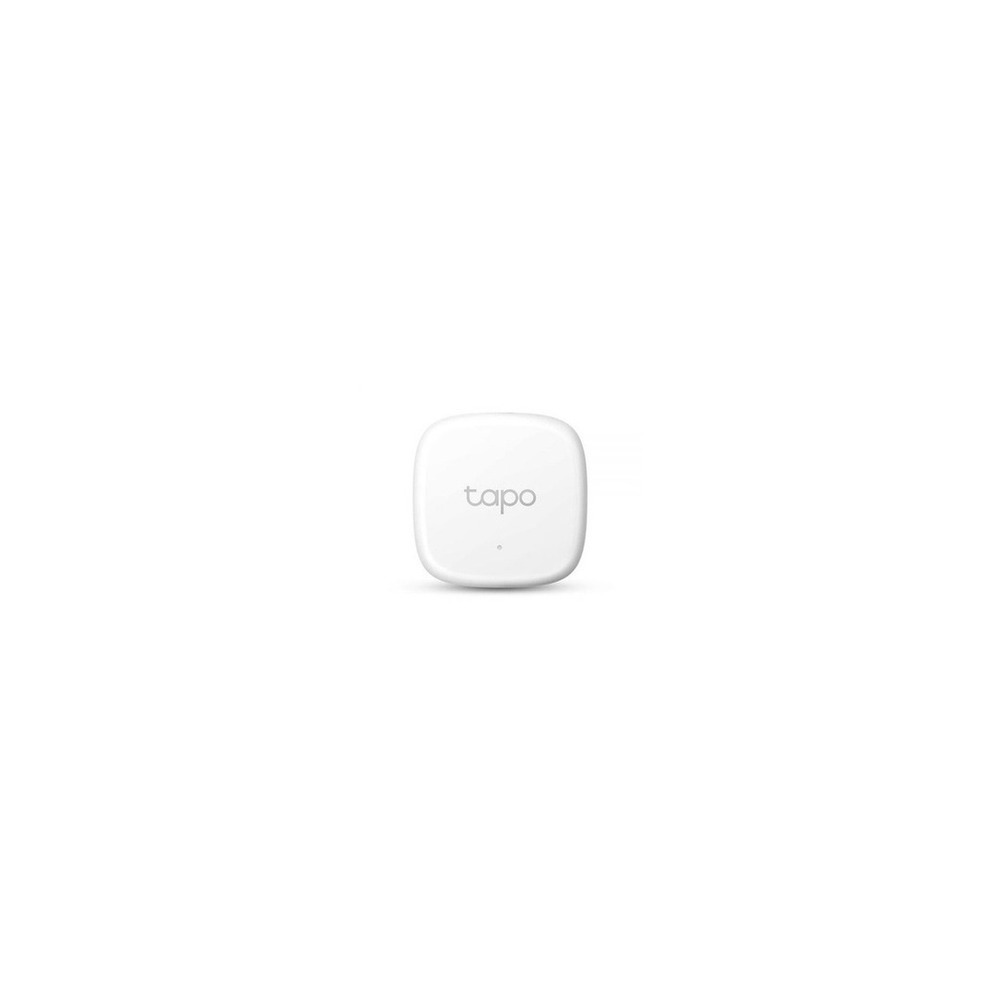
TP-Link Tapo T310 Temperature and Humidity Sensor

TP-Link Tapo T310 Temperature and Humidity Sensor

TP-Link Tapo T310 Smart Temperature and Humidity Sensor Wi-Fi Hub Integration Monitoring Alarm

The reason for including TP-Link Tapo T310 Temperature and Humidity Sensor in ‘Smart Environmental Management That Doesn't Miss Indoor Temperature and Humidity’ is its ability to quickly measure temperature and humidity and send data under Tapo automation conditions, which directly connects to the purpose of the list. In particular, when recording changes in the bedroom, dressing room, and instrument storage space from the perspective of ‘Smart Environmental Management That Doesn't Miss Indoor Temperature and Humidity,’ the advantages of the TP-Link Tapo T310 Temperature and Humidity Sensor become quite apparent. However, the TP-Link Tapo T310 is not merely a device that completes the connection. The compatibility requirements you should check for the TP-Link Tapo T310 Temperature and Humidity Sensor in ‘Smart Environmental Management That Doesn't Miss Indoor Temperature and Humidity’ include verifying whether a compatible hub like Tapo H100 is needed, and the power condition is set to ‘replaceable battery,’ so ensure to compare it with your actual home environment.

The installation condition to observe for the TP-Link Tapo T310 Temperature and Humidity Sensor, tailored for ‘Smart Environmental Management That Doesn't Miss Indoor Temperature and Humidity,’ is ‘to be attached in a location where it does not come in direct contact with water and where air can flow.’ Based on this condition, first decide on the location and flow path. When considering the costs of the ‘Smart Environmental Management That Doesn't Miss Indoor Temperature and Humidity’ setup, ensure that ‘basic sensor functionality requires no subscription’ and manage the account and records of the TP-Link Tapo T310 Temperature and Humidity Sensor under the principle of ‘life pattern data and family sharing authority management.’ After referencing ‘Smart Environmental Management That Doesn't Miss Indoor Temperature and Humidity’ and installing the TP-Link Tapo T310 Temperature and Humidity Sensor, for the first few days, test the results of automation alongside manual operation. Just before purchasing, it’s advisable to double-check the model name, components, ratings, and sales status of the TP-Link Tapo T310 Temperature and Humidity Sensor connected in the original source related to ‘Smart Environmental Management That Doesn't Miss Indoor Temperature and Humidity.’
브랜드 TP-Link Tapo 주요 용도 온도·습도를 빠르게 측정하고 Tapo 자동화 조건으로 전송 알맞은 공간 침실·옷방·악기 보관 공간의 변화를 기록할 때 호환 조건 Tapo H100 등 호환 허브 필요 여부 확인 전원 교체형 배터리 설치 확인 직접 물이 닿지 않고 공기가 통하는 위치에 부착 구독 기본 센서 기능은 구독 없음 개인정보·보안 생활 패턴 데이터와 가족 공유 권한 관리 이미지 출처 기존 검증 쿠팡 상품 이미지
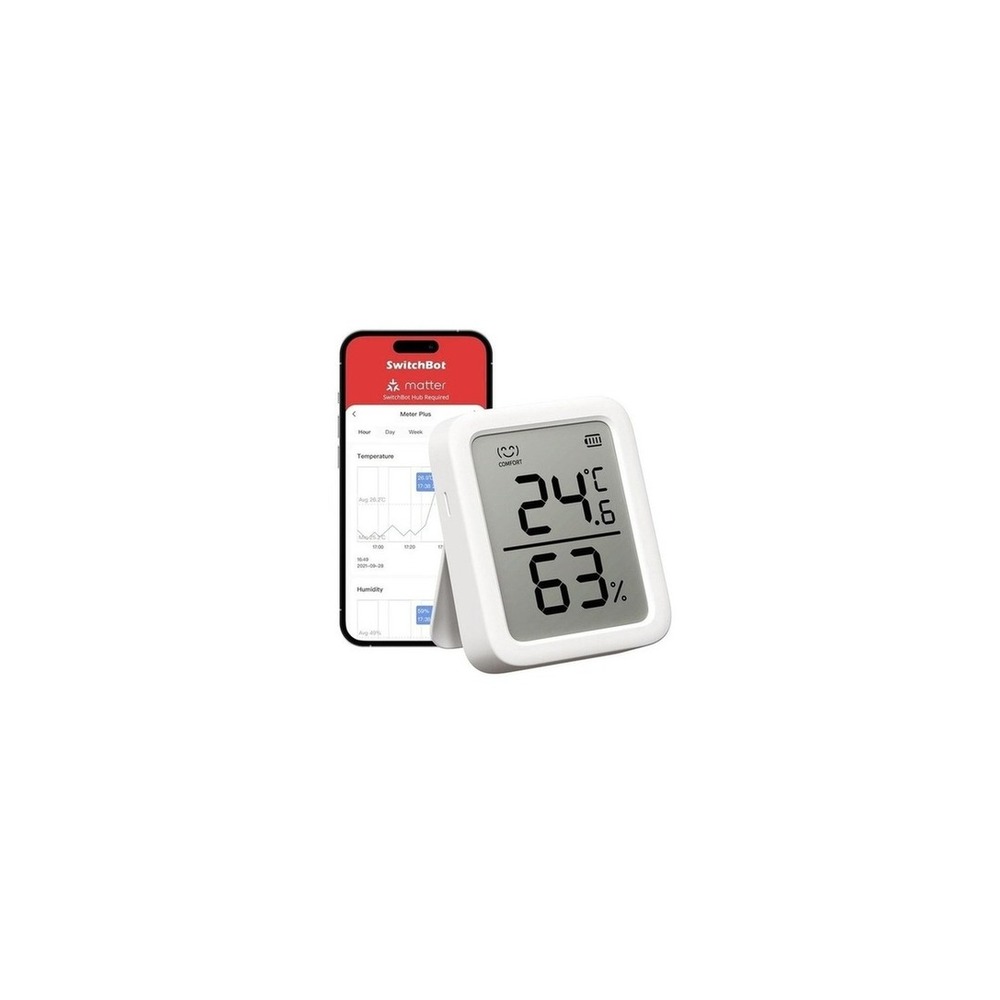
SwitchBot Hygrometer Plus

SwitchBot Hygrometer Plus

SwitchBot Hygrometer Plus Alexa Temperature Humidity Meter - SwitchBot Smartphone Controlled Temperature Humidity Management Digital High Precision Compact Large Screen Temperature Humidity Alarm Face Mark Graph Record Smart Home Alexa Google Home

The reason for including the SwitchBot Hygrometer Plus in ‘Smart Environmental Management That Doesn't Miss Indoor Temperature and Humidity’ is that its display allows you to view current values and check long-term changes via the app, connecting directly to the list’s purpose. In particular, from the perspective of ‘Smart Environmental Management That Doesn't Miss Indoor Temperature and Humidity,’ when you want to verify figures and automate with SwitchBot together in the desired room, the advantages of SwitchBot Hygrometer Plus become readily apparent. However, the SwitchBot Hygrometer Plus is not merely a device that completes the connection. The compatibility conditions for the SwitchBot Hygrometer Plus to check in ‘Smart Environmental Management That Doesn't Miss Indoor Temperature and Humidity’ include 'remote checking and automation requires a compatible Hub,' while power requirement is set as ‘replaceable battery,’ so you should compare it with your actual home environment.

The installation requirements tailored for ‘Smart Environmental Management That Doesn't Miss Indoor Temperature and Humidity’ for SwitchBot Hygrometer Plus are ‘to be placed in a location avoiding direct sunlight, humidifier mist, and window areas.’ Based on this condition, first determine the location and flow path. While determining the costs for the ‘Smart Environmental Management That Doesn't Miss Indoor Temperature and Humidity’ configuration, ensure that ‘basic measurements require no subscription’ and manage the account and records of SwitchBot Hygrometer Plus under the principle of ‘cloud synchronization of long-term environmental records and shared account verification.’ After referring to ‘Smart Environmental Management That Doesn't Miss Indoor Temperature and Humidity’ and installing SwitchBot Hygrometer Plus, for the first few days, test the results of automation alongside manual operation. Just before purchasing, it’s advisable to double-check the model name, components, ratings, and sales status of the SwitchBot Hygrometer Plus connected in the original source related to ‘Smart Environmental Management That Doesn't Miss Indoor Temperature and Humidity.’
브랜드 SwitchBot 주요 용도 화면으로 현재 값을 보고 앱에서 장기 변화를 확인 알맞은 공간 수치 확인과 SwitchBot 자동화를 함께 원하는 방 호환 조건 원격 확인·자동화는 호환 Hub 필요 전원 교체형 배터리 설치 확인 직사광선·가습기 분무·창가를 피한 위치에 거치 구독 기본 측정은 구독 없음 개인정보·보안 장기 환경 기록의 클라우드 동기화와 공유 계정 확인 이미지 출처 기존 검증 쿠팡 상품 이미지
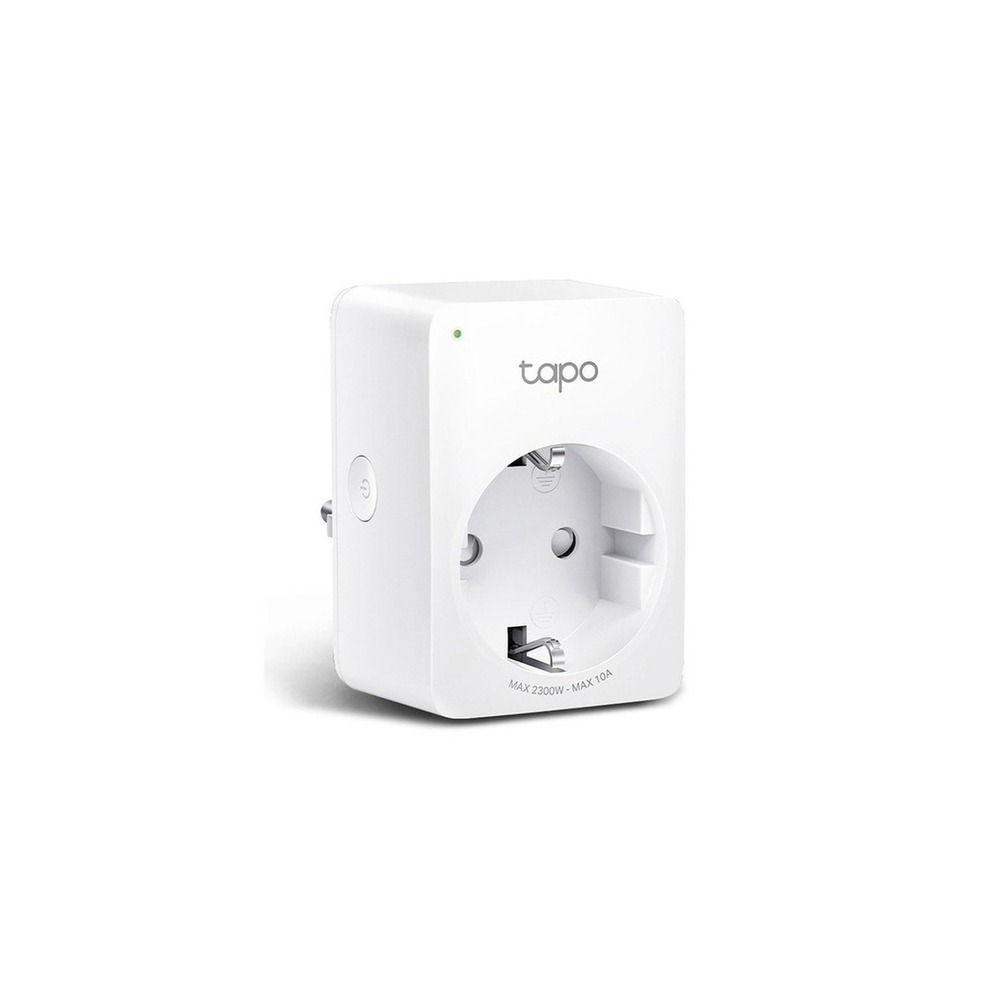
TP-Link Tapo P100 Smart Plug

TP-Link Tapo P100 Smart Plug

TP-Link Tapo P100 10A IoT Smart Monitoring Mini Wi-Fi Power Plug, 1 unit

The reason for including the TP-Link Tapo P100 Smart Plug in ‘Smart Environmental Management That Doesn't Miss Indoor Temperature and Humidity’ is that it can manage the usage time of humidifiers and fans through scheduling and remote power control, directly linking to the list’s purpose. In particular, from the perspective of ‘Smart Environmental Management That Doesn't Miss Indoor Temperature and Humidity,’ one can easily appreciate the advantages of the TP-Link Tapo P100 Smart Plug over simple power automation rather than measuring power consumption at home. However, the TP-Link Tapo P100 Smart Plug is not merely a device that completes the connection. The compatibility conditions for the TP-Link Tapo P100 Smart Plug you should check in ‘Smart Environmental Management That Doesn't Miss Indoor Temperature and Humidity’ include 'Tapo app, 2.4GHz Wi-Fi, and supported voice assistant,' while the power condition is guided to be ‘household outlet, within product rated load,’ so verify it against your actual home environment.

The installation condition for the TP-Link Tapo P100 Smart Plug, aligned with ‘Smart Environmental Management That Doesn't Miss Indoor Temperature and Humidity,’ is ‘to be plugged into a wall socket and check for interference with surrounding sockets.’ Based on these criteria, the location and flow path should be determined first. While budgeting for the ‘Smart Environmental Management That Doesn't Miss Indoor Temperature and Humidity’ configuration, ensure that ‘basic control requires no subscription’ and manage the account and records of the TP-Link Tapo P100 Smart Plug under the principle of ‘shared account and external remote access authority management.’ After referencing ‘Smart Environmental Management That Doesn't Miss Indoor Temperature and Humidity’ and installing the TP-Link Tapo P100 Smart Plug, you should test automation results alongside manual operation for the first few days. Just before purchasing, it’s wise to double-check the model name, components, ratings, and sales status of the TP-Link Tapo P100 Smart Plug connected in the original source related to ‘Smart Environmental Management That Doesn't Miss Indoor Temperature and Humidity.’
브랜드 TP-Link Tapo 주요 용도 예약과 원격 전원 제어로 가습기·선풍기 사용 시간을 관리 알맞은 공간 소비전력 측정보다 간단한 전원 자동화가 우선인 집 호환 조건 Tapo 앱·2.4GHz Wi-Fi·지원 음성비서 확인 전원 가정용 콘센트, 제품 정격 내 부하 설치 확인 벽 콘센트에 꽂고 주변 콘센트 간섭 확인 구독 기본 제어는 구독 없음 개인정보·보안 공유 계정과 외부 원격접속 권한 관리 이미지 출처 기존 검증 쿠팡 상품 이미지
TP-Link Tapo P110 Smart Plug

TP-Link Tapo P110 Smart Plug

TP-Link Tapo P110 Power 4 Wi-Fi Smart Plug Socket

The reason for including the TP-Link Tapo P110 Smart Plug in ‘Smart Environmental Management That Doesn't Miss Indoor Temperature and Humidity’ is its ability to observe power usage while cutting off standby power for seasonal appliances, directly linking to the list’s purpose. Especially from the perspective of ‘Smart Environmental Management That Doesn't Miss Indoor Temperature and Humidity,’ the advantages of the TP-Link Tapo P110 Smart Plug can be easily felt when comparing the power consumption of humidifiers and air circulators. However, the TP-Link Tapo P110 Smart Plug is not merely a device that completes the connection. The compatibility conditions to check for the TP-Link Tapo P110 Smart Plug in ‘Smart Environmental Management That Doesn't Miss Indoor Temperature and Humidity’ include 'checking Tapo app, 2.4GHz Wi-Fi, and version supporting power monitoring,' while the power requirement is adhered to ‘household outlet, within displayed rated load,’ so you need to cross-check it with your actual home environment.

The installation conditions for the TP-Link Tapo P110 Smart Plug, aligned with ‘Smart Environmental Management That Doesn't Miss Indoor Temperature and Humidity,’ involve ‘checking the grounding condition and interference between the plug body.’ Using these conditions as a basis, first determine the location and flow path. When considering the costs of the ‘Smart Environmental Management That Doesn't Miss Indoor Temperature and Humidity’ setup, ensure that ‘basic functionality requires no subscription’ while managing the account and records of the TP-Link Tapo P110 Smart Plug under the principle of ‘data on usage patterns being linked to the account, thus verifying the scope of sharing.’ After referring to ‘Smart Environmental Management That Doesn't Miss Indoor Temperature and Humidity’ and installing the TP-Link Tapo P110 Smart Plug, the first few days should involve testing both automation results and manual operations. Just prior to purchasing, it is advisable to double-check the model name, components, ratings, and sales status of the TP-Link Tapo P110 Smart Plug connected in the original source related to ‘Smart Environmental Management That Doesn't Miss Indoor Temperature and Humidity.’
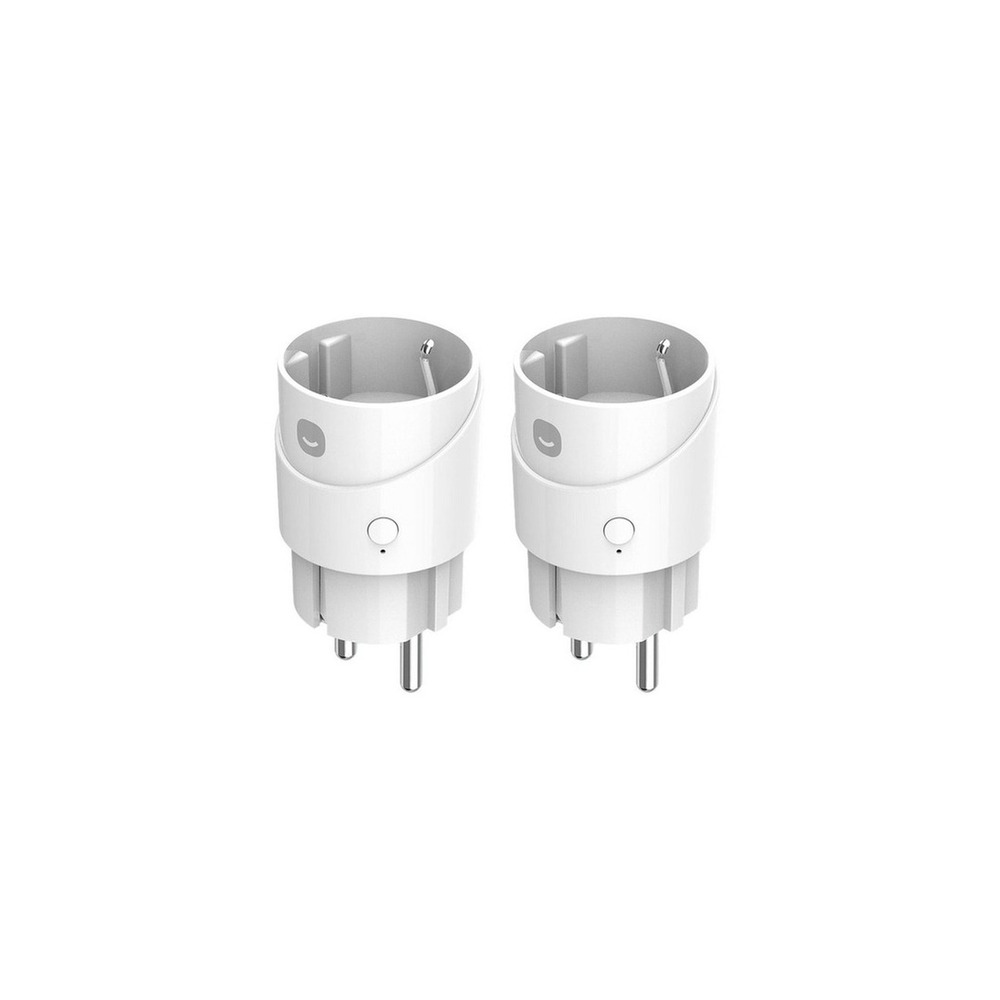
브랜드 TP-Link Tapo 주요 용도 전력 사용량을 살피면서 계절 가전의 대기전력을 차단 알맞은 공간 가습기나 공기순환기의 소비전력을 비교할 때 호환 조건 Tapo 앱·2.4GHz Wi-Fi와 전력 모니터링 지원 버전 확인 전원 가정용 콘센트, 표시 정격 내 부하 설치 확인 접지 상태와 플러그 본체 간섭 확인 구독 기본 기능은 구독 없음 개인정보·보안 사용 패턴 데이터가 계정에 연결되므로 공유 범위 확인 이미지 출처 기존 검증 쿠팡 상품 이미지
Hejhome Smart Plug

Hejhome Smart Plug

Hejhome Matter Remote Control Socket Air Smart Plug GKMW-PG191

The reason for including the Hejhome Smart Plug in ‘Smart Environmental Management That Doesn't Miss Indoor Temperature and Humidity’ is that it allows for scheduling the power of small environmental appliances through Matter-based apps, which directly ties back to the list’s purpose. Particularly from the perspective of ‘Smart Environmental Management That Doesn't Miss Indoor Temperature and Humidity,’ you can easily appreciate the advantages of the Hejhome Smart Plug when using both Hejhome and other Matter platforms in a home. However, the Hejhome Smart Plug is not merely a device that completes the connection. The compatibility conditions to check for the Hejhome Smart Plug in ‘Smart Environmental Management That Doesn't Miss Indoor Temperature and Humidity’ include verifying ‘Hejhome app, 2.4GHz Wi-Fi, and support for the voice platform,’ while the power condition is defined as ‘household outlet and product rating,’ requiring a comparison with the actual environment in your home.

The installation condition for the Hejhome Smart Plug, tailored for ‘Smart Environmental Management That Doesn't Miss Indoor Temperature and Humidity,’ involves ‘checking the spacing between the wall socket and the power strip.’ Based on this condition, first establish the location and flow path. When reviewing the cost of setting up ‘Smart Environmental Management That Doesn't Miss Indoor Temperature and Humidity,’ be sure to confirm that ‘basic control requires no subscription,’ and manage the account and records for the Hejhome Smart Plug under the criteria of ‘family invitation account and remote control authority verification.’ After setting up the Hejhome Smart Plug, for the first few days, trial both the automation output and manual adjustments by referring to ‘Smart Environmental Management That Doesn't Miss Indoor Temperature and Humidity.’ Just before purchase, it’s prudent to double-check the model name, components, ratings, and sales status of the Hejhome Smart Plug connected in the original source that pertains to ‘Smart Environmental Management That Doesn't Miss Indoor Temperature and Humidity.’
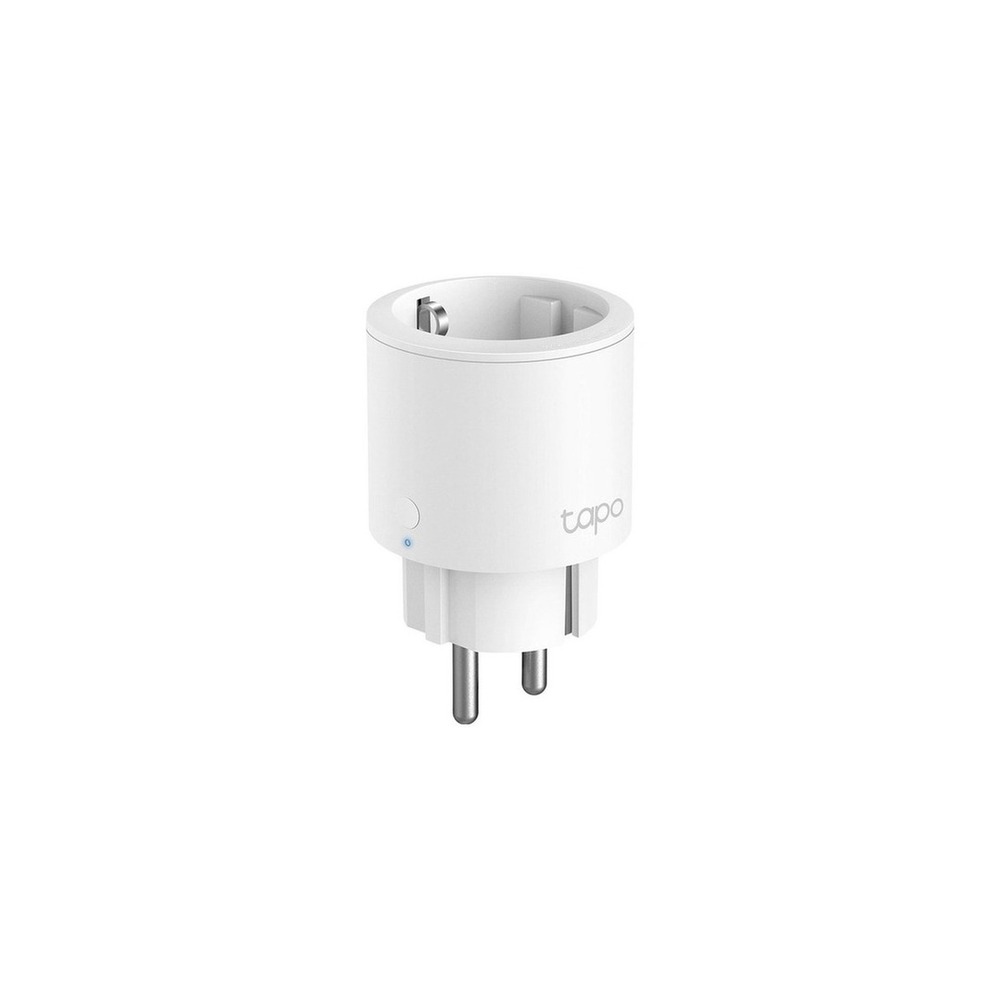
브랜드 Hejhome 주요 용도 Matter 기반 앱에서 소형 환경 가전의 전원을 예약 알맞은 공간 Hejhome과 다른 Matter 플랫폼을 함께 쓰는 집 호환 조건 Hejhome 앱·2.4GHz Wi-Fi와 음성 플랫폼 지원 확인 전원 가정용 콘센트와 제품 정격 설치 확인 벽면 콘센트와 멀티탭 간격 확인 구독 기본 제어는 구독 없음 개인정보·보안 가족 초대 계정과 원격제어 권한 확인 이미지 출처 기존 검증 쿠팡 상품 이미지
TP-Link Tapo P115 Smart Plug

TP-Link Tapo P115 Smart Plug

TP-Link 16A Energy Monitoring IoT Smart Wi-Fi Plug, Tapo P115, 1 unit

The reason for including the TP-Link Tapo P115 Smart Plug in ‘Smart Environmental Management That Doesn't Miss Indoor Temperature and Humidity’ is because of its 16A rating and energy monitoring capabilities for managing connected devices, which directly connects to the list’s aim. Particularly from the perspective of ‘Smart Environmental Management That Doesn't Miss Indoor Temperature and Humidity,’ users of air purifiers and dehumidifiers who need power records can easily recognize the advantages of the TP-Link Tapo P115 Smart Plug. However, the TP-Link Tapo P115 Smart Plug is not merely a device that completes the connection. The compatibility conditions to check for the TP-Link Tapo P115 Smart Plug in ‘Smart Environmental Management That Doesn't Miss Indoor Temperature and Humidity’ include verifying ‘Tapo app, 2.4GHz Wi-Fi, and supported voice platform,’ while the power condition corresponds to ‘household outlets and product ratings,’ so you should ensure it aligns with your actual home situation.

The installation conditions for the TP-Link Tapo P115 Smart Plug, tailored to ‘Smart Environmental Management That Doesn't Miss Indoor Temperature and Humidity,’ include ‘checking nearby plug spaces, ground, and network connectivity.’ Using these criteria as a foundation, you should first decide on the location and flow path. When estimating costs for the ‘Smart Environmental Management That Doesn't Miss Indoor Temperature and Humidity’ setup, make sure that ‘basic features require no subscription,’ and manage the account and records of the TP-Link Tapo P115 Smart Plug under the principle of ‘Tapo account and family sharing authority management.’ After referring to ‘Smart Environmental Management That Doesn't Miss Indoor Temperature and Humidity’ and installing the TP-Link Tapo P115 Smart Plug, testing automation results alongside manual operations for the first few days is recommended. Just before purchasing, double-check the model name, components, ratings, and sales status of the TP-Link Tapo P115 Smart Plug connected in the original source relative to ‘Smart Environmental Management That Doesn't Miss Indoor Temperature and Humidity.’
브랜드 TP-Link Tapo 주요 용도 16A 정격과 에너지 모니터링으로 연결 가전을 관리 알맞은 공간 전력 기록이 필요한 공기청정기·제습기 사용자 호환 조건 Tapo 앱·2.4GHz Wi-Fi와 음성 플랫폼 지원 확인 전원 가정용 콘센트와 제품 정격 설치 확인 인접 플러그 공간과 접지·네트워크 연결 확인 구독 기본 기능은 구독 없음 개인정보·보안 Tapo 계정과 가족 공유 권한 관리 이미지 출처 기존 검증 쿠팡 상품 이미지
SwitchBot Curtain 3

SwitchBot Curtain 3

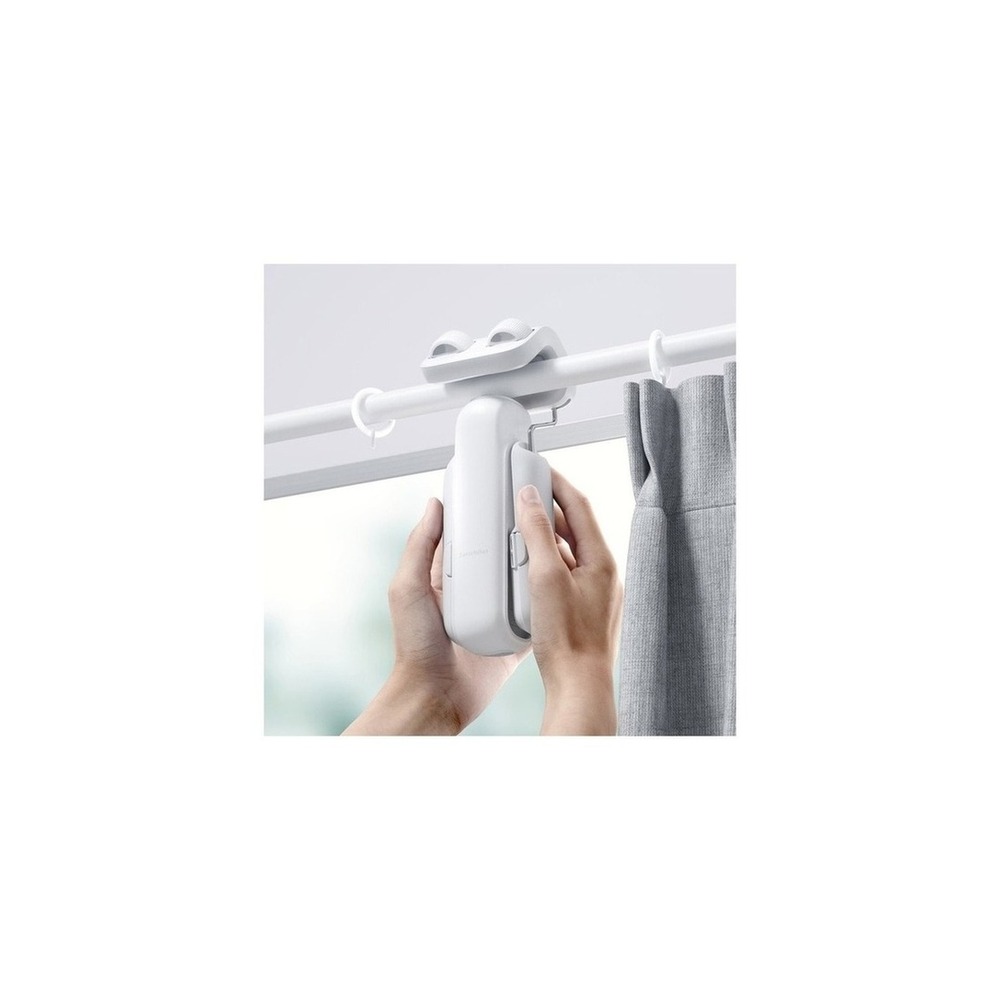
SwitchBot Curtain Version 3 Rod Type 42 x 51 x 173 mm

The reason for including the SwitchBot Curtain 3 in ‘Smart Environmental Management That Doesn't Miss Indoor Temperature and Humidity’ is its ability to close curtains during hours of strong sun exposure, reducing indoor heat influx, directly linking to the purpose of the list. Particularly from the perspective of ‘Smart Environmental Management That Doesn't Miss Indoor Temperature and Humidity,’ managing light and temperature from south-facing windows as part of your routine highlights the advantages of SwitchBot Curtain 3. However, the SwitchBot Curtain 3 is not just a device that completes the connection. The compatibility conditions for the SwitchBot Curtain 3 to check in ‘Smart Environmental Management That Doesn't Miss Indoor Temperature and Humidity’ include ‘verifying model by rail type and Hub/Matter integration requirements,’ while the power condition is defined as ‘rechargeable battery,’ and this should be compared with the actual setup in your home.

The installation conditions for the SwitchBot Curtain 3 that align with ‘Smart Environmental Management That Doesn't Miss Indoor Temperature and Humidity’ are ‘checking curtain weight, rail shape, travel interference, and falling risk.’ Using these conditions as a basis, the location and movement paths should be established first. While determining the costs for the ‘Smart Environmental Management That Doesn't Miss Indoor Temperature and Humidity’ configuration, ensure that ‘basic app control requires no subscription,’ and manage the account and records of SwitchBot Curtain 3 under the principle of ‘location, sunrise automation authority, and family account sharing verification.’ After referencing ‘Smart Environmental Management That Doesn't Miss Indoor Temperature and Humidity’ and installing SwitchBot Curtain 3, for the first several days, it is advised to test both the outcomes of automation and manual adjustments. When purchasing, make it a habit to verify model name, components, ratings, and the sales status of the SwitchBot Curtain 3 connected in your original source related to ‘Smart Environmental Management That Doesn't Miss Indoor Temperature and Humidity.’
브랜드 SwitchBot 주요 용도 일사량이 강한 시간에 커튼을 닫아 실내 열 유입을 줄임 알맞은 공간 남향 창의 빛과 온도를 루틴으로 관리할 때 호환 조건 레일 유형별 모델과 Hub·Matter 연동 조건 확인 전원 충전식 배터리 설치 확인 커튼 무게·레일 형상·주행 간섭과 낙하 위험 확인 구독 기본 앱 제어는 구독 없음 개인정보·보안 위치·일출 자동화 권한과 가족 계정 공유 확인 이미지 출처 기존 검증 쿠팡 상품 이미지
Once you've selected candidates, do not install all devices for ‘Smart Environmental Management That Doesn't Miss Indoor Temperature and Humidity’ at once. Instead, begin by testing the most frequently used feature for about a week. Position the sensor at living height, not next to a window or humidifier, record for a week, and then test smart plug automation with safe small appliances during realistic living hours. This will help you quickly identify unnecessary notifications, communication shadows, and actions that inconvenience your family. Also, check if basic functionalities can be used manually at this stage.

Before final purchase, make sure to note down the following checklist items: whether a sensor hub is necessary, plug ratings, how devices operate after power recovery, and risks of automatic control for heating devices. Checking the battery and consumable replacement cycles, account sharing scope, and initial reset procedures required before resale or relocation will make it easier to estimate management costs. For installations related to electricity, water, and entry security, rely not only on the wording of the sales page but prioritize the manufacturer’s instructions and regulations of the managing authority.
한눈에 보기 7개
TP-Link Tapo T310 Temperature and Humidity Sensor
TP-Link Tapo · 온도·습도를 빠르게 측정하고 Tapo 자동화 조건으로 전송 · 침실·옷방·악기 보관 공간의 변화를 기록할 때 · Tapo H100 등 호환 허브 필요 여부 확인 · 교체형 배터리 · 직접 물이 닿지 않고 공기가 통하는 위치에 부착 · 기본 센서 기능은 구독 없음 · 생활 패턴 데이터와 가족 공유 권한 관리 · 기존 검증 쿠팡 상품 이미지
SwitchBot Hygrometer Plus
SwitchBot · 화면으로 현재 값을 보고 앱에서 장기 변화를 확인 · 수치 확인과 SwitchBot 자동화를 함께 원하는 방 · 원격 확인·자동화는 호환 Hub 필요 · 교체형 배터리 · 직사광선·가습기 분무·창가를 피한 위치에 거치 · 기본 측정은 구독 없음 · 장기 환경 기록의 클라우드 동기화와 공유 계정 확인 · 기존 검증 쿠팡 상품 이미지
TP-Link Tapo P100 Smart Plug
TP-Link Tapo · 예약과 원격 전원 제어로 가습기·선풍기 사용 시간을 관리 · 소비전력 측정보다 간단한 전원 자동화가 우선인 집 · Tapo 앱·2.4GHz Wi-Fi·지원 음성비서 확인 · 가정용 콘센트, 제품 정격 내 부하 · 벽 콘센트에 꽂고 주변 콘센트 간섭 확인 · 기본 제어는 구독 없음 · 공유 계정과 외부 원격접속 권한 관리 · 기존 검증 쿠팡 상품 이미지
TP-Link Tapo P110 Smart Plug
TP-Link Tapo · 전력 사용량을 살피면서 계절 가전의 대기전력을 차단 · 가습기나 공기순환기의 소비전력을 비교할 때 · Tapo 앱·2.4GHz Wi-Fi와 전력 모니터링 지원 버전 확인 · 가정용 콘센트, 표시 정격 내 부하 · 접지 상태와 플러그 본체 간섭 확인 · 기본 기능은 구독 없음 · 사용 패턴 데이터가 계정에 연결되므로 공유 범위 확인 · 기존 검증 쿠팡 상품 이미지
Hejhome Smart Plug
Hejhome · Matter 기반 앱에서 소형 환경 가전의 전원을 예약 · Hejhome과 다른 Matter 플랫폼을 함께 쓰는 집 · Hejhome 앱·2.4GHz Wi-Fi와 음성 플랫폼 지원 확인 · 가정용 콘센트와 제품 정격 · 벽면 콘센트와 멀티탭 간격 확인 · 기본 제어는 구독 없음 · 가족 초대 계정과 원격제어 권한 확인 · 기존 검증 쿠팡 상품 이미지
TP-Link Tapo P115 Smart Plug
TP-Link Tapo · 16A 정격과 에너지 모니터링으로 연결 가전을 관리 · 전력 기록이 필요한 공기청정기·제습기 사용자 · Tapo 앱·2.4GHz Wi-Fi와 음성 플랫폼 지원 확인 · 가정용 콘센트와 제품 정격 · 인접 플러그 공간과 접지·네트워크 연결 확인 · 기본 기능은 구독 없음 · Tapo 계정과 가족 공유 권한 관리 · 기존 검증 쿠팡 상품 이미지
SwitchBot Curtain 3
SwitchBot · 일사량이 강한 시간에 커튼을 닫아 실내 열 유입을 줄임 · 남향 창의 빛과 온도를 루틴으로 관리할 때 · 레일 유형별 모델과 Hub·Matter 연동 조건 확인 · 충전식 배터리 · 커튼 무게·레일 형상·주행 간섭과 낙하 위험 확인 · 기본 앱 제어는 구독 없음 · 위치·일출 자동화 권한과 가족 계정 공유 확인 · 기존 검증 쿠팡 상품 이미지

이 포스팅은 쿠팡 파트너스 활동의 일환으로, 이에 따른 일정액의 수수료를 제공받습니다.

댓글 0

로그인 후 댓글을 작성할 수 있습니다.

첫 댓글을 남겨보세요.

이런 리스트는 어때요?

이런 리스트도 추천해요

🎲

여기서 멈추기엔 아쉽잖아?

다음에 뭘 볼지 고민하는 시간이 제일 아까워.
주사위가 대신 골라줄게 — 무슨 리스트가 튀어나올지는 굴려봐야 알지.
안 누르면… 평생 궁금하지 않겠어? 👀

All menu
Login required
Log in
Categories
Language
Display mode
✦ ✦ ✦ ✦ ✦

Drum roll… picking a list!

모하지
Use Mohazi as an app
Open it from your home screen and browse faster.
On iPhone, tap the Share button at the bottom of Safari, then choose “Add to Home Screen” to use it like an app.