Smart Home Devices for Renting Without Renovation
Collection Smart Home 2026.10.06

Smart Home Devices for Renting Without Renovation

Vita Gong's Real Products Confirming Restoration and Hub Compatibility

'Smart Home Devices for Renting Without Renovation' focuses on automating buttons, curtains, temperature, humidity, and movement without significantly altering walls and wiring while minimizing traces left during eviction. Even if smart home products share the same function names, differences in communication methods, hubs, and installation requirements can create automation interruptions if you decide based on just one device. This article distinguishes the roles of each product and examines the functionalities and preparations that will be used frequently in daily life.

A practical approach is to first test adhesive devices in small areas before installing products that can be bundled with one hub, then incrementally add automation. Before purchasing, the following conditions should be compared by product: adhesive traces, curtain rod load, hub for remote control, battery life, re-registration after moving, and account reset. By determining actions when the internet is interrupted, how family members can operate devices directly, and who to check with in case of issues, automation can minimize disruptions to daily life.
SwitchBot Bot Smart Switch

SwitchBot Bot Smart Switch

SwitchBot Bot Smart Button Switch (International Selling Product)

'The reason for including the SwitchBot Bot Smart Switch in 'Smart Home Devices for Renting Without Renovation' is that it automates the physical pressing of existing wall switches or buttons, connecting directly to the purpose of the list. Especially from the perspective of 'Smart Home Devices for Renting Without Renovation,' the advantages of the SwitchBot Bot Smart Switch become evident in rental apartments where wiring cannot be altered. However, the SwitchBot Bot Smart Switch is not just a plug-and-play product. The compatibility requirements to check for the SwitchBot Bot Smart Switch in 'Smart Home Devices for Renting Without Renovation' include 'Bluetooth as a base, remote and voice control need a compatible Hub,' and the power condition is 'internal battery,' so it must match your home environment.

The installation conditions to consider for the SwitchBot Bot Smart Switch, aligned with 'Smart Home Devices for Renting Without Renovation,' are to 'check the button type and adhesive surface, and secure a removal aid.' Based on these conditions, determine the position and flow first. When considering the cost of 'Smart Home Devices for Renting Without Renovation,' verify that 'basic control has no subscription' and manage the account and records of the SwitchBot Bot Smart Switch under the principle of 'hub account sharing and restricting remote execution rights.' After referring to 'Smart Home Devices for Renting Without Renovation,' install the SwitchBot Bot Smart Switch and test both automation results and manual operations during the initial days. Before purchasing, it's safe to reconfirm the model name, components, ratings, and sales status of the connected SwitchBot Bot Smart Switch in the original documentation.
브랜드 SwitchBot 주요 용도 기존 벽 스위치나 버튼을 물리적으로 눌러 자동화 알맞은 공간 배선을 건드릴 수 없는 전·월세 집 호환 조건 Bluetooth 기본, 원격·음성 제어는 호환 Hub 필요 전원 내장 배터리 설치 확인 버튼 형태와 접착면을 확인하고 제거용 보조끈 확보 구독 기본 제어는 구독 없음 개인정보·보안 허브 계정 공유와 원격 실행 권한 제한 이미지 출처 쿠팡 파트너스 상품 검색 이미지
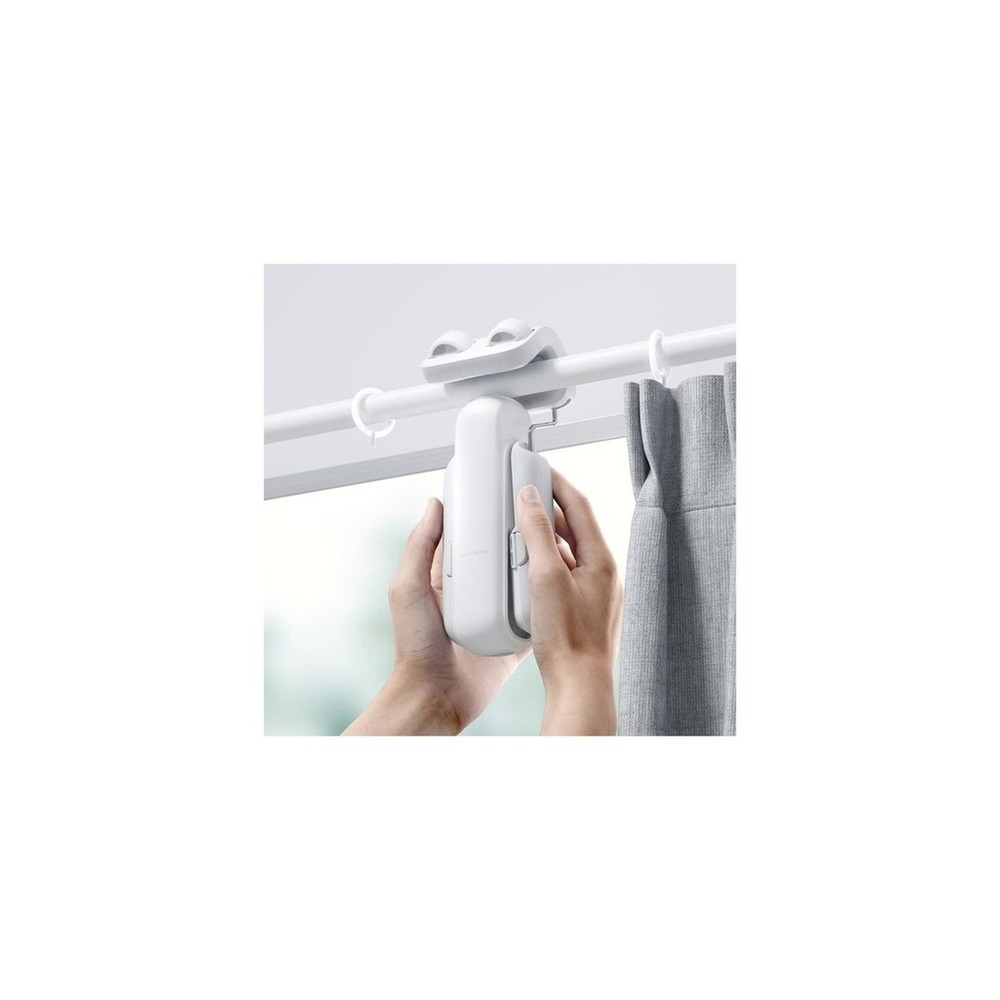
SwitchBot Curtain 3

SwitchBot Curtain 3

SwitchBot Curtain Version 3 Rod Type 42 x 51 x 173 mm

'The reason for including the SwitchBot Curtain 3 in 'Smart Home Devices for Renting Without Renovation' is that it automates the opening and closing of curtains according to existing curtain rails, connecting directly to the purpose of the list. Particularly, from the viewpoint of 'Smart Home Devices for Renting Without Renovation,' it's easy to appreciate the benefits of the SwitchBot Curtain 3 when desiring automation of sunrise and sunset without construction in the curtain box. However, the SwitchBot Curtain 3 is not just a plug-and-play product. The compatibility requirements to check for the SwitchBot Curtain 3 in 'Smart Home Devices for Renting Without Renovation' include 'verifying models based on rail types and Hub/Matter integration conditions,' and the power condition is 'rechargeable battery,' so it must match your home environment.

The installation conditions to inspect for the SwitchBot Curtain 3, aligned with 'Smart Home Devices for Renting Without Renovation,' are to 'check curtain weight, rail shape, interference during movement, and falling risk.' Based on these conditions, determine position and flow first. When considering the cost of 'Smart Home Devices for Renting Without Renovation,' verify that 'basic app control has no subscription,' and manage the account and records of the SwitchBot Curtain 3 under the principle of 'location and sunrise automation authority and confirmation of family account sharing.' After referring to 'Smart Home Devices for Renting Without Renovation,' install the SwitchBot Curtain 3 and test both automation results and manual operations during the initial days. Before purchasing, it's safe to reconfirm the model name, components, ratings, and sales status of the connected SwitchBot Curtain 3 in the original documentation.
브랜드 SwitchBot 주요 용도 기존 커튼 레일을 따라 커튼을 자동 개폐 알맞은 공간 커튼 박스 공사 없이 기상·일몰 자동화를 원할 때 호환 조건 레일 유형별 모델과 Hub·Matter 연동 조건 확인 전원 충전식 배터리 설치 확인 커튼 무게·레일 형상·주행 간섭과 낙하 위험 확인 구독 기본 앱 제어는 구독 없음 개인정보·보안 위치·일출 자동화 권한과 가족 계정 공유 확인 이미지 출처 쿠팡 파트너스 상품 검색 이미지
SwitchBot Hub 2 with Matter Support

SwitchBot Hub 2 with Matter Support

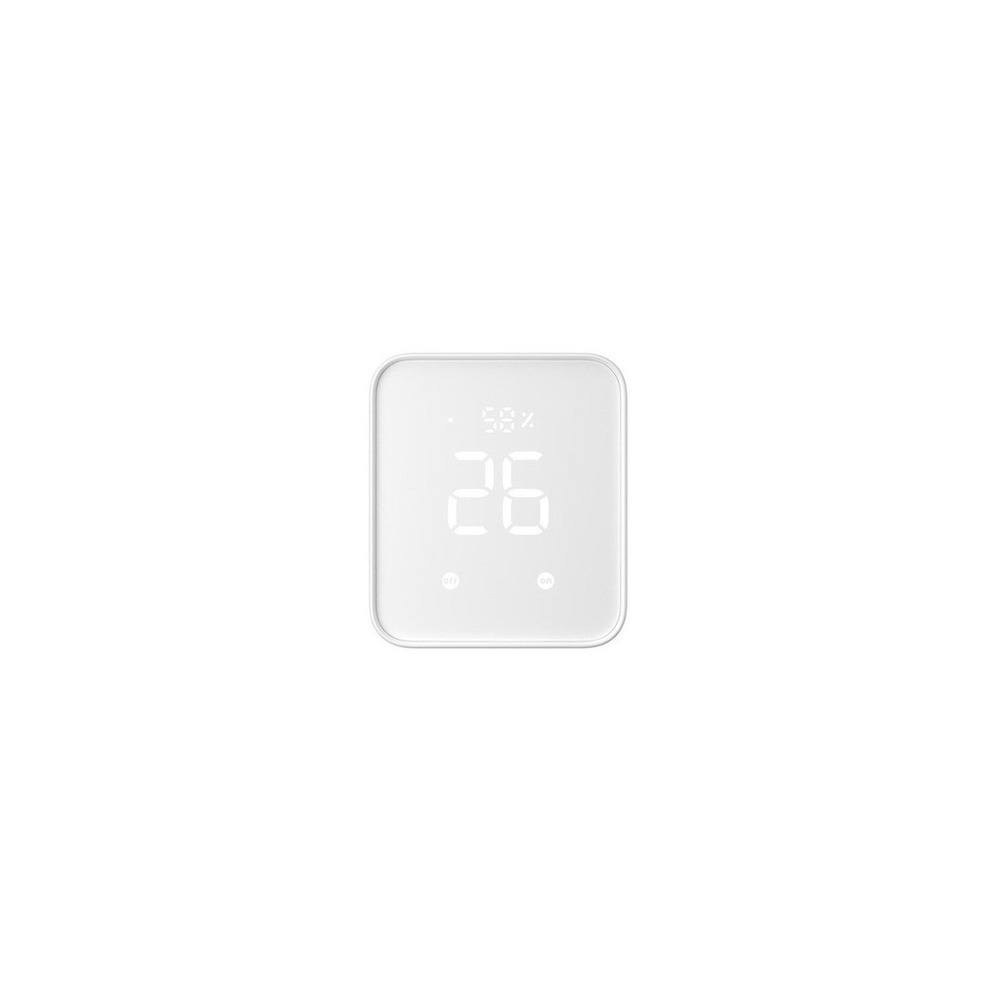
SwitchBot Hub 2 Matter Support Universal Remote Smart Home Control

'The reason for including the SwitchBot Hub 2 with Matter support in 'Smart Home Devices for Renting Without Renovation' is that it allows for remote control of Bluetooth devices and serves as the central unit for Matter integration, directly connected to the purpose of the list. Especially from the perspective of 'Smart Home Devices for Renting Without Renovation,' it is easy to understand the advantages of the SwitchBot Hub 2 with Matter support when controlling multiple SwitchBot devices externally. However, the SwitchBot Hub 2 with Matter support is not just a plug-and-play product. The compatibility requirements to check for the SwitchBot Hub 2 with Matter support in 'Smart Home Devices for Renting Without Renovation' include 'verifying the list of compatible Wi-Fi, Bluetooth, and Matter-supported devices,' and the power condition is 'USB constant power', so it must match your home environment.

The installation conditions to review for the SwitchBot Hub 2 with Matter support, in line with 'Smart Home Devices for Renting Without Renovation,' include 'placing it in a central location for Wi-Fi communication that reaches each device.' Based on these conditions, determine position and flow first. When considering the cost for 'Smart Home Devices for Renting Without Renovation,' check that 'basic hub functions have no subscription' and manage the account and records of the SwitchBot Hub 2 with Matter support under the principle of 'remote control account, infrared remote control data, and family authority management.' After referring to 'Smart Home Devices for Renting Without Renovation,' install the SwitchBot Hub 2 with Matter support, and during the first few days, test both automation results and manual operations. Before purchasing, it’s safe to reconfirm the model name, components, ratings, and sales status of the connected SwitchBot Hub 2 with Matter support in the original documentation.

브랜드 SwitchBot 주요 용도 Bluetooth 기기를 원격 제어하고 Matter 연동의 중심으로 사용 알맞은 공간 SwitchBot 기기를 여러 개 묶어 외부에서도 제어할 때 호환 조건 Wi-Fi·Bluetooth·Matter 지원 기기 목록 확인 전원 USB 상시 전원 설치 확인 집 중앙의 Wi-Fi와 각 기기 통신이 닿는 위치에 배치 구독 기본 허브 기능은 구독 없음 개인정보·보안 원격제어 계정·적외선 리모컨 데이터와 가족 권한 관리 이미지 출처 쿠팡 파트너스 상품 검색 이미지
SwitchBot Motion Sensor

SwitchBot Motion Sensor

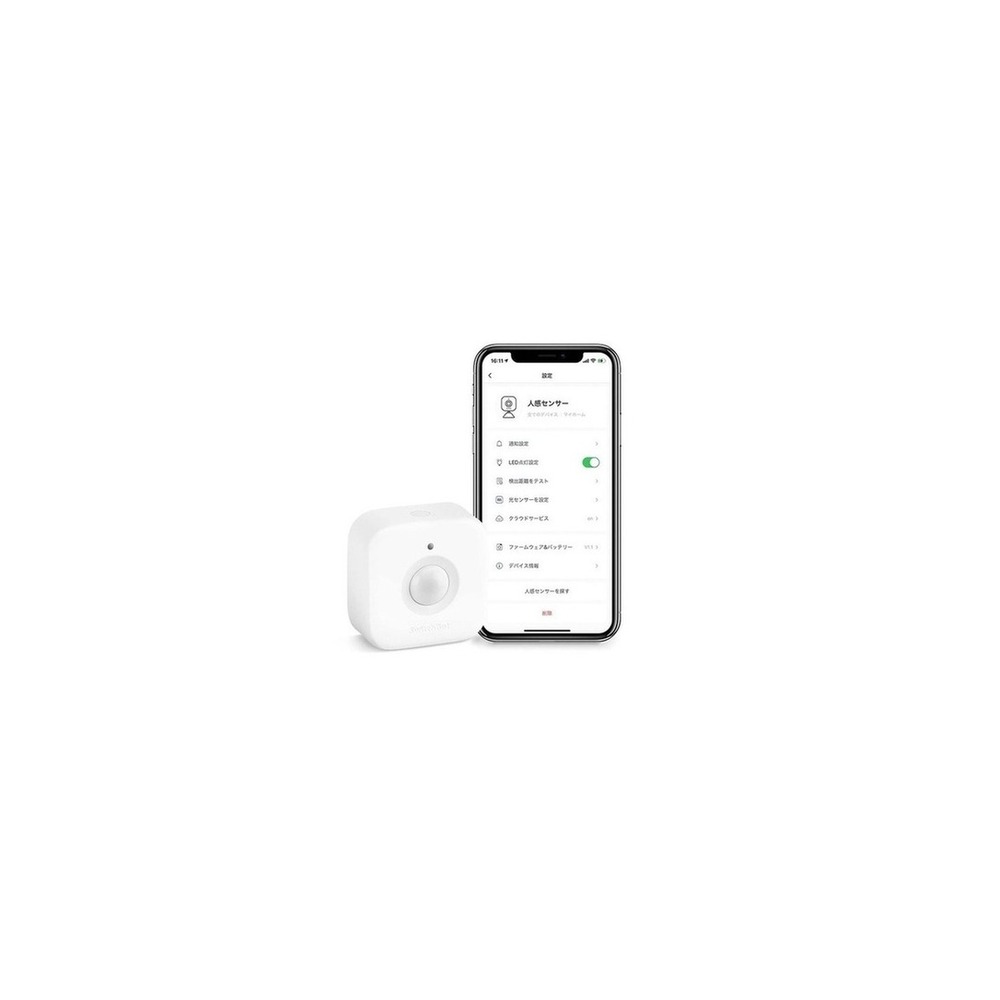
SwitchBot - Motion Sensor SwitchBot Smart Motion Detection

'The reason for including the SwitchBot Motion Sensor in 'Smart Home Devices for Renting Without Renovation' is that it detects motion and brightness changes to implement lighting and notifications, connecting directly to the purpose of the list. Especially from the perspective of 'Smart Home Devices for Renting Without Renovation,' the advantages of the SwitchBot Motion Sensor become evident when adding automation conditions to hallways or entrances without wiring. However, the SwitchBot Motion Sensor is not just a plug-and-play product. The compatibility requirements to check for the SwitchBot Motion Sensor in 'Smart Home Devices for Renting Without Renovation' include 'remote automation requires compatible SwitchBot Hub,' and the power condition is 'replaceable battery,' so it must match your home environment.

The installation conditions to review for the SwitchBot Motion Sensor, aligned with 'Smart Home Devices for Renting Without Renovation,' are to 'test detection range before affixing double-sided tape and magnets.' Based on these conditions, determine position and flow first. When considering the cost for 'Smart Home Devices for Renting Without Renovation,' verify that 'basic functions have no subscription' and manage the account and records of the SwitchBot Motion Sensor under the principle of 'reviewing detection records and notification sharing range reflecting life patterns.' After referring to 'Smart Home Devices for Renting Without Renovation,' install the SwitchBot Motion Sensor and test both automation results and manual operations during the initial days. Before purchasing, it’s safe to reconfirm the model name, components, ratings, and sales status of the connected SwitchBot Motion Sensor in the original documentation.
브랜드 SwitchBot 주요 용도 움직임과 밝기 변화를 감지해 조명·알림을 실행 알맞은 공간 복도나 현관에 배선 없이 자동화 조건을 추가할 때 호환 조건 원격 자동화는 호환 SwitchBot Hub 필요 전원 교체형 배터리 설치 확인 양면테이프·자석 부착 전 감지 범위 시험 구독 기본 기능은 구독 없음 개인정보·보안 생활 패턴이 드러나는 감지 기록과 알림 공유 범위 확인 이미지 출처 쿠팡 파트너스 상품 검색 이미지
SwitchBot Hygrometer Plus

SwitchBot Hygrometer Plus

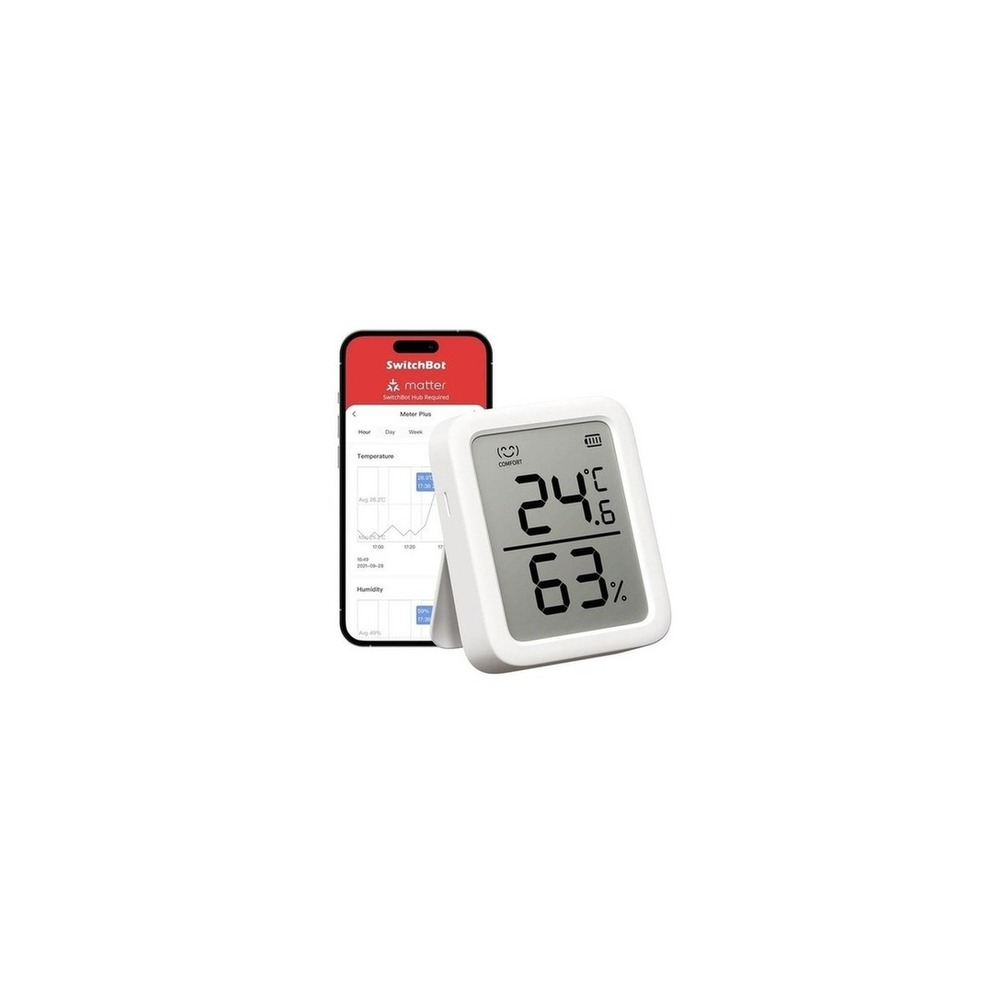
SwitchBot Hygrometer Plus Alexa Temperature and Humidity Monitor - Control Temperature and Humidity with SwitchBot Smartphone, Digital High Precision Compact Large Screen Temperature and Humidity Alarm with Face Mark Graph Record Smart Home Alexa Google Home

'The reason for including the SwitchBot Hygrometer Plus in 'Smart Home Devices for Renting Without Renovation' is that it records indoor temperature and humidity to assist with heating, cooling, and humidifying decisions, connecting directly to the purpose of the list. Especially from the perspective of 'Smart Home Devices for Renting Without Renovation,' its advantages become apparent in spaces like plant rooms and bedrooms where you want to continuously monitor environmental changes. However, the SwitchBot Hygrometer Plus is not just a plug-and-play product. The compatibility requirements to check for the SwitchBot Hygrometer Plus in 'Smart Home Devices for Renting Without Renovation' include 'remote checking and automation requires compatible Hub,' and the power condition is 'replaceable battery,' so it must match your home environment.

The installation conditions to consider for the SwitchBot Hygrometer Plus, aligned with 'Smart Home Devices for Renting Without Renovation,' are to 'position it away from direct sunlight, humidifier sprays, and windows.' Based on these conditions, determine position and flow first. When considering the cost for 'Smart Home Devices for Renting Without Renovation,' verify that 'basic measurements have no subscription' and manage the account and records of the SwitchBot Hygrometer Plus under the principle of 'cloud synchronization of long-term environmental records and confirmation of shared account.' After referring to 'Smart Home Devices for Renting Without Renovation,' install the SwitchBot Hygrometer Plus and test both automation results and manual operations during the initial days. Before purchasing, it’s safe to reconfirm the model name, components, ratings, and sales status of the connected SwitchBot Hygrometer Plus in the original documentation.
브랜드 SwitchBot 주요 용도 실내 온도와 습도를 기록해 냉난방·가습 판단에 활용 알맞은 공간 식물방·침실처럼 환경 변화를 계속 보고 싶은 공간 호환 조건 원격 확인·자동화는 호환 Hub 필요 전원 교체형 배터리 설치 확인 직사광선·가습기 분무·창가를 피한 위치에 거치 구독 기본 측정은 구독 없음 개인정보·보안 장기 환경 기록의 클라우드 동기화와 공유 계정 확인 이미지 출처 쿠팡 파트너스 상품 검색 이미지
Aqara Vibration Sensor

Aqara Vibration Sensor

[Genuine Product] Vibration Detection Sensor T1

'The reason for including the Aqara Vibration Sensor in 'Smart Home Devices for Renting Without Renovation' is that it detects vibrations or tilting changes of drawers, windows, or objects, directly connecting to the purpose of the list. Particularly from the perspective of 'Smart Home Devices for Renting Without Renovation,' the advantages of the Aqara Vibration Sensor are evident when using it to automate the movement of windows or storage cabinets without drilling. However, the Aqara Vibration Sensor is not just a plug-and-play product. The compatibility requirements to check for the Aqara Vibration Sensor in 'Smart Home Devices for Renting Without Renovation' include 'requiring compatible Aqara Hub and Zigbee,' and the power condition is 'replaceable battery,' so it must match your home environment.

The installation conditions to review for the Aqara Vibration Sensor, aligned with 'Smart Home Devices for Renting Without Renovation,' are to 'test sensitivity and malfunction before affixing, and check for removal traces.' Based on these conditions, determine position and flow first. When considering the cost for 'Smart Home Devices for Renting Without Renovation,' verify that 'basic automation has no subscription,' and manage the account and records of the Aqara Vibration Sensor under the principle of 'limiting user range for accessing detection records and notifications.' After referring to 'Smart Home Devices for Renting Without Renovation,' install the Aqara Vibration Sensor and test both automation results and manual operations during the initial days. Before purchasing, it’s safe to reconfirm the model name, components, ratings, and sales status of the connected Aqara Vibration Sensor in the original documentation.
브랜드 Aqara 주요 용도 서랍·창문·물체의 진동이나 기울기 변화를 감지 알맞은 공간 타공 없이 창문이나 수납장 움직임을 자동화 조건으로 쓸 때 호환 조건 호환 Aqara Hub와 Zigbee 필요 전원 교체형 배터리 설치 확인 접착 전 민감도와 오작동을 시험하고 제거 흔적 확인 구독 기본 자동화는 구독 없음 개인정보·보안 감지 기록과 알림을 볼 사용자 범위 제한 이미지 출처 쿠팡 파트너스 상품 검색 이미지
TP-Link Tapo T310 Temperature and Humidity Sensor

TP-Link Tapo T310 Temperature and Humidity Sensor

TP-Link Tapo T310 Smart Temperature and Humidity Sensor Wi-Fi Hub Integration Monitoring Alarm

'The reason for including the TP-Link Tapo T310 Temperature and Humidity Sensor in 'Smart Home Devices for Renting Without Renovation' is that it records changes in temperature and humidity for automation of conditions, directly connecting to the purpose of the list. Especially from the perspective of 'Smart Home Devices for Renting Without Renovation,' the advantages of the TP-Link Tapo T310 Temperature and Humidity Sensor are clear when checking environments outside the bathroom, in bedrooms, or closets without physical intervention. However, the TP-Link Tapo T310 Temperature and Humidity Sensor is not just a plug-and-play product. The compatibility requirements to check for the TP-Link Tapo T310 Temperature and Humidity Sensor in 'Smart Home Devices for Renting Without Renovation' include 'verifying if compatible hubs like Tapo H100 are necessary,' and the power condition is 'replaceable battery,' so it must match your home environment.

The installation conditions to review for the TP-Link Tapo T310 Temperature and Humidity Sensor, aligned with 'Smart Home Devices for Renting Without Renovation,' are to 'affix it in a location that avoids direct exposure to water but allows airflow.' Based on these conditions, determine position and flow first. When considering the cost for 'Smart Home Devices for Renting Without Renovation,' confirm that 'basic sensor functions have no subscription,' and manage the account and records of the TP-Link Tapo T310 Temperature and Humidity Sensor under the principle of 'managing life pattern data and family sharing permissions.' After referring to 'Smart Home Devices for Renting Without Renovation,' install the TP-Link Tapo T310 Temperature and Humidity Sensor and test both automation results and manual operations during the initial days. Before purchasing, it’s safe to reconfirm the model name, components, ratings, and sales status of the connected TP-Link Tapo T310 Temperature and Humidity Sensor in the original documentation.
브랜드 TP-Link Tapo 주요 용도 온도·습도 변화를 기록하고 조건 자동화에 사용 알맞은 공간 욕실 밖·침실·옷방 환경을 비타공으로 확인할 때 호환 조건 Tapo H100 등 호환 허브 필요 여부 확인 전원 교체형 배터리 설치 확인 직접 물이 닿지 않고 공기가 통하는 위치에 부착 구독 기본 센서 기능은 구독 없음 개인정보·보안 생활 패턴 데이터와 가족 공유 권한 관리 이미지 출처 쿠팡 파트너스 상품 검색 이미지
Once you've narrowed down your options, avoid installing all devices from 'Smart Home Devices for Renting Without Renovation' at once. Instead, start with one frequently used function and test it for about a week. Begin with adhesive devices on small areas before installing products that can be bundled with one hub, then repeatedly try automation during practical daily time slots to quickly identify unnecessary notifications, communication shadows, and actions that may inconvenience family members. Also, take this opportunity to confirm if basic functions can be used manually.

A checklist before final purchase should include the following: adhesive traces, curtain rod load, hub for remote control, battery life, re-registration after moving, and account reset. By checking the replacement cycle for batteries and consumables, account sharing scope, and necessary reset procedures before second-hand sales or moving, you can easily estimate management costs. Do not solely trust sales page descriptions for installations related to electricity, water, and security; prioritize manufacturer guidance and regulations from the managing entity.
한눈에 보기 7개
SwitchBot Bot Smart Switch
SwitchBot · 기존 벽 스위치나 버튼을 물리적으로 눌러 자동화 · 배선을 건드릴 수 없는 전·월세 집 · Bluetooth 기본, 원격·음성 제어는 호환 Hub 필요 · 내장 배터리 · 버튼 형태와 접착면을 확인하고 제거용 보조끈 확보 · 기본 제어는 구독 없음 · 허브 계정 공유와 원격 실행 권한 제한 · 쿠팡 파트너스 상품 검색 이미지
SwitchBot Curtain 3
SwitchBot · 기존 커튼 레일을 따라 커튼을 자동 개폐 · 커튼 박스 공사 없이 기상·일몰 자동화를 원할 때 · 레일 유형별 모델과 Hub·Matter 연동 조건 확인 · 충전식 배터리 · 커튼 무게·레일 형상·주행 간섭과 낙하 위험 확인 · 기본 앱 제어는 구독 없음 · 위치·일출 자동화 권한과 가족 계정 공유 확인 · 쿠팡 파트너스 상품 검색 이미지
SwitchBot Hub 2 with Matter Support
SwitchBot · Bluetooth 기기를 원격 제어하고 Matter 연동의 중심으로 사용 · SwitchBot 기기를 여러 개 묶어 외부에서도 제어할 때 · Wi-Fi·Bluetooth·Matter 지원 기기 목록 확인 · USB 상시 전원 · 집 중앙의 Wi-Fi와 각 기기 통신이 닿는 위치에 배치 · 기본 허브 기능은 구독 없음 · 원격제어 계정·적외선 리모컨 데이터와 가족 권한 관리 · 쿠팡 파트너스 상품 검색 이미지
SwitchBot Motion Sensor
SwitchBot · 움직임과 밝기 변화를 감지해 조명·알림을 실행 · 복도나 현관에 배선 없이 자동화 조건을 추가할 때 · 원격 자동화는 호환 SwitchBot Hub 필요 · 교체형 배터리 · 양면테이프·자석 부착 전 감지 범위 시험 · 기본 기능은 구독 없음 · 생활 패턴이 드러나는 감지 기록과 알림 공유 범위 확인 · 쿠팡 파트너스 상품 검색 이미지
SwitchBot Hygrometer Plus
SwitchBot · 실내 온도와 습도를 기록해 냉난방·가습 판단에 활용 · 식물방·침실처럼 환경 변화를 계속 보고 싶은 공간 · 원격 확인·자동화는 호환 Hub 필요 · 교체형 배터리 · 직사광선·가습기 분무·창가를 피한 위치에 거치 · 기본 측정은 구독 없음 · 장기 환경 기록의 클라우드 동기화와 공유 계정 확인 · 쿠팡 파트너스 상품 검색 이미지
Aqara Vibration Sensor
Aqara · 서랍·창문·물체의 진동이나 기울기 변화를 감지 · 타공 없이 창문이나 수납장 움직임을 자동화 조건으로 쓸 때 · 호환 Aqara Hub와 Zigbee 필요 · 교체형 배터리 · 접착 전 민감도와 오작동을 시험하고 제거 흔적 확인 · 기본 자동화는 구독 없음 · 감지 기록과 알림을 볼 사용자 범위 제한 · 쿠팡 파트너스 상품 검색 이미지
TP-Link Tapo T310 Temperature and Humidity Sensor
TP-Link Tapo · 온도·습도 변화를 기록하고 조건 자동화에 사용 · 욕실 밖·침실·옷방 환경을 비타공으로 확인할 때 · Tapo H100 등 호환 허브 필요 여부 확인 · 교체형 배터리 · 직접 물이 닿지 않고 공기가 통하는 위치에 부착 · 기본 센서 기능은 구독 없음 · 생활 패턴 데이터와 가족 공유 권한 관리 · 쿠팡 파트너스 상품 검색 이미지

이 포스팅은 쿠팡 파트너스 활동의 일환으로, 이에 따른 일정액의 수수료를 제공받습니다.

댓글 0

로그인 후 댓글을 작성할 수 있습니다.

첫 댓글을 남겨보세요.

이런 리스트는 어때요?

이런 리스트도 추천해요

🎲

여기서 멈추기엔 아쉽잖아?

다음에 뭘 볼지 고민하는 시간이 제일 아까워.
주사위가 대신 골라줄게 — 무슨 리스트가 튀어나올지는 굴려봐야 알지.
안 누르면… 평생 궁금하지 않겠어? 👀

All menu
Login required
Log in
Categories
Language
Display mode
✦ ✦ ✦ ✦ ✦

Drum roll… picking a list!

모하지
Use Mohazi as an app
Open it from your home screen and browse faster.
On iPhone, tap the Share button at the bottom of Safari, then choose “Add to Home Screen” to use it like an app.