Automation for Easy Coming Home and Going Out for Single-person Households
Collection Smart Home 2026.10.06

Automation for Easy Coming Home and Going Out for Single-person Households

Real products that manage everything from the front door to lighting, curtains, and standby power alone

The concept of 'Automation for Easy Coming Home and Going Out for Single-person Households' focuses on reducing the tasks to check when leaving the house and ensuring a safely lit entrance and interior for late arrivals. While smart home products share the same function names, their communication methods, hubs, and installation conditions can differ, making it easy for automation to break if decisions are made based on just one device. This article differentiates the roles of each product and reviews the frequently used functions in daily life along with their preparation requirements.

It is practical to begin by connecting one entry light and a front door sensor, observing for a week whether there are any malfunctions, and then adding automation for curtains, buttons, and power. Before purchasing, you should compare the following conditions for each product: recovery of account in case of smartphone loss, confirmation of auto-lock, malfunctioning of location-based automation, and restrictions on remote power use during prolonged absences. By determining how each feature functions when the internet is down, managing how family can operate the devices, and identifying who can troubleshoot if issues arise, you can minimize the disruptions that automation may cause in daily life.
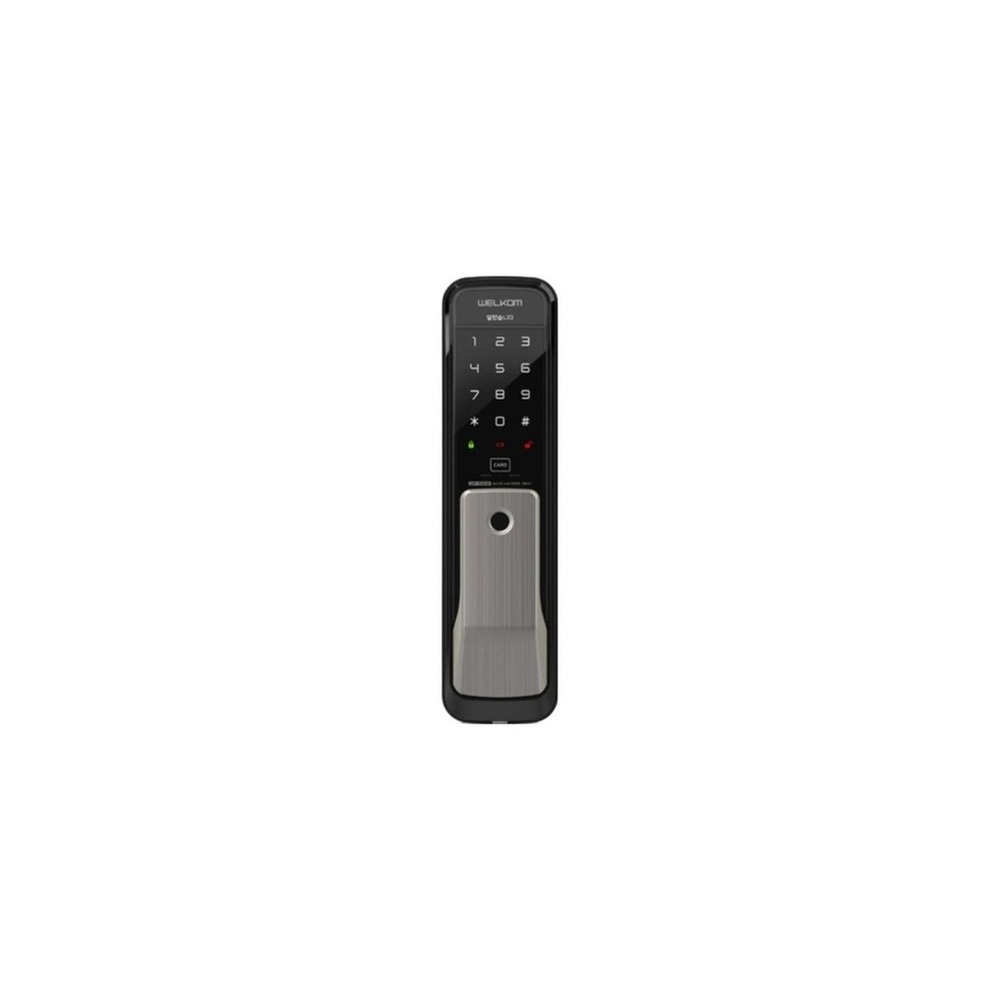
Solity Welcom WP-530B Door Lock

Solity Welcom WP-530B Door Lock

[Nationwide Installation] Soliti Welcom Fingerprint Recognition WP-530B No-drill Push-Pull Card Key x2 + Number Key Bluetooth (optional) WiFi (optional) IoT Smart Door Lock Digital Door Lock Front Door Push-Pull Instant Locking Feature, Installation Service, Welcom WP-530B

The inclusion of the Soliti Welcom WP-530B door lock in 'Automation for Easy Coming Home and Going Out for Single-person Households' is because it directly connects to the purpose of using fingerprint, password, or card methods to access the front door. Particularly from the perspective of enhancing the convenience of single-person households who need a temporary authentication method while commuting, it’s easy to appreciate the advantages of the Soliti Welcom WP-530B door lock. However, it is not enough just to finish the connection with the Soliti Welcom WP-530B door lock. The compatibility requirements to check in 'Automation for Easy Coming Home and Going Out for Single-person Households' are 'Bluetooth and Wi-Fi dependent on sales options and supported modules', and it is specified that the power conditions need to be 'alkaline batteries and emergency power terminals', so you need to verify these against your actual home environment.

For relevant installation criteria in the context of 'Automation for Easy Coming Home and Going Out for Single-person Households', consider 'door direction, thickness, existing drilling, and installation cost.' Use these criteria to determine location and movement routes accordingly. When calculating the costs of constructing 'Automation for Easy Coming Home and Going Out for Single-person Households', ensure you check that 'linked service conditions vary and basic locking has no subscription,' and manage the account and logs of the Soliti Welcom WP-530B door lock according to the principle of 'confirmation of administrator password and deletion procedures for registered fingerprints.' Install the Soliti Welcom WP-530B door lock by referring to 'Automation for Easy Coming Home and Going Out for Single-person Households', and test both the automation results and manual operation together during the first few days. Prior to purchasing, it’s safer to double-check the model number, components, specifications, and sales status of the Soliti Welcom WP-530B door lock linked in the original text.
브랜드 솔리티 웰콤 주요 용도 지문·비밀번호·카드 가운데 편한 방식으로 현관을 출입 알맞은 상황 열쇠 없이 출퇴근하고 임시 인증 수단이 필요한 1인 가구 호환 조건 블루투스·Wi-Fi는 판매 옵션과 지원 모듈 여부 확인 전원 알카라인 건전지와 비상전원 단자 설치 확인 문 방향·두께·기존 타공과 설치비 확인 구독 연동 서비스 조건에 따라 다르며 기본 잠금은 구독 없음 개인정보·보안 관리자 비밀번호와 등록 지문 삭제 절차 확인 이미지 출처 기존 검증 쿠팡 상품 이미지
SwitchBot Contact Sensor Door Open

SwitchBot Contact Sensor Door Open

SwitchBot Contact Sensor - Door Open Sensor

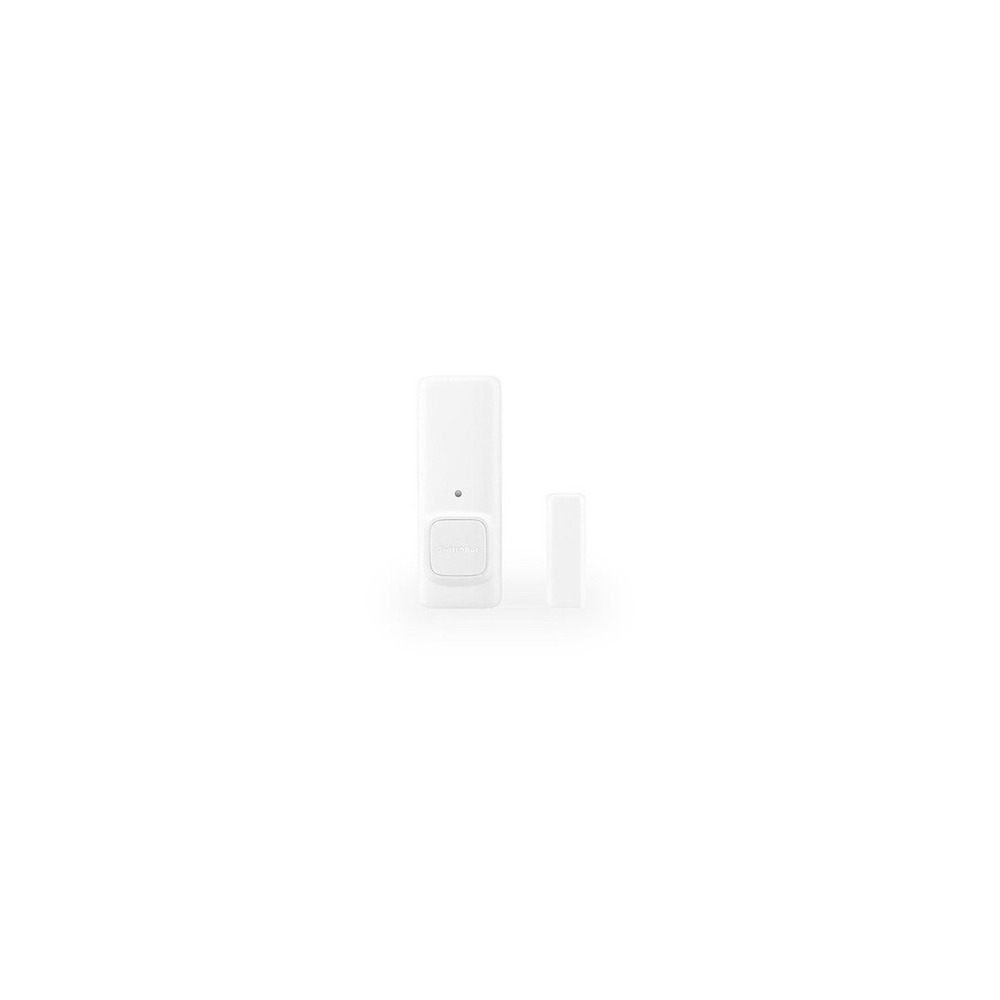
The reason for including the SwitchBot Contact Sensor Door Open in 'Automation for Easy Coming Home and Going Out for Single-person Households' is its direct connection to checking whether the front door is closed as a condition for using the coming-home light. Especially from the perspective of 'Automation for Easy Coming Home and Going Out for Single-person Households', it’s easy to appreciate the advantages of the SwitchBot Contact Sensor Door Open for homes where the state of the door often causes concern after going out. However, the SwitchBot Contact Sensor Door Open is not a product that you can simply install and forget. The compatibility conditions to be checked in 'Automation for Easy Coming Home and Going Out for Single-person Households' are 'remote notifications need compatible SwitchBot Hub and app,' and the power condition is 'replaceable batteries', so you should verify these against the actual home environment.

For installation conditions of the SwitchBot Contact Sensor Door Open aligned with 'Automation for Easy Coming Home and Going Out for Single-person Households', check 'the gap between the sensor and magnet, and the detection direction.' Determine the location and movement routes based on these conditions. While considering the costs of the 'Automation for Easy Coming Home and Going Out for Single-person Households' structure, make sure to confirm that 'basic automation has no subscription,' and manage the account and logs of the SwitchBot Contact Sensor Door Open under the principle that 'access logs can be viewed by a restricted account and notification recipients.' After installing the SwitchBot Contact Sensor Door Open based on 'Automation for Easy Coming Home and Going Out for Single-person Households', test both the automation results and manual operation during the initial days. Before purchasing, it’s advisable to reconfirm the model number, components, specifications, and sales status of the SwitchBot Contact Sensor Door Open linked in the original text.
브랜드 SwitchBot 주요 용도 현관문이 닫혔는지 확인하고 귀가 조명의 조건으로 사용 알맞은 상황 외출 뒤 문 상태가 자주 걱정되는 집 호환 조건 원격 알림은 호환 SwitchBot Hub와 앱 필요 전원 교체형 배터리 설치 확인 센서·자석 간격과 모션 감지 방향 확인 구독 기본 자동화는 구독 없음 개인정보·보안 출입 기록을 볼 수 있는 계정과 알림 수신자 제한 이미지 출처 기존 검증 쿠팡 상품 이미지
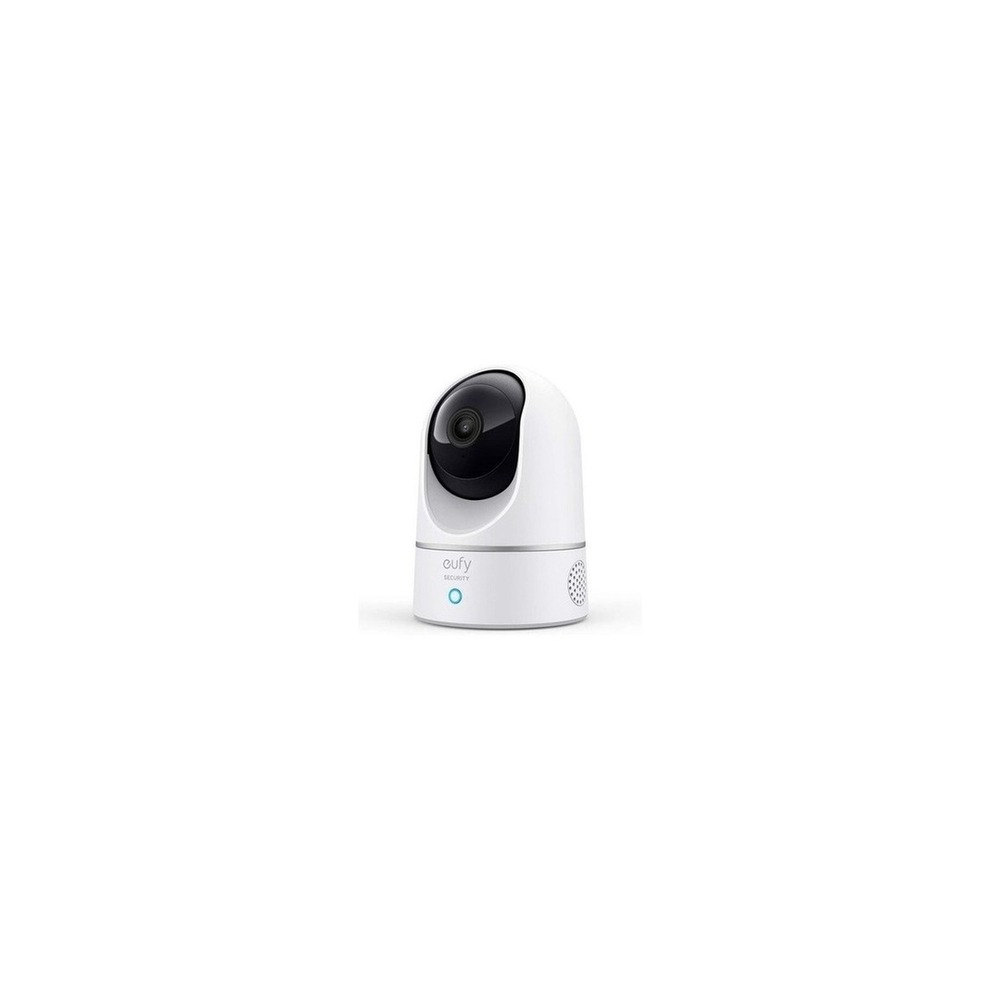
Yufi E220 Indoor Cam

Yufi E220 Indoor Cam

eufy Security Indoor Camera CCTV E220 Pan-and-Tilt Night Vision Motion Tracking HomeBase 3 Compatible

The inclusion of the eufy E220 Indoor Cam in 'Automation for Easy Coming Home and Going Out for Single-person Households' is because it allows for remote monitoring of shared spaces and pets through a rotating camera, which directly aligns with the objective of the list. Particularly, single-person households often faced with business trips or late-night work can easily appreciate the benefits of the eufy E220 Indoor Cam. However, it is not sufficient to just complete the connection with the eufy E220 Indoor Cam. The compatibility requirements to check in 'Automation for Easy Coming Home and Going Out for Single-person Households' are 'eufy Security app, Wi-Fi, microSD, and platform integration verification,' while the power condition is specified as 'always on,' necessitating comparison with the actual home environment.

The installation conditions for the eufy E220 Indoor Cam in relation to 'Automation for Easy Coming Home and Going Out for Single-person Households' are 'checking the shooting angle, network shadows, and securing the power cable.' Use these conditions to determine the positioning and movement paths accordingly. When assessing the costs of constructing the 'Automation for Easy Coming Home and Going Out for Single-person Households', be sure to verify that 'some cloud features are optional subscriptions,' and manage the eufy E220 Indoor Cam's account and logs based on the principle that 'local videos also restrict account access and shared user permissions.' After installing the eufy E220 Indoor Cam by referring to 'Automation for Easy Coming Home and Going Out for Single-person Households', initially test both the automation outcomes and manual controls. Right before purchase, it’s wise to cross-check the model number, components, specifications, and sales state of the eufy E220 Indoor Cam linked in the original text.
브랜드 eufy Security 주요 용도 회전형 카메라로 공용 공간과 반려동물 상태를 원격 확인 알맞은 상황 출장이나 야근이 잦은 1인 가구 호환 조건 eufy Security 앱·Wi-Fi·microSD 및 플랫폼 연동 확인 전원 상시 전원 설치 확인 촬영 각도와 네트워크 음영, 전원선 고정 확인 구독 일부 클라우드 기능은 선택 구독 개인정보·보안 로컬 영상도 계정 접근과 공유 사용자 권한을 제한 이미지 출처 기존 검증 쿠팡 상품 이미지
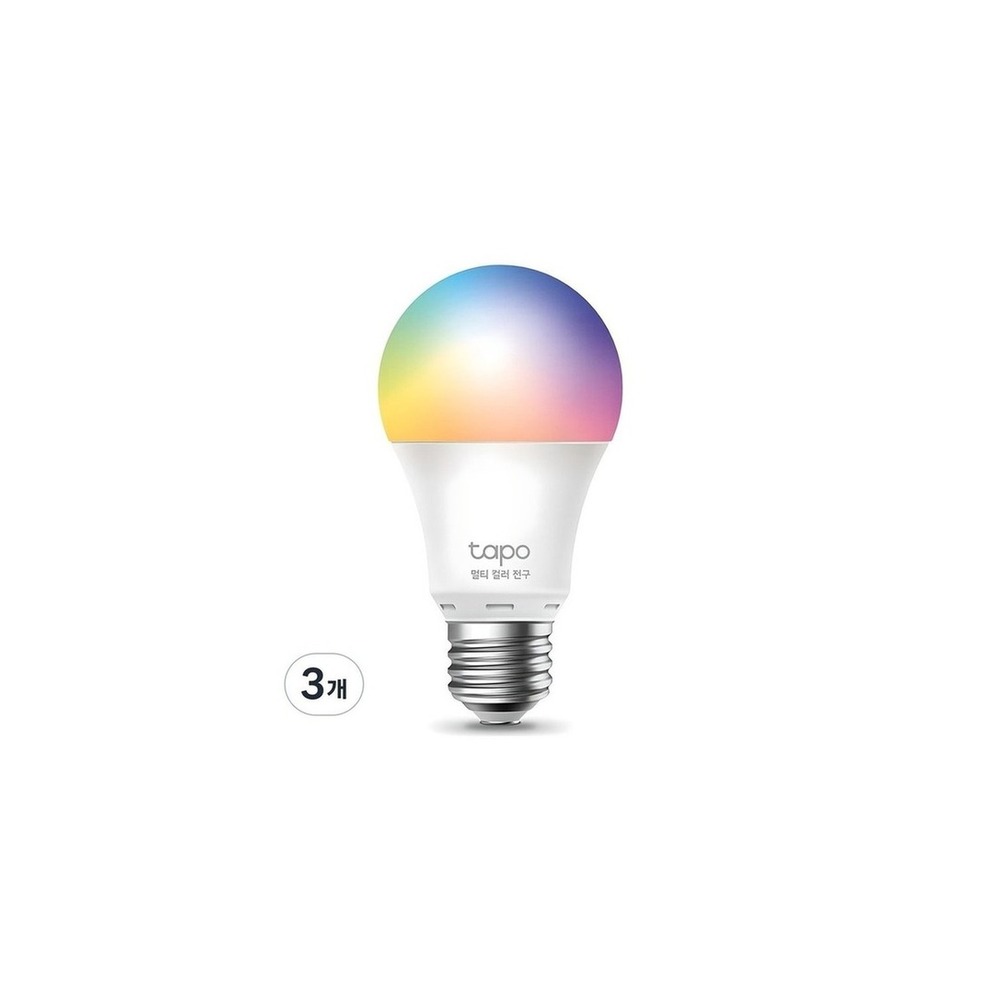
TP-Link Tapo L530E Smart Bulb

TP-Link Tapo L530E Smart Bulb

Tapo Smart Wi-Fi Multi-color Bulb 8.7W L530E

Including the TP-Link Tapo L530E smart bulb in 'Automation for Easy Coming Home and Going Out for Single-person Households' is vital since it enables the lighting to turn on based on your return time or the opening of the door, directly connecting to the purpose of the list. Especially for dark studio or officetel spaces from the entrance to the living room, the advantages of the TP-Link Tapo L530E smart bulb are easily recognizable. However, the TP-Link Tapo L530E smart bulb is not merely a plug-and-play product. In 'Automation for Easy Coming Home and Going Out for Single-person Households', the compatibility requirements are 'checking Tapo app, 2.4GHz Wi-Fi, and supported voice assistants', while the power condition is guided as 'E26 socket with continuous power', so it must be compared with your actual home setup.

For the installation conditions of the TP-Link Tapo L530E smart bulb according to 'Automation for Easy Coming Home and Going Out for Single-person Households', verify 'the socket specifications and conditions for using enclosed fixtures.' Identify the location and movement routes based on these conditions. When calculating the costs involved in the structure of 'Automation for Easy Coming Home and Going Out for Single-person Households', ensure to verify that 'basic features have no subscription,' and manage the account and logs of the TP-Link Tapo L530E smart bulb based on the principle of 'security for Tapo account and management of shared user permissions.' After installing the TP-Link Tapo L530E smart bulb by referencing 'Automation for Easy Coming Home and Going Out for Single-person Households', initially test the outcomes of automation and manual controls together for the first few days. Prior to purchasing, it’s safe to reconfirm the model number, components, specifications, and sales status of the TP-Link Tapo L530E smart bulb linked in the original text.
브랜드 TP-Link Tapo 주요 용도 귀가 시간이나 문 열림에 맞춰 조명을 켬 알맞은 상황 현관에서 거실까지 어두운 원룸·오피스텔 호환 조건 Tapo 앱과 2.4GHz Wi-Fi, 지원 음성비서 확인 전원 E26 소켓 상시 전원 설치 확인 소켓 규격과 밀폐형 등기구 사용 조건 확인 구독 기본 기능은 구독 없음 개인정보·보안 Tapo 계정 보안과 공유 사용자 권한 관리 이미지 출처 기존 검증 쿠팡 상품 이미지
SwitchBot Curtain 3

SwitchBot Curtain 3

SwitchBot Curtain Version 3 Rod Type 42 x 51 x 173 mm

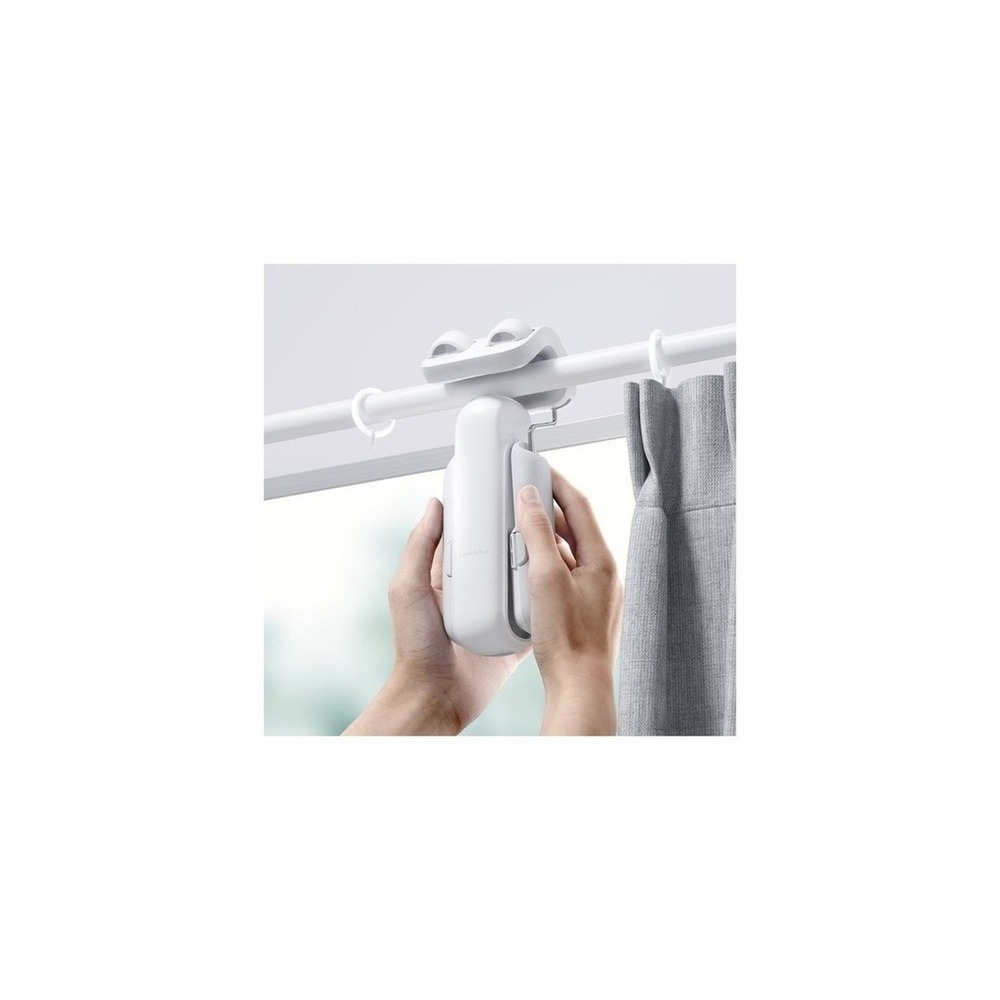
Including the SwitchBot Curtain 3 in 'Automation for Easy Coming Home and Going Out for Single-person Households' is critical because it automates the opening and closing of existing curtains according to the time of waking and going out, which directly connects to the list's purpose. Particularly, the SwitchBot Curtain 3 allows rearranging natural light and privacy settings at designated times, which is beneficial for households. However, the SwitchBot Curtain 3 is not just a product that can be connected at will. The compatibility requirements for verifying the SwitchBot Curtain 3 in 'Automation for Easy Coming Home and Going Out for Single-person Households' include 'checking compatibility according to rail type and integration with Hub/Matter,' while the power condition is specified as 'rechargeable battery', which should be verified against your actual home environment.

For the installation conditions of the SwitchBot Curtain 3 in relation to 'Automation for Easy Coming Home and Going Out for Single-person Households', check 'curtain weight, rail shape, interference during operation, and risk of falling.' Arrange initial location and movement paths based on these criteria. When determining the costs of 'Automation for Easy Coming Home and Going Out for Single-person Households', ensure that 'basic app control has no subscription' and manage the SwitchBot Curtain 3's accounts and logs according to the principle of 'automated location and sunrise permissions and family account sharing verification.' After installing the SwitchBot Curtain 3 with reference to 'Automation for Easy Coming Home and Going Out for Single-person Households', initially test the results of automation and manual operation together. Before purchase, it is advisable to reconfirm the model number, components, specifications, and sales status of the SwitchBot Curtain 3 connected in the original text.
브랜드 SwitchBot 주요 용도 기상·외출 시간에 기존 커튼을 자동으로 개폐 알맞은 상황 채광과 사생활 가림을 정해진 시간에 바꿀 집 호환 조건 레일 유형별 모델과 Hub·Matter 연동 조건 확인 전원 충전식 배터리 설치 확인 커튼 무게·레일 형상·주행 간섭과 낙하 위험 확인 구독 기본 앱 제어는 구독 없음 개인정보·보안 위치·일출 자동화 권한과 가족 계정 공유 확인 이미지 출처 기존 검증 쿠팡 상품 이미지
SwitchBot Bot Smart Switch

SwitchBot Bot Smart Switch

SwitchBot Bot Smart Button Switch (Overseas Selling Product)

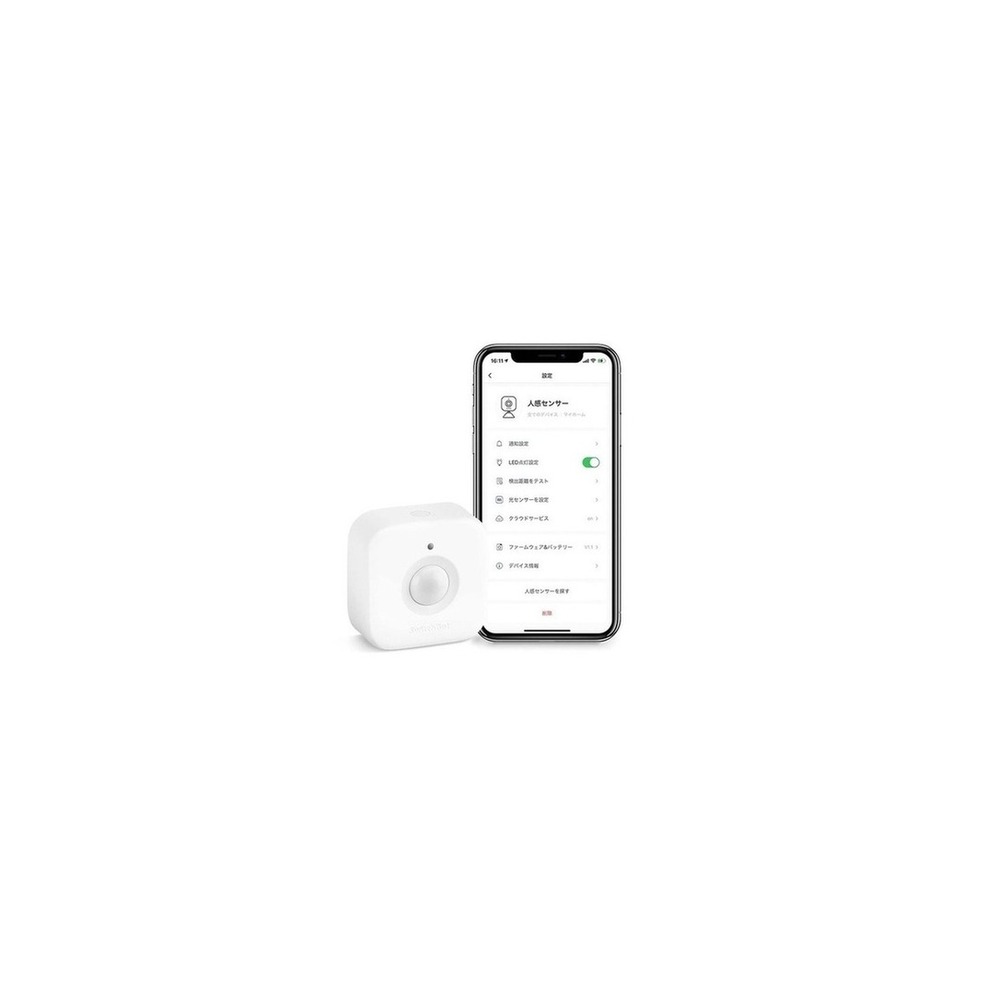
Including the SwitchBot Bot Smart Switch in 'Automation for Easy Coming Home and Going Out for Single-person Households' is essential since it facilitates automation by pressing button-operated devices without wiring work. Especially from the viewpoint of 'Automation for Easy Coming Home and Going Out for Single-person Households', it is easy to appreciate the benefits of the SwitchBot Bot Smart Switch when reducing repetitive manual operations in rented or temporarily leased homes. However, the SwitchBot Bot Smart Switch is not merely a device you can connect and forget. The compatibility requirements to check in 'Automation for Easy Coming Home and Going Out for Single-person Households' include ‘basic Bluetooth, while remote and voice control needs compatible Hub,’ and the power condition is indicated as ‘built-in batteries’, necessitating verification against your actual home setup.

For the installation conditions of the SwitchBot Bot Smart Switch in accordance with 'Automation for Easy Coming Home and Going Out for Single-person Households', verify ‘the button's form and its adhesive surface, and ensure you have auxiliary strings for removal.’ Use these criteria to determine initial locations and movement patterns accordingly. When calculating costs within the structure of 'Automation for Easy Coming Home and Going Out for Single-person Households', ensure you check that 'basic control has no subscription,' and manage the account and records of the SwitchBot Bot Smart Switch based on the principle of 'restricting Hub account sharing and remote execution permissions.' After installation, in light of 'Automation for Easy Coming Home and Going Out for Single-person Households', test both the automation results and manual operation for the first few days. Prior to purchasing, double-check the model number, components, specifications, and sales status of the SwitchBot Bot Smart Switch linked in the original text.
브랜드 SwitchBot 주요 용도 기존 버튼식 기기를 배선 공사 없이 눌러 자동화 알맞은 상황 전·월세 집에서 단순 반복 조작을 줄일 때 호환 조건 Bluetooth 기본, 원격·음성 제어는 호환 Hub 필요 전원 내장 배터리 설치 확인 버튼 형태와 접착면을 확인하고 제거용 보조끈 확보 구독 기본 제어는 구독 없음 개인정보·보안 허브 계정 공유와 원격 실행 권한 제한 이미지 출처 기존 검증 쿠팡 상품 이미지
SwitchBot Hub 2 with Matter Support

SwitchBot Hub 2 with Matter Support

SwitchBot Hub 2 Matter Supported Universal Remote Control Smart Home

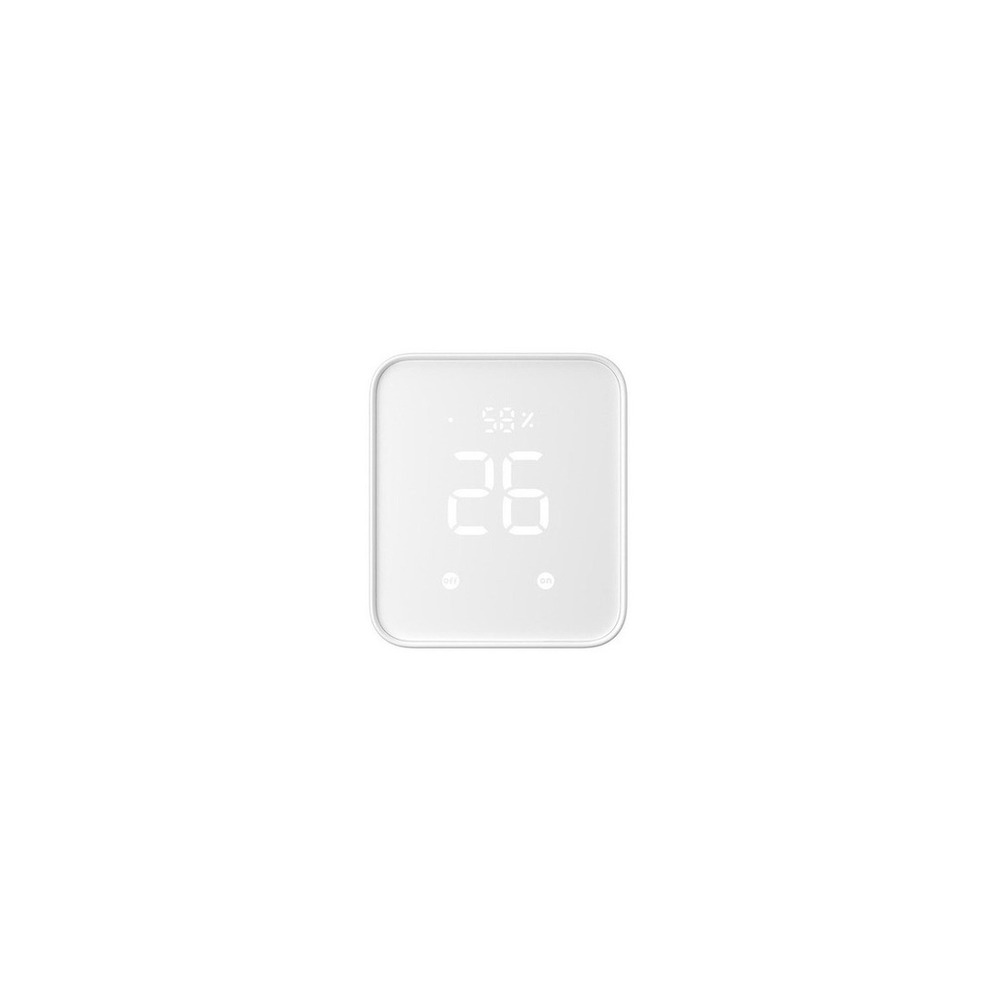
In 'Automation for Easy Coming Home and Going Out for Single-person Households', including the SwitchBot Hub 2 Matter Supported is crucial as it allows you to manage SwitchBot devices and infrared remotes all in one app, thus directly aligning with the objective of the list. Especially for single-person households with scattered remote controls for air conditioners and TVs and various sensors, the advantages of the SwitchBot Hub 2 Matter Supported are immediately apparent. However, it is essential to note that the SwitchBot Hub 2 Matter Supported is not just a one-step connecting product. The compatibility requirements to be verified in 'Automation for Easy Coming Home and Going Out for Single-person Households' are 'checking Wi-Fi, Bluetooth, and a list of supported Matter-enabled devices,' while the power condition insists on 'USB constant power,' necessitating cross-checking against your actual home conditions.

For the installation requirements of the SwitchBot Hub 2 Matter Supported aligned with 'Automation for Easy Coming Home and Going Out for Single-person Households', it should be placed in a location that can maintain communication with Wi-Fi in the center of the house. Use these requirements to establish locations and movement routes accordingly. For budget consideration in the implementation of 'Automation for Easy Coming Home and Going Out for Single-person Households', verify that 'the basic hub functions do not have subscriptions,' and manage the SwitchBot Hub 2 Matter Supported's account and logs according to the principle of 'remote control account, infrared remote data and family permission management.' Following the installation of the SwitchBot Hub 2 Matter Supported, test both automation results and manual control together in the first few days. It’s best practice to reconfirm the model number, components, specifications, and sales status of the SwitchBot Hub 2 Matter Supported linked in the original text before making a purchase.
브랜드 SwitchBot 주요 용도 SwitchBot 기기와 적외선 리모컨을 한 앱에서 묶음 알맞은 상황 에어컨·TV 리모컨과 센서가 흩어진 원룸 호환 조건 Wi-Fi·Bluetooth·Matter 지원 기기 목록 확인 전원 USB 상시 전원 설치 확인 집 중앙의 Wi-Fi와 각 기기 통신이 닿는 위치에 배치 구독 기본 허브 기능은 구독 없음 개인정보·보안 원격제어 계정·적외선 리모컨 데이터와 가족 권한 관리 이미지 출처 기존 검증 쿠팡 상품 이미지
Once you've shortlisted your candidates, it's advisable not to install all devices of 'Automation for Easy Coming Home and Going Out for Single-person Households' at once. Rather, test one frequently used function for about a week. Start by connecting one entry light and a front door sensor, and after a week of monitoring for malfunctions, add automation for curtains, buttons, and power during practical times of your daily life. This approach will help you quickly identify unnecessary notifications, communication shadows, and actions that may inconvenience your family. This stage is also a good time to verify whether basic functions can be operated manually.

Before finalizing your purchase, be sure to document the following checklist: recovery of account in case of smartphone loss, confirmation of auto-lock, malfunctioning of location-based automation, and restrictions on remote power use during prolonged absences. Understanding the replacement cycles for batteries and consumables, the scope of account sharing, and any resets required before selling second-hand or moving will make it easier to estimate management costs. When it comes to installations related to electricity, water, and access security, do not trust the sales page's wording alone; prioritize the manufacturer’s guidance and the regulations of those in charge of management.
한눈에 보기 7개
Solity Welcom WP-530B Door Lock
솔리티 웰콤 · 지문·비밀번호·카드 가운데 편한 방식으로 현관을 출입 · 열쇠 없이 출퇴근하고 임시 인증 수단이 필요한 1인 가구 · 블루투스·Wi-Fi는 판매 옵션과 지원 모듈 여부 확인 · 알카라인 건전지와 비상전원 단자 · 문 방향·두께·기존 타공과 설치비 확인 · 연동 서비스 조건에 따라 다르며 기본 잠금은 구독 없음 · 관리자 비밀번호와 등록 지문 삭제 절차 확인 · 기존 검증 쿠팡 상품 이미지
SwitchBot Contact Sensor Door Open
SwitchBot · 현관문이 닫혔는지 확인하고 귀가 조명의 조건으로 사용 · 외출 뒤 문 상태가 자주 걱정되는 집 · 원격 알림은 호환 SwitchBot Hub와 앱 필요 · 교체형 배터리 · 센서·자석 간격과 모션 감지 방향 확인 · 기본 자동화는 구독 없음 · 출입 기록을 볼 수 있는 계정과 알림 수신자 제한 · 기존 검증 쿠팡 상품 이미지
Yufi E220 Indoor Cam
eufy Security · 회전형 카메라로 공용 공간과 반려동물 상태를 원격 확인 · 출장이나 야근이 잦은 1인 가구 · eufy Security 앱·Wi-Fi·microSD 및 플랫폼 연동 확인 · 상시 전원 · 촬영 각도와 네트워크 음영, 전원선 고정 확인 · 일부 클라우드 기능은 선택 구독 · 로컬 영상도 계정 접근과 공유 사용자 권한을 제한 · 기존 검증 쿠팡 상품 이미지
TP-Link Tapo L530E Smart Bulb
TP-Link Tapo · 귀가 시간이나 문 열림에 맞춰 조명을 켬 · 현관에서 거실까지 어두운 원룸·오피스텔 · Tapo 앱과 2.4GHz Wi-Fi, 지원 음성비서 확인 · E26 소켓 상시 전원 · 소켓 규격과 밀폐형 등기구 사용 조건 확인 · 기본 기능은 구독 없음 · Tapo 계정 보안과 공유 사용자 권한 관리 · 기존 검증 쿠팡 상품 이미지
SwitchBot Curtain 3
SwitchBot · 기상·외출 시간에 기존 커튼을 자동으로 개폐 · 채광과 사생활 가림을 정해진 시간에 바꿀 집 · 레일 유형별 모델과 Hub·Matter 연동 조건 확인 · 충전식 배터리 · 커튼 무게·레일 형상·주행 간섭과 낙하 위험 확인 · 기본 앱 제어는 구독 없음 · 위치·일출 자동화 권한과 가족 계정 공유 확인 · 기존 검증 쿠팡 상품 이미지
SwitchBot Bot Smart Switch
SwitchBot · 기존 버튼식 기기를 배선 공사 없이 눌러 자동화 · 전·월세 집에서 단순 반복 조작을 줄일 때 · Bluetooth 기본, 원격·음성 제어는 호환 Hub 필요 · 내장 배터리 · 버튼 형태와 접착면을 확인하고 제거용 보조끈 확보 · 기본 제어는 구독 없음 · 허브 계정 공유와 원격 실행 권한 제한 · 기존 검증 쿠팡 상품 이미지
SwitchBot Hub 2 with Matter Support
SwitchBot · SwitchBot 기기와 적외선 리모컨을 한 앱에서 묶음 · 에어컨·TV 리모컨과 센서가 흩어진 원룸 · Wi-Fi·Bluetooth·Matter 지원 기기 목록 확인 · USB 상시 전원 · 집 중앙의 Wi-Fi와 각 기기 통신이 닿는 위치에 배치 · 기본 허브 기능은 구독 없음 · 원격제어 계정·적외선 리모컨 데이터와 가족 권한 관리 · 기존 검증 쿠팡 상품 이미지

이 포스팅은 쿠팡 파트너스 활동의 일환으로, 이에 따른 일정액의 수수료를 제공받습니다.

댓글 0

로그인 후 댓글을 작성할 수 있습니다.

첫 댓글을 남겨보세요.

이런 리스트는 어때요?

이런 리스트도 추천해요

🎲

여기서 멈추기엔 아쉽잖아?

다음에 뭘 볼지 고민하는 시간이 제일 아까워.
주사위가 대신 골라줄게 — 무슨 리스트가 튀어나올지는 굴려봐야 알지.
안 누르면… 평생 궁금하지 않겠어? 👀

All menu
Login required
Log in
Categories
Language
Display mode
✦ ✦ ✦ ✦ ✦

Drum roll… picking a list!

모하지
Use Mohazi as an app
Open it from your home screen and browse faster.
On iPhone, tap the Share button at the bottom of Safari, then choose “Add to Home Screen” to use it like an app.