
Collection
Remote Work Equipment
2026.10.12
Printers and Scanners That Save You a Trip Out for a Single Contract Page
A collection of real products sorted into laser, ink-tank, and sheet-fed scanners by print volume and document type
When handling documents at home, running costs and how often you print make a bigger difference than the printer's initial purchase price. If you frequently print black-and-white contracts, a laser printer is easier to maintain, while an ink-tank model can be the better fit if color materials and photos make up a large share of your output. On the flip side, if you want to digitize paper documents quickly, a duplex sheet-fed scanner saves far more time than the flatbed on an all-in-one.
This list brings together seven real products: monochrome laser printers and all-in-ones, color ink-tank all-in-ones, and duplex document scanners. We look at them with a focus on automatic duplexing, ADF capacity, connectivity, recommended print volume, consumables, and scanning software. Sorting out first whether you print a single page now and then or process a stack of documents every week will help you trim unnecessary features.
This list brings together seven real products: monochrome laser printers and all-in-ones, color ink-tank all-in-ones, and duplex document scanners. We look at them with a focus on automatic duplexing, ADF capacity, connectivity, recommended print volume, consumables, and scanning software. Sorting out first whether you print a single page now and then or process a stack of documents every week will help you trim unnecessary features.
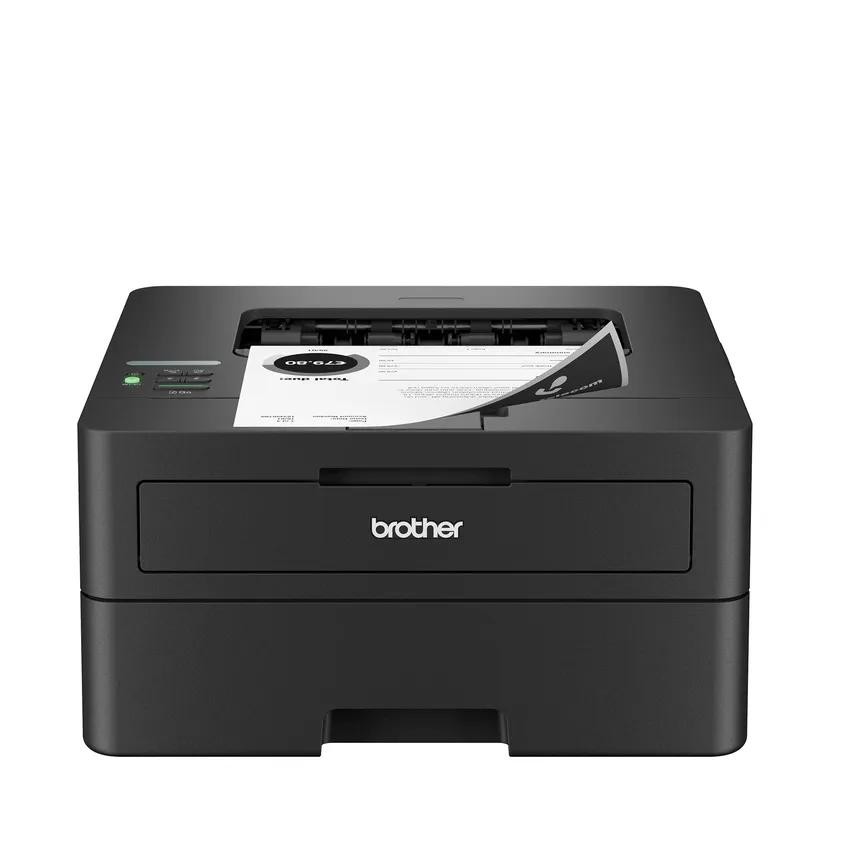
Brother HL-L2460DW
In our list of printers and scanners that save you a trip out for a single contract page, the Brother HL-L2460DW is a monochrome laser printer with automatic duplexing and both wired and wireless connectivity. This unit is worth comparing for users who prioritize personal work that mostly involves printing text documents with no need for scanning. For the Brother HL-L2460DW's distinguishing feature, monochrome laser printing with automatic duplexing, what you should verify is how it is actually operated and how accessible it is, not just whether the feature exists.
Check that the space and devices where you plan to install the Brother HL-L2460DW meet the requirements for Wi-Fi, Ethernet, and USB connectivity and supported operating systems, then confirm the cost of the separate toner and drum consumables and the paper specifications in the final order details. Before adding the Brother HL-L2460DW to your setup of printers and scanners that save you a trip out for a single contract page, check whether the same goal can be met by reconfiguring the equipment you already have, and when an additional purchase is needed, do a final cross-check of Brother's support coverage and the installation requirements.
Check that the space and devices where you plan to install the Brother HL-L2460DW meet the requirements for Wi-Fi, Ethernet, and USB connectivity and supported operating systems, then confirm the cost of the separate toner and drum consumables and the paper specifications in the final order details. Before adding the Brother HL-L2460DW to your setup of printers and scanners that save you a trip out for a single contract page, check whether the same goal can be met by reconfiguring the equipment you already have, and when an additional purchase is needed, do a final cross-check of Brother's support coverage and the installation requirements.
브랜드 Brother
잘 맞는 상황 텍스트 문서를 주로 인쇄하고 스캔 기능은 필요 없는 개인 업무
핵심 특징 흑백 레이저와 자동 양면 인쇄
설치·호환 Wi-Fi·Ethernet·USB 연결과 지원 운영체제
구매 전 확인 토너·드럼 분리형 소모품 비용과 용지 규격
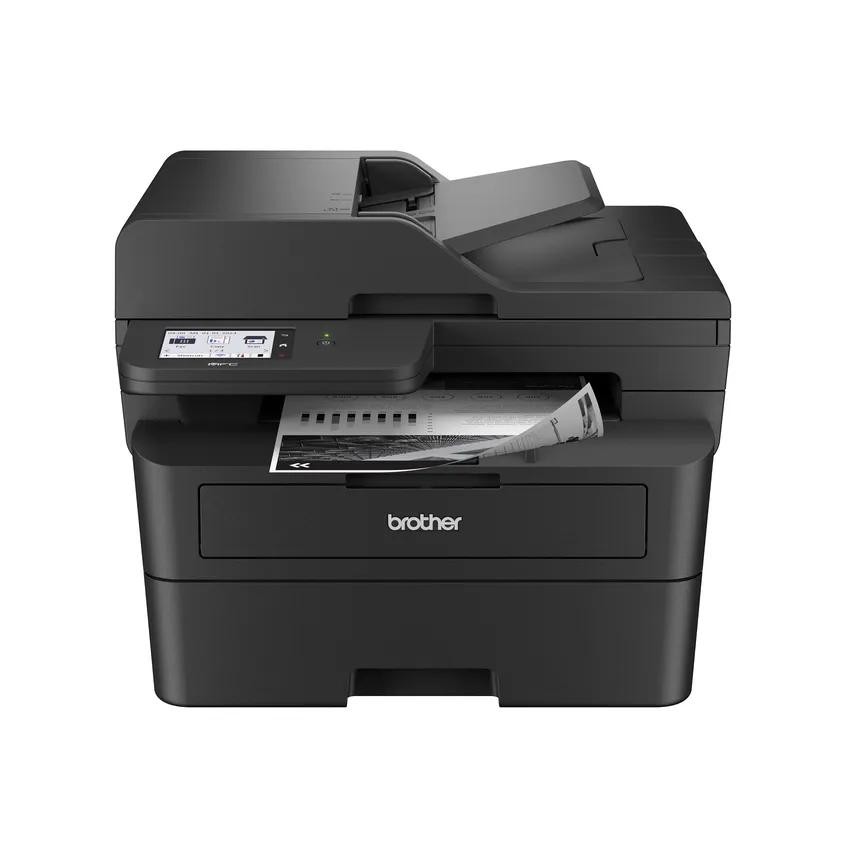
Brother MFC-L2900DW
In our list of printers and scanners that save you a trip out for a single contract page, the Brother MFC-L2900DW is a monochrome laser all-in-one with print, copy, scan, and fax functions plus an automatic document feeder. The Brother MFC-L2900DW's strengths and limits both come into view when you build around the scenario of a small home office that prints and scans batches of contracts. If the feature you use most often is duplex printing with automatic document feeding, the Brother MFC-L2900DW moves up your priority list; if not, you should take another look at the cost-to-benefit ratio.
To avoid compatibility problems with the Brother MFC-L2900DW, first check its wireless and wired networking and mobile printing support, and compare the ADF's duplex scanning method and the toner and drum costs against the model sold in your region. Even if the Brother MFC-L2900DW's specs look good, if it does not match the workflow of your printers and scanners that save you a trip out for a single contract page, you may quickly find yourself using it less, so review Brother's support policy together with how you actually move around your workspace to avoid an overbuilt setup.
To avoid compatibility problems with the Brother MFC-L2900DW, first check its wireless and wired networking and mobile printing support, and compare the ADF's duplex scanning method and the toner and drum costs against the model sold in your region. Even if the Brother MFC-L2900DW's specs look good, if it does not match the workflow of your printers and scanners that save you a trip out for a single contract page, you may quickly find yourself using it less, so review Brother's support policy together with how you actually move around your workspace to avoid an overbuilt setup.
브랜드 Brother
잘 맞는 상황 계약서 묶음을 출력하고 스캔하는 소규모 홈오피스
핵심 특징 양면 인쇄와 자동 문서 급지
설치·호환 무선·유선 네트워크와 모바일 인쇄 지원
구매 전 확인 ADF의 양면 스캔 방식과 토너·드럼 비용
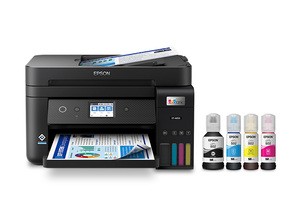
Epson EcoTank ET-4850
In our list of printers and scanners that save you a trip out for a single contract page, the Epson EcoTank ET-4850 is a color inkjet all-in-one with high-capacity ink tanks and an ADF. The purchasing decision should start not with the Epson EcoTank ET-4850's name but with the need to print color documents regularly while cutting down on cartridge replacements. Whether the Epson EcoTank ET-4850 stays on your shortlist depends on whether its refillable ink tanks, color printing, and ADF line up exactly with what your current equipment is missing.
On the spec sheet, check the Epson EcoTank ET-4850's Wi-Fi, Ethernet, and Epson app support separately from the scope of its automatic duplexing and its ink storage and nozzle maintenance requirements, so that your actual setup and your expectations do not drift apart. In this list of printers and scanners that save you a trip out for a single contract page, the Epson EcoTank ET-4850's priority should be set by how much improvement you will notice every day, and the realistic approach is to confirm you can live with Epson's warranty coverage and the maintenance burden.
On the spec sheet, check the Epson EcoTank ET-4850's Wi-Fi, Ethernet, and Epson app support separately from the scope of its automatic duplexing and its ink storage and nozzle maintenance requirements, so that your actual setup and your expectations do not drift apart. In this list of printers and scanners that save you a trip out for a single contract page, the Epson EcoTank ET-4850's priority should be set by how much improvement you will notice every day, and the realistic approach is to confirm you can live with Epson's warranty coverage and the maintenance burden.
브랜드 Epson
잘 맞는 상황 컬러 문서를 꾸준히 출력하며 카트리지 교체 횟수를 줄이려는 업무
핵심 특징 리필형 잉크탱크와 컬러 인쇄·ADF
설치·호환 Wi-Fi·Ethernet과 Epson 앱 지원
구매 전 확인 자동 양면 범위와 잉크 보관·노즐 관리
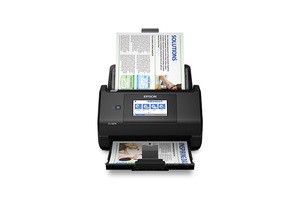
Epson WorkForce ES-580W
In our list of printers and scanners that save you a trip out for a single contract page, the Epson WorkForce ES-580W is a wireless document scanner with a touchscreen and duplex automatic document feeding. If you repeatedly find yourself needing to send documents to a network destination without turning on a computer, it is worth looking into the real-world usefulness of the Epson WorkForce ES-580W. The features highlighted in the official specifications are the touchscreen, duplex ADF, and wireless connectivity. Check, based on how you actually move around, whether the Epson WorkForce ES-580W delivers the same benefits in the space where you will use it.
Before adding the Epson WorkForce ES-580W to your existing equipment, verify that your environment supports Wi-Fi, USB, and Epson ScanSmart, and do a final check of the network destination settings, original sizes, and feed thickness on the official sales page. Once you have chosen the Epson WorkForce ES-580W, decide which functions to test first in your setup of printers and scanners that save you a trip out for a single contract page and how to roll back if they fail, and learn Epson's customer support terms as well to reduce trial and error after adoption.
Before adding the Epson WorkForce ES-580W to your existing equipment, verify that your environment supports Wi-Fi, USB, and Epson ScanSmart, and do a final check of the network destination settings, original sizes, and feed thickness on the official sales page. Once you have chosen the Epson WorkForce ES-580W, decide which functions to test first in your setup of printers and scanners that save you a trip out for a single contract page and how to roll back if they fail, and learn Epson's customer support terms as well to reduce trial and error after adoption.
브랜드 Epson
잘 맞는 상황 컴퓨터를 켜지 않고 네트워크 대상으로 문서를 보내는 업무
핵심 특징 터치스크린과 양면 ADF·무선 연결
설치·호환 Wi-Fi·USB와 Epson ScanSmart 지원 환경
구매 전 확인 네트워크 대상 설정과 원고 크기·급지 두께
Epson WorkForce ES-500W II
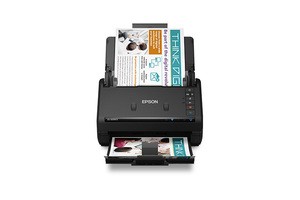
In our list of printers and scanners that save you a trip out for a single contract page, the Epson WorkForce ES-500W II is a desktop document scanner that supports wireless connectivity and duplex feeding. The starting point for choosing the Epson WorkForce ES-500W II is checking whether the profile of a user who organizes stacks of documents into searchable PDFs on a PC matches your own environment. Because the Epson WorkForce ES-500W II's duplex automatic feeding and Wi-Fi connectivity are closer to convenience features, the right order is to confirm its core performance and installation stability first, then evaluate those.
At the actual purchase stage, the Epson WorkForce ES-500W II's supported operating systems and Epson ScanSmart compatibility come first, and it is a good idea to note the feed capacity and the range of its ultrasonic double-feed detection alongside the product number. When comparing the Epson WorkForce ES-500W II for a setup of printers and scanners that save you a trip out for a single contract page, putting price, frequency of use, and installation difficulty in the same table and adding Epson's support coverage makes it easier to judge the real cost of ownership.
At the actual purchase stage, the Epson WorkForce ES-500W II's supported operating systems and Epson ScanSmart compatibility come first, and it is a good idea to note the feed capacity and the range of its ultrasonic double-feed detection alongside the product number. When comparing the Epson WorkForce ES-500W II for a setup of printers and scanners that save you a trip out for a single contract page, putting price, frequency of use, and installation difficulty in the same table and adding Epson's support coverage makes it easier to judge the real cost of ownership.
브랜드 Epson
잘 맞는 상황 PC에서 묶음 문서를 검색 가능한 PDF로 정리하는 사용자
핵심 특징 양면 자동급지와 Wi-Fi 연결
설치·호환 지원 운영체제와 Epson ScanSmart
구매 전 확인 급지 용량과 초음파 이중 급지 감지 범위
Epson WorkForce ES-400 II
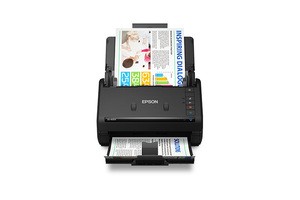
In our list of printers and scanners that save you a trip out for a single contract page, the Epson WorkForce ES-400 II is a desktop document scanner that uses a USB connection and duplex automatic document feeding. When you take the condition of wanting stable wired scanning to a single PC rather than wireless features as the benchmark for your use case, the Epson WorkForce ES-400 II's role becomes clear. The key features are the duplex ADF and USB connection. Since how it feels in use varies with your desk size and daily usage time, you should also consider where the Epson WorkForce ES-400 II will sit.
Before adoption, first check the USB port, supported operating systems, and ScanSmart, and at the ordering stage, cross-check the condition of the originals you will feed and the cable run distance against the Epson WorkForce ES-400 II's official page and the model designation on sale. When looking at the Epson WorkForce ES-400 II by the selection criteria of this list of printers and scanners that save you a trip out for a single contract page, do not isolate a single advantage; instead, make your final judgment with Epson's support coverage and your actual work habits considered together.
Before adoption, first check the USB port, supported operating systems, and ScanSmart, and at the ordering stage, cross-check the condition of the originals you will feed and the cable run distance against the Epson WorkForce ES-400 II's official page and the model designation on sale. When looking at the Epson WorkForce ES-400 II by the selection criteria of this list of printers and scanners that save you a trip out for a single contract page, do not isolate a single advantage; instead, make your final judgment with Epson's support coverage and your actual work habits considered together.
브랜드 Epson
잘 맞는 상황 무선 기능보다 한 PC와의 안정적인 유선 스캔을 원하는 업무
핵심 특징 양면 ADF와 USB 연결
설치·호환 USB 포트와 지원 운영체제·ScanSmart
구매 전 확인 급지 원고 상태와 케이블 설치 거리
Brother ADS-1800W
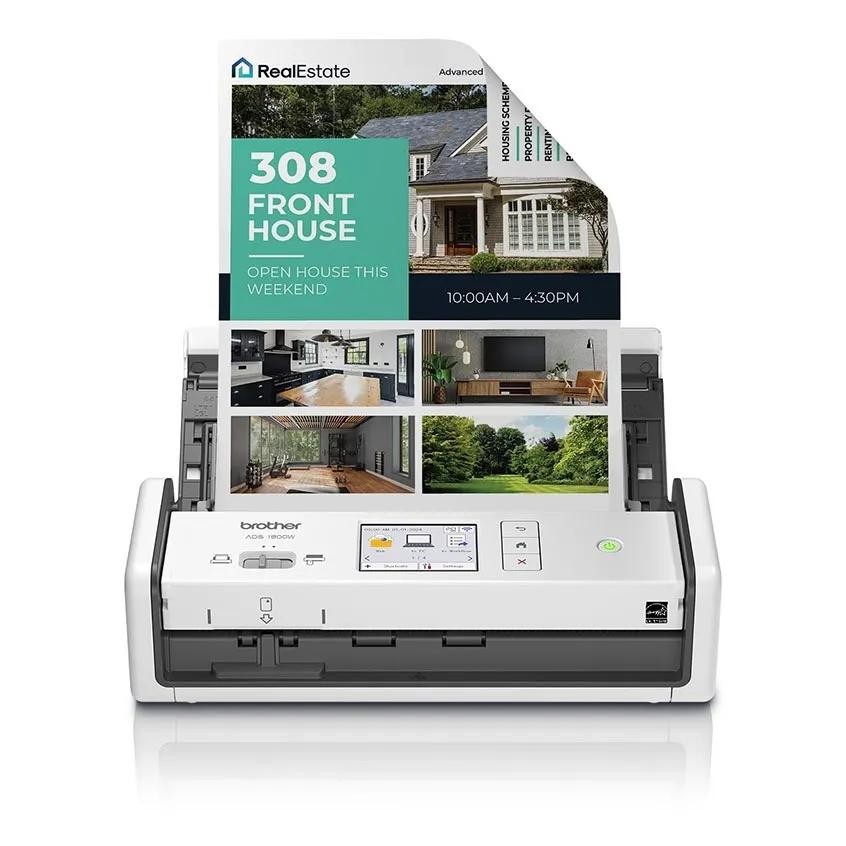
In our list of printers and scanners that save you a trip out for a single contract page, the Brother ADS-1800W is a desktop document scanner that packs wireless connectivity and duplex feeding into a small body. The Brother ADS-1800W is worth comparing first for a desk that needs to scan multiple pages quickly while taking up little desk space. The first specs to look at on the Brother ADS-1800W are its compact body and duplex automatic document feeding, and you should compare whether these features actually reduce the frustrations of your existing equipment.
The conditions to check before paying for the Brother ADS-1800W are Wi-Fi, USB-C, and the mobile and PC software. The feed capacity and the card and receipt path should also be checked before the package arrives. Ultimately, the Brother ADS-1800W's value depends on whether the functions you will use often in your setup of printers and scanners that save you a trip out for a single contract page are clear, so check Brother's warranty coverage as well before deciding whether it will replace or complement your existing equipment.
The conditions to check before paying for the Brother ADS-1800W are Wi-Fi, USB-C, and the mobile and PC software. The feed capacity and the card and receipt path should also be checked before the package arrives. Ultimately, the Brother ADS-1800W's value depends on whether the functions you will use often in your setup of printers and scanners that save you a trip out for a single contract page are clear, so check Brother's warranty coverage as well before deciding whether it will replace or complement your existing equipment.
브랜드 Brother
잘 맞는 상황 책상 공간을 적게 쓰면서 여러 페이지를 빠르게 스캔하는 환경
핵심 특징 컴팩트 본체와 양면 자동급지
설치·호환 Wi-Fi·USB-C와 모바일·PC 소프트웨어
구매 전 확인 급지 용량과 카드·영수증 경로
When choosing a printer, measure not just the body but also the space needed to open the paper tray and rear cover. If you need wireless printing, check whether device discovery works on your company VPN and guest network, and for confidential documents, prefer a local connection over shared cloud printing. For an inkjet that sits unused for long stretches, you also need to consider the nozzle maintenance cycle.
With a document scanner, remove staples and flatten folded corners before feeding the originals, and for important contracts, check the front and back pages of the scanned file and the text recognition results before deciding whether to keep the original. Setting up automatic file-naming rules and a save location in advance makes things easier to find later. Recheck the official information at the time of purchase for consumable prices, domestic after-sales service, and supported operating systems.
With a document scanner, remove staples and flatten folded corners before feeding the originals, and for important contracts, check the front and back pages of the scanned file and the text recognition results before deciding whether to keep the original. Setting up automatic file-naming rules and a save location in advance makes things easier to find later. Recheck the official information at the time of purchase for consumable prices, domestic after-sales service, and supported operating systems.
At a glance
7 items
Brother HL-L2460DW
Brother · 텍스트 문서를 주로 인쇄하고 스캔 기능은 필요 없는 개인 업무 · 흑백 레이저와 자동 양면 인쇄 · Wi-Fi·Ethernet·USB 연결과 지원 운영체제 · 토너·드럼 분리형 소모품 비용과 용지 규격
Brother MFC-L2900DW
Brother · 계약서 묶음을 출력하고 스캔하는 소규모 홈오피스 · 양면 인쇄와 자동 문서 급지 · 무선·유선 네트워크와 모바일 인쇄 지원 · ADF의 양면 스캔 방식과 토너·드럼 비용
Epson EcoTank ET-4850
Epson · 컬러 문서를 꾸준히 출력하며 카트리지 교체 횟수를 줄이려는 업무 · 리필형 잉크탱크와 컬러 인쇄·ADF · Wi-Fi·Ethernet과 Epson 앱 지원 · 자동 양면 범위와 잉크 보관·노즐 관리
Epson WorkForce ES-580W
Epson · 컴퓨터를 켜지 않고 네트워크 대상으로 문서를 보내는 업무 · 터치스크린과 양면 ADF·무선 연결 · Wi-Fi·USB와 Epson ScanSmart 지원 환경 · 네트워크 대상 설정과 원고 크기·급지 두께
Epson WorkForce ES-500W II
Epson · PC에서 묶음 문서를 검색 가능한 PDF로 정리하는 사용자 · 양면 자동급지와 Wi-Fi 연결 · 지원 운영체제와 Epson ScanSmart · 급지 용량과 초음파 이중 급지 감지 범위
Epson WorkForce ES-400 II
Epson · 무선 기능보다 한 PC와의 안정적인 유선 스캔을 원하는 업무 · 양면 ADF와 USB 연결 · USB 포트와 지원 운영체제·ScanSmart · 급지 원고 상태와 케이블 설치 거리
Brother ADS-1800W
Brother · 책상 공간을 적게 쓰면서 여러 페이지를 빠르게 스캔하는 환경 · 컴팩트 본체와 양면 자동급지 · Wi-Fi·USB-C와 모바일·PC 소프트웨어 · 급지 용량과 카드·영수증 경로
As part of the Coupang Partners program, this post may earn a commission from qualifying purchases.
Comments 0
Log in to leave a comment.
Be the first to comment.
How about these lists?


You might also like


🎲
Not ready to stop here?
Wondering what to read next is the biggest waste of time.
Let the dice decide — you won't know what pops up until you roll.
If you don't press it… won't you wonder forever? 👀
 Log in or sign up with KakaoTalk in 5 seconds