
Collection
Remote Work Equipment
2026.10.12
KVM and USB Switches That Let You Stop Re-Plugging Cables Between Your Work PC and Personal PC
Multi-PC switching gear sorted by monitor resolution and how much peripheral sharing each real product covers
When you use a work laptop and a personal desktop at the same desk, swapping the keyboard and mouse cables every time is a small but constantly repeated hassle. A USB switch shares only your peripherals, while a KVM switches the display signal along with them. That said, a simple "4K support" label tells you nothing about the actual refresh rate, color format, HDR, or USB speed, so you need to check the port combination of the devices you plan to connect first.
This list covers seven real products, from USB peripheral switches to DisplayPort and HDMI KVMs. We walk through each one with a focus on the number of computers, number of monitors, maximum resolution and refresh rate, EDID handling, hotkeys, and USB hub speed. If your company's security policy restricts external USB devices or wireless input devices, confirm what your IT department allows before buying any equipment.
This list covers seven real products, from USB peripheral switches to DisplayPort and HDMI KVMs. We walk through each one with a focus on the number of computers, number of monitors, maximum resolution and refresh rate, EDID handling, hotkeys, and USB hub speed. If your company's security policy restricts external USB devices or wireless input devices, confirm what your IT department allows before buying any equipment.
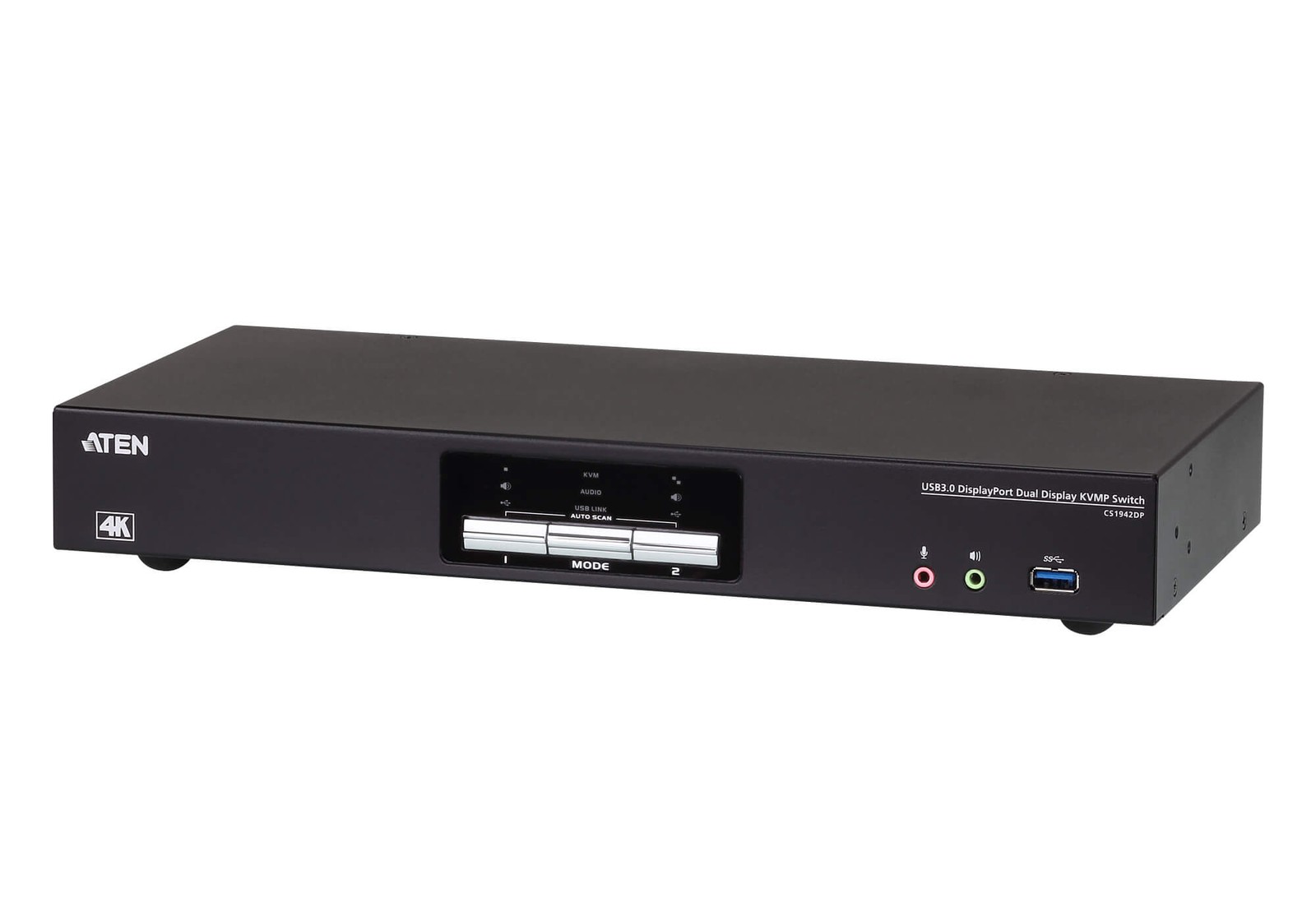
ATEN CS1942DP
In our list of KVM and USB switches that let you stop re-plugging cables between your work PC and personal PC, the ATEN CS1942DP is a desktop KVM that switches between two DisplayPort computers and a dual-monitor setup. Where the ATEN CS1942DP really shows its value is in solving the "two DisplayPort screens and USB peripherals shared across two PCs on one desk" scenario. For the ATEN CS1942DP, the "dual DisplayPort output and USB 3.1 hub" feature matters less for its maximum figures than for how often it actually comes into play in your everyday workflow.
How far the ATEN CS1942DP can take you depends on the number of DisplayPort outputs on your graphics card and your monitor resolution, and details like MST, resolution and refresh-rate conditions, and the number of cables required are hard to change after purchase. Within this list of KVM and USB switches that let you stop re-plugging cables between your work PC and personal PC, the ATEN CS1942DP is a candidate for relieving a specific annoyance rather than the right answer for every setup, so check ATEN's support coverage and how often you will actually use it, and spend only on the features you need.
How far the ATEN CS1942DP can take you depends on the number of DisplayPort outputs on your graphics card and your monitor resolution, and details like MST, resolution and refresh-rate conditions, and the number of cables required are hard to change after purchase. Within this list of KVM and USB switches that let you stop re-plugging cables between your work PC and personal PC, the ATEN CS1942DP is a candidate for relieving a specific annoyance rather than the right answer for every setup, so check ATEN's support coverage and how often you will actually use it, and spend only on the features you need.
브랜드 ATEN
잘 맞는 상황 DisplayPort 화면 두 대와 USB 주변기기를 두 PC에서 공유하는 책상
핵심 특징 듀얼 DisplayPort 출력과 USB 3.1 허브
설치·호환 그래픽카드의 DisplayPort 출력 수와 모니터 해상도
구매 전 확인 MST·해상도·주사율 조건과 필요한 케이블 수
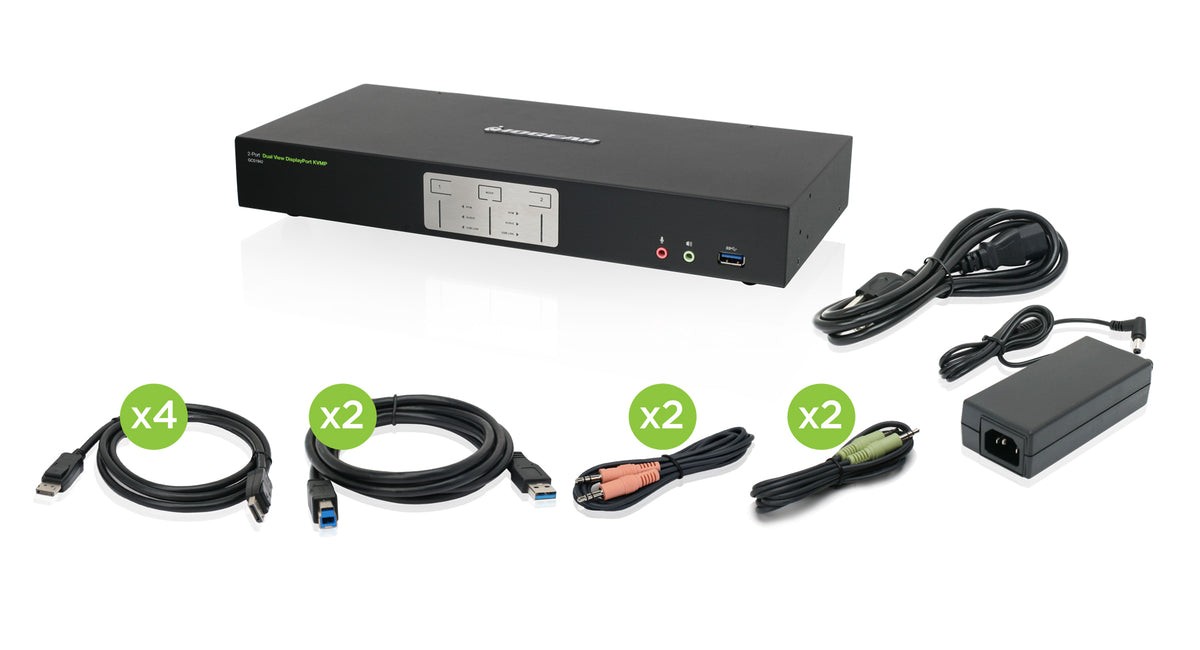
IOGEAR GCS1942
In our list of KVM and USB switches that let you stop re-plugging cables between your work PC and personal PC, the IOGEAR GCS1942 is a 2-port KVM that connects two DisplayPort computers to a dual-monitor setup. The selection criteria become much clearer when you look at it in the context of a work PC and a personal PC sharing the same pair of monitors, rather than just the numbers on the spec sheet. When comparing, the realistic approach is to set the IOGEAR GCS1942's "dual DisplayPort and peripheral sharing" feature side by side with your current desk configuration and judge from there.
Before leaving the IOGEAR GCS1942 on your shopping list, checking the DisplayPort version and the types of USB devices you use, followed by the refresh rate at each supported resolution and how audio switching works, will help you avoid an unnecessary return. When evaluating the IOGEAR GCS1942 from the perspective of KVM and USB switches that let you stop re-plugging cables between your work PC and personal PC, what matters is how much it simplifies the tasks you repeat every day rather than the number of features, and it only becomes a choice that lasts when IOGEAR's after-sales support and your desk environment both fit.
Before leaving the IOGEAR GCS1942 on your shopping list, checking the DisplayPort version and the types of USB devices you use, followed by the refresh rate at each supported resolution and how audio switching works, will help you avoid an unnecessary return. When evaluating the IOGEAR GCS1942 from the perspective of KVM and USB switches that let you stop re-plugging cables between your work PC and personal PC, what matters is how much it simplifies the tasks you repeat every day rather than the number of features, and it only becomes a choice that lasts when IOGEAR's after-sales support and your desk environment both fit.
브랜드 IOGEAR
잘 맞는 상황 업무용·개인용 PC가 동일한 듀얼 모니터를 사용하는 환경
핵심 특징 듀얼 DisplayPort와 주변기기 공유
설치·호환 DisplayPort 버전과 USB 장치 종류
구매 전 확인 지원 해상도별 주사율과 오디오 전환 방식
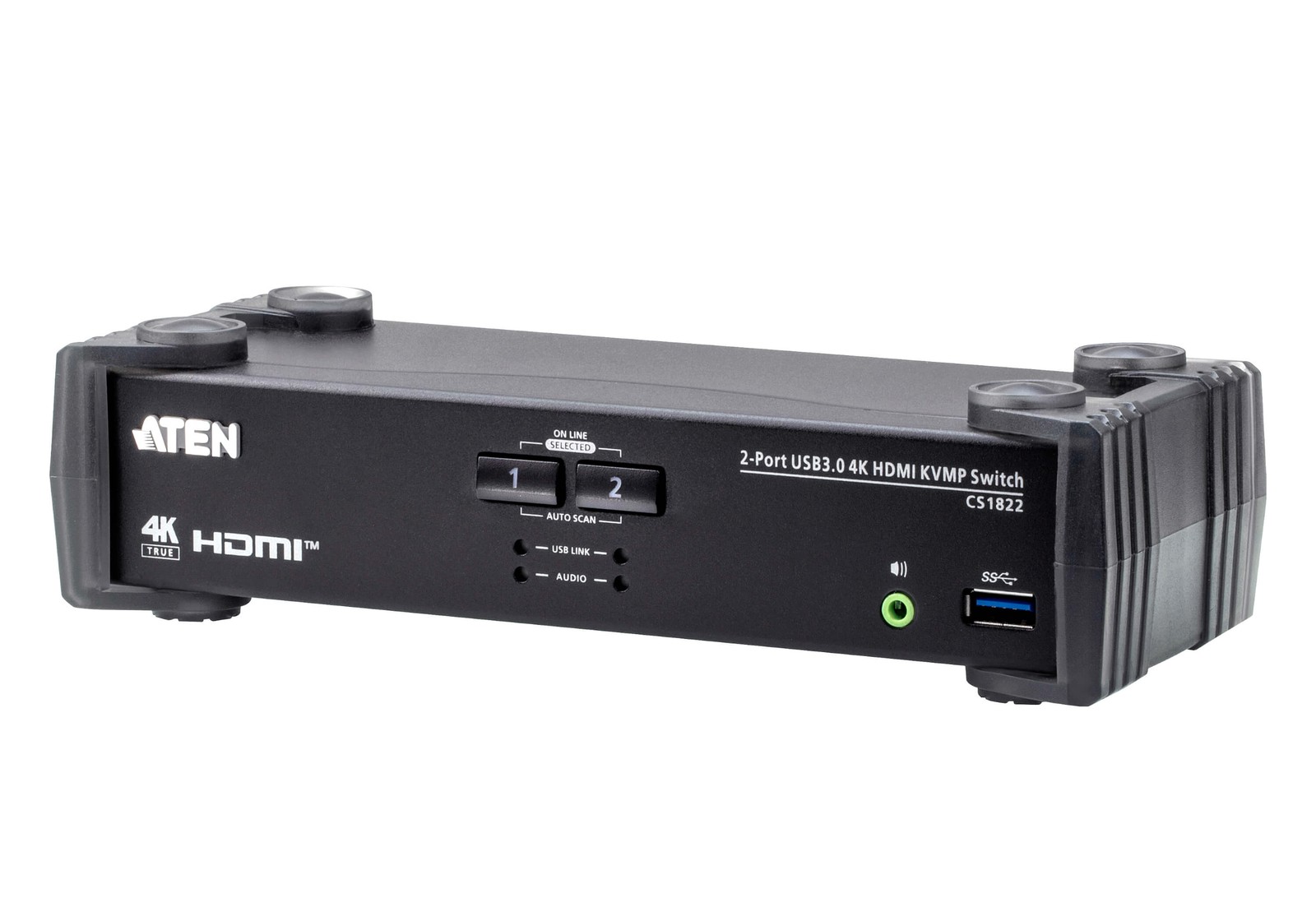
ATEN CS1822
In our list of KVM and USB switches that let you stop re-plugging cables between your work PC and personal PC, the ATEN CS1822 is a desktop KVM that switches between two HDMI computers and their USB peripherals. When considering the ATEN CS1822, it helps to start by picturing the actual workflow that creates the "one HDMI monitor shared between a work PC and a personal PC" situation. The "HDMI 2.0 switching and USB 3.0 hub" functions the ATEN CS1822 provides only do their job properly when the installation spot and surrounding equipment match.
Whether the ATEN CS1822 works in practice comes down to the HDMI output on each PC and the input spec of your monitor, so it is safest to confirm the 4K refresh-rate conditions and the USB and video cables required in the official documentation as well. Before making a final decision, sum up in one sentence the role the ATEN CS1822 would play in your setup of KVM and USB switches that let you stop re-plugging cables between your work PC and personal PC, and move it up your purchase priority only when that role is clear and ATEN's support terms also make sense to you.
Whether the ATEN CS1822 works in practice comes down to the HDMI output on each PC and the input spec of your monitor, so it is safest to confirm the 4K refresh-rate conditions and the USB and video cables required in the official documentation as well. Before making a final decision, sum up in one sentence the role the ATEN CS1822 would play in your setup of KVM and USB switches that let you stop re-plugging cables between your work PC and personal PC, and move it up your purchase priority only when that role is clear and ATEN's support terms also make sense to you.
브랜드 ATEN
잘 맞는 상황 HDMI 모니터 한 대를 회사 PC와 개인 PC가 공유하는 책상
핵심 특징 HDMI 2.0 전환과 USB 3.0 허브
설치·호환 각 PC의 HDMI 출력과 모니터 입력 규격
구매 전 확인 4K 주사율 조건과 필요한 USB·영상 케이블
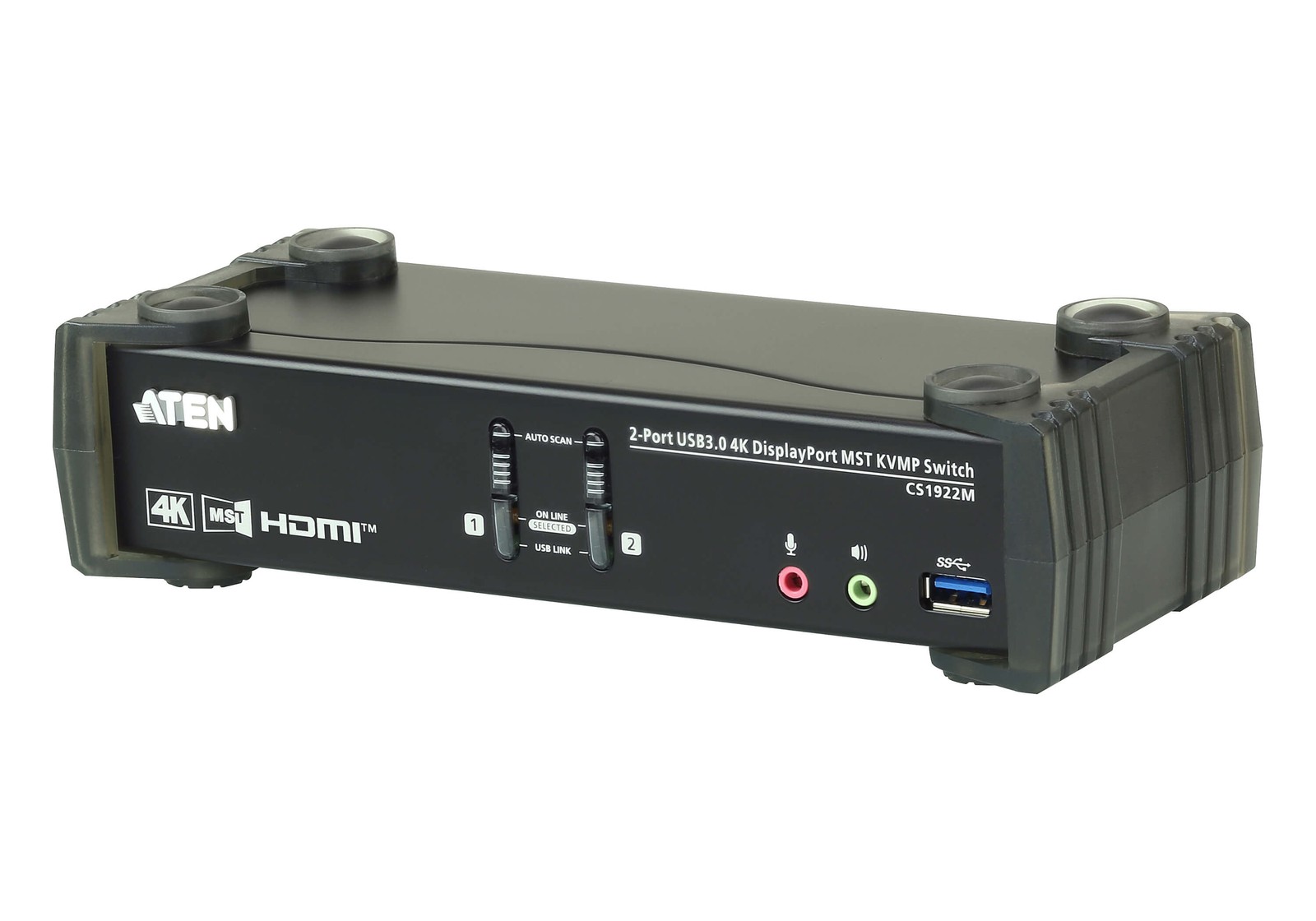
ATEN CS1922M
In our list of KVM and USB switches that let you stop re-plugging cables between your work PC and personal PC, the ATEN CS1922M is a KVM that uses DisplayPort MST to switch the dual-screen configuration of two computers. If your work involves building a dual-monitor MST setup from a single DisplayPort port, you have a solid reason to put the ATEN CS1922M on your shortlist. Keep in mind, too, that if you do not need DisplayPort MST and USB peripheral sharing, a simpler product than the ATEN CS1922M may be the more sensible choice.
To connect the ATEN CS1922M in your current environment, your graphics card and monitors need MST support and your operating system must be compatible, and the MST limitations on macOS together with the refresh rate at each resolution should be your final criteria when choosing the model. Whether the ATEN CS1922M stays on this list of KVM and USB switches that let you stop re-plugging cables between your work PC and personal PC should be judged by whether it actually reduces your current frustration rather than by how impressive its new features sound, and ATEN's warranty and exchange terms should be factored into your cost calculation as well.
To connect the ATEN CS1922M in your current environment, your graphics card and monitors need MST support and your operating system must be compatible, and the MST limitations on macOS together with the refresh rate at each resolution should be your final criteria when choosing the model. Whether the ATEN CS1922M stays on this list of KVM and USB switches that let you stop re-plugging cables between your work PC and personal PC should be judged by whether it actually reduces your current frustration rather than by how impressive its new features sound, and ATEN's warranty and exchange terms should be factored into your cost calculation as well.
브랜드 ATEN
잘 맞는 상황 DisplayPort 한 포트에서 MST 듀얼 모니터를 구성하는 업무
핵심 특징 DisplayPort MST와 USB 주변기기 공유
설치·호환 그래픽카드·모니터의 MST 지원과 운영체제
구매 전 확인 macOS의 MST 제약과 해상도별 주사율
Sabrent USB-KCPD
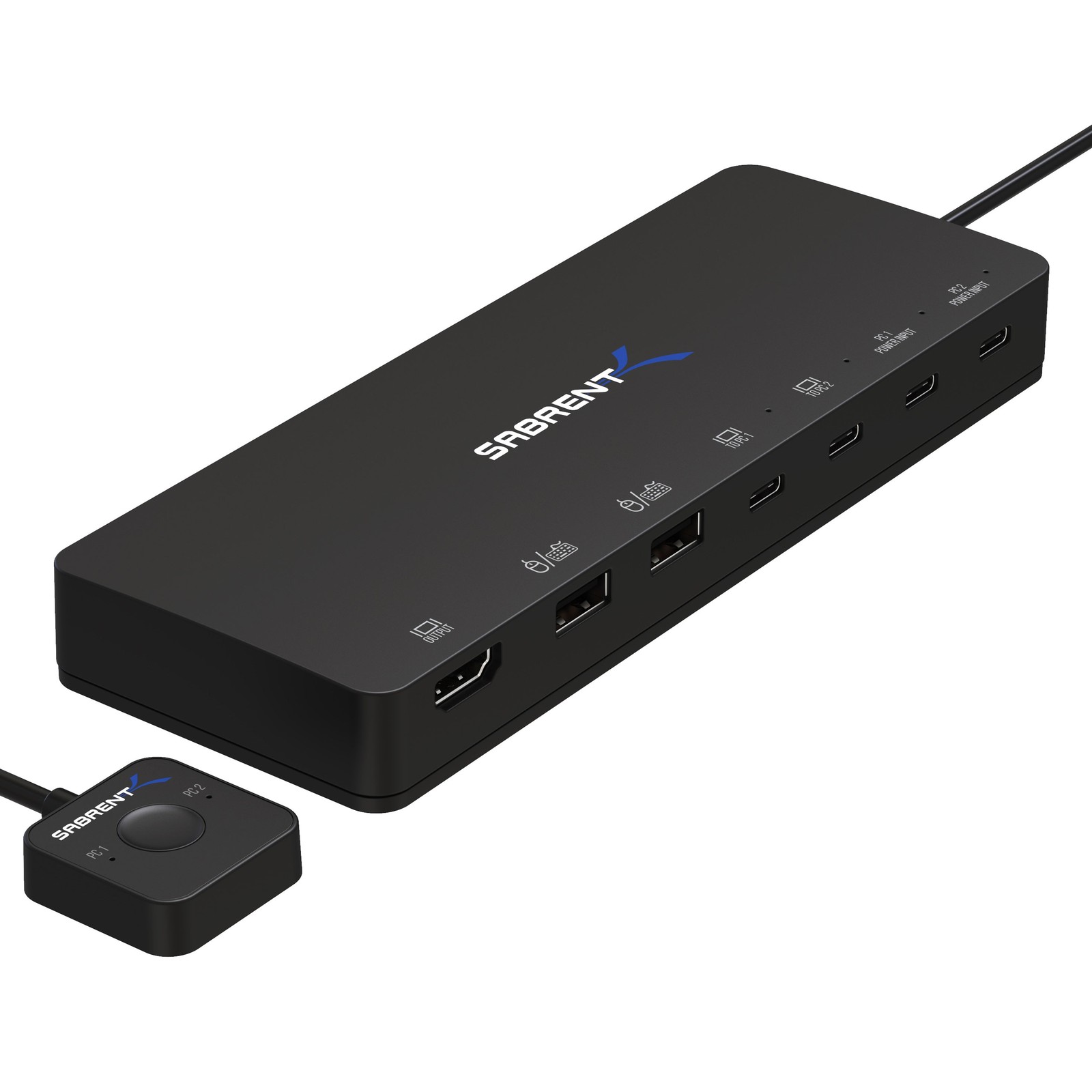
In our list of KVM and USB switches that let you stop re-plugging cables between your work PC and personal PC, the Sabrent USB-KCPD is a KVM device that switches between two computers in a USB-C and DisplayPort environment. This unit is worth comparing for users who prioritize running a USB-C laptop and a desktop through one monitor and one set of input devices. For the Sabrent USB-KCPD's distinguishing feature, USB-C and DisplayPort switching with Power Delivery, what you should verify is how it is actually operated and how accessible the controls are, not just whether the feature exists.
Check that the space and devices where you plan to install the Sabrent USB-KCPD meet the requirements for your laptop's USB-C video output and charging spec, then confirm the charging output, the maximum video mode, and the cable configuration in the final order details. Before adding the Sabrent USB-KCPD to your setup of KVM and USB switches that let you stop re-plugging cables between your work PC and personal PC, check whether the same goal can be met by reconfiguring the equipment you already have, and when an additional purchase is needed, do a final cross-check of Sabrent's support coverage and the installation requirements.
Check that the space and devices where you plan to install the Sabrent USB-KCPD meet the requirements for your laptop's USB-C video output and charging spec, then confirm the charging output, the maximum video mode, and the cable configuration in the final order details. Before adding the Sabrent USB-KCPD to your setup of KVM and USB switches that let you stop re-plugging cables between your work PC and personal PC, check whether the same goal can be met by reconfiguring the equipment you already have, and when an additional purchase is needed, do a final cross-check of Sabrent's support coverage and the installation requirements.
브랜드 Sabrent
잘 맞는 상황 USB-C 노트북과 데스크톱을 한 모니터·입력기로 쓰는 구성
핵심 특징 USB-C·DisplayPort 전환과 Power Delivery
설치·호환 노트북 USB-C 영상 출력·충전 규격
구매 전 확인 충전 출력과 최대 영상 모드, 케이블 구성
ATEN US3342
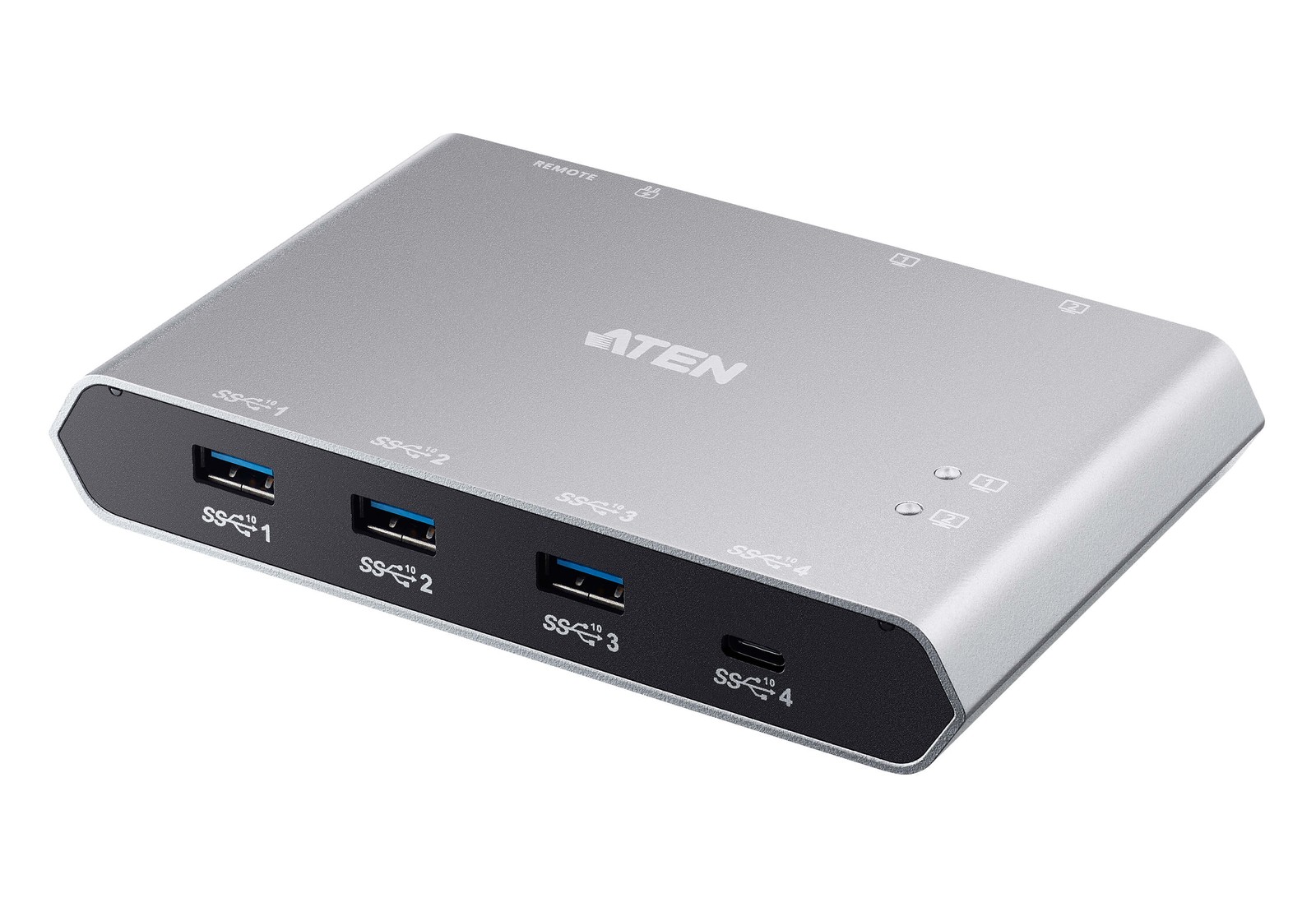
In our list of KVM and USB switches that let you stop re-plugging cables between your work PC and personal PC, the ATEN US3342 is a switch that lets two USB-C computers share four USB devices. The ATEN US3342's strengths and limits both come into view when you build around the scenario of a desk that shares only input devices, a printer, and storage, with no monitor switching. If the feature you use most often is the "two USB-C hosts sharing four USB 3.2 ports" capability, the ATEN US3342 moves up your priority list; if not, you should take another look at the cost-to-benefit ratio.
To avoid compatibility problems with the ATEN US3342, first check your computers' USB-C data ports and the power draw of your devices, and compare the fact that it has no video switching and the details of the remote selector button against the model sold in your region. Even if the ATEN US3342's specs look good, if it does not match the workflow of your KVM and USB switches that let you stop re-plugging cables between your work PC and personal PC, you may quickly find yourself using it less, so review ATEN's support policy together with how you actually move around your desk to avoid an overbuilt setup.
To avoid compatibility problems with the ATEN US3342, first check your computers' USB-C data ports and the power draw of your devices, and compare the fact that it has no video switching and the details of the remote selector button against the model sold in your region. Even if the ATEN US3342's specs look good, if it does not match the workflow of your KVM and USB switches that let you stop re-plugging cables between your work PC and personal PC, you may quickly find yourself using it less, so review ATEN's support policy together with how you actually move around your desk to avoid an overbuilt setup.
브랜드 ATEN
잘 맞는 상황 모니터 전환 없이 입력기·프린터·저장장치만 공유하는 책상
핵심 특징 2대 USB-C 호스트와 4포트 USB 3.2 공유
설치·호환 컴퓨터 USB-C 데이터 포트와 장치 소비 전력
구매 전 확인 영상 전환 기능이 없다는 점과 원격 선택 버튼
Sabrent USB-SW30
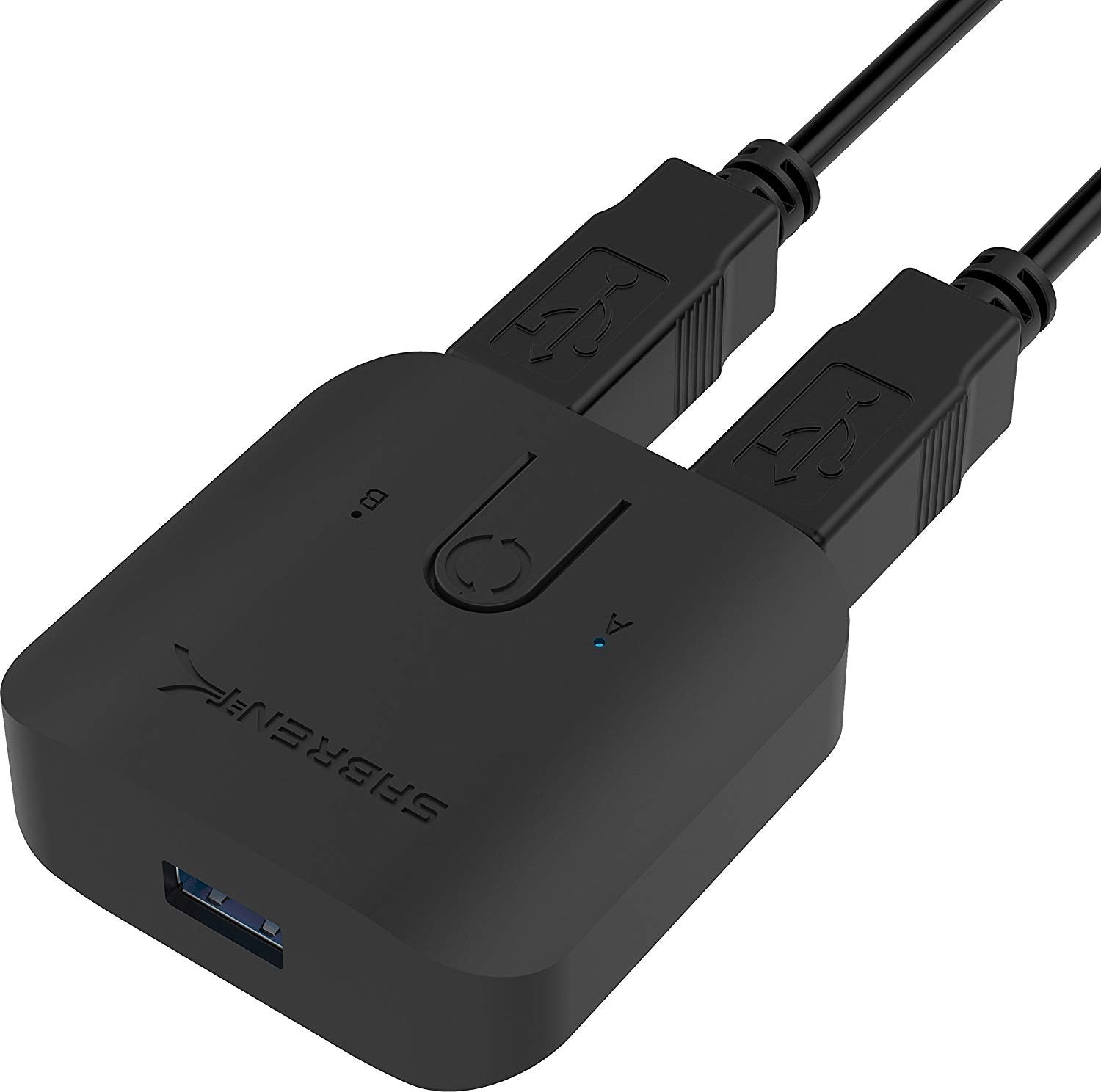
In our list of KVM and USB switches that let you stop re-plugging cables between your work PC and personal PC, the Sabrent USB-SW30 is a switch that toggles a single USB 3.0 device between two computers at the push of a button. The purchasing decision should start not with the Sabrent USB-SW30's name but with the need to alternate just one printer or one USB device between two PCs. Whether the Sabrent USB-SW30 stays on your shortlist depends on whether its "one USB device switched between two PCs" function lines up exactly with what your current equipment is missing.
On the spec sheet, check the Sabrent USB-SW30's shared-device driver and USB 3.0 connection details separately from the warning not to switch while a storage device is in use and the cable length, so that your actual setup and your expectations do not drift apart. In this list of KVM and USB switches that let you stop re-plugging cables between your work PC and personal PC, the Sabrent USB-SW30's priority should be set by how much improvement you will notice every day, and the realistic approach is to confirm you can live with Sabrent's warranty coverage and the maintenance burden.
On the spec sheet, check the Sabrent USB-SW30's shared-device driver and USB 3.0 connection details separately from the warning not to switch while a storage device is in use and the cable length, so that your actual setup and your expectations do not drift apart. In this list of KVM and USB switches that let you stop re-plugging cables between your work PC and personal PC, the Sabrent USB-SW30's priority should be set by how much improvement you will notice every day, and the realistic approach is to confirm you can live with Sabrent's warranty coverage and the maintenance burden.
브랜드 Sabrent
잘 맞는 상황 프린터나 단일 USB 장치 한 대만 두 PC에서 번갈아 쓰는 환경
핵심 특징 1개 USB 장치의 2대 PC 전환
설치·호환 공유 장치 드라이버와 USB 3.0 연결
구매 전 확인 저장장치 사용 중 전환 금지와 케이블 길이
Before installing a KVM, write out a table of the video ports each computer outputs and the inputs on your monitor, and count how many cables you will need. Not every USB-C port supports video output or charging, and high resolutions and high refresh rates can depend on the cable spec and DSC support. After connecting everything, also test wake-from-sleep and whether your window layout stays put.
Devices sensitive to bandwidth or latency, such as webcams, audio interfaces, and external SSDs, can be unstable on a USB switch. Start by connecting just the keyboard and mouse, confirm it is stable, and then add devices one at a time. For products with firmware updates, follow the official instructions, but if you are in an environment where you cannot install management software on your work PC, a product that gives you every function you need through physical buttons alone is the practical choice.
Devices sensitive to bandwidth or latency, such as webcams, audio interfaces, and external SSDs, can be unstable on a USB switch. Start by connecting just the keyboard and mouse, confirm it is stable, and then add devices one at a time. For products with firmware updates, follow the official instructions, but if you are in an environment where you cannot install management software on your work PC, a product that gives you every function you need through physical buttons alone is the practical choice.
At a glance
7 items
ATEN CS1942DP
ATEN · DisplayPort 화면 두 대와 USB 주변기기를 두 PC에서 공유하는 책상 · 듀얼 DisplayPort 출력과 USB 3.1 허브 · 그래픽카드의 DisplayPort 출력 수와 모니터 해상도 · MST·해상도·주사율 조건과 필요한 케이블 수
IOGEAR GCS1942
IOGEAR · 업무용·개인용 PC가 동일한 듀얼 모니터를 사용하는 환경 · 듀얼 DisplayPort와 주변기기 공유 · DisplayPort 버전과 USB 장치 종류 · 지원 해상도별 주사율과 오디오 전환 방식
ATEN CS1822
ATEN · HDMI 모니터 한 대를 회사 PC와 개인 PC가 공유하는 책상 · HDMI 2.0 전환과 USB 3.0 허브 · 각 PC의 HDMI 출력과 모니터 입력 규격 · 4K 주사율 조건과 필요한 USB·영상 케이블
ATEN CS1922M
ATEN · DisplayPort 한 포트에서 MST 듀얼 모니터를 구성하는 업무 · DisplayPort MST와 USB 주변기기 공유 · 그래픽카드·모니터의 MST 지원과 운영체제 · macOS의 MST 제약과 해상도별 주사율
Sabrent USB-KCPD
Sabrent · USB-C 노트북과 데스크톱을 한 모니터·입력기로 쓰는 구성 · USB-C·DisplayPort 전환과 Power Delivery · 노트북 USB-C 영상 출력·충전 규격 · 충전 출력과 최대 영상 모드, 케이블 구성
ATEN US3342
ATEN · 모니터 전환 없이 입력기·프린터·저장장치만 공유하는 책상 · 2대 USB-C 호스트와 4포트 USB 3.2 공유 · 컴퓨터 USB-C 데이터 포트와 장치 소비 전력 · 영상 전환 기능이 없다는 점과 원격 선택 버튼
Sabrent USB-SW30
Sabrent · 프린터나 단일 USB 장치 한 대만 두 PC에서 번갈아 쓰는 환경 · 1개 USB 장치의 2대 PC 전환 · 공유 장치 드라이버와 USB 3.0 연결 · 저장장치 사용 중 전환 금지와 케이블 길이
As part of the Coupang Partners program, this post may earn a commission from qualifying purchases.
Comments 0
Log in to leave a comment.
Be the first to comment.
How about these lists?


You might also like


🎲
Not ready to stop here?
Wondering what to read next is the biggest waste of time.
Let the dice decide — you won't know what pops up until you roll.
If you don't press it… won't you wonder forever? 👀
 Log in or sign up with KakaoTalk in 5 seconds