Collection
Digital Devices
2026.09.15
What’s the Difference Between Jailbreaking, Rooting, and Custom Firmware?
A Guide to Distinguishing Smartphone and Console Terms
Jailbreaking, rooting, unlocking bootloaders, and custom firmware are often used interchangeably, but they differ in terms of the devices involved, permissions granted, and the scope allowed by manufacturers. By comparing iPhone, Pixel, Galaxy, PlayStation Vita, Nintendo Switch, and Steam Deck, we'll clarify what these terms refer to.
This guide does not provide technical execution methods. Instead, it focuses on the consequences that users need to be aware of before making decisions, such as data initialization, security warnings, restrictions on financial apps, account penalties, and copyright issues. Since official policies and device-specific support may be updated, it’s best to check the manufacturer’s guidelines before use.
This guide does not provide technical execution methods. Instead, it focuses on the consequences that users need to be aware of before making decisions, such as data initialization, security warnings, restrictions on financial apps, account penalties, and copyright issues. Since official policies and device-specific support may be updated, it’s best to check the manufacturer’s guidelines before use.
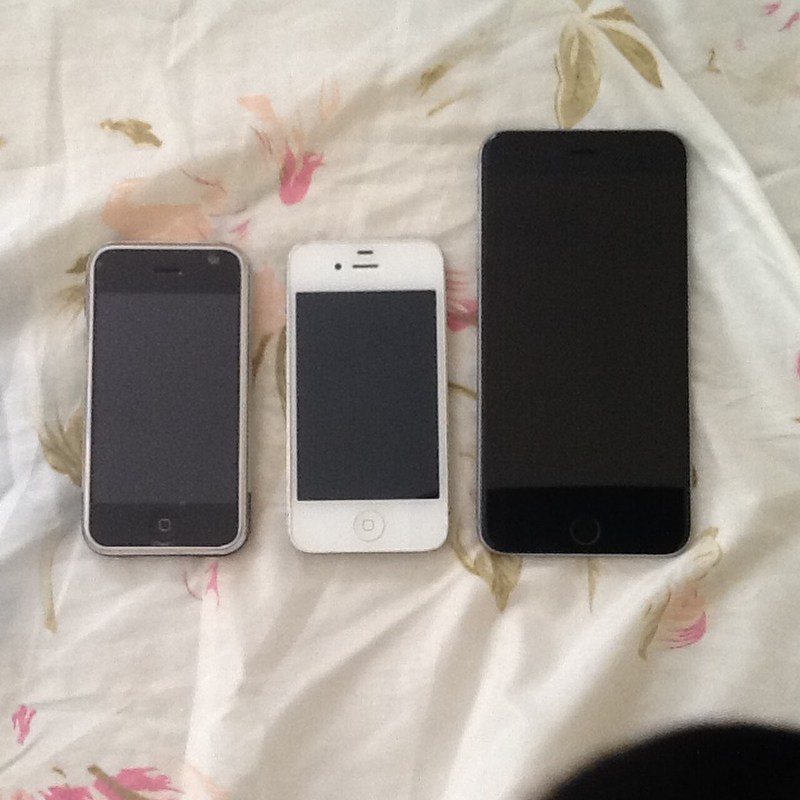
iPhone X
The iPhone X is a smartphone introduced by Apple. The notable time for this item is 2017, and the context of device modification relates to the demand for personalization following the introduction of Face ID and gesture-based UI. Although the term 'jailbreaking' is used, circumventing iOS's permission restrictions, changing the bootloader state on Android, and executing unauthorized code on a console have different technical and contractual meanings. Therefore, descriptions that do not differentiate between device names, generations, and operating system versions cannot serve as a basis for assessing the current state.
The foremost risks to consider are detection and operational restrictions for authentication and financial apps. Unauthorized modifications can affect not only failure to update or data loss but also financial/authentication apps, cloud synchronization, online accounts, and repair policies. Even if research cases for older devices have been made public, it does not mean they are safe for your current primary device. This list does not include vulnerability names, tool distribution locations, or installation sequences, and only addresses results disclosed in manufacturer support documents and conditions that users should verify.
If the purpose is to extend functionality, first check the Control Center, widgets, and lock screen settings. Official paths are likely to solve similar requirements while maintaining update and recovery support. If there is a specific purpose such as preserving discontinued devices or conducting security research, ownership, copyright, and access control laws may vary by country, so professional verification is required before distribution or sharing. It’s advisable to separate devices containing work materials or payment information from experimental ones and to back up important data separately, regardless of whether changes are made.
The foremost risks to consider are detection and operational restrictions for authentication and financial apps. Unauthorized modifications can affect not only failure to update or data loss but also financial/authentication apps, cloud synchronization, online accounts, and repair policies. Even if research cases for older devices have been made public, it does not mean they are safe for your current primary device. This list does not include vulnerability names, tool distribution locations, or installation sequences, and only addresses results disclosed in manufacturer support documents and conditions that users should verify.
If the purpose is to extend functionality, first check the Control Center, widgets, and lock screen settings. Official paths are likely to solve similar requirements while maintaining update and recovery support. If there is a specific purpose such as preserving discontinued devices or conducting security research, ownership, copyright, and access control laws may vary by country, so professional verification is required before distribution or sharing. It’s advisable to separate devices containing work materials or payment information from experimental ones and to back up important data separately, regardless of whether changes are made.
기기 유형 스마트폰
제조사 Apple
관련 시기 2017년
주요 위험 인증·금융 앱 탐지와 작동 제한
공식 대안 제어 센터·위젯·잠금 화면 설정
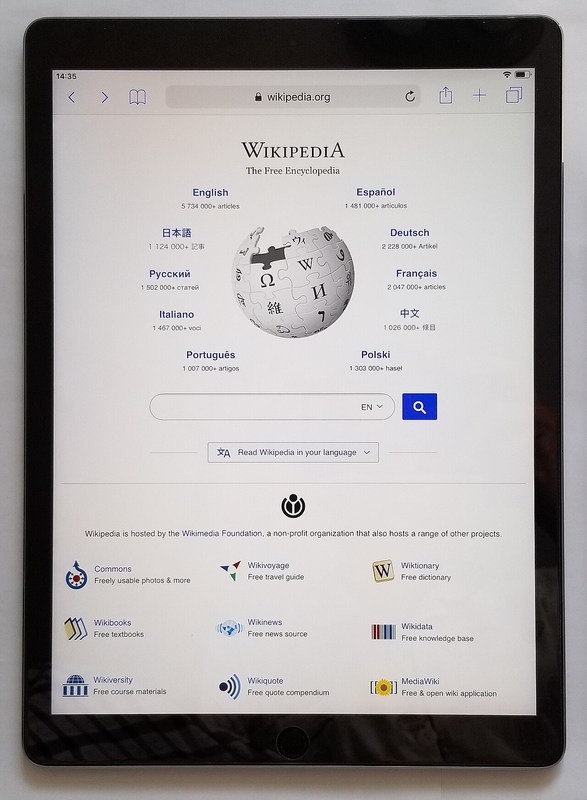
iPad Pro
The iPad Pro is a tablet introduced by Apple. The notable time for this item is post-2015, and the context of device modification relates to the demand for iPadOS jailbreaking and productivity feature enhancements. Although the term 'jailbreaking' is used, circumventing iOS's permission restrictions, changing the bootloader state on Android, and executing unauthorized code on a console have different technical and contractual meanings. Therefore, descriptions that do not differentiate between device names, generations, and operating system versions cannot serve as a basis for assessing the current state.
The foremost risks to consider are the security of work data and financial apps. Unauthorized modifications can affect not only failure to update or data loss but also financial/authentication apps, cloud synchronization, online accounts, and repair policies. Even if research cases for older devices have been made public, it does not mean they are safe for your current primary device. This list does not include vulnerability names, tool distribution locations, or installation sequences, and only addresses results disclosed in manufacturer support documents and conditions that users should verify.
If the purpose is to extend functionality, first check Stage Manager, Shortcuts, and the Files app. Official paths are likely to solve similar requirements while maintaining update and recovery support. If there is a specific purpose such as preserving discontinued devices or conducting security research, ownership, copyright, and access control laws may vary by country, so professional verification is required before distribution or sharing. It’s advisable to separate devices containing work materials or payment information from experimental ones and to back up important data separately, regardless of whether changes are made.
The foremost risks to consider are the security of work data and financial apps. Unauthorized modifications can affect not only failure to update or data loss but also financial/authentication apps, cloud synchronization, online accounts, and repair policies. Even if research cases for older devices have been made public, it does not mean they are safe for your current primary device. This list does not include vulnerability names, tool distribution locations, or installation sequences, and only addresses results disclosed in manufacturer support documents and conditions that users should verify.
If the purpose is to extend functionality, first check Stage Manager, Shortcuts, and the Files app. Official paths are likely to solve similar requirements while maintaining update and recovery support. If there is a specific purpose such as preserving discontinued devices or conducting security research, ownership, copyright, and access control laws may vary by country, so professional verification is required before distribution or sharing. It’s advisable to separate devices containing work materials or payment information from experimental ones and to back up important data separately, regardless of whether changes are made.
기기 유형 태블릿
제조사 Apple
관련 시기 2015년 이후
주요 위험 업무 데이터와 금융 앱 보안 저하
공식 대안 Stage Manager·단축어·파일 앱
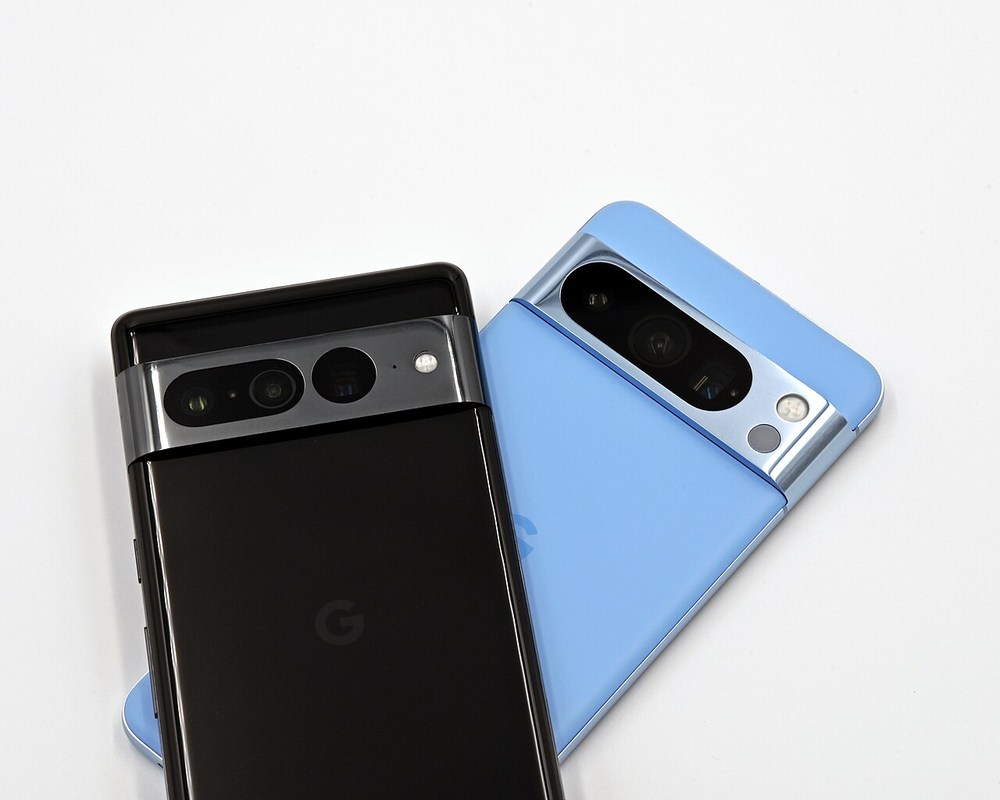
Google Pixel 8 Pro
The Google Pixel 8 Pro is an Android smartphone introduced by Google. The notable time for this item is 2023, and the context of device modification lies in the differences between unlocking the bootloader allowed by the manufacturer and rooting. Although the term 'jailbreaking' is used, circumventing iOS's permission restrictions, changing the bootloader state on Android, and executing unauthorized code on a console have different technical and contractual meanings. Therefore, descriptions that do not differentiate between device names, generations, and operating system versions cannot serve as a basis for assessing the current state.
The foremost risks to consider are initialization, Verified Boot warnings, and warranty conditions. Unauthorized modifications can affect not only failure to update or data loss but also financial/authentication apps, cloud synchronization, online accounts, and repair policies. Even if research cases for older devices have been made public, it does not mean they are safe for your current primary device. This list does not include vulnerability names, tool distribution locations, or installation sequences, and only addresses results disclosed in manufacturer support documents and conditions that users should verify.
If the purpose is to extend functionality, first check the official developer options and AOSP documentation. Official paths are likely to solve similar requirements while maintaining update and recovery support. If there is a specific purpose such as preserving discontinued devices or conducting security research, ownership, copyright, and access control laws may vary by country, so professional verification is required before distribution or sharing. It’s advisable to separate devices containing work materials or payment information from experimental ones and to back up important data separately, regardless of whether changes are made.
The foremost risks to consider are initialization, Verified Boot warnings, and warranty conditions. Unauthorized modifications can affect not only failure to update or data loss but also financial/authentication apps, cloud synchronization, online accounts, and repair policies. Even if research cases for older devices have been made public, it does not mean they are safe for your current primary device. This list does not include vulnerability names, tool distribution locations, or installation sequences, and only addresses results disclosed in manufacturer support documents and conditions that users should verify.
If the purpose is to extend functionality, first check the official developer options and AOSP documentation. Official paths are likely to solve similar requirements while maintaining update and recovery support. If there is a specific purpose such as preserving discontinued devices or conducting security research, ownership, copyright, and access control laws may vary by country, so professional verification is required before distribution or sharing. It’s advisable to separate devices containing work materials or payment information from experimental ones and to back up important data separately, regardless of whether changes are made.
기기 유형 안드로이드 스마트폰
제조사 Google
관련 시기 2023년
주요 위험 초기화·Verified Boot 경고·보증 조건
공식 대안 공식 개발자 옵션과 AOSP 문서
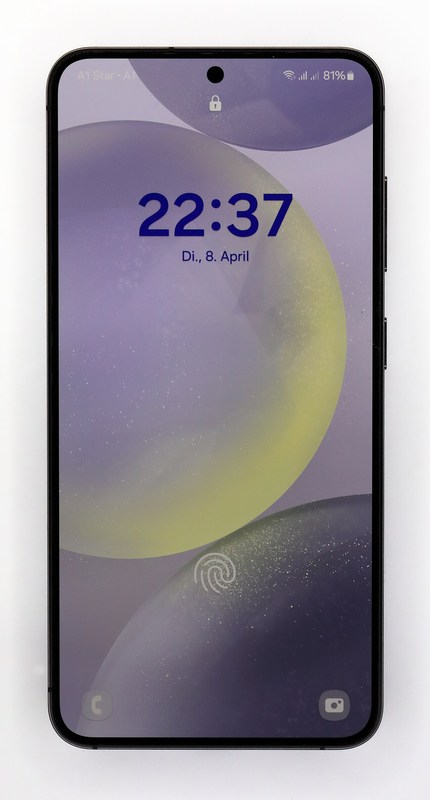
Samsung Galaxy S24
The Samsung Galaxy S24 is an Android smartphone introduced by Samsung. The notable time for this item is 2024, and the context of device modification concerns the relationship between rooting and the manufacturer’s security platform. Although the term 'jailbreaking' is used, circumventing iOS's permission restrictions, changing the bootloader state on Android, and executing unauthorized code on a console have different technical and contractual meanings. Therefore, descriptions that do not differentiate between device names, generations, and operating system versions cannot serve as a basis for assessing the current state.
The foremost risks to consider are security feature limitations, payments, and enterprise management restrictions. Unauthorized modifications can affect not only failure to update or data loss but also financial/authentication apps, cloud synchronization, online accounts, and repair policies. Even if research cases for older devices have been made public, it does not mean they are safe for your current primary device. This list does not include vulnerability names, tool distribution locations, or installation sequences, and only addresses results disclosed in manufacturer support documents and conditions that users should verify.
If the purpose is to extend functionality, first check Good Lock and the official One UI features. Official paths are likely to solve similar requirements while maintaining update and recovery support. If there is a specific purpose such as preserving discontinued devices or conducting security research, ownership, copyright, and access control laws may vary by country, so professional verification is required before distribution or sharing. It’s advisable to separate devices containing work materials or payment information from experimental ones and to back up important data separately, regardless of whether changes are made.
The foremost risks to consider are security feature limitations, payments, and enterprise management restrictions. Unauthorized modifications can affect not only failure to update or data loss but also financial/authentication apps, cloud synchronization, online accounts, and repair policies. Even if research cases for older devices have been made public, it does not mean they are safe for your current primary device. This list does not include vulnerability names, tool distribution locations, or installation sequences, and only addresses results disclosed in manufacturer support documents and conditions that users should verify.
If the purpose is to extend functionality, first check Good Lock and the official One UI features. Official paths are likely to solve similar requirements while maintaining update and recovery support. If there is a specific purpose such as preserving discontinued devices or conducting security research, ownership, copyright, and access control laws may vary by country, so professional verification is required before distribution or sharing. It’s advisable to separate devices containing work materials or payment information from experimental ones and to back up important data separately, regardless of whether changes are made.
기기 유형 안드로이드 스마트폰
제조사 Samsung
관련 시기 2024년
주요 위험 보안 기능·결제·기업 관리 제한
공식 대안 Good Lock과 공식 One UI 기능

PS Vita
The PS Vita is a portable gaming device introduced by Sony. The notable time for this item is 2011, and the context of device modification relates to the preservation of discontinued devices and the interest in homebrew. Although the term 'jailbreaking' is used, circumventing iOS's permission restrictions, changing the bootloader state on Android, and executing unauthorized code on a console have different technical and contractual meanings. Therefore, descriptions that do not differentiate between device names, generations, and operating system versions cannot serve as a basis for assessing the current state.
The foremost risks to consider are account, save data, and service risks. Unauthorized modifications can affect not only failure to update or data loss but also financial/authentication apps, cloud synchronization, online accounts, and repair policies. Even if research cases for older devices have been made public, it does not mean they are safe for your current primary device. This list does not include vulnerability names, tool distribution locations, or installation sequences, and only addresses results disclosed in manufacturer support documents and conditions that users should verify.
If the purpose is to extend functionality, first check official purchase history and content backups. Official paths are likely to solve similar requirements while maintaining update and recovery support. If there is a specific purpose such as preserving discontinued devices or conducting security research, ownership, copyright, and access control laws may vary by country, so professional verification is required before distribution or sharing. It’s advisable to separate devices containing work materials or payment information from experimental ones and to back up important data separately, regardless of whether changes are made.
The foremost risks to consider are account, save data, and service risks. Unauthorized modifications can affect not only failure to update or data loss but also financial/authentication apps, cloud synchronization, online accounts, and repair policies. Even if research cases for older devices have been made public, it does not mean they are safe for your current primary device. This list does not include vulnerability names, tool distribution locations, or installation sequences, and only addresses results disclosed in manufacturer support documents and conditions that users should verify.
If the purpose is to extend functionality, first check official purchase history and content backups. Official paths are likely to solve similar requirements while maintaining update and recovery support. If there is a specific purpose such as preserving discontinued devices or conducting security research, ownership, copyright, and access control laws may vary by country, so professional verification is required before distribution or sharing. It’s advisable to separate devices containing work materials or payment information from experimental ones and to back up important data separately, regardless of whether changes are made.
기기 유형 휴대형 게임기
제조사 Sony
관련 시기 2011년
주요 위험 계정·저장 데이터 및 서비스 위험
공식 대안 공식 구매 이력과 콘텐츠 백업 확인
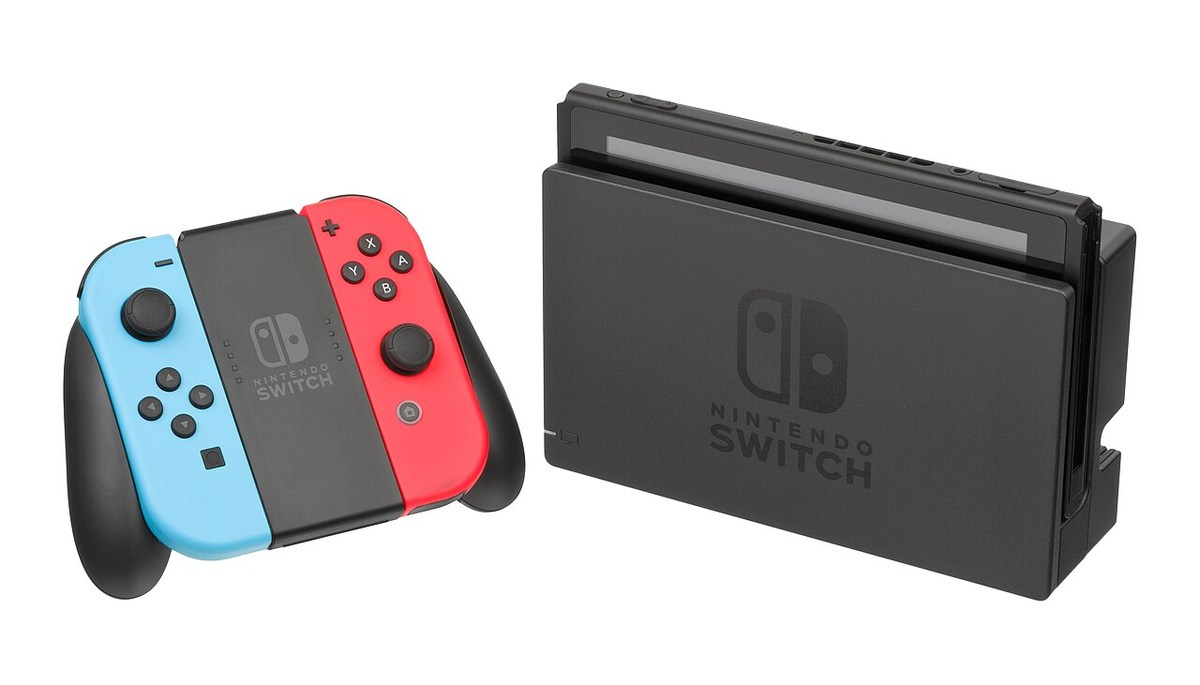
Nintendo Switch
The Nintendo Switch is a hybrid gaming console introduced by Nintendo. The notable time for this item is 2017, and the context of device modification involves hardware generational differences and controversies surrounding online sanctions. Although the term 'jailbreaking' is used, circumventing iOS's permission restrictions, changing the bootloader state on Android, and executing unauthorized code on a console have different technical and contractual meanings. Therefore, descriptions that do not differentiate between device names, generations, and operating system versions cannot serve as a basis for assessing the current state.
The foremost risks to consider are console inoperability, account limitations, and copyright risks. Unauthorized modifications can affect not only failure to update or data loss but also financial/authentication apps, cloud synchronization, online accounts, and repair policies. Even if research cases for older devices have been made public, it does not mean they are safe for your current primary device. This list does not include vulnerability names, tool distribution locations, or installation sequences, and only addresses results disclosed in manufacturer support documents and conditions that users should verify.
If the purpose is to extend functionality, first check the official eShop, parental controls, and accessibility settings. Official paths are likely to solve similar requirements while maintaining update and recovery support. If there is a specific purpose such as preserving discontinued devices or conducting security research, ownership, copyright, and access control laws may vary by country, so professional verification is required before distribution or sharing. It’s advisable to separate devices containing work materials or payment information from experimental ones and to back up important data separately, regardless of whether changes are made.
The foremost risks to consider are console inoperability, account limitations, and copyright risks. Unauthorized modifications can affect not only failure to update or data loss but also financial/authentication apps, cloud synchronization, online accounts, and repair policies. Even if research cases for older devices have been made public, it does not mean they are safe for your current primary device. This list does not include vulnerability names, tool distribution locations, or installation sequences, and only addresses results disclosed in manufacturer support documents and conditions that users should verify.
If the purpose is to extend functionality, first check the official eShop, parental controls, and accessibility settings. Official paths are likely to solve similar requirements while maintaining update and recovery support. If there is a specific purpose such as preserving discontinued devices or conducting security research, ownership, copyright, and access control laws may vary by country, so professional verification is required before distribution or sharing. It’s advisable to separate devices containing work materials or payment information from experimental ones and to back up important data separately, regardless of whether changes are made.
기기 유형 하이브리드 게임기
제조사 Nintendo
관련 시기 2017년
주요 위험 콘솔 사용 불능·계정 제한·저작권 위험
공식 대안 공식 e숍·자녀 보호·접근성 설정
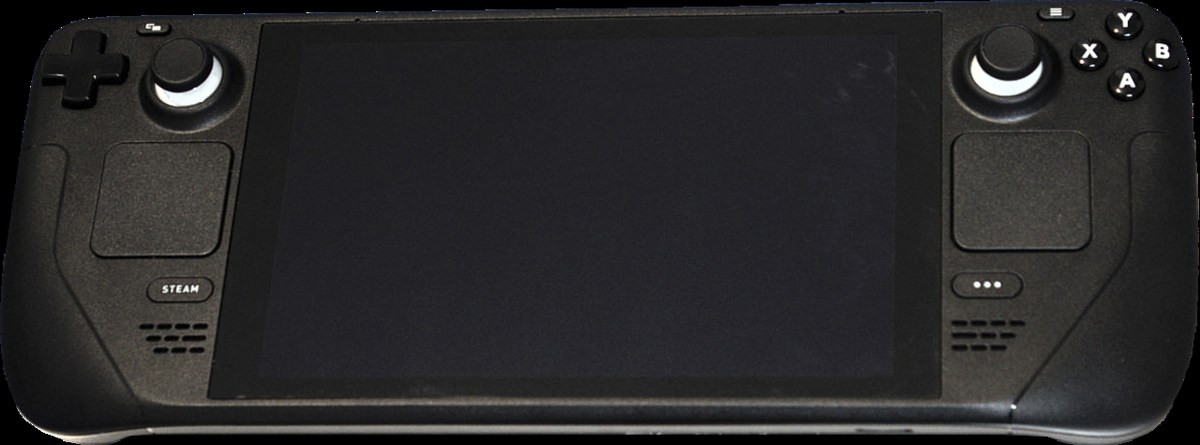
Steam Deck
The Steam Deck is a handheld PC introduced by Valve. The notable time for this item is 2022, and the context of device modification lies along the boundaries between open PCs and closed consoles. Although the term 'jailbreaking' is used, circumventing iOS's permission restrictions, changing the bootloader state on Android, and executing unauthorized code on a console have different technical and contractual meanings. Therefore, descriptions that do not differentiate between device names, generations, and operating system versions cannot serve as a basis for assessing the current state.
The foremost risks to consider are data and compatibility burdens resulting from unofficial changes. Unauthorized modifications can affect not only failure to update or data loss but also financial/authentication apps, cloud synchronization, online accounts, and repair policies. Even if research cases for older devices have been made public, it does not mean they are safe for your current primary device. This list does not include vulnerability names, tool distribution locations, or installation sequences, and only addresses results disclosed in manufacturer support documents and conditions that users should verify.
If the purpose is to extend functionality, first check the official Desktop Mode and SteamOS recovery options. Official paths are likely to solve similar requirements while maintaining update and recovery support. If there is a specific purpose such as preserving discontinued devices or conducting security research, ownership, copyright, and access control laws may vary by country, so professional verification is required before distribution or sharing. It’s advisable to separate devices containing work materials or payment information from experimental ones and to back up important data separately, regardless of whether changes are made.
The foremost risks to consider are data and compatibility burdens resulting from unofficial changes. Unauthorized modifications can affect not only failure to update or data loss but also financial/authentication apps, cloud synchronization, online accounts, and repair policies. Even if research cases for older devices have been made public, it does not mean they are safe for your current primary device. This list does not include vulnerability names, tool distribution locations, or installation sequences, and only addresses results disclosed in manufacturer support documents and conditions that users should verify.
If the purpose is to extend functionality, first check the official Desktop Mode and SteamOS recovery options. Official paths are likely to solve similar requirements while maintaining update and recovery support. If there is a specific purpose such as preserving discontinued devices or conducting security research, ownership, copyright, and access control laws may vary by country, so professional verification is required before distribution or sharing. It’s advisable to separate devices containing work materials or payment information from experimental ones and to back up important data separately, regardless of whether changes are made.
기기 유형 휴대형 PC
제조사 Valve
관련 시기 2022년
주요 위험 비공식 변경에 따른 데이터·호환성 부담
공식 대안 공식 Desktop Mode와 SteamOS 복구
Even paths that manufacturers explicitly provide, such as unlocking the bootloader on Android, are not supported under the same conditions on every device. They also differ in legal and technical meaning from iOS jailbreaking or unauthorized console modding.
Writing down your purpose first makes it easier to judge whether a risky change is really necessary. Theme changes, automation, emulation, development, and game preservation each have different alternatives. For a primary device that handles work or financial data, keeping it secure is especially important. Official policies and the range of support for each device may be updated, so it is safer to check the manufacturer's guidance again before use.
Writing down your purpose first makes it easier to judge whether a risky change is really necessary. Theme changes, automation, emulation, development, and game preservation each have different alternatives. For a primary device that handles work or financial data, keeping it secure is especially important. Official policies and the range of support for each device may be updated, so it is safer to check the manufacturer's guidance again before use.
At a glance
7 items
As part of the Coupang Partners program, this post may earn a commission from qualifying purchases.
Comments 0
Log in to leave a comment.
Be the first to comment.
How about these lists?


You might also like


🎲
Not ready to stop here?
Wondering what to read next is the biggest waste of time.
Let the dice decide — you won't know what pops up until you roll.
If you don't press it… won't you wonder forever? 👀