
Collection
Desk Setup
2026.09.09
Apple Desk Setup for Time-Consuming Tasks
Assembling a Mac desk tailored to your workspace and task intensity, from document work to professional production.
When it comes to a work desk, the configuration that reduces repetitive movements is more critical than just having equipment that looks good. Depending on whether you open multiple windows, frequently input numbers, have long video calls, or process high-performance tasks continuously, your required Mac and input devices will vary. This collection groups actual products based on desk size and work intensity.
If you budget by only looking at the main unit, costs for monitors, cameras, keyboards, and mice may exceed your expectations. First, check if you can reuse existing peripherals and focus on upgrading the devices you interact with the most for efficiency. We've organized this to help you assess the needs from a small home office to a professional production room step by step.
If you budget by only looking at the main unit, costs for monitors, cameras, keyboards, and mice may exceed your expectations. First, check if you can reuse existing peripherals and focus on upgrading the devices you interact with the most for efficiency. We've organized this to help you assess the needs from a small home office to a professional production room step by step.
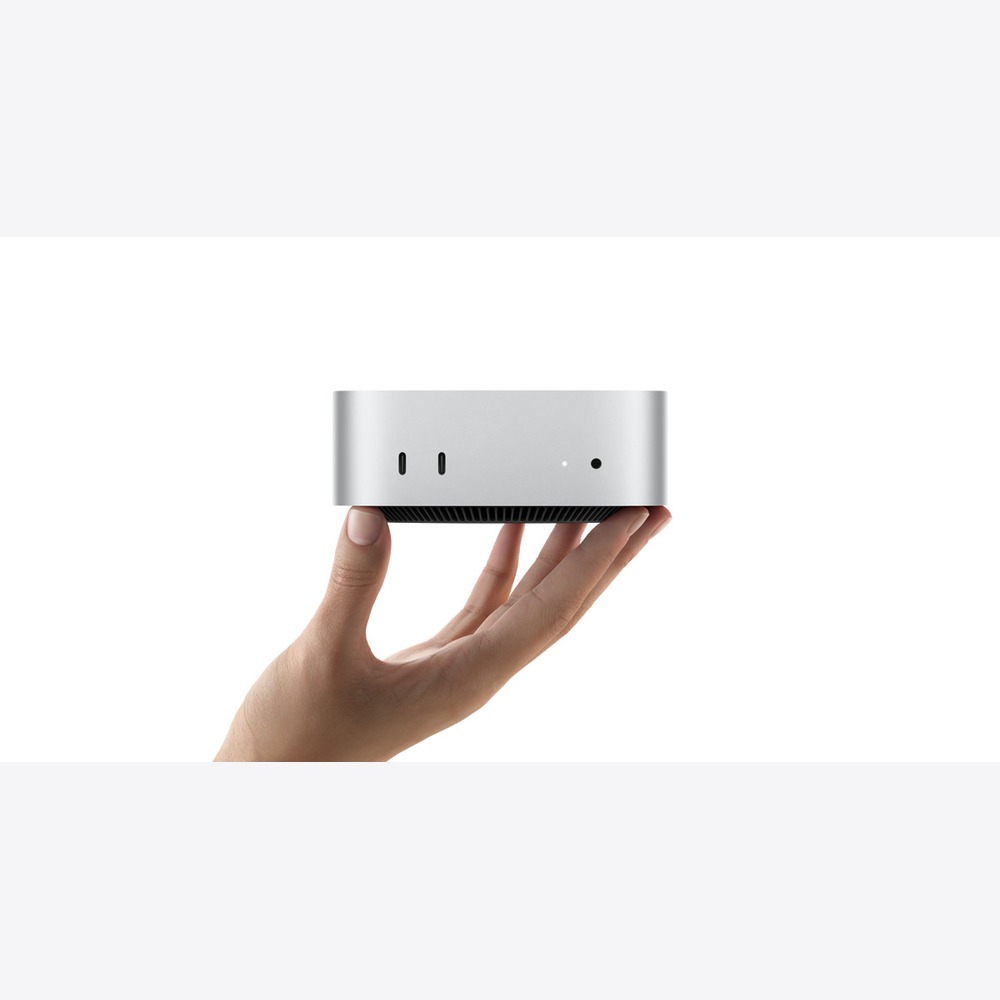
Mac mini
The Mac mini is a compact desktop Mac that incorporates desktop performance and front and back ports. Looking at its role in the flow, it's the workstation main unit placed on a small desk while maintaining your existing monitor. Rather than deciding solely based on product names or generations, counting how often this role is repeated in a home office and office settings clarifies its necessity. Check if the devices you already own can perform the same tasks effectively.
Pay attention to how many times your hands move from the start of work to video calls, focused tasks, and deadlines. The desk area, cable layout, and company security tools must align for equipment replacements to yield actual time savings. List down frequently used apps and files to see if there are stages that the Mac mini can reduce. By checking size and handling, as well as screen and sound directly in the store, you can also minimize misunderstandings that arise solely from specifications.
Key points to check before purchasing include your total budget including peripherals and the number of ports. Depending on the model and options, storage capacity, connection standards, and included components may vary, and some software features are affected by device, language, and regional conditions. It's safer to sum up necessary accessories and service costs and cross-reference them with Apple's latest technical specifications and compatibility lists before choosing.
Pay attention to how many times your hands move from the start of work to video calls, focused tasks, and deadlines. The desk area, cable layout, and company security tools must align for equipment replacements to yield actual time savings. List down frequently used apps and files to see if there are stages that the Mac mini can reduce. By checking size and handling, as well as screen and sound directly in the store, you can also minimize misunderstandings that arise solely from specifications.
Key points to check before purchasing include your total budget including peripherals and the number of ports. Depending on the model and options, storage capacity, connection standards, and included components may vary, and some software features are affected by device, language, and regional conditions. It's safer to sum up necessary accessories and service costs and cross-reference them with Apple's latest technical specifications and compatibility lists before choosing.
제품군 Mac
활용 역할 기존 모니터를 살리며 작은 책상에 배치하는 업무 본체
구매 전 확인 주변기기를 포함한 총예산과 포트 수

iMac
The iMac combines the M4 chip with a 59.6 cm 4.5K display in one unit. When considering its usage, it serves as an all-in-one desk that neatly organizes a screen along with a camera and speakers at once. Rather than deciding based on product names or generations, counting how often this role is repeated in home and office desks clears up its necessity. Check if the devices you already own can perform the same tasks effectively.
Observe how many times your hands move from the beginning of work to video conferences, focused tasks, and deadlines. Aligning the desk space, cable arrangement, and company security tools is crucial for equipment changes to translate into real time savings. Write down commonly used apps and files to see if there are stages that the iMac can simplify. Checking the size, feel, and sound directly in-store can also help reduce misunderstandings that come from specifications alone.
Key points to check before purchasing include the fixed screen size and potential future placement changes. Storage capacity, connection standards, and included components may vary depending on the model and options, and some software features are influenced by device, language, and regional conditions. It’s advisable to sum up necessary accessories and service costs and compare them with Apple's latest technology specifications and compatibility lists before choosing.
Observe how many times your hands move from the beginning of work to video conferences, focused tasks, and deadlines. Aligning the desk space, cable arrangement, and company security tools is crucial for equipment changes to translate into real time savings. Write down commonly used apps and files to see if there are stages that the iMac can simplify. Checking the size, feel, and sound directly in-store can also help reduce misunderstandings that come from specifications alone.
Key points to check before purchasing include the fixed screen size and potential future placement changes. Storage capacity, connection standards, and included components may vary depending on the model and options, and some software features are influenced by device, language, and regional conditions. It’s advisable to sum up necessary accessories and service costs and compare them with Apple's latest technology specifications and compatibility lists before choosing.
제품군 Mac
활용 역할 화면과 카메라·스피커를 한 번에 정리하는 올인원 책상
구매 전 확인 고정된 화면 크기와 향후 배치 변경
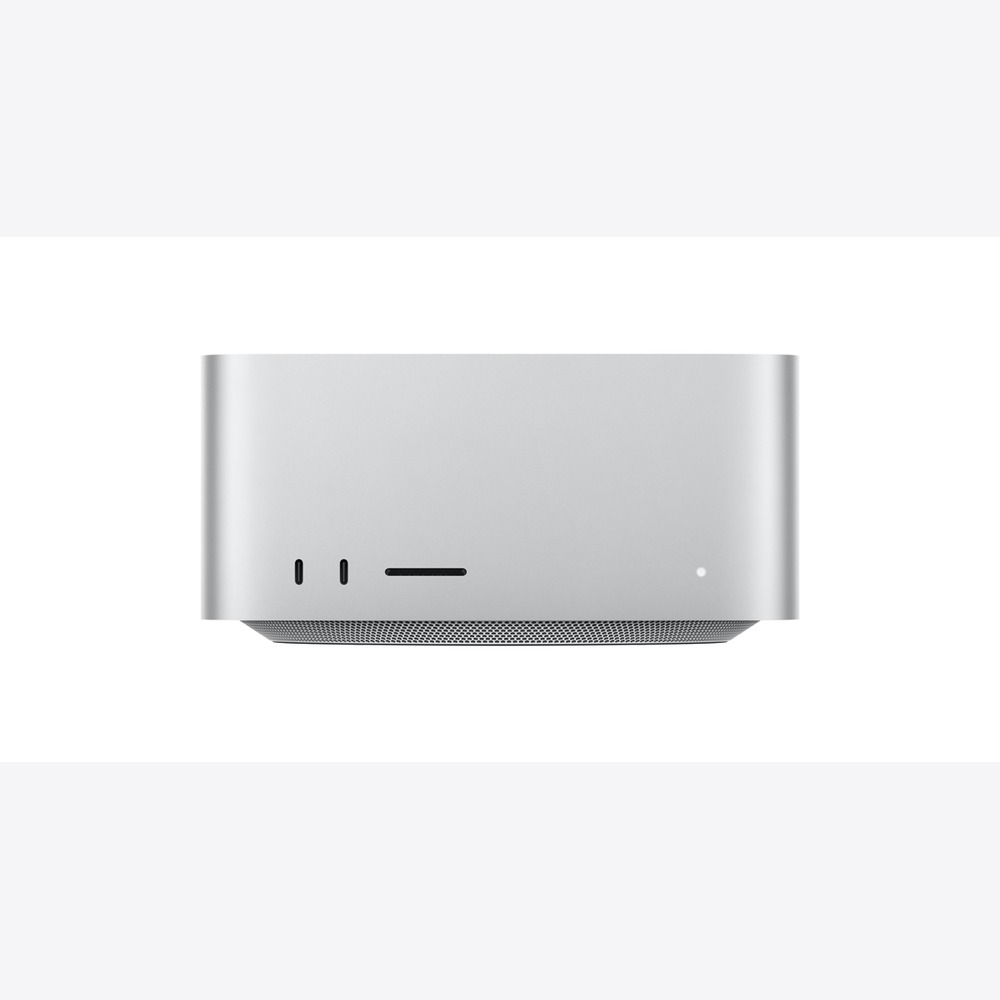
Mac Studio
The Mac Studio is a desktop aimed at professional work with options of M5 Max or M5 Ultra. To summarize the reason for purchase, it’s a dedicated unit for processing video, 3D, and music production for extended periods. Rather than deciding solely based on product names or generations, assessing how often this role is repeated in home office and office environments clarifies its necessity. Check if the devices you already own can perform the same tasks effectively.
Examine how many times your hands move from the start of work to video conferences, focused tasks, and deadlines. The desk area, cable arrangement, and company security tools need to align for equipment changes to genuinely save time. Detail frequently used apps and files to check if the Mac Studio can reduce any stages for you. In-store checks for size, handling, screen, and sound can help prevent misunderstandings that arise from specs alone.
Before purchasing, a crucial point to confirm is whether apps utilize the upper chips and memory effectively. Storage capacity, connection standards, and included components may change based on the model and options, and some software features can be influenced by device, language, and regional conditions. It’s safe to tally necessary accessories and service costs, and double-check them against Apple's latest tech specs and compatibility lists before making a selection.
Examine how many times your hands move from the start of work to video conferences, focused tasks, and deadlines. The desk area, cable arrangement, and company security tools need to align for equipment changes to genuinely save time. Detail frequently used apps and files to check if the Mac Studio can reduce any stages for you. In-store checks for size, handling, screen, and sound can help prevent misunderstandings that arise from specs alone.
Before purchasing, a crucial point to confirm is whether apps utilize the upper chips and memory effectively. Storage capacity, connection standards, and included components may change based on the model and options, and some software features can be influenced by device, language, and regional conditions. It’s safe to tally necessary accessories and service costs, and double-check them against Apple's latest tech specs and compatibility lists before making a selection.
제품군 Mac
활용 역할 영상·3D·음악 제작을 장시간 처리하는 전문 본체
구매 전 확인 앱이 상위 칩과 메모리를 실제 활용하는지

Studio Display
The Studio Display is a high-resolution screen integrated with a camera and speakers designed for a Mac workspace. When connected to other devices, it neatly combines Mac tasks and video call screens. Rather than deciding solely based on product names or generations, assessing how often this role is repeated in home office and office desks clarifies its necessity. Check if the devices you already own can perform the same tasks effectively.
Look at how many times your hands move from the start of work to video calls, focused tasks, and deadlines. The desk area, cable structure, and company security tools need to align for equipment replacements to actually lead to time savings. Write down frequently used apps and files to check if there are stages the Studio Display can simplify. By checking size, responsiveness, and sound and image quality directly in-store, you can also avoid misunderstandings that arise solely from specifications.
Key pre-purchase considerations include the stand type and desk depth. Depending on the model and options, storage capacity, connection standards, and included pieces may vary, and some software features are affected by device, language, and regional conditions. Ensure to sum necessary accessory and service costs, and recheck them against Apple's latest technical specifications and compatibility lists before making a decision.
Look at how many times your hands move from the start of work to video calls, focused tasks, and deadlines. The desk area, cable structure, and company security tools need to align for equipment replacements to actually lead to time savings. Write down frequently used apps and files to check if there are stages the Studio Display can simplify. By checking size, responsiveness, and sound and image quality directly in-store, you can also avoid misunderstandings that arise solely from specifications.
Key pre-purchase considerations include the stand type and desk depth. Depending on the model and options, storage capacity, connection standards, and included pieces may vary, and some software features are affected by device, language, and regional conditions. Ensure to sum necessary accessory and service costs, and recheck them against Apple's latest technical specifications and compatibility lists before making a decision.
제품군 Apple 디스플레이
활용 역할 Mac 업무와 화상회의 화면을 단정하게 통합하는 디스플레이
구매 전 확인 스탠드 방식과 책상 깊이

Pro Display XDR
The Pro Display XDR is a large display aimed at HDR production and professional color work. Looking at its role in the flow, it’s a professional screen where HDR and color management are directly linked to the quality of deliveries. Rather than deciding solely based on product names or generations, assessing how often this role is repeated in home office and office desks clarifies its necessity. Check if the devices you already own can perform the same tasks effectively.
Observe how many times your hands move from the start of work to video calls, focused tasks, and deadlines. To effectively save time, the desk area, cable route, and company security tools must fit together when swapping equipment. List down common apps and files to see if there are steps that the Pro Display XDR can streamline for you. In-store verification of size, handling, screen quality, and sound can help you avoid misunderstandings solely based on specs.
The key points to check before purchasing are the separate stand and the connections for the workspace. Storage capacity, connection standards, and included components may vary based on the model and options, and some software features may be impacted by device, language, and regional conditions. It's best to sum up the costs of necessary accessories and services, and to cross-reference these with Apple's latest technology specifications and compatibility lists before making a choice.
Observe how many times your hands move from the start of work to video calls, focused tasks, and deadlines. To effectively save time, the desk area, cable route, and company security tools must fit together when swapping equipment. List down common apps and files to see if there are steps that the Pro Display XDR can streamline for you. In-store verification of size, handling, screen quality, and sound can help you avoid misunderstandings solely based on specs.
The key points to check before purchasing are the separate stand and the connections for the workspace. Storage capacity, connection standards, and included components may vary based on the model and options, and some software features may be impacted by device, language, and regional conditions. It's best to sum up the costs of necessary accessories and services, and to cross-reference these with Apple's latest technology specifications and compatibility lists before making a choice.
제품군 Apple 디스플레이
활용 역할 HDR와 색 관리가 납품 품질에 직접 연결되는 전문 화면
구매 전 확인 별도 스탠드와 작업실 연결 환경

Magic Keyboard (with Touch ID and Numeric Keypad)
The Magic Keyboard (with Touch ID and Numeric Keypad) is a wireless keyboard that utilizes Touch ID and a numeric keypad on Apple Silicon Macs. In practical use, it’s a keyboard that reduces repetitive tasks using Touch ID and numeric input. Rather than deciding solely based on product names or generations, counting how often this role is performed in home office and office settings clarifies its necessity. Check if devices you already have can achieve the same tasks effectively.
Consider how many times your hands move from starting work to video calls, focused tasks, and deadlines. The desk area, cable layout, and company security tools need to be coordinated for equipment changes to lead to actual time savings. Note down frequently used apps and files to see if the Magic Keyboard can reduce any steps for you. By checking its size, handling, and sound directly in the store, misunderstandings from just looking at specs can be minimized.
Key pre-purchase points to check are Apple Silicon compatibility and the Korean layout. Storage capacity, connection standards, and included components may differ by model and options, and some software features can be affected by device, language, and regional conditions. Ensure to tally necessary accessories and service costs, and cross-reference with Apple's latest technology specifications and compatibility lists before choosing.
Consider how many times your hands move from starting work to video calls, focused tasks, and deadlines. The desk area, cable layout, and company security tools need to be coordinated for equipment changes to lead to actual time savings. Note down frequently used apps and files to see if the Magic Keyboard can reduce any steps for you. By checking its size, handling, and sound directly in the store, misunderstandings from just looking at specs can be minimized.
Key pre-purchase points to check are Apple Silicon compatibility and the Korean layout. Storage capacity, connection standards, and included components may differ by model and options, and some software features can be affected by device, language, and regional conditions. Ensure to tally necessary accessories and service costs, and cross-reference with Apple's latest technology specifications and compatibility lists before choosing.
제품군 Mac 입력장치
활용 역할 Touch ID와 숫자 입력으로 반복 업무를 줄이는 키보드
구매 전 확인 Apple Silicon 호환과 한국어 배열
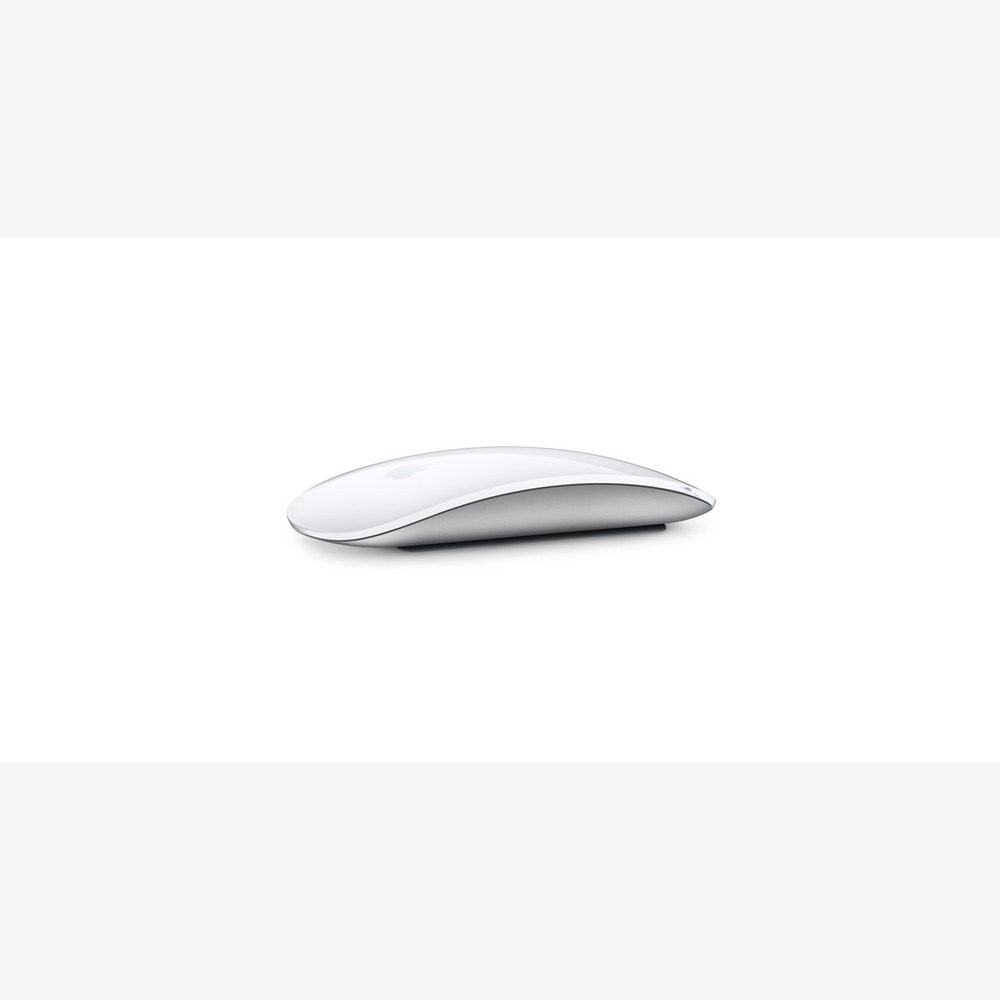
Magic Mouse
The Magic Mouse is a wireless mouse from Apple that supports gesture controls via its Multi-Touch surface. To summarize the reason for purchase, it’s a mouse preferred by those who like simple gesture controls at their desk. Rather than deciding solely based on product names or generations, evaluating how often this role comes into play in home office and office desks makes its necessity clear. Check if the devices you already own can perform the same tasks effectively.
Observe how many times your hands move from work initiation to video calls, focused tasks, and deadlines. The desk area, cable setup, and company security tools must align for equipment changes to produce actual time savings. Jot down apps and files you use often to see if the Magic Mouse can simplify any steps for you. Directly checking the size, feel, and sound in-store can also help reduce misinterpretations solely based on specifications.
Key factors to consider before purchasing are whether the grip and charging method suit your working habits. Depending on the model and options, storage capacity, connection standards, and included components may vary and some software features can be affected by device, language, and regional conditions. Summing necessary accessories and service costs, and checking them against Apple's latest technical specifications and compatibility lists before making a choice is safer.
Observe how many times your hands move from work initiation to video calls, focused tasks, and deadlines. The desk area, cable setup, and company security tools must align for equipment changes to produce actual time savings. Jot down apps and files you use often to see if the Magic Mouse can simplify any steps for you. Directly checking the size, feel, and sound in-store can also help reduce misinterpretations solely based on specifications.
Key factors to consider before purchasing are whether the grip and charging method suit your working habits. Depending on the model and options, storage capacity, connection standards, and included components may vary and some software features can be affected by device, language, and regional conditions. Summing necessary accessories and service costs, and checking them against Apple's latest technical specifications and compatibility lists before making a choice is safer.
제품군 Mac 입력장치
활용 역할 간결한 제스처 조작을 선호하는 책상의 마우스
구매 전 확인 그립과 충전 방식이 업무 습관에 맞는지
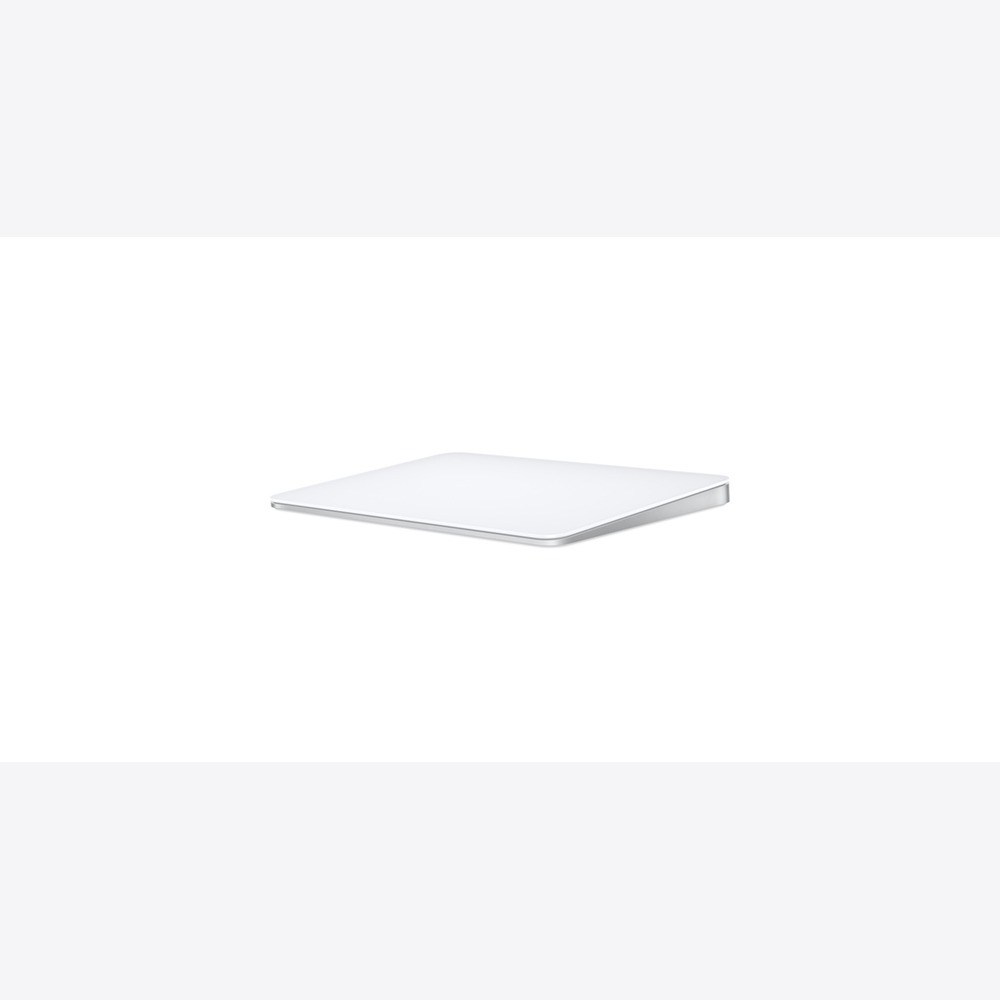
Magic Trackpad
The Magic Trackpad is an input device at your desk that features a large Multi-Touch surface and Mac gestures. When connected to other devices, it serves as a pointing device that maintains notebook gestures at your desk. Rather than just making decisions based on product names or generations, evaluating how often this role is repeated in home office and office desks clarifies its necessity. Check if your existing devices can handle similar tasks properly.
From starting work to video calls, focused tasks, and deadlines, observe the frequency of hand movements. The desk area, cable layout, and company security tools must work together for changes in equipment to lead to real time savings. Write down frequently used apps and files to see if the Magic Trackpad can streamline any steps for you. Checking the size, handling, and sound directly in-store can also reduce misunderstandings that arise from just specs.
Prior to purchase, the key points to check are comfort for long-term use for wrists and fingers. Depending on the model and options, storage capacity, connection types, and included items can change, and some software features may be affected by device, language, and regional conditions. It's advisable to summarize necessary accessory costs and service fees, and verify them against Apple's latest technology specifications and compatibility list before selecting.
From starting work to video calls, focused tasks, and deadlines, observe the frequency of hand movements. The desk area, cable layout, and company security tools must work together for changes in equipment to lead to real time savings. Write down frequently used apps and files to see if the Magic Trackpad can streamline any steps for you. Checking the size, handling, and sound directly in-store can also reduce misunderstandings that arise from just specs.
Prior to purchase, the key points to check are comfort for long-term use for wrists and fingers. Depending on the model and options, storage capacity, connection types, and included items can change, and some software features may be affected by device, language, and regional conditions. It's advisable to summarize necessary accessory costs and service fees, and verify them against Apple's latest technology specifications and compatibility list before selecting.
제품군 Mac 입력장치
활용 역할 노트북 제스처를 데스크에서도 유지하는 포인팅 장치
구매 전 확인 장시간 사용 시 손목과 손가락의 편안함

AirPods Pro 3
The AirPods Pro 3 are in-ear earbuds equipped with ANC, heart rate monitoring during exercise, and hearing health features. If we look at its defined role, these earbuds help separate calls and focus time in shared spaces. Rather than making a decision based solely on product names or generations, examining how frequently this role is invoked in home office and office desks clarifies necessity. Be sure to check if your existing devices can effectively perform the same roles.
From the start of work to video calls, focused tasks, and deadlines, consider how many times your hands move. The desk area, cable setup, and company security tools must align for equipment changes to genuinely yield time savings. List frequently used apps and files to examine if there are aspects that the AirPods Pro 3 can simplify for you. In store, checking for size, handling, sound, and functionality can also help avoid mistakes derived purely from specifications.
Before purchasing, remember to check the microphone quality and the comfort of wearing them for long periods. Depending on the model and options, storage capacity, connection standards, and components may vary, and some software features might be impacted by device, language, and regional conditions. Compiling necessary accessory and service costs, and confirming them against Apple’s latest technology specs and compatibility lists before selection is advisable.
From the start of work to video calls, focused tasks, and deadlines, consider how many times your hands move. The desk area, cable setup, and company security tools must align for equipment changes to genuinely yield time savings. List frequently used apps and files to examine if there are aspects that the AirPods Pro 3 can simplify for you. In store, checking for size, handling, sound, and functionality can also help avoid mistakes derived purely from specifications.
Before purchasing, remember to check the microphone quality and the comfort of wearing them for long periods. Depending on the model and options, storage capacity, connection standards, and components may vary, and some software features might be impacted by device, language, and regional conditions. Compiling necessary accessory and service costs, and confirming them against Apple’s latest technology specs and compatibility lists before selection is advisable.
제품군 AirPods
활용 역할 공용 공간의 통화와 집중 시간을 분리하는 이어폰
구매 전 확인 마이크 품질과 장시간 인이어 착용감
If you already have a monitor, the Mac mini is a great option, and for a clean combination of a screen and camera, the iMac or Studio Display is simple. The Mac Studio and Pro Display XDR bring significant benefits when professional apps and delivery environments take full advantage of their performance. Prioritize functionality that suits your wrist and workflow shortcuts over aesthetics.
Consider the depth of your desk, viewing distance, port locations, and the lighting and sound for video conferencing when making your choice. Compatibility with your company's security software and remote access tools for macOS is also important. Before upgrading the main unit's performance excessively, sum the costs of memory, storage, and external devices, and it's safer to check the feel and pointing experience in store.
Consider the depth of your desk, viewing distance, port locations, and the lighting and sound for video conferencing when making your choice. Compatibility with your company's security software and remote access tools for macOS is also important. Before upgrading the main unit's performance excessively, sum the costs of memory, storage, and external devices, and it's safer to check the feel and pointing experience in store.
At a glance
9 items
As part of the Coupang Partners program, this post may earn a commission from qualifying purchases.
Comments 0
Log in to leave a comment.
Be the first to comment.
How about these lists?


You might also like


🎲
Not ready to stop here?
Wondering what to read next is the biggest waste of time.
Let the dice decide — you won't know what pops up until you roll.
If you don't press it… won't you wonder forever? 👀
