Collection
Desk Setup
2026.09.20
A Multi-Monitor Desk Ready with Just a Plug
Creating a True One-Cable Environment with Docking, KVM, Lighting, and Storage
Every time you put your laptop on the desk, connecting the charger, monitor, wired network, and keyboard separately can make starting and ending remote work cumbersome. A docking station can reduce this to one cable, but just because the USB-C port looks the same doesn't mean the number of external displays and the charging output are the same. You need to know the operating system, laptop chipset, and monitor resolution first.
This list brings together five types of actual Thunderbolt and USB-C docks, dual monitor KVM, monitor lighting, and cable storage products in a cohesive flow for fixed desks. It explains in terms of bandwidth, power distribution, video output specifications (not VESA), heat and wiring on the tabletop, rather than just the number of ports. In cases where you may not have permission to install drivers or firmware on the company laptop, it's important to check the IT policy and official compatibility table before purchasing.
This list brings together five types of actual Thunderbolt and USB-C docks, dual monitor KVM, monitor lighting, and cable storage products in a cohesive flow for fixed desks. It explains in terms of bandwidth, power distribution, video output specifications (not VESA), heat and wiring on the tabletop, rather than just the number of ports. In cases where you may not have permission to install drivers or firmware on the company laptop, it's important to check the IT policy and official compatibility table before purchasing.
CalDigit TS4
A high-performance dock that connects displays, storage devices, wired networks, and audio ports, centered around Thunderbolt 4. It's suitable for quickly restoring a fixed desk with just one laptop cable.
Even if the dock provides ports, the number of external displays supported by the laptop's chipset and operating system may differ, so you should check the official compatibility table first. It's advisable to look at the 'Number of Display Supports by Laptop and OS Limitations' when making a decision on adoption.
Even if the dock provides ports, the number of external displays supported by the laptop's chipset and operating system may differ, so you should check the official compatibility table first. It's advisable to look at the 'Number of Display Supports by Laptop and OS Limitations' when making a decision on adoption.
브랜드·제공사 CalDigit
제품·서비스 분류 Thunderbolt 4 도킹스테이션
추천 용도 고해상도 화면과 많은 주변기기 연결
핵심 기능 Thunderbolt 4·다수 포트·고출력 충전
도입 전 확인 노트북의 디스플레이 지원 수와 OS 제한
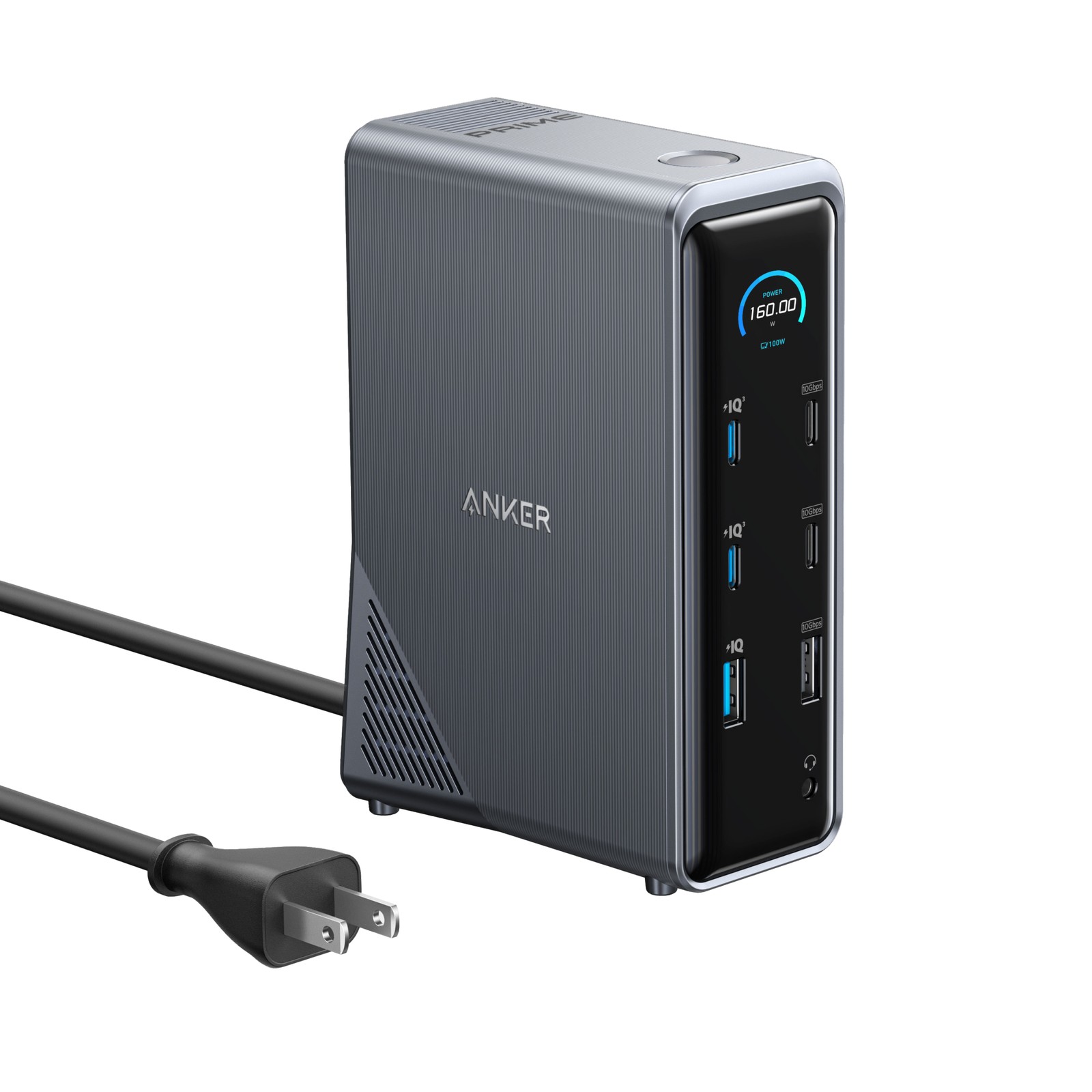
Anker Prime Docking Station 14-in-1
A multi-port docking station that bundles display output, USB peripherals, network, and power supply through a USB-C connection. It’s great for connecting peripherals with just one cable at your desk while carrying your laptop around.
You need to check the distribution of simultaneous screen resolutions, USB speeds, and charging output that can actually be used compared to the number of displayed ports to match the real workload. The key element to confirm before connecting for actual work is ‘Bandwidth and Concurrent Output Limit per Port.’
You need to check the distribution of simultaneous screen resolutions, USB speeds, and charging output that can actually be used compared to the number of displayed ports to match the real workload. The key element to confirm before connecting for actual work is ‘Bandwidth and Concurrent Output Limit per Port.’
브랜드 Anker
잘 맞는 상황 노트북 충전과 책상 위 여러 기기 충전을 한 장치로 정리하려는 경우
핵심 특징 내장 전원과 듀얼 디스플레이·USB 포트 구성
연결·호환 운영체제별 외부 화면 제한과 호스트 USB-C 규격 확인
구매 전 확인 총 출력과 포트 동시 사용 시 배분 방식
Dell Thunderbolt Dock WD22TB4
Dell's corporate dock that provides Thunderbolt 4 and connection for multiple displays, USBs, and wired networks. It becomes an effective fixed desk hub for compatible Dell laptops, making power and firmware management easier to integrate.
Even with the same USB-C shape, the power button, charging output, and number of external displays can vary by model, so it's more accurate to check compatibility information based on the service tag. When comparing official guidance and your usage environment, prioritize checking the 'Power Supply and Firmware Compatibility by Laptop.'
Even with the same USB-C shape, the power button, charging output, and number of external displays can vary by model, so it's more accurate to check compatibility information based on the service tag. When comparing official guidance and your usage environment, prioritize checking the 'Power Supply and Firmware Compatibility by Laptop.'
브랜드·제공사 Dell
제품·서비스 분류 Thunderbolt 4 기업용 도크
추천 용도 Dell 노트북과 관리형 사무 환경
핵심 기능 모듈형 설계·다중 화면·전원 버튼 연동
도입 전 확인 노트북별 전원 공급과 펌웨어 호환성
Lenovo ThinkPad Universal Thunderbolt 4 Dock
A universal dock for ThinkPad that provides Thunderbolt 4 connections and video, USB, network ports. It simplifies cable connections for environments where the same laptop is used at the office and home.
The supported number may vary depending on the combination of monitor resolution and refresh rate, and non-ThinkPad devices may have limited management capabilities, so check the compatibility table. Before deciding on a purchase or subscription, it’s important to first verify 'Compatibility List and Power Adapter Configuration.'
The supported number may vary depending on the combination of monitor resolution and refresh rate, and non-ThinkPad devices may have limited management capabilities, so check the compatibility table. Before deciding on a purchase or subscription, it’s important to first verify 'Compatibility List and Power Adapter Configuration.'
브랜드·제공사 Lenovo
제품·서비스 분류 Thunderbolt 4 기업용 도크
추천 용도 ThinkPad 중심의 회사 지급 장비
핵심 기능 다중 포트·전원 공급·원격 관리 기능
도입 전 확인 호환 목록과 전원 어댑터 구성
Plugable TBT4-UDZ
A Thunderbolt 4 dock that provides HDMI, DisplayPort, USB, and Ethernet altogether. It’s useful for reducing the number of adapters on desks with monitors that have different connectors.
Since macOS and Windows have different ways of extending external screens and there are limitations based on laptop hardware, you should cross-reference your desired screen combination with the manufacturer's table. It's crucial not to overlook the 'Differences in Supported Screen Numbers by Operating System' in the trial usage phase.
Since macOS and Windows have different ways of extending external screens and there are limitations based on laptop hardware, you should cross-reference your desired screen combination with the manufacturer's table. It's crucial not to overlook the 'Differences in Supported Screen Numbers by Operating System' in the trial usage phase.
브랜드·제공사 Plugable
제품·서비스 분류 Thunderbolt 4 도킹스테이션
추천 용도 Windows·macOS 혼합 장비의 다중 포트
핵심 기능 Thunderbolt 4·HDMI·DisplayPort·USB
도입 전 확인 운영체제별 지원 화면 수 차이
TESmart HKS202-E23
A KVM switch that allows two HDMI-based computers to share a keyboard, mouse, and dual monitors. It simplifies wiring and input switching when operating a work PC and a personal PC on the same desk.
Writing down the number of HDMI outputs from the two computers you'll connect, along with the monitor resolution and refresh rate beforehand, makes compatibility assessment easier. Testing USB peripherals and EDID operation together can reduce issues regarding device recognition after screen switching. Before integrating it into your work environment, it's necessary to check whether the ‘Input/Output Specifications and Resolution/EDID Support’ meet your requirements.
Writing down the number of HDMI outputs from the two computers you'll connect, along with the monitor resolution and refresh rate beforehand, makes compatibility assessment easier. Testing USB peripherals and EDID operation together can reduce issues regarding device recognition after screen switching. Before integrating it into your work environment, it's necessary to check whether the ‘Input/Output Specifications and Resolution/EDID Support’ meet your requirements.
브랜드·제공사 TESmart
제품·서비스 분류 듀얼 모니터 KVM 스위치
추천 용도 업무용·개인용 PC가 한 책상을 공유
핵심 기능 2대 PC·듀얼 HDMI 4K 60Hz·EDID
도입 전 확인 입출력 규격과 해상도·EDID 지원
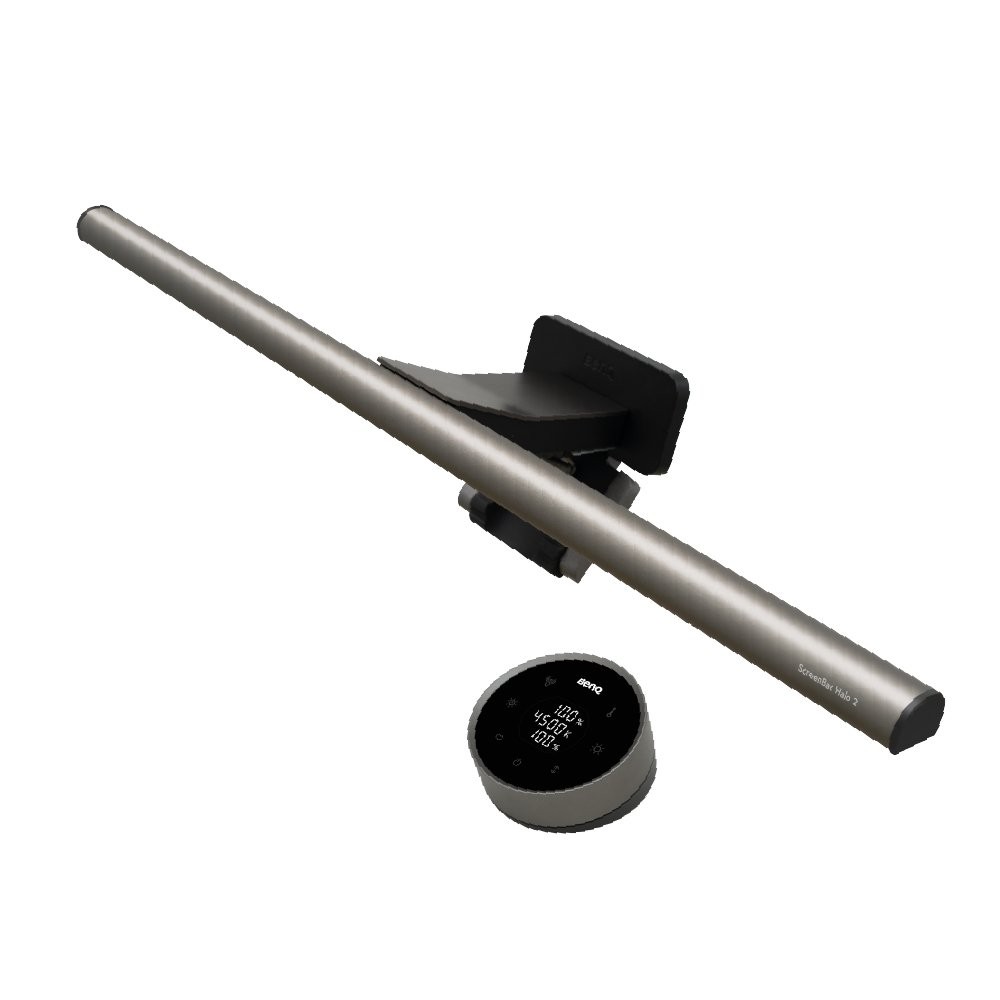
BenQ ScreenBar Halo 2
A lamp that installs above the monitor to illuminate the desk surface and reduce the brightness difference between the screen and surroundings with indirect lighting from the back. It makes it easier to control localized brightness compared to ceiling lights during late-night document work.
Ensure to adjust the angle to avoid screen reflections and check if there’s enough space for installation alongside a webcam, as well as the thickness and curvature of the monitor’s top meeting the installation range. The most important aspect to check during the selection process is ‘Monitor Thickness/Curbature and Webcam Interference.’
Ensure to adjust the angle to avoid screen reflections and check if there’s enough space for installation alongside a webcam, as well as the thickness and curvature of the monitor’s top meeting the installation range. The most important aspect to check during the selection process is ‘Monitor Thickness/Curbature and Webcam Interference.’
브랜드 BenQ
잘 맞는 상황 화면 앞 책상과 뒤쪽 벽의 밝기 차이를 함께 줄이고 싶은 환경
핵심 특징 전·후면 조명과 무선 컨트롤러
연결·호환 지원 모니터 두께·곡률과 USB-C 전원
구매 전 확인 웹캠 장착 공간과 자동 조광 위치
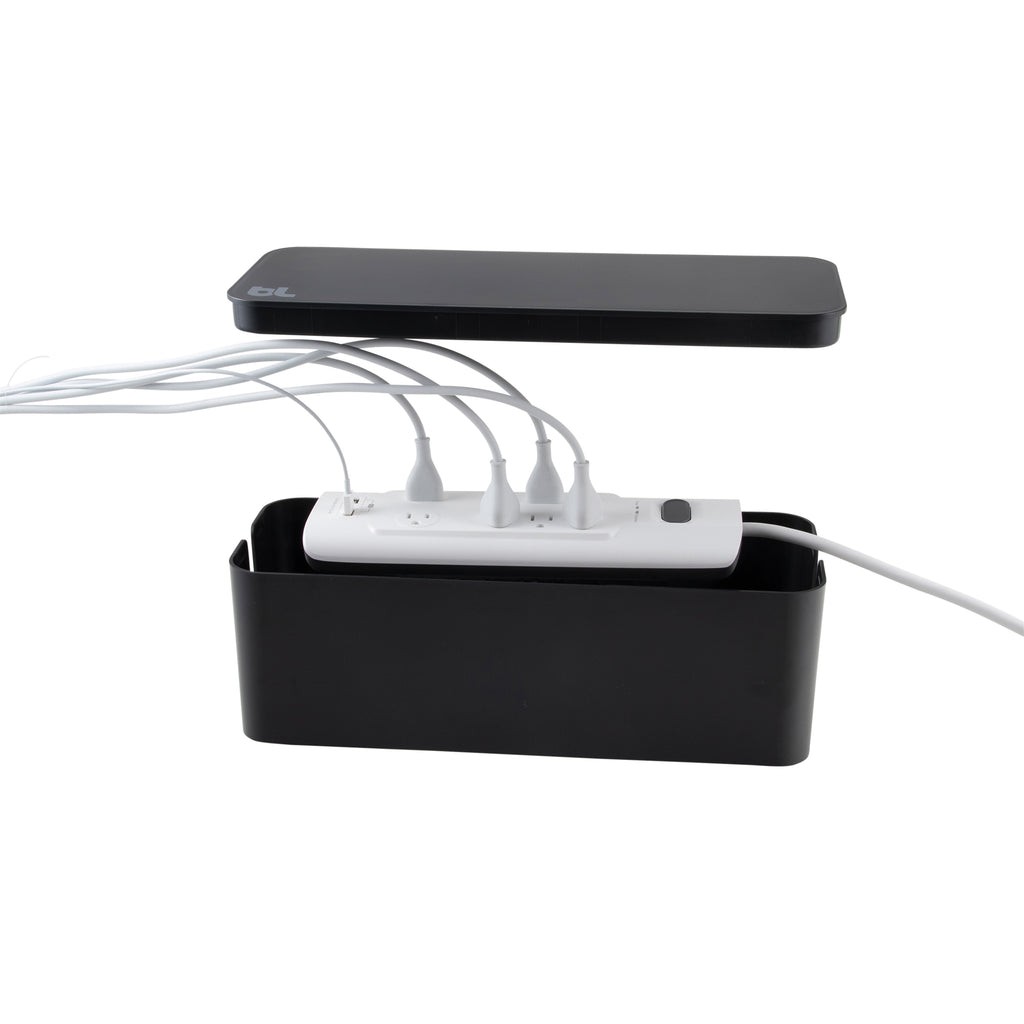
Bluelounge CableBox
A storage product that organizes power strips and excess power cables inside a box to tidy up tangled wiring beneath or above the desk. It reduces the likelihood of cables snagging on your feet and chair in a docking desk setup.
Avoid cramming power adapters tightly inside and ensure ventilation, while also avoiding placing them close to devices that generate significant heat or areas that may get wet. As a final comparison criterion, you can use the 'Power Strip Size, Heat Generation, and Power Accessibility' factors.
Avoid cramming power adapters tightly inside and ensure ventilation, while also avoiding placing them close to devices that generate significant heat or areas that may get wet. As a final comparison criterion, you can use the 'Power Strip Size, Heat Generation, and Power Accessibility' factors.
브랜드 Bluelounge
잘 맞는 상황 바닥이나 책상 위 멀티탭을 정돈하면서 플러그를 유지하는 공간
핵심 특징 난연 소재 박스와 양쪽 케이블 출구
설치·호환 멀티탭 길이·어댑터 높이와 통풍 공간
구매 전 확인 스위치 접근성과 고출력 어댑터 발열
If you have many high-performance peripherals, the TS4 and company-issued Dell or Lenovo laptops may benefit from their respective corporate docks for management. If you use a variety of video ports, you can compare the TBT4-UDZ, and if you want to consolidate ports and charging output into one device, consider Anker products. If you want to share screens between work and personal computers, a KVM is needed, while lighting and storage help organize visual space and foot traffic after connecting.
Before purchasing, make a table of your laptop model, operating system, number and resolution of external monitors, refresh rate, required charging power, and peripherals. The cables must also support the corresponding bandwidth and power, and dock firmware should be updated in a stable state. Avoid cramming the power adapter into the storage box to ensure ventilation and accessibility to the switch. If you encounter screen flickering, it’s quicker to narrow down the causes step by step starting with the cables and a single monitor rather than changing all the devices at once.
Before purchasing, make a table of your laptop model, operating system, number and resolution of external monitors, refresh rate, required charging power, and peripherals. The cables must also support the corresponding bandwidth and power, and dock firmware should be updated in a stable state. Avoid cramming the power adapter into the storage box to ensure ventilation and accessibility to the switch. If you encounter screen flickering, it’s quicker to narrow down the causes step by step starting with the cables and a single monitor rather than changing all the devices at once.
At a glance
8 items
CalDigit TS4
CalDigit
Anker Prime Docking Station 14-in-1
Anker
Dell Thunderbolt Dock WD22TB4
Dell
Lenovo ThinkPad Universal Thunderbolt 4 Dock
Lenovo호환 목록과 전원 어댑터 구성
Plugable TBT4-UDZ
Plugable운영체제별 지원 화면 수 차이
TESmart HKS202-E23
TESmart듀얼 모니터 KVM 스위치
BenQ ScreenBar Halo 2
BenQ전·후면 조명과 무선 컨트롤러
Bluelounge CableBox
Bluelounge
As part of the Coupang Partners program, this post may earn a commission from qualifying purchases.
Comments 0
Log in to leave a comment.
Be the first to comment.
How about these lists?


You might also like


🎲
Not ready to stop here?
Wondering what to read next is the biggest waste of time.
Let the dice decide — you won't know what pops up until you roll.
If you don't press it… won't you wonder forever? 👀