
Collection
Digital Devices
2026.09.09
Apple Student Equipment from Classroom to First Interview
A stress-free product selection tailored to note-taking, assignments, presentations, certification study, and job preparation stages
The devices a college student needs can vary greatly depending on their major and teaching style. You should consider factors like whether there’s a lot of time spent annotating lecture materials, whether coding or design programs are used, and how much weight you can manage while commuting every day. This collection connects Apple products to real-world academic flows that involve note-taking, assignments, presentations, and job preparation.
We assumed that you don’t necessarily have to buy both a laptop and a tablet. We'll break down cases where one device is sufficient and others where auxiliary equipment can save you time, while also considering the total cost including accessories. It's important to first check the operating system and exam environment required by your school so you can narrow down the necessary products.
We assumed that you don’t necessarily have to buy both a laptop and a tablet. We'll break down cases where one device is sufficient and others where auxiliary equipment can save you time, while also considering the total cost including accessories. It's important to first check the operating system and exam environment required by your school so you can narrow down the necessary products.

MacBook Neo
The MacBook Neo features a 33.0 cm Liquid Retina display and emphasizes portability. In terms of its role in this context, it serves as the first laptop focused on document and web-based classes. Rather than just deciding based on the product name or generation, it's important to assess how often this role is repeated in a college student's studies and job preparation. Check if the devices you already own can sufficiently perform the same tasks.
Look at your semester schedule and types of assignments to determine where you spend the most time—whether in class, the library, or at home. Ensuring smooth file exchanges for group assignments and compatibility with the school's IT environment is vital. List the frequently used apps and files to see if there are stages where the MacBook Neo can save you time. By trying out the size, handling, display, and sound in-store, you can reduce misconceptions that arise from spec sheets alone.
Key points to check before purchasing include the support for your major’s programs on macOS and the available ports. Depending on the model and options, storage capacity, connection standards, and included items may vary, and some software features can depend on the device, language, and region. It's safer to sum up the costs for necessary accessories and services and cross-check against Apple’s latest technical specifications and compatibility list before choosing.
Look at your semester schedule and types of assignments to determine where you spend the most time—whether in class, the library, or at home. Ensuring smooth file exchanges for group assignments and compatibility with the school's IT environment is vital. List the frequently used apps and files to see if there are stages where the MacBook Neo can save you time. By trying out the size, handling, display, and sound in-store, you can reduce misconceptions that arise from spec sheets alone.
Key points to check before purchasing include the support for your major’s programs on macOS and the available ports. Depending on the model and options, storage capacity, connection standards, and included items may vary, and some software features can depend on the device, language, and region. It's safer to sum up the costs for necessary accessories and services and cross-check against Apple’s latest technical specifications and compatibility list before choosing.
제품군 Mac
활용 역할 문서와 웹 기반 수업을 중심으로 시작하는 첫 노트북
구매 전 확인 전공 프로그램의 macOS 지원과 포트

MacBook Air
The MacBook Air is a lightweight laptop featuring the M5 chip and all-day battery life. In the sequence of actual use, it serves the dual purpose of commuting and handling lengthy assignments. Rather than just deciding based on the product name or generation, it's important to assess how often this role is repeated in a college student's studies and job preparation. Check if the devices you already own can sufficiently perform the same tasks.
Look at your semester schedule and types of assignments to determine where you spend the most time—whether in class, the library, or at home. Ensuring smooth file exchanges for group assignments and compatibility with the school's IT environment is vital. List the frequently used apps and files to see if there are stages where the MacBook Air can save you time. By trying out the size, handling, display, and sound in-store, you can reduce misconceptions that arise from spec sheets alone.
Key points to check before purchasing include the fact that memory and storage may be difficult to expand later. Depending on the model and options, storage capacity, connection standards, and included items may vary, and some software features can depend on the device, language, and region. It's safer to sum up the costs for necessary accessories and services and cross-check against Apple’s latest technical specifications and compatibility list before choosing.
Look at your semester schedule and types of assignments to determine where you spend the most time—whether in class, the library, or at home. Ensuring smooth file exchanges for group assignments and compatibility with the school's IT environment is vital. List the frequently used apps and files to see if there are stages where the MacBook Air can save you time. By trying out the size, handling, display, and sound in-store, you can reduce misconceptions that arise from spec sheets alone.
Key points to check before purchasing include the fact that memory and storage may be difficult to expand later. Depending on the model and options, storage capacity, connection standards, and included items may vary, and some software features can depend on the device, language, and region. It's safer to sum up the costs for necessary accessories and services and cross-check against Apple’s latest technical specifications and compatibility list before choosing.
제품군 Mac
활용 역할 통학 중 휴대와 긴 과제 작업을 균형 있게 맡는 노트북
구매 전 확인 메모리와 저장공간을 나중에 확장하기 어렵다는 점

iPad Air
The iPad Air features the M4 chip and two sizes of Liquid Retina displays, supporting Pencil Pro and Magic Keyboard. To condense the reason for purchase into one sentence, it is a balanced tablet that conveniently manages both note-taking and creative assignments. Rather than just deciding based on the product name or generation, it's important to assess how often this role is repeated in a college student's studies and job preparation. Check if the devices you already own can sufficiently perform the same tasks.
Look at your semester schedule and types of assignments to determine where you spend the most time—whether in class, the library, or at home. Ensuring smooth file exchanges for group assignments and compatibility with the school's IT environment is vital. List the frequently used apps and files to see if there are stages where the iPad Air can save you time. By trying out the size, handling, display, and sound in-store, you can reduce misconceptions that arise from spec sheets alone.
Key points to check before purchasing include the necessary apps and file management systems for replacing a laptop. Depending on the model and options, storage capacity, connection standards, and included items may vary, and some software features can depend on the device, language, and region. It's safer to sum up the costs for necessary accessories and services and cross-check against Apple’s latest technical specifications and compatibility list before choosing.
Look at your semester schedule and types of assignments to determine where you spend the most time—whether in class, the library, or at home. Ensuring smooth file exchanges for group assignments and compatibility with the school's IT environment is vital. List the frequently used apps and files to see if there are stages where the iPad Air can save you time. By trying out the size, handling, display, and sound in-store, you can reduce misconceptions that arise from spec sheets alone.
Key points to check before purchasing include the necessary apps and file management systems for replacing a laptop. Depending on the model and options, storage capacity, connection standards, and included items may vary, and some software features can depend on the device, language, and region. It's safer to sum up the costs for necessary accessories and services and cross-check against Apple’s latest technical specifications and compatibility list before choosing.
제품군 iPad
활용 역할 필기와 창작 과제를 함께 처리하는 균형형 태블릿
구매 전 확인 노트북 대체에 필요한 앱과 파일 관리 방식

iPad
The iPad is a basic model equipped with the A16 chip and Liquid Retina display. When connected with other devices, it serves as a tablet that minimizes the burden of accessing lecture materials and basic note-taking. Rather than just deciding based on the product name or generation, it's important to assess how often this role is repeated in a college student's studies and job preparation. Check if the devices you already own can sufficiently perform the same tasks.
Look at your semester schedule and types of assignments to determine where you spend the most time—whether in class, the library, or at home. Ensuring smooth file exchanges for group assignments and compatibility with the school's IT environment is vital. List the frequently used apps and files to see if there are stages where the iPad can save you time. By trying out the size, handling, display, and sound in-store, you can reduce misconceptions that arise from spec sheets alone.
Key points to check before purchasing include the overall price with Pencil and keyboard included. Depending on the model and options, storage capacity, connection standards, and included items may vary, and some software features can depend on the device, language, and region. It's safer to sum up the costs for necessary accessories and services and cross-check against Apple’s latest technical specifications and compatibility list before choosing.
Look at your semester schedule and types of assignments to determine where you spend the most time—whether in class, the library, or at home. Ensuring smooth file exchanges for group assignments and compatibility with the school's IT environment is vital. List the frequently used apps and files to see if there are stages where the iPad can save you time. By trying out the size, handling, display, and sound in-store, you can reduce misconceptions that arise from spec sheets alone.
Key points to check before purchasing include the overall price with Pencil and keyboard included. Depending on the model and options, storage capacity, connection standards, and included items may vary, and some software features can depend on the device, language, and region. It's safer to sum up the costs for necessary accessories and services and cross-check against Apple’s latest technical specifications and compatibility list before choosing.
제품군 iPad
활용 역할 강의 자료 열람과 기본 필기를 부담을 낮춰 시작하는 태블릿
구매 전 확인 Pencil과 키보드까지 더한 전체 가격

iPad mini
The iPad mini features the A17 Pro chip and a 21.0 cm Liquid Retina display. In terms of its role in this context, it functions as a small auxiliary device for taking notes while standing or reading eBooks on the go. Rather than just deciding based on the product name or generation, it's important to assess how often this role is repeated in a college student's studies and job preparation. Check if the devices you already own can sufficiently perform the same tasks.
Look at your semester schedule and types of assignments to determine where you spend the most time—whether in class, the library, or at home. Ensuring smooth file exchanges for group assignments and compatibility with the school's IT environment is vital. List the frequently used apps and files to see if there are stages where the iPad mini can save you time. By trying out the size, handling, display, and sound in-store, you can reduce misconceptions that arise from spec sheets alone.
Key points to check before purchasing include the fatigue of viewing lengthy materials on a small screen. Depending on the model and options, storage capacity, connection standards, and included items may vary, and some software features can depend on the device, language, and region. It's safer to sum up the costs for necessary accessories and services and cross-check against Apple’s latest technical specifications and compatibility list before choosing.
Look at your semester schedule and types of assignments to determine where you spend the most time—whether in class, the library, or at home. Ensuring smooth file exchanges for group assignments and compatibility with the school's IT environment is vital. List the frequently used apps and files to see if there are stages where the iPad mini can save you time. By trying out the size, handling, display, and sound in-store, you can reduce misconceptions that arise from spec sheets alone.
Key points to check before purchasing include the fatigue of viewing lengthy materials on a small screen. Depending on the model and options, storage capacity, connection standards, and included items may vary, and some software features can depend on the device, language, and region. It's safer to sum up the costs for necessary accessories and services and cross-check against Apple’s latest technical specifications and compatibility list before choosing.
제품군 iPad
활용 역할 서서 메모하거나 이동 중 전자책을 읽는 소형 보조 기기
구매 전 확인 작은 화면에서 긴 자료를 보는 피로도
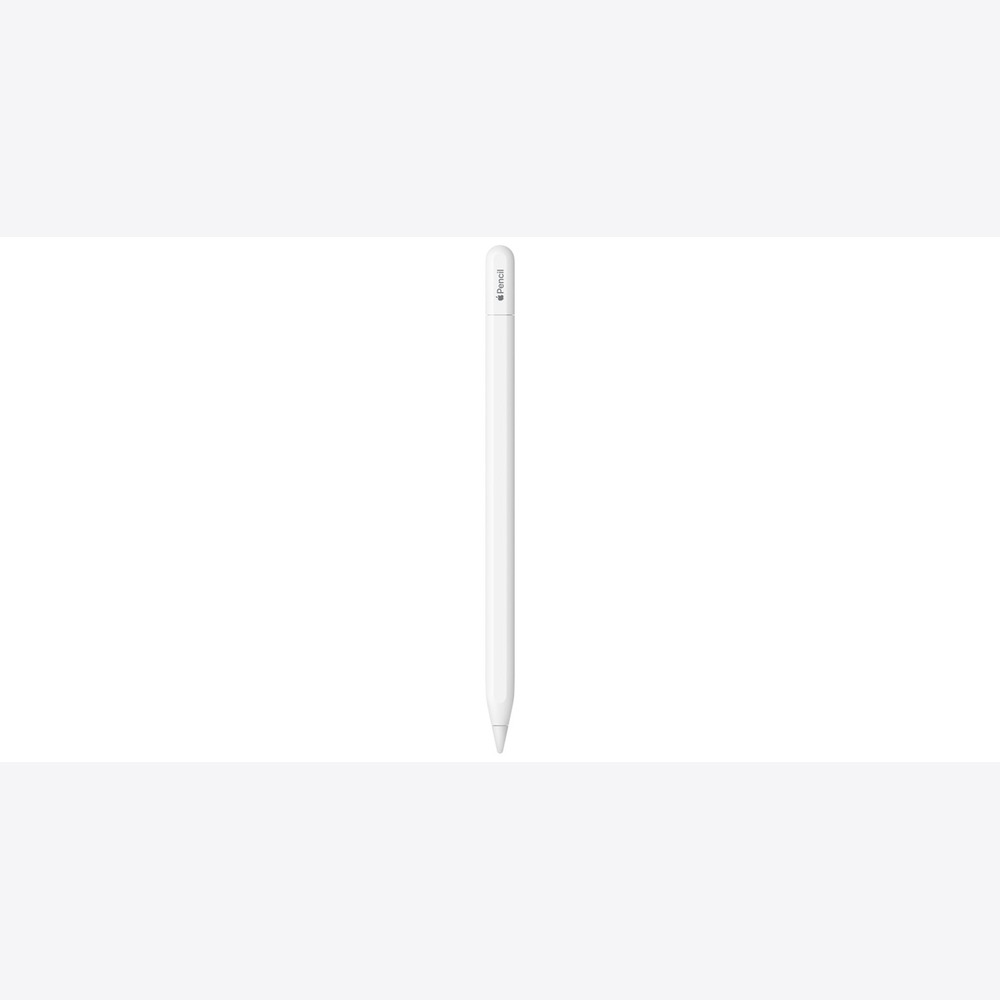
Apple Pencil (USB-C)
The Apple Pencil (USB-C) is a simple Apple Pencil that connects and charges via USB-C. In the actual sequence of use, it serves as a basic pen for annotating PDFs during lectures and making simple handwritten notes. Rather than just deciding based on the product name or generation, it's important to assess how often this role is repeated in a college student's studies and job preparation. Check if the devices you already own can sufficiently perform the same tasks.
Look at your semester schedule and types of assignments to determine where you spend the most time—whether in class, the library, or at home. Ensuring smooth file exchanges for group assignments and compatibility with the school's IT environment is vital. List the frequently used apps and files to see if there are stages where the Apple Pencil (USB-C) can save you time. By trying out the size, handling, display, and sound in-store, you can reduce misconceptions that arise from spec sheets alone.
Key points to check before purchasing include the differences in features compared to higher-end Pencils such as pressure sensitivity. Depending on the model and options, storage capacity, connection standards, and included items may vary, and some software features can depend on the device, language, and region. It's safer to sum up the costs for necessary accessories and services and cross-check against Apple’s latest technical specifications and compatibility list before choosing.
Look at your semester schedule and types of assignments to determine where you spend the most time—whether in class, the library, or at home. Ensuring smooth file exchanges for group assignments and compatibility with the school's IT environment is vital. List the frequently used apps and files to see if there are stages where the Apple Pencil (USB-C) can save you time. By trying out the size, handling, display, and sound in-store, you can reduce misconceptions that arise from spec sheets alone.
Key points to check before purchasing include the differences in features compared to higher-end Pencils such as pressure sensitivity. Depending on the model and options, storage capacity, connection standards, and included items may vary, and some software features can depend on the device, language, and region. It's safer to sum up the costs for necessary accessories and services and cross-check against Apple’s latest technical specifications and compatibility list before choosing.
제품군 iPad 액세서리
활용 역할 강의 PDF 표시와 간단한 손글씨를 위한 기본 펜
구매 전 확인 압력 감지 등 상위 Pencil과 기능 차이
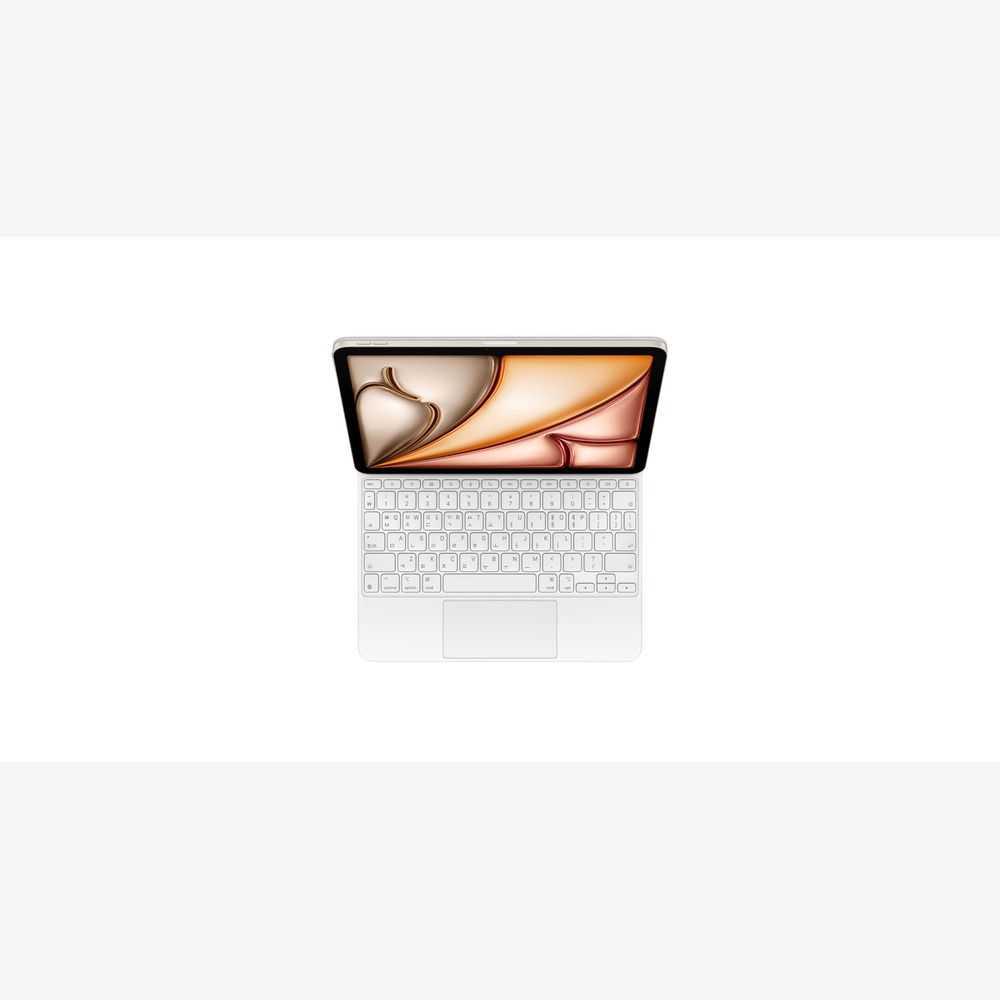
Magic Keyboard for iPad
The Magic Keyboard for iPad is an official input accessory that adds keyboard and trackpad functionality to supported iPads. To sum up the reason for purchase in one sentence, it is a keyboard for typing long emails and draft reports on the iPad. Rather than just deciding based on the product name or generation, it's important to assess how often this role is repeated in a college student's studies and job preparation. Check if the devices you already own can sufficiently perform the same tasks.
Look at your semester schedule and types of assignments to determine where you spend the most time—whether in class, the library, or at home. Ensuring smooth file exchanges for group assignments and compatibility with the school's IT environment is vital. List the frequently used apps and files to see if there are stages where the Magic Keyboard for iPad can save you time. By trying out the size, handling, display, and sound in-store, you can reduce misconceptions that arise from spec sheets alone.
Key points to check before purchasing include compatibility by generation of the main unit and screen size, as well as the combined weight. Depending on the model and options, storage capacity, connection standards, and included items may vary, and some software features can depend on the device, language, and region. It's safer to sum up the costs for necessary accessories and services and cross-check against Apple’s latest technical specifications and compatibility list before choosing.
Look at your semester schedule and types of assignments to determine where you spend the most time—whether in class, the library, or at home. Ensuring smooth file exchanges for group assignments and compatibility with the school's IT environment is vital. List the frequently used apps and files to see if there are stages where the Magic Keyboard for iPad can save you time. By trying out the size, handling, display, and sound in-store, you can reduce misconceptions that arise from spec sheets alone.
Key points to check before purchasing include compatibility by generation of the main unit and screen size, as well as the combined weight. Depending on the model and options, storage capacity, connection standards, and included items may vary, and some software features can depend on the device, language, and region. It's safer to sum up the costs for necessary accessories and services and cross-check against Apple’s latest technical specifications and compatibility list before choosing.
제품군 iPad 액세서리
활용 역할 iPad에서 메일과 보고서 초안을 길게 입력하는 키보드
구매 전 확인 본체 세대·화면 크기별 호환과 합산 무게
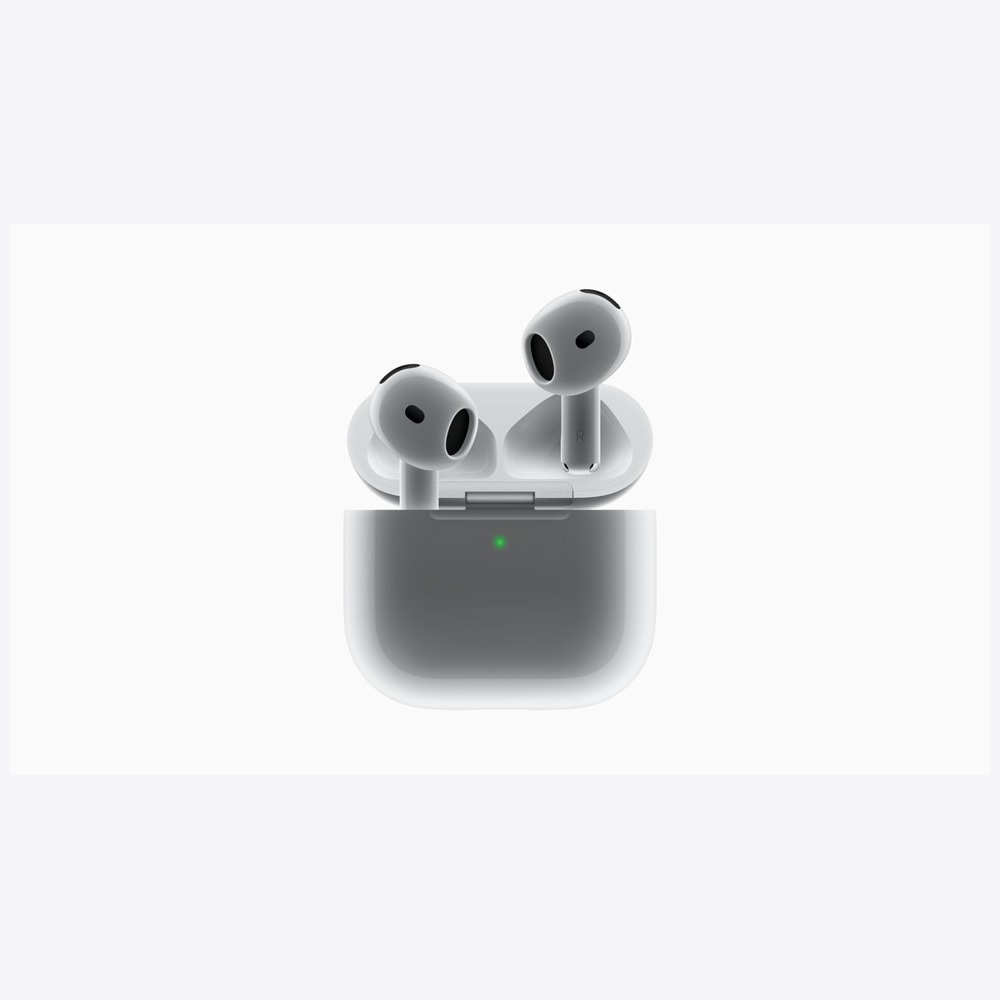
AirPods 4
The AirPods 4 is an open-type earphone that offers a new wearing design, audio options, and ANC selections. When connected with other devices, it serves as open-type earphones for listening to lectures in the library and making calls on the go. Rather than just deciding based on the product name or generation, it's important to assess how often this role is repeated in a college student's studies and job preparation. Check if the devices you already own can sufficiently perform the same tasks.
Look at your semester schedule and types of assignments to determine where you spend the most time—whether in class, the library, or at home. Ensuring smooth file exchanges for group assignments and compatibility with the school's IT environment is vital. List the frequently used apps and files to see if there are stages where the AirPods 4 can save you time. By trying out the size, handling, display, and sound in-store, you can reduce misconceptions that arise from spec sheets alone.
Key points to check before purchasing include the differentiation between ANC versions and the fit for your ears. Depending on the model and options, storage capacity, connection standards, and included items may vary, and some software features can depend on the device, language, and region. It's safer to sum up the costs for necessary accessories and services and cross-check against Apple’s latest technical specifications and compatibility list before choosing.
Look at your semester schedule and types of assignments to determine where you spend the most time—whether in class, the library, or at home. Ensuring smooth file exchanges for group assignments and compatibility with the school's IT environment is vital. List the frequently used apps and files to see if there are stages where the AirPods 4 can save you time. By trying out the size, handling, display, and sound in-store, you can reduce misconceptions that arise from spec sheets alone.
Key points to check before purchasing include the differentiation between ANC versions and the fit for your ears. Depending on the model and options, storage capacity, connection standards, and included items may vary, and some software features can depend on the device, language, and region. It's safer to sum up the costs for necessary accessories and services and cross-check against Apple’s latest technical specifications and compatibility list before choosing.
제품군 AirPods
활용 역할 도서관 강의 청취와 이동 중 통화를 맡는 오픈형 이어폰
구매 전 확인 ANC 버전 구분과 귀에 맞는 착용감
If long reports and major programs are the focus, then a Mac is the priority; if there’s a lot of handwritten notes and reading materials, then an iPad comes first. Using both devices together can lead to increased weight and costs if their functions overlap. The differences between MacBook Neo and Air, as well as between the basic iPad and Air, become clearer when applied to your major's apps and the difficulty of the assignments.
Before you buy, check your major’s recommended specifications and the exam programs, as well as your school’s IT environment. Consider the storage needed for lecture videos and project files, and it's a good idea to calculate the full semester costs, including keyboard, Pencil, and cloud subscription. Student discounts and trade-in conditions can vary, so make sure to confirm the final payment details with Apple’s official guidance before completing your purchase.
Before you buy, check your major’s recommended specifications and the exam programs, as well as your school’s IT environment. Consider the storage needed for lecture videos and project files, and it's a good idea to calculate the full semester costs, including keyboard, Pencil, and cloud subscription. Student discounts and trade-in conditions can vary, so make sure to confirm the final payment details with Apple’s official guidance before completing your purchase.
At a glance
8 items
As part of the Coupang Partners program, this post may earn a commission from qualifying purchases.
Comments 0
Log in to leave a comment.
Be the first to comment.
How about these lists?


You might also like


🎲
Not ready to stop here?
Wondering what to read next is the biggest waste of time.
Let the dice decide — you won't know what pops up until you roll.
If you don't press it… won't you wonder forever? 👀
