
Collection
Digital Devices
2026.09.09
Apple Products that Become More Useful When Used by Families
Role-based selections for living room content, children's learning, parents' safety, and shared computer and item management
Family digital devices differ from personal products in terms of choices and usage. Multiple people share accounts and habits, such as family content in the living room, children's learning hours, parents' communications and safety, as well as shared photos and documents. This collection categorizes Apple products not by individual performance but by the roles they can play within the family.
Even with family sharing features, mixing accounts and personal information should be avoided. It's best to decide before purchasing who will manage the device, whether it will be shared or assigned to individuals, and how to set up parental controls and payment approvals. We have chosen products that genuinely assist with living room, learning, communication, and item management.
Even with family sharing features, mixing accounts and personal information should be avoided. It's best to decide before purchasing who will manage the device, whether it will be shared or assigned to individuals, and how to set up parental controls and payment approvals. We have chosen products that genuinely assist with living room, learning, communication, and item management.

Apple TV 4K
Apple TV 4K is a set-top box that supports Dolby Vision, HDR10+, Dolby Atmos, and connections to Apple devices. From the role it plays in this context, it serves as a hub connecting shared family content and Apple device screens in the living room TV. Rather than just deciding based on the product name or generation, counting how often this role is repeated in family shared usage and role distribution makes its necessity clear. Always check if the existing devices you have can perform the same function adequately.
For a shared device, you should first establish boundaries between accounts and photos/messages. The person managing the device and the actual user may differ, so the process of changing settings and approving payments should be easy for the family to understand. Make a detailed list of frequently used apps and files, and check whether there are steps that Apple TV 4K can reduce. Visiting the store to directly check the size, handling, and sound can help reduce misunderstandings that arise from specifications alone.
Key points to check before purchasing are TV video and audio specifications, as well as subscription services. Based on the model and options, storage capacity, connection specifications, and included items may vary, and some software features may be affected by the device, language, and regional conditions. It’s safer to total the necessary accessories and service costs and compare them against Apple’s latest technical specifications and compatibility lists before making your choice.
For a shared device, you should first establish boundaries between accounts and photos/messages. The person managing the device and the actual user may differ, so the process of changing settings and approving payments should be easy for the family to understand. Make a detailed list of frequently used apps and files, and check whether there are steps that Apple TV 4K can reduce. Visiting the store to directly check the size, handling, and sound can help reduce misunderstandings that arise from specifications alone.
Key points to check before purchasing are TV video and audio specifications, as well as subscription services. Based on the model and options, storage capacity, connection specifications, and included items may vary, and some software features may be affected by the device, language, and regional conditions. It’s safer to total the necessary accessories and service costs and compare them against Apple’s latest technical specifications and compatibility lists before making your choice.
제품군 Apple 생태계
활용 역할 거실 TV에서 가족 콘텐츠와 Apple 기기 화면을 연결하는 허브
구매 전 확인 TV 영상·음향 규격과 구독 서비스

iMac
iMac is a desktop that combines an M4 chip with a 59.6cm 4.5K display. In terms of actual usage, it serves as a shared computer for organizing family documents and photos in one place. Similar to how you consider the name or generation of the product, counting how often this role is repeated in family shared usage and role distribution will clarify its necessity. Again, check if your existing devices can handle the same tasks adequately.
For a shared device, you should first establish boundaries between accounts and photos/messages. The person managing the device and the actual user may differ, so the process of changing settings and approving payments should be easy for the family to understand. Make a detailed list of frequently used apps and files, and check whether iMac helps to reduce steps. Directly checking the size, handling, screen, and sound at the store can also reduce misunderstandings caused by specifications alone.
Key points to check before purchasing include user account separation and installation space. Storage capacity, connection specifications, and included items may vary by model and options, and some software features are subject to the device, language, and regional conditions. Summarize the costs of necessary accessories and services, and it’s safer to compare this with Apple’s latest technical specifications and compatibility lists before making your choice.
For a shared device, you should first establish boundaries between accounts and photos/messages. The person managing the device and the actual user may differ, so the process of changing settings and approving payments should be easy for the family to understand. Make a detailed list of frequently used apps and files, and check whether iMac helps to reduce steps. Directly checking the size, handling, screen, and sound at the store can also reduce misunderstandings caused by specifications alone.
Key points to check before purchasing include user account separation and installation space. Storage capacity, connection specifications, and included items may vary by model and options, and some software features are subject to the device, language, and regional conditions. Summarize the costs of necessary accessories and services, and it’s safer to compare this with Apple’s latest technical specifications and compatibility lists before making your choice.
제품군 Mac
활용 역할 가족 문서와 사진 정리를 한 자리에 두는 공용 컴퓨터
구매 전 확인 사용자 계정 분리와 설치 공간
iPad
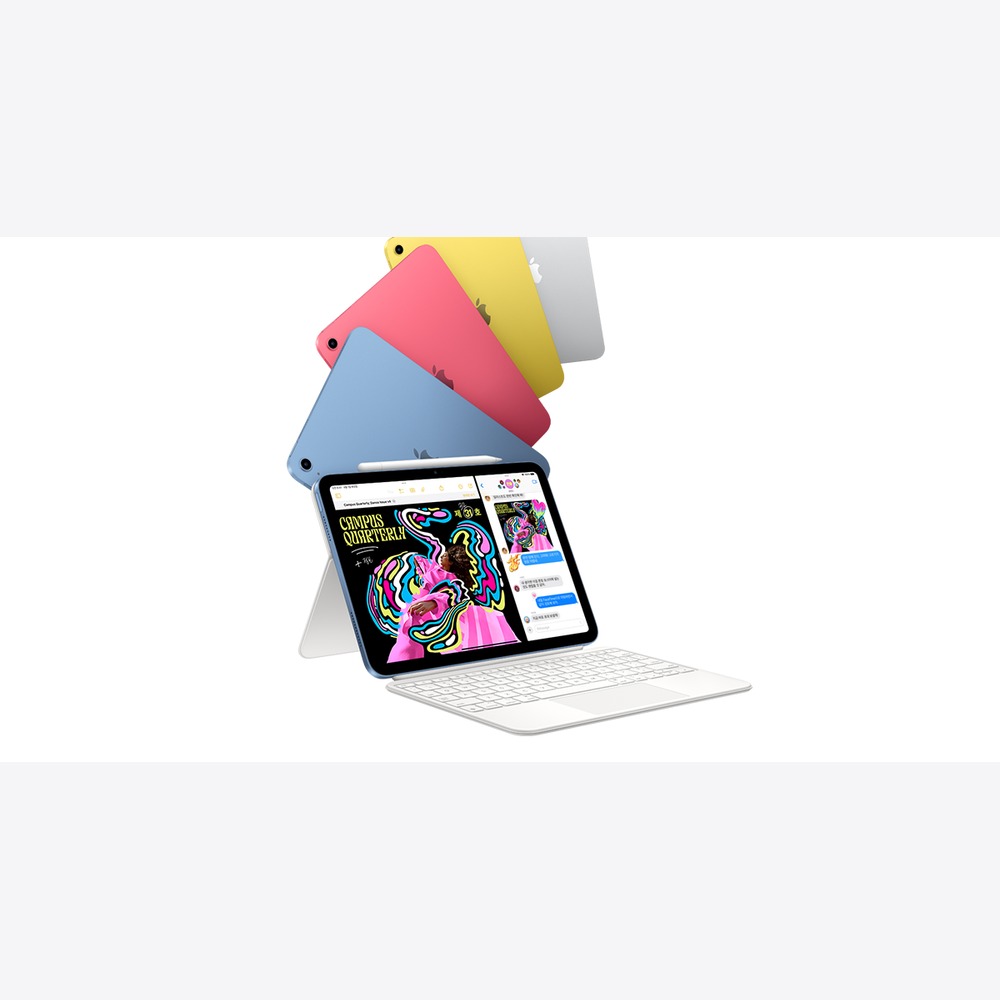
iPad is a basic model equipped with an A16 chip and a Liquid Retina display. In one sentence, the reason for purchasing this product is that it serves as a shared tablet for children's learning and parents' video and web usage. Rather than solely deciding based on the product name or generation, counting how often this role is repeated in family shared usage and role distribution makes its necessity clear. Always check if existing devices can adequately perform the same function.
For a shared device, you should first establish boundaries between accounts and photos/messages. The person managing the device and the actual user may differ, so the process of changing settings and approving payments should be easy for the family to understand. Make a detailed list of frequently used apps and files, and check whether the iPad reduces steps. Testing its size, handling, screen, and sound directly at the store can help minimize misunderstandings that arise from specifications alone.
Key points to check before purchasing are screen time and storage management. Storage capacity, connection specifications, and included items may vary depending on the model and options, and some software features may be influenced by the device, language, and regional conditions. Summarize the total costs of needed accessories and services, and compare them again with Apple’s latest technical specifications and compatibility lists to ensure a safe choice.
For a shared device, you should first establish boundaries between accounts and photos/messages. The person managing the device and the actual user may differ, so the process of changing settings and approving payments should be easy for the family to understand. Make a detailed list of frequently used apps and files, and check whether the iPad reduces steps. Testing its size, handling, screen, and sound directly at the store can help minimize misunderstandings that arise from specifications alone.
Key points to check before purchasing are screen time and storage management. Storage capacity, connection specifications, and included items may vary depending on the model and options, and some software features may be influenced by the device, language, and regional conditions. Summarize the total costs of needed accessories and services, and compare them again with Apple’s latest technical specifications and compatibility lists to ensure a safe choice.
제품군 iPad
활용 역할 아이 학습과 부모의 영상·웹 사용을 나누는 공용 태블릿
구매 전 확인 스크린 타임과 저장공간 관리
iPad mini
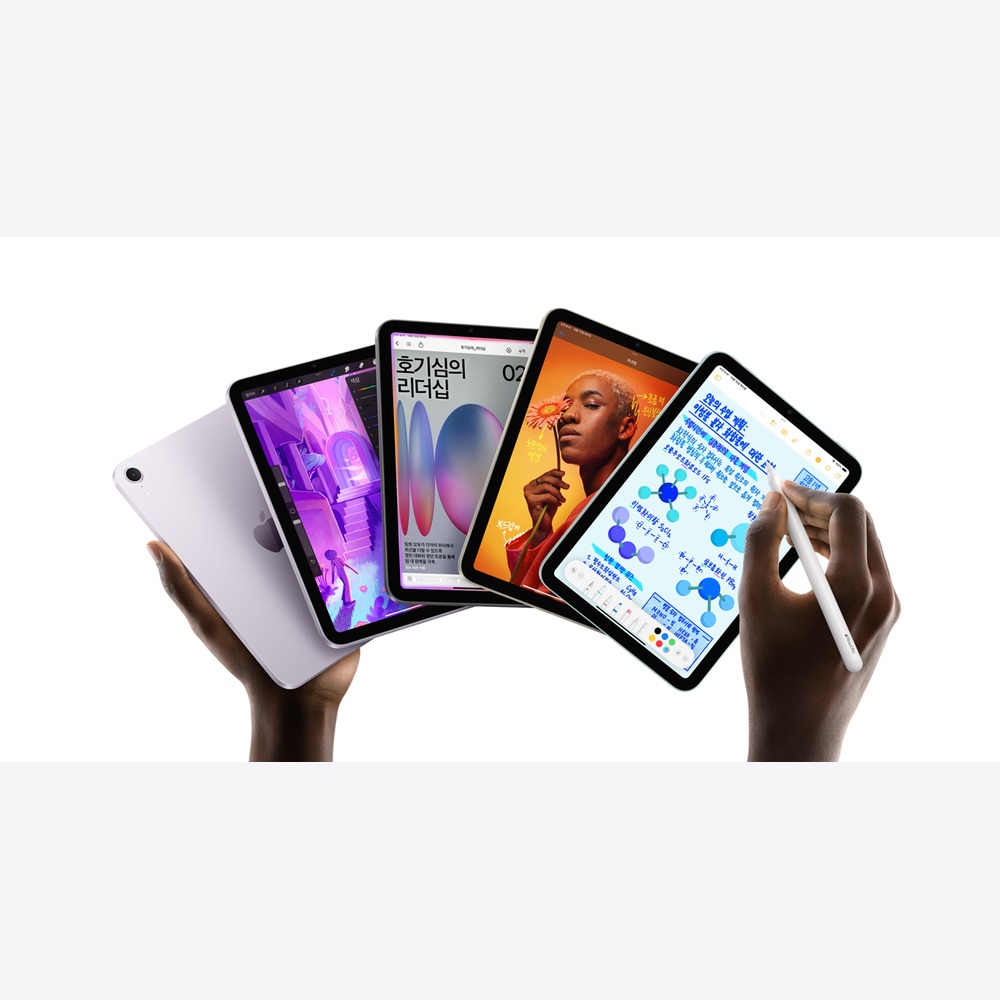
iPad mini is a small iPad equipped with an A17 Pro chip and a 21.0cm Liquid Retina display. When connected to other devices, it acts as a personal small screen that is less burdensome for reading books and video calls. Rather than simply deciding based on the product name or generation, counting how often this role is repeated in family shared usage and role distribution makes the necessity clear. Also, check if your existing devices can adequately perform the same tasks before deciding.
For a shared device, you should first establish boundaries between accounts and photos/messages. The person managing the device and the actual user may differ, so the process of changing settings and approving payments should be easy for the family to understand. Make a detailed list of frequently used apps and files, and check whether the iPad mini reduces steps for you. Checking its size, handling, screen, and sound directly in the store can help clarify any misunderstandings that arise from specifications alone.
Key points to check before purchasing are text size comfort and the experience with a small screen. Storage capacity, connection specifications, and included items may vary depending on the model and options, and some software features could be influenced by the device, language, and regional conditions. Sum up the necessary accessory and service costs, and cross-check those with Apple’s latest technical specifications and compatibility lists for a safer choice.
For a shared device, you should first establish boundaries between accounts and photos/messages. The person managing the device and the actual user may differ, so the process of changing settings and approving payments should be easy for the family to understand. Make a detailed list of frequently used apps and files, and check whether the iPad mini reduces steps for you. Checking its size, handling, screen, and sound directly in the store can help clarify any misunderstandings that arise from specifications alone.
Key points to check before purchasing are text size comfort and the experience with a small screen. Storage capacity, connection specifications, and included items may vary depending on the model and options, and some software features could be influenced by the device, language, and regional conditions. Sum up the necessary accessory and service costs, and cross-check those with Apple’s latest technical specifications and compatibility lists for a safer choice.
제품군 iPad
활용 역할 책과 영상 통화에 부담이 적은 개인용 소형 화면
구매 전 확인 글자 크기와 작은 화면의 편안함

Apple Watch SE 3
Apple Watch SE 3 is an entry-level watch focused on fitness, connectivity, and safety features. From the role it plays in this context, it serves as a watch to start family communication, activity tracking, and safety functions. Rather than just deciding based on the product name or generation, counting how often this role is repeated in family shared usage and role distribution helps clarify its necessity. Always check if your existing devices can perform the same tasks adequately before deciding.
For a shared device, you should first establish boundaries between accounts and photos/messages. The person managing the device and the actual user may differ, so the process of changing settings and approving payments should be easy for the family to understand. Make a detailed list of frequently used apps and files, and check whether the Apple Watch SE 3 reduces steps for you. Directly checking the size, handling, display, and sound at the store can help reduce any misunderstandings that arise from technical specifications alone.
Key purchase considerations include whether the user has an iPhone and the cellular plan. Storage capacity, connection specifications, and included items may vary depending on the model and options, and some software features may be influenced by device, language, and regional conditions. It’s safer to sum up necessary accessories and service costs and cross-reference them with Apple’s latest technical specifications and compatibility lists before making a choice.
For a shared device, you should first establish boundaries between accounts and photos/messages. The person managing the device and the actual user may differ, so the process of changing settings and approving payments should be easy for the family to understand. Make a detailed list of frequently used apps and files, and check whether the Apple Watch SE 3 reduces steps for you. Directly checking the size, handling, display, and sound at the store can help reduce any misunderstandings that arise from technical specifications alone.
Key purchase considerations include whether the user has an iPhone and the cellular plan. Storage capacity, connection specifications, and included items may vary depending on the model and options, and some software features may be influenced by device, language, and regional conditions. It’s safer to sum up necessary accessories and service costs and cross-reference them with Apple’s latest technical specifications and compatibility lists before making a choice.
제품군 Apple Watch
활용 역할 가족의 연락·활동 기록·안전 기능을 시작하는 Watch
구매 전 확인 사용자의 iPhone 보유 여부와 셀룰러 요금
iPhone 17
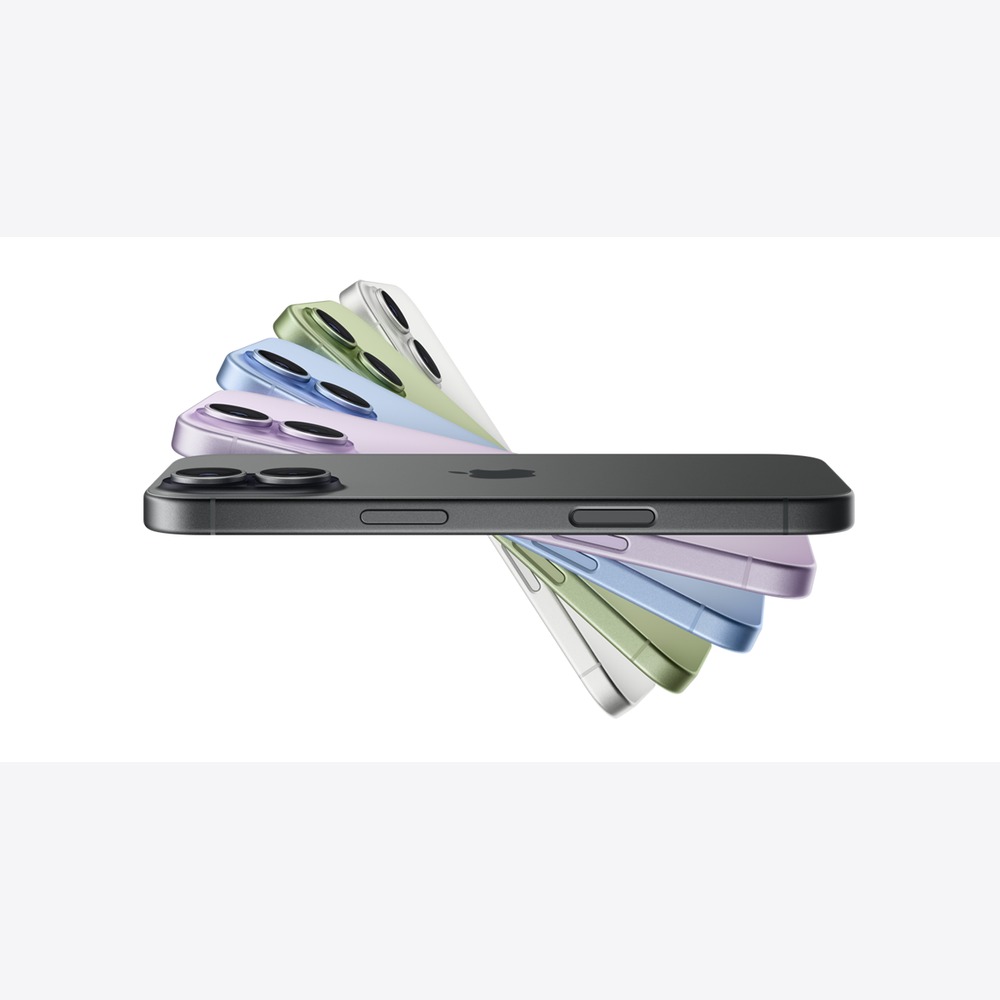
iPhone 17 is a model equipped with an A19 chip, 15.9cm ProMotion display, and Center Stage front camera. In terms of actual usage, it serves as a personal phone that balances family photos, communication, and daily apps. Rather than simply deciding based on the product name or generation, counting how often this role is repeated in family shared usage and role distribution clarifies its necessity. Always check if your existing devices can adequately perform the same tasks before deciding.
For a shared device, you should first establish boundaries between accounts and photos/messages. The person managing the device and the actual user may differ, so the process of changing settings and approving payments should be easy for the family to understand. Make a detailed list of frequently used apps and files, and check if the iPhone 17 helps reduce steps. Testing its size, handling, display, and sound directly at the store can help minimize misunderstandings that arise from specifications alone.
Key points to check before purchasing include storage space and account transfer plans. Storage capacity, connection specifications, and included items may vary based on the model and options, and some software features may be influenced by the device, language, and regional conditions. Sum up necessary accessories and service costs, and cross-check with Apple’s latest technical specifications and compatibility lists to ensure you’re making a safe choice.
For a shared device, you should first establish boundaries between accounts and photos/messages. The person managing the device and the actual user may differ, so the process of changing settings and approving payments should be easy for the family to understand. Make a detailed list of frequently used apps and files, and check if the iPhone 17 helps reduce steps. Testing its size, handling, display, and sound directly at the store can help minimize misunderstandings that arise from specifications alone.
Key points to check before purchasing include storage space and account transfer plans. Storage capacity, connection specifications, and included items may vary based on the model and options, and some software features may be influenced by the device, language, and regional conditions. Sum up necessary accessories and service costs, and cross-check with Apple’s latest technical specifications and compatibility lists to ensure you’re making a safe choice.
제품군 iPhone
활용 역할 가족 사진과 연락, 일상 앱을 균형 있게 맡는 개인 휴대폰
구매 전 확인 저장공간과 계정 이전 계획
AirPods 4
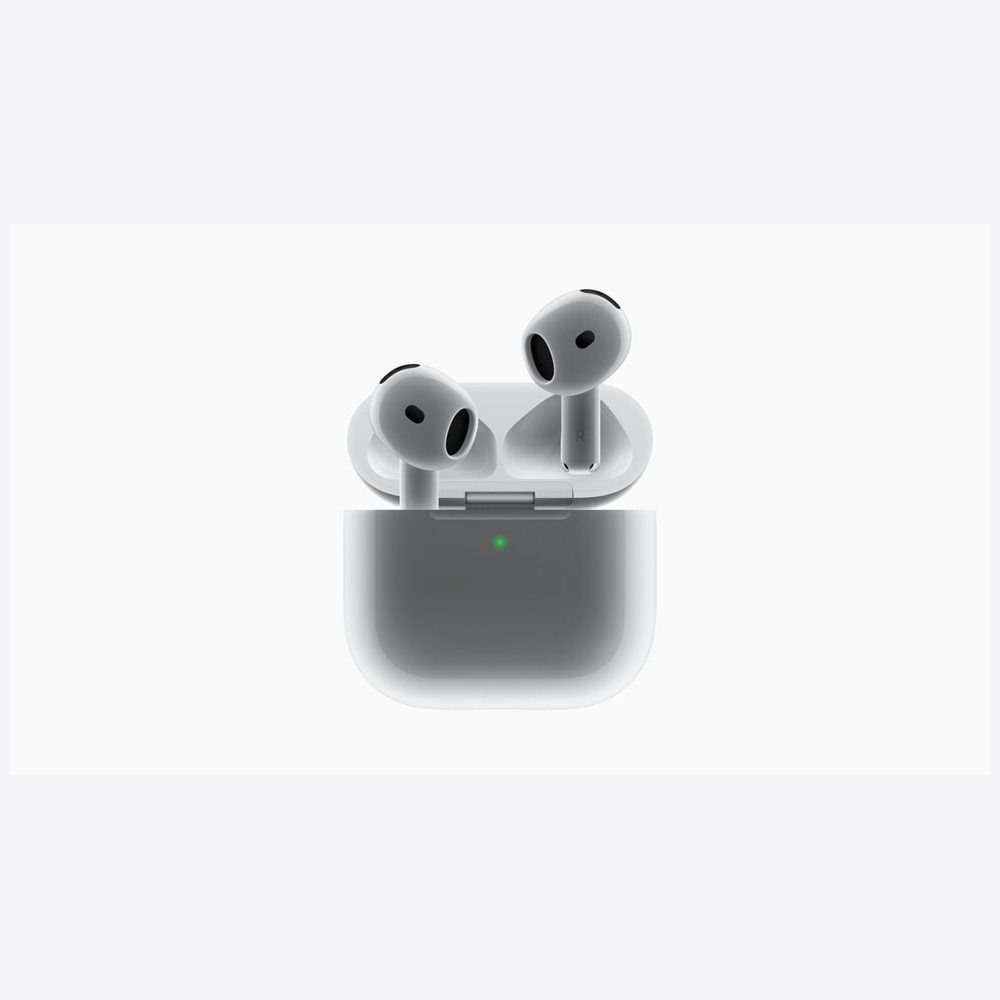
AirPods 4 are open-type earphones that provide new wearing designs, audio capabilities, and ANC options. In one sentence, the reason for purchasing them is that they help separate personal listening and calls in shared spaces. Rather than just relying on the product name or generation for your decision, consider how often this role is repeated in family shared usage and role distribution to understand its necessity better. Also, check whether existing devices can adequately perform the same tasks before deciding.
For shared devices, you should first establish boundaries between accounts and photos/messages. The person managing the device and the actual user may differ, so the process of changing settings and approving payments should be easy for the family to understand. Make a detailed list of frequently used apps and files, and check if the AirPods 4 reduce the required steps for you. Directly checking their size, handling, sound quality, and usability in the store can help reduce misunderstandings that arise from specifications alone.
Key points to check before purchasing include whether personal wearing is more appropriate than sharing within the family. Storage capacity, connection specifications, and included items may vary according to the model and options, and some software features can be influenced by the device, language, and regional conditions. Sum up necessary accessories and service costs, and verify against Apple’s latest technical specifications and compatibility lists to make a safer choice.
For shared devices, you should first establish boundaries between accounts and photos/messages. The person managing the device and the actual user may differ, so the process of changing settings and approving payments should be easy for the family to understand. Make a detailed list of frequently used apps and files, and check if the AirPods 4 reduce the required steps for you. Directly checking their size, handling, sound quality, and usability in the store can help reduce misunderstandings that arise from specifications alone.
Key points to check before purchasing include whether personal wearing is more appropriate than sharing within the family. Storage capacity, connection specifications, and included items may vary according to the model and options, and some software features can be influenced by the device, language, and regional conditions. Sum up necessary accessories and service costs, and verify against Apple’s latest technical specifications and compatibility lists to make a safer choice.
제품군 AirPods
활용 역할 공용 공간에서 개인 청취와 통화를 분리하는 이어폰
구매 전 확인 가족끼리 공유하기보다 개인 착용이 적절한지

AirTag
AirTag is a location tracking accessory that utilizes the Find My network and precision finding. When connected to other devices, it acts as a tool to help find family items like keys and bags. Rather than simply deciding based on product name or generation, counting how often this role is repeated in family shared usage and role distribution clarifies its necessity. Always check if your existing devices can adequately perform the same functions before deciding.
For a shared device, you should first establish boundaries between accounts and photos/messages. The person managing the device and the actual user may differ, so the process of changing settings and approving payments should be easy for the family to understand. Make a detailed list of frequently used apps and files, and check if the AirTag helps reduce required steps. Directly checking its size, handling, and usability at the store can help clarify misunderstandings that arise from specifications alone.
Key points to check before purchasing include the principle of not using it for tracking people or pets. Storage capacity, connection specifications, and included items may vary according to model and options, and some software features may depend on device, language, and regional conditions. It’s safer to add up any necessary accessories and service costs and compare against Apple’s latest technical specifications and compatibility lists before making a choice.
For a shared device, you should first establish boundaries between accounts and photos/messages. The person managing the device and the actual user may differ, so the process of changing settings and approving payments should be easy for the family to understand. Make a detailed list of frequently used apps and files, and check if the AirTag helps reduce required steps. Directly checking its size, handling, and usability at the store can help clarify misunderstandings that arise from specifications alone.
Key points to check before purchasing include the principle of not using it for tracking people or pets. Storage capacity, connection specifications, and included items may vary according to model and options, and some software features may depend on device, language, and regional conditions. It’s safer to add up any necessary accessories and service costs and compare against Apple’s latest technical specifications and compatibility lists before making a choice.
제품군 Apple 생태계
활용 역할 열쇠와 가방 같은 가족 소지품을 찾는 보조 장치
구매 전 확인 사람이나 반려동물 추적에 사용하지 않는 원칙
The Apple TV 4K and shared iMac are great for family use, while the iPad allows for flexible division of learning and content consumption. The Watch SE 3 and iPhone lean more towards personal communication and safety features, while the AirTag should be used to locate items rather than family members. Defining the boundaries between shared and personal use for each product is key.
Before setup, create Apple accounts for each family member and agree on the scope of purchase sharing, location sharing, and screen time. Check privacy settings to ensure health information, photos, and messages don't accidentally get mixed up. Also, calculate monthly costs for subscription services and storage fees, and verify the range that a guardian can manage using the official guidance.
Before setup, create Apple accounts for each family member and agree on the scope of purchase sharing, location sharing, and screen time. Check privacy settings to ensure health information, photos, and messages don't accidentally get mixed up. Also, calculate monthly costs for subscription services and storage fees, and verify the range that a guardian can manage using the official guidance.
At a glance
8 items
As part of the Coupang Partners program, this post may earn a commission from qualifying purchases.
Comments 0
Log in to leave a comment.
Be the first to comment.
How about these lists?


You might also like


🎲
Not ready to stop here?
Wondering what to read next is the biggest waste of time.
Let the dice decide — you won't know what pops up until you roll.
If you don't press it… won't you wonder forever? 👀
