Collection
Shopping
2026.10.08
Used Cameras and Lenses: Unknown Condition in a Single Photo
A practical inspection product to check focus, color, sensor, and lens alignment
Even if a used camera looks clean on the outside, defects such as focus errors, dust on the sensor, lens eccentricity, and color reproduction issues may be hidden in the shooting results. It’s more accurate to create the same conditions with a consistent chart and lighting and then magnify the original files instead of just quickly viewing the screen in the store. A low shutter count doesn't automatically mean it's a good device; the condition of the mount, buttons, slots, and ports also needs to be checked.
This list compiles eight actual inspection products that compare focus, color, sensor, and lens status. Charts and calibration tools are supplementary means to detect issues, not replacements for the manufacturer's repair assessment. Avoid cleaning the sensor or resetting settings without the seller's permission, and make sure to record test files and the device's serial number before the transaction. It's safer to have high-end lenses and bodies with suspected impact history inspected at an official service center.
This list compiles eight actual inspection products that compare focus, color, sensor, and lens status. Charts and calibration tools are supplementary means to detect issues, not replacements for the manufacturer's repair assessment. Avoid cleaning the sensor or resetting settings without the seller's permission, and make sure to record test files and the device's serial number before the transaction. It's safer to have high-end lenses and bodies with suspected impact history inspected at an official service center.
Datacolor SpyderLensCal
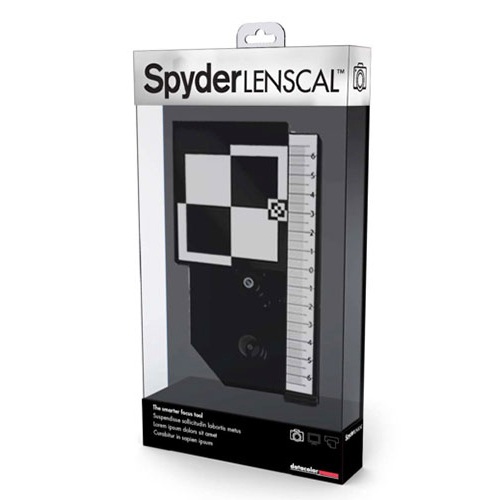
Datacolor SpyderLensCal made this list because it gives you the information you need when you're checking a camera and lens for front- or back-focus error with a consistent chart. What the official description from Datacolor covers and the actual appearance and working condition of a used item are two different things, so don't conclude from the results of Datacolor SpyderLensCal alone that the seller or the whole product is safe when you're checking a camera and lens for front- or back-focus error with a consistent chart. For this entry, decide what to check based on the standard of setting the camera level on a tripod and checking whether the model supports AF micro-adjustment, and record the product's identifying details and the result screen at the same time.
In actual use, set the camera level on a tripod and check whether the model supports AF micro-adjustment. The checkpoint of setting the camera level on a tripod and checking whether the model supports AF micro-adjustment is there so you don't miss damage or policy differences that fall outside what Datacolor SpyderLensCal covers. In particular, if you couldn't meet the condition of setting the camera level on a tripod and checking whether the model supports AF micro-adjustment, consider putting the deal on hold before relying on the measurement results. The features, supported models, and terms of use from Datacolor can change even when you're checking a camera and lens for front- or back-focus error with a consistent chart, so reopen the official link right before paying or inspecting. When you keep records, note that you checked it when you're checking a camera and lens for front- or back-focus error with a consistent chart, along with the date, and hide any personal information such as accounts, addresses, or serial numbers revealed while setting the camera level on a tripod and checking whether the model supports AF micro-adjustment.
In actual use, set the camera level on a tripod and check whether the model supports AF micro-adjustment. The checkpoint of setting the camera level on a tripod and checking whether the model supports AF micro-adjustment is there so you don't miss damage or policy differences that fall outside what Datacolor SpyderLensCal covers. In particular, if you couldn't meet the condition of setting the camera level on a tripod and checking whether the model supports AF micro-adjustment, consider putting the deal on hold before relying on the measurement results. The features, supported models, and terms of use from Datacolor can change even when you're checking a camera and lens for front- or back-focus error with a consistent chart, so reopen the official link right before paying or inspecting. When you keep records, note that you checked it when you're checking a camera and lens for front- or back-focus error with a consistent chart, along with the date, and hide any personal information such as accounts, addresses, or serial numbers revealed while setting the camera level on a tripod and checking whether the model supports AF micro-adjustment.
제공사 Datacolor
적합한 상황 카메라와 렌즈의 전후 초점 오차를 일정한 차트로 확인할 때
사용 전 확인 카메라를 삼각대에 수평으로 두고 기종이 AF 미세조정을 지원하는지 확인한다
정보 확인 공식 페이지에서 기능·용도와 이용 조건을 확인
LensAlign MkII Focus Calibration System
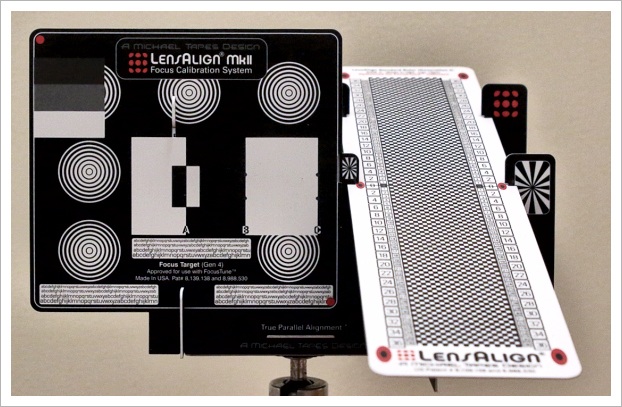
The reason for including LensAlign MkII Focus Calibration System in this list is that it provides necessary information for comparing the autofocus alignment status of different lenses with a scale and target. The officially available range and the appearance/operational condition of used items differ from the results of the LensAlign MkII Focus Calibration System, and thus, we do not assess the safety of the seller or the entire product situation based solely on its results. In this item, we establish criteria based on 'matching the shooting distance, lighting, and ensuring the chart is parallel and reading from the original file' and also record product identification information and the result screen at the same time.
When it is actually used, adjustments are made for the shooting distance, lighting, and ensuring the chart is parallel while reading from the original file. The confirmation point of 'matching the shooting distance, lighting, and ensuring the chart is parallel and reading from the original file' is a standard to avoid missing out on damage or policy differences outside the application scope of the LensAlign MkII Focus Calibration System. If the condition of 'matching the shooting distance, lighting, and ensuring the chart is parallel and reading from the original file' is not met, then before considering the measurement results, it's better to hold off on the transaction. The functions, supported models, and usage conditions of Michael Tapes Design may change in the situation of 'comparing the autofocus alignment status of different lenses with a scale and target,' so reopen the official link before payment or inspection. When keeping records, retain the fact and date of confirming 'comparing the autofocus alignment status of different lenses with a scale and target' and obscure any personal information revealed during the process, such as accounts, addresses, and serial numbers.
When it is actually used, adjustments are made for the shooting distance, lighting, and ensuring the chart is parallel while reading from the original file. The confirmation point of 'matching the shooting distance, lighting, and ensuring the chart is parallel and reading from the original file' is a standard to avoid missing out on damage or policy differences outside the application scope of the LensAlign MkII Focus Calibration System. If the condition of 'matching the shooting distance, lighting, and ensuring the chart is parallel and reading from the original file' is not met, then before considering the measurement results, it's better to hold off on the transaction. The functions, supported models, and usage conditions of Michael Tapes Design may change in the situation of 'comparing the autofocus alignment status of different lenses with a scale and target,' so reopen the official link before payment or inspection. When keeping records, retain the fact and date of confirming 'comparing the autofocus alignment status of different lenses with a scale and target' and obscure any personal information revealed during the process, such as accounts, addresses, and serial numbers.
제공사 Michael Tapes Design
적합한 상황 렌즈별 자동초점 정렬 상태를 눈금과 타깃으로 비교할 때
사용 전 확인 촬영 거리와 조명, 차트 평행을 맞추고 원본 파일로 판독한다
정보 확인 공식 페이지에서 기능·용도와 이용 조건을 확인
Calibrite ColorChecker Passport Photo 2
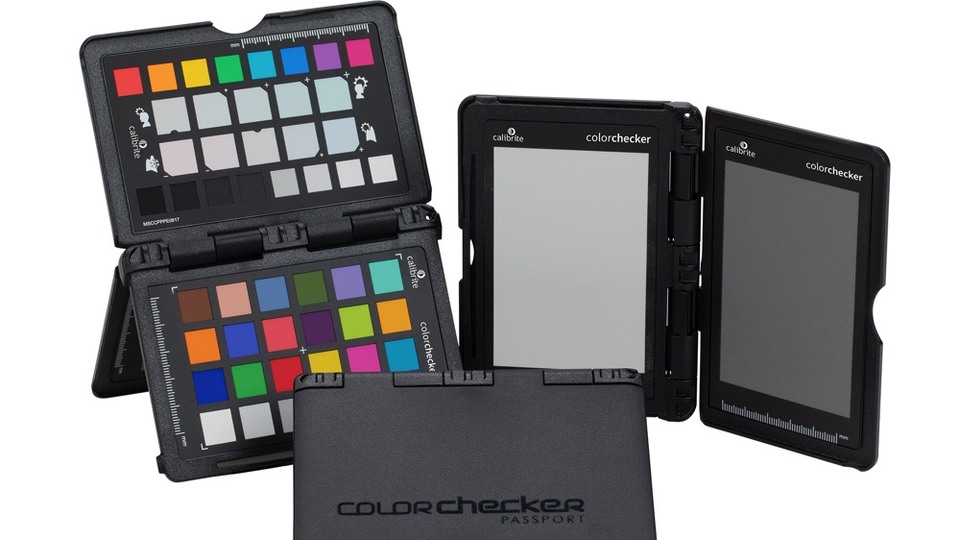
Calibrite ColorChecker Passport Photo 2 made this list because it gives you the information you need when you're comparing a camera's color reproduction and white balance consistency. What the official description from Calibrite covers and the actual appearance and working condition of a used item are two different things, so don't conclude from the results of Calibrite ColorChecker Passport Photo 2 alone that the seller or the whole product is safe when you're comparing a camera's color reproduction and white balance consistency. For this entry, decide what to check based on the standard of taking a new reference shot for each lighting condition and checking the surface for dirt and discoloration, and record the product's identifying details and the result screen at the same time.
In actual use, take a new reference shot for each lighting condition and check the surface for dirt and discoloration. The checkpoint of taking a new reference shot for each lighting condition and checking the surface for dirt and discoloration is there so you don't miss damage or policy differences that fall outside what Calibrite ColorChecker Passport Photo 2 covers. In particular, if you couldn't meet the condition of taking a new reference shot for each lighting condition and checking the surface for dirt and discoloration, consider putting the deal on hold before relying on the measurement results. The features, supported models, and terms of use from Calibrite can change even when you're comparing a camera's color reproduction and white balance consistency, so reopen the official link right before paying or inspecting. When you keep records, note that you checked it when you're comparing a camera's color reproduction and white balance consistency, along with the date, and hide any personal information such as accounts, addresses, or serial numbers revealed while taking a new reference shot for each lighting condition and checking the surface for dirt and discoloration.
In actual use, take a new reference shot for each lighting condition and check the surface for dirt and discoloration. The checkpoint of taking a new reference shot for each lighting condition and checking the surface for dirt and discoloration is there so you don't miss damage or policy differences that fall outside what Calibrite ColorChecker Passport Photo 2 covers. In particular, if you couldn't meet the condition of taking a new reference shot for each lighting condition and checking the surface for dirt and discoloration, consider putting the deal on hold before relying on the measurement results. The features, supported models, and terms of use from Calibrite can change even when you're comparing a camera's color reproduction and white balance consistency, so reopen the official link right before paying or inspecting. When you keep records, note that you checked it when you're comparing a camera's color reproduction and white balance consistency, along with the date, and hide any personal information such as accounts, addresses, or serial numbers revealed while taking a new reference shot for each lighting condition and checking the surface for dirt and discoloration.
제공사 Calibrite
적합한 상황 카메라의 색 재현과 화이트밸런스 일관성을 비교할 때
사용 전 확인 조명 조건마다 새 기준 사진을 찍고 표면 오염과 변색을 확인한다
정보 확인 공식 페이지에서 기능·용도와 이용 조건을 확인
이미지 출처 https://calibrite.com/us/wp-content/uploads/sites/2/2021/05/CCPP2_CC_Main.jpeg
Datacolor SpyderCHECKR 24
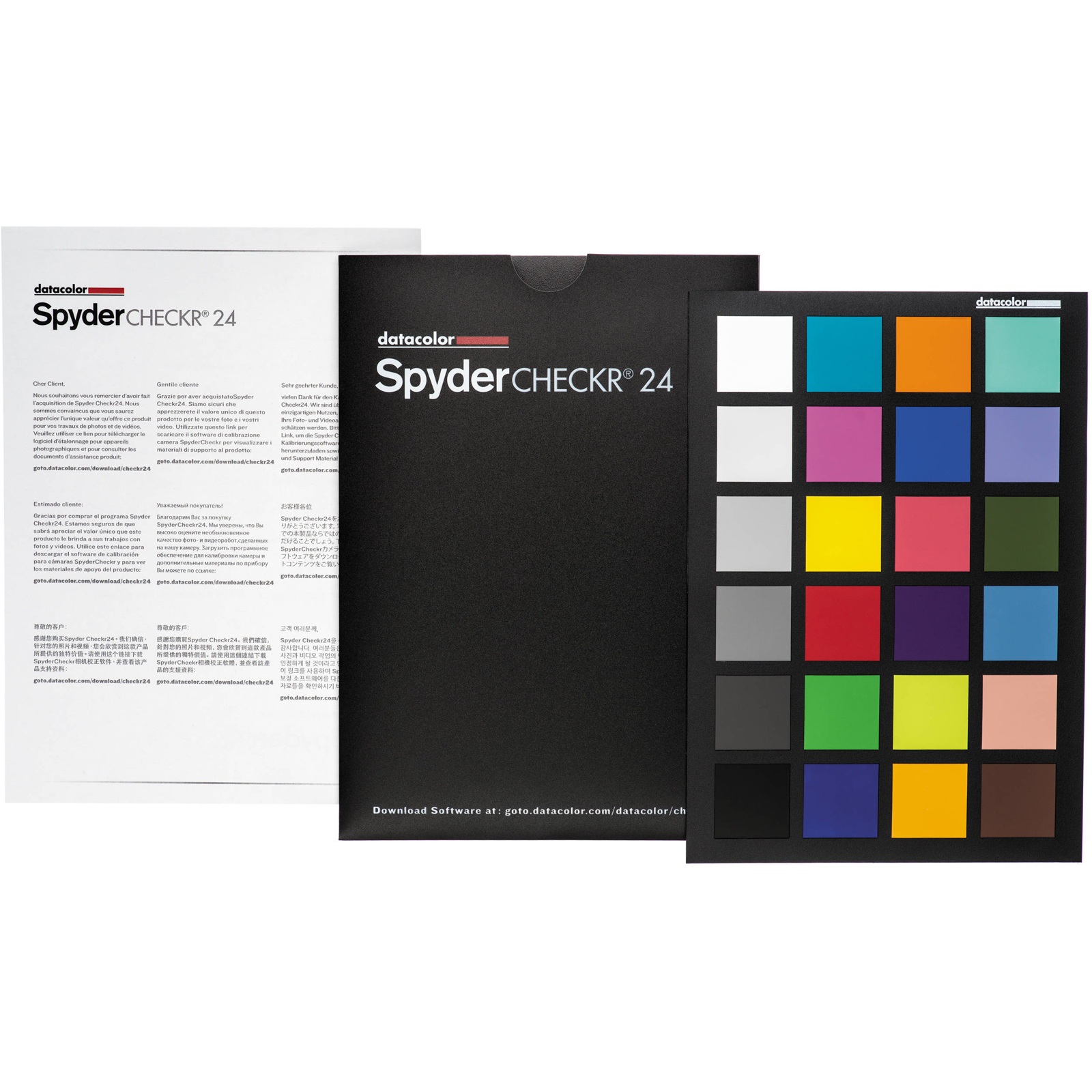
The reason for including Datacolor SpyderCHECKR 24 in this list is that it provides necessary information for contrasting the color variance of various camera and lens combinations under the same conditions. The officially available range and the appearance/operational condition of used items differ from the results of Datacolor SpyderCHECKR 24, and thus, we do not assess the safety of the seller or the entire product situation based solely on its results. In this item, we establish criteria based on 'protecting the chart from direct sunlight and humidity and setting the shooting angle vertically' while also recording product identification information and the result screen at the same time.
When it is actually used, the chart is protected from direct sunlight and humidity, and the shooting angle is set vertically. The confirmation point of 'protecting the chart from direct sunlight and humidity and setting the shooting angle vertically' is a standard to avoid missing out on damage or policy differences outside the application scope of Datacolor SpyderCHECKR 24. If the condition of 'protecting the chart from direct sunlight and humidity and setting the shooting angle vertically' is not met, then it's better to hold off on the transaction before considering the measurement results. The functions, supported models, and usage conditions of Datacolor can change while in the situation of 'contrasting the color variance of various camera and lens combinations under the same conditions,' so reopen the official link before payment or inspection. When keeping records, retain the fact and date of confirming 'contrasting the color variance of various camera and lens combinations under the same conditions' and obscure any personal information revealed during the process, such as accounts, addresses, and serial numbers.
When it is actually used, the chart is protected from direct sunlight and humidity, and the shooting angle is set vertically. The confirmation point of 'protecting the chart from direct sunlight and humidity and setting the shooting angle vertically' is a standard to avoid missing out on damage or policy differences outside the application scope of Datacolor SpyderCHECKR 24. If the condition of 'protecting the chart from direct sunlight and humidity and setting the shooting angle vertically' is not met, then it's better to hold off on the transaction before considering the measurement results. The functions, supported models, and usage conditions of Datacolor can change while in the situation of 'contrasting the color variance of various camera and lens combinations under the same conditions,' so reopen the official link before payment or inspection. When keeping records, retain the fact and date of confirming 'contrasting the color variance of various camera and lens combinations under the same conditions' and obscure any personal information revealed during the process, such as accounts, addresses, and serial numbers.
제공사 Datacolor
적합한 상황 여러 카메라·렌즈 조합의 색 편차를 같은 조건에서 대조할 때
사용 전 확인 차트를 직사광선과 습기에서 보호하고 촬영 각도를 수직으로 맞춘다
정보 확인 공식 페이지에서 기능·용도와 이용 조건을 확인
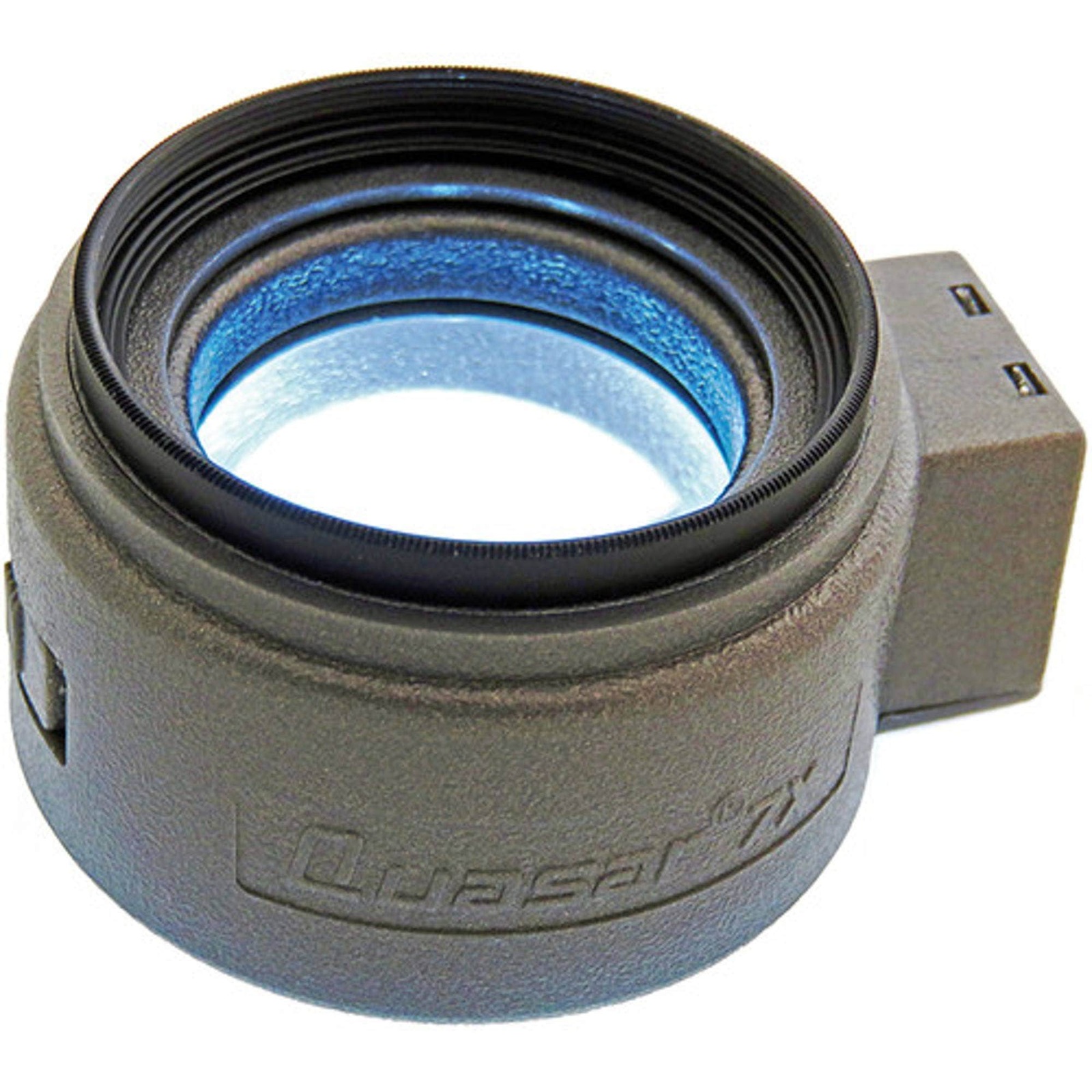
VisibleDust Sensor Loupe 7X
The reason for including VisibleDust Sensor Loupe 7X in this list is that it provides necessary information for magnifying and observing dust on the surface of a camera sensor after detaching the lens. The officially available range and the appearance/operational condition of used items differ from the results of VisibleDust Sensor Loupe 7X, and thus, we do not assess the safety of the seller or the entire product situation based solely on its results. In this item, we establish criteria based on 'checking the mirrorless/DSLR structure and ensuring that tools do not touch the sensor' while also recording product identification information and the result screen at the same time.
When it is actually used, the mirrorless/DSLR structure is checked while ensuring that tools do not touch the sensor. The confirmation point of 'checking the mirrorless/DSLR structure and ensuring that tools do not touch the sensor' is a standard to avoid missing out on damage or policy differences outside the application scope of VisibleDust Sensor Loupe 7X. If the condition of 'checking the mirrorless/DSLR structure and ensuring that tools do not touch the sensor' is not met, then it's better to hold off on the transaction before considering the measurement results. The functions, supported models, and usage conditions of VisibleDust may change while in the situation of 'magnifying and observing dust on the surface of a camera sensor after detaching the lens,' so reopen the official link before payment or inspection. When keeping records, retain the fact and date of confirming 'magnifying and observing dust on the surface of a camera sensor after detaching the lens' and obscure any personal information revealed during the process, such as accounts, addresses, and serial numbers.
When it is actually used, the mirrorless/DSLR structure is checked while ensuring that tools do not touch the sensor. The confirmation point of 'checking the mirrorless/DSLR structure and ensuring that tools do not touch the sensor' is a standard to avoid missing out on damage or policy differences outside the application scope of VisibleDust Sensor Loupe 7X. If the condition of 'checking the mirrorless/DSLR structure and ensuring that tools do not touch the sensor' is not met, then it's better to hold off on the transaction before considering the measurement results. The functions, supported models, and usage conditions of VisibleDust may change while in the situation of 'magnifying and observing dust on the surface of a camera sensor after detaching the lens,' so reopen the official link before payment or inspection. When keeping records, retain the fact and date of confirming 'magnifying and observing dust on the surface of a camera sensor after detaching the lens' and obscure any personal information revealed during the process, such as accounts, addresses, and serial numbers.
제공사 VisibleDust
적합한 상황 렌즈를 분리한 카메라 센서 표면의 먼지를 확대 관찰할 때
사용 전 확인 미러리스·DSLR 구조를 확인하고 센서에 도구가 닿지 않게 한다
정보 확인 공식 페이지에서 기능·용도와 이용 조건을 확인
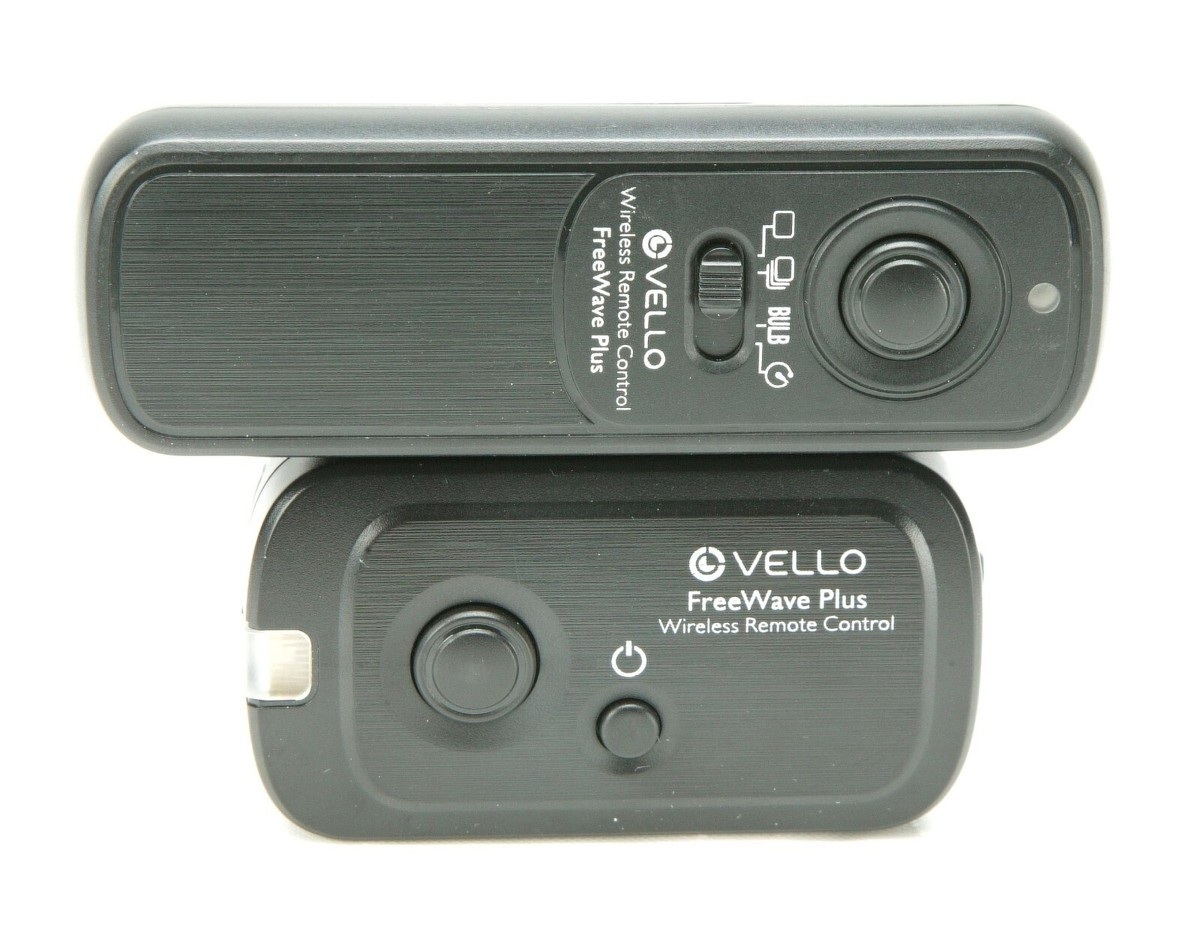
Vello FreeWave Plus Wireless Remote Shutter Release
Vello FreeWave Plus Wireless Remote Shutter Release made this list because it gives you the information you need when you're shooting repeatedly without camera shake during tripod tests. What the official description from Vello covers and the actual appearance and working condition of a used item are two different things, so don't conclude from the results of Vello FreeWave Plus Wireless Remote Shutter Release alone that the seller or the whole product is safe when you're shooting repeatedly without camera shake during tripod tests. For this entry, decide what to check based on the standard of checking that the receiver model is compatible with the port on the camera you plan to buy, and record the product's identifying details and the result screen at the same time.
In actual use, check that the receiver model is compatible with the port on the camera you plan to buy. The checkpoint of checking that the receiver model is compatible with the port on the camera you plan to buy is there so you don't miss damage or policy differences that fall outside what Vello FreeWave Plus Wireless Remote Shutter Release covers. In particular, if you couldn't meet the condition of checking that the receiver model is compatible with the port on the camera you plan to buy, consider putting the deal on hold before relying on the measurement results. The features, supported models, and terms of use from Vello can change even when you're shooting repeatedly without camera shake during tripod tests, so reopen the official link right before paying or inspecting. When you keep records, note that you checked it when you're shooting repeatedly without camera shake during tripod tests, along with the date, and hide any personal information such as accounts, addresses, or serial numbers revealed while checking that the receiver model is compatible with the port on the camera you plan to buy.
In actual use, check that the receiver model is compatible with the port on the camera you plan to buy. The checkpoint of checking that the receiver model is compatible with the port on the camera you plan to buy is there so you don't miss damage or policy differences that fall outside what Vello FreeWave Plus Wireless Remote Shutter Release covers. In particular, if you couldn't meet the condition of checking that the receiver model is compatible with the port on the camera you plan to buy, consider putting the deal on hold before relying on the measurement results. The features, supported models, and terms of use from Vello can change even when you're shooting repeatedly without camera shake during tripod tests, so reopen the official link right before paying or inspecting. When you keep records, note that you checked it when you're shooting repeatedly without camera shake during tripod tests, along with the date, and hide any personal information such as accounts, addresses, or serial numbers revealed while checking that the receiver model is compatible with the port on the camera you plan to buy.
제공사 Vello
적합한 상황 삼각대 테스트에서 손떨림 없이 반복 촬영할 때
사용 전 확인 구매할 카메라 단자와 수신기 모델의 호환성을 확인한다
정보 확인 공식 페이지에서 기능·용도와 이용 조건을 확인
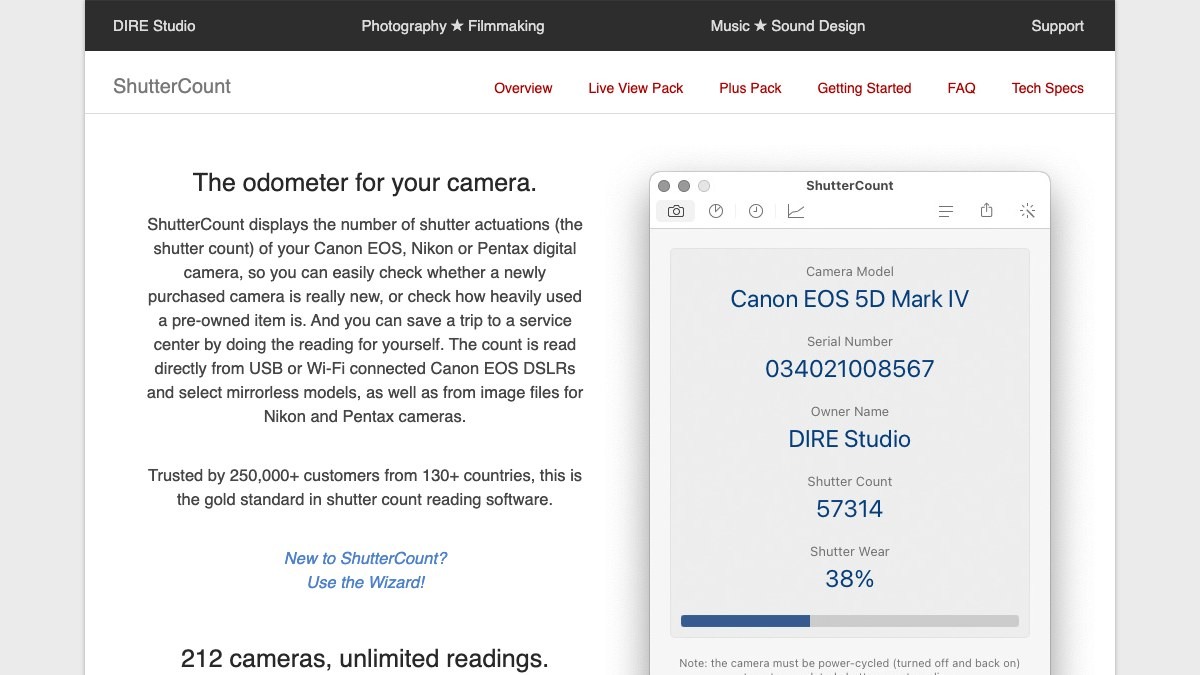
ShutterCount
The reason for including ShutterCount in this list is that it provides necessary information for checking the shutter actuation count of supported Canon, Nikon, and Pentax cameras. The officially available range and the appearance/operational condition of used items differ from the results of ShutterCount, and thus, we do not assess the safety of the seller or the entire product situation based solely on its results. In this item, we establish criteria based on 'comparing the operating system and the connection method for each camera against the official technical specifications' while also recording product identification information and the result screen at the same time.
When it is actually used, a comparison of the operating system and the connection method for each camera against the official technical specifications is conducted. The confirmation point of 'comparing the operating system and the connection method for each camera against the official technical specifications' is a standard to avoid missing out on damage or policy differences outside the application scope of ShutterCount. If the condition of 'comparing the operating system and the connection method for each camera against the official technical specifications' is not met, then it's better to hold off on the transaction before considering the measurement results. The functions, supported models, and usage conditions of DIRE Studio may change while in the situation of 'checking the shutter actuation count of supported Canon, Nikon, and Pentax cameras', so reopen the official link before payment or inspection. When keeping records, retain the fact and date of confirming 'checking the shutter actuation count of supported Canon, Nikon, and Pentax cameras' and obscure any personal information revealed during the process, such as accounts, addresses, and serial numbers.
When it is actually used, a comparison of the operating system and the connection method for each camera against the official technical specifications is conducted. The confirmation point of 'comparing the operating system and the connection method for each camera against the official technical specifications' is a standard to avoid missing out on damage or policy differences outside the application scope of ShutterCount. If the condition of 'comparing the operating system and the connection method for each camera against the official technical specifications' is not met, then it's better to hold off on the transaction before considering the measurement results. The functions, supported models, and usage conditions of DIRE Studio may change while in the situation of 'checking the shutter actuation count of supported Canon, Nikon, and Pentax cameras', so reopen the official link before payment or inspection. When keeping records, retain the fact and date of confirming 'checking the shutter actuation count of supported Canon, Nikon, and Pentax cameras' and obscure any personal information revealed during the process, such as accounts, addresses, and serial numbers.
제공사 DIRE Studio
적합한 상황 지원되는 Canon·Nikon·Pentax 카메라의 셔터 작동 횟수를 확인할 때
사용 전 확인 운영체제와 카메라별 연결 방식·지원 목록을 공식 기술 사양에서 대조한다
정보 확인 공식 페이지에서 기능·용도와 이용 조건을 확인
이미지 출처 https://www.direstudio.com/shuttercount/#official-page-capture
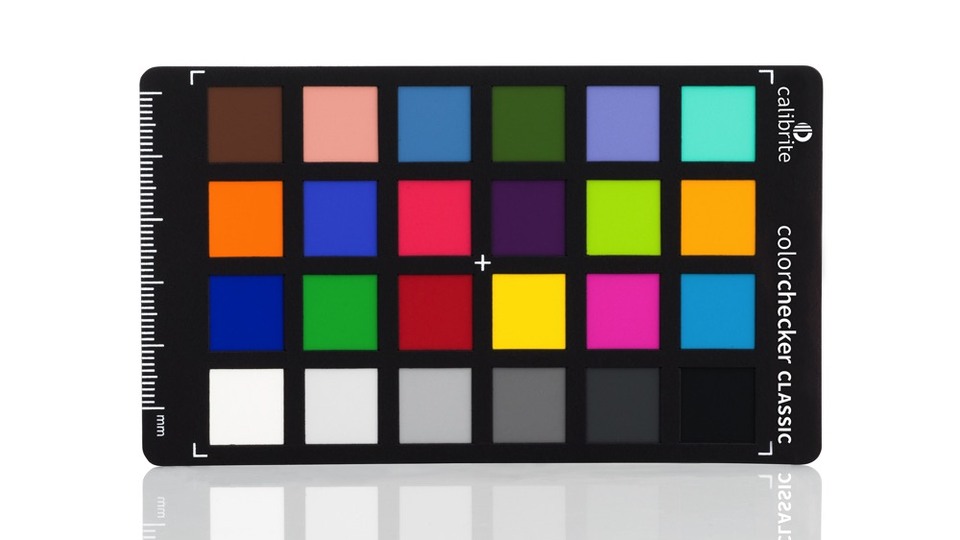
Calibrite ColorChecker Classic Mini
Calibrite ColorChecker Classic Mini made this list because it gives you the information you need when you're comparing color patch response on compact shooting gear and in copy work. What the official description from Calibrite covers and the actual appearance and working condition of a used item are two different things, so don't conclude from the results of Calibrite ColorChecker Classic Mini alone that the seller or the whole product is safe when you're comparing color patch response on compact shooting gear and in copy work. For this entry, decide what to check based on the standard of shooting so the chart fills a large enough part of the frame and checking the surface for discoloration, and record the product's identifying details and the result screen at the same time.
In actual use, shoot so the chart fills a large enough part of the frame, and check the surface for discoloration. The checkpoint of shooting so the chart fills a large enough part of the frame and checking the surface for discoloration is there so you don't miss damage or policy differences that fall outside what Calibrite ColorChecker Classic Mini covers. In particular, if you couldn't meet the condition of shooting so the chart fills a large enough part of the frame and checking the surface for discoloration, consider putting the deal on hold before relying on the measurement results. The features, supported models, and terms of use from Calibrite can change even when you're comparing color patch response on compact shooting gear and in copy work, so reopen the official link right before paying or inspecting. When you keep records, note that you checked it when you're comparing color patch response on compact shooting gear and in copy work, along with the date, and hide any personal information such as accounts, addresses, or serial numbers revealed while shooting so the chart fills a large enough part of the frame and checking the surface for discoloration.
In actual use, shoot so the chart fills a large enough part of the frame, and check the surface for discoloration. The checkpoint of shooting so the chart fills a large enough part of the frame and checking the surface for discoloration is there so you don't miss damage or policy differences that fall outside what Calibrite ColorChecker Classic Mini covers. In particular, if you couldn't meet the condition of shooting so the chart fills a large enough part of the frame and checking the surface for discoloration, consider putting the deal on hold before relying on the measurement results. The features, supported models, and terms of use from Calibrite can change even when you're comparing color patch response on compact shooting gear and in copy work, so reopen the official link right before paying or inspecting. When you keep records, note that you checked it when you're comparing color patch response on compact shooting gear and in copy work, along with the date, and hide any personal information such as accounts, addresses, or serial numbers revealed while shooting so the chart fills a large enough part of the frame and checking the surface for discoloration.
제공사 Calibrite
적합한 상황 작은 촬영 장비와 복사 작업에서 색 패치 반응을 비교할 때
사용 전 확인 차트가 프레임에서 충분한 크기를 차지하도록 촬영하고 표면 변색을 확인한다
정보 확인 공식 페이지에서 기능·용도와 이용 조건을 확인
이미지 출처 https://calibrite.com/us/wp-content/uploads/sites/2/2021/05/CCC-MINI_Main.jpeg
The inspection should start with a look at the exterior and the mount in bright light, then proceed to test charts, uniform backgrounds, and actual shooting. You should confirm whether similar issues occur at various focal lengths and apertures to easily distinguish lens characteristics and defects. Dust on the sensor is more visible in photos taken with the aperture closed, and focus errors show up better when using a tripod at a fixed distance. It's generally better to check the original files on a computer than rely on the screen preview.
If the tool results appear unusual, don't jump to corrections immediately; instead, ask the seller about repair, impact, and water damage history. Tolerances and adjustment methods vary by manufacturer, and improper sensor cleaning can cause more significant damage. Keep records of test scenes and file information and add expected inspection and repair costs to the transaction price to reduce the likelihood of being swayed merely by claims of less usage.
If the tool results appear unusual, don't jump to corrections immediately; instead, ask the seller about repair, impact, and water damage history. Tolerances and adjustment methods vary by manufacturer, and improper sensor cleaning can cause more significant damage. Keep records of test scenes and file information and add expected inspection and repair costs to the transaction price to reduce the likelihood of being swayed merely by claims of less usage.
At a glance
8 items
Datacolor SpyderLensCal
Datacolor
LensAlign MkII Focus Calibration System
Calibrite ColorChecker Passport Photo 2
Calibrite
Datacolor SpyderCHECKR 24
Datacolor
VisibleDust Sensor Loupe 7X
VisibleDust
Vello FreeWave Plus Wireless Remote Shutter Release
Vello
ShutterCount
DIRE Studio
Calibrite ColorChecker Classic Mini
Calibrite
As part of the Coupang Partners program, this post may earn a commission from qualifying purchases.
Comments 0
Log in to leave a comment.
Be the first to comment.
How about these lists?


You might also like


🎲
Not ready to stop here?
Wondering what to read next is the biggest waste of time.
Let the dice decide — you won't know what pops up until you roll.
If you don't press it… won't you wonder forever? 👀