Collection
Shopping
2026.10.08
Cameras, LPs, and Figures: Tools That Protect Condition Before You Clean
Real products for inspecting, cleaning, and storing hobby collectibles without damage
With secondhand hobby collectibles, small scratches, dust, mold, static, and discoloration have a major impact on value and usability. If you reach for a strong cleaner or a rough cloth just to check the condition, you can end up damaging coatings and printed surfaces instead. Camera lenses, LPs, and figures differ in material and in the causes of contamination, so it is important not to reuse the same cleaning tool across them. Inspect under bright light first, and touch only as much as necessary.
This list picks eight real products used for removing lens dust, wet and dry LP care, reducing static, and inspecting and storing small collectibles. Even if a product name is familiar, it is not safe for every material. Read the manufacturer's instructions, test on an inconspicuous area, and for items where a failed restoration is costly, such as rarities, autographs, or aged plastics, it is better to leave the work to a professional conservator.
This list picks eight real products used for removing lens dust, wet and dry LP care, reducing static, and inspecting and storing small collectibles. Even if a product name is familiar, it is not safe for every material. Read the manufacturer's instructions, test on an inconspicuous area, and for items where a failed restoration is costly, such as rarities, autographs, or aged plastics, it is better to leave the work to a professional conservator.
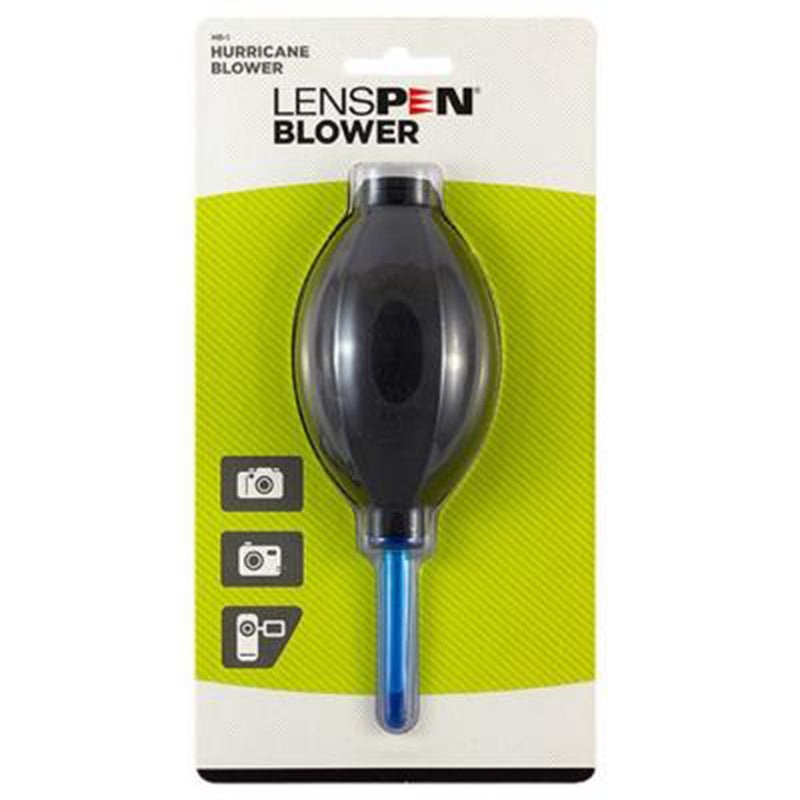
LensPen Hurricane Blower
The LensPen Hurricane Blower is included in this list because it provides the information you need when blowing loose dust away from around a camera lens or sensor without contact. What can be confirmed from LensPen's official description and the appearance and working condition of a used item are two different kinds of information, so the results from the LensPen Hurricane Blower alone are not grounds to judge that the seller or the product as a whole is safe in the situation of blowing loose dust away from around a camera lens or sensor without contact. For item 1, decide what to check according to the standard of not touching the nozzle to the sensor and following the camera manufacturer's cleaning procedure, and record the product identification details and the result screen at the same time.
When actually using it, do not touch the nozzle to the sensor, and follow the camera manufacturer's cleaning procedure. The checkpoint of not touching the nozzle to the sensor and following the camera manufacturer's cleaning procedure is a standard for not missing damage or policy differences that fall outside the LensPen Hurricane Blower's scope. In particular, if the condition of not touching the nozzle to the sensor and following the camera manufacturer's cleaning procedure could not be met, consider holding off on the transaction before relying on any measurement result. LensPen's features, supported models, and terms of use can change even in the situation of blowing loose dust away from around a camera lens or sensor without contact, so reopen the official link right before paying or inspecting. When keeping records, note the fact that you checked while blowing loose dust away from around a camera lens or sensor without contact along with the date, and mask any personal information, such as accounts, addresses, or serial numbers, revealed during the process of not touching the nozzle to the sensor and following the camera manufacturer's cleaning procedure.
When actually using it, do not touch the nozzle to the sensor, and follow the camera manufacturer's cleaning procedure. The checkpoint of not touching the nozzle to the sensor and following the camera manufacturer's cleaning procedure is a standard for not missing damage or policy differences that fall outside the LensPen Hurricane Blower's scope. In particular, if the condition of not touching the nozzle to the sensor and following the camera manufacturer's cleaning procedure could not be met, consider holding off on the transaction before relying on any measurement result. LensPen's features, supported models, and terms of use can change even in the situation of blowing loose dust away from around a camera lens or sensor without contact, so reopen the official link right before paying or inspecting. When keeping records, note the fact that you checked while blowing loose dust away from around a camera lens or sensor without contact along with the date, and mask any personal information, such as accounts, addresses, or serial numbers, revealed during the process of not touching the nozzle to the sensor and following the camera manufacturer's cleaning procedure.
제공사 LensPen
적합한 상황 카메라 렌즈·센서 주변의 느슨한 먼지를 비접촉으로 날릴 때
사용 전 확인 센서에 노즐을 대지 말고 카메라 제조사의 청소 절차를 따른다
정보 확인 공식 페이지에서 기능·용도와 이용 조건을 확인
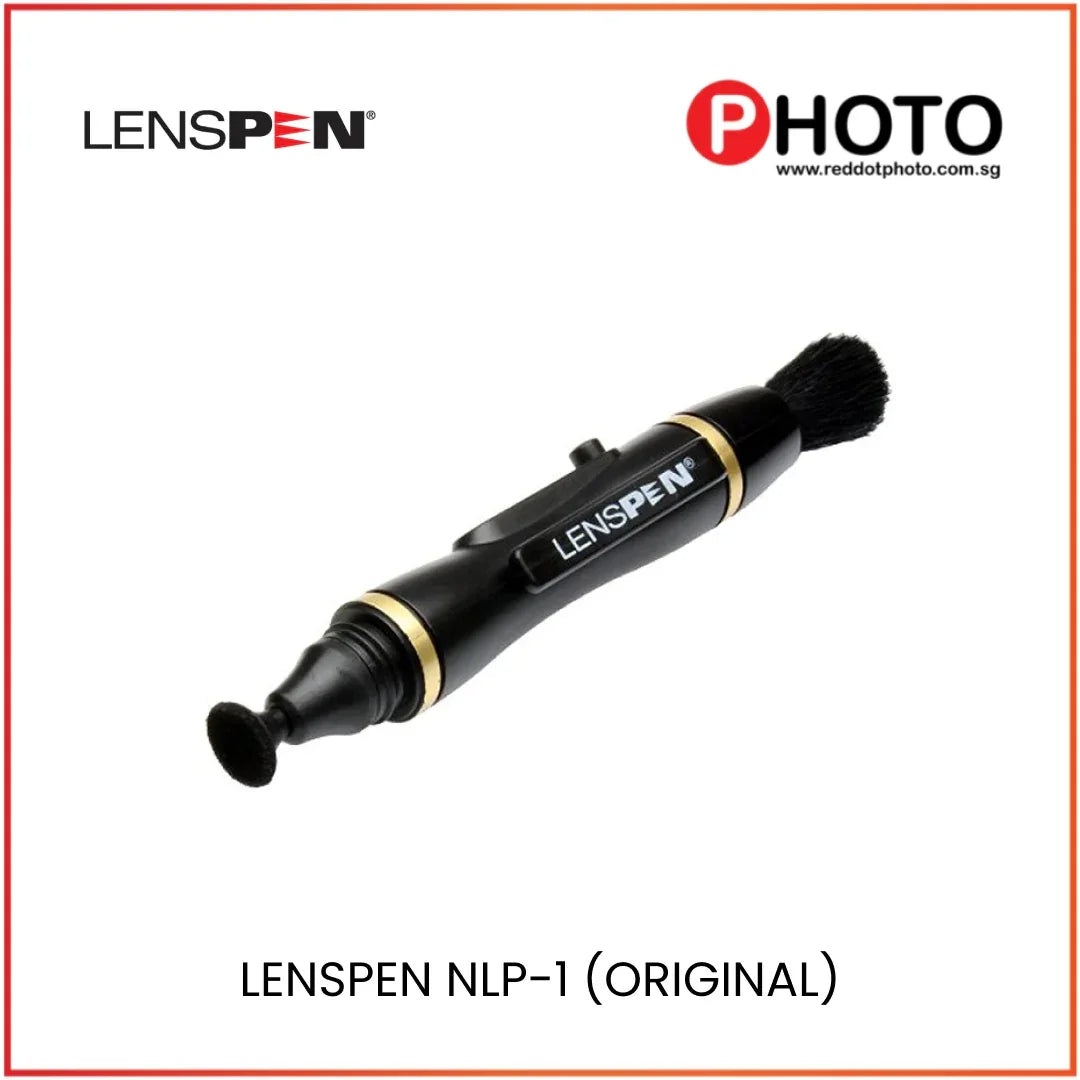
LensPen Original NLP-1
The LensPen Original NLP-1 is included in this list because it provides the information you need when tidying up fingerprints and light smudges on the front of a lens with a dedicated tip. What can be confirmed from LensPen's official description and the appearance and working condition of a used item are two different kinds of information, so the results from the LensPen Original NLP-1 alone are not grounds to judge that the seller or the product as a whole is safe in the situation of tidying up fingerprints and light smudges on the front of a lens with a dedicated tip. For this item, decide what to check according to the standard of removing large dust particles first and not using a worn or contaminated tip, and record the product identification details and the result screen at the same time.
When actually using it, remove large dust particles first and do not use a worn or contaminated tip. The checkpoint of removing large dust particles first and not using a worn or contaminated tip is a standard for not missing damage or policy differences that fall outside the LensPen Original NLP-1's scope. In particular, if the condition of removing large dust particles first and not using a worn or contaminated tip could not be met, consider holding off on the transaction before relying on any measurement result. LensPen's features, supported models, and terms of use can change even in the situation of tidying up fingerprints and light smudges on the front of a lens with a dedicated tip, so reopen the official link right before paying or inspecting. When keeping records, note the fact that you checked while tidying up fingerprints and light smudges on the front of a lens with a dedicated tip along with the date, and mask any personal information, such as accounts, addresses, or serial numbers, revealed during the process of removing large dust particles first and not using a worn or contaminated tip.
When actually using it, remove large dust particles first and do not use a worn or contaminated tip. The checkpoint of removing large dust particles first and not using a worn or contaminated tip is a standard for not missing damage or policy differences that fall outside the LensPen Original NLP-1's scope. In particular, if the condition of removing large dust particles first and not using a worn or contaminated tip could not be met, consider holding off on the transaction before relying on any measurement result. LensPen's features, supported models, and terms of use can change even in the situation of tidying up fingerprints and light smudges on the front of a lens with a dedicated tip, so reopen the official link right before paying or inspecting. When keeping records, note the fact that you checked while tidying up fingerprints and light smudges on the front of a lens with a dedicated tip along with the date, and mask any personal information, such as accounts, addresses, or serial numbers, revealed during the process of removing large dust particles first and not using a worn or contaminated tip.
제공사 LensPen
적합한 상황 렌즈 전면의 지문과 가벼운 얼룩을 전용 팁으로 정리할 때
사용 전 확인 큰 먼지를 먼저 제거하고 마모되거나 오염된 팁은 사용하지 않는다
정보 확인 공식 페이지에서 기능·용도와 이용 조건을 확인
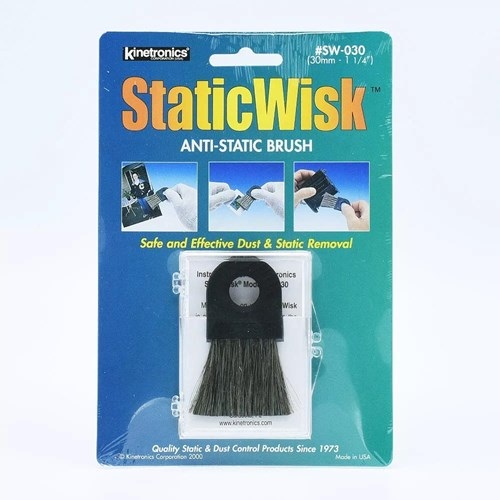
Kinetronics StaticWisk SW-030
Kinetronics StaticWisk SW-030 made this list because it gives you the information you need when you're reducing dust and static on film, scanners, or the surfaces of small collectibles. What the official description from Kinetronics covers and the actual appearance and working condition of a used item are two different things, so don't conclude from the results of Kinetronics StaticWisk SW-030 alone that the seller or the whole product is safe when you're reducing dust and static on film, scanners, or the surfaces of small collectibles. For this entry, decide what to check based on the standard of not pressing on delicate painted surfaces and checking whether the brush is dirty, and record the product's identifying details and the result screen at the same time.
In actual use, don't press on delicate painted surfaces, and check whether the brush is dirty. The checkpoint of not pressing on delicate painted surfaces and checking whether the brush is dirty is there so you don't miss damage or policy differences that fall outside what Kinetronics StaticWisk SW-030 covers. In particular, if you couldn't meet the condition of not pressing on delicate painted surfaces and checking whether the brush is dirty, consider putting the deal on hold before relying on the measurement results. The features, supported models, and terms of use from Kinetronics can change even when you're reducing dust and static on film, scanners, or the surfaces of small collectibles, so reopen the official link right before paying or inspecting. When you keep records, note that you checked it when you're reducing dust and static on film, scanners, or the surfaces of small collectibles, along with the date, and hide any personal information such as accounts, addresses, or serial numbers revealed while not pressing on delicate painted surfaces and checking whether the brush is dirty.
In actual use, don't press on delicate painted surfaces, and check whether the brush is dirty. The checkpoint of not pressing on delicate painted surfaces and checking whether the brush is dirty is there so you don't miss damage or policy differences that fall outside what Kinetronics StaticWisk SW-030 covers. In particular, if you couldn't meet the condition of not pressing on delicate painted surfaces and checking whether the brush is dirty, consider putting the deal on hold before relying on the measurement results. The features, supported models, and terms of use from Kinetronics can change even when you're reducing dust and static on film, scanners, or the surfaces of small collectibles, so reopen the official link right before paying or inspecting. When you keep records, note that you checked it when you're reducing dust and static on film, scanners, or the surfaces of small collectibles, along with the date, and hide any personal information such as accounts, addresses, or serial numbers revealed while not pressing on delicate painted surfaces and checking whether the brush is dirty.
제공사 Kinetronics
적합한 상황 필름·스캐너·소형 수집품 표면의 먼지와 정전기를 줄일 때
사용 전 확인 민감한 도색면에 압력을 주지 말고 브러시 오염 여부를 확인한다
정보 확인 공식 페이지에서 기능·용도와 이용 조건을 확인
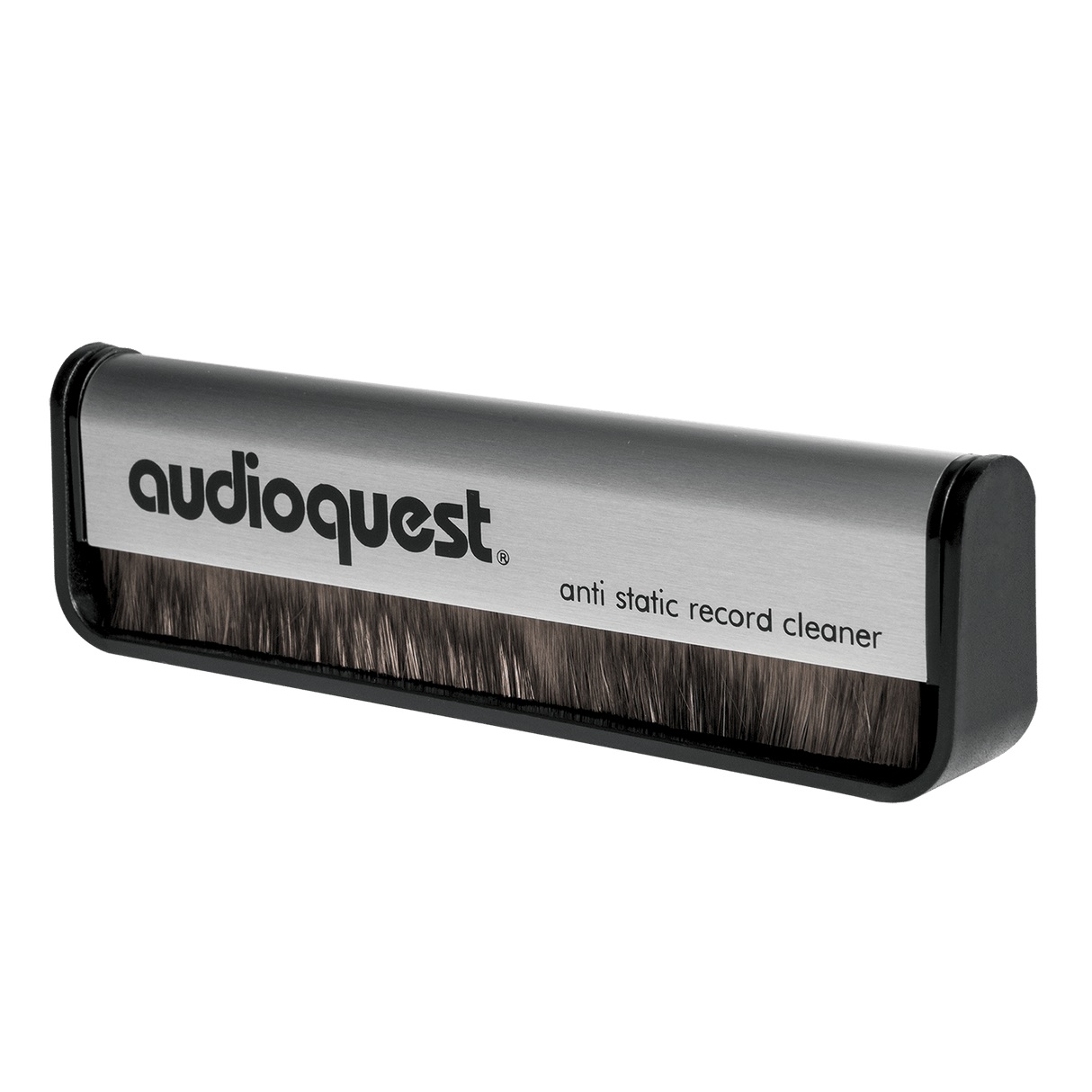
AudioQuest Anti-Static Record Brush
The AudioQuest Anti-Static Record Brush is included in this list because it provides the information you need when managing surface dust and static on an LP with a dry method before playback. What can be confirmed from AudioQuest's official description and the appearance and working condition of a used item are two different kinds of information, so the results from the AudioQuest Anti-Static Record Brush alone are not grounds to judge that the seller or the product as a whole is safe in the situation of managing surface dust and static on an LP with a dry method before playback. For item 4, decide what to check according to the standard of using the brush lightly along the grooves and washing deep grime separately, and record the product identification details and the result screen at the same time.
When actually using it, use the brush lightly along the grooves and wash deep grime separately. The checkpoint of using the brush lightly along the grooves and washing deep grime separately is a standard for not missing damage or policy differences that fall outside the AudioQuest Anti-Static Record Brush's scope. In particular, if the condition of using the brush lightly along the grooves and washing deep grime separately could not be met, consider holding off on the transaction before relying on any measurement result. AudioQuest's features, supported models, and terms of use can change even in the situation of managing surface dust and static on an LP with a dry method before playback, so reopen the official link right before paying or inspecting. When keeping records, note the fact that you checked while managing surface dust and static on an LP with a dry method before playback along with the date, and mask any personal information, such as accounts, addresses, or serial numbers, revealed during the process of using the brush lightly along the grooves and washing deep grime separately.
When actually using it, use the brush lightly along the grooves and wash deep grime separately. The checkpoint of using the brush lightly along the grooves and washing deep grime separately is a standard for not missing damage or policy differences that fall outside the AudioQuest Anti-Static Record Brush's scope. In particular, if the condition of using the brush lightly along the grooves and washing deep grime separately could not be met, consider holding off on the transaction before relying on any measurement result. AudioQuest's features, supported models, and terms of use can change even in the situation of managing surface dust and static on an LP with a dry method before playback, so reopen the official link right before paying or inspecting. When keeping records, note the fact that you checked while managing surface dust and static on an LP with a dry method before playback along with the date, and mask any personal information, such as accounts, addresses, or serial numbers, revealed during the process of using the brush lightly along the grooves and washing deep grime separately.
제공사 AudioQuest
적합한 상황 LP 재생 전 표면 먼지와 정전기를 건식으로 관리할 때
사용 전 확인 브러시를 홈 방향으로 가볍게 사용하고 깊은 오염은 별도 세척한다
정보 확인 공식 페이지에서 기능·용도와 이용 조건을 확인
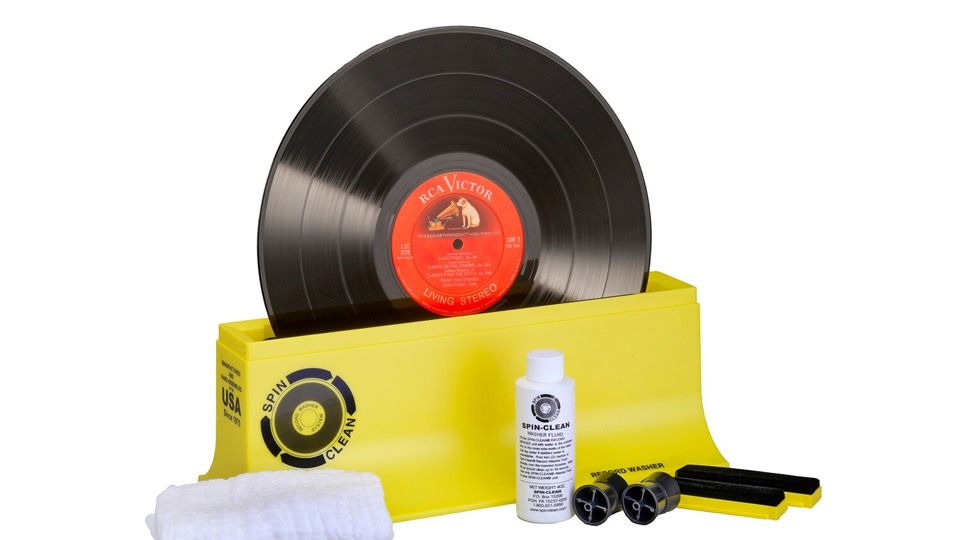
Spin-Clean Record Washer MKII
The Spin-Clean Record Washer MKII is included in this list because it provides the information you need when washing groove grime out of a used LP with a manual wet method. What can be confirmed from Spin-Clean's official description and the appearance and working condition of a used item are two different kinds of information, so the results from the Spin-Clean Record Washer MKII alone are not grounds to judge that the seller or the product as a whole is safe in the situation of washing groove grime out of a used LP with a manual wet method. For item 5, decide what to check according to the standard of following the dilution and drying instructions for the dedicated fluid and keeping the label from getting wet, and record the product identification details and the result screen at the same time.
When actually using it, follow the dilution and drying instructions for the dedicated fluid and keep the label from getting wet. The checkpoint of following the dilution and drying instructions for the dedicated fluid and keeping the label from getting wet is a standard for not missing damage or policy differences that fall outside the Spin-Clean Record Washer MKII's scope. In particular, if the condition of following the dilution and drying instructions for the dedicated fluid and keeping the label from getting wet could not be met, consider holding off on the transaction before relying on any measurement result. Spin-Clean's features, supported models, and terms of use can change even in the situation of washing groove grime out of a used LP with a manual wet method, so reopen the official link right before paying or inspecting. When keeping records, note the fact that you checked while washing groove grime out of a used LP with a manual wet method along with the date, and mask any personal information, such as accounts, addresses, or serial numbers, revealed during the process of following the dilution and drying instructions for the dedicated fluid and keeping the label from getting wet.
When actually using it, follow the dilution and drying instructions for the dedicated fluid and keep the label from getting wet. The checkpoint of following the dilution and drying instructions for the dedicated fluid and keeping the label from getting wet is a standard for not missing damage or policy differences that fall outside the Spin-Clean Record Washer MKII's scope. In particular, if the condition of following the dilution and drying instructions for the dedicated fluid and keeping the label from getting wet could not be met, consider holding off on the transaction before relying on any measurement result. Spin-Clean's features, supported models, and terms of use can change even in the situation of washing groove grime out of a used LP with a manual wet method, so reopen the official link right before paying or inspecting. When keeping records, note the fact that you checked while washing groove grime out of a used LP with a manual wet method along with the date, and mask any personal information, such as accounts, addresses, or serial numbers, revealed during the process of following the dilution and drying instructions for the dedicated fluid and keeping the label from getting wet.
제공사 Spin-Clean
적합한 상황 중고 LP의 홈 오염을 수동 습식 방식으로 세척할 때
사용 전 확인 전용액 희석과 건조 방법을 지키고 라벨이 젖지 않게 한다
정보 확인 공식 페이지에서 기능·용도와 이용 조건을 확인
이미지 출처 https://d2j6dbq0eux0bg.cloudfront.net/images/1381041/products/14190723/3523168837.jpg
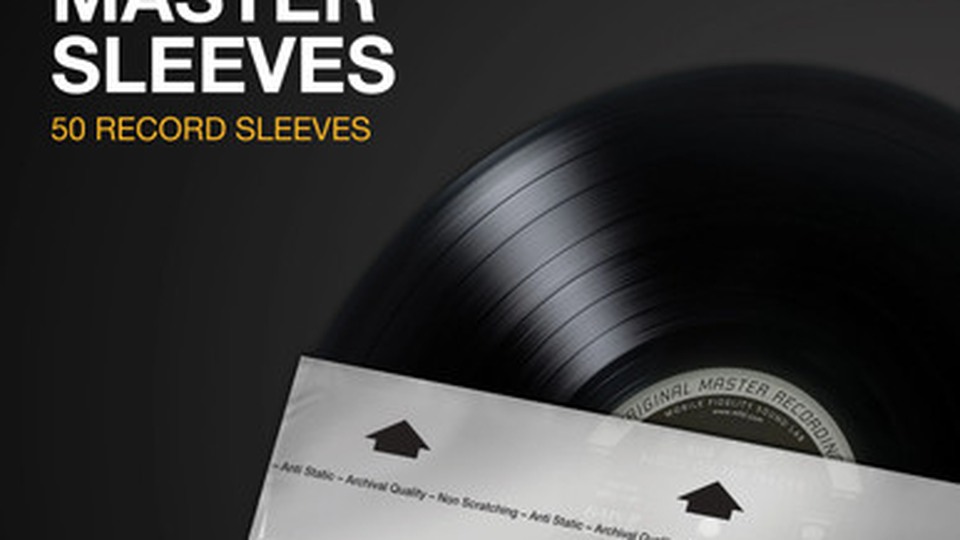
Mobile Fidelity Original Master Record Sleeves
Mobile Fidelity Original Master Record Sleeves are included in this list because they provide the information you need when storing a cleaned LP in a new inner sleeve to reduce recontamination. What can be confirmed from Mobile Fidelity Sound Lab's official description and the appearance and working condition of a used item are two different kinds of information, so the results from Mobile Fidelity Original Master Record Sleeves alone are not grounds to judge that the seller or the product as a whole is safe in the situation of storing a cleaned LP in a new inner sleeve to reduce recontamination. For item 6, decide what to check according to the standard of confirming the size and material and not inserting a wet record right away, and record the product identification details and the result screen at the same time.
When actually using them, confirm the size and material and do not insert a wet record right away. The checkpoint of confirming the size and material and not inserting a wet record right away is a standard for not missing damage or policy differences that fall outside the scope of Mobile Fidelity Original Master Record Sleeves. In particular, if the condition of confirming the size and material and not inserting a wet record right away could not be met, consider holding off on the transaction before relying on any measurement result. Mobile Fidelity Sound Lab's features, supported models, and terms of use can change even in the situation of storing a cleaned LP in a new inner sleeve to reduce recontamination, so reopen the official link right before paying or inspecting. When keeping records, note the fact that you checked while storing a cleaned LP in a new inner sleeve to reduce recontamination along with the date, and mask any personal information, such as accounts, addresses, or serial numbers, revealed during the process of confirming the size and material and not inserting a wet record right away.
When actually using them, confirm the size and material and do not insert a wet record right away. The checkpoint of confirming the size and material and not inserting a wet record right away is a standard for not missing damage or policy differences that fall outside the scope of Mobile Fidelity Original Master Record Sleeves. In particular, if the condition of confirming the size and material and not inserting a wet record right away could not be met, consider holding off on the transaction before relying on any measurement result. Mobile Fidelity Sound Lab's features, supported models, and terms of use can change even in the situation of storing a cleaned LP in a new inner sleeve to reduce recontamination, so reopen the official link right before paying or inspecting. When keeping records, note the fact that you checked while storing a cleaned LP in a new inner sleeve to reduce recontamination along with the date, and mask any personal information, such as accounts, addresses, or serial numbers, revealed during the process of confirming the size and material and not inserting a wet record right away.
제공사 Mobile Fidelity Sound Lab
적합한 상황 세척한 LP를 새 내피에 보관해 재오염을 줄일 때
사용 전 확인 규격과 재질을 확인하고 젖은 레코드를 바로 넣지 않는다
정보 확인 공식 페이지에서 기능·용도와 이용 조건을 확인
이미지 출처 https://cdn11.bigcommerce.com/s-xemqnfru33/products/1323/images/1364/c2caddext__60982.1729107406.386.513.jpg?c=1
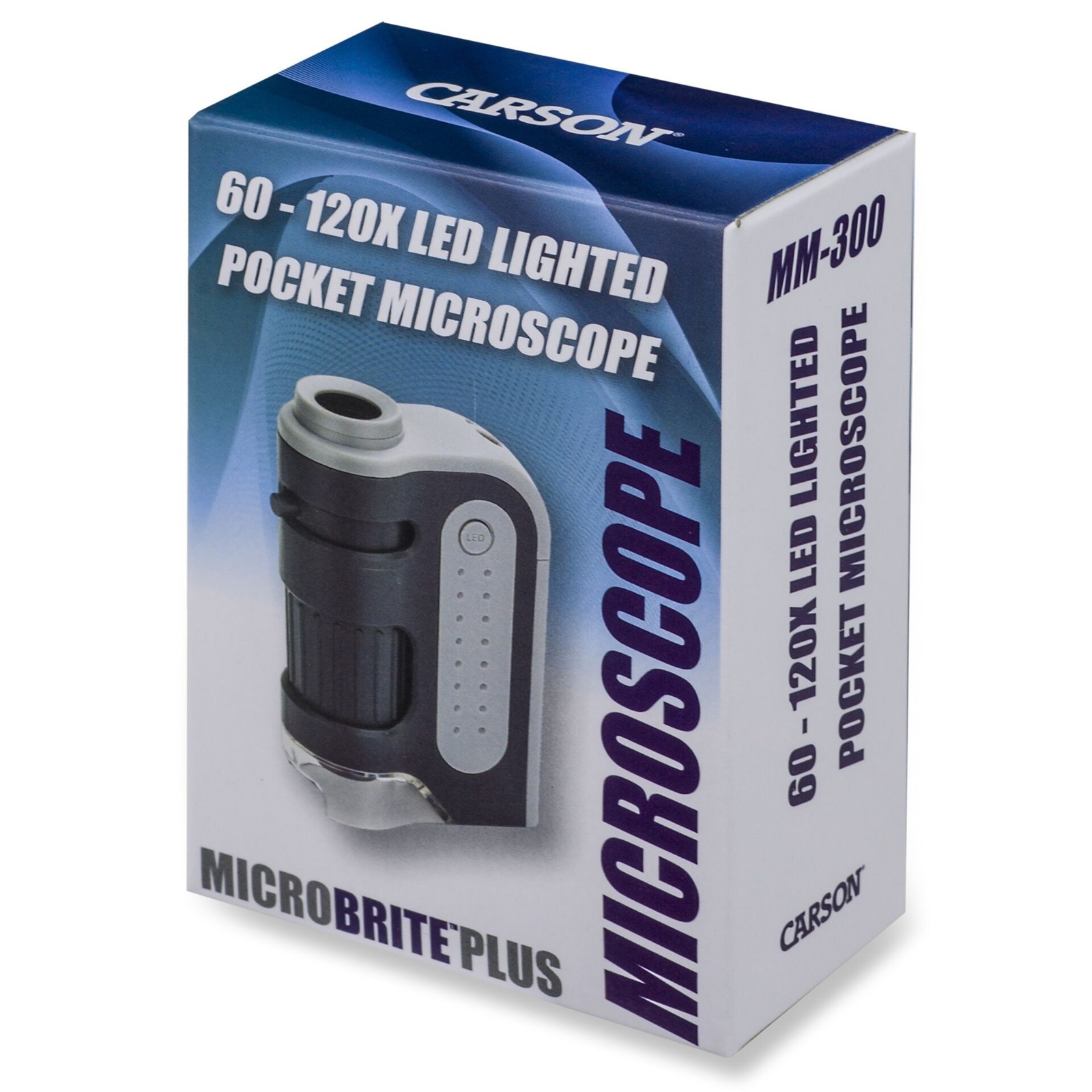
Carson MicroBrite Plus MM-300
Carson MicroBrite Plus MM-300 made this list because it gives you the information you need when you're magnifying fine scratches on figure paint, card printing, or engravings. What the official description from Carson covers and the actual appearance and working condition of a used item are two different things, so don't conclude from the results of Carson MicroBrite Plus MM-300 alone that the seller or the whole product is safe when you're magnifying fine scratches on figure paint, card printing, or engravings. For this entry, decide what to check based on the standard of not shining the strong LED on sensitive materials for long and recording your observations with photos, and record the product's identifying details and the result screen at the same time.
In actual use, don't shine the strong LED on sensitive materials for long, and record your observations with photos. The checkpoint of not shining the strong LED on sensitive materials for long and recording your observations with photos is there so you don't miss damage or policy differences that fall outside what Carson MicroBrite Plus MM-300 covers. In particular, if you couldn't meet the condition of not shining the strong LED on sensitive materials for long and recording your observations with photos, consider putting the deal on hold before relying on the measurement results. The features, supported models, and terms of use from Carson can change even when you're magnifying fine scratches on figure paint, card printing, or engravings, so reopen the official link right before paying or inspecting. When you keep records, note that you checked it when you're magnifying fine scratches on figure paint, card printing, or engravings, along with the date, and hide any personal information such as accounts, addresses, or serial numbers revealed while not shining the strong LED on sensitive materials for long and recording your observations with photos.
In actual use, don't shine the strong LED on sensitive materials for long, and record your observations with photos. The checkpoint of not shining the strong LED on sensitive materials for long and recording your observations with photos is there so you don't miss damage or policy differences that fall outside what Carson MicroBrite Plus MM-300 covers. In particular, if you couldn't meet the condition of not shining the strong LED on sensitive materials for long and recording your observations with photos, consider putting the deal on hold before relying on the measurement results. The features, supported models, and terms of use from Carson can change even when you're magnifying fine scratches on figure paint, card printing, or engravings, so reopen the official link right before paying or inspecting. When you keep records, note that you checked it when you're magnifying fine scratches on figure paint, card printing, or engravings, along with the date, and hide any personal information such as accounts, addresses, or serial numbers revealed while not shining the strong LED on sensitive materials for long and recording your observations with photos.
제공사 Carson
적합한 상황 피규어 도장·카드 인쇄·각인의 미세 흠집을 확대 관찰할 때
사용 전 확인 강한 LED를 민감한 재질에 오래 비추지 말고 관찰 결과를 사진과 함께 남긴다
정보 확인 공식 페이지에서 기능·용도와 이용 조건을 확인
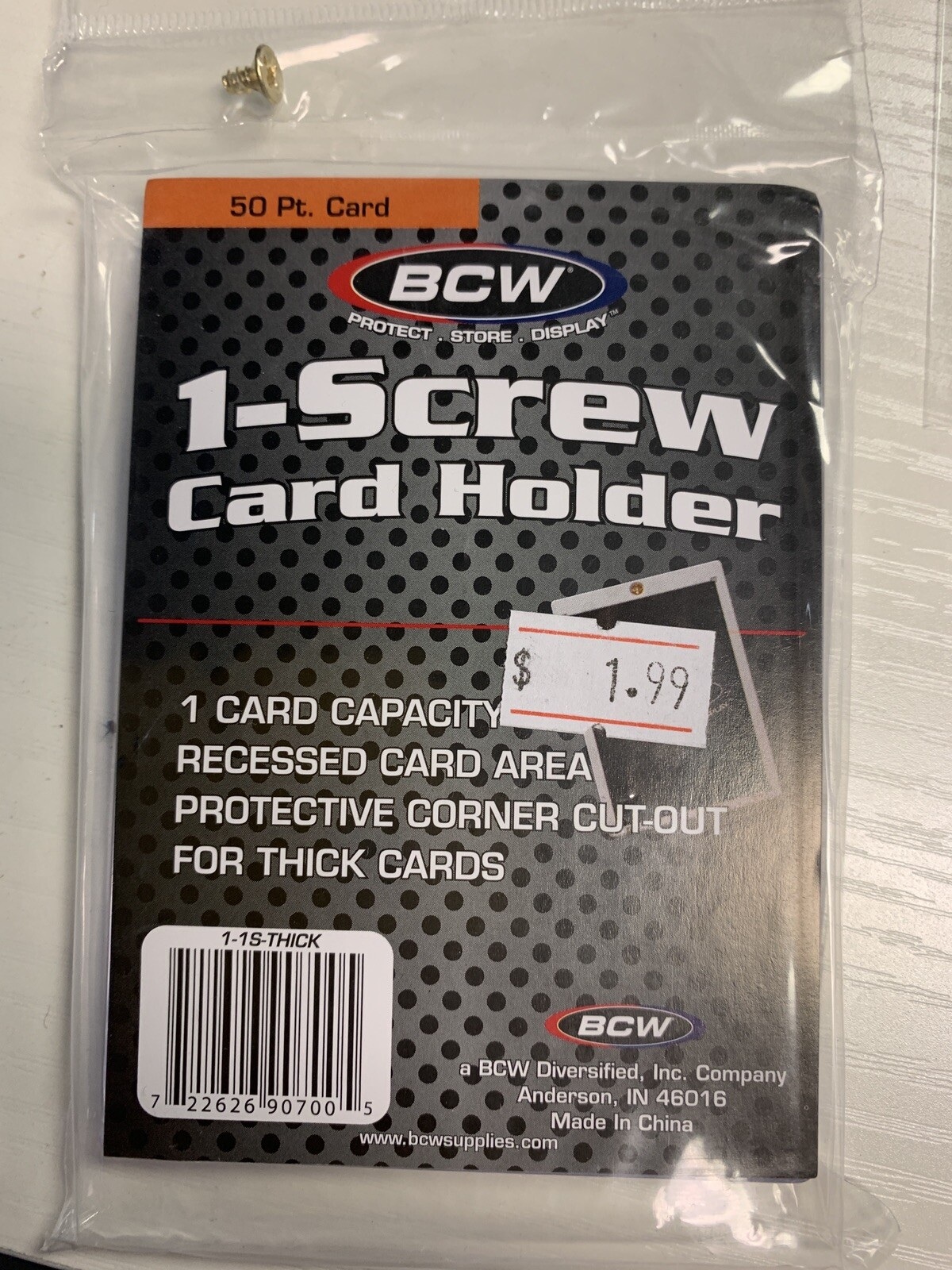
BCW 1-Screw Card Holder
The BCW 1-Screw Card Holder is included in this list because it provides the information you need when placing a trading card in a rigid holder to protect its corners and surface. What can be confirmed from BCW Supplies' official description and the appearance and working condition of a used item are two different kinds of information, so the results from the BCW 1-Screw Card Holder alone are not grounds to judge that the seller or the product as a whole is safe in the situation of placing a trading card in a rigid holder to protect its corners and surface. For item 8, decide what to check according to the standard of matching the card thickness to the holder size and not overtightening the screw, and record the product identification details and the result screen at the same time.
When actually using it, match the card thickness to the holder size and do not overtighten the screw. The checkpoint of matching the card thickness to the holder size and not overtightening the screw is a standard for not missing damage or policy differences that fall outside the BCW 1-Screw Card Holder's scope. In particular, if the condition of matching the card thickness to the holder size and not overtightening the screw could not be met, consider holding off on the transaction before relying on any measurement result. BCW Supplies' features, supported models, and terms of use can change even in the situation of placing a trading card in a rigid holder to protect its corners and surface, so reopen the official link right before paying or inspecting. When keeping records, note the fact that you checked while placing a trading card in a rigid holder to protect its corners and surface along with the date, and mask any personal information, such as accounts, addresses, or serial numbers, revealed during the process of matching the card thickness to the holder size and not overtightening the screw.
When actually using it, match the card thickness to the holder size and do not overtighten the screw. The checkpoint of matching the card thickness to the holder size and not overtightening the screw is a standard for not missing damage or policy differences that fall outside the BCW 1-Screw Card Holder's scope. In particular, if the condition of matching the card thickness to the holder size and not overtightening the screw could not be met, consider holding off on the transaction before relying on any measurement result. BCW Supplies' features, supported models, and terms of use can change even in the situation of placing a trading card in a rigid holder to protect its corners and surface, so reopen the official link right before paying or inspecting. When keeping records, note the fact that you checked while placing a trading card in a rigid holder to protect its corners and surface along with the date, and mask any personal information, such as accounts, addresses, or serial numbers, revealed during the process of matching the card thickness to the holder size and not overtightening the screw.
제공사 BCW Supplies
적합한 상황 트레이딩 카드를 단단한 홀더에 넣어 모서리와 표면을 보호할 때
사용 전 확인 카드 두께와 홀더 규격을 맞추고 나사를 과도하게 조이지 않는다
정보 확인 공식 페이지에서 기능·용도와 이용 조건을 확인
Checking condition comes before cleaning. Record the location of scratches and grime in photos, and apply the gentlest method first, in the order of blowing, soft brushing, and then dedicated cleaning. On LP grooves, lens coatings, and painted figure surfaces, finger oils and the wrong solvent can leave permanent marks. Before selling, showing the actual condition transparently reduces disputes more than over-polishing does.
After using a tool, check again under the same lighting for any newly created marks. For storage cases and sleeves, consider acidity, plasticizers, and humidity issues; sealing alone is not enough, and temperature, humidity, and ventilation need to be managed together. If you find mold, stickiness, or lifting paint, separate the item from other collectibles, and rather than washing it on your own, it is safer to look up a professional method suited to the material.
After using a tool, check again under the same lighting for any newly created marks. For storage cases and sleeves, consider acidity, plasticizers, and humidity issues; sealing alone is not enough, and temperature, humidity, and ventilation need to be managed together. If you find mold, stickiness, or lifting paint, separate the item from other collectibles, and rather than washing it on your own, it is safer to look up a professional method suited to the material.
At a glance
8 items
LensPen Hurricane Blower
LensPen
LensPen Original NLP-1
LensPen
Kinetronics StaticWisk SW-030
Kinetronics
AudioQuest Anti-Static Record Brush
AudioQuest
Spin-Clean Record Washer MKII
Spin-Clean
Mobile Fidelity Original Master Record Sleeves
Carson MicroBrite Plus MM-300
Carson
BCW 1-Screw Card Holder
BCW Supplies
As part of the Coupang Partners program, this post may earn a commission from qualifying purchases.
Comments 0
Log in to leave a comment.
Be the first to comment.
How about these lists?


You might also like


🎲
Not ready to stop here?
Wondering what to read next is the biggest waste of time.
Let the dice decide — you won't know what pops up until you roll.
If you don't press it… won't you wonder forever? 👀