
Collection
Audio
2026.09.30
Audio Interface Connecting Instruments and Microphones to Your Computer
Comparing Input·Preamp·Loopback·MIDI·Power in Actual 2-Channel USB Interfaces
An audio interface converts the analog signals from microphones and instruments into digital signals that a computer can record, and outputs them through speakers and headphones. Even with the same number of inputs, there are differences in preamp gain, loopback, MIDI, monitor mix, and power supply methods for mobile devices. This list selects actual 2-channel products to compare the differences needed for home recording.
Condenser microphones require 48V phantom power, but caution is needed for ribbon microphones and some devices. Guitars should use INST input, while synthesizers should use LINE input, adjusting the gain to avoid clipping indicators. For Windows, the manufacturer's drivers and buffer settings are crucial, and even if the USB-C port looks the same, verify if the cable supports both data and the required power.
Condenser microphones require 48V phantom power, but caution is needed for ribbon microphones and some devices. Guitars should use INST input, while synthesizers should use LINE input, adjusting the gain to avoid clipping indicators. For Windows, the manufacturer's drivers and buffer settings are crucial, and even if the USB-C port looks the same, verify if the cable supports both data and the required power.
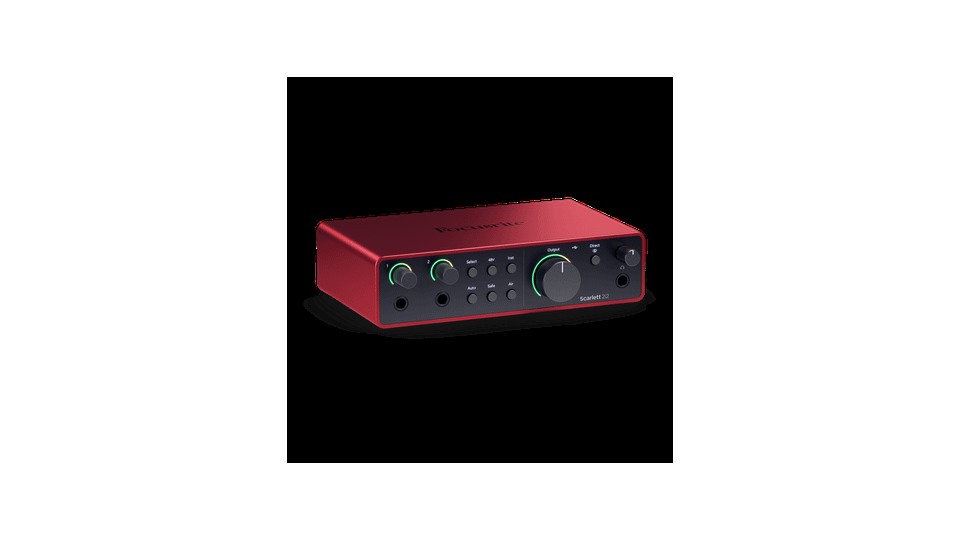
Focusrite Scarlett 2i2 4th Gen
When choosing the Focusrite Scarlett 2i2 4th Gen, it's important to first consider the actual connection environment and intended use rather than focusing solely on the product name. It offers two microphone preamps with 69dB gain, Auto Gain, Clip Safe, and Air mode, and operates at up to 24bit/192kHz. This setup is advantageous for quickly recording vocals and guitars with automatic gain, but it can be effectively utilized when your devices and space are conducive.
Understand that when you plug an instrument into the front input, the operational state of the corresponding rear XLR input changes. Check the conditions for using a separate 5V DC port if USB power is insufficient. Specifically, the sections on '69dB Gain, Auto Gain/Clip Safe, and USB Power' should be verified before finalizing the purchase and installation location. While Auto Gain sets the starting point, ensure to re-perform the most significant parts of a live show to check Clip Safe operation and input headroom.
Understand that when you plug an instrument into the front input, the operational state of the corresponding rear XLR input changes. Check the conditions for using a separate 5V DC port if USB power is insufficient. Specifically, the sections on '69dB Gain, Auto Gain/Clip Safe, and USB Power' should be verified before finalizing the purchase and installation location. While Auto Gain sets the starting point, ensure to re-perform the most significant parts of a live show to check Clip Safe operation and input headroom.
브랜드 Focusrite
모델 Scarlett 2i2 4th Gen
제품 유형 2입력 2출력 USB 오디오 인터페이스
추천 용도 보컬과 기타를 자동 게인으로 빠르게 녹음하기
구매 확인 69dB 게인·Auto Gain/Clip Safe와 USB 전원
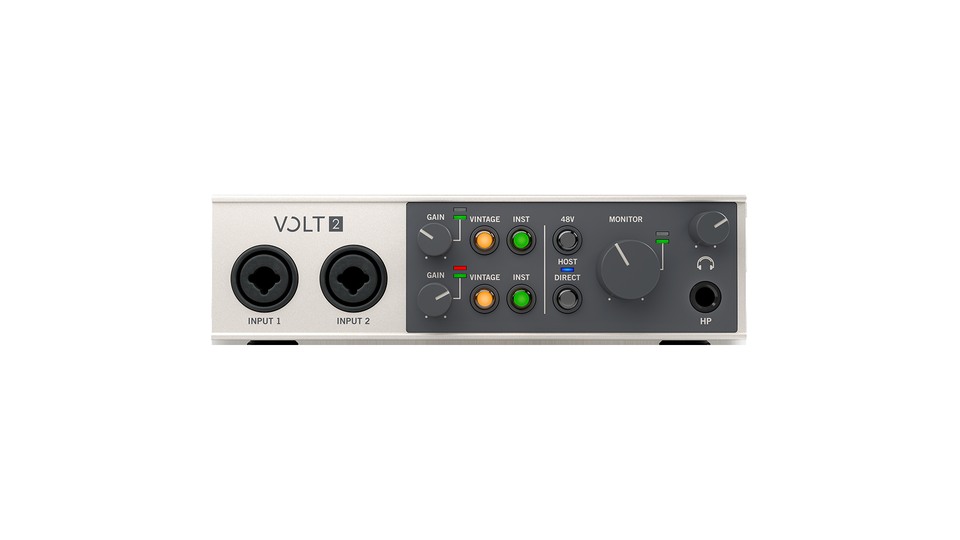
Universal Audio Volt 2
When selecting the Universal Audio Volt 2, it's important to apply the actual connection environment and use purpose before focusing on the product name. It provides two combo inputs for microphones, line, and instruments along with Vintage Mic Preamp mode, MIDI I/O, and direct monitoring. It supports up to 24bit/192kHz. This configuration is beneficial when recording vocals, instruments, and external MIDI equipment together, but optimal use can be achieved when your equipment and space meet the requirements.
As the Vintage mode adds color, you should choose between using it or the original sound. Check the power and adapter configuration for mobile connections like iPads, and inspect the channels where 48V will be used. The 'Vintage Mic Preamp mode, MIDI and USB power' sections should particularly be verified before finalizing the sales configuration and installation position. Vintage mode is not always the best setting, so record the same performance with and without it and determine if the added color is necessary in the mix.
As the Vintage mode adds color, you should choose between using it or the original sound. Check the power and adapter configuration for mobile connections like iPads, and inspect the channels where 48V will be used. The 'Vintage Mic Preamp mode, MIDI and USB power' sections should particularly be verified before finalizing the sales configuration and installation position. Vintage mode is not always the best setting, so record the same performance with and without it and determine if the added color is necessary in the mix.
브랜드 Universal Audio
모델 Volt 2
제품 유형 2입력 2출력 MIDI USB 오디오 인터페이스
추천 용도 보컬·악기와 외부 MIDI 장비를 함께 녹음하기
구매 확인 Vintage Mic Preamp 모드·MIDI와 USB 전원
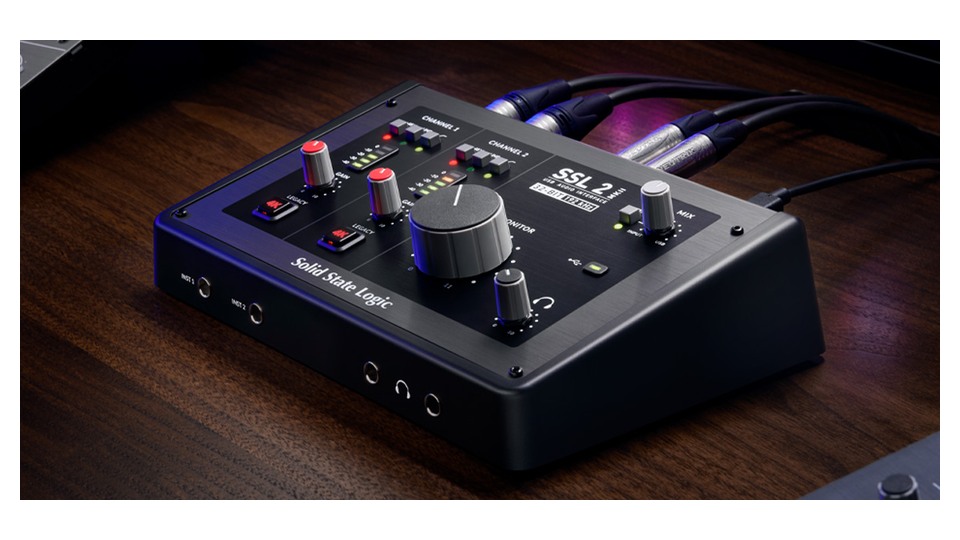
Solid State Logic SSL 2 MKII
When choosing the Solid State Logic SSL 2 MKII, it's essential to consider the actual connection environment and intended use rather than just the product name. It provides two mic preamps with 64dB gain and a 4K analog enhancement circuit, along with 32bit/192kHz conversion, four line outputs, and two headphone outputs. This setup is beneficial in situations requiring two vocal channels and separate outputs for a desktop studio, but it can be properly utilized when your devices and space support the necessary conditions.
You should distinguish between the old SSL 2 and the MKII while making a purchase. The 4K mode is not an always-needed feature, and be sure to verify the mix and routing for the two headphone outputs and outputs 3 and 4 in your DAW. Pay special attention to the '64dB gain, 4K mode, and dual headphone output' sections before finalizing the purchase and installation location. To utilize outputs 3 and 4 and both headphone outputs, set up the DAW's cue mix first to avoid confusion between the performer and engineer’s sounds.
You should distinguish between the old SSL 2 and the MKII while making a purchase. The 4K mode is not an always-needed feature, and be sure to verify the mix and routing for the two headphone outputs and outputs 3 and 4 in your DAW. Pay special attention to the '64dB gain, 4K mode, and dual headphone output' sections before finalizing the purchase and installation location. To utilize outputs 3 and 4 and both headphone outputs, set up the DAW's cue mix first to avoid confusion between the performer and engineer’s sounds.
브랜드 Solid State Logic
모델 SSL 2 MKII
제품 유형 2입력 4출력 USB 오디오 인터페이스
추천 용도 보컬 두 채널과 별도 출력이 필요한 데스크 스튜디오
구매 확인 64dB 게인·4K 모드와 듀얼 헤드폰 출력
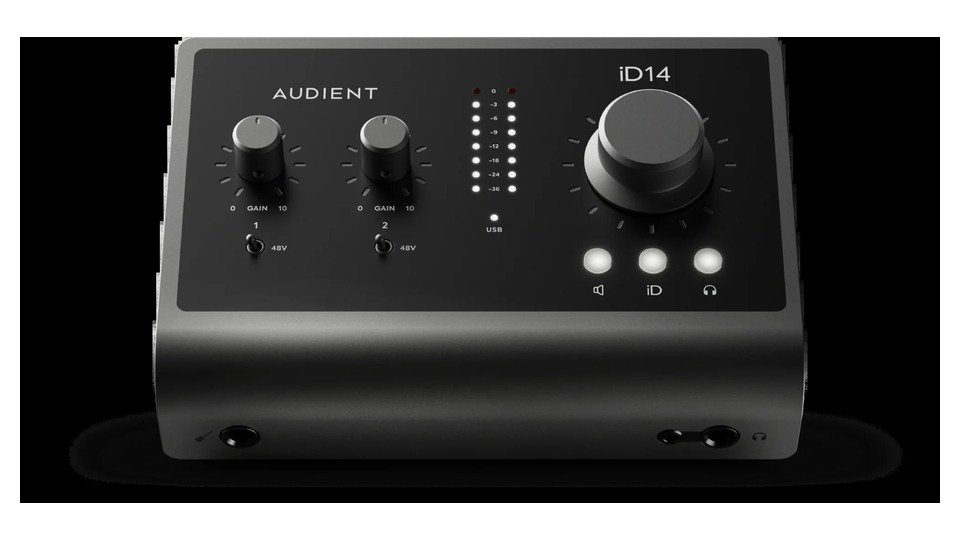
Audient iD14 MKII
When selecting the Audient iD14 MKII, prioritize considering the actual connection environment and intended use over focusing solely on the product name. It offers two console-style mic preamps, a JFET instrument input, ADAT optical input, dual headphone outputs, and ScrollControl functionality. This configuration is advantageous if you are starting with two channels now and plan to expand to external preamps later, but optimal use can be achieved when your devices and space meet the conditions.
Using ADAT expansion requires separate preamps and optical cables, and be aware of channel limits according to sample rate. Check the power and driver compatibility of your computer's USB port, and set up monitor routing accordingly. Specifically, verify the 'USB-C power, ADAT input, and JFET instrument input' sections before finalizing the sales configuration and installation position. If ADAT expansion is planned, check the actual number of channels available at your desired sample rate and the clock settings of the external preamps.
Using ADAT expansion requires separate preamps and optical cables, and be aware of channel limits according to sample rate. Check the power and driver compatibility of your computer's USB port, and set up monitor routing accordingly. Specifically, verify the 'USB-C power, ADAT input, and JFET instrument input' sections before finalizing the sales configuration and installation position. If ADAT expansion is planned, check the actual number of channels available at your desired sample rate and the clock settings of the external preamps.
브랜드 Audient
모델 iD14 MKII
제품 유형 2프리앰프 ADAT 확장 USB 인터페이스
추천 용도 현재 두 채널로 시작하고 나중에 외부 프리앰프를 확장하기
구매 확인 USB-C 전력·ADAT 입력과 JFET 악기 입력
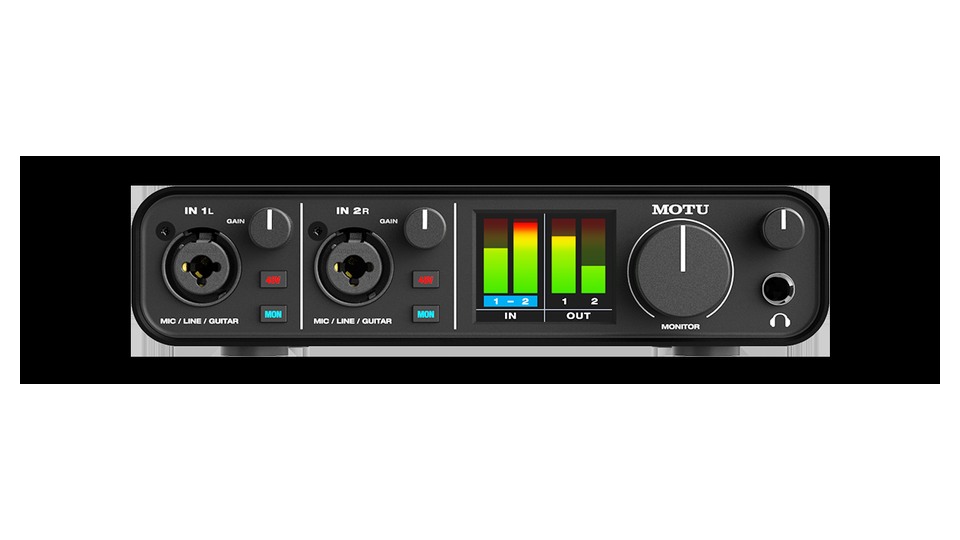
MOTU M2
When selecting the MOTU M2, it’s crucial to focus on the actual connection environment and intended use rather than just the product name. It provides two combo inputs, a color LCD level meter, ESS Sabre32 Ultra DAC, MIDI I/O, and hardware direct monitoring. This configuration proves advantageous when you want to record vocals, instruments, and MIDI simultaneously while watching the front level, but optimal use can be achieved when your devices and space meet the necessary conditions.
Ensure to verify the latest drivers appropriate for your operating system and the loopback channel setup. Keep a margin to avoid hitting digital clipping on the front meter, and adjust the volume for monitors and headphones separately. Particularly, check the 'ESS conversion, MIDI I/O, and loopback drivers' sections before finalizing the sales configuration and installation location. While the front LCD is convenient, it’s not an absolute tool for hitting the max; leave a 10dB margin below the peak considering post-processing after recording.
Ensure to verify the latest drivers appropriate for your operating system and the loopback channel setup. Keep a margin to avoid hitting digital clipping on the front meter, and adjust the volume for monitors and headphones separately. Particularly, check the 'ESS conversion, MIDI I/O, and loopback drivers' sections before finalizing the sales configuration and installation location. While the front LCD is convenient, it’s not an absolute tool for hitting the max; leave a 10dB margin below the peak considering post-processing after recording.
브랜드 MOTU
모델 M2
제품 유형 2입력 2출력 LCD 미터 USB 인터페이스
추천 용도 전면 레벨을 보며 보컬·악기와 MIDI를 함께 녹음하기
구매 확인 ESS 변환·MIDI 입출력과 루프백 드라이버
The Scarlett 2i2 is great for automatic gain and easy setup, while the Volt 2 offers a vintage preamp color that is nice for comparison. The SSL 2 MKII features a 4K circuit and strong monitor output, iD14 MKII offers ADAT expansion, and MOTU M2 has a front meter and MIDI I/O as advantages. Thinking about not just your current inputs but also the microphones and synthesizers you may add in 1–2 years can help reduce the frequency of upgrades.
After your first connection, install the manufacturer's drivers and firmware, and set the input and output devices in your DAW to be the same. If you have both direct monitoring and software monitoring on at the same time, you may hear overlapping voices. Lower the main knob before turning on the speaker power, and only use 48V on the necessary channels after connecting the microphone, developing a habit of turning it off before unplugging the cables.
After your first connection, install the manufacturer's drivers and firmware, and set the input and output devices in your DAW to be the same. If you have both direct monitoring and software monitoring on at the same time, you may hear overlapping voices. Lower the main knob before turning on the speaker power, and only use 48V on the necessary channels after connecting the microphone, developing a habit of turning it off before unplugging the cables.
한눈에 보기
5개
Focusrite Scarlett 2i2 4th Gen
Focusrite · Scarlett 2i2 4th Gen · 2입력 2출력 USB 오디오 인터페이스 · 보컬과 기타를 자동 게인으로 빠르게 녹음하기 · 69dB 게인·Auto Gain/Clip Safe와 USB 전원
Universal Audio Volt 2
Universal Audio · Volt 2 · 2입력 2출력 MIDI USB 오디오 인터페이스 · 보컬·악기와 외부 MIDI 장비를 함께 녹음하기 · Vintage Mic Preamp 모드·MIDI와 USB 전원
Solid State Logic SSL 2 MKII
Solid State Logic · SSL 2 MKII · 2입력 4출력 USB 오디오 인터페이스 · 보컬 두 채널과 별도 출력이 필요한 데스크 스튜디오 · 64dB 게인·4K 모드와 듀얼 헤드폰 출력
Audient iD14 MKII
Audient · iD14 MKII · 2프리앰프 ADAT 확장 USB 인터페이스 · 현재 두 채널로 시작하고 나중에 외부 프리앰프를 확장하기 · USB-C 전력·ADAT 입력과 JFET 악기 입력
MOTU M2
MOTU · M2 · 2입력 2출력 LCD 미터 USB 인터페이스 · 전면 레벨을 보며 보컬·악기와 MIDI를 함께 녹음하기 · ESS 변환·MIDI 입출력과 루프백 드라이버
이 포스팅은 쿠팡 파트너스 활동의 일환으로, 이에 따른 일정액의 수수료를 제공받습니다.
댓글 0
로그인 후 댓글을 작성할 수 있습니다.
첫 댓글을 남겨보세요.
이런 리스트는 어때요?


이런 리스트도 추천해요


🎲
여기서 멈추기엔 아쉽잖아?
다음에 뭘 볼지 고민하는 시간이 제일 아까워.
주사위가 대신 골라줄게 — 무슨 리스트가 튀어나올지는 굴려봐야 알지.
안 누르면… 평생 궁금하지 않겠어? 👀
