
Collection
Audio
2026.09.30
Clear-Sounding Microphones for Podcasts and Broadcasting
A comparison of USB, XLR, directional, and headphone monitoring dynamic and condenser microphones
For spoken content microphones, managing room noise and the distance to the mouth is more important than the price of the model. In echo-prone rooms, a dynamic microphone used closely can be comfortable, and USB connections make it easy to get started without an audio interface. This list selects actual broadcasting and podcasting products, comparing USB and XLR, directional capabilities, headphone monitoring, and necessary stands.
Ensure the microphone is facing the mouth, rather than the sides or back, and start with a pop filter at a distance of 5 to 15 cm. XLR-only models require additional interfaces and cables. Condenser microphones capture room sounds and keyboard noises better, and the headphone jack on USB microphones is useful for monitoring your voice without latency.
Ensure the microphone is facing the mouth, rather than the sides or back, and start with a pop filter at a distance of 5 to 15 cm. XLR-only models require additional interfaces and cables. Condenser microphones capture room sounds and keyboard noises better, and the headphone jack on USB microphones is useful for monitoring your voice without latency.
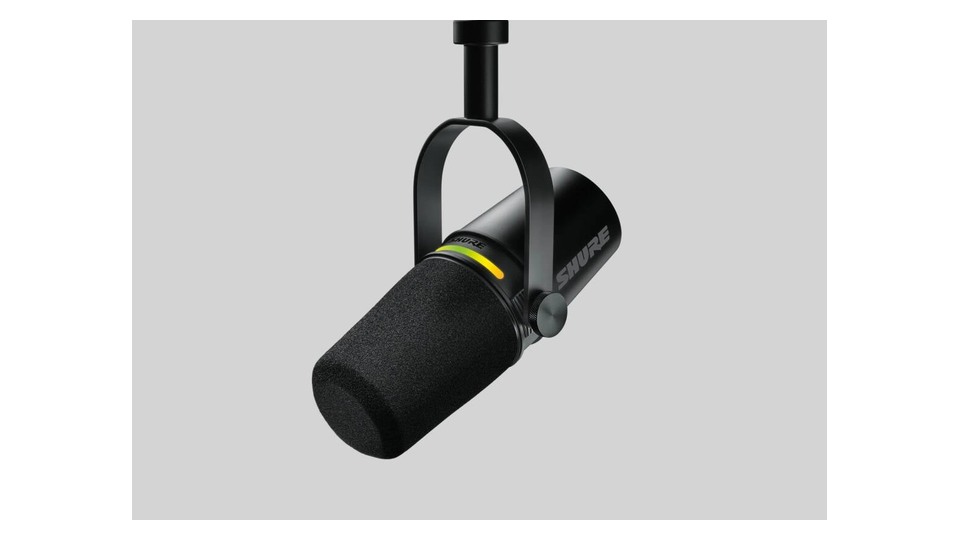
Shure MV7+
When choosing the Shure MV7+, prioritize your actual connection environment and intended use over the product name. It combines a cardioid dynamic capsule with USB-C and XLR outputs, providing headphone monitoring, DSP-based Auto Level, and a digital pop filter. This setup is advantageous for situations involving recording voice by alternating between a PC and an audio interface, but it requires compatible devices and space to be utilized properly.
In XLR connection mode, USB app DSP features may not be applied equally in the recording path. Check the boom arm's ability to hold the microphone's weight, the distance from your mouth, and the headphone monitoring ratio. Specifically, the aspects of 'simultaneous USB/XLR use and boom arm with USB power' need to be verified before finalizing the purchase configuration and installation position. Do not assume that USB recording and XLR recording share the same settings; compare the gain and DSP application of each path with short test files.
In XLR connection mode, USB app DSP features may not be applied equally in the recording path. Check the boom arm's ability to hold the microphone's weight, the distance from your mouth, and the headphone monitoring ratio. Specifically, the aspects of 'simultaneous USB/XLR use and boom arm with USB power' need to be verified before finalizing the purchase configuration and installation position. Do not assume that USB recording and XLR recording share the same settings; compare the gain and DSP application of each path with short test files.
브랜드 Shure
모델 MV7+
제품 유형 USB-C·XLR 다이내믹 마이크
추천 용도 PC와 오디오 인터페이스 사이를 오가며 음성 녹음하기
구매 확인 USB/XLR 동시 활용·붐암과 USB 전원
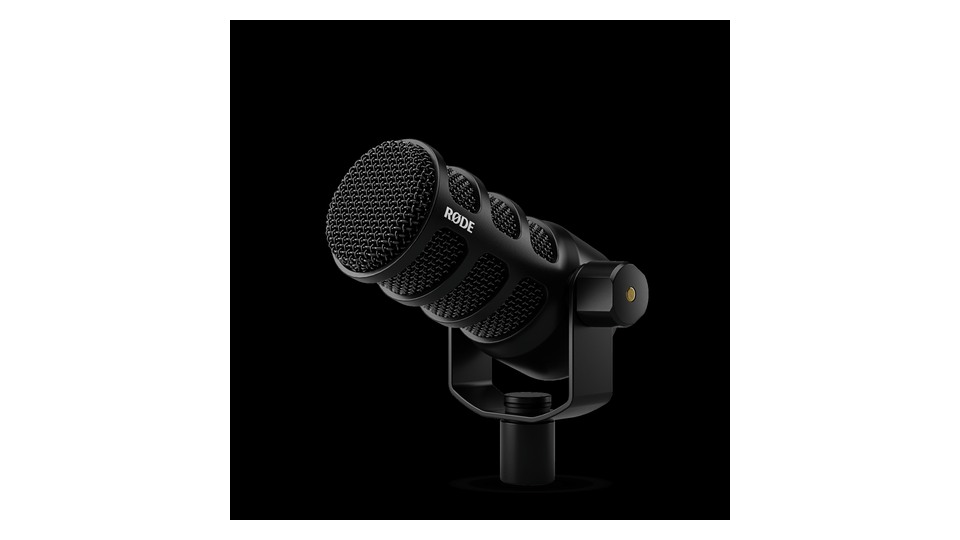
RØDE PodMic USB
When selecting the RØDE PodMic USB, prioritize your real connection environment and intended use over the product name. It features a cardioid dynamic capsule and an internal pop filter, offering XLR, USB-C, and 3.5mm headphone monitoring outputs. The USB connection utilizes APHEX DSP. This configuration benefits situations that involve connecting one microphone alternately to a computer and mixer, but it requires compatible devices and space to function effectively.
The metal body is heavy, so check the boom arm's load capacity. Understand the gain and DSP differences between the USB and XLR paths, and avoid placing your mouth too close even with the built-in pop filter. Specifically, aspects of 'built-in DSP, headphone output, and mounting weight' need to be checked before finalizing the sales configuration and installation position. When choosing a boom arm, consider not only the microphone's weight but also the pulling force of the cable to maintain the position in front of your mouth over time.
The metal body is heavy, so check the boom arm's load capacity. Understand the gain and DSP differences between the USB and XLR paths, and avoid placing your mouth too close even with the built-in pop filter. Specifically, aspects of 'built-in DSP, headphone output, and mounting weight' need to be checked before finalizing the sales configuration and installation position. When choosing a boom arm, consider not only the microphone's weight but also the pulling force of the cable to maintain the position in front of your mouth over time.
브랜드 RØDE
모델 PodMic USB
제품 유형 USB-C·XLR 다이내믹 방송 마이크
추천 용도 한 마이크를 컴퓨터와 믹서에 번갈아 연결하기
구매 확인 내장 DSP·헤드폰 출력과 마운트 무게
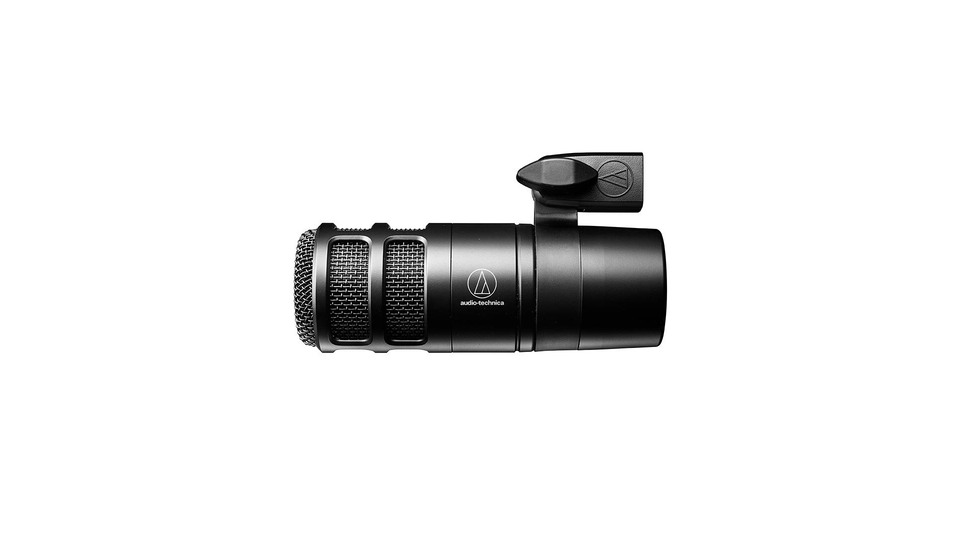
Audio-Technica AT2040
When choosing the Audio-Technica AT2040, prioritize your actual connection environment and intended use over the product name. It is an XLR broadcasting microphone that uses a hypercardioid dynamic capsule with an internal shock mount and multi-stage foam mesh, aimed at suppressing sound from the sides and back. This setup is beneficial for situations involving recording broadcast audio while reducing ambient noise, but it requires compatible devices and space to be utilized effectively.
It lacks USB connections and headphone jacks, necessitating an audio interface. Due to its hypercardioid nature, there is a small area of sound capture at the back, so adjust the direction of the keyboard and wall reflections accordingly. Specifically, the aspects of 'XLR exclusive, interface gain, and hypercardioid rear' need to be verified before finalizing the sales configuration and installation position. Instead of placing the back of the microphone flush against the wall, adjust the angle to prevent the rear pickup lobe from facing the keyboard or monitor's reflections.
It lacks USB connections and headphone jacks, necessitating an audio interface. Due to its hypercardioid nature, there is a small area of sound capture at the back, so adjust the direction of the keyboard and wall reflections accordingly. Specifically, the aspects of 'XLR exclusive, interface gain, and hypercardioid rear' need to be verified before finalizing the sales configuration and installation position. Instead of placing the back of the microphone flush against the wall, adjust the angle to prevent the rear pickup lobe from facing the keyboard or monitor's reflections.
브랜드 Audio-Technica
모델 AT2040
제품 유형 XLR 하이퍼카디오이드 다이내믹 마이크
추천 용도 주변 소음을 줄이며 인터페이스로 방송 음성을 녹음하기
구매 확인 XLR 전용·인터페이스 게인과 하이퍼카디오이드 후면
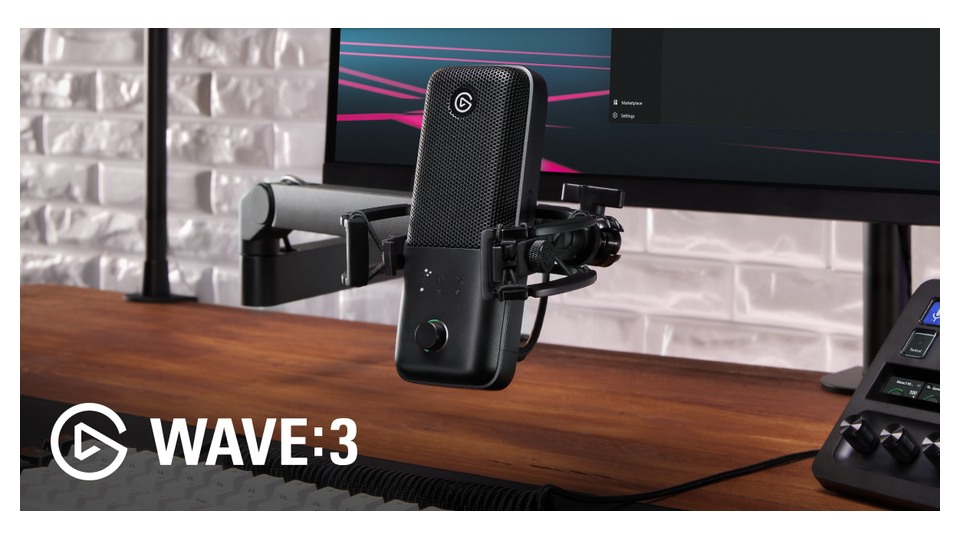
Elgato Wave:3
When selecting the Elgato Wave:3, prioritize your actual connection environment and intended use over the product name. It provides a cardioid condenser capsule with 24bit/96kHz conversion, headphone output, Clipguard, and allows for mixing multiple sources through Wave Link. This setup is advantageous for situations that involve mixing game and broadcast sound using software in Wave Link, but it requires compatible devices and space to be effectively utilized.
As a sensitive condenser, it can pick up both keyboard sounds and room reflections. Do not confuse the monitor and broadcast mixes in Wave Link, and confirm the separate mounting configuration when using a boom arm. Specifically, aspects of 'cardioid condenser, USB-C, and Clipguard settings' need to be checked before finalizing the sales configuration and installation position. Save the monitor mix and broadcast mix separately in Wave Link, and ensure adequate headroom in input levels, not solely relying on Clipguard.
As a sensitive condenser, it can pick up both keyboard sounds and room reflections. Do not confuse the monitor and broadcast mixes in Wave Link, and confirm the separate mounting configuration when using a boom arm. Specifically, aspects of 'cardioid condenser, USB-C, and Clipguard settings' need to be checked before finalizing the sales configuration and installation position. Save the monitor mix and broadcast mix separately in Wave Link, and ensure adequate headroom in input levels, not solely relying on Clipguard.
브랜드 Elgato
모델 Wave:3
제품 유형 USB 콘덴서 스트리밍 마이크
추천 용도 게임·방송 소리를 Wave Link에서 소프트웨어로 믹싱하기
구매 확인 카디오이드 콘덴서·USB-C와 Clipguard 설정
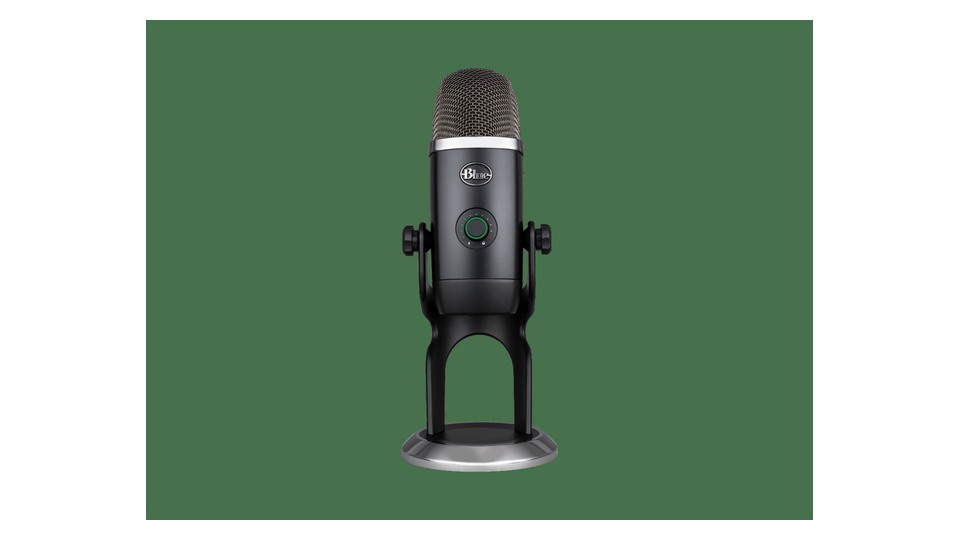
Logitech G Yeti X
When choosing the Logitech G Yeti X, prioritize your actual connection environment and intended use over the product name. It features a 4-capsule array allowing you to choose between cardioid, omnidirectional, bidirectional, and stereo patterns, and provides USB connection, headphone monitoring, and a front LED level meter. This configuration is advantageous for situations that involve switching from a single voice to bidirectional interviews at the desk, but it requires compatible devices and space to function effectively.
Choosing the wrong pattern can result in significant noise from the back. The default stand may transmit desk vibrations, so consider using a shock mount and boom arm for typing broadcasts. Specifically, the aspects of 'cardioid, omnidirectional, bidirectional, stereo patterns, and desk vibrations' need to be confirmed before finalizing the sales configuration and installation position. Start with cardioid for solo speaking, and choose bidirectional only for face-to-face interviews to manage directionality along with your purpose.
Choosing the wrong pattern can result in significant noise from the back. The default stand may transmit desk vibrations, so consider using a shock mount and boom arm for typing broadcasts. Specifically, the aspects of 'cardioid, omnidirectional, bidirectional, stereo patterns, and desk vibrations' need to be confirmed before finalizing the sales configuration and installation position. Start with cardioid for solo speaking, and choose bidirectional only for face-to-face interviews to manage directionality along with your purpose.
브랜드 Logitech G
모델 Yeti X
제품 유형 4패턴 USB 콘덴서 마이크
추천 용도 한 명 음성부터 양방향 인터뷰까지 책상에서 전환하기
구매 확인 카디오이드·옴니·양방향·스테레오 패턴과 책상 진동
If you want to keep both USB and XLR options, the MV7+ and PodMic USB are flexible choices, while the AT2040 offers a simple XLR configuration suitable for broadcasting. The Wave:3 shines in software mixing, and the Yeti X features four directional patterns and is ready to use right on the desk. Start with managing room noise, the devices you'll connect, and the weight of the boom arm to reduce unnecessary equipment.
Before recording, reposition the microphone closer to your mouth instead of increasing the input gain, and check for plosive sounds and desk vibrations. By using headphones to listen to both your voice and background noise simultaneously, even changing the direction of your air conditioning and computer fans can improve the outcome. Always use stable firmware and apps, and remember to check the input device selection in conferencing and broadcasting apps each time.
Before recording, reposition the microphone closer to your mouth instead of increasing the input gain, and check for plosive sounds and desk vibrations. By using headphones to listen to both your voice and background noise simultaneously, even changing the direction of your air conditioning and computer fans can improve the outcome. Always use stable firmware and apps, and remember to check the input device selection in conferencing and broadcasting apps each time.
한눈에 보기
5개
Shure MV7+
Shure · MV7+ · USB-C·XLR 다이내믹 마이크 · PC와 오디오 인터페이스 사이를 오가며 음성 녹음하기 · USB/XLR 동시 활용·붐암과 USB 전원
RØDE PodMic USB
RØDE · PodMic USB · USB-C·XLR 다이내믹 방송 마이크 · 한 마이크를 컴퓨터와 믹서에 번갈아 연결하기 · 내장 DSP·헤드폰 출력과 마운트 무게
Audio-Technica AT2040
Audio-Technica · AT2040 · XLR 하이퍼카디오이드 다이내믹 마이크 · 주변 소음을 줄이며 인터페이스로 방송 음성을 녹음하기 · XLR 전용·인터페이스 게인과 하이퍼카디오이드 후면
Elgato Wave:3
Elgato · Wave:3 · USB 콘덴서 스트리밍 마이크 · 게임·방송 소리를 Wave Link에서 소프트웨어로 믹싱하기 · 카디오이드 콘덴서·USB-C와 Clipguard 설정
Logitech G Yeti X
Logitech G · Yeti X · 4패턴 USB 콘덴서 마이크 · 한 명 음성부터 양방향 인터뷰까지 책상에서 전환하기 · 카디오이드·옴니·양방향·스테레오 패턴과 책상 진동
이 포스팅은 쿠팡 파트너스 활동의 일환으로, 이에 따른 일정액의 수수료를 제공받습니다.
댓글 0
로그인 후 댓글을 작성할 수 있습니다.
첫 댓글을 남겨보세요.
이런 리스트는 어때요?


이런 리스트도 추천해요


🎲
여기서 멈추기엔 아쉽잖아?
다음에 뭘 볼지 고민하는 시간이 제일 아까워.
주사위가 대신 골라줄게 — 무슨 리스트가 튀어나올지는 굴려봐야 알지.
안 누르면… 평생 궁금하지 않겠어? 👀
