
Collection
Smart Home
2026.10.06
How to Combine Lighting, Curtains, and Appliances in the Living Room into One Scene
Creating a relaxing, movie-watching, cleaning, and going-out scene with real smart home products
‘How to Combine Lighting, Curtains, and Appliances in the Living Room into One Scene’ focuses on how to execute lighting, curtains, and remote-controlled appliances in a single living scene without opening multiple apps. Smart home products can vary significantly in terms of communication methods, hubs, and installation conditions, even with similar functionality names, so relying on just one device can easily break automation. This article distinguishes the roles of each product while considering the functions and preparation conditions that will be regularly used in daily life.
A practical approach is to designate one relaxation scene, link just the lighting and curtains, and first check if all family members can operate them manually before adding appliances and sensors. Before purchasing, compare the following conditions for each product: account permissions per family member, infrared blind spots, constant power for wall switches, curtain operation interference, and restoration of scene after movie ends. Instead of focusing solely on the number of functions displayed in the app, consider the actions when the internet is down, how family members can manually operate the devices, and who to contact when issues arise to minimize disruptions caused by automation in daily life.
A practical approach is to designate one relaxation scene, link just the lighting and curtains, and first check if all family members can operate them manually before adding appliances and sensors. Before purchasing, compare the following conditions for each product: account permissions per family member, infrared blind spots, constant power for wall switches, curtain operation interference, and restoration of scene after movie ends. Instead of focusing solely on the number of functions displayed in the app, consider the actions when the internet is down, how family members can manually operate the devices, and who to contact when issues arise to minimize disruptions caused by automation in daily life.
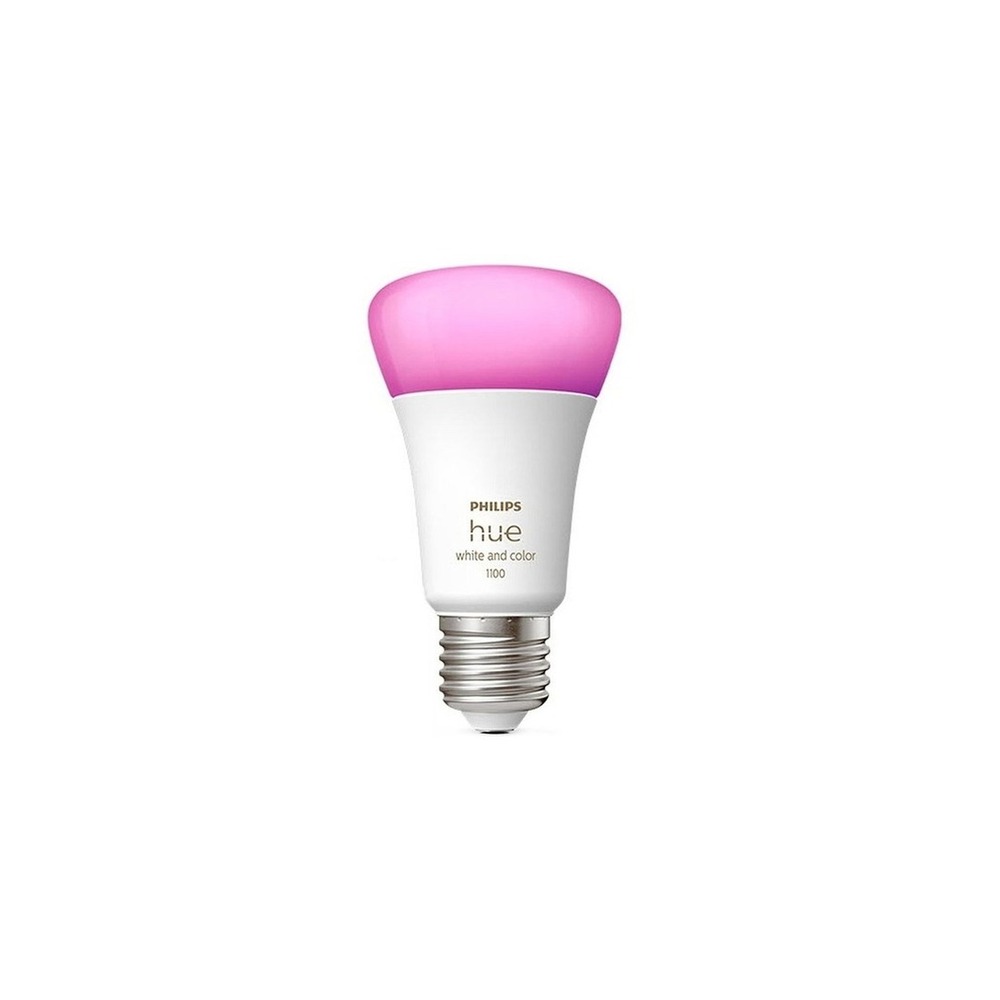
Philips Hue 4.0 White and Color Smart Bulb
Philips Hue White and Color Ambiance Bulb 1100 9W 9290035384
The inclusion of the Philips Hue 4.0 White and Color Smart Bulb in ‘How to Combine Lighting, Curtains, and Appliances in the Living Room into One Scene’ is due to its direct connection to adjusting brightness and color for relaxation, movie-watching, and cleaning scenes in the living room. Particularly from the perspective of ‘How to Combine Lighting, Curtains, and Appliances in the Living Room into One Scene,’ you can easily experience the advantages of the Philips Hue 4.0 White and Color Smart Bulb when linking multiple lights through the Hue Bridge. However, the Philips Hue 4.0 White and Color Smart Bulb isn't just a plug-and-play product. The compatibility requirements for the Philips Hue 4.0 White and Color Smart Bulb to check under ‘How to Combine Lighting, Curtains, and Appliances in the Living Room into One Scene’ are ‘confirming Bluetooth or Hue Bridge setup and voice platform support,’ with the power condition specified as ‘E26 socket with constant power,’ so it needs to be checked against your actual home environment.
The installation conditions for the Philips Hue 4.0 White and Color Smart Bulb according to ‘How to Combine Lighting, Curtains, and Appliances in the Living Room into One Scene’ are ‘replacing it in an existing socket while keeping the wall switch on.’ Based on this condition, first determine the location and movement flow. When calculating the cost of the ‘How to Combine Lighting, Curtains, and Appliances in the Living Room into One Scene’ setup, verify that ‘the basic app can be used without a subscription and check some service policies’ and manage the Philips Hue 4.0 White and Color Smart Bulb’s accounts and records under the principle of ‘remote access and automation sharing member management.’ After installing the Philips Hue 4.0 White and Color Smart Bulb with reference to ‘How to Combine Lighting, Curtains, and Appliances in the Living Room into One Scene,’ test the automation results and manual operation together in the first few days. Before purchasing, it is safer to recheck the model name, components, ratings, and sales status of the Philips Hue 4.0 White and Color Smart Bulb linked in the original text.
The installation conditions for the Philips Hue 4.0 White and Color Smart Bulb according to ‘How to Combine Lighting, Curtains, and Appliances in the Living Room into One Scene’ are ‘replacing it in an existing socket while keeping the wall switch on.’ Based on this condition, first determine the location and movement flow. When calculating the cost of the ‘How to Combine Lighting, Curtains, and Appliances in the Living Room into One Scene’ setup, verify that ‘the basic app can be used without a subscription and check some service policies’ and manage the Philips Hue 4.0 White and Color Smart Bulb’s accounts and records under the principle of ‘remote access and automation sharing member management.’ After installing the Philips Hue 4.0 White and Color Smart Bulb with reference to ‘How to Combine Lighting, Curtains, and Appliances in the Living Room into One Scene,’ test the automation results and manual operation together in the first few days. Before purchasing, it is safer to recheck the model name, components, ratings, and sales status of the Philips Hue 4.0 White and Color Smart Bulb linked in the original text.
브랜드 필립스 Hue
주요 용도 거실의 휴식·영화·청소 장면에 맞춰 밝기와 색을 전환
알맞은 공간 Hue Bridge로 여러 조명을 함께 묶을 때
호환 조건 Bluetooth 또는 Hue Bridge 구성과 음성 플랫폼 지원 확인
전원 E26 소켓 상시 전원
설치 확인 기존 소켓에 교체하고 벽 스위치는 켜 둠
구독 기본 앱은 구독 없이 사용하며 일부 서비스 정책 확인
개인정보·보안 계정 원격접속과 자동화 공유 구성원 관리
이미지 출처 기존 검증 쿠팡 상품 이미지
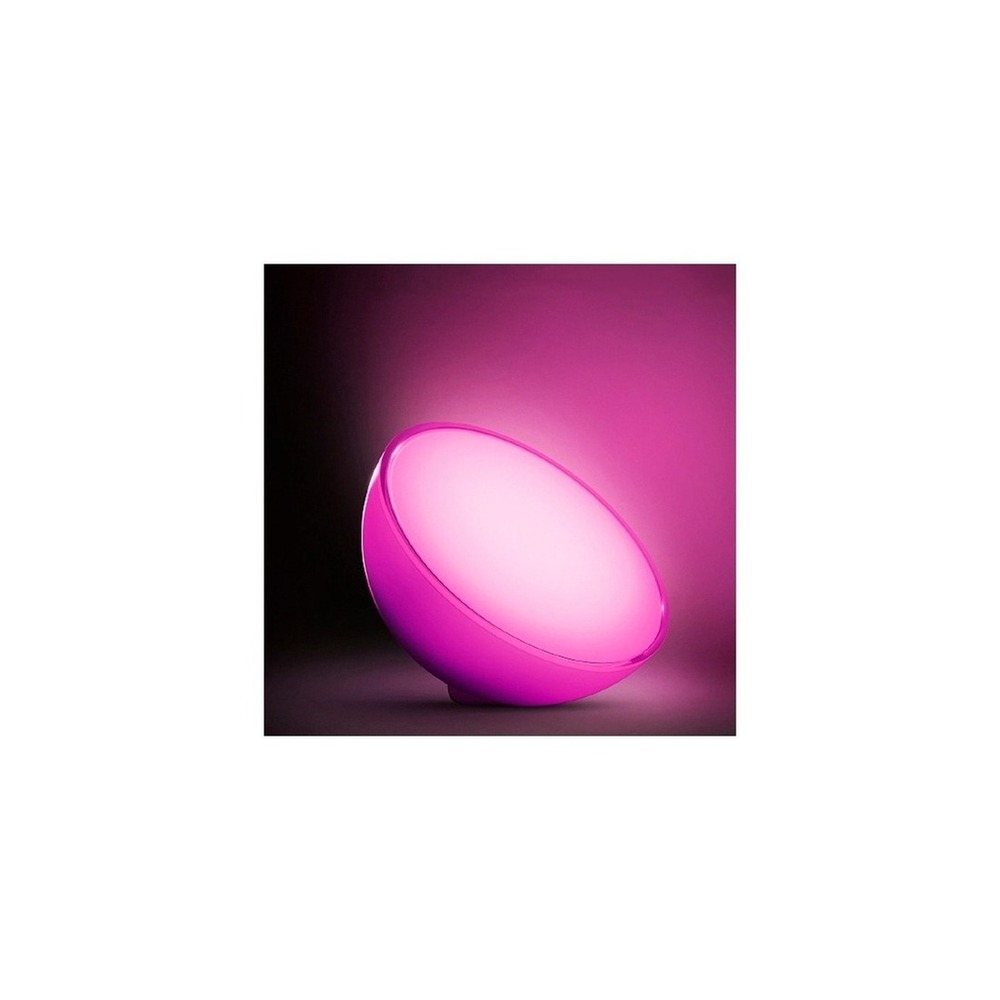
Philips Hue Go Ver.2 Mood Light
The inclusion of the Philips Hue Go Ver.2 Mood Light in ‘How to Combine Lighting, Curtains, and Appliances in the Living Room into One Scene’ is because its use as a mobile indirect light next to the sofa enhances the atmosphere without ceiling lights, which is directly related to the purpose of the list. Particularly from the perspective of ‘How to Combine Lighting, Curtains, and Appliances in the Living Room into One Scene,’ you can easily experience the advantages of the Philips Hue Go Ver.2 Mood Light when additional lighting that isn’t limited by outlet positions is required. However, the Philips Hue Go Ver.2 Mood Light isn't just a plug-and-play product. The compatibility requirements for the Philips Hue Go Ver.2 Mood Light to check under ‘How to Combine Lighting, Curtains, and Appliances in the Living Room into One Scene’ are ‘confirming Bluetooth, Hue Bridge support range, and app compatibility,’ with power conditions specified as ‘rechargeable battery and power adapter,’ so it must be checked against your actual home environment.
The installation conditions for the Philips Hue Go Ver.2 Mood Light according to ‘How to Combine Lighting, Curtains, and Appliances in the Living Room into One Scene’ are ‘placing it on a flat surface and ensuring movement for the charging cable.’ Based on this condition, first determine the location and movement flow. When calculating the cost of the ‘How to Combine Lighting, Curtains, and Appliances in the Living Room into One Scene’ setup, confirm that ‘basic control requires no subscription,’ and manage the Philips Hue Go Ver.2 Mood Light’s accounts and records under the principle of ‘remote control account and location-based automation permission.’ After installing the Philips Hue Go Ver.2 Mood Light with reference to ‘How to Combine Lighting, Curtains, and Appliances in the Living Room into One Scene,’ test the automation results and manual operation together in the first few days. Prior to purchasing, it is advisable to recheck the model name, components, ratings, and sales status of the Philips Hue Go Ver.2 Mood Light connected in the original text.
The installation conditions for the Philips Hue Go Ver.2 Mood Light according to ‘How to Combine Lighting, Curtains, and Appliances in the Living Room into One Scene’ are ‘placing it on a flat surface and ensuring movement for the charging cable.’ Based on this condition, first determine the location and movement flow. When calculating the cost of the ‘How to Combine Lighting, Curtains, and Appliances in the Living Room into One Scene’ setup, confirm that ‘basic control requires no subscription,’ and manage the Philips Hue Go Ver.2 Mood Light’s accounts and records under the principle of ‘remote control account and location-based automation permission.’ After installing the Philips Hue Go Ver.2 Mood Light with reference to ‘How to Combine Lighting, Curtains, and Appliances in the Living Room into One Scene,’ test the automation results and manual operation together in the first few days. Prior to purchasing, it is advisable to recheck the model name, components, ratings, and sales status of the Philips Hue Go Ver.2 Mood Light connected in the original text.
브랜드 필립스 Hue
주요 용도 소파 옆 이동형 간접광으로 천장등 없이 분위기를 보완
알맞은 공간 콘센트 위치에 얽매이지 않는 보조 조명이 필요할 때
호환 조건 Bluetooth·Hue Bridge 지원 범위와 앱 확인
전원 충전식 배터리와 전원 어댑터
설치 확인 평평한 곳에 두고 충전선 동선 확보
구독 기본 제어는 구독 없음
개인정보·보안 원격제어 계정과 위치 기반 자동화 권한 확인
이미지 출처 기존 검증 쿠팡 상품 이미지
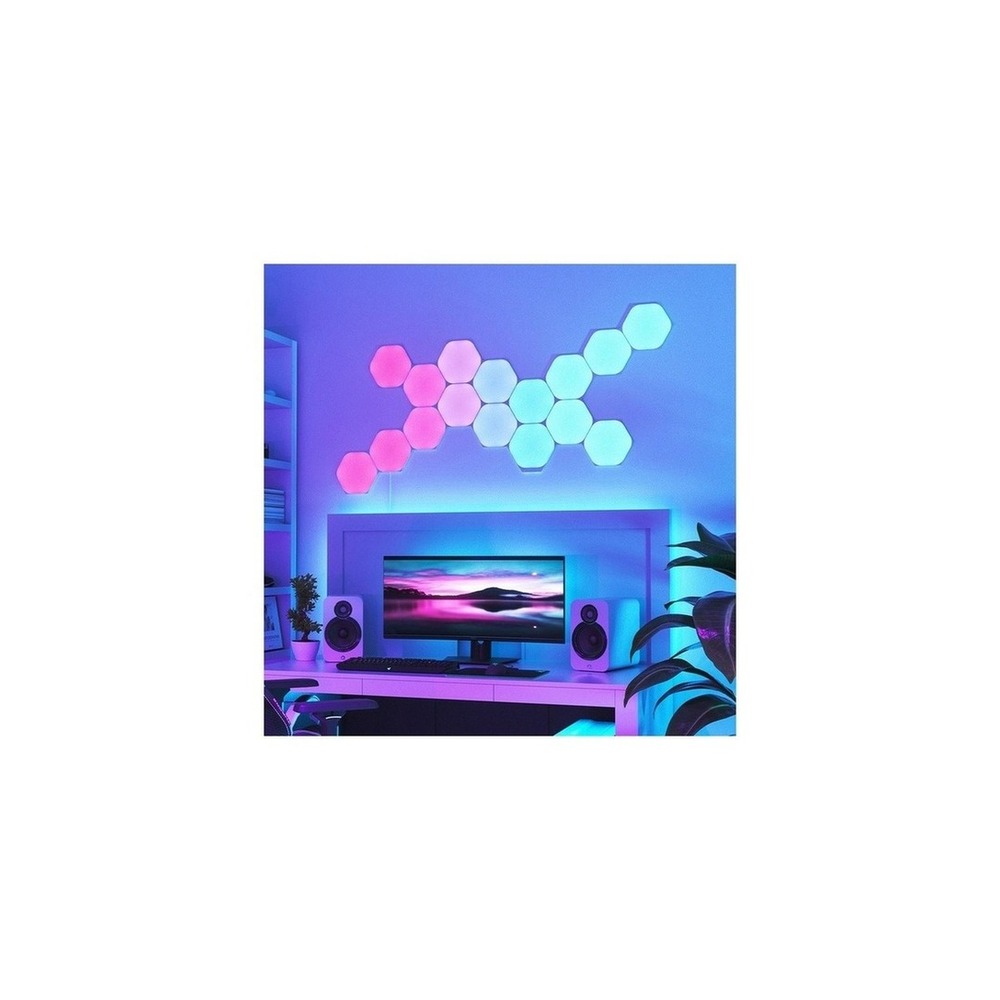
Nanoleaf Shapes Hexagon Starter Kit
Nanoleaf Shapes Hexagons 9 Pack Interior LED Smart Lighting, White
The inclusion of the Nanoleaf Shapes Hexagon Starter Kit in ‘How to Combine Lighting, Curtains, and Appliances in the Living Room into One Scene’ is because it utilizes wall-mounted lighting panels as visual elements for videos and music scenes, which is directly related to the purpose of the list. Particularly from the perspective of ‘How to Combine Lighting, Curtains, and Appliances in the Living Room into One Scene,’ you can easily appreciate the benefits of the Nanoleaf Shapes Hexagon Starter Kit when creating background lighting for your TV or gaming space. However, the Nanoleaf Shapes Hexagon Starter Kit isn't just a plug-and-play product. The compatibility requirements for the Nanoleaf Shapes Hexagon Starter Kit to check under ‘How to Combine Lighting, Curtains, and Appliances in the Living Room into One Scene’ are ‘confirming Nanoleaf app, Wi-Fi, and Matter/Thread support per generation,’ with power conditions specified as ‘dedicated adapter,’ so it must be checked against your actual home environment.
The installation conditions for the Nanoleaf Shapes Hexagon Starter Kit according to ‘How to Combine Lighting, Curtains, and Appliances in the Living Room into One Scene’ are ‘checking wall adhesion strength and power capacity based on the number of panels.’ Based on this condition, first determine the location and movement flow. When calculating the cost of the ‘How to Combine Lighting, Curtains, and Appliances in the Living Room into One Scene’ setup, verify that ‘basic scene control requires no subscription,’ and manage the Nanoleaf Shapes Hexagon Starter Kit’s accounts and records under the principle of ‘microphone permissions and account/device sharing settings.’ After installing the Nanoleaf Shapes Hexagon Starter Kit with reference to ‘How to Combine Lighting, Curtains, and Appliances in the Living Room into One Scene,’ test the automation results and manual operation together in the first few days. Before purchasing, it is advisable to recheck the model name, components, ratings, and sales status of the Nanoleaf Shapes Hexagon Starter Kit linked in the original text.
The installation conditions for the Nanoleaf Shapes Hexagon Starter Kit according to ‘How to Combine Lighting, Curtains, and Appliances in the Living Room into One Scene’ are ‘checking wall adhesion strength and power capacity based on the number of panels.’ Based on this condition, first determine the location and movement flow. When calculating the cost of the ‘How to Combine Lighting, Curtains, and Appliances in the Living Room into One Scene’ setup, verify that ‘basic scene control requires no subscription,’ and manage the Nanoleaf Shapes Hexagon Starter Kit’s accounts and records under the principle of ‘microphone permissions and account/device sharing settings.’ After installing the Nanoleaf Shapes Hexagon Starter Kit with reference to ‘How to Combine Lighting, Curtains, and Appliances in the Living Room into One Scene,’ test the automation results and manual operation together in the first few days. Before purchasing, it is advisable to recheck the model name, components, ratings, and sales status of the Nanoleaf Shapes Hexagon Starter Kit linked in the original text.
브랜드 Nanoleaf
주요 용도 벽면 조명 패널을 영상·음악 장면의 시각 요소로 활용
알맞은 공간 TV장이나 게임 공간의 배경 조명을 만들 때
호환 조건 Nanoleaf 앱·Wi-Fi·Matter/Thread 지원은 세대별 확인
전원 전용 어댑터
설치 확인 벽면 부착력과 패널 수별 전원 용량 확인
구독 기본 장면 제어는 구독 없음
개인정보·보안 마이크 권한과 계정·기기 공유 설정 확인
이미지 출처 기존 검증 쿠팡 상품 이미지
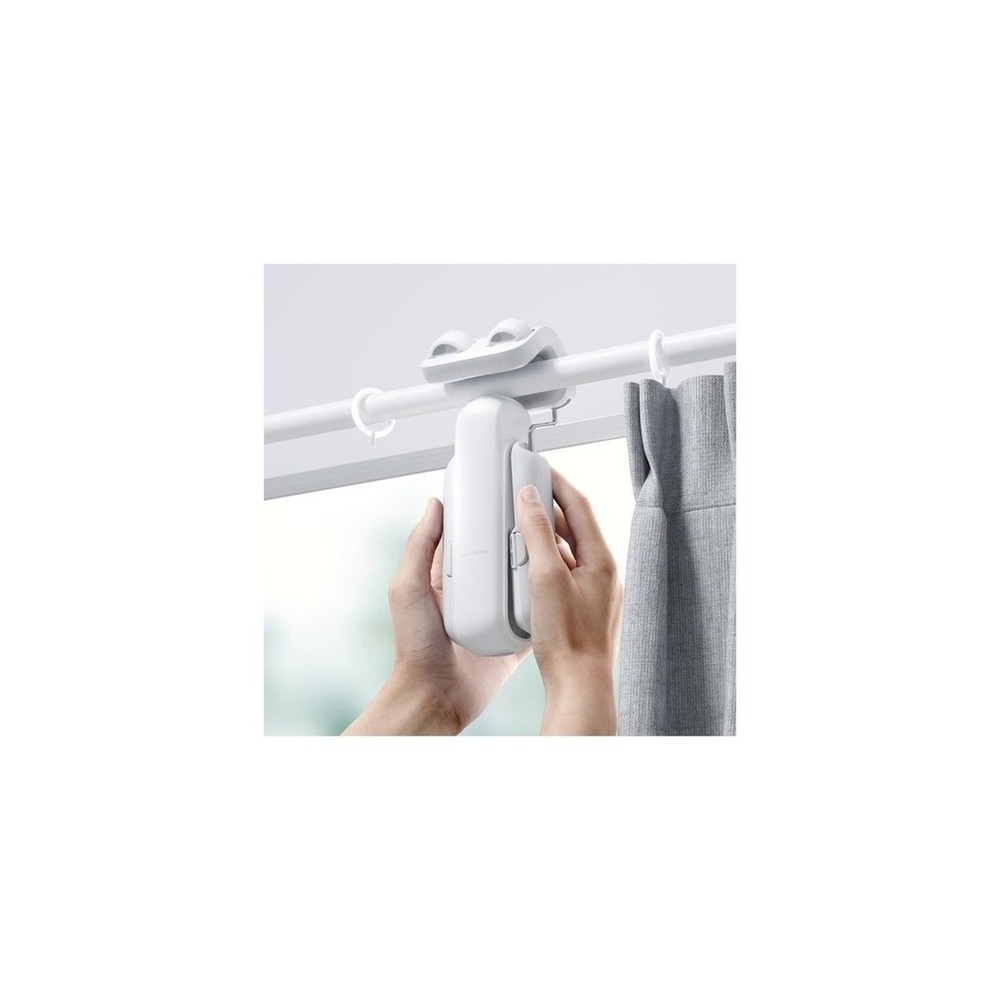
SwitchBot Curtain 3
SwitchBot Curtain Version 3 Rod Type 42 x 51 x 173 mm
The inclusion of the SwitchBot Curtain 3 in ‘How to Combine Lighting, Curtains, and Appliances in the Living Room into One Scene’ is due to its ability to automatically open and close existing curtains during movie viewing and sunset times, which is directly related to the purpose of the list. Particularly from the perspective of ‘How to Combine Lighting, Curtains, and Appliances in the Living Room into One Scene,’ you can easily appreciate the advantages of the SwitchBot Curtain 3 when adjusting glare from large windows and privacy based on scenes. However, the SwitchBot Curtain 3 isn't just a plug-and-play product. The compatibility requirements for the SwitchBot Curtain 3 to check under ‘How to Combine Lighting, Curtains, and Appliances in the Living Room into One Scene’ are ‘confirming model types according to rail type and Hub/Matter connection conditions,’ with power conditions specified as ‘rechargeable battery,’ so it needs to be checked against your actual home environment.
The installation conditions for the SwitchBot Curtain 3 according to ‘How to Combine Lighting, Curtains, and Appliances in the Living Room into One Scene’ are ‘checking curtain weight, rail shape, interference during operation, and falling risks.’ Based on this condition, first determine the location and movement flow. When calculating the cost of the ‘How to Combine Lighting, Curtains, and Appliances in the Living Room into One Scene’ setup, verify that ‘the basic app control requires no subscription,’ and manage the SwitchBot Curtain 3’s accounts and records under the principle of ‘automation permission based on location and sunrise, as well as family account sharing confirmation.’ After installing the SwitchBot Curtain 3 with reference to ‘How to Combine Lighting, Curtains, and Appliances in the Living Room into One Scene,’ test the automation results and manual operation together in the first few days. Before purchasing, it is advisable to recheck the model name, components, ratings, and sales status of the SwitchBot Curtain 3 linked in the original text.
The installation conditions for the SwitchBot Curtain 3 according to ‘How to Combine Lighting, Curtains, and Appliances in the Living Room into One Scene’ are ‘checking curtain weight, rail shape, interference during operation, and falling risks.’ Based on this condition, first determine the location and movement flow. When calculating the cost of the ‘How to Combine Lighting, Curtains, and Appliances in the Living Room into One Scene’ setup, verify that ‘the basic app control requires no subscription,’ and manage the SwitchBot Curtain 3’s accounts and records under the principle of ‘automation permission based on location and sunrise, as well as family account sharing confirmation.’ After installing the SwitchBot Curtain 3 with reference to ‘How to Combine Lighting, Curtains, and Appliances in the Living Room into One Scene,’ test the automation results and manual operation together in the first few days. Before purchasing, it is advisable to recheck the model name, components, ratings, and sales status of the SwitchBot Curtain 3 linked in the original text.
브랜드 SwitchBot
주요 용도 영화 시청과 일몰 시간에 기존 커튼을 자동 개폐
알맞은 공간 큰 창의 눈부심과 사생활을 장면별로 조절할 때
호환 조건 레일 유형별 모델과 Hub·Matter 연동 조건 확인
전원 충전식 배터리
설치 확인 커튼 무게·레일 형상·주행 간섭과 낙하 위험 확인
구독 기본 앱 제어는 구독 없음
개인정보·보안 위치·일출 자동화 권한과 가족 계정 공유 확인
이미지 출처 기존 검증 쿠팡 상품 이미지
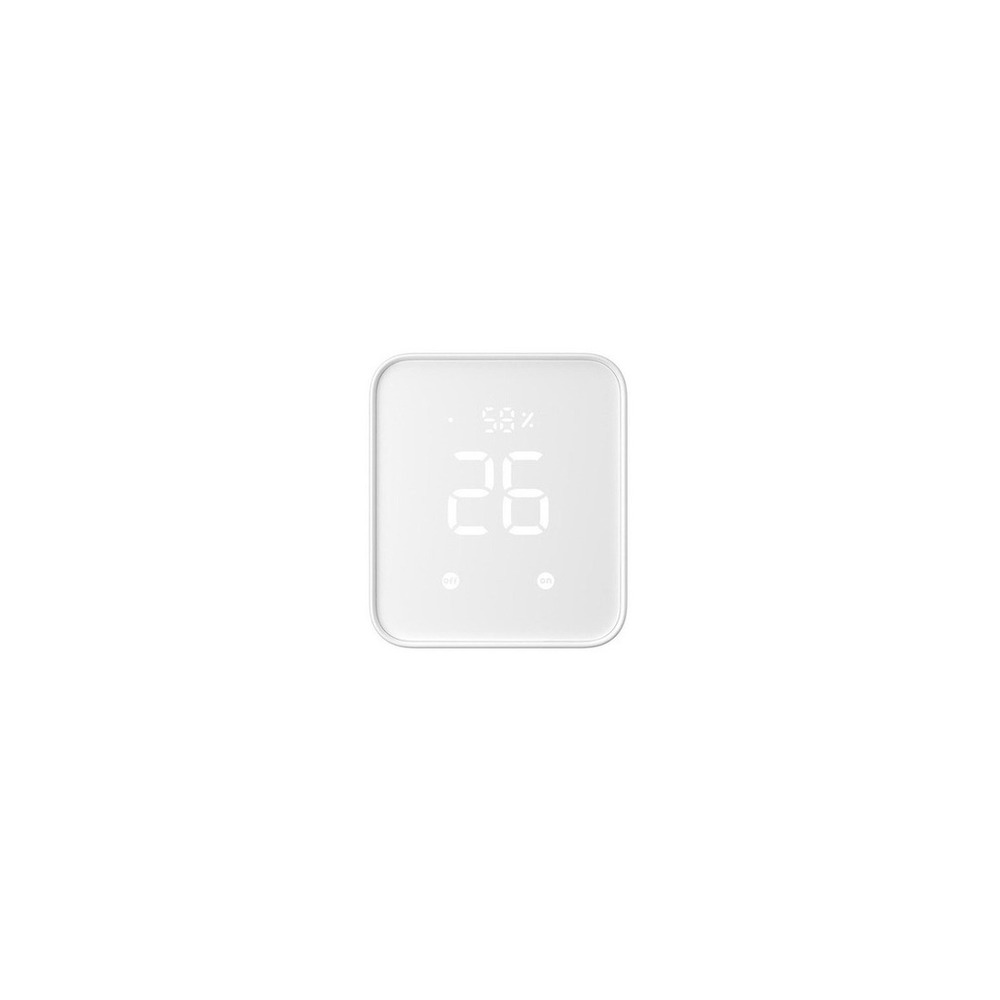
SwitchBot Hub 2 with Matter Support
SwitchBot Hub 2 Matter Support Universal Remote Control Smart Home
The inclusion of the SwitchBot Hub 2 Matter support in ‘How to Combine Lighting, Curtains, and Appliances in the Living Room into One Scene’ is due to its capability to control TV and air conditioner remotes, as well as SwitchBot devices from a single hub, which is directly related to the purpose of the list. Particularly from the perspective of ‘How to Combine Lighting, Curtains, and Appliances in the Living Room into One Scene,’ families with multiple living room remotes can easily appreciate the advantages of the SwitchBot Hub 2 Matter support. However, the SwitchBot Hub 2 Matter support isn't just a plug-and-play product. The compatibility requirements for the SwitchBot Hub 2 Matter support to check under ‘How to Combine Lighting, Curtains, and Appliances in the Living Room into One Scene’ are ‘confirming the list of devices that support Wi-Fi, Bluetooth, and Matter,’ with power conditions specified as ‘constant power via USB,’ so it must be checked against your actual home environment.
The installation conditions for the SwitchBot Hub 2 Matter support according to ‘How to Combine Lighting, Curtains, and Appliances in the Living Room into One Scene’ are ‘placing it in a location where the house’s central Wi-Fi and each device’s communication are connected.’ Based on this condition, first determine the location and movement flow. When calculating the cost of the ‘How to Combine Lighting, Curtains, and Appliances in the Living Room into One Scene’ setup, verify that ‘basic hub functions require no subscription,’ and manage the SwitchBot Hub 2 Matter support’s accounts and records under the principle of ‘remote control accounts, infrared remote data, and family authority management.’ After installing the SwitchBot Hub 2 Matter support with reference to ‘How to Combine Lighting, Curtains, and Appliances in the Living Room into One Scene,’ test the automation results and manual operation together in the first few days. Before purchasing, it is advisable to recheck the model name, components, ratings, and sales status of the SwitchBot Hub 2 Matter support linked in the original text.
The installation conditions for the SwitchBot Hub 2 Matter support according to ‘How to Combine Lighting, Curtains, and Appliances in the Living Room into One Scene’ are ‘placing it in a location where the house’s central Wi-Fi and each device’s communication are connected.’ Based on this condition, first determine the location and movement flow. When calculating the cost of the ‘How to Combine Lighting, Curtains, and Appliances in the Living Room into One Scene’ setup, verify that ‘basic hub functions require no subscription,’ and manage the SwitchBot Hub 2 Matter support’s accounts and records under the principle of ‘remote control accounts, infrared remote data, and family authority management.’ After installing the SwitchBot Hub 2 Matter support with reference to ‘How to Combine Lighting, Curtains, and Appliances in the Living Room into One Scene,’ test the automation results and manual operation together in the first few days. Before purchasing, it is advisable to recheck the model name, components, ratings, and sales status of the SwitchBot Hub 2 Matter support linked in the original text.
브랜드 SwitchBot
주요 용도 TV·에어컨 리모컨과 SwitchBot 기기를 한 허브에서 제어
알맞은 공간 거실 리모컨이 여러 개인 집
호환 조건 Wi-Fi·Bluetooth·Matter 지원 기기 목록 확인
전원 USB 상시 전원
설치 확인 집 중앙의 Wi-Fi와 각 기기 통신이 닿는 위치에 배치
구독 기본 허브 기능은 구독 없음
개인정보·보안 원격제어 계정·적외선 리모컨 데이터와 가족 권한 관리
이미지 출처 기존 검증 쿠팡 상품 이미지
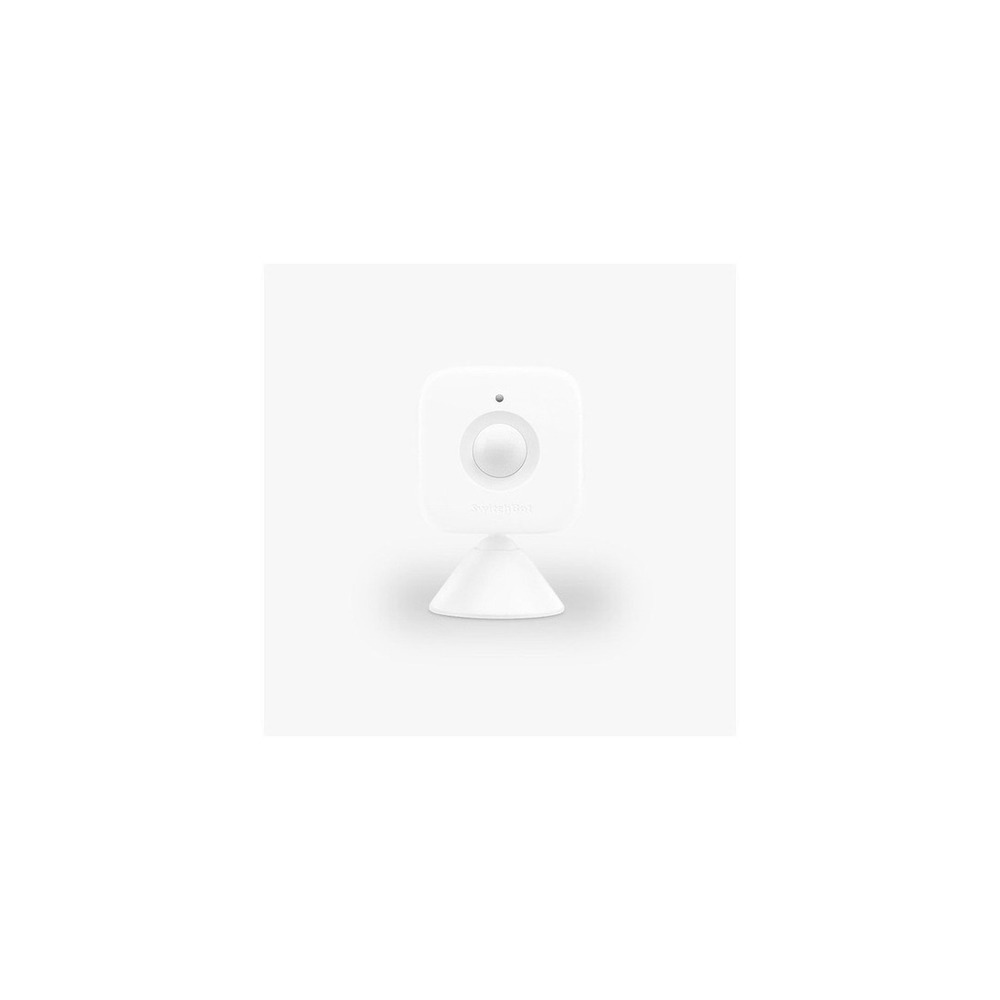
SwitchBot Motion Sensor
SwitchBot - Motion Sensor SwitchBot Smart Motion Detection
The inclusion of the SwitchBot Motion Sensor in ‘How to Combine Lighting, Curtains, and Appliances in the Living Room into One Scene’ is due to its use for changing scenes based on whether someone enters or leaves, which is directly related to the purpose of the list. Particularly from the perspective of ‘How to Combine Lighting, Curtains, and Appliances in the Living Room into One Scene,’ families wishing to automatically turn on and off the living room lights can easily appreciate the benefits of the SwitchBot Motion Sensor. However, the SwitchBot Motion Sensor isn't just a plug-and-play product. The compatibility requirements for the SwitchBot Motion Sensor to check under ‘How to Combine Lighting, Curtains, and Appliances in the Living Room into One Scene’ are ‘note that remote automation requires a compatible SwitchBot Hub,’ with power conditions specified as ‘replaceable battery,’ so it needs to be checked against your actual home environment.
The installation conditions for the SwitchBot Motion Sensor according to ‘How to Combine Lighting, Curtains, and Appliances in the Living Room into One Scene’ are ‘testing the detection range before attachment with double-sided tape and magnets.’ Based on this condition, first determine the location and movement flow. When calculating the cost of the ‘How to Combine Lighting, Curtains, and Appliances in the Living Room into One Scene’ setup, verify that ‘the basic function requires no subscription,’ and manage the SwitchBot Motion Sensor’s accounts and records under the principle of ‘checking the detection records that reveal living patterns and notification sharing scope.’ After installing the SwitchBot Motion Sensor with reference to ‘How to Combine Lighting, Curtains, and Appliances in the Living Room into One Scene,’ test the automation results and manual operation together in the first few days. Before purchasing, it is advisable to recheck the model name, components, ratings, and sales status of the SwitchBot Motion Sensor linked in the original text.
The installation conditions for the SwitchBot Motion Sensor according to ‘How to Combine Lighting, Curtains, and Appliances in the Living Room into One Scene’ are ‘testing the detection range before attachment with double-sided tape and magnets.’ Based on this condition, first determine the location and movement flow. When calculating the cost of the ‘How to Combine Lighting, Curtains, and Appliances in the Living Room into One Scene’ setup, verify that ‘the basic function requires no subscription,’ and manage the SwitchBot Motion Sensor’s accounts and records under the principle of ‘checking the detection records that reveal living patterns and notification sharing scope.’ After installing the SwitchBot Motion Sensor with reference to ‘How to Combine Lighting, Curtains, and Appliances in the Living Room into One Scene,’ test the automation results and manual operation together in the first few days. Before purchasing, it is advisable to recheck the model name, components, ratings, and sales status of the SwitchBot Motion Sensor linked in the original text.
브랜드 SwitchBot
주요 용도 사람이 들어오거나 비었을 때 장면을 바꾸는 조건으로 사용
알맞은 공간 거실 조명을 자동으로 켜고 끄고 싶은 집
호환 조건 원격 자동화는 호환 SwitchBot Hub 필요
전원 교체형 배터리
설치 확인 양면테이프·자석 부착 전 감지 범위 시험
구독 기본 기능은 구독 없음
개인정보·보안 생활 패턴이 드러나는 감지 기록과 알림 공유 범위 확인
이미지 출처 기존 검증 쿠팡 상품 이미지
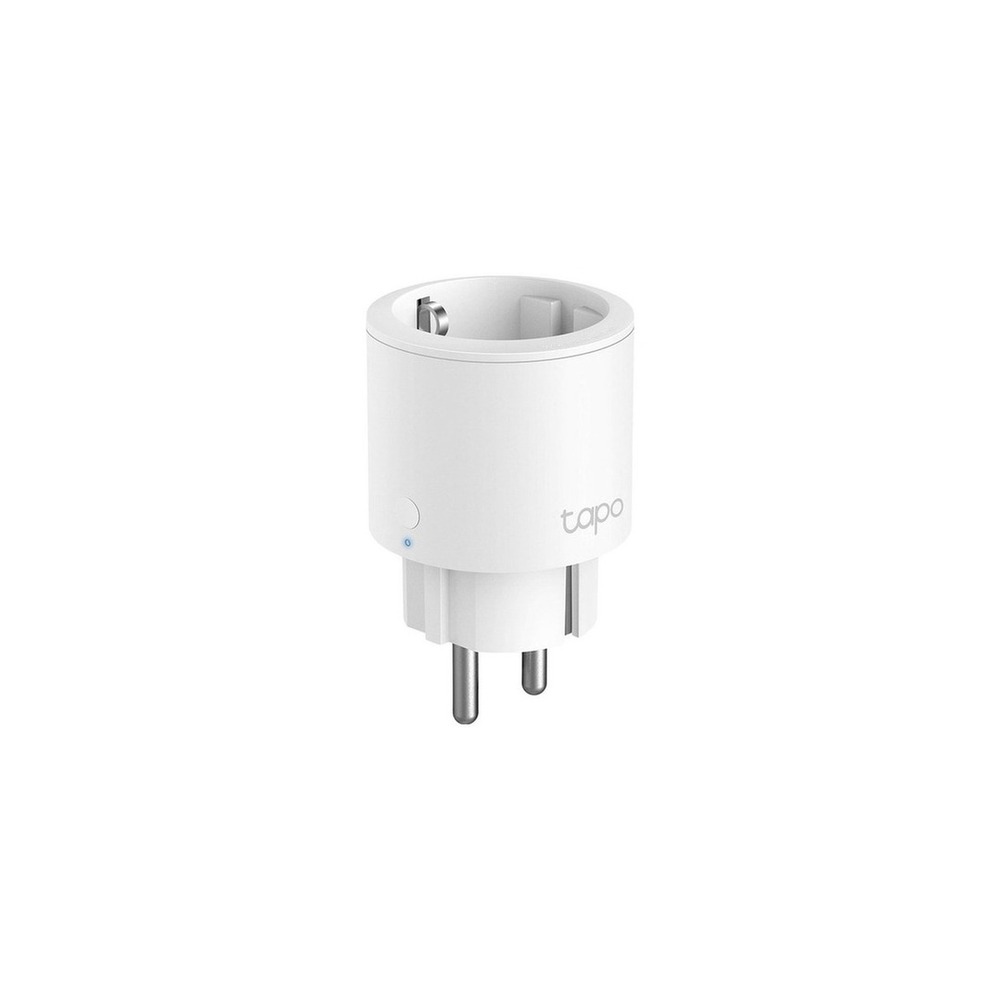
TP-Link Tapo P115 Smart Plug
TP-Link 16A Energy Monitoring IoT Smart Wi-Fi Plug, Tapo P115, 1 piece
The inclusion of the TP-Link Tapo P115 Smart Plug in ‘How to Combine Lighting, Curtains, and Appliances in the Living Room into One Scene’ is due to its ability to monitor the power consumption and on-time of auxiliary devices for the TV cabinet, which is directly related to the purpose of the list. Particularly from the perspective of ‘How to Combine Lighting, Curtains, and Appliances in the Living Room into One Scene,’ you can easily appreciate the benefits of the TP-Link Tapo P115 Smart Plug when monitoring standby power for gaming consoles and speakers. However, the TP-Link Tapo P115 Smart Plug isn't just a plug-and-play product. The compatibility requirements for the TP-Link Tapo P115 Smart Plug to check under ‘How to Combine Lighting, Curtains, and Appliances in the Living Room into One Scene’ are ‘confirming Tapo app, 2.4GHz Wi-Fi, and voice platform support,’ with power conditions specified as ‘household outlet and product rating,’ so it must be checked against your actual home environment.
The installation conditions for the TP-Link Tapo P115 Smart Plug according to ‘How to Combine Lighting, Curtains, and Appliances in the Living Room into One Scene’ are ‘checking adjacent plug space and grounding/network connection.’ Based on this condition, first determine the location and movement flow. When calculating the cost of the ‘How to Combine Lighting, Curtains, and Appliances in the Living Room into One Scene’ setup, verify that ‘the basic functionality requires no subscription,’ and manage the TP-Link Tapo P115 Smart Plug’s accounts and records under the principle of ‘managing Tapo accounts and family-sharing permissions.’ After installing the TP-Link Tapo P115 Smart Plug with reference to ‘How to Combine Lighting, Curtains, and Appliances in the Living Room into One Scene,’ test the automation results and manual operation together in the first few days. Before purchasing, it is advisable to recheck the model name, components, ratings, and sales status of the TP-Link Tapo P115 Smart Plug linked in the original text.
The installation conditions for the TP-Link Tapo P115 Smart Plug according to ‘How to Combine Lighting, Curtains, and Appliances in the Living Room into One Scene’ are ‘checking adjacent plug space and grounding/network connection.’ Based on this condition, first determine the location and movement flow. When calculating the cost of the ‘How to Combine Lighting, Curtains, and Appliances in the Living Room into One Scene’ setup, verify that ‘the basic functionality requires no subscription,’ and manage the TP-Link Tapo P115 Smart Plug’s accounts and records under the principle of ‘managing Tapo accounts and family-sharing permissions.’ After installing the TP-Link Tapo P115 Smart Plug with reference to ‘How to Combine Lighting, Curtains, and Appliances in the Living Room into One Scene,’ test the automation results and manual operation together in the first few days. Before purchasing, it is advisable to recheck the model name, components, ratings, and sales status of the TP-Link Tapo P115 Smart Plug linked in the original text.
브랜드 TP-Link Tapo
주요 용도 TV장 보조기기의 소비전력과 켜진 시간을 확인
알맞은 공간 게임기·스피커의 대기전력을 살필 때
호환 조건 Tapo 앱·2.4GHz Wi-Fi와 음성 플랫폼 지원 확인
전원 가정용 콘센트와 제품 정격
설치 확인 인접 플러그 공간과 접지·네트워크 연결 확인
구독 기본 기능은 구독 없음
개인정보·보안 Tapo 계정과 가족 공유 권한 관리
이미지 출처 기존 검증 쿠팡 상품 이미지
Once you've narrowed down your options, it's best not to install all devices at once. Instead, test the most frequently used function for about a week. After defining one relaxation scene, connect just the lighting and curtains and check if everyone in the family can manually operate them, then progressively add appliances and sensors while repeating this process during actual living hours. This will allow you to quickly identify unnecessary notifications, communication shadows, and discomforting motions for your family. Additionally, ensure that basic functionalities can be operated manually during this stage.
Before finalizing your purchase, create a checklist with the following items: account permissions per family member, infrared blind spots, constant power for wall switches, curtain operation interference, and restoration of scene after a movie ends. Confirm the replacement cycles for batteries and consumables, account sharing scope, and necessary reset procedures before reselling or moving to make it easier to estimate management costs. For installations related to electricity, water, or access security, do not solely rely on the sales page wording; prioritize the manufacturer's guidance and the regulations of the entity responsible for management.
Before finalizing your purchase, create a checklist with the following items: account permissions per family member, infrared blind spots, constant power for wall switches, curtain operation interference, and restoration of scene after a movie ends. Confirm the replacement cycles for batteries and consumables, account sharing scope, and necessary reset procedures before reselling or moving to make it easier to estimate management costs. For installations related to electricity, water, or access security, do not solely rely on the sales page wording; prioritize the manufacturer's guidance and the regulations of the entity responsible for management.
한눈에 보기
7개
Philips Hue 4.0 White and Color Smart Bulb
필립스 Hue · 거실의 휴식·영화·청소 장면에 맞춰 밝기와 색을 전환 · Hue Bridge로 여러 조명을 함께 묶을 때 · Bluetooth 또는 Hue Bridge 구성과 음성 플랫폼 지원 확인 · E26 소켓 상시 전원 · 기존 소켓에 교체하고 벽 스위치는 켜 둠 · 기본 앱은 구독 없이 사용하며 일부 서비스 정책 확인 · 계정 원격접속과 자동화 공유 구성원 관리 · 기존 검증 쿠팡 상품 이미지
Philips Hue Go Ver.2 Mood Light
필립스 Hue · 소파 옆 이동형 간접광으로 천장등 없이 분위기를 보완 · 콘센트 위치에 얽매이지 않는 보조 조명이 필요할 때 · Bluetooth·Hue Bridge 지원 범위와 앱 확인 · 충전식 배터리와 전원 어댑터 · 평평한 곳에 두고 충전선 동선 확보 · 기본 제어는 구독 없음 · 원격제어 계정과 위치 기반 자동화 권한 확인 · 기존 검증 쿠팡 상품 이미지
Nanoleaf Shapes Hexagon Starter Kit
Nanoleaf · 벽면 조명 패널을 영상·음악 장면의 시각 요소로 활용 · TV장이나 게임 공간의 배경 조명을 만들 때 · Nanoleaf 앱·Wi-Fi·Matter/Thread 지원은 세대별 확인 · 전용 어댑터 · 벽면 부착력과 패널 수별 전원 용량 확인 · 기본 장면 제어는 구독 없음 · 마이크 권한과 계정·기기 공유 설정 확인 · 기존 검증 쿠팡 상품 이미지
SwitchBot Curtain 3
SwitchBot · 영화 시청과 일몰 시간에 기존 커튼을 자동 개폐 · 큰 창의 눈부심과 사생활을 장면별로 조절할 때 · 레일 유형별 모델과 Hub·Matter 연동 조건 확인 · 충전식 배터리 · 커튼 무게·레일 형상·주행 간섭과 낙하 위험 확인 · 기본 앱 제어는 구독 없음 · 위치·일출 자동화 권한과 가족 계정 공유 확인 · 기존 검증 쿠팡 상품 이미지
SwitchBot Hub 2 with Matter Support
SwitchBot · TV·에어컨 리모컨과 SwitchBot 기기를 한 허브에서 제어 · 거실 리모컨이 여러 개인 집 · Wi-Fi·Bluetooth·Matter 지원 기기 목록 확인 · USB 상시 전원 · 집 중앙의 Wi-Fi와 각 기기 통신이 닿는 위치에 배치 · 기본 허브 기능은 구독 없음 · 원격제어 계정·적외선 리모컨 데이터와 가족 권한 관리 · 기존 검증 쿠팡 상품 이미지
SwitchBot Motion Sensor
SwitchBot · 사람이 들어오거나 비었을 때 장면을 바꾸는 조건으로 사용 · 거실 조명을 자동으로 켜고 끄고 싶은 집 · 원격 자동화는 호환 SwitchBot Hub 필요 · 교체형 배터리 · 양면테이프·자석 부착 전 감지 범위 시험 · 기본 기능은 구독 없음 · 생활 패턴이 드러나는 감지 기록과 알림 공유 범위 확인 · 기존 검증 쿠팡 상품 이미지
TP-Link Tapo P115 Smart Plug
TP-Link Tapo · TV장 보조기기의 소비전력과 켜진 시간을 확인 · 게임기·스피커의 대기전력을 살필 때 · Tapo 앱·2.4GHz Wi-Fi와 음성 플랫폼 지원 확인 · 가정용 콘센트와 제품 정격 · 인접 플러그 공간과 접지·네트워크 연결 확인 · 기본 기능은 구독 없음 · Tapo 계정과 가족 공유 권한 관리 · 기존 검증 쿠팡 상품 이미지
이 포스팅은 쿠팡 파트너스 활동의 일환으로, 이에 따른 일정액의 수수료를 제공받습니다.
댓글 0
로그인 후 댓글을 작성할 수 있습니다.
첫 댓글을 남겨보세요.
이런 리스트는 어때요?


이런 리스트도 추천해요


🎲
여기서 멈추기엔 아쉽잖아?
다음에 뭘 볼지 고민하는 시간이 제일 아까워.
주사위가 대신 골라줄게 — 무슨 리스트가 튀어나올지는 굴려봐야 알지.
안 누르면… 평생 궁금하지 않겠어? 👀
