Smart Plugs and Power Strips for Managing Standby Power and Energy Usage
Collection Smart Home 2026.10.06

Smart Plugs and Power Strips for Managing Standby Power and Energy Usage

Real products focusing first on rated capacity, power measurement, and automation conditions

The ‘Smart Plugs and Power Strips for Managing Standby Power and Energy Usage’ list focuses on checking connection loads and safety conditions while allowing for remote and scheduled control of electronics and monitoring their usage. Although smart home products may use the same function names, their communication methods, hubs, and installation conditions vary, so deciding based on just one device can lead to automation challenges. In this article, we will categorize the tasks each product will handle, examining the functions that will be frequently used in daily life as well as the preparation conditions.

It’s practical to start testing with low power consumption devices like lights and fans, then check manufacturer permissions for heating appliances and motorized devices before proceeding with connections. Before making a purchase, you should compare the following conditions for each product: rated current, grounding, overload protection, power measurement support, 2.4GHz Wi-Fi, and standby status. By deciding on operation procedures when the internet is down, how family members will handle it, and who to reach out to if issues arise, you can minimize inconveniences caused by automation.
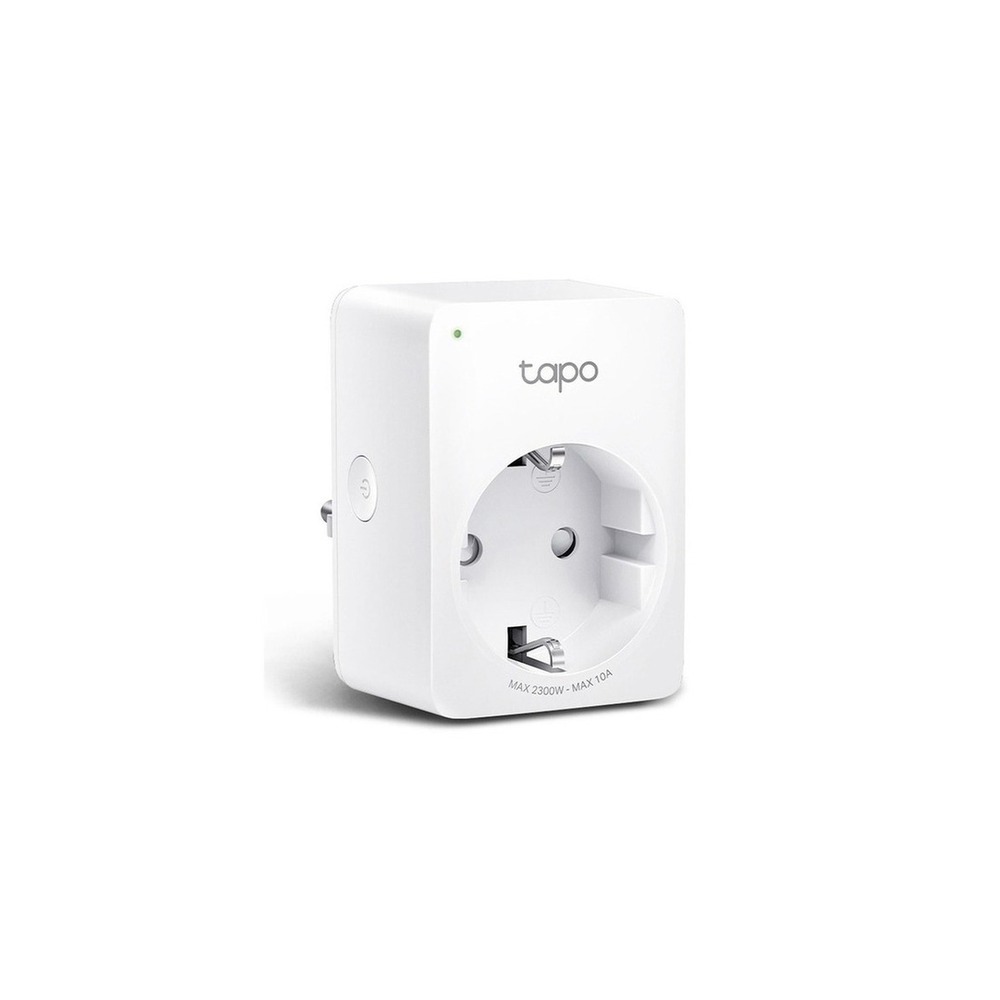
TP-Link Tapo P100 Smart Plug

TP-Link Tapo P100 Smart Plug

Tapo 10A IoT Smart Monitoring Mini Wi-Fi Power Plug, Tapo P100M, 1 piece

The inclusion of the TP-Link Tapo P100 smart plug in the ‘Smart Plugs and Power Strips for Managing Standby Power and Energy Usage’ is due to its applicability in turning a single outlet on and off via an app and a schedule, directly aligning with the list's purpose. In particular, when viewed from the perspective of the ‘Smart Plugs and Power Strips for Managing Standby Power and Energy Usage’, it’s easy to appreciate the benefits of the TP-Link Tapo P100 smart plug for small appliances like lights and fans that retain a physical switch. However, the TP-Link Tapo P100 smart plug isn't just a product that requires simple connection. The compatibility conditions to check for the TP-Link Tapo P100 smart plug within the ‘Smart Plugs and Power Strips for Managing Standby Power and Energy Usage’ are ‘Tapo app, 2.4GHz Wi-Fi, and supported voice assistant’, while the power conditions are ‘household outlet with the product's rated load’, thus requiring it to be compared with the actual environment of your home.

The installation conditions for the TP-Link Tapo P100 smart plug to be reviewed in accordance with the ‘Smart Plugs and Power Strips for Managing Standby Power and Energy Usage’ are ‘plugging into a wall outlet and checking for interference among surrounding outlets’. Based on this condition, first, determine the location and movement path. When evaluating the costs of the ‘Smart Plugs and Power Strips for Managing Standby Power and Energy Usage’ configuration, make sure to confirm that ‘basic control requires no subscription’, and manage the account and records of the TP-Link Tapo P100 smart plug according to the principle of ‘shared accounts and external remote access rights’. After installing the TP-Link Tapo P100 smart plug based on the ‘Smart Plugs and Power Strips for Managing Standby Power and Energy Usage’, your first few days should involve testing both automation results and manual operations. Just before purchase, it’s safer to recheck the model name, components, ratings, and sales status of the TP-Link Tapo P100 smart plug linked from the original source.
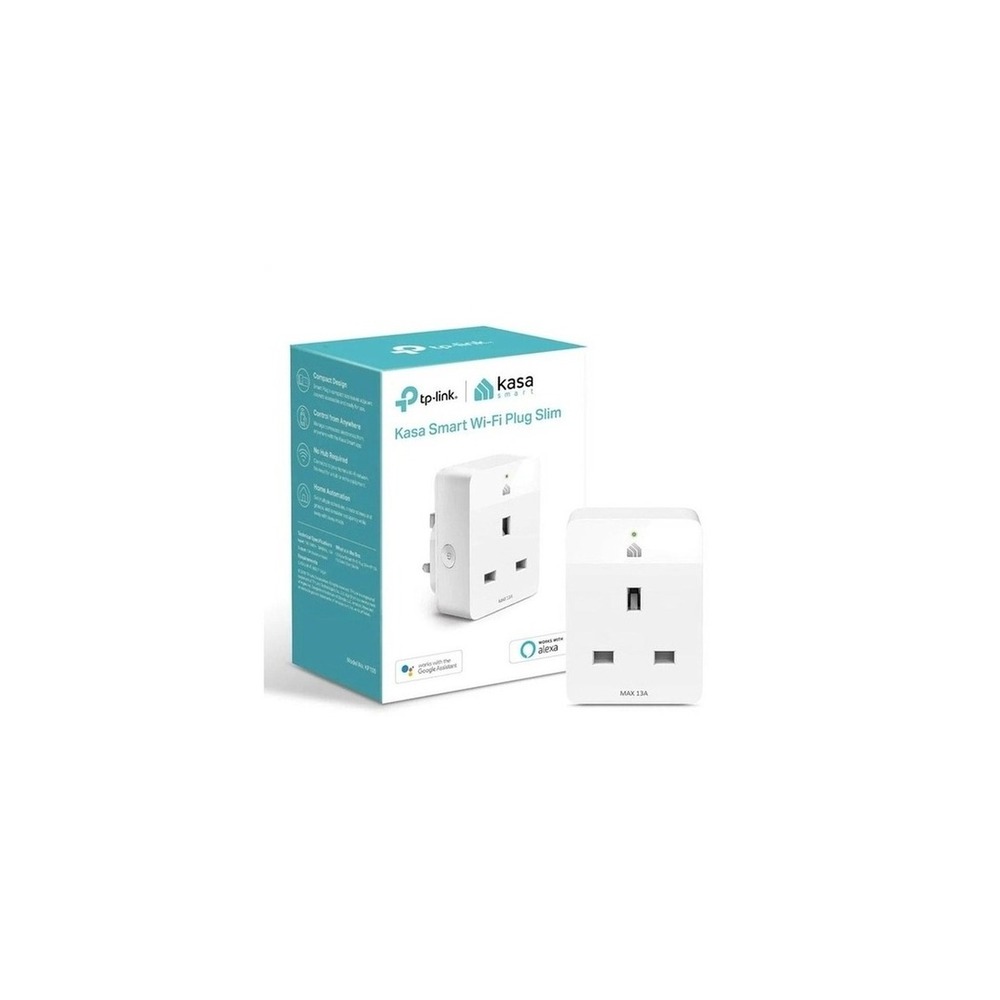
브랜드 TP-Link Tapo 주요 용도 콘센트 한 곳을 앱과 일정으로 켜고 끔 알맞은 공간 조명·선풍기처럼 물리 스위치가 유지되는 소형 가전 호환 조건 Tapo 앱·2.4GHz Wi-Fi·지원 음성비서 확인 전원 가정용 콘센트, 제품 정격 내 부하 설치 확인 벽 콘센트에 꽂고 주변 콘센트 간섭 확인 구독 기본 제어는 구독 없음 개인정보·보안 공유 계정과 외부 원격접속 권한 관리 이미지 출처 쿠팡 파트너스 상품 검색 이미지
TP-Link Tapo P110 Smart Plug

TP-Link Tapo P110 Smart Plug

TPLINK Tapo P110 Power 4 WiFi Socket Smart Plug Outlet Wi-Fi

The inclusion of the TP-Link Tapo P110 smart plug in the ‘Smart Plugs and Power Strips for Managing Standby Power and Energy Usage’ is due to its capability to remotely monitor power and energy consumption, which directly aligns with the list's purpose. In particular, for households wanting to track power consumption trends by appliance, the benefits of the TP-Link Tapo P110 smart plug are easily felt from the ‘Smart Plugs and Power Strips for Managing Standby Power and Energy Usage’ perspective. However, the TP-Link Tapo P110 smart plug is not just a product that requires simple connection. The compatibility conditions to check for the TP-Link Tapo P110 smart plug within the ‘Smart Plugs and Power Strips for Managing Standby Power and Energy Usage’ are ‘Tapo app, 2.4GHz Wi-Fi, and confirmed power monitoring support version’, while the power conditions are ‘household outlet with the rated load indicated’, thus requiring it to be compared with the actual environment of your home.

The installation conditions for the TP-Link Tapo P110 smart plug to be reviewed in accordance with the ‘Smart Plugs and Power Strips for Managing Standby Power and Energy Usage’ are ‘checking grounding status and interference with the plug body’. Based on this condition, first, determine the location and movement path. When calculating the costs for the ‘Smart Plugs and Power Strips for Managing Standby Power and Energy Usage’ configuration, confirm that ‘basic functions require no subscription’, and manage the account and records of the TP-Link Tapo P110 smart plug according to the principle of ‘usage pattern data connected to the account thus checking the sharing scope’. After installing the TP-Link Tapo P110 smart plug based on the ‘Smart Plugs and Power Strips for Managing Standby Power and Energy Usage’, your first few days should involve testing both automation results and manual operations. Just before purchase, it’s safer to recheck the model name, components, ratings, and sales status of the TP-Link Tapo P110 smart plug linked from the original source.
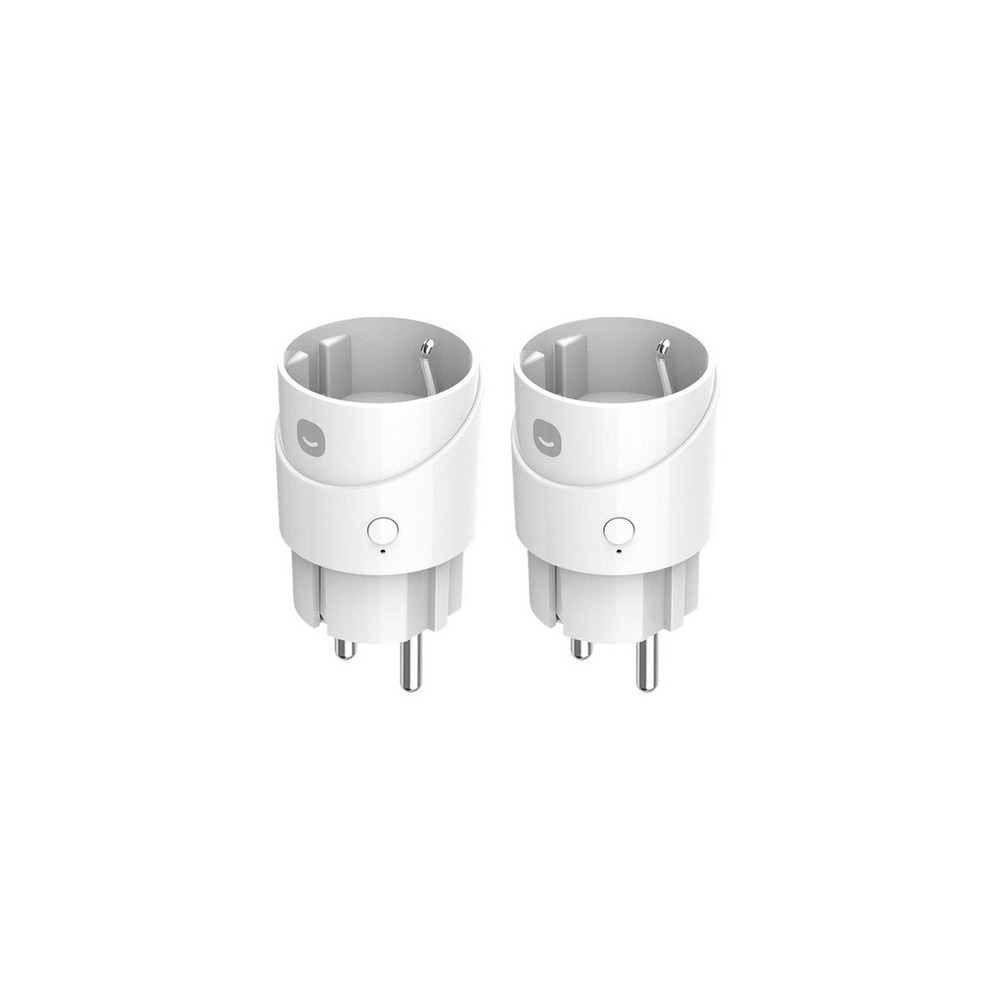
브랜드 TP-Link Tapo 주요 용도 원격 전원과 전력 사용량을 함께 확인 알맞은 공간 가전별 소비전력 추이를 보고 싶은 집 호환 조건 Tapo 앱·2.4GHz Wi-Fi와 전력 모니터링 지원 버전 확인 전원 가정용 콘센트, 표시 정격 내 부하 설치 확인 접지 상태와 플러그 본체 간섭 확인 구독 기본 기능은 구독 없음 개인정보·보안 사용 패턴 데이터가 계정에 연결되므로 공유 범위 확인 이미지 출처 쿠팡 파트너스 상품 검색 이미지
Hejhome Smart Plug

Hejhome Smart Plug

HeyHome Matter Remote Control Outlet Air Smart Plug 1 Way GKMW-PG191

The inclusion of the HeyHome smart plug in the ‘Smart Plugs and Power Strips for Managing Standby Power and Energy Usage’ is due to its capability to control individual outlet power via app and scheduling, which directly aligns with the list's purpose. Particularly, when starting small appliance automation in a domestic app environment, the benefits of the HeyHome smart plug are easy to appreciate from the perspective of the ‘Smart Plugs and Power Strips for Managing Standby Power and Energy Usage’. However, the HeyHome smart plug is not just a product that requires simple connection. The compatibility conditions to check for the HeyHome smart plug within the ‘Smart Plugs and Power Strips for Managing Standby Power and Energy Usage’ are ‘Hejhome app, 2.4GHz Wi-Fi, and confirmed voice platform support’, while the power conditions are ‘household outlet with the product's rated load’, thus requiring it to be compared with the actual environment of your home.

The installation conditions for the HeyHome smart plug to be reviewed in accordance with the ‘Smart Plugs and Power Strips for Managing Standby Power and Energy Usage’ are ‘checking the distance between the wall outlet and the power strip’. Based on this condition, first, determine the location and movement path. When evaluating the costs of the ‘Smart Plugs and Power Strips for Managing Standby Power and Energy Usage’ configuration, make sure to confirm that ‘basic control requires no subscription’, and manage the account and records of the HeyHome smart plug according to the principle of ‘family invite accounts and remote control rights confirmation’. After installing the HeyHome smart plug based on the ‘Smart Plugs and Power Strips for Managing Standby Power and Energy Usage’, your first few days should involve testing both automation results and manual operations. Just before purchase, it’s safer to recheck the model name, components, ratings, and sales status of the HeyHome smart plug linked from the original source.
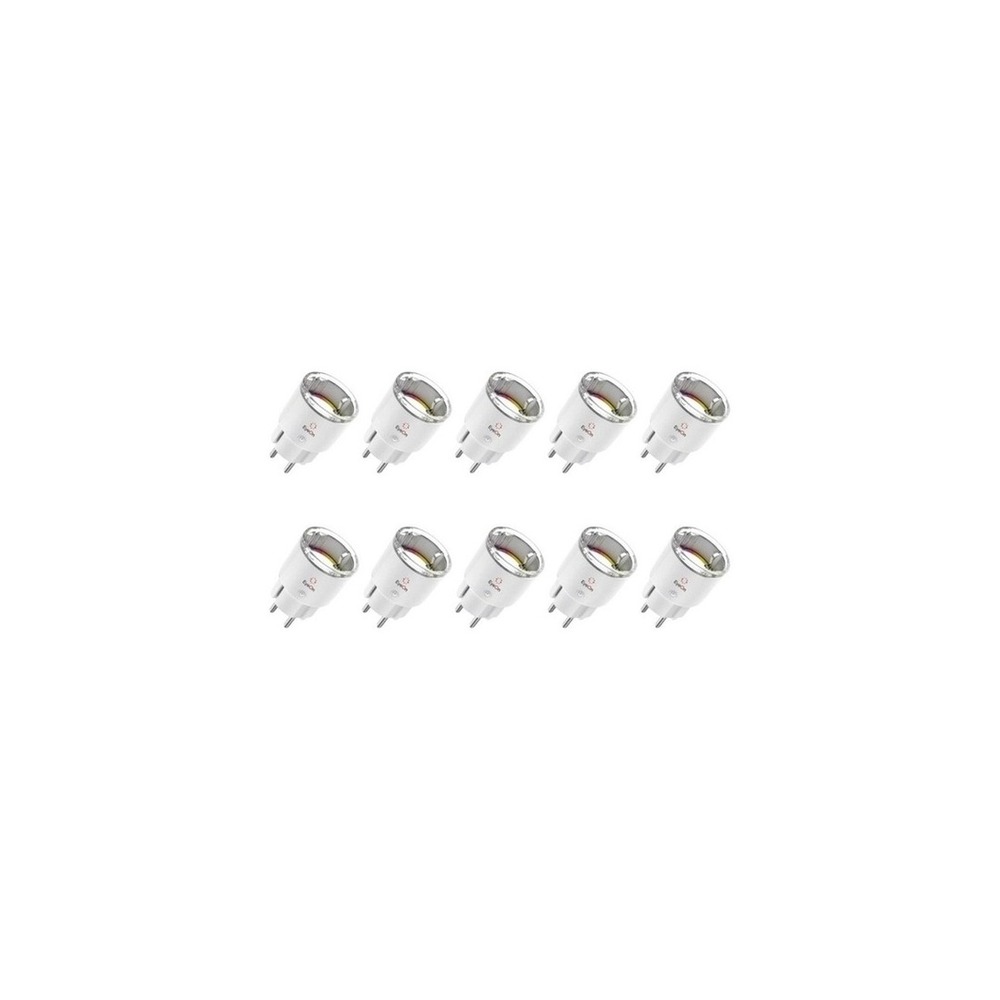
브랜드 Hejhome 주요 용도 앱·예약으로 개별 콘센트 전원을 제어 알맞은 공간 국내 앱 환경으로 작은 가전 자동화를 시작할 때 호환 조건 Hejhome 앱·2.4GHz Wi-Fi와 음성 플랫폼 지원 확인 전원 가정용 콘센트와 제품 정격 설치 확인 벽면 콘센트와 멀티탭 간격 확인 구독 기본 제어는 구독 없음 개인정보·보안 가족 초대 계정과 원격제어 권한 확인 이미지 출처 쿠팡 파트너스 상품 검색 이미지
Aion IoT Smart Plug

Aion IoT Smart Plug

Aion AS2-Year IoT Smart Plug Wi-Fi Power-Saving Remote Control Voice-Controlled Timer Energy Monitoring AI Outlet, 10 pieces

The inclusion of the Aion IoT smart plug in the ‘Smart Plugs and Power Strips for Managing Standby Power and Energy Usage’ is due to its capability for power scheduling, remote control, and energy monitoring, which directly aligns with the list's purpose. Particularly, when checking the power consumption of smart plugs sold domestically, the benefits of the Aion IoT smart plug are easy to appreciate from the perspective of the ‘Smart Plugs and Power Strips for Managing Standby Power and Energy Usage’. However, the Aion IoT smart plug is not just a product that requires simple connection. The compatibility conditions to check for the Aion IoT smart plug within the ‘Smart Plugs and Power Strips for Managing Standby Power and Energy Usage’ are ‘dedicated app, Wi-Fi, and voice platform support range check’, while the power conditions are ‘household outlet with rated load indicated’, thus requiring it to be compared with the actual environment of your home.

The installation conditions for the Aion IoT smart plug to be reviewed in accordance with the ‘Smart Plugs and Power Strips for Managing Standby Power and Energy Usage’ are ‘checking the plug direction and interference with adjacent outlets’. Based on this condition, first, determine the location and movement path. When evaluating the costs of the ‘Smart Plugs and Power Strips for Managing Standby Power and Energy Usage’ configuration, check whether ‘there is a subscription for basic features by confirming app policies’, and manage the account and records of the Aion IoT smart plug based on the principle of ‘account password and family sharing rights management’. After installing the Aion IoT smart plug based on the ‘Smart Plugs and Power Strips for Managing Standby Power and Energy Usage’, your first few days should involve testing both automation results and manual operations. Just before purchase, it’s safer to recheck the model name, components, ratings, and sales status of the Aion IoT smart plug linked from the original source.
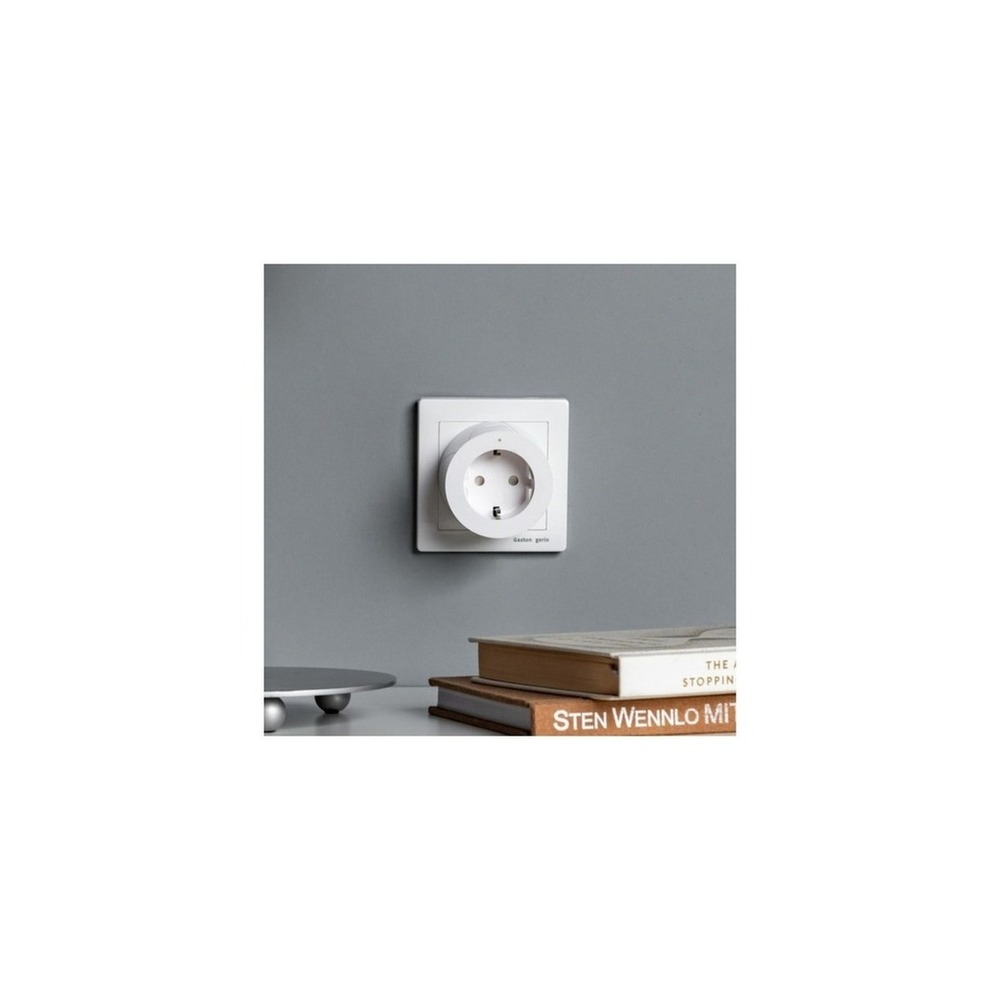
브랜드 아이온 주요 용도 전원 예약과 원격 제어, 에너지 모니터링으로 대기전력을 관리 알맞은 공간 국내 판매 스마트 플러그로 소비전력을 확인할 때 호환 조건 전용 앱·Wi-Fi와 음성 플랫폼 지원 범위 확인 전원 가정용 콘센트와 표시 정격 설치 확인 플러그 방향과 인접 콘센트 간섭 확인 구독 기본 기능의 구독 여부는 사용 앱 정책 확인 개인정보·보안 계정 비밀번호와 가족 공유 권한 관리 이미지 출처 쿠팡 파트너스 상품 검색 이미지
Officially Certified Aqara Smart Plug

Officially Certified Aqara Smart Plug

[Official Certified] Aqara Smart Plug

The inclusion of the official certified Aqara smart plug in the ‘Smart Plugs and Power Strips for Managing Standby Power and Energy Usage’ is due to its inclusion of outlet power in Zigbee automation, which directly aligns with the list's purpose. Particularly, the benefits of the official certified Aqara smart plug are easy to appreciate when connecting Aqara sensor operations with appliance power from the perspective of the ‘Smart Plugs and Power Strips for Managing Standby Power and Energy Usage’. However, the official certified Aqara smart plug is not just a product that requires simple connection. The compatibility conditions to check for the official certified Aqara smart plug within the ‘Smart Plugs and Power Strips for Managing Standby Power and Energy Usage’ are ‘compatible Aqara Hub, Zigbee, and regional code check’, while the power conditions are ‘domestic plug specification with rated load indicated’, thus requiring it to be compared with the actual environment of your home.

The installation conditions for the official certified Aqara smart plug to be reviewed in accordance with the ‘Smart Plugs and Power Strips for Managing Standby Power and Energy Usage’ are ‘checking hub communication distance and grounding/outlet margin’. Based on this condition, first, determine the location and movement path. When considering the costs of the ‘Smart Plugs and Power Strips for Managing Standby Power and Energy Usage’ configuration, confirm that ‘there is no subscription for basic automation’, and manage the account and records of the official certified Aqara smart plug based on the principle of ‘hub admin account and automation execution rights confirmation’. After installing the official certified Aqara smart plug based on the ‘Smart Plugs and Power Strips for Managing Standby Power and Energy Usage’, your first few days should involve testing both automation results and manual operations. Just before purchase, it’s safer to recheck the model name, components, ratings, and sales status of the official certified Aqara smart plug linked from the original source.
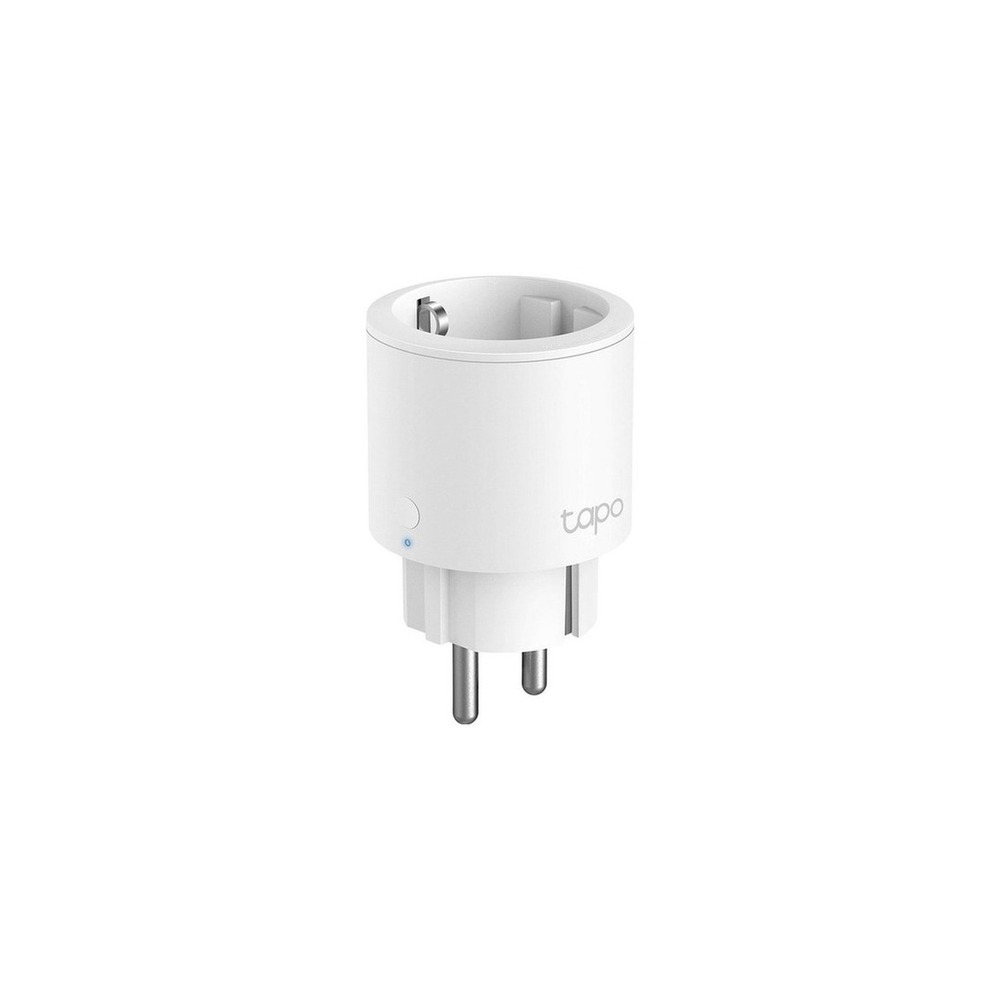
브랜드 Aqara 주요 용도 Zigbee 자동화에 콘센트 전원을 포함 알맞은 공간 Aqara 센서 동작과 가전 전원을 연결하려는 집 호환 조건 호환 Aqara Hub·Zigbee와 지역 코드 확인 전원 국내 플러그 규격과 표시 정격 설치 확인 허브 통신 거리와 접지·콘센트 여유 확인 구독 기본 자동화는 구독 없음 개인정보·보안 허브 관리자 계정과 자동화 실행 권한 확인 이미지 출처 쿠팡 파트너스 상품 검색 이미지
TP-Link Tapo P115 Smart Plug

TP-Link Tapo P115 Smart Plug

TP-Link 16A Energy Monitoring IoT Smart Wi-Fi Plug, Tapo P115, 1 piece

The inclusion of the TP-Link Tapo P115 smart plug in the ‘Smart Plugs and Power Strips for Managing Standby Power and Energy Usage’ is due to its capability of managing small appliance power through apps, schedules, and energy monitoring, which directly aligns with the list's purpose. Specifically, when comparing the 16A rating and power measurement features together from the perspective of the ‘Smart Plugs and Power Strips for Managing Standby Power and Energy Usage’, it’s easy to appreciate the benefits of the TP-Link Tapo P115 smart plug. However, the TP-Link Tapo P115 smart plug is not just a product that requires simple connection. The compatibility conditions to check for the TP-Link Tapo P115 smart plug within the ‘Smart Plugs and Power Strips for Managing Standby Power and Energy Usage’ are ‘Tapo app, 2.4GHz Wi-Fi, and confirmed voice platform support’, while the power conditions are ‘household outlet with the rated load indicated’, thus requiring it to be compared with the actual environment of your home.

The installation conditions for the TP-Link Tapo P115 smart plug to be reviewed in accordance with the ‘Smart Plugs and Power Strips for Managing Standby Power and Energy Usage’ are ‘checking adjacent plug space and grounding/network connection’. Based on this condition, first, determine the location and movement path. When evaluating the costs of the ‘Smart Plugs and Power Strips for Managing Standby Power and Energy Usage’ configuration, make sure to confirm that ‘basic features require no subscription’, and manage the account and records of the TP-Link Tapo P115 smart plug according to the principle of ‘Tapo account and family sharing rights management’. After installing the TP-Link Tapo P115 smart plug based on the ‘Smart Plugs and Power Strips for Managing Standby Power and Energy Usage’, your first few days should involve testing both automation results and manual operations. Just before purchase, it’s safer to recheck the model name, components, ratings, and sales status of the TP-Link Tapo P115 smart plug linked from the original source.
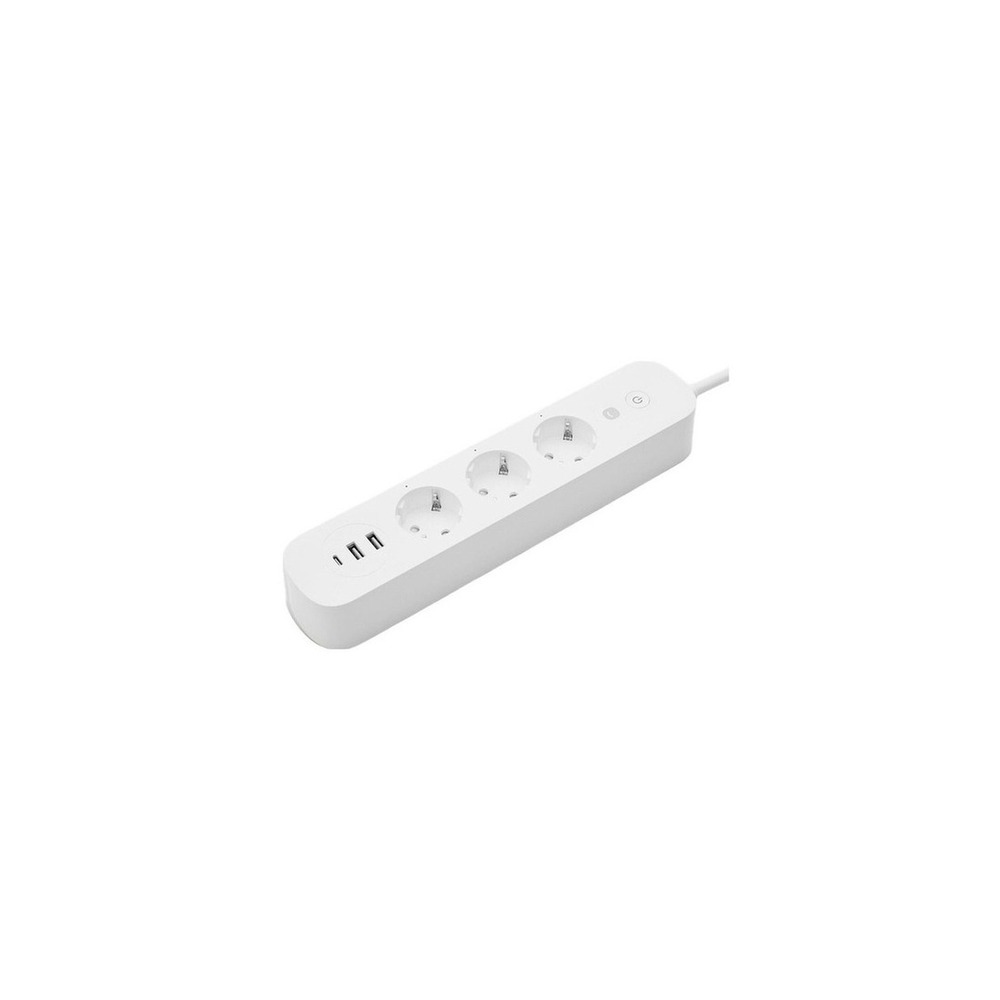
브랜드 TP-Link Tapo 주요 용도 앱과 일정, 에너지 모니터링으로 소형 가전 전원을 관리 알맞은 공간 16A 정격과 전력 측정 기능을 함께 비교할 때 호환 조건 Tapo 앱·2.4GHz Wi-Fi와 음성 플랫폼 지원 확인 전원 가정용 콘센트와 제품 정격 설치 확인 인접 플러그 공간과 접지·네트워크 연결 확인 구독 기본 기능은 구독 없음 개인정보·보안 Tapo 계정과 가족 공유 권한 관리 이미지 출처 쿠팡 파트너스 상품 검색 이미지
Hejhome Smart High-Capacity Power Strip Guard GKW-PS191

Hejhome Smart High-Capacity Power Strip Guard GKW-PS191

HeyHome 16A Smart High-Capacity Power Strip Guard GKW-PS191, 1 piece, Single Color, 1.5m

The inclusion of the HeyHome smart high-capacity power strip guard GKW-PS191 in the ‘Smart Plugs and Power Strips for Managing Standby Power and Energy Usage’ is due to its ability to schedule and control several devices' power in a strip unit, which directly aligns with the list's purpose. In particular, it’s easy to appreciate the advantages of the HeyHome smart high-capacity power strip guard GKW-PS191 from the perspective of managing multiple devices around TVs or desks. However, the HeyHome smart high-capacity power strip guard GKW-PS191 is not just a product that requires simple connection. The compatibility conditions to check for the HeyHome smart high-capacity power strip guard GKW-PS191 within the ‘Smart Plugs and Power Strips for Managing Standby Power and Energy Usage’ are ‘Hejhome app, Wi-Fi, and confirmed controllable circuit range’, while the power conditions are ‘total rating and combined load of connected appliances’, thus requiring it to be compared with the actual environment of your home.

The installation conditions for the HeyHome smart high-capacity power strip guard GKW-PS191 to be reviewed in accordance with the ‘Smart Plugs and Power Strips for Managing Standby Power and Energy Usage’ are ‘avoiding floor heat and moisture and ensuring cable is laid out during installation’. Based on this condition, first, determine the location and movement path. When evaluating the costs of the ‘Smart Plugs and Power Strips for Managing Standby Power and Energy Usage’ configuration, remember to check that ‘basic app features are subscription-free’, and manage the account and records of the HeyHome smart high-capacity power strip guard GKW-PS191 according to the principle of ‘account permissions and firmware availability check’. After installing the HeyHome smart high-capacity power strip guard GKW-PS191 based on the ‘Smart Plugs and Power Strips for Managing Standby Power and Energy Usage’, your first few days should involve testing both automation results and manual operations. Just before purchase, it’s safer to recheck the model name, components, ratings, and sales status of the HeyHome smart high-capacity power strip guard GKW-PS191 linked from the original source.
브랜드 Hejhome 주요 용도 여러 기기의 전원을 멀티탭 단위로 예약·차단 알맞은 공간 TV장이나 책상에서 여러 기기를 묶어 관리할 때 호환 조건 Hejhome 앱·Wi-Fi와 제어 가능한 회로 범위 확인 전원 총 정격과 연결 가전의 합산 부하 설치 확인 바닥 열·습기를 피하고 케이블을 펼쳐 설치 구독 기본 앱 기능은 구독 없음 개인정보·보안 계정 권한과 펌웨어 제공 여부 확인 이미지 출처 쿠팡 파트너스 상품 검색 이미지
Once you have selected a candidate, let's not install all devices in the ‘Smart Plugs and Power Strips for Managing Standby Power and Energy Usage’ list at once. Instead, try testing one frequently used feature for about a week first. Start with low power consumption devices like lights and fans and check manufacturer permissions for heating appliances and motorized devices before repeating the connections during practical living hours. This will help quickly identify unnecessary notifications, communication gaps, and operations that may inconvenience your family. Also, confirm whether basic functions can be operated manually at this stage.

Include the following on the final purchase checklist: rated current, grounding, overload protection, power measurement support, 2.4GHz Wi-Fi, and standby status. By checking battery and consumable replacement cycles, account sharing scope, and necessary resetting procedures before resale or moving, it will be easier to anticipate management costs. For installations related to electricity, water, or security access, don’t rely solely on the sales page wording and prioritize the manufacturer's guidelines and management entity regulations.
한눈에 보기 7개
TP-Link Tapo P100 Smart Plug
TP-Link Tapo · 콘센트 한 곳을 앱과 일정으로 켜고 끔 · 조명·선풍기처럼 물리 스위치가 유지되는 소형 가전 · Tapo 앱·2.4GHz Wi-Fi·지원 음성비서 확인 · 가정용 콘센트, 제품 정격 내 부하 · 벽 콘센트에 꽂고 주변 콘센트 간섭 확인 · 기본 제어는 구독 없음 · 공유 계정과 외부 원격접속 권한 관리 · 쿠팡 파트너스 상품 검색 이미지
TP-Link Tapo P110 Smart Plug
TP-Link Tapo · 원격 전원과 전력 사용량을 함께 확인 · 가전별 소비전력 추이를 보고 싶은 집 · Tapo 앱·2.4GHz Wi-Fi와 전력 모니터링 지원 버전 확인 · 가정용 콘센트, 표시 정격 내 부하 · 접지 상태와 플러그 본체 간섭 확인 · 기본 기능은 구독 없음 · 사용 패턴 데이터가 계정에 연결되므로 공유 범위 확인 · 쿠팡 파트너스 상품 검색 이미지
Hejhome Smart Plug
Hejhome · 앱·예약으로 개별 콘센트 전원을 제어 · 국내 앱 환경으로 작은 가전 자동화를 시작할 때 · Hejhome 앱·2.4GHz Wi-Fi와 음성 플랫폼 지원 확인 · 가정용 콘센트와 제품 정격 · 벽면 콘센트와 멀티탭 간격 확인 · 기본 제어는 구독 없음 · 가족 초대 계정과 원격제어 권한 확인 · 쿠팡 파트너스 상품 검색 이미지
Aion IoT Smart Plug
아이온 · 전원 예약과 원격 제어, 에너지 모니터링으로 대기전력을 관리 · 국내 판매 스마트 플러그로 소비전력을 확인할 때 · 전용 앱·Wi-Fi와 음성 플랫폼 지원 범위 확인 · 가정용 콘센트와 표시 정격 · 플러그 방향과 인접 콘센트 간섭 확인 · 기본 기능의 구독 여부는 사용 앱 정책 확인 · 계정 비밀번호와 가족 공유 권한 관리 · 쿠팡 파트너스 상품 검색 이미지
Officially Certified Aqara Smart Plug
Aqara · Zigbee 자동화에 콘센트 전원을 포함 · Aqara 센서 동작과 가전 전원을 연결하려는 집 · 호환 Aqara Hub·Zigbee와 지역 코드 확인 · 국내 플러그 규격과 표시 정격 · 허브 통신 거리와 접지·콘센트 여유 확인 · 기본 자동화는 구독 없음 · 허브 관리자 계정과 자동화 실행 권한 확인 · 쿠팡 파트너스 상품 검색 이미지
TP-Link Tapo P115 Smart Plug
TP-Link Tapo · 앱과 일정, 에너지 모니터링으로 소형 가전 전원을 관리 · 16A 정격과 전력 측정 기능을 함께 비교할 때 · Tapo 앱·2.4GHz Wi-Fi와 음성 플랫폼 지원 확인 · 가정용 콘센트와 제품 정격 · 인접 플러그 공간과 접지·네트워크 연결 확인 · 기본 기능은 구독 없음 · Tapo 계정과 가족 공유 권한 관리 · 쿠팡 파트너스 상품 검색 이미지
Hejhome Smart High-Capacity Power Strip Guard GKW-PS191
Hejhome · 여러 기기의 전원을 멀티탭 단위로 예약·차단 · TV장이나 책상에서 여러 기기를 묶어 관리할 때 · Hejhome 앱·Wi-Fi와 제어 가능한 회로 범위 확인 · 총 정격과 연결 가전의 합산 부하 · 바닥 열·습기를 피하고 케이블을 펼쳐 설치 · 기본 앱 기능은 구독 없음 · 계정 권한과 펌웨어 제공 여부 확인 · 쿠팡 파트너스 상품 검색 이미지

이 포스팅은 쿠팡 파트너스 활동의 일환으로, 이에 따른 일정액의 수수료를 제공받습니다.

댓글 0

로그인 후 댓글을 작성할 수 있습니다.

첫 댓글을 남겨보세요.

이런 리스트는 어때요?

이런 리스트도 추천해요

🎲

여기서 멈추기엔 아쉽잖아?

다음에 뭘 볼지 고민하는 시간이 제일 아까워.
주사위가 대신 골라줄게 — 무슨 리스트가 튀어나올지는 굴려봐야 알지.
안 누르면… 평생 궁금하지 않겠어? 👀

All menu
Login required
Log in
Categories
Language
Display mode
✦ ✦ ✦ ✦ ✦

Drum roll… picking a list!

모하지
Use Mohazi as an app
Open it from your home screen and browse faster.
On iPhone, tap the Share button at the bottom of Safari, then choose “Add to Home Screen” to use it like an app.