
Collection
Audio
2026.09.30
A Network Streamer Connecting Music at Home with One App
A comparison of streaming services, input/output, screens, and multi-room functionality in real network players
A network streamer is not just a device that sends music from your phone via Bluetooth. When the device connects directly to streaming services, you can use your phone like a remote control without being interrupted by notifications or calls. This list compares real network players based on key differences necessary for connecting to existing audio systems, such as built-in DACs, digital outputs, HDMI ARC, multi-room setup, and screens.
First, check whether the services you use are supported by the official app and device, and be aware of subscription fees and regional restrictions. If you're planning to connect an external DAC or integrated amplifier, distinguish between fixed and variable outputs. In rooms where Wi-Fi is unstable, Ethernet wiring provides a more reliable connection, and the multi-room range varies depending on the brand ecosystem or support for AirPlay and Chromecast.
First, check whether the services you use are supported by the official app and device, and be aware of subscription fees and regional restrictions. If you're planning to connect an external DAC or integrated amplifier, distinguish between fixed and variable outputs. In rooms where Wi-Fi is unstable, Ethernet wiring provides a more reliable connection, and the multi-room range varies depending on the brand ecosystem or support for AirPlay and Chromecast.
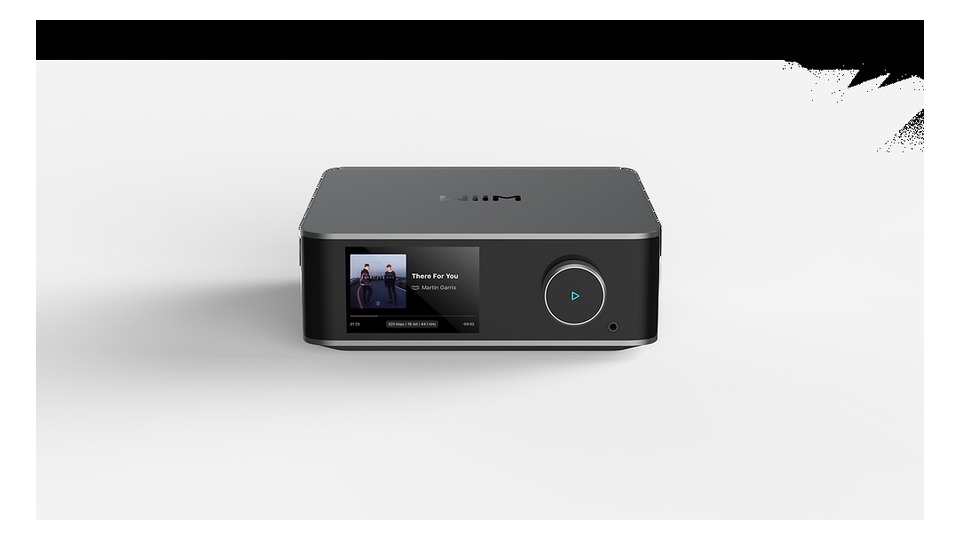
WiiM Ultra
The first thing to check in the official product information for the WiiM Ultra is the connection method and usage conditions. It uses a 3.5-inch touchscreen and ESS ES9038 Q2M DAC, providing HDMI ARC, phono and line inputs, USB storage, and subwoofer output. Therefore, consider the advantages this product offers in scenarios such as consolidating TV, turntable, and subwoofer into one device, and whether it connects seamlessly with your current devices and space.
Since the WiiM Ultra is not an AirPlay-certified product, check for alternative connections if using Apple-centric multi-room setups. Don’t confuse phono and line inputs; when connecting an external DAC, pay attention to fixed output and volume bypass conditions. If you need AirPlay, decide on another connection method first, and set separate EQ and volume limits for the phono input and HDMI ARC.
Since the WiiM Ultra is not an AirPlay-certified product, check for alternative connections if using Apple-centric multi-room setups. Don’t confuse phono and line inputs; when connecting an external DAC, pay attention to fixed output and volume bypass conditions. If you need AirPlay, decide on another connection method first, and set separate EQ and volume limits for the phono input and HDMI ARC.
브랜드 WiiM
모델 Ultra
제품 유형 화면·HDMI ARC 내장 네트워크 스트리머
추천 용도 TV·턴테이블·서브우퍼까지 한 기기에 모으기
구매 확인 AirPlay 미지원 여부·HDMI ARC와 포노 입력 설정
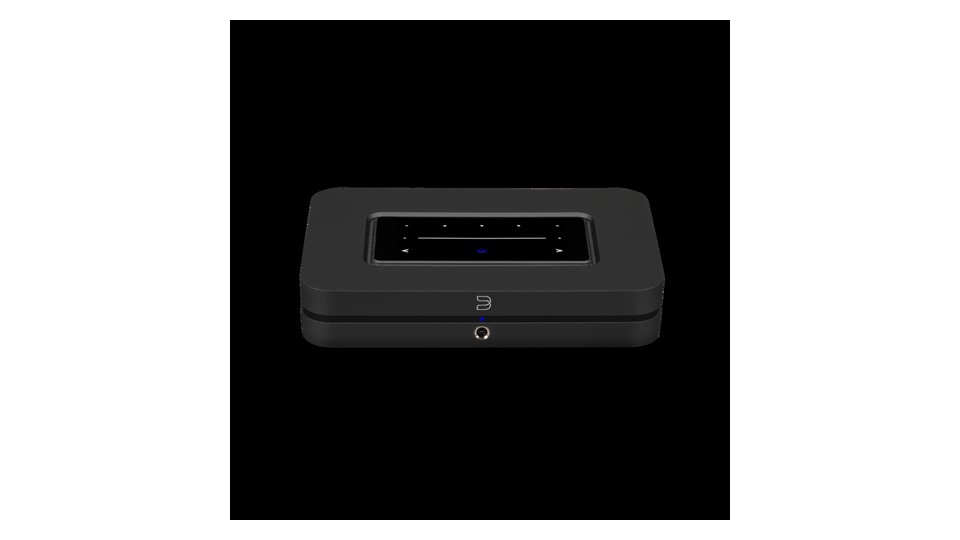
Bluesound NODE
The first point in the official product information for the Bluesound NODE is to review the connection method and usage conditions. It uses an ESS ES9039Q2M DAC and BluOS, providing HDMI eARC, analog, optical, coaxial, USB outputs, and THX AAA headphone circuitry. Therefore, assess the advantages it offers for scenarios like linking multiple rooms with BluOS and connecting to your existing amplifier, ensuring compatibility with your current devices and space.
There are versions of NODE that are similar in appearance and name, so check whether it is the N132 model. When connecting directly to a power amplifier, set variable output and maximum volume limits first, and look into the accessibility of BluOS-supported services in your region. After confirming whether the main unit is the N132 generation, check the login for BluOS services, and set a maximum volume limit before direct connection to the power amplifier.
There are versions of NODE that are similar in appearance and name, so check whether it is the N132 model. When connecting directly to a power amplifier, set variable output and maximum volume limits first, and look into the accessibility of BluOS-supported services in your region. After confirming whether the main unit is the N132 generation, check the login for BluOS services, and set a maximum volume limit before direct connection to the power amplifier.
브랜드 Bluesound
모델 NODE N132
제품 유형 BluOS 네트워크 음악 스트리머
추천 용도 여러 방을 BluOS로 묶고 기존 앰프에 연결하기
구매 확인 모델 세대 N132·HDMI eARC와 출력 모드
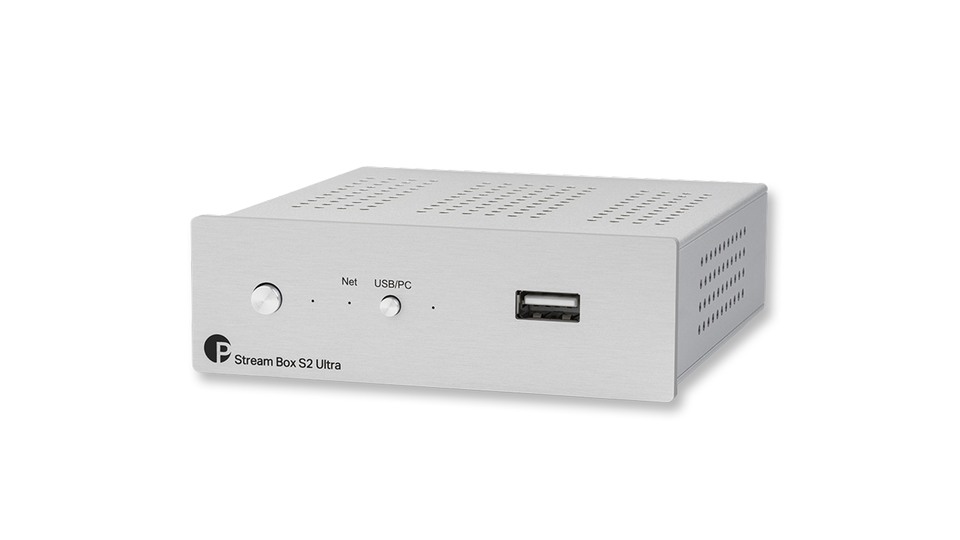
Pro-Ject Stream Box S2 Ultra
The first thing to check in the official product information for the Pro-Ject Stream Box S2 Ultra is the connection method and usage conditions. It is a small streaming bridge that receives network audio via Ethernet and Wi-Fi, delivering it to external DACs through USB audio output. It also supports HDMI video output and USB storage connections. Therefore, consider what advantages this product offers in scenarios such as adding network playback to existing USB DACs, and whether it connects smoothly with your current devices and space.
Since it does not include an analog output DAC, a separate USB DAC is required. Check the supported services and control apps, and ensure your USB DAC is compatible with Linux USB Audio. If your USB DAC needs compatibility with Linux USB Audio, and if analog output is necessary, budget separately for the DAC.
Since it does not include an analog output DAC, a separate USB DAC is required. Check the supported services and control apps, and ensure your USB DAC is compatible with Linux USB Audio. If your USB DAC needs compatibility with Linux USB Audio, and if analog output is necessary, budget separately for the DAC.
브랜드 Pro-Ject
모델 Stream Box S2 Ultra
제품 유형 USB 브리지형 네트워크 스트리머
추천 용도 기존 USB DAC에 네트워크 재생을 추가하기
구매 확인 내장 DAC 없음·USB 출력과 외부 전원 구성
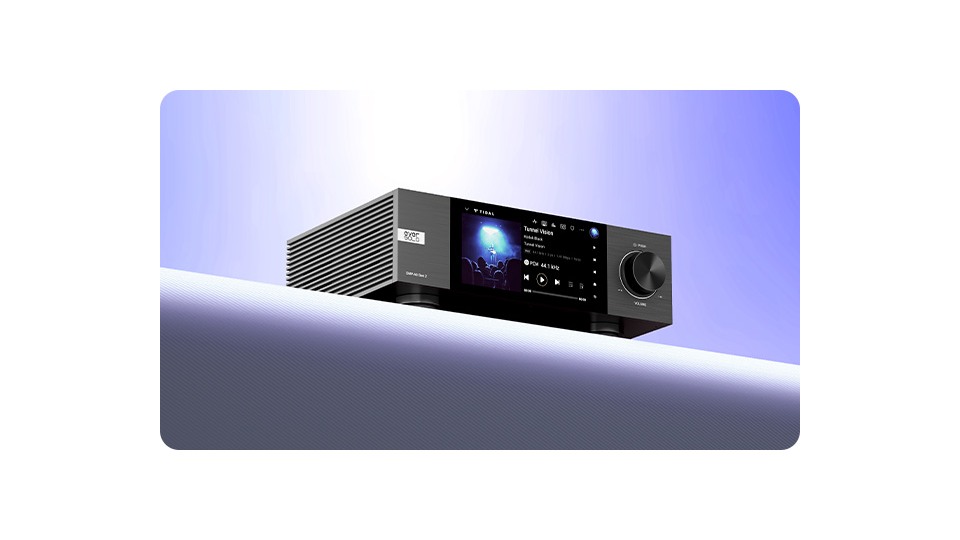
Eversolo DMP-A6 Gen 2
The first thing to review in the official product information for the Eversolo DMP-A6 Gen 2 is the connection method and usage conditions. It features a 6-inch LCD and dual ES9038Q2M DAC, with XLR and RCA analog outputs, various digital inputs/outputs, and an internal SSD slot. Therefore, consider the benefits this product provides in scenarios such as managing local files and streaming on the screen, and whether it connects without issues with your current devices and space.
The SSD is sold separately, depending on the package, so check its installation specifications and ensure it can handle heat. The authentication of the streaming app and regional support can change, and before direct connection to a power amplifier, set volume protection and output modes. Confirm the supported specifications for SSD installation, and reliably establish one path suitable for your amplifier between XLR and RCA.
The SSD is sold separately, depending on the package, so check its installation specifications and ensure it can handle heat. The authentication of the streaming app and regional support can change, and before direct connection to a power amplifier, set volume protection and output modes. Confirm the supported specifications for SSD installation, and reliably establish one path suitable for your amplifier between XLR and RCA.
브랜드 Eversolo
모델 DMP-A6 Gen 2
제품 유형 6인치 화면 네트워크 플레이어·DAC
추천 용도 로컬 파일과 스트리밍을 화면에서 함께 관리하기
구매 확인 내장 저장장치 별도·XLR/RCA 출력과 앱 서비스
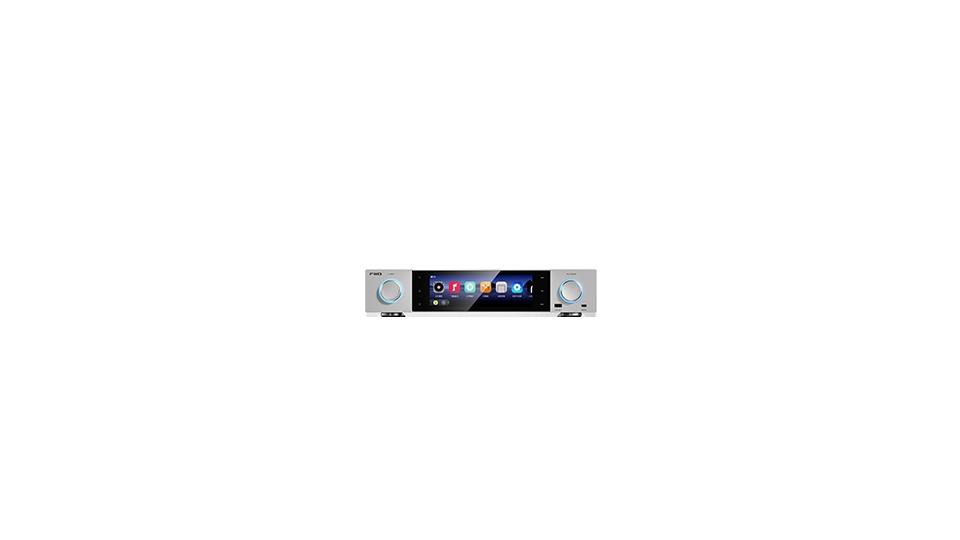
FiiO S15
The first aspect to look for in the official product information for the FiiO S15 is its connection method and usage conditions. It features a 7.84-inch screen and AKM DAC configuration, providing network streaming, local playback, headphone output, and XLR, RCA, and digital inputs/outputs. Therefore, evaluate the advantages this product provides in scenarios such as operating headphones, active speakers, and local files with one device, and check if it connects seamlessly with the current devices and space.
Even if the app is based on Android, not all services have the same remote control functionality or landscape mode. Check the storage devices and USB connection standards, and ensure multiple outputs do not activate simultaneously by reviewing the active outputs in the menu. Test the landscape mode and login status of the streaming app you will use on the large screen, and familiarize yourself with the headphone and line output switching menu.
Even if the app is based on Android, not all services have the same remote control functionality or landscape mode. Check the storage devices and USB connection standards, and ensure multiple outputs do not activate simultaneously by reviewing the active outputs in the menu. Test the landscape mode and login status of the streaming app you will use on the large screen, and familiarize yourself with the headphone and line output switching menu.
브랜드 FiiO
모델 S15
제품 유형 대형 화면 데스크톱 네트워크 스트리머·DAC
추천 용도 헤드폰과 액티브 스피커·로컬 파일을 한 기기로 운용하기
구매 확인 Android 앱 호환·내부 저장장치와 출력 선택
To consolidate your screen, HDMI ARC, and phono input in one place, the WiiM Ultra has a wide range of features. The NODE is ideal for BluOS multi-room, the Stream Box S2 Ultra makes use of existing USB DACs, the DMP-A6 Gen 2 suits large screens and local libraries, and the S15 is great for headphone output alongside various storage and outputs. After determining the roles of your existing amp and DAC, choose features that don’t overlap.
For initial setup, uploading firmware via wired LAN before switching to Wi-Fi can minimize errors. When connecting variable outputs to a power amplifier, keep the initial volume very low and set a maximum volume limit. Limit access permissions for streaming service logins and NAS shares to just what's necessary, and since app support can greatly affect long-term usability, it’s wise to check the manufacturer’s update history along with the product price.
For initial setup, uploading firmware via wired LAN before switching to Wi-Fi can minimize errors. When connecting variable outputs to a power amplifier, keep the initial volume very low and set a maximum volume limit. Limit access permissions for streaming service logins and NAS shares to just what's necessary, and since app support can greatly affect long-term usability, it’s wise to check the manufacturer’s update history along with the product price.
한눈에 보기
5개
WiiM Ultra
WiiM · Ultra · 화면·HDMI ARC 내장 네트워크 스트리머 · TV·턴테이블·서브우퍼까지 한 기기에 모으기 · AirPlay 미지원 여부·HDMI ARC와 포노 입력 설정
Bluesound NODE
Bluesound · NODE N132 · BluOS 네트워크 음악 스트리머 · 여러 방을 BluOS로 묶고 기존 앰프에 연결하기 · 모델 세대 N132·HDMI eARC와 출력 모드
Pro-Ject Stream Box S2 Ultra
Pro-Ject · Stream Box S2 Ultra · USB 브리지형 네트워크 스트리머 · 기존 USB DAC에 네트워크 재생을 추가하기 · 내장 DAC 없음·USB 출력과 외부 전원 구성
Eversolo DMP-A6 Gen 2
Eversolo · DMP-A6 Gen 2 · 6인치 화면 네트워크 플레이어·DAC · 로컬 파일과 스트리밍을 화면에서 함께 관리하기 · 내장 저장장치 별도·XLR/RCA 출력과 앱 서비스
FiiO S15
FiiO · S15 · 대형 화면 데스크톱 네트워크 스트리머·DAC · 헤드폰과 액티브 스피커·로컬 파일을 한 기기로 운용하기 · Android 앱 호환·내부 저장장치와 출력 선택
이 포스팅은 쿠팡 파트너스 활동의 일환으로, 이에 따른 일정액의 수수료를 제공받습니다.
댓글 0
로그인 후 댓글을 작성할 수 있습니다.
첫 댓글을 남겨보세요.
이런 리스트는 어때요?


이런 리스트도 추천해요


🎲
여기서 멈추기엔 아쉽잖아?
다음에 뭘 볼지 고민하는 시간이 제일 아까워.
주사위가 대신 골라줄게 — 무슨 리스트가 튀어나올지는 굴려봐야 알지.
안 누르면… 평생 궁금하지 않겠어? 👀
