Ranking
Smart Home
2026.07.03
Flagship Robot Vacuums with Different Auto-Dock Designs
A comparison of real models checking mopping design, threshold handling, and even sales status
“Flagship Robot Vacuums with Different Auto-Dock Designs” is a list focused on comparing robot vacuums with different auto docks and mopping systems, based on your living space and how much upkeep you're willing to handle. Even when smart home products use the same feature names, their connectivity, hubs, and installation requirements differ, so deciding based on a single device can easily leave your automation broken. In this post, we sort out what each product is meant to do and look at the features you'll actually use day to day, along with what you need to have ready.
A realistic setup order starts with measuring thresholds, carpets, and low furniture, deciding how often you'll empty the dustbin and handle water supply and drainage, and then checking officially supported regions and the availability of consumables. Before buying, compare each product against these conditions: launch region, whether it's still on sale, camera and map data, dock size, mop washing method, and local warranty and consumable costs. Rather than counting features on the app screen, decide how it behaves when the internet goes down, how family members can operate it directly, and who will check things when something goes wrong; that way, automation is less likely to get in the way of daily life.
A realistic setup order starts with measuring thresholds, carpets, and low furniture, deciding how often you'll empty the dustbin and handle water supply and drainage, and then checking officially supported regions and the availability of consumables. Before buying, compare each product against these conditions: launch region, whether it's still on sale, camera and map data, dock size, mop washing method, and local warranty and consumable costs. Rather than counting features on the app screen, decide how it behaves when the internet goes down, how family members can operate it directly, and who will check things when something goes wrong; that way, automation is less likely to get in the way of daily life.
1
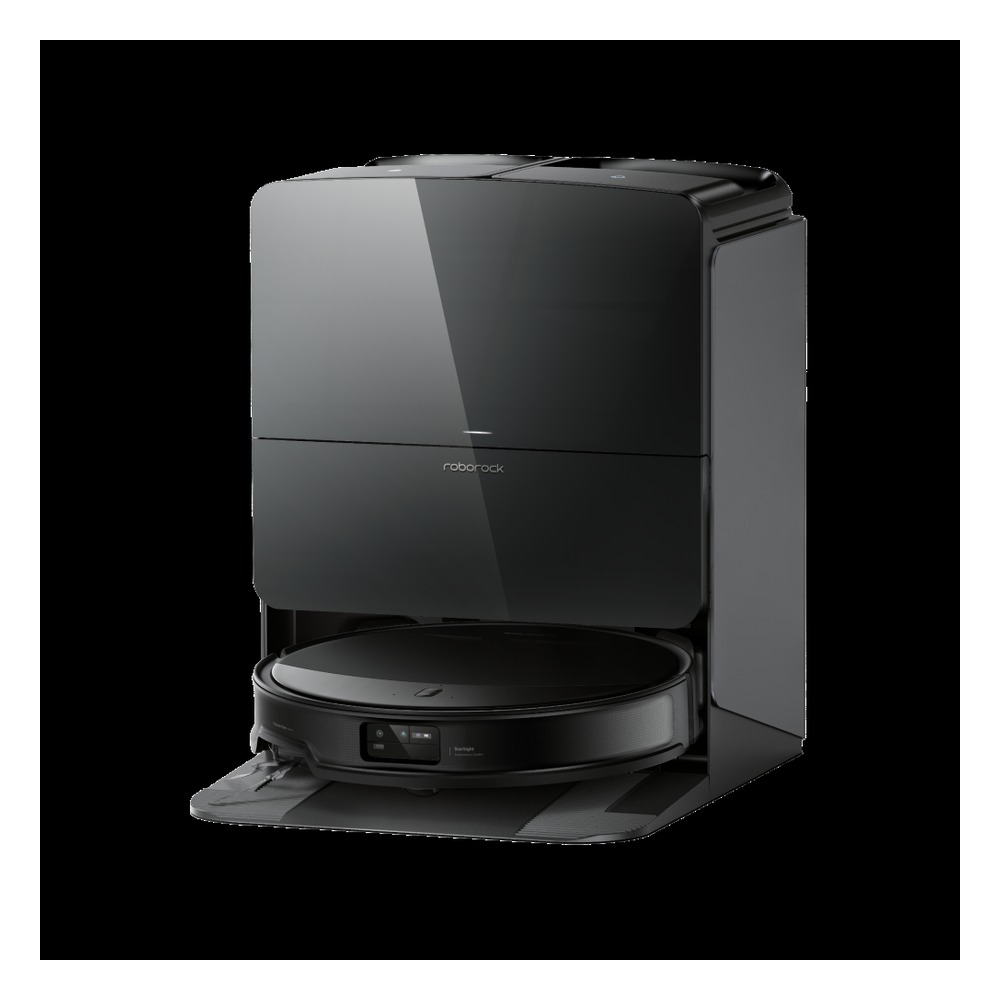
Roborock Saros 10R
We included the Roborock Saros 10R in “Flagship Robot Vacuums with Different Auto-Dock Designs” because its use case of getting under low furniture while automating vacuuming and mopping ties directly to the purpose of this list. Homes that prioritize body height and obstacle avoidance in particular will easily notice the Roborock Saros 10R's strengths. That said, the Roborock Saros 10R isn't a product where you're done once it's connected. The compatibility requirement to check first for the Roborock Saros 10R is listed as “check Roborock app, supported voice platforms, and Matter coverage by region,” and the power requirement as “constant power to the charging dock,” so compare these against your actual home setup.
The installation requirement to look at before setting up the Roborock Saros 10R is “check clearance in front of and behind the dock, a level floor, and Wi-Fi signal strength.” Use this as the basis for deciding placement and cleaning paths first. When weighing setup costs, confirm “no subscription for basic app control,” and manage the Roborock Saros 10R's account and records under the principle of “managing map and camera features and the scope of family account sharing.” For the first few days after installing the Roborock Saros 10R, test both the automated results and manual operation. Right before buying, it's safest to double-check the Roborock Saros 10R's model name, included components, ratings, and sales status in the linked source.
The installation requirement to look at before setting up the Roborock Saros 10R is “check clearance in front of and behind the dock, a level floor, and Wi-Fi signal strength.” Use this as the basis for deciding placement and cleaning paths first. When weighing setup costs, confirm “no subscription for basic app control,” and manage the Roborock Saros 10R's account and records under the principle of “managing map and camera features and the scope of family account sharing.” For the first few days after installing the Roborock Saros 10R, test both the automated results and manual operation. Right before buying, it's safest to double-check the Roborock Saros 10R's model name, included components, ratings, and sales status in the linked source.
브랜드 Roborock
주요 용도 낮은 가구 아래까지 진입하며 흡입과 물걸레 청소를 자동화
알맞은 상황 본체 높이와 장애물 회피를 우선하는 집
호환 조건 Roborock 앱·지원 음성 플랫폼·Matter 제공 범위를 지역별로 확인
전원 충전 도크 상시 전원
설치 확인 도크 앞뒤 여유 공간과 평평한 바닥, Wi-Fi 수신 상태 확인
구독 기본 앱 제어는 구독 없음
개인정보·안전 지도·카메라 기능과 가족 계정 공유 범위 관리
이미지 출처 https://global.roborock.com/pages/roborock-saros-10r
2
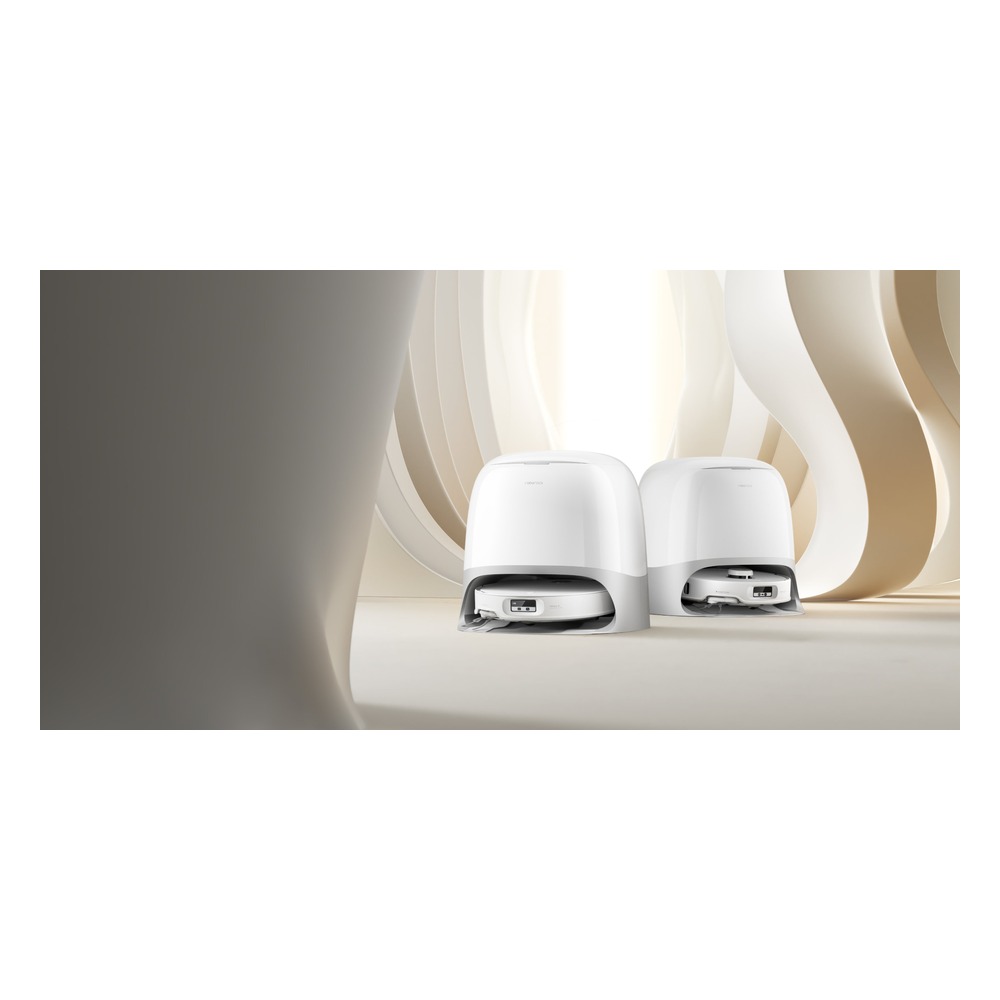
Roborock Qrevo Curv
We included the Roborock Qrevo Curv in “Flagship Robot Vacuums with Different Auto-Dock Designs” because its use case of cutting down floor care with rotating mops and a self-washing dock ties directly to the purpose of this list. From this list's perspective, homes comparing mop upkeep and threshold handling together will especially notice the Roborock Qrevo Curv's strengths. That said, the Roborock Qrevo Curv isn't a product where you're done once it's connected. The compatibility requirement for the Roborock Qrevo Curv is listed as “check app features by specific Qrevo Curv model and sales region,” and the power requirement as “constant power to the charging and washing dock,” so compare these against your actual home setup.
The installation requirement for the Roborock Qrevo Curv is “space to manage the dock's water tanks, and measured threshold and carpet heights.” Use this as the basis for deciding placement and cleaning paths first. When weighing setup costs, confirm “no subscription for basic app features,” and manage the Roborock Qrevo Curv's account and records under the principle of “limiting home map and remote control permissions per family member.” For the first few days after installing the Roborock Qrevo Curv, test both the automated results and manual operation. Right before buying, it's safest to double-check the Roborock Qrevo Curv's model name, included components, ratings, and sales status in the linked source.
The installation requirement for the Roborock Qrevo Curv is “space to manage the dock's water tanks, and measured threshold and carpet heights.” Use this as the basis for deciding placement and cleaning paths first. When weighing setup costs, confirm “no subscription for basic app features,” and manage the Roborock Qrevo Curv's account and records under the principle of “limiting home map and remote control permissions per family member.” For the first few days after installing the Roborock Qrevo Curv, test both the automated results and manual operation. Right before buying, it's safest to double-check the Roborock Qrevo Curv's model name, included components, ratings, and sales status in the linked source.
브랜드 Roborock
주요 용도 회전 물걸레와 자동 세척 도크로 바닥 관리를 줄임
알맞은 상황 물걸레 관리와 문턱 대응을 함께 비교하는 집
호환 조건 Qrevo Curv 세부 모델과 판매 지역별 앱 기능 확인
전원 충전·세척 도크 상시 전원
설치 확인 도크 급수통 관리 공간과 문턱·카펫 높이 실측
구독 기본 앱 기능은 구독 없음
개인정보·안전 집 지도와 원격 제어 권한을 가족별로 제한
이미지 출처 https://global.roborock.com/pages/roborock-qrevo-curv-series
3
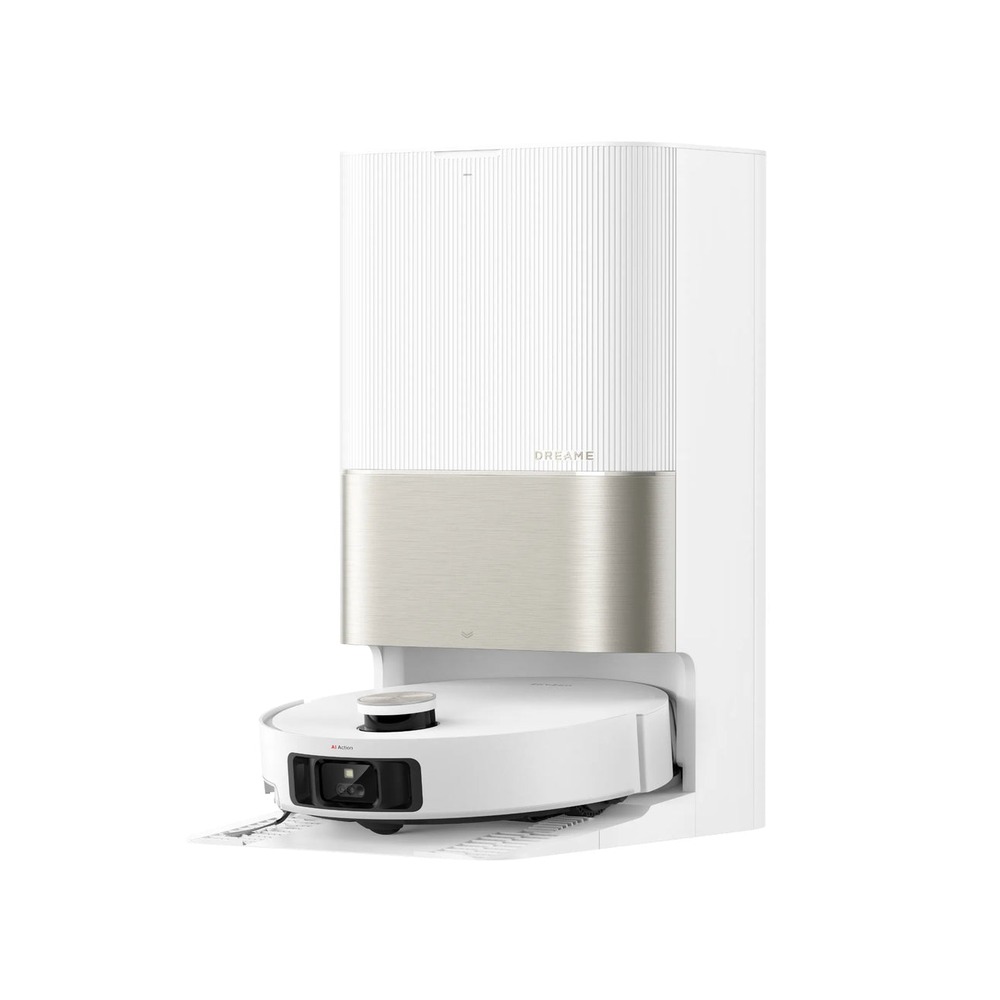
Dreame X50 Ultra
We included the Dreame X50 Ultra in “Flagship Robot Vacuums with Different Auto-Dock Designs” because its use case of crossing thresholds and getting into low spaces while automating vacuuming, mopping, and dock maintenance ties directly to the purpose of this list. Homes with complex furniture layouts and high thresholds in particular will easily notice the Dreame X50 Ultra's strengths. That said, the Dreame X50 Ultra isn't a product where you're done once it's connected. The compatibility requirement for the Dreame X50 Ultra is listed as “check the Dreamehome app and the model, voltage, and supported features by country,” and the power requirement as “constant power to the charging dock,” so compare these against your actual home setup.
The installation requirement for the Dreame X50 Ultra is “space around the dock and enough height to pull out the clean and dirty water tanks.” Use this as the basis for deciding placement and cleaning paths first. When weighing costs, confirm “no subscription for basic app use,” and manage the Dreame X50 Ultra's account and records under the principle of “protecting camera and map data and remote access accounts.” For the first few days after installing the Dreame X50 Ultra, test both the automated results and manual operation. Right before buying, it's safest to double-check the Dreame X50 Ultra's model name, included components, ratings, and sales status in the linked source.
The installation requirement for the Dreame X50 Ultra is “space around the dock and enough height to pull out the clean and dirty water tanks.” Use this as the basis for deciding placement and cleaning paths first. When weighing costs, confirm “no subscription for basic app use,” and manage the Dreame X50 Ultra's account and records under the principle of “protecting camera and map data and remote access accounts.” For the first few days after installing the Dreame X50 Ultra, test both the automated results and manual operation. Right before buying, it's safest to double-check the Dreame X50 Ultra's model name, included components, ratings, and sales status in the linked source.
브랜드 Dreame
주요 용도 문턱과 낮은 공간을 이동하며 흡입·물걸레·도크 관리를 자동화
알맞은 상황 복잡한 가구 배치와 높은 문턱이 있는 집
호환 조건 Dreamehome 앱과 국가별 모델·전압·지원 기능 확인
전원 충전 도크 상시 전원
설치 확인 도크 주변 공간과 급·오수통을 꺼낼 높이 확보
구독 기본 앱 사용은 구독 없음
개인정보·안전 카메라·지도 데이터와 원격 접속 계정 보호
이미지 출처 https://www.dreametech.com/products/x50-ultra-robot-vacuum
4
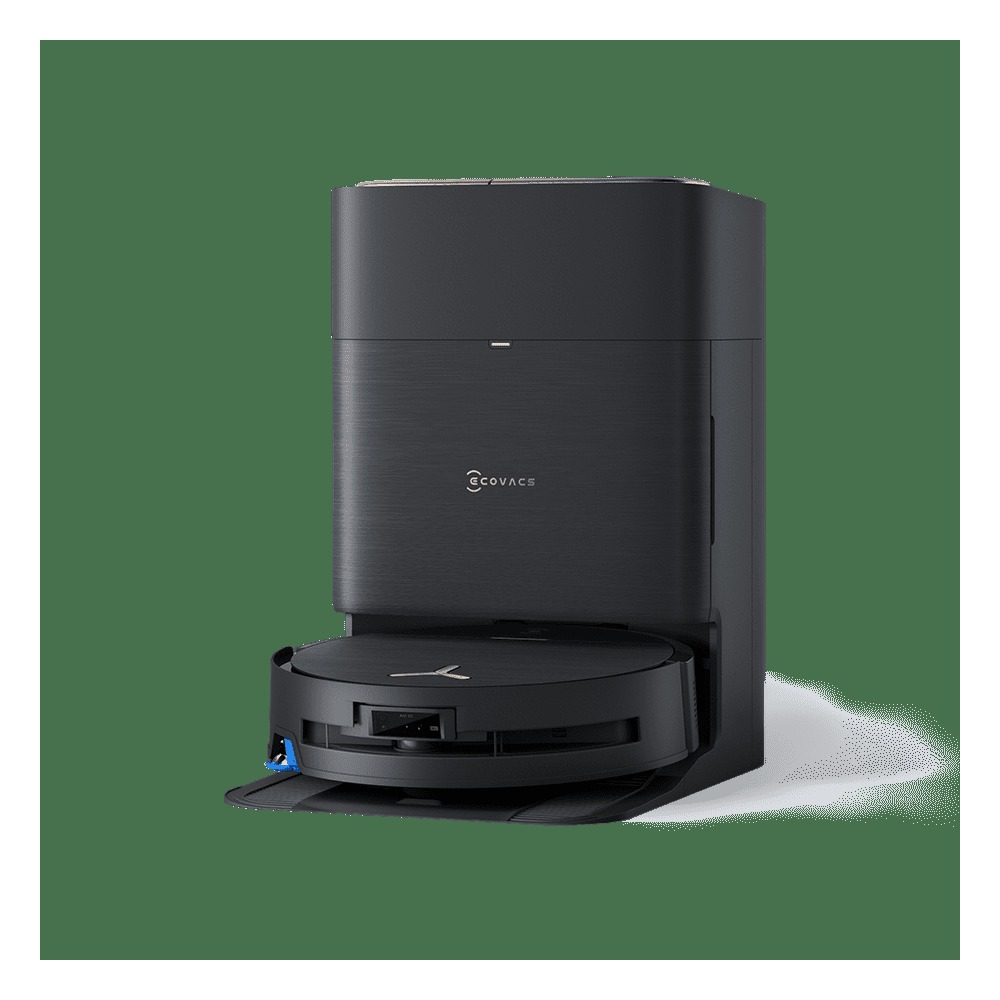
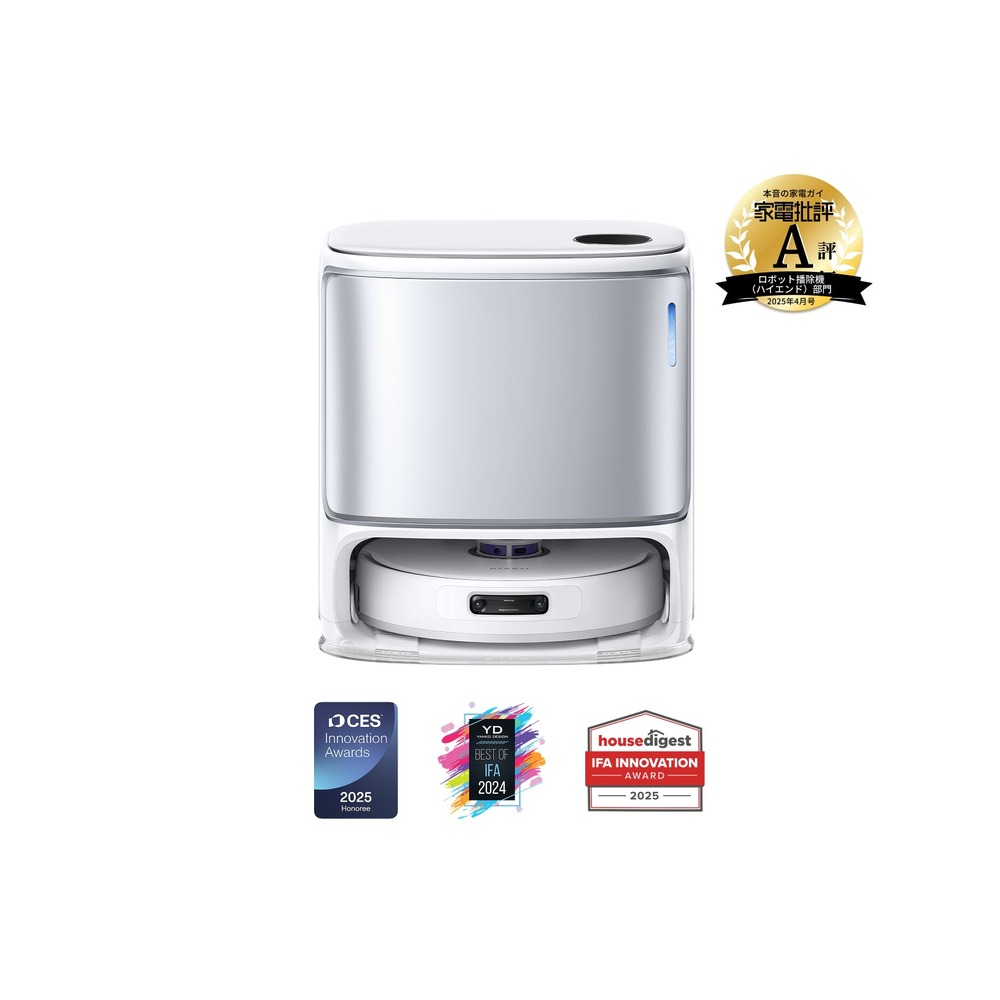
ECOVACS DEEBOT X9 PRO OMNI
Ecovacs Deebot X9 Pro Omni
We included the ECOVACS DEEBOT X9 PRO OMNI in “Flagship Robot Vacuums with Different Auto-Dock Designs” because its use case of handling vacuuming, washing, and drying with a roller mop and the OMNI Station ties directly to the purpose of this list. Homes that frequently clean dirty floors and pet hair in particular will easily notice the ECOVACS DEEBOT X9 PRO OMNI's strengths. That said, the ECOVACS DEEBOT X9 PRO OMNI isn't a product where you're done once it's connected. The compatibility requirement for the ECOVACS DEEBOT X9 PRO OMNI is listed as “check the ECOVACS HOME app, country of sale, and consumable support,” and the power requirement as “constant power to the OMNI Station,” so compare these against your actual home setup.
The installation requirement for the ECOVACS DEEBOT X9 PRO OMNI is “clear approach space in front of the station and an easy path for swapping water tanks.” Use this as the basis for deciding placement and cleaning paths first. When weighing the cost of the whole setup, confirm “no subscription for basic control,” and manage the ECOVACS DEEBOT X9 PRO OMNI's account and records under the principle of “reviewing indoor map and camera permissions and the scope of account sharing.” For the first few days after installing the ECOVACS DEEBOT X9 PRO OMNI with this list as a reference, test both the automated results and manual operation. Right before buying, it's safest to double-check the ECOVACS DEEBOT X9 PRO OMNI's model name, included components, ratings, and sales status in the linked source.
The installation requirement for the ECOVACS DEEBOT X9 PRO OMNI is “clear approach space in front of the station and an easy path for swapping water tanks.” Use this as the basis for deciding placement and cleaning paths first. When weighing the cost of the whole setup, confirm “no subscription for basic control,” and manage the ECOVACS DEEBOT X9 PRO OMNI's account and records under the principle of “reviewing indoor map and camera permissions and the scope of account sharing.” For the first few days after installing the ECOVACS DEEBOT X9 PRO OMNI with this list as a reference, test both the automated results and manual operation. Right before buying, it's safest to double-check the ECOVACS DEEBOT X9 PRO OMNI's model name, included components, ratings, and sales status in the linked source.
브랜드 ECOVACS
주요 용도 롤러 물걸레와 OMNI 스테이션으로 흡입·세척·건조를 관리
알맞은 상황 마루 오염과 반려동물 털을 자주 청소하는 집
호환 조건 ECOVACS HOME 앱과 판매 국가·소모품 지원 확인
전원 OMNI 스테이션 상시 전원
설치 확인 스테이션 앞 진입 공간과 물통 교체 동선 확보
구독 기본 제어는 구독 없음
개인정보·안전 실내 지도·카메라 권한과 계정 공유 범위 점검
이미지 출처 https://www.ecovacs.com/us/shop/deebot-robotic-vacuum-cleaner/deebot-x9-pro-omni
5
Narwal Freo Z Ultra
We included the Narwal Freo Z Ultra in “Flagship Robot Vacuums with Different Auto-Dock Designs” because its use case of detecting how dirty the floor is and automatically adjusting vacuuming and mop washing ties directly to the purpose of this list. Homes that care about changing floor dirt levels and quiet operation in particular will easily notice the Narwal Freo Z Ultra's strengths. That said, the Narwal Freo Z Ultra isn't a product where you're done once it's connected. The compatibility requirement for the Narwal Freo Z Ultra is listed as “check the Narwal Freo app and local sales, language, and consumable support,” and the power requirement as “constant power to the charging and washing station,” so compare these against your actual home setup.
The installation requirement for the Narwal Freo Z Ultra is “space to manage the station's water tanks and cleaning solution.” Use this as the basis for deciding placement and cleaning paths first. When weighing costs, confirm “no subscription for basic app features,” and manage the Narwal Freo Z Ultra's account and records under the principle of “checking camera and map storage policies and family account permissions.” For the first few days after installing the Narwal Freo Z Ultra, test both the automated results and manual operation. Right before buying, it's safest to double-check the Narwal Freo Z Ultra's model name, included components, ratings, and sales status in the linked source.
The installation requirement for the Narwal Freo Z Ultra is “space to manage the station's water tanks and cleaning solution.” Use this as the basis for deciding placement and cleaning paths first. When weighing costs, confirm “no subscription for basic app features,” and manage the Narwal Freo Z Ultra's account and records under the principle of “checking camera and map storage policies and family account permissions.” For the first few days after installing the Narwal Freo Z Ultra, test both the automated results and manual operation. Right before buying, it's safest to double-check the Narwal Freo Z Ultra's model name, included components, ratings, and sales status in the linked source.
브랜드 Narwal
주요 용도 오염 상태를 판단하며 흡입과 물걸레 세척을 자동으로 조절
알맞은 상황 바닥 오염 변화와 저소음 운전을 중요하게 보는 집
호환 조건 Narwal Freo 앱과 국내 판매·언어·소모품 지원 확인
전원 충전·세척 스테이션 상시 전원
설치 확인 스테이션 물통과 세정제 관리 공간 확보
구독 기본 앱 기능은 구독 없음
개인정보·안전 카메라와 지도 저장 정책, 가족 계정 권한 확인
이미지 출처 https://jp.narwal.com/products/narwal-freo-z-ultra-robot-vacuum-mop
6
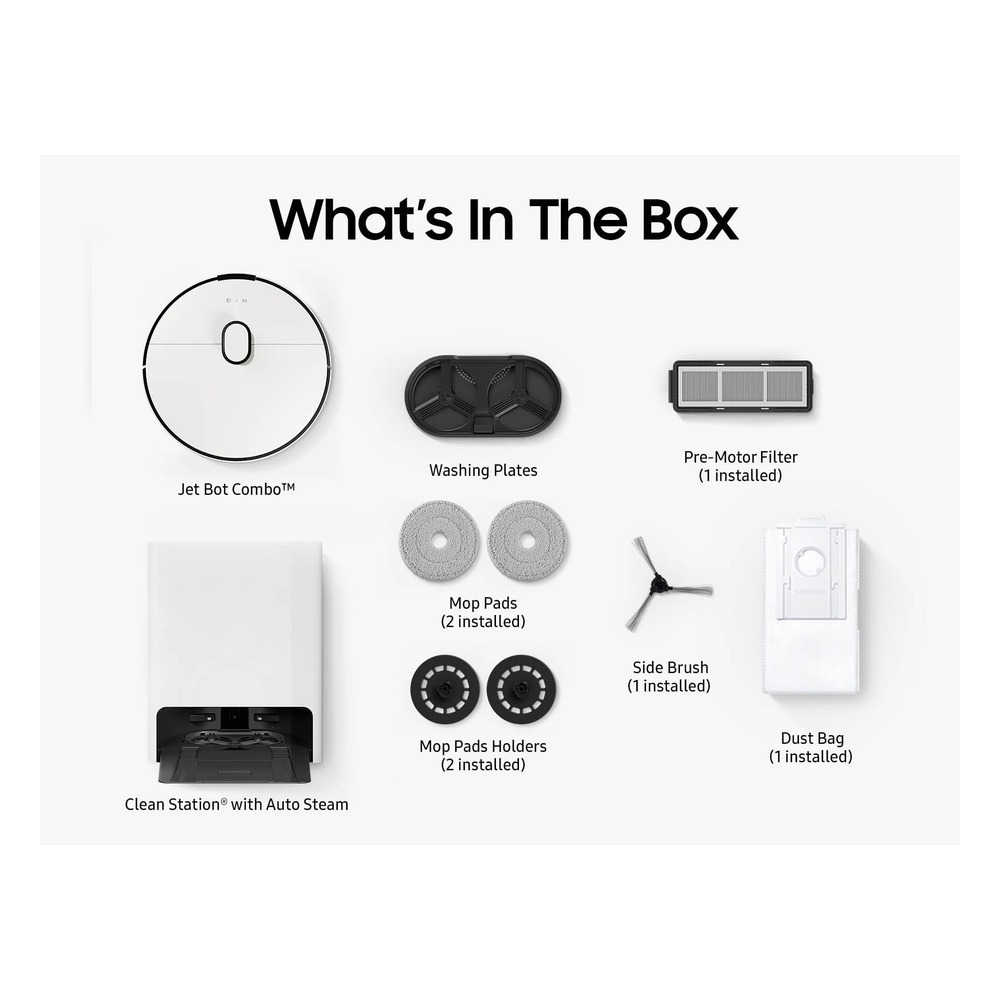
Samsung Bespoke Jet Bot Combo AI
Samsung Bespoke AI Jet Bot Combo
We included the Samsung Bespoke Jet Bot Combo AI in “Flagship Robot Vacuums with Different Auto-Dock Designs” because its use case of handling vacuuming and mopping with AI object recognition and a steam-cleaning station ties directly to the purpose of this list. Homes that value SmartThings integration and access to local service in particular will easily notice the Samsung Bespoke Jet Bot Combo AI's strengths. That said, the Samsung Bespoke Jet Bot Combo AI isn't a product where you're done once it's connected. The compatibility requirement for the Samsung Bespoke Jet Bot Combo AI is listed as “check the local model code and supported SmartThings features with an official retailer,” and the power requirement as “constant power to the All-in-One Clean Station,” so compare these against your actual home setup.
The installation requirement for the Samsung Bespoke Jet Bot Combo AI is “clearance around the station and space to replace water tanks and dust bags.” Use this as the basis for deciding placement and cleaning paths first. When weighing setup costs, confirm “no subscription for basic SmartThings control,” and manage the Samsung Bespoke Jet Bot Combo AI's account and records under the principle of “managing camera-based recognition and home map sharing permissions.” For the first few days after installing the Samsung Bespoke Jet Bot Combo AI, test both the automated results and manual operation. Right before buying, it's safest to double-check the Samsung Bespoke Jet Bot Combo AI's model name, included components, ratings, and sales status in the linked source.
The installation requirement for the Samsung Bespoke Jet Bot Combo AI is “clearance around the station and space to replace water tanks and dust bags.” Use this as the basis for deciding placement and cleaning paths first. When weighing setup costs, confirm “no subscription for basic SmartThings control,” and manage the Samsung Bespoke Jet Bot Combo AI's account and records under the principle of “managing camera-based recognition and home map sharing permissions.” For the first few days after installing the Samsung Bespoke Jet Bot Combo AI, test both the automated results and manual operation. Right before buying, it's safest to double-check the Samsung Bespoke Jet Bot Combo AI's model name, included components, ratings, and sales status in the linked source.
브랜드 Samsung
주요 용도 AI 사물 인식과 스팀 세척 스테이션으로 흡입·물걸레를 관리
알맞은 상황 SmartThings 연동과 국내 서비스 접근성을 중시하는 집
호환 조건 국내 모델 코드와 SmartThings 지원 기능을 공식 판매처에서 확인
전원 올인원 클린 스테이션 상시 전원
설치 확인 스테이션 주변 여유와 물통·먼지봉투 교체 공간 확보
구독 기본 SmartThings 제어는 구독 없음
개인정보·안전 카메라 기반 인식과 집 지도의 공유 권한 관리
이미지 출처 https://www.samsung.com/us/business/vacuum-cleaners/robot/bespoke-jet-bot-combo-robot-vacuum-and-mop-with-all-in-one-clean-station-with-auto-steam-sku-vr7md96514g-aa/
7
LG CordZero Objet Collection R5 R580HK
LG CordZero R5/R9 Series
We included the LG CordZero Objet Collection R5 R580HK in “Flagship Robot Vacuums with Different Auto-Dock Designs” because its use case of vacuuming dust and mopping together with LiDAR navigation ties directly to the purpose of this list. Homes that prioritize local service and LG ThinQ integration in particular will easily notice the LG CordZero Objet Collection R5 R580HK's strengths. That said, the LG CordZero Objet Collection R5 R580HK isn't a product where you're done once it's connected. The compatibility requirement for the LG CordZero Objet Collection R5 R580HK is listed as “check R580HK features and the scope of ThinQ and third-party voice platform support,” and the power requirement as “constant power to the charging stand or All-in-One Tower,” so compare these against your actual home setup.
The installation requirement to look at alongside for the LG CordZero Objet Collection R5 R580HK is “clear approach space around the charging stand and an easy path for manually handling the mop.” Use this as the basis for deciding placement and cleaning paths first. When weighing costs, confirm “no subscription for basic ThinQ features,” and manage the LG CordZero Objet Collection R5 R580HK's account and records under the principle of “managing the home map and account sharing scope at the family level.” For the first few days after installing the LG CordZero Objet Collection R5 R580HK, test both the automated results and manual operation. Right before buying, it's safest to double-check the LG CordZero Objet Collection R5 R580HK's model name, included components, ratings, and sales status in the linked source.
The installation requirement to look at alongside for the LG CordZero Objet Collection R5 R580HK is “clear approach space around the charging stand and an easy path for manually handling the mop.” Use this as the basis for deciding placement and cleaning paths first. When weighing costs, confirm “no subscription for basic ThinQ features,” and manage the LG CordZero Objet Collection R5 R580HK's account and records under the principle of “managing the home map and account sharing scope at the family level.” For the first few days after installing the LG CordZero Objet Collection R5 R580HK, test both the automated results and manual operation. Right before buying, it's safest to double-check the LG CordZero Objet Collection R5 R580HK's model name, included components, ratings, and sales status in the linked source.
브랜드 LG전자
주요 용도 라이다 주행으로 먼지 흡입과 물걸레 청소를 함께 수행
알맞은 상황 국내 서비스와 LG ThinQ 연동을 우선하는 집
호환 조건 R580HK 기능·ThinQ·외부 음성 플랫폼 지원 범위 확인
전원 충전대 또는 올인원타워 상시 전원
설치 확인 충전대 주변 진입 공간과 물걸레 수동 관리 동선 확보
구독 기본 ThinQ 기능은 구독 없음
개인정보·안전 집 지도와 계정 공유 범위를 가족 단위로 관리
이미지 출처 https://www.lge.co.kr/support/product-R580HK?cstFlag=Y&mktModelCd=R580HK
8
iRobot Roomba Combo j9+
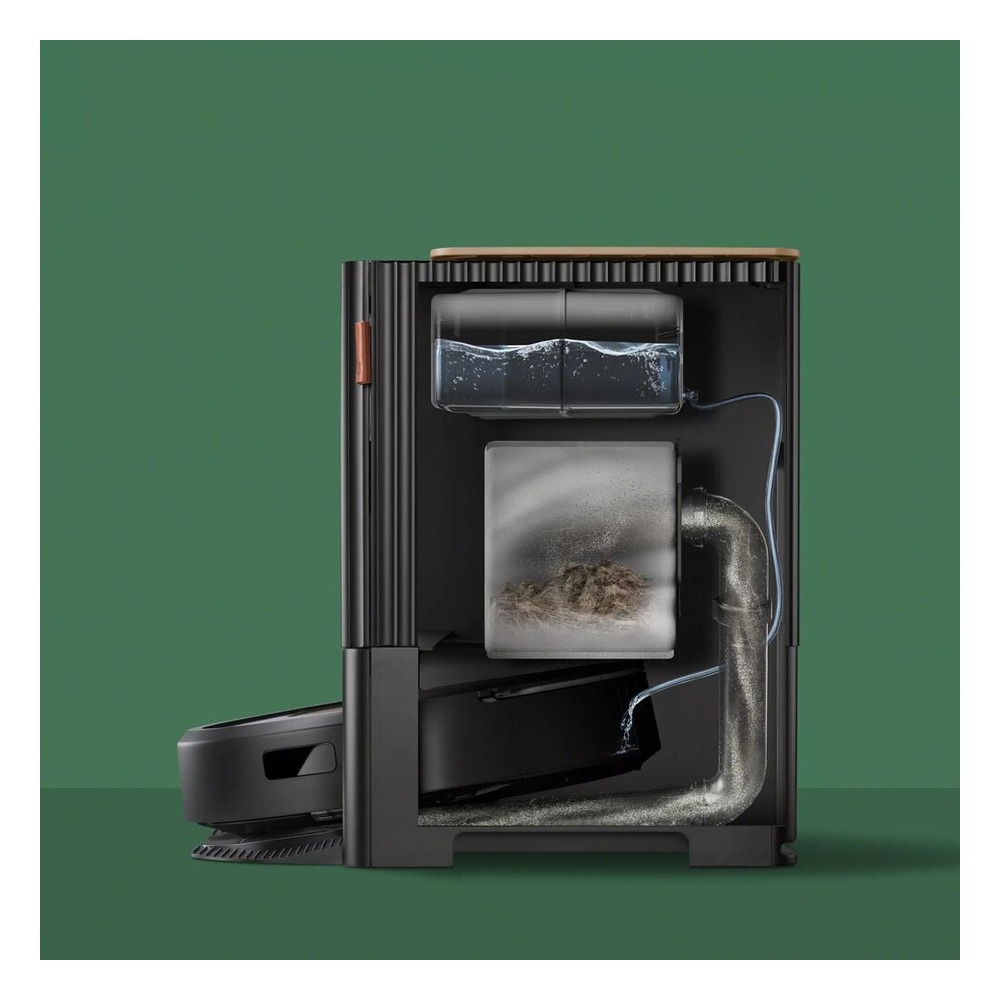
We included the iRobot Roomba Combo j9+ in “Flagship Robot Vacuums with Different Auto-Dock Designs” because its use case of lifting the mop on carpet and keeping cleaning going with an auto-empty and refill dock ties directly to the purpose of this list. Homes with a mix of carpet and hard floors in particular will easily notice the iRobot Roomba Combo j9+'s strengths. That said, the iRobot Roomba Combo j9+ isn't a product where you're done once it's connected. The compatibility requirement to check for the iRobot Roomba Combo j9+ is listed as “check sales status and iRobot Home app and local support,” and the power requirement as “constant power to the Clean Base,” so compare these against your actual home setup.
The installation requirement to look at for the iRobot Roomba Combo j9+ is “enough height and front clearance to open the dock's top panel and water tank.” Use this as the basis for deciding placement and cleaning paths first. When weighing costs, confirm “no subscription for basic app features,” and manage the iRobot Roomba Combo j9+'s account and records under the principle of “managing map and obstacle recognition data and account access permissions.” For the first few days after installing the iRobot Roomba Combo j9+, test both the automated results and manual operation. Right before buying, it's safest to double-check the iRobot Roomba Combo j9+'s model name, included components, ratings, and sales status in the linked source.
The installation requirement to look at for the iRobot Roomba Combo j9+ is “enough height and front clearance to open the dock's top panel and water tank.” Use this as the basis for deciding placement and cleaning paths first. When weighing costs, confirm “no subscription for basic app features,” and manage the iRobot Roomba Combo j9+'s account and records under the principle of “managing map and obstacle recognition data and account access permissions.” For the first few days after installing the iRobot Roomba Combo j9+, test both the automated results and manual operation. Right before buying, it's safest to double-check the iRobot Roomba Combo j9+'s model name, included components, ratings, and sales status in the linked source.
브랜드 iRobot
주요 용도 카펫에서 물걸레를 들어 올리고 자동 비움·급수 도크로 청소를 이어 감
알맞은 상황 카펫과 단단한 바닥이 섞인 집
호환 조건 제품 판매 상태와 iRobot Home 앱·국내 지원 여부 확인
전원 Clean Base 상시 전원
설치 확인 도크 상판과 물통을 열 수 있는 높이·전면 공간 확보
구독 기본 앱 기능은 구독 없음
개인정보·안전 지도·장애물 인식 정보와 계정 접근 권한 관리
이미지 출처 https://www.irobot.com/en_US/roomba-combo-j9plus-auto-fill-robot-vacuum-and-mop/C975020.html
9
eufy Robot Vacuum Omni S1 Pro
Eufy Omni S1 Pro
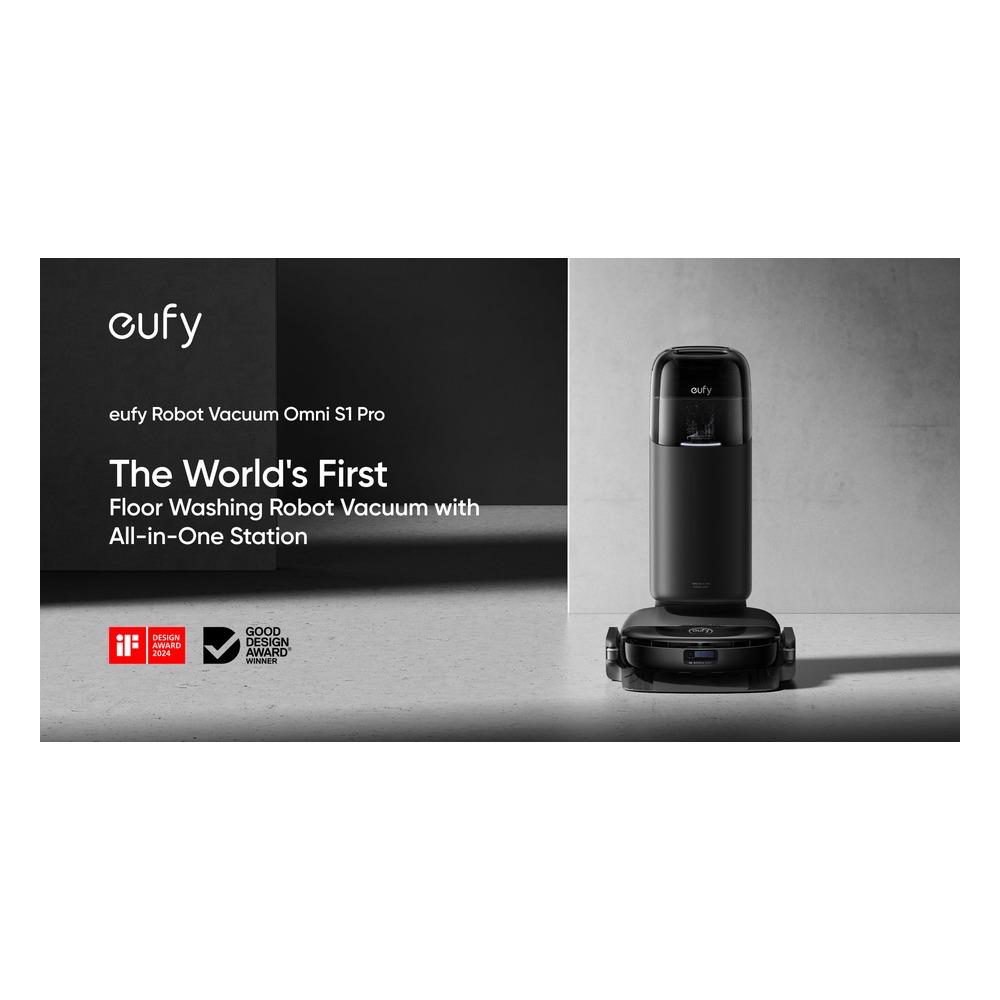
We included the eufy Robot Vacuum Omni S1 Pro in “Flagship Robot Vacuums with Different Auto-Dock Designs” because its use case of washing floors with a roller-type HydroJet mop and the UniClean Station ties directly to the purpose of this list. From this list's perspective, homes looking to compare mop designs other than rotating pads will especially notice the eufy Robot Vacuum Omni S1 Pro's strengths. That said, the eufy Robot Vacuum Omni S1 Pro isn't a product where you're done once it's connected. The compatibility requirement to check for the eufy Robot Vacuum Omni S1 Pro is listed as “check discontinuation notices and regional stock, consumable, and support policies before buying,” and the power requirement as “constant power to the UniClean Station,” so compare these against your actual home setup.
The installation requirement for the eufy Robot Vacuum Omni S1 Pro is “space to replace the station's water tanks, cleaning solution, and dust bags.” Use this as the basis for deciding placement and cleaning paths first. When weighing setup costs, confirm “no subscription for basic app features,” and manage the eufy Robot Vacuum Omni S1 Pro's account and records under the principle of “reviewing map and obstacle recognition data and shared account permissions.” For the first few days after installing the eufy Robot Vacuum Omni S1 Pro with this list as a reference, test both the automated results and manual operation. Right before buying, it's safest to double-check the eufy Robot Vacuum Omni S1 Pro's model name, included components, ratings, and sales status in the linked source.
The installation requirement for the eufy Robot Vacuum Omni S1 Pro is “space to replace the station's water tanks, cleaning solution, and dust bags.” Use this as the basis for deciding placement and cleaning paths first. When weighing setup costs, confirm “no subscription for basic app features,” and manage the eufy Robot Vacuum Omni S1 Pro's account and records under the principle of “reviewing map and obstacle recognition data and shared account permissions.” For the first few days after installing the eufy Robot Vacuum Omni S1 Pro with this list as a reference, test both the automated results and manual operation. Right before buying, it's safest to double-check the eufy Robot Vacuum Omni S1 Pro's model name, included components, ratings, and sales status in the linked source.
브랜드 eufy
주요 용도 롤러형 HydroJet 물걸레와 UniClean 스테이션으로 바닥을 세척
알맞은 상황 회전 패드와 다른 물걸레 구조를 비교하려는 집
호환 조건 단종 공지와 지역별 재고·소모품·지원 정책을 구매 전에 확인
전원 UniClean 스테이션 상시 전원
설치 확인 스테이션 물통·세정제·먼지봉투 교체 공간 확보
구독 기본 앱 기능은 구독 없음
개인정보·안전 지도·장애물 인식 정보와 공유 계정 권한 점검
이미지 출처 https://www.eufy.com/robot-vacuum-s1-pro
10
MOVA P50 Pro Ultra
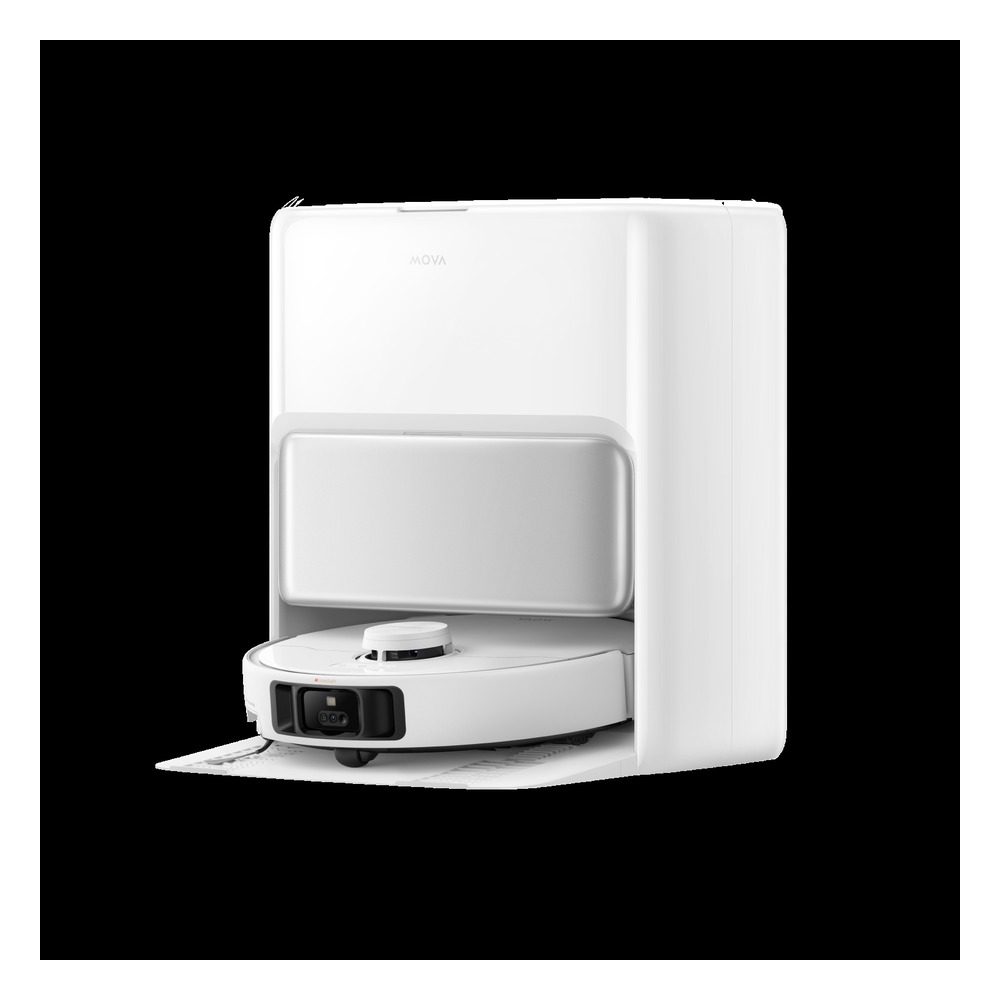
We included the MOVA P50 Pro Ultra in “Flagship Robot Vacuums with Different Auto-Dock Designs” because its use case of cutting down vacuuming and mop upkeep with an auto-empty and mop-washing dock ties directly to the purpose of this list. From this list's perspective, homes comparing price and automation features together will especially notice the MOVA P50 Pro Ultra's strengths. That said, the MOVA P50 Pro Ultra isn't a product where you're done once it's connected. The compatibility requirement for the MOVA P50 Pro Ultra is listed as “check the country of sale and whether official local distribution, the app, and consumables are supported,” and the power requirement as “constant power to the charging and washing dock,” so compare these against your actual home setup.
The installation requirement for the MOVA P50 Pro Ultra is “clear approach space around the dock and enough height to manage the water tanks.” Use this as the basis for deciding placement and cleaning paths first. When weighing setup costs, confirm “no subscription for basic app features,” and manage the MOVA P50 Pro Ultra's account and records under the principle of “limiting the sharing scope of the indoor map and remote control accounts.” For the first few days after installing the MOVA P50 Pro Ultra, test both the automated results and manual operation. Right before buying, it's safest to double-check the MOVA P50 Pro Ultra's model name, included components, ratings, and sales status in the linked source.
The installation requirement for the MOVA P50 Pro Ultra is “clear approach space around the dock and enough height to manage the water tanks.” Use this as the basis for deciding placement and cleaning paths first. When weighing setup costs, confirm “no subscription for basic app features,” and manage the MOVA P50 Pro Ultra's account and records under the principle of “limiting the sharing scope of the indoor map and remote control accounts.” For the first few days after installing the MOVA P50 Pro Ultra, test both the automated results and manual operation. Right before buying, it's safest to double-check the MOVA P50 Pro Ultra's model name, included components, ratings, and sales status in the linked source.
브랜드 MOVA
주요 용도 자동 비움·물걸레 세척 도크를 이용해 흡입과 물걸레 관리를 줄임
알맞은 상황 가격과 자동화 기능을 함께 비교하는 집
호환 조건 판매 국가와 국내 정식 유통·앱·소모품 지원 여부 확인
전원 충전·세척 도크 상시 전원
설치 확인 도크 주변 진입 공간과 물통 관리 높이 확보
구독 기본 앱 기능은 구독 없음
개인정보·안전 실내 지도와 원격 제어 계정의 공유 범위 제한
이미지 출처 https://www.mova.tech/collections/robot-vacuum
Once you've picked a candidate, don't install every device from “Flagship Robot Vacuums with Different Auto-Dock Designs” at once; test the one feature you'll use most for about a week first. By repeatedly measuring thresholds, carpets, and low furniture, deciding how often you'll empty the dustbin and handle water supply and drainage, and checking officially supported regions and the availability of consumables during your actual daily routine, you can quickly spot unnecessary notifications, connectivity dead zones, and behaviors that bother your family. At this stage, also check whether the basic functions can be used manually.
Write these items on your final pre-purchase checklist: launch region, whether it's still on sale, camera and map data, dock size, mop washing method, and local warranty and consumable costs. Checking the battery and consumable replacement cycles, the scope of account sharing, and the reset procedure needed before reselling or moving makes it easier to estimate upkeep costs. For installations involving electricity, water, or entry security, don't rely solely on the wording on sales pages; prioritize the manufacturer's guidance and the rules of whoever manages the property.
Write these items on your final pre-purchase checklist: launch region, whether it's still on sale, camera and map data, dock size, mop washing method, and local warranty and consumable costs. Checking the battery and consumable replacement cycles, the scope of account sharing, and the reset procedure needed before reselling or moving makes it easier to estimate upkeep costs. For installations involving electricity, water, or entry security, don't rely solely on the wording on sales pages; prioritize the manufacturer's guidance and the rules of whoever manages the property.
At a glance
10 items
1
2
3
4
5
6
7
8
9
10
Roborock Saros 10R
Roborock충전 도크 상시 전원기본 앱 제어는 구독 없음
Roborock Qrevo Curv
Roborock충전·세척 도크 상시 전원기본 앱 기능은 구독 없음
Dreame X50 Ultra
Dreame충전 도크 상시 전원기본 앱 사용은 구독 없음
ECOVACS DEEBOT X9 PRO OMNI
ECOVACSOMNI 스테이션 상시 전원기본 제어는 구독 없음
Narwal Freo Z Ultra
Narwal충전·세척 스테이션 상시 전원기본 앱 기능은 구독 없음
Samsung Bespoke Jet Bot Combo AI
Samsung
LG CordZero Objet Collection R5 R580HK
LG전자
iRobot Roomba Combo j9+
iRobot카펫과 단단한 바닥이 섞인 집Clean Base 상시 전원
eufy Robot Vacuum Omni S1 Pro
eufy기본 앱 기능은 구독 없음
MOVA P50 Pro Ultra
MOVA충전·세척 도크 상시 전원기본 앱 기능은 구독 없음
#Smart Home#Robot Vacuum Cleaner#Robot Vacuum Cleaner Recommendations#Cleaning Appliances#Mop Cleaning
As part of the Coupang Partners program, this post may earn a commission from qualifying purchases.
Comments 0
Log in to leave a comment.
Be the first to comment.
How about these lists?


You might also like


🎲
Not ready to stop here?
Wondering what to read next is the biggest waste of time.
Let the dice decide — you won't know what pops up until you roll.
If you don't press it… won't you wonder forever? 👀