Collection
Shopping
2026.10.08
Used Smartphones and Laptops: Powering On Is Not the End of the Check
Official tools for checking everything from lost or stolen status to the battery, storage, and memory
With used smartphones and laptops, it is hard to judge a product as normal just because it powers on and the screen comes up. For a phone, you need to separately check whether it is registered as lost or stolen and whether it is eligible for a carrier discount plan; for a laptop, battery degradation, storage condition, memory errors, and graphics device information. It is safer for the buyer to record the results of tests run on the spot and the device's unique identifiers than to rely on a single diagnostic screen shown by the seller.
This list brings together official services you can look up without installing anything, manufacturer diagnostics, and the main tools for checking PC components. Even if a test result is normal, it does not guarantee against water damage, repair history, or intermittent errors. Get the seller's consent before running diagnostics ahead of the deal, and take care that accounts and personal information do not remain on screen. Keep the result screens, IMEI, and serial numbers in the transaction chat, but in public posts it is best to mask them so the full numbers are not exposed.
This list brings together official services you can look up without installing anything, manufacturer diagnostics, and the main tools for checking PC components. Even if a test result is normal, it does not guarantee against water damage, repair history, or intermittent errors. Get the seller's consent before running diagnostics ahead of the deal, and take care that accounts and personal information do not remain on screen. Keep the result screens, IMEI, and serial numbers in the transaction chat, but in public posts it is best to mask them so the full numbers are not exposed.
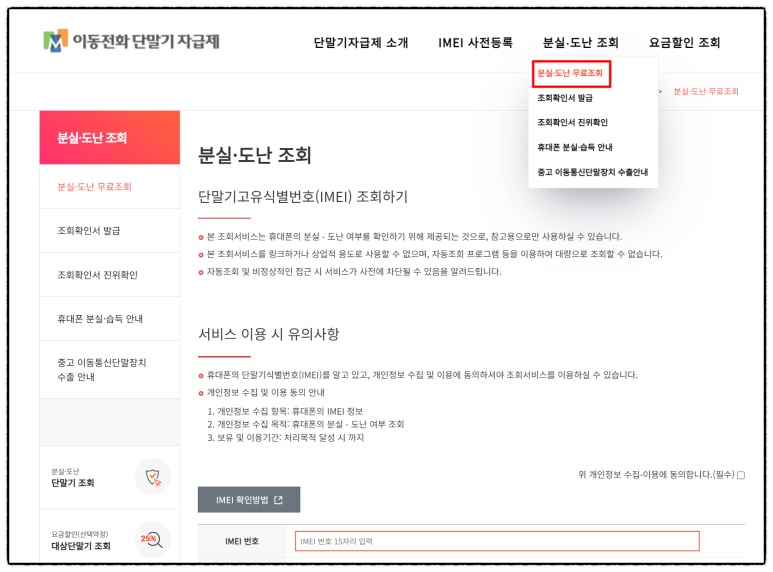
IMEI Lost and Stolen Device Lookup
The IMEI Lost and Stolen Device Lookup is included in this list because it provides the information you need when checking before a deal whether a used phone has been reported lost or stolen. What can be confirmed from the official description by the KAIT IMEI Integrated Management Center and the appearance and working condition of a secondhand item are different kinds of information, so the results from the IMEI Lost and Stolen Device Lookup alone are not used to judge that the seller or the entire product is safe in the situation of checking before a deal whether a used phone has been reported lost or stolen. In this first entry, the items to check are set according to the criterion of getting the seller's consent and cross-checking the IMEI yourself via *#06# or the settings screen on the device, and the product identification details and the result screen are recorded at the same point in time.
When actually using it, get the seller's consent and cross-check the IMEI yourself via *#06# or the settings screen on the device. The checkpoint of getting the seller's consent and cross-checking the IMEI yourself via *#06# or the settings screen on the device is a standard for not missing damage or policy differences that fall outside the scope of the IMEI Lost and Stolen Device Lookup. In particular, if you were unable to meet the condition of getting the seller's consent and cross-checking the IMEI yourself via *#06# or the settings screen on the device, consider putting the transaction on hold before relying on any measured result. The KAIT IMEI Integrated Management Center's features, supported models, and terms of use can change even in the situation of checking before a deal whether a used phone has been reported lost or stolen, so open the official link again right before paying or inspecting. When keeping records, note the fact that you checked while checking before a deal whether a used phone has been reported lost or stolen, along with the date, and mask personal information such as accounts, addresses, and serial numbers that came to light while getting the seller's consent and cross-checking the IMEI yourself via *#06# or the settings screen on the device.
When actually using it, get the seller's consent and cross-check the IMEI yourself via *#06# or the settings screen on the device. The checkpoint of getting the seller's consent and cross-checking the IMEI yourself via *#06# or the settings screen on the device is a standard for not missing damage or policy differences that fall outside the scope of the IMEI Lost and Stolen Device Lookup. In particular, if you were unable to meet the condition of getting the seller's consent and cross-checking the IMEI yourself via *#06# or the settings screen on the device, consider putting the transaction on hold before relying on any measured result. The KAIT IMEI Integrated Management Center's features, supported models, and terms of use can change even in the situation of checking before a deal whether a used phone has been reported lost or stolen, so open the official link again right before paying or inspecting. When keeping records, note the fact that you checked while checking before a deal whether a used phone has been reported lost or stolen, along with the date, and mask personal information such as accounts, addresses, and serial numbers that came to light while getting the seller's consent and cross-checking the IMEI yourself via *#06# or the settings screen on the device.
제공사 KAIT IMEI 통합관리센터
적합한 상황 중고 휴대폰이 분실·도난 신고된 단말인지 거래 전에 조회할 때
사용 전 확인 판매자 동의를 받고 단말의 *#06# 또는 설정 화면에서 IMEI를 직접 대조한다
정보 확인 공식 페이지에서 기능·용도와 이용 조건을 확인
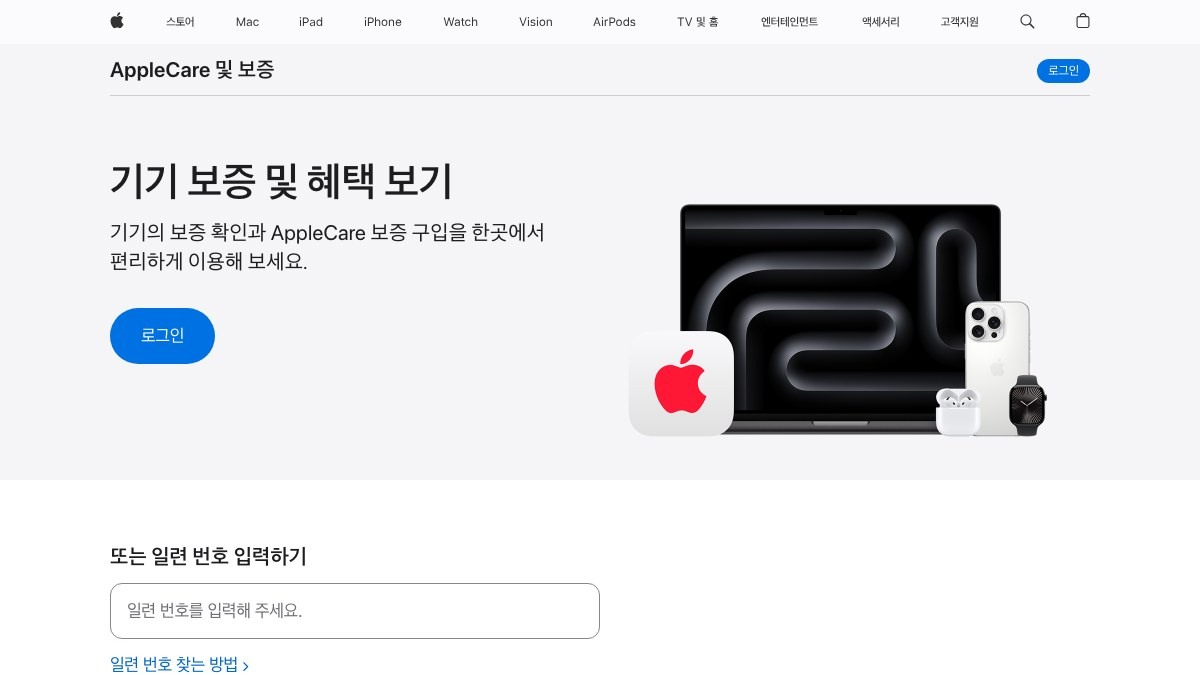
Apple Check Coverage
Apple Check Coverage made this list because it gives you the information you need when you're checking the serial number and warranty information of an iPhone, iPad, or Mac. What the official description from Apple covers and the actual appearance and working condition of a used item are two different things, so don't conclude that the seller or the product as a whole is safe based only on the results from Apple Check Coverage when you're checking the serial number and warranty information of an iPhone, iPad, or Mac. For item #2, decide what to check based on the criterion ‘confirm that the serial number in the device settings matches the one printed on the device and the box’, and record the product's identifying details and the results screen at the same time.
When you actually use it, confirm that the serial number in the device settings matches the one printed on the device and the box. The checkpoint ‘confirm that the serial number in the device settings matches the one printed on the device and the box’ is there so you don't miss damage or policy differences that fall outside the scope of Apple Check Coverage. In particular, if you couldn't meet the condition ‘confirm that the serial number in the device settings matches the one printed on the device and the box’, consider putting the deal on hold before relying on any results. The features, supported models, and terms of use offered by Apple can change, even when you're checking the serial number and warranty information of an iPhone, iPad, or Mac, so reopen the official link right before you pay or inspect. When you keep records, note that you checked this when you're checking the serial number and warranty information of an iPhone, iPad, or Mac, along with the date, and blur out any personal information, such as account details, addresses, or serial numbers, revealed while comparing the serial number in the device settings with the one on the device and the box.
When you actually use it, confirm that the serial number in the device settings matches the one printed on the device and the box. The checkpoint ‘confirm that the serial number in the device settings matches the one printed on the device and the box’ is there so you don't miss damage or policy differences that fall outside the scope of Apple Check Coverage. In particular, if you couldn't meet the condition ‘confirm that the serial number in the device settings matches the one printed on the device and the box’, consider putting the deal on hold before relying on any results. The features, supported models, and terms of use offered by Apple can change, even when you're checking the serial number and warranty information of an iPhone, iPad, or Mac, so reopen the official link right before you pay or inspect. When you keep records, note that you checked this when you're checking the serial number and warranty information of an iPhone, iPad, or Mac, along with the date, and blur out any personal information, such as account details, addresses, or serial numbers, revealed while comparing the serial number in the device settings with the one on the device and the box.
제공사 Apple
적합한 상황 아이폰·아이패드·Mac의 일련번호와 보증 정보를 확인할 때
사용 전 확인 기기 설정의 일련번호와 본체·상자 표기가 같은지 함께 확인한다
정보 확인 공식 페이지에서 기능·용도와 이용 조건을 확인
이미지 출처 https://checkcoverage.apple.com/?locale=ko_KR#official-page-capture
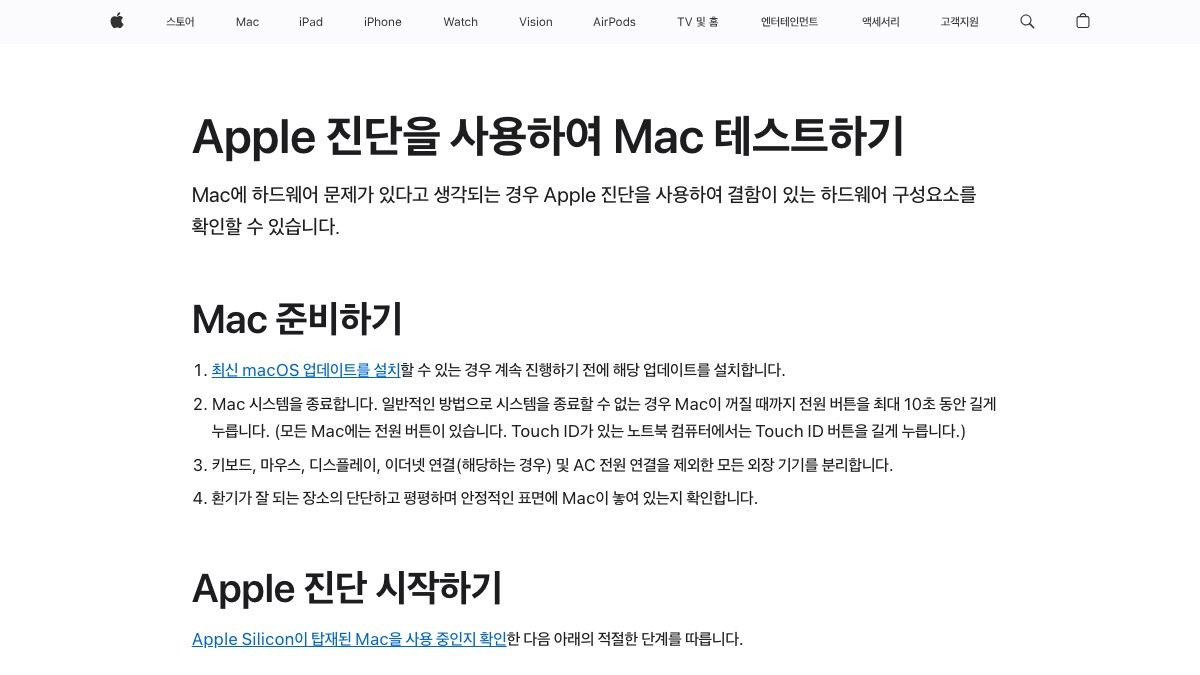
Apple Diagnostics
Apple Diagnostics is included in this list because it provides the information you need when quickly checking a Mac for hardware problems with its built-in diagnostics. What can be confirmed from Apple's official description and the appearance and working condition of a secondhand item are different kinds of information, so the results from Apple Diagnostics alone are not used to judge that the seller or the entire product is safe in the situation of quickly checking a Mac for hardware problems with its built-in diagnostics. In this third entry, the items to check are set according to the criterion of proceeding according to the model, since the way to run it differs between Apple Silicon and Intel Macs, and the product identification details and the result screen are recorded at the same point in time.
When actually using it, proceed according to the model, since the way to run it differs between Apple Silicon and Intel Macs. The checkpoint of proceeding according to the model, since the way to run it differs between Apple Silicon and Intel Macs, is a standard for not missing damage or policy differences that fall outside the scope of Apple Diagnostics. In particular, if you were unable to meet the condition of proceeding according to the model, since the way to run it differs between Apple Silicon and Intel Macs, consider putting the transaction on hold before relying on any measured result. Apple's features, supported models, and terms of use can change even in the situation of quickly checking a Mac for hardware problems with its built-in diagnostics, so open the official link again right before paying or inspecting. When keeping records, note the fact that you checked while quickly checking a Mac for hardware problems with its built-in diagnostics, along with the date, and mask personal information such as accounts, addresses, and serial numbers that came to light while proceeding according to the model, since the way to run it differs between Apple Silicon and Intel Macs.
When actually using it, proceed according to the model, since the way to run it differs between Apple Silicon and Intel Macs. The checkpoint of proceeding according to the model, since the way to run it differs between Apple Silicon and Intel Macs, is a standard for not missing damage or policy differences that fall outside the scope of Apple Diagnostics. In particular, if you were unable to meet the condition of proceeding according to the model, since the way to run it differs between Apple Silicon and Intel Macs, consider putting the transaction on hold before relying on any measured result. Apple's features, supported models, and terms of use can change even in the situation of quickly checking a Mac for hardware problems with its built-in diagnostics, so open the official link again right before paying or inspecting. When keeping records, note the fact that you checked while quickly checking a Mac for hardware problems with its built-in diagnostics, along with the date, and mask personal information such as accounts, addresses, and serial numbers that came to light while proceeding according to the model, since the way to run it differs between Apple Silicon and Intel Macs.
제공사 Apple
적합한 상황 Mac의 하드웨어 문제를 내장 진단으로 빠르게 확인할 때
사용 전 확인 Apple Silicon과 Intel Mac의 실행 방법이 다르므로 모델에 맞게 진행한다
정보 확인 공식 페이지에서 기능·용도와 이용 조건을 확인
이미지 출처 https://support.apple.com/ko-kr/102550#official-page-capture

Samsung Members Diagnostics
Samsung Members Diagnostics made this list because it gives you the information you need when you're checking a Galaxy's key functions, such as the battery, sensors, and camera, all at once. What the official description from Samsung Electronics covers and the actual appearance and working condition of a used item are two different things, so don't conclude that the seller or the product as a whole is safe based only on the results from Samsung Members Diagnostics when you're checking a Galaxy's key functions, such as the battery, sensors, and camera, all at once. For item #4, decide what to check based on the criterion ‘keep in mind that the supported tests can vary by model and app version’, and record the product's identifying details and the results screen at the same time.
When you actually use it, keep in mind that the supported tests can vary by model and app version. The checkpoint ‘keep in mind that the supported tests can vary by model and app version’ is there so you don't miss damage or policy differences that fall outside the scope of Samsung Members Diagnostics. In particular, if you couldn't meet the condition ‘keep in mind that the supported tests can vary by model and app version’, consider putting the deal on hold before relying on any results. The features, supported models, and terms of use offered by Samsung Electronics can change, even when you're checking a Galaxy's key functions, such as the battery, sensors, and camera, all at once, so reopen the official link right before you pay or inspect. When you keep records, note that you checked this when you're checking a Galaxy's key functions, such as the battery, sensors, and camera, all at once, along with the date, and blur out any personal information, such as account details, addresses, or serial numbers, revealed while checking the supported tests for your model and app version.
When you actually use it, keep in mind that the supported tests can vary by model and app version. The checkpoint ‘keep in mind that the supported tests can vary by model and app version’ is there so you don't miss damage or policy differences that fall outside the scope of Samsung Members Diagnostics. In particular, if you couldn't meet the condition ‘keep in mind that the supported tests can vary by model and app version’, consider putting the deal on hold before relying on any results. The features, supported models, and terms of use offered by Samsung Electronics can change, even when you're checking a Galaxy's key functions, such as the battery, sensors, and camera, all at once, so reopen the official link right before you pay or inspect. When you keep records, note that you checked this when you're checking a Galaxy's key functions, such as the battery, sensors, and camera, all at once, along with the date, and blur out any personal information, such as account details, addresses, or serial numbers, revealed while checking the supported tests for your model and app version.
제공사 Samsung Electronics
적합한 상황 갤럭시의 배터리·센서·카메라 등 주요 기능을 한 번에 점검할 때
사용 전 확인 지원 항목은 모델과 앱 버전에 따라 달라질 수 있음을 확인한다
정보 확인 공식 페이지에서 기능·용도와 이용 조건을 확인
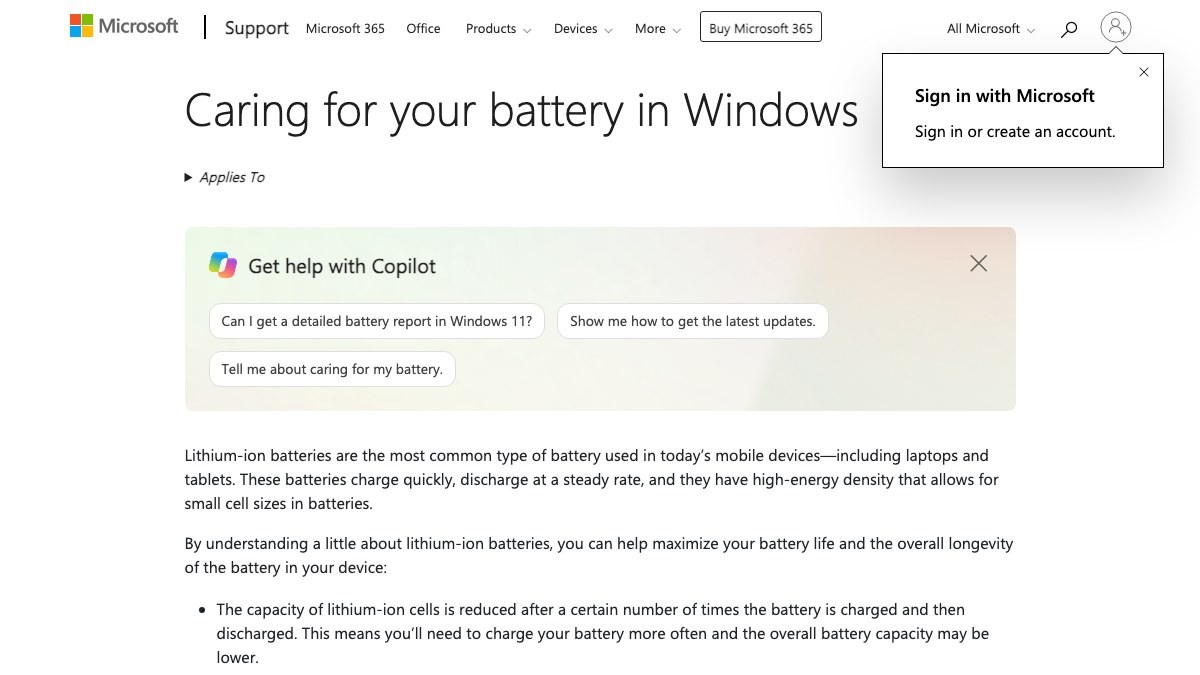
Windows Battery Report
The Windows Battery Report is included in this list because it provides the information you need when comparing the design capacity and current full charge capacity of a Windows laptop. What can be confirmed from Microsoft's official description and the appearance and working condition of a secondhand item are different kinds of information, so the results from the Windows Battery Report alone are not used to judge that the seller or the entire product is safe in the situation of comparing the design capacity and current full charge capacity of a Windows laptop. In this fifth entry, the items to check are set according to the criterion of reading the report figures together with the charge and discharge status, since they vary with usage history, and the product identification details and the result screen are recorded at the same point in time.
When actually using it, read the report figures together with the charge and discharge status, since they vary with usage history. The checkpoint of reading the report figures together with the charge and discharge status, since they vary with usage history, is a standard for not missing damage or policy differences that fall outside the scope of the Windows Battery Report. In particular, if you were unable to meet the condition of reading the report figures together with the charge and discharge status, since they vary with usage history, consider putting the transaction on hold before relying on any measured result. Microsoft's features, supported models, and terms of use can change even in the situation of comparing the design capacity and current full charge capacity of a Windows laptop, so open the official link again right before paying or inspecting. When keeping records, note the fact that you checked while comparing the design capacity and current full charge capacity of a Windows laptop, along with the date, and mask personal information such as accounts, addresses, and serial numbers that came to light while reading the report figures together with the charge and discharge status, since they vary with usage history.
When actually using it, read the report figures together with the charge and discharge status, since they vary with usage history. The checkpoint of reading the report figures together with the charge and discharge status, since they vary with usage history, is a standard for not missing damage or policy differences that fall outside the scope of the Windows Battery Report. In particular, if you were unable to meet the condition of reading the report figures together with the charge and discharge status, since they vary with usage history, consider putting the transaction on hold before relying on any measured result. Microsoft's features, supported models, and terms of use can change even in the situation of comparing the design capacity and current full charge capacity of a Windows laptop, so open the official link again right before paying or inspecting. When keeping records, note the fact that you checked while comparing the design capacity and current full charge capacity of a Windows laptop, along with the date, and mask personal information such as accounts, addresses, and serial numbers that came to light while reading the report figures together with the charge and discharge status, since they vary with usage history.
제공사 Microsoft
적합한 상황 Windows 노트북의 설계 용량과 현재 완충 용량을 비교할 때
사용 전 확인 보고서 수치는 사용 이력에 따라 달라지므로 충전·방전 상태와 함께 본다
정보 확인 공식 페이지에서 기능·용도와 이용 조건을 확인
이미지 출처 https://support.microsoft.com/en-us/windows/experience/power-battery/caring-for-your-battery-in-windows#official-page-capture
CrystalDiskInfo
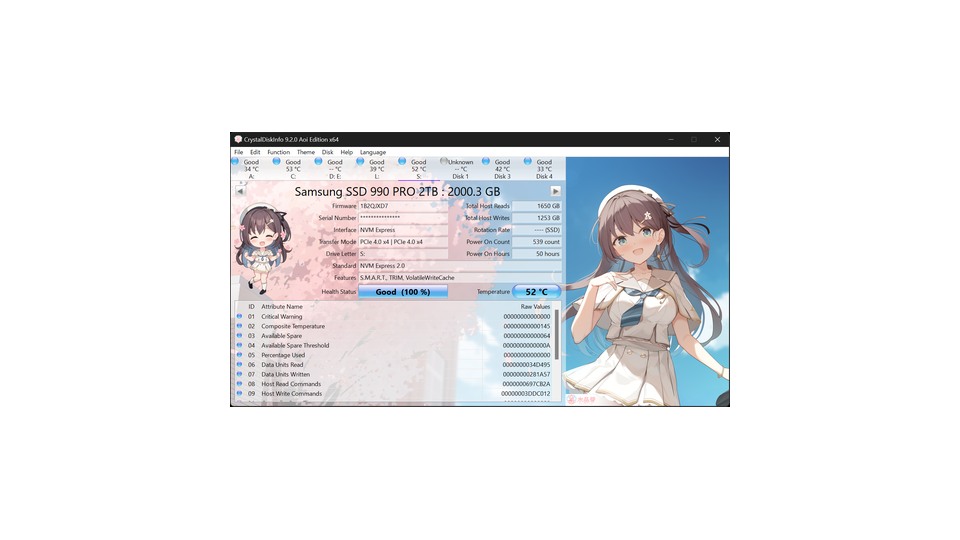
CrystalDiskInfo is included in this list because it provides the information you need when checking the SMART information, power-on hours, and health status of SSDs and HDDs. What can be confirmed from Crystal Dew World's official description and the appearance and working condition of a secondhand item are different kinds of information, so the results from CrystalDiskInfo alone are not used to judge that the seller or the entire product is safe in the situation of checking the SMART information, power-on hours, and health status of SSDs and HDDs. In this sixth entry, the items to check are set according to the criterion of using the official distribution and interpreting the raw values of warning items according to the storage device model, and the product identification details and the result screen are recorded at the same point in time.
When actually using it, use the official distribution and interpret the raw values of warning items according to the storage device model. The checkpoint of using the official distribution and interpreting the raw values of warning items according to the storage device model is a standard for not missing damage or policy differences that fall outside the scope of CrystalDiskInfo. In particular, if you were unable to meet the condition of using the official distribution and interpreting the raw values of warning items according to the storage device model, consider putting the transaction on hold before relying on any measured result. Crystal Dew World's features, supported models, and terms of use can change even in the situation of checking the SMART information, power-on hours, and health status of SSDs and HDDs, so open the official link again right before paying or inspecting. When keeping records, note the fact that you checked while checking the SMART information, power-on hours, and health status of SSDs and HDDs, along with the date, and mask personal information such as accounts, addresses, and serial numbers that came to light while using the official distribution and interpreting the raw values of warning items according to the storage device model.
When actually using it, use the official distribution and interpret the raw values of warning items according to the storage device model. The checkpoint of using the official distribution and interpreting the raw values of warning items according to the storage device model is a standard for not missing damage or policy differences that fall outside the scope of CrystalDiskInfo. In particular, if you were unable to meet the condition of using the official distribution and interpreting the raw values of warning items according to the storage device model, consider putting the transaction on hold before relying on any measured result. Crystal Dew World's features, supported models, and terms of use can change even in the situation of checking the SMART information, power-on hours, and health status of SSDs and HDDs, so open the official link again right before paying or inspecting. When keeping records, note the fact that you checked while checking the SMART information, power-on hours, and health status of SSDs and HDDs, along with the date, and mask personal information such as accounts, addresses, and serial numbers that came to light while using the official distribution and interpreting the raw values of warning items according to the storage device model.
제공사 Crystal Dew World
적합한 상황 SSD·HDD의 SMART 정보와 사용시간·건강 상태를 확인할 때
사용 전 확인 공식 배포본을 사용하고 경고 항목의 원시값을 저장장치 모델 기준으로 해석한다
정보 확인 공식 페이지에서 기능·용도와 이용 조건을 확인
이미지 출처 https://crystalmark.info/en/wp-content/uploads/sites/3/CrystalDiskInfo9Aoi-en.png

HWiNFO
HWiNFO is included in this list because it provides the information you need when comprehensively checking a laptop's CPU, memory, storage, and sensor information. What can be confirmed from REALiX's official description and the appearance and working condition of a secondhand item are different kinds of information, so the results from HWiNFO alone are not used to judge that the seller or the entire product is safe in the situation of comprehensively checking a laptop's CPU, memory, storage, and sensor information. In this seventh entry, the items to check are set according to the criterion of checking that the actual component names match the specs in the listing and running any extended stress test only after agreement, and the product identification details and the result screen are recorded at the same point in time.
When actually using it, check that the actual component names match the specs in the listing and run any extended stress test only after agreement. The checkpoint of checking that the actual component names match the specs in the listing and running any extended stress test only after agreement is a standard for not missing damage or policy differences that fall outside the scope of HWiNFO. In particular, if you were unable to meet the condition of checking that the actual component names match the specs in the listing and running any extended stress test only after agreement, consider putting the transaction on hold before relying on any measured result. REALiX's features, supported models, and terms of use can change even in the situation of comprehensively checking a laptop's CPU, memory, storage, and sensor information, so open the official link again right before paying or inspecting. When keeping records, note the fact that you checked while comprehensively checking a laptop's CPU, memory, storage, and sensor information, along with the date, and mask personal information such as accounts, addresses, and serial numbers that came to light while checking that the actual component names match the specs in the listing and running any extended stress test only after agreement.
When actually using it, check that the actual component names match the specs in the listing and run any extended stress test only after agreement. The checkpoint of checking that the actual component names match the specs in the listing and running any extended stress test only after agreement is a standard for not missing damage or policy differences that fall outside the scope of HWiNFO. In particular, if you were unable to meet the condition of checking that the actual component names match the specs in the listing and running any extended stress test only after agreement, consider putting the transaction on hold before relying on any measured result. REALiX's features, supported models, and terms of use can change even in the situation of comprehensively checking a laptop's CPU, memory, storage, and sensor information, so open the official link again right before paying or inspecting. When keeping records, note the fact that you checked while comprehensively checking a laptop's CPU, memory, storage, and sensor information, along with the date, and mask personal information such as accounts, addresses, and serial numbers that came to light while checking that the actual component names match the specs in the listing and running any extended stress test only after agreement.
제공사 REALiX
적합한 상황 노트북의 CPU·메모리·저장장치와 센서 정보를 종합 확인할 때
사용 전 확인 게시물 사양과 실제 부품명이 같은지 보고 장시간 부하 테스트는 합의 후 진행한다
정보 확인 공식 페이지에서 기능·용도와 이용 조건을 확인
MemTest86
MemTest86 is included in this list because it provides the information you need when testing for memory errors from a bootable USB to check for the likelihood of frequent freezes. What can be confirmed from PassMark Software's official description and the appearance and working condition of a secondhand item are different kinds of information, so the results from MemTest86 alone are not used to judge that the seller or the entire product is safe in the situation of testing for memory errors from a bootable USB to check for the likelihood of frequent freezes. In this eighth entry, the items to check are set according to the criterion of agreeing with the seller on running it before the in-person deal, since the test takes a long time and requires a reboot, and the product identification details and the result screen are recorded at the same point in time.
When actually using it, agree with the seller on running it before the in-person deal, since the test takes a long time and requires a reboot. The checkpoint of agreeing with the seller on running it before the in-person deal, since the test takes a long time and requires a reboot, is a standard for not missing damage or policy differences that fall outside the scope of MemTest86. In particular, if you were unable to meet the condition of agreeing with the seller on running it before the in-person deal, since the test takes a long time and requires a reboot, consider putting the transaction on hold before relying on any measured result. PassMark Software's features, supported models, and terms of use can change even in the situation of testing for memory errors from a bootable USB to check for the likelihood of frequent freezes, so open the official link again right before paying or inspecting. When keeping records, note the fact that you checked while testing for memory errors from a bootable USB to check for the likelihood of frequent freezes, along with the date, and mask personal information such as accounts, addresses, and serial numbers that came to light while agreeing with the seller on running it before the in-person deal, since the test takes a long time and requires a reboot.
When actually using it, agree with the seller on running it before the in-person deal, since the test takes a long time and requires a reboot. The checkpoint of agreeing with the seller on running it before the in-person deal, since the test takes a long time and requires a reboot, is a standard for not missing damage or policy differences that fall outside the scope of MemTest86. In particular, if you were unable to meet the condition of agreeing with the seller on running it before the in-person deal, since the test takes a long time and requires a reboot, consider putting the transaction on hold before relying on any measured result. PassMark Software's features, supported models, and terms of use can change even in the situation of testing for memory errors from a bootable USB to check for the likelihood of frequent freezes, so open the official link again right before paying or inspecting. When keeping records, note the fact that you checked while testing for memory errors from a bootable USB to check for the likelihood of frequent freezes, along with the date, and mask personal information such as accounts, addresses, and serial numbers that came to light while agreeing with the seller on running it before the in-person deal, since the test takes a long time and requires a reboot.
제공사 PassMark Software
적합한 상황 부팅 USB로 메모리 오류를 검사해 잦은 멈춤 가능성을 확인할 때
사용 전 확인 검사 시간이 길고 재부팅이 필요하므로 직거래 전에 판매자와 실행을 합의한다
정보 확인 공식 페이지에서 기능·용도와 이용 조건을 확인
이미지 출처 https://www.passmark.com/source/img_posts/og_memtest.png
Inspecting electronics is not a matter of getting a normal reading from a single app, but of reducing different risks one at a time. For a phone, look first at the IMEI, account locks, and warranty status; for a laptop, check the battery, storage, memory, and graphics information in order. Functions that software diagnostics miss, such as the charging port, camera, microphone, speakers, and wireless connectivity, should be covered with a short hands-on test.
The seller should prepare the diagnostic screens before resetting the device, and the buyer should check before paying that the model name and serial number match the listing. Free tools can change in version and supported operating systems, and unofficial download sites carry the risk of tampered installers. Always use the official page of the manufacturer or developer, and if errors keep recurring during testing, it is safer to stop the deal and get a professional inspection than to negotiate on price.
The seller should prepare the diagnostic screens before resetting the device, and the buyer should check before paying that the model name and serial number match the listing. Free tools can change in version and supported operating systems, and unofficial download sites carry the risk of tampered installers. Always use the official page of the manufacturer or developer, and if errors keep recurring during testing, it is safer to stop the deal and get a professional inspection than to negotiate on price.
At a glance
8 items
As part of the Coupang Partners program, this post may earn a commission from qualifying purchases.
Comments 0
Log in to leave a comment.
Be the first to comment.
How about these lists?


You might also like


🎲
Not ready to stop here?
Wondering what to read next is the biggest waste of time.
Let the dice decide — you won't know what pops up until you roll.
If you don't press it… won't you wonder forever? 👀