
Collection
Home Cafe
2026.09.29
A 0.1g Scale That Won't Wobble Your Coffee Recipe
Comparison of Sizes and Modes of Real Coffee Scales for Drip, Espresso, and Dosing Cup
A coffee scale is not just a device for weighing beans. By looking at the increasing weight and time during pouring, you can recreate the grind size and extraction speed. For drip coffee, the area of the server and screen readability are important, while for espresso, the size that fits into a narrow machine tray and resistance to water splash are key. Products that integrate the scale into the dosing cup completely change your preparation workflow.
This list compares five real coffee scales that support 0.1g measurements by their respective roles: Tally for ratio guidance, the basic timer-type HARIO, the app-connected Acaia Pearl, the Lunar for espresso use, and the Subscale, where the cup itself is the scale. To ensure long-lasting use, check not only the maximum measurement amount and response speed but also the charging methods, automatic mode conditions, and waterproof ratings.
This list compares five real coffee scales that support 0.1g measurements by their respective roles: Tally for ratio guidance, the basic timer-type HARIO, the app-connected Acaia Pearl, the Lunar for espresso use, and the Subscale, where the cup itself is the scale. To ensure long-lasting use, check not only the maximum measurement amount and response speed but also the charging methods, automatic mode conditions, and waterproof ratings.
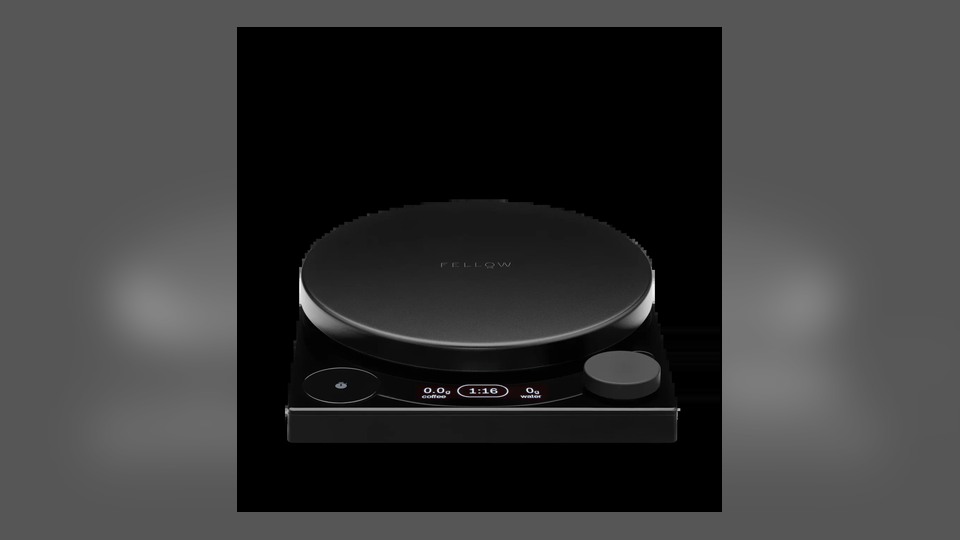
Fellow Tally Pro Precision Scale
Set the desired coffee-to-water ratio in Brew Assist mode, and the screen will guide you to the target water amount. With a maximum capacity of 2,500g and a wide platform, it’s great for placing both drippers and servers. The USB-C rechargeable battery makes cable replacement straightforward.
When using a narrow tray on an espresso machine, first measure its size. Avoid pouring water directly or touching it with wet hands while charging, and remember that the ratio mode is just a feature to assist calculations; it won’t automatically adjust the grind size or water temperature.
When using a narrow tray on an espresso machine, first measure its size. Avoid pouring water directly or touching it with wet hands while charging, and remember that the ratio mode is just a feature to assist calculations; it won’t automatically adjust the grind size or water temperature.
구성·형태 넓은 플랫폼·OLED·USB-C
잘 맞는 용도 푸어오버 비율 안내
핵심 특징 0.1g·최대 2,500g·3개 모드
사용 방식 원두 무게 후 목표 비율을 입력해 주입
확인할 점 머신 트레이 크기·물기·충전
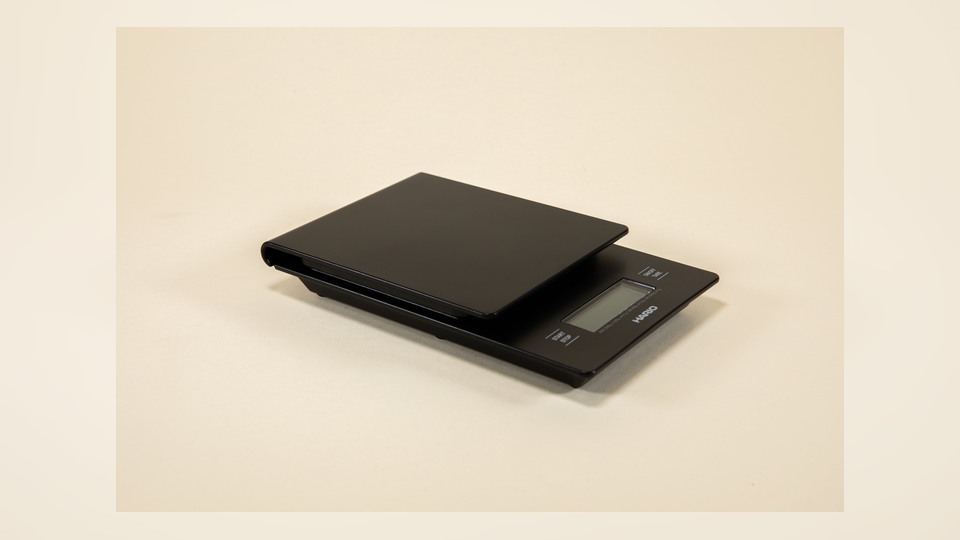
HARIO V60 Drip Scale
The display changes in increments of 0.1g, 0.5g, and 1g depending on the measurement range, weighing up to 2,000g. Its structure relies solely on the timer and tare buttons without a separate app, making it easy to record beginner V60 recipes.
The manufacturer advises that it is not a waterproof product, so any spilled water from the server should be wiped up immediately. Be aware that the displayed unit may change when adding very small weights, and when not in use for an extended period, store it separately to prevent battery leakage.
The manufacturer advises that it is not a waterproof product, so any spilled water from the server should be wiped up immediately. Be aware that the displayed unit may change when adding very small weights, and when not in use for an extended period, store it separately to prevent battery leakage.
구성·형태 평면 플랫폼·배터리식
잘 맞는 용도 V60과 기본 핸드드립
핵심 특징 타이머·최대 2,000g
사용 방식 용기 영점 후 타이머와 주입을 함께 시작
확인할 점 비방수·구간별 표시 단위·배터리
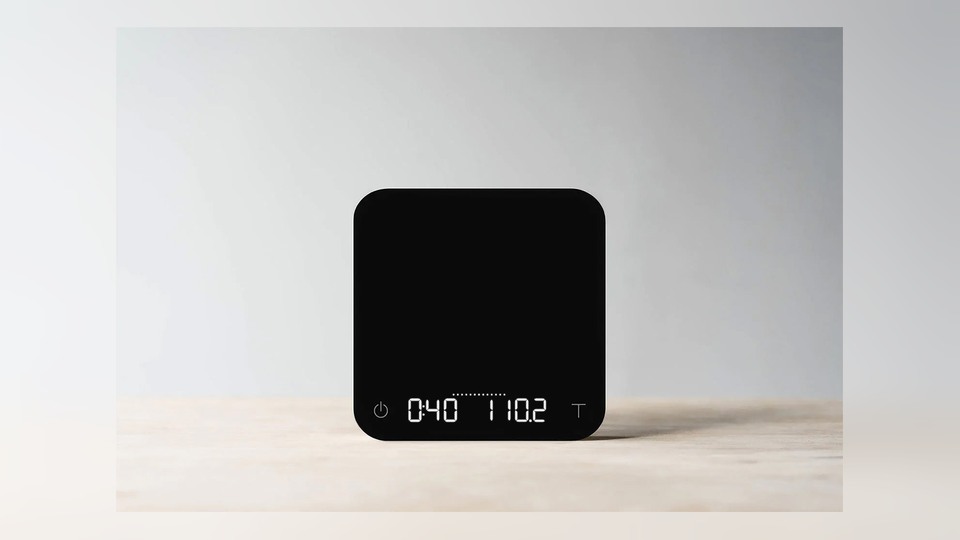
Acaia Pearl
With a bright LED screen and Bluetooth connectivity, it records weight and time and allows users to select automatic start conditions for various brewing modes. The wide top surface provides stable support for both the server and dripper, and it charges via USB-C.
Automatic mode recognizes the sequence of placing the container and pouring water, so familiarize yourself with its operation before use to minimize misfires. Use the provided protective pad under hot containers, and check the firmware and app compatibility according to the official guidance at the time of purchase.
Automatic mode recognizes the sequence of placing the container and pouring water, so familiarize yourself with its operation before use to minimize misfires. Use the provided protective pad under hot containers, and check the firmware and app compatibility according to the official guidance at the time of purchase.
구성·형태 2kg급 플랫폼·Bluetooth·USB-C
잘 맞는 용도 드립 기록과 앱 활용
핵심 특징 0.1g 표시·다중 브루잉 모드
사용 방식 모드 선택 후 용기와 주입 순서를 맞춤
확인할 점 앱 호환·보호 패드·자동 모드 조건
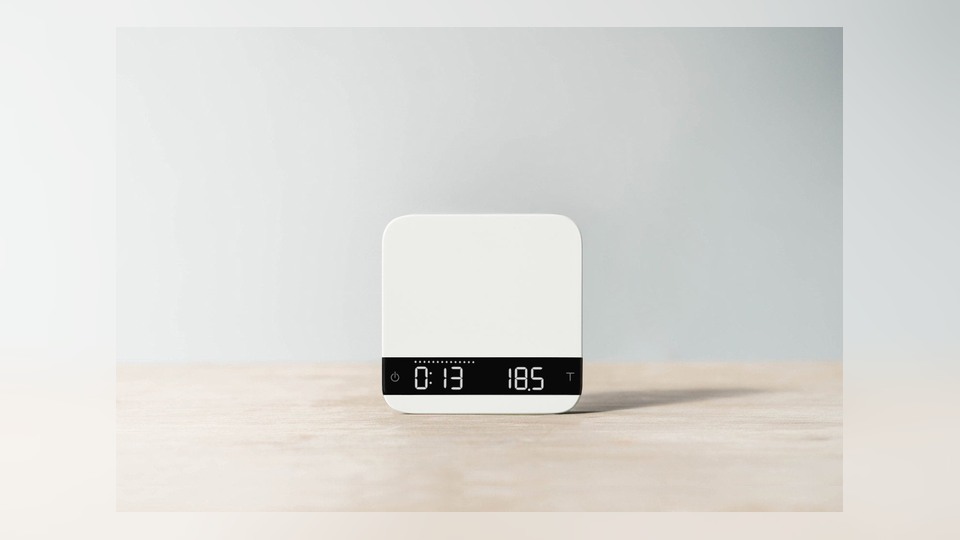
Acaia Lunar 2021
With a resolution of 0.1g and a quick response time, its design considers splashes, making it suitable for checking shot glasses and extraction times. It supports Bluetooth and USB-C charging and offers the selection of automatic tare and timer functions across various modes.
The small top surface can be unstable when placing large servers or two cups simultaneously, so differentiate it for espresso use. Its water resistance does not permit submersion, and the position should be adjusted to prevent direct contact with the heat from steam wands or group heads.
The small top surface can be unstable when placing large servers or two cups simultaneously, so differentiate it for espresso use. Its water resistance does not permit submersion, and the position should be adjusted to prevent direct contact with the heat from steam wands or group heads.
구성·형태 소형 알루미늄 몸체·Bluetooth
잘 맞는 용도 에스프레소 샷 측정
핵심 특징 0.1g·자동 타레·자동 타이머
사용 방식 머신 트레이에서 잔을 올리고 모드 시작
확인할 점 상판 크기·침수 금지·열원 거리
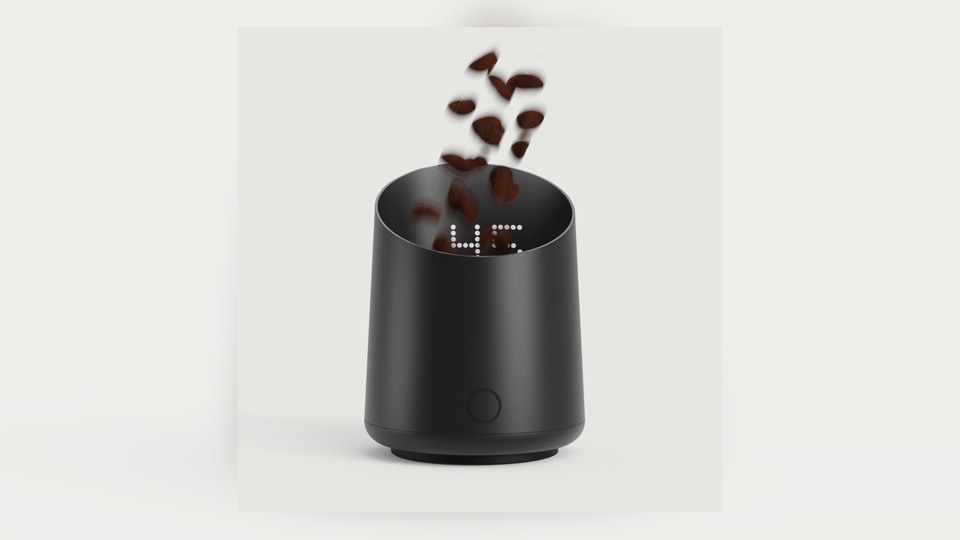
Subminimal Subscale
This scale minimizes the step of transferring beans from a separate scale to the cup, allowing you to check the weight before pouring with a capacity display line and a hidden display. It’s suitable for single dosing within the 100g range, but it serves a different role than scales that measure the weight of water during drip brewing.
Only use it to measure beans inside the cup and do not confuse it with a vessel for liquid or hot drinks. Since the electronic unit cannot be washed like a regular dosing cup, follow the care instructions provided with the cleaning brush.
Only use it to measure beans inside the cup and do not confuse it with a vessel for liquid or hot drinks. Since the electronic unit cannot be washed like a regular dosing cup, follow the care instructions provided with the cleaning brush.
구성·형태 도징컵 일체형·USB-C
잘 맞는 용도 그라인더 투입 전 원두 계량
핵심 특징 0.1g·최대 100g·숨은 화면
사용 방식 원두를 바로 담아 무게 확인 후 투입
확인할 점 액체 금지·세척법·100g 한도
If you’re just placing a pour-over brew, a wide platform with ratio mode is convenient, but if the machine’s drip tray is narrow, a small form like the Lunar is necessary. App tracking is helpful for those who enjoy monitoring data, but for repeating the same recipe daily, a weight and timer alone are sufficient. Products combined with dosing cups, like the Subscale, should be distinguished from those that measure the water weight during extraction.
Place the scale on a flat surface and tare it with an empty container, and avoid exceeding the maximum load or leaving a hot server on it for too long. Even if there are waterproof claims, avoid pouring water into the charging ports and gaps, and immediately wipe up any moisture. Recording the same amount of beans, water, and time, then noting the taste becomes the basis for adjusting the next cup, rather than a final answer.
Place the scale on a flat surface and tare it with an empty container, and avoid exceeding the maximum load or leaving a hot server on it for too long. Even if there are waterproof claims, avoid pouring water into the charging ports and gaps, and immediately wipe up any moisture. Recording the same amount of beans, water, and time, then noting the taste becomes the basis for adjusting the next cup, rather than a final answer.
한눈에 보기
5개
Fellow Tally Pro Precision Scale
넓은 플랫폼·OLED·USB-C · 푸어오버 비율 안내 · 0.1g·최대 2,500g·3개 모드 · 원두 무게 후 목표 비율을 입력해 주입 · 머신 트레이 크기·물기·충전
HARIO V60 Drip Scale
평면 플랫폼·배터리식 · V60과 기본 핸드드립 · 타이머·최대 2,000g · 용기 영점 후 타이머와 주입을 함께 시작 · 비방수·구간별 표시 단위·배터리
Acaia Pearl
2kg급 플랫폼·Bluetooth·USB-C · 드립 기록과 앱 활용 · 0.1g 표시·다중 브루잉 모드 · 모드 선택 후 용기와 주입 순서를 맞춤 · 앱 호환·보호 패드·자동 모드 조건
Acaia Lunar 2021
소형 알루미늄 몸체·Bluetooth · 에스프레소 샷 측정 · 0.1g·자동 타레·자동 타이머 · 머신 트레이에서 잔을 올리고 모드 시작 · 상판 크기·침수 금지·열원 거리
Subminimal Subscale
도징컵 일체형·USB-C · 그라인더 투입 전 원두 계량 · 0.1g·최대 100g·숨은 화면 · 원두를 바로 담아 무게 확인 후 투입 · 액체 금지·세척법·100g 한도
이 포스팅은 쿠팡 파트너스 활동의 일환으로, 이에 따른 일정액의 수수료를 제공받습니다.
댓글 0
로그인 후 댓글을 작성할 수 있습니다.
첫 댓글을 남겨보세요.
이런 리스트는 어때요?


이런 리스트도 추천해요



🎲
여기서 멈추기엔 아쉽잖아?
다음에 뭘 볼지 고민하는 시간이 제일 아까워.
주사위가 대신 골라줄게 — 무슨 리스트가 튀어나올지는 굴려봐야 알지.
안 누르면… 평생 궁금하지 않겠어? 👀
