
Collection
Audio
2026.09.30
Finding DACs and Amps for Wired Headphones When They Sound Muffled
A comparison of input, output, output terminals, and portability of actual headphone DACs and amps
Just because wired headphones sound quiet, it doesn’t mean you need a powerful amp right away. The required equipment can vary depending on factors such as computer noise, volume control range, headphone impedance and sensitivity, and whether you're connecting speakers. This list compares actual products, from desktop all-in-ones to portable USB DACs, based on inputs and outputs, balanced terminals, and power methods.
First, check the impedance and sensitivity published by the headphone manufacturer to determine if there’s insufficient headroom at your usual volume. Ensure that the 4.4mm balanced output matches the headphone cable since a different terminal doesn’t automatically improve sound quality. If you plan to connect game consoles, mobile phones, or TVs, you need to separately verify USB compatibility, optical input, and microphone support.
First, check the impedance and sensitivity published by the headphone manufacturer to determine if there’s insufficient headroom at your usual volume. Ensure that the 4.4mm balanced output matches the headphone cable since a different terminal doesn’t automatically improve sound quality. If you plan to connect game consoles, mobile phones, or TVs, you need to separately verify USB compatibility, optical input, and microphone support.
FiiO K11 R2R
When checking the official product info for FiiO K11 R2R, the first thing to look at is the connection methods and usage conditions. It uses a 24bit R2R resistor ladder DAC and allows the selection of NOS and OS modes. It features USB, optical, and coaxial inputs, along with 6.35mm and 4.4mm headphone outputs and RCA output. Therefore, it's essential to compare whether the FiiO K11 R2R is suitable for ‘switching between headphones and active speakers with a single knob’ in terms of functionality and installation environment.
Understand the characteristics of the R2R and NOS modes through actual functionality rather than exaggerated statements. Confirm the gain settings for the headphone jack and check the fixed/variable output settings when connecting RCA to speakers. The price, included items, colors, and warranty scope of the FiiO K11 R2R may vary depending on the country and the time of purchase, so it’s wise to recheck the current information on the official page just before payment. When connecting the FiiO K11 R2R for the first time, it's safer to start with a low volume and check firmware, app, and cable compatibility in order.
Understand the characteristics of the R2R and NOS modes through actual functionality rather than exaggerated statements. Confirm the gain settings for the headphone jack and check the fixed/variable output settings when connecting RCA to speakers. The price, included items, colors, and warranty scope of the FiiO K11 R2R may vary depending on the country and the time of purchase, so it’s wise to recheck the current information on the official page just before payment. When connecting the FiiO K11 R2R for the first time, it's safer to start with a low volume and check firmware, app, and cable compatibility in order.
브랜드 FiiO
모델 K11 R2R
제품 유형 R2R DAC 내장 데스크톱 헤드폰 앰프
추천 용도 헤드폰과 액티브 스피커를 한 노브로 전환하기
구매 확인 6.35mm·4.4mm 출력과 USB·광·동축 입력
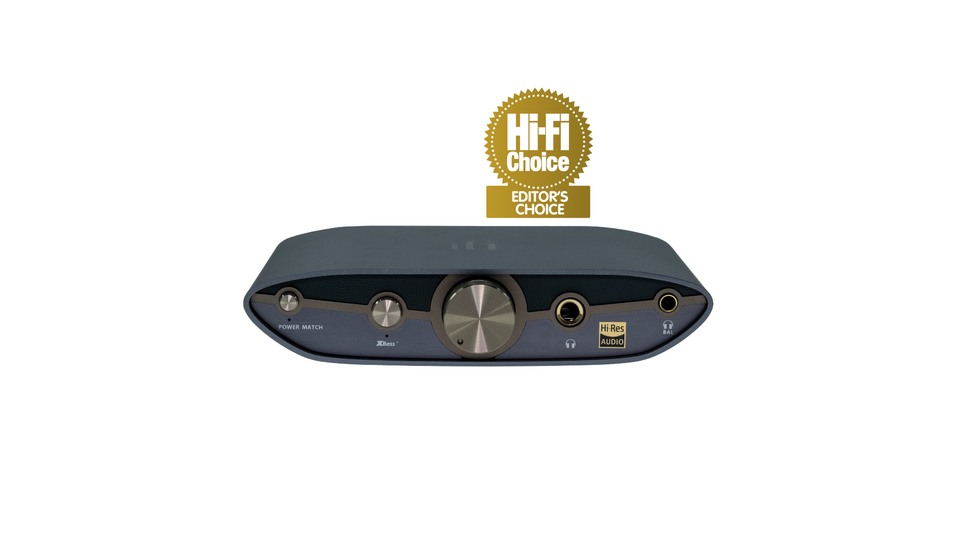
iFi ZEN DAC 3
In the official product info for iFi ZEN DAC 3, the first thing to check is the connection methods and usage conditions. It provides USB-C input and 6.3mm single-ended and 4.4mm balanced headphone outputs and has RCA and 4.4mm line outputs on the back. Therefore, it’s crucial to assess whether the iFi ZEN DAC 3 is suited for ‘connecting PC-centered wired headphones and active speakers’ in terms of its functions and installation environment.
Differentiate between USB bus power and separate power usage conditions and check the Variable/Fixed output switch before connecting to speakers. Use XBass+ only when it matches headphone characteristics. The price, included items, colors, and warranty scope of the iFi ZEN DAC 3 can change based on the country and timing, so verify the current info on the official page before making a payment. It’s advisable to lower the volume and check firmware, app, and cable compatibility in succession when connecting the iFi ZEN DAC 3 for the first time.
Differentiate between USB bus power and separate power usage conditions and check the Variable/Fixed output switch before connecting to speakers. Use XBass+ only when it matches headphone characteristics. The price, included items, colors, and warranty scope of the iFi ZEN DAC 3 can change based on the country and timing, so verify the current info on the official page before making a payment. It’s advisable to lower the volume and check firmware, app, and cable compatibility in succession when connecting the iFi ZEN DAC 3 for the first time.
브랜드 iFi audio
모델 ZEN DAC 3
제품 유형 USB DAC·밸런스 헤드폰 앰프
추천 용도 PC 중심 유선 헤드폰과 액티브 스피커 연결
구매 확인 USB-C 입력·4.4mm 출력과 외부 전원 옵션
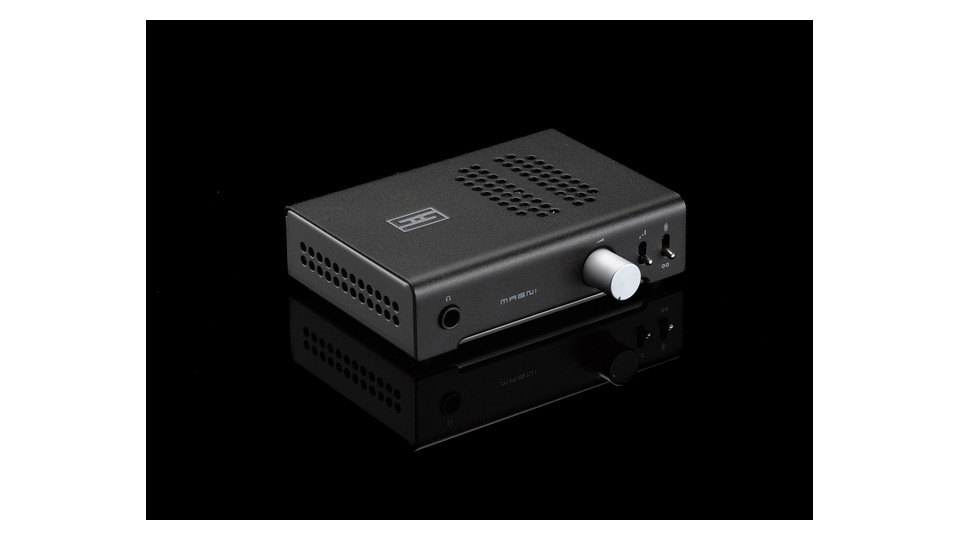
Schiit Magni Unity with Internal DAC
When looking at the official product information for Schiit Magni Unity with Internal DAC, the first aspect to focus on is the connection methods and usage conditions. It operates as both a headphone amp and a preamp and allows for the addition of an internal USB DAC card upon ordering. It has a front 6.35mm output and RCA inputs/outputs on the back. Therefore, assessing whether the Schiit Magni Unity with Internal DAC fits a ‘setup that desires a simple knob and desktop output’ in terms of functionality and installation is essential.
Note that there is a base model without the DAC module, so check the ordering configuration. Make sure to match the power voltage according to your country and start with a low volume and gain when connecting powered speakers. The price, included items, colors, and warranty scope of the Schiit Magni Unity with Internal DAC may vary by country and timing, so check the official page for current information before making payment. When connecting the Schiit Magni Unity with Internal DAC for the first time, lowering the volume and sequentially checking firmware, app, and cable compatibility is the safest approach.
Note that there is a base model without the DAC module, so check the ordering configuration. Make sure to match the power voltage according to your country and start with a low volume and gain when connecting powered speakers. The price, included items, colors, and warranty scope of the Schiit Magni Unity with Internal DAC may vary by country and timing, so check the official page for current information before making payment. When connecting the Schiit Magni Unity with Internal DAC for the first time, lowering the volume and sequentially checking firmware, app, and cable compatibility is the safest approach.
브랜드 Schiit Audio
모델 Magni Unity
제품 유형 모듈형 USB DAC 선택 헤드폰 앰프·프리앰프
추천 용도 단순한 노브와 데스크톱 출력을 원하는 구성
구매 확인 내장 DAC 옵션 포함 여부·115V/230V 전원
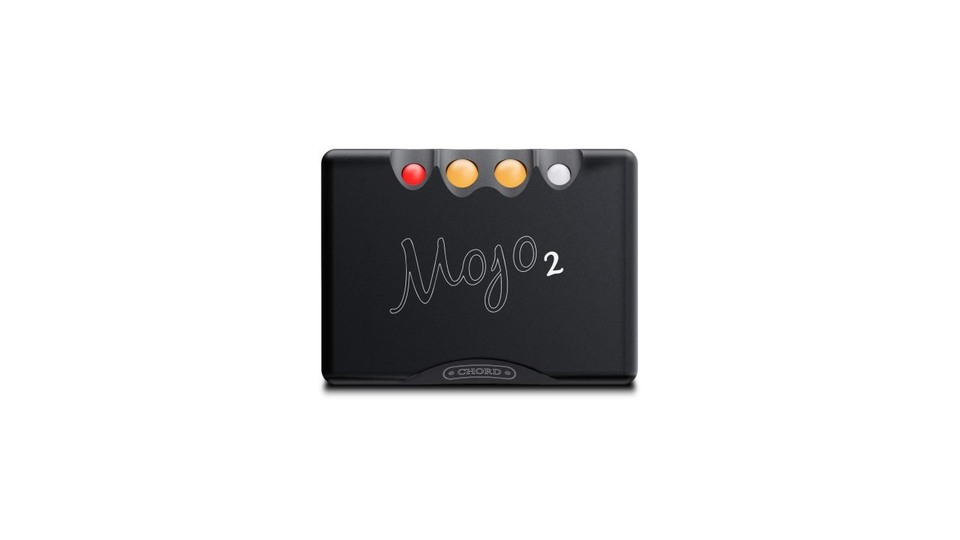
Chord Mojo 2
In the official product information for Chord Mojo 2, the first focus should be on connection methods and usage conditions. It’s a battery-powered portable DAC/amp equipped with an FPGA-based DAC and UHD DSP tone control and crossfeed. It offers USB and optical/coaxial inputs, as well as both 3.5mm and 4.4mm headphone outputs. So, determining whether the Chord Mojo 2 is suitable for ‘high-end wired listening that transitions between a laptop and portable devices’ is key in terms of functionality and installation environment.
Connecting to a smartphone requires a suitable data cable or adapter, and Bluetooth is not supported natively by the unit. Be aware of the button that indicates status through color codes and the heat generated during charging. The price, included items, colors, and warranty scope of the Chord Mojo 2 can change based on the country and timing, so verify the current information on the official page just before purchase. When connecting the Chord Mojo 2 for the first time, it’s advisable to lower the volume and check firmware, app, and cable compatibility in sequence.
Connecting to a smartphone requires a suitable data cable or adapter, and Bluetooth is not supported natively by the unit. Be aware of the button that indicates status through color codes and the heat generated during charging. The price, included items, colors, and warranty scope of the Chord Mojo 2 can change based on the country and timing, so verify the current information on the official page just before purchase. When connecting the Chord Mojo 2 for the first time, it’s advisable to lower the volume and check firmware, app, and cable compatibility in sequence.
브랜드 Chord Electronics
모델 Mojo 2
제품 유형 배터리 내장 휴대형 DAC·헤드폰 앰프
추천 용도 노트북과 휴대기기 사이를 오가는 고급 유선 청취
구매 확인 USB·광·동축 입력과 Poly 무선 모듈 선택
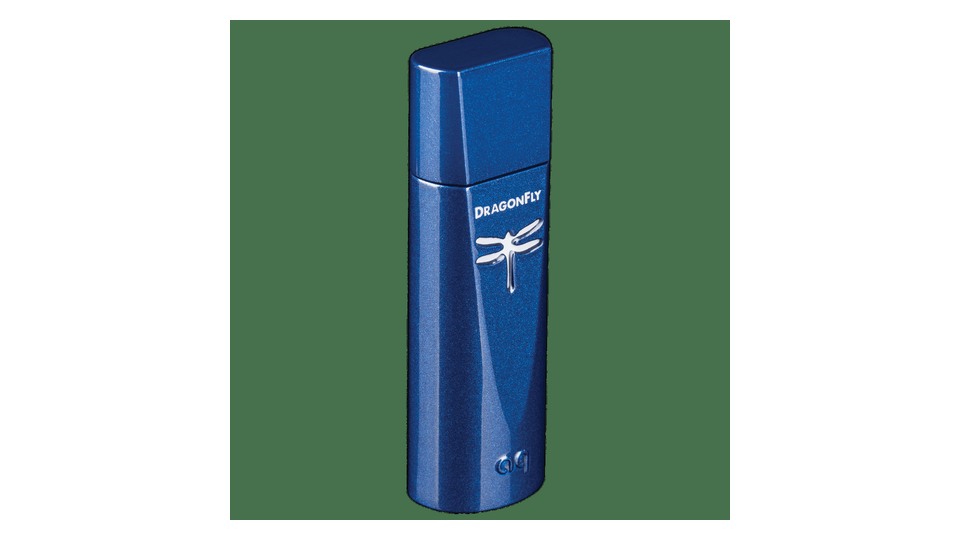
AudioQuest DragonFly Cobalt
The first aspect to check in the official product information for AudioQuest DragonFly Cobalt is the connection methods and usage conditions. This compact DAC, roughly the size of a USB drive, uses an ESS ES9038Q2M chip and provides a 3.5mm variable output. It connects to mobile devices using USB-C or Lightning adapters. Therefore, it’s crucial to assess whether the AudioQuest DragonFly Cobalt meets the requirements for ‘using wired headphones with minimal volume from laptops and mobile phones’ in terms of functionality and installation environment.
Check the output capacity for headphones that are difficult to drive. Consider battery drain on mobile devices, adapter attachment tightness, and the stress the 3.5mm cable places on the terminals. The price, included items, colors, and warranty scope of the AudioQuest DragonFly Cobalt may fluctuate based on the country and time of purchase, so confirm the current information on the official page before payment. When connecting the AudioQuest DragonFly Cobalt for the first time, lower the volume and sequentially check firmware, app, and cable compatibility for safety.
Check the output capacity for headphones that are difficult to drive. Consider battery drain on mobile devices, adapter attachment tightness, and the stress the 3.5mm cable places on the terminals. The price, included items, colors, and warranty scope of the AudioQuest DragonFly Cobalt may fluctuate based on the country and time of purchase, so confirm the current information on the official page before payment. When connecting the AudioQuest DragonFly Cobalt for the first time, lower the volume and sequentially check firmware, app, and cable compatibility for safety.
브랜드 AudioQuest
모델 DragonFly Cobalt
제품 유형 USB 스틱형 DAC·헤드폰 출력
추천 용도 노트북과 휴대폰에서 최소 부피로 유선 헤드폰 쓰기
구매 확인 USB-A 어댑터·3.5mm 출력과 휴대폰 전력 소비
For operating headphones and speakers at your desk, the K11 R2R and Magni Unity offer simple solutions, while the ZEN DAC 3 is an option for those looking to adjust high-resolution files and functions extensively. For on-the-go listening, check out products like Mojo 2 and DragonFly Cobalt, which differ in power and size. By determining the roles and terminal configurations of your equipment first, you can reduce unnecessary duplicate purchases.
Before increasing the output, set the gain low, play the source, and slowly adjust the volume. Remember to lower the volume when plugging in or unplugging headphones, and familiarize yourself with menus for line output and variable output changes. Adjusting the source quality, headphone fit, and EQ might be more effective than investing in a high-priced DAC, and addressing USB noise issues starts by simplifying the connection structure.
Before increasing the output, set the gain low, play the source, and slowly adjust the volume. Remember to lower the volume when plugging in or unplugging headphones, and familiarize yourself with menus for line output and variable output changes. Adjusting the source quality, headphone fit, and EQ might be more effective than investing in a high-priced DAC, and addressing USB noise issues starts by simplifying the connection structure.
한눈에 보기
5개
FiiO K11 R2R
FiiO · K11 R2R · R2R DAC 내장 데스크톱 헤드폰 앰프 · 헤드폰과 액티브 스피커를 한 노브로 전환하기 · 6.35mm·4.4mm 출력과 USB·광·동축 입력
iFi ZEN DAC 3
iFi audio · ZEN DAC 3 · USB DAC·밸런스 헤드폰 앰프 · PC 중심 유선 헤드폰과 액티브 스피커 연결 · USB-C 입력·4.4mm 출력과 외부 전원 옵션
Schiit Magni Unity with Internal DAC
Schiit Audio · Magni Unity · 모듈형 USB DAC 선택 헤드폰 앰프·프리앰프 · 단순한 노브와 데스크톱 출력을 원하는 구성 · 내장 DAC 옵션 포함 여부·115V/230V 전원
Chord Mojo 2
Chord Electronics · Mojo 2 · 배터리 내장 휴대형 DAC·헤드폰 앰프 · 노트북과 휴대기기 사이를 오가는 고급 유선 청취 · USB·광·동축 입력과 Poly 무선 모듈 선택
AudioQuest DragonFly Cobalt
AudioQuest · DragonFly Cobalt · USB 스틱형 DAC·헤드폰 출력 · 노트북과 휴대폰에서 최소 부피로 유선 헤드폰 쓰기 · USB-A 어댑터·3.5mm 출력과 휴대폰 전력 소비
이 포스팅은 쿠팡 파트너스 활동의 일환으로, 이에 따른 일정액의 수수료를 제공받습니다.
댓글 0
로그인 후 댓글을 작성할 수 있습니다.
첫 댓글을 남겨보세요.
이런 리스트는 어때요?


이런 리스트도 추천해요


🎲
여기서 멈추기엔 아쉽잖아?
다음에 뭘 볼지 고민하는 시간이 제일 아까워.
주사위가 대신 골라줄게 — 무슨 리스트가 튀어나올지는 굴려봐야 알지.
안 누르면… 평생 궁금하지 않겠어? 👀
