
Collection
Cloud
2026.10.03
Business Cloud that Keeps Customer Files and Team Documents Separate
Criteria for Freelancers and Small Business Owners When Choosing Actual Collaboration Services
A business cloud that keeps customer files and team documents separate is not just about providing large storage capacity; it’s a list that examines whether actual work can proceed without interruption. Simply clicking the upload button isn't enough to separate customer-specific files from internal documents and collaborate with team members. Even services that seem similar, like Google Workspace Drive and OneDrive for Business, differ in recovery methods, file ownership, and supported devices, so it's easier to make a selection if you first determine your work order.
In the 'Business Cloud that Keeps Customer Files and Team Documents Separate' list, we focused on key criteria such as file ownership, external invitation rights, ex-employee accounts, and management features. The rates and functionalities for separating customer files and internal documents and collaborating with members can vary by account type, region, and service policies, so it’s essential to check the official pages again right before signing up. It's safer in the 'Business Cloud that Keeps Customer Files and Team Documents Separate' list to ensure that a service’s synchronization folder is not the only original source; before moving all materials, test by uploading a small test file, downloading it on another device, and verifying the recovery process.
In the 'Business Cloud that Keeps Customer Files and Team Documents Separate' list, we focused on key criteria such as file ownership, external invitation rights, ex-employee accounts, and management features. The rates and functionalities for separating customer files and internal documents and collaborating with members can vary by account type, region, and service policies, so it’s essential to check the official pages again right before signing up. It's safer in the 'Business Cloud that Keeps Customer Files and Team Documents Separate' list to ensure that a service’s synchronization folder is not the only original source; before moving all materials, test by uploading a small test file, downloading it on another device, and verifying the recovery process.
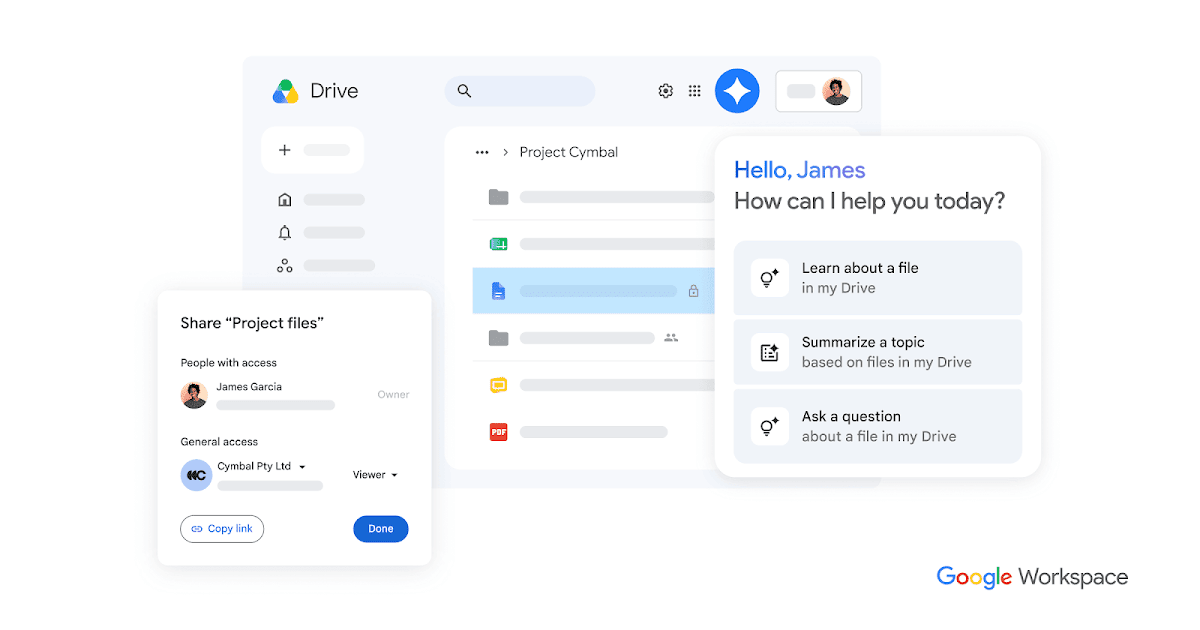
Google Workspace Drive
The reason for including Google Workspace Drive in the 'Business Cloud that Keeps Customer Files and Team Documents Separate' is that it can take on the role of document collaboration for small organizations when separating customer-specific files from internal documents and collaborating with team members. A key point to note about this service is the operation of shared drives and Google Docs tools with a business account. The supported environments for Google Workspace Drive are web, Windows, macOS, and mobile, and the actual scope of services can vary based on account type, pricing plan, and app version, so it is essential to refer to the latest guidance on the official Google page.
When testing Google Workspace Drive, which is the first candidate on the list, first complete the upload, share, and restore process with a small quantity of copies. Especially do not miss checking the ownership differences between your personal drive and the shared drive within the organization, as it could lead to an inability to restore files at critical moments or result in unexpected costs and permission issues. Once testing is complete, close the shared link and check the activity log and file status. By distinguishing the roles of the original copy, cloud copy, and separate backups, it will also be easier to review file ownership, external invitation rights, ex-employee accounts, and management features later on Google Workspace Drive.
When testing Google Workspace Drive, which is the first candidate on the list, first complete the upload, share, and restore process with a small quantity of copies. Especially do not miss checking the ownership differences between your personal drive and the shared drive within the organization, as it could lead to an inability to restore files at critical moments or result in unexpected costs and permission issues. Once testing is complete, close the shared link and check the activity log and file status. By distinguishing the roles of the original copy, cloud copy, and separate backups, it will also be easier to review file ownership, external invitation rights, ex-employee accounts, and management features later on Google Workspace Drive.
제공사 Google
주요 용도 소규모 조직의 문서 공동 작업
지원 환경 웹·Windows·macOS·모바일
살펴볼 특징 공유 드라이브와 Google 문서 도구를 업무 계정으로 운영
확인할 점 개인 내 드라이브와 조직 공유 드라이브의 소유권 차이를 확인
이미지 출처 공식 서비스 페이지 이미지: https://lh3.googleusercontent.com/_HSqqBvJJpopAd2znZ8-VHWZ2-470iy7MSjVhdcJfXMF3-caNsWDwJrHQkBxbdGVg_tfsiAWOTpIzVJjARBVeHSlwXWxhQPULyP4=w1200-e365 (페이지: https://workspace.google.com/products/drive/)

OneDrive for Business
The reason for including OneDrive for Business in the 'Business Cloud that Keeps Customer Files and Team Documents Separate' is that it can play the role of managing Office documents and work files while separating customer files from internal documents and collaborating with team members. A key point to note about this service is the linking of Microsoft 365 apps and organization account permissions. The supported environments for OneDrive for Business are web, Windows, macOS, and mobile, and the actual scope of services can vary based on account type, pricing plan, and app version, so it is crucial to refer to the latest guidance on the official Microsoft page.
When testing OneDrive for Business, which is the second candidate on the list, first complete the upload, share, and restore process with a small quantity of copies. Particularly, don’t overlook distinguishing between ex-employee account handling and the location of SharePoint team files, as missing this can result in files being visible but not recoverable when needed, or unexpected costs and permission issues may arise. Once testing is complete, close the shared link and check the activity log and file status. Differentiating the roles of the original copy, cloud copy, and separate backups will also make it easier to review file ownership, external invitation rights, ex-employee accounts, and management features later on OneDrive for Business.
When testing OneDrive for Business, which is the second candidate on the list, first complete the upload, share, and restore process with a small quantity of copies. Particularly, don’t overlook distinguishing between ex-employee account handling and the location of SharePoint team files, as missing this can result in files being visible but not recoverable when needed, or unexpected costs and permission issues may arise. Once testing is complete, close the shared link and check the activity log and file status. Differentiating the roles of the original copy, cloud copy, and separate backups will also make it easier to review file ownership, external invitation rights, ex-employee accounts, and management features later on OneDrive for Business.
제공사 Microsoft
주요 용도 Office 문서와 업무 파일 관리
지원 환경 웹·Windows·macOS·모바일
살펴볼 특징 Microsoft 365 앱과 조직 계정 권한을 연결
확인할 점 퇴사자 계정 처리와 SharePoint 팀 파일의 위치를 구분
이미지 출처 공식 서비스 페이지 이미지: https://www.microsoft.com/favicon.ico?v2 (페이지: https://www.microsoft.com/en-us/microsoft-365/onedrive/onedrive-for-business)
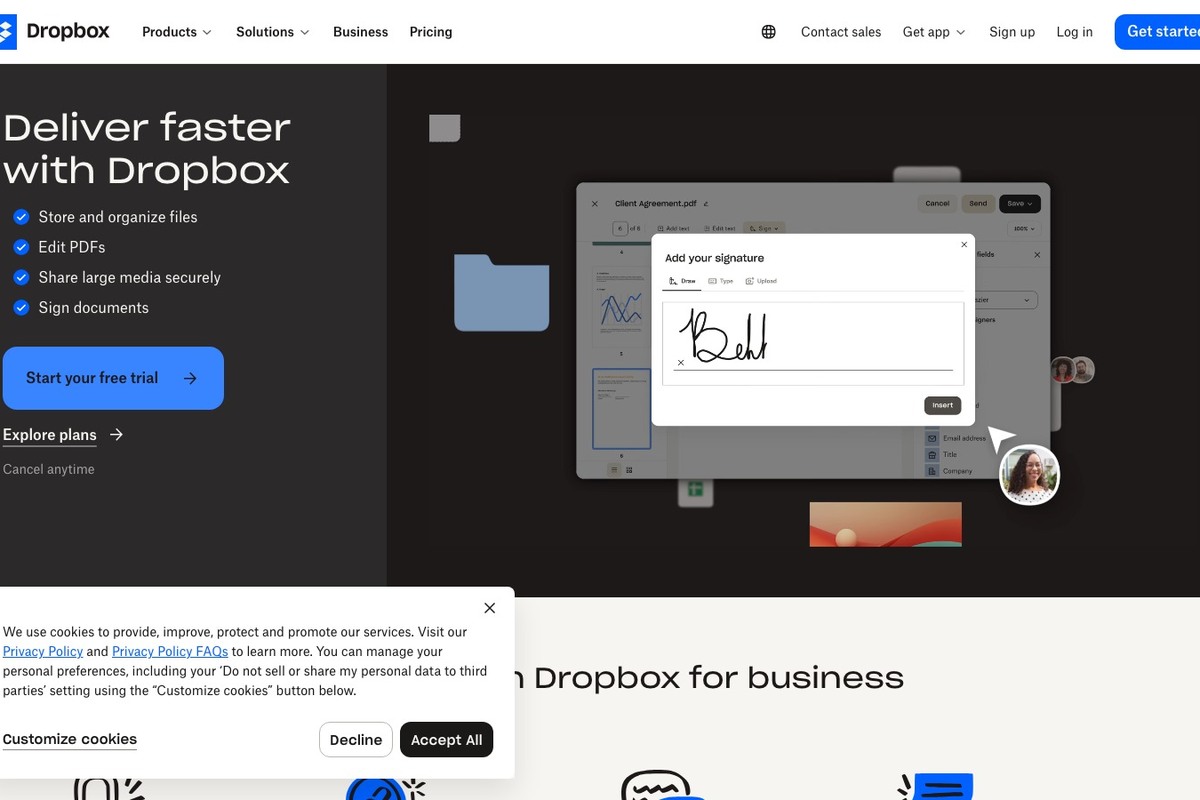
Dropbox Business
The reason for including Dropbox Business in the 'Business Cloud that Keeps Customer Files and Team Documents Separate' is that it can manage customer file transfers and operate team folders while separating customer files from internal documents and collaborating with team members. An important aspect of this service is that it organizes team management and external sharing in a familiar folder style. The supported environments for Dropbox Business are web, Windows, macOS, Linux, and mobile, and the actual scope of services can vary based on account type, pricing plan, and app version, so it’s essential to check the latest guidance on the official Dropbox page.
When testing Dropbox Business, which is the third candidate on the list, first complete the upload, share, and restore process with a small quantity of copies. Pay special attention to setting up the file transfer policy after removing external link permissions and team members, as missing this could mean files are visible but not recoverable when needed, or unexpected costs and permission issues may occur. Once testing is complete, close the shared link and review the activity log and file status. Distinctions between the roles of the original copy, cloud copy, and separate backups will also help make it easier to review file ownership, external invitation rights, ex-employee accounts, and management features later on Dropbox Business.
When testing Dropbox Business, which is the third candidate on the list, first complete the upload, share, and restore process with a small quantity of copies. Pay special attention to setting up the file transfer policy after removing external link permissions and team members, as missing this could mean files are visible but not recoverable when needed, or unexpected costs and permission issues may occur. Once testing is complete, close the shared link and review the activity log and file status. Distinctions between the roles of the original copy, cloud copy, and separate backups will also help make it easier to review file ownership, external invitation rights, ex-employee accounts, and management features later on Dropbox Business.
제공사 Dropbox
주요 용도 고객 파일 전달과 팀 폴더 운영
지원 환경 웹·Windows·macOS·Linux·모바일
살펴볼 특징 팀 관리와 외부 공유를 익숙한 폴더 방식으로 구성
확인할 점 외부 링크 권한과 팀원 제거 뒤 파일 이전 정책을 설정
이미지 출처 공식 페이지 화면: https://www.dropbox.com/business
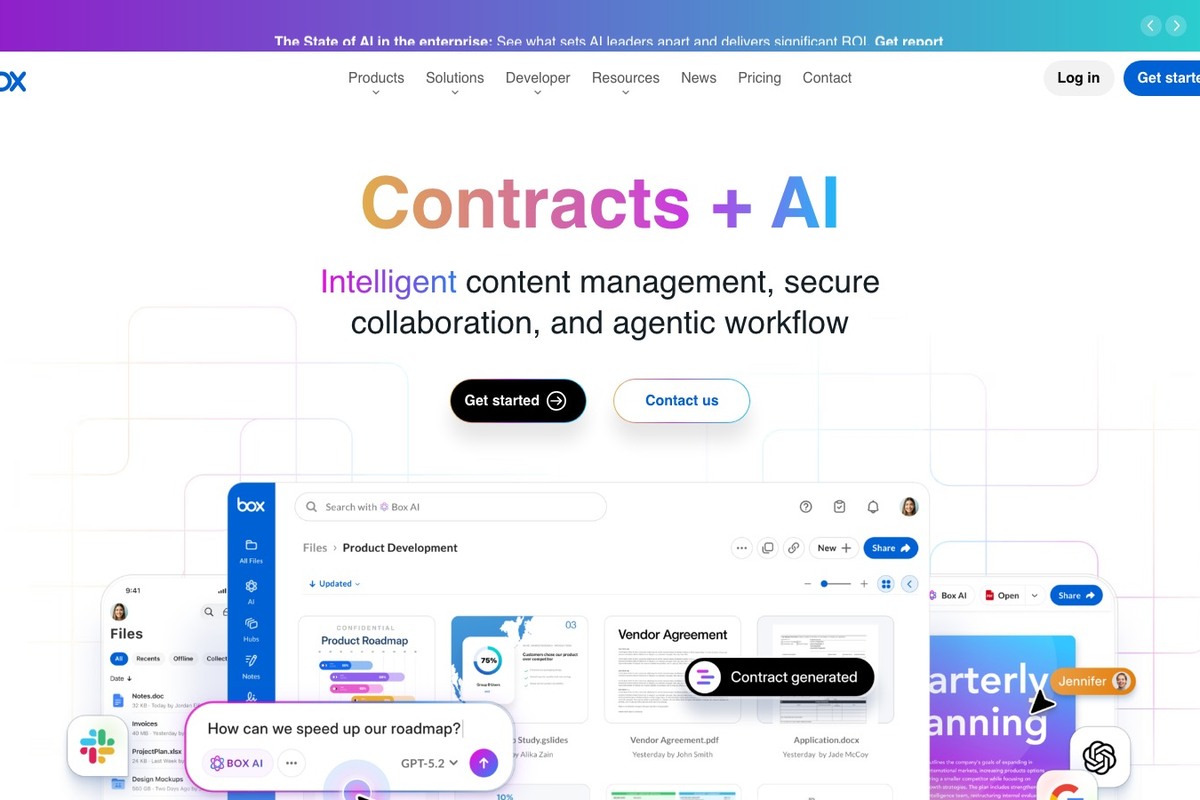
Box Business
The reason for including Box Business in the 'Business Cloud that Keeps Customer Files and Team Documents Separate' is that it can take on the role of managing content with a focus on permissions when separating customer files from internal documents and collaborating with team members. A highlight of this service is that it offers detailed collaboration permissions and management features under business pricing plans. The supported environments for Box Business are web, Windows, macOS, and mobile, and the actual scope of services can vary based on account type, pricing plan, and app version, so refer to the latest guidance on the official Box page.
When testing Box Business, the fourth candidate on the list, first complete the upload, share, and restore process with a small number of copies. Make sure you don’t miss checking which security and management features are included in each plan, as overlooking this could result in files being visible but not recoverable when needed, or unexpected costs and permission issues may arise. Once testing is complete, close the shared link and check the activity log and file status. Keeping distinct roles in mind for the original copy, cloud copy, and separate backups will make it easier to review file ownership, external invitation rights, ex-employee accounts, and management features later on Box Business.
When testing Box Business, the fourth candidate on the list, first complete the upload, share, and restore process with a small number of copies. Make sure you don’t miss checking which security and management features are included in each plan, as overlooking this could result in files being visible but not recoverable when needed, or unexpected costs and permission issues may arise. Once testing is complete, close the shared link and check the activity log and file status. Keeping distinct roles in mind for the original copy, cloud copy, and separate backups will make it easier to review file ownership, external invitation rights, ex-employee accounts, and management features later on Box Business.
제공사 Box
주요 용도 권한 중심 업무 콘텐츠 관리
지원 환경 웹·Windows·macOS·모바일
살펴볼 특징 세밀한 공동 작업 권한과 관리 기능을 비즈니스 요금제로 제공
확인할 점 필요한 보안·관리 기능이 어느 플랜에 포함되는지 확인
이미지 출처 공식 페이지 화면: https://www.box.com/
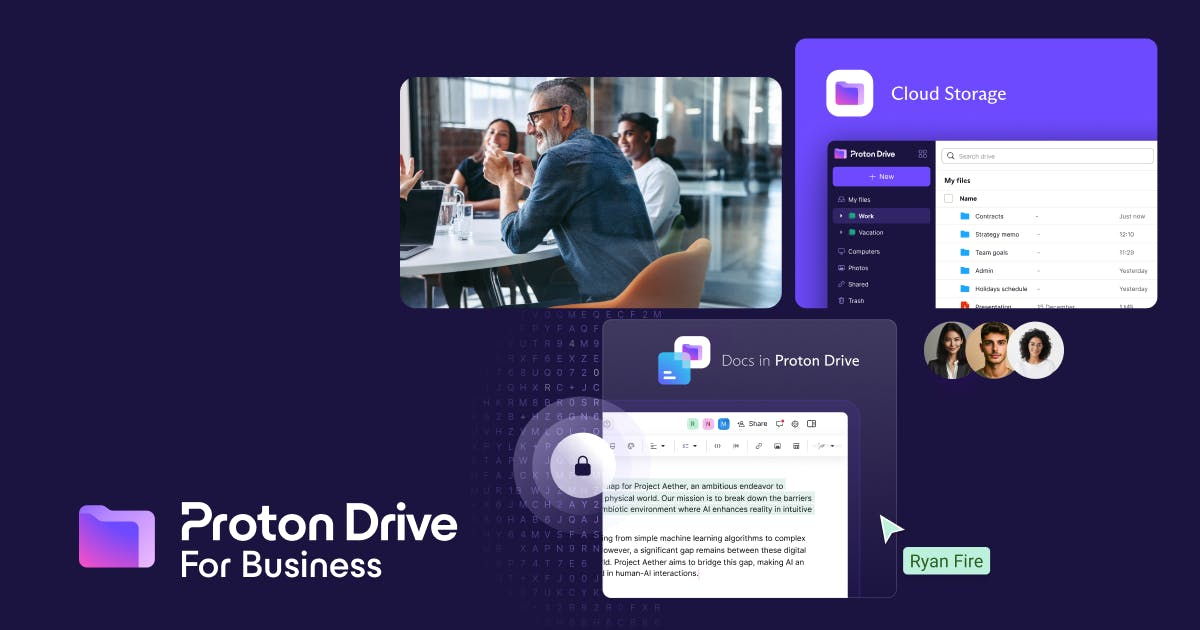
Proton Drive for Business
The reason for including Proton Drive for Business in the 'Business Cloud that Keeps Customer Files and Team Documents Separate' is that it can share sensitive customer data through encryption when separating customer files from internal documents and collaborating with team members. Key points to note about this service are that it operates business accounts for end-to-end encrypted file storage and team sharing. The supported environments for Proton Drive for Business are web, Windows, macOS, and mobile, and the actual scope of services can vary based on account type, pricing plan, and app version; always refer to the latest guidance on the official Proton page.
When testing Proton Drive for Business, the fifth candidate on the list, first complete the upload, share, and restore process with a small quantity of copies. Be careful to finalize the range for collaborative editing and define an account recovery responsibility before implementing the service, as overlooking this could mean files are visible but not recoverable when needed, or unexpected costs and permission issues may arise. After testing is complete, close the shared link and check the activity log and file status. Distinguishing the roles of the original copy, cloud copy, and separate backups will also help you check file ownership, external invitation rights, ex-employee accounts, and management features later on Proton Drive for Business.
When testing Proton Drive for Business, the fifth candidate on the list, first complete the upload, share, and restore process with a small quantity of copies. Be careful to finalize the range for collaborative editing and define an account recovery responsibility before implementing the service, as overlooking this could mean files are visible but not recoverable when needed, or unexpected costs and permission issues may arise. After testing is complete, close the shared link and check the activity log and file status. Distinguishing the roles of the original copy, cloud copy, and separate backups will also help you check file ownership, external invitation rights, ex-employee accounts, and management features later on Proton Drive for Business.
제공사 Proton
주요 용도 민감한 고객 자료의 암호화 공유
지원 환경 웹·Windows·macOS·모바일
살펴볼 특징 종단간 암호화 파일 저장과 팀 공유를 업무 계정으로 운영
확인할 점 공동 편집 범위와 계정 복구 책임자를 도입 전에 정함
이미지 출처 공식 서비스 페이지 이미지: https://pmecdn.protonweb.com/image-transformation/?s=a&image=Zs3xlka_F0_Tc_G_Jbtn_drive_for_business_thumbnail_b3a65088b5.png (페이지: https://proton.me/business/drive)

Sync.com Teams
The reason for including Sync.com Teams in the 'Business Cloud that Keeps Customer Files and Team Documents Separate' is that it can fulfill the role of secure file sharing for small teams when separating customer files from internal documents and collaborating with team members. An important offer from this service is the provision of central team folders, user management, and encrypted sharing. The supported environments for Sync.com Teams are web, Windows, macOS, and mobile, and the actual scope of services can vary based on account type, pricing plan, and app version, so refer to the latest guidance on the official Sync.com page.
When testing Sync.com Teams, which is the sixth candidate on the list, first complete the upload, share, and restore process with a small quantity of copies. Be sure to check whether editing integration with external tools fits the actual workflow, as failing to do so could mean files are visible but not recoverable when needed or unexpected costs and permission issues may arise. Upon completion of testing, close the shared link and review the activity log and file status. Keeping distinct roles of the original copy, cloud copy, and separate backups in mind will help later review file ownership, external invitation rights, ex-employee accounts, and management features within Sync.com Teams.
When testing Sync.com Teams, which is the sixth candidate on the list, first complete the upload, share, and restore process with a small quantity of copies. Be sure to check whether editing integration with external tools fits the actual workflow, as failing to do so could mean files are visible but not recoverable when needed or unexpected costs and permission issues may arise. Upon completion of testing, close the shared link and review the activity log and file status. Keeping distinct roles of the original copy, cloud copy, and separate backups in mind will help later review file ownership, external invitation rights, ex-employee accounts, and management features within Sync.com Teams.
제공사 Sync.com
주요 용도 작은 팀의 보안 파일 공유
지원 환경 웹·Windows·macOS·모바일
살펴볼 특징 중앙 팀 폴더와 사용자 관리, 암호화 공유를 제공
확인할 점 외부 도구와의 편집 연동이 실제 업무 방식에 맞는지 시험
이미지 출처 공식 서비스 페이지 이미지: https://www.sync.com/hubfs/assets-meta/apple-touch-icon.png (페이지: https://www.sync.com/business-cloud-storage/)
Zoho WorkDrive
The reason for including Zoho WorkDrive in the 'Business Cloud that Keeps Customer Files and Team Documents Separate' is that it can operate as a workspace for freelancers and teams when separating customer files from internal documents and collaborating with team members. A key feature of this service is managing team folders, document collaboration, and client sharing all in one space. The supported environments for Zoho WorkDrive are web, Windows, macOS, Android, and iOS, and the actual scope of services can vary by account type, pricing plan, and app version, so refer to the latest guidance on the official Zoho page.
When testing Zoho WorkDrive, which is the seventh candidate on the list, make sure to complete the upload, share, and restore process with a small number of copies. Be especially careful not to overlook organizing client user permissions and file ownership before the project ends, as this could mean files are visible but not recoverable when needed, or unexpected costs and permission issues may arise. After testing, close the shared link and check the activity log and the condition of the files. Distinguishing the roles of the original copy, cloud copy, and separate backups will also aid in reviewing file ownership, external invitation rights, ex-employee accounts, and management features later in Zoho WorkDrive.
When testing Zoho WorkDrive, which is the seventh candidate on the list, make sure to complete the upload, share, and restore process with a small number of copies. Be especially careful not to overlook organizing client user permissions and file ownership before the project ends, as this could mean files are visible but not recoverable when needed, or unexpected costs and permission issues may arise. After testing, close the shared link and check the activity log and the condition of the files. Distinguishing the roles of the original copy, cloud copy, and separate backups will also aid in reviewing file ownership, external invitation rights, ex-employee accounts, and management features later in Zoho WorkDrive.
제공사 Zoho
주요 용도 프리랜서·팀 문서 공간 운영
지원 환경 웹·Windows·macOS·Android·iOS
살펴볼 특징 팀 폴더와 문서 협업, 고객 공유를 한 공간에서 관리
확인할 점 클라이언트 사용자 권한과 파일 소유자를 프로젝트 종료 전에 정리
이미지 출처 공식 서비스 페이지 이미지: https://www.zohowebstatic.com/sites/zweb/images/ogimage/workdrive-logo.png (페이지: https://www.zoho.com/workdrive/)
When narrowing down candidates in the 'Business Cloud that Keeps Customer Files and Team Documents Separate', it’s more accurate to recall your actual work from the previous week than to simply look at feature charts. While separating customer files and internal documents and collaborating with team members, consider who will create files, where modifications will occur, and who will archive the documents once the project is completed. Services like Zoho WorkDrive, which have clear roles, may require testing on a small scale first if they aren't compatible with current equipment.
After making your final choice from the 'Business Cloud that Keeps Customer Files and Team Documents Separate' list, check the settings screen for file ownership, external invitation rights, ex-employee accounts, and management features. Accounts that separate customer files and internal documents and collaborate with members should have multi-factor authentication enabled, manage recovery codes and admin accounts separately, and regularly update shared links and ex-employee permissions. In the 'Business Cloud that Keeps Customer Files and Team Documents Separate' list, it’s advisable not to rely solely on backup success notifications, but to restore and open sample files every quarter. This way, the chosen service from the 'Business Cloud that Keeps Customer Files and Team Documents Separate' list will become a recovery tool that can be used beyond mere storage.
After making your final choice from the 'Business Cloud that Keeps Customer Files and Team Documents Separate' list, check the settings screen for file ownership, external invitation rights, ex-employee accounts, and management features. Accounts that separate customer files and internal documents and collaborate with members should have multi-factor authentication enabled, manage recovery codes and admin accounts separately, and regularly update shared links and ex-employee permissions. In the 'Business Cloud that Keeps Customer Files and Team Documents Separate' list, it’s advisable not to rely solely on backup success notifications, but to restore and open sample files every quarter. This way, the chosen service from the 'Business Cloud that Keeps Customer Files and Team Documents Separate' list will become a recovery tool that can be used beyond mere storage.
한눈에 보기
7개
Google Workspace Drive
Google · 소규모 조직의 문서 공동 작업 · 웹·Windows·macOS·모바일 · 공유 드라이브와 Google 문서 도구를 업무 계정으로 운영 · 개인 내 드라이브와 조직 공유 드라이브의 소유권 차이를 확인 · 공식 서비스 페이지 이미지: https://lh3.googleusercontent.com/_HSqqBvJJpopAd2znZ8-VHWZ2-470iy7MSjVhdcJfXMF3-caNsWDwJrHQkBxbdGVg_tfsiAWOTpIzVJjARBVeHSlwXWxhQPULyP4=w1200-e365 (페이지: https://workspace.google.com/products/drive/)
OneDrive for Business
Microsoft · Office 문서와 업무 파일 관리 · 웹·Windows·macOS·모바일 · Microsoft 365 앱과 조직 계정 권한을 연결 · 퇴사자 계정 처리와 SharePoint 팀 파일의 위치를 구분 · 공식 서비스 페이지 이미지: https://www.microsoft.com/favicon.ico?v2 (페이지: https://www.microsoft.com/en-us/microsoft-365/onedrive/onedrive-for-business)
Dropbox Business
Dropbox · 고객 파일 전달과 팀 폴더 운영 · 웹·Windows·macOS·Linux·모바일 · 팀 관리와 외부 공유를 익숙한 폴더 방식으로 구성 · 외부 링크 권한과 팀원 제거 뒤 파일 이전 정책을 설정 · 공식 페이지 화면: https://www.dropbox.com/business
Box Business
Box · 권한 중심 업무 콘텐츠 관리 · 웹·Windows·macOS·모바일 · 세밀한 공동 작업 권한과 관리 기능을 비즈니스 요금제로 제공 · 필요한 보안·관리 기능이 어느 플랜에 포함되는지 확인 · 공식 페이지 화면: https://www.box.com/
Proton Drive for Business
Proton · 민감한 고객 자료의 암호화 공유 · 웹·Windows·macOS·모바일 · 종단간 암호화 파일 저장과 팀 공유를 업무 계정으로 운영 · 공동 편집 범위와 계정 복구 책임자를 도입 전에 정함 · 공식 서비스 페이지 이미지: https://pmecdn.protonweb.com/image-transformation/?s=a&image=Zs3xlka_F0_Tc_G_Jbtn_drive_for_business_thumbnail_b3a65088b5.png (페이지: https://proton.me/business/drive)
Sync.com Teams
Sync.com · 작은 팀의 보안 파일 공유 · 웹·Windows·macOS·모바일 · 중앙 팀 폴더와 사용자 관리, 암호화 공유를 제공 · 외부 도구와의 편집 연동이 실제 업무 방식에 맞는지 시험 · 공식 서비스 페이지 이미지: https://www.sync.com/hubfs/assets-meta/apple-touch-icon.png (페이지: https://www.sync.com/business-cloud-storage/)
Zoho WorkDrive
Zoho · 프리랜서·팀 문서 공간 운영 · 웹·Windows·macOS·Android·iOS · 팀 폴더와 문서 협업, 고객 공유를 한 공간에서 관리 · 클라이언트 사용자 권한과 파일 소유자를 프로젝트 종료 전에 정리 · 공식 서비스 페이지 이미지: https://www.zohowebstatic.com/sites/zweb/images/ogimage/workdrive-logo.png (페이지: https://www.zoho.com/workdrive/)
이 포스팅은 쿠팡 파트너스 활동의 일환으로, 이에 따른 일정액의 수수료를 제공받습니다.
댓글 0
로그인 후 댓글을 작성할 수 있습니다.
첫 댓글을 남겨보세요.
이런 리스트는 어때요?


이런 리스트도 추천해요


🎲
여기서 멈추기엔 아쉽잖아?
다음에 뭘 볼지 고민하는 시간이 제일 아까워.
주사위가 대신 골라줄게 — 무슨 리스트가 튀어나올지는 굴려봐야 알지.
안 누르면… 평생 궁금하지 않겠어? 👀
