
Collection
Smartphones
2026.08.28
A Smartphone That Helps You Finish Tasks Before You Open Your Laptop
A collection of productivity-focused products that connect note-taking, document checking, video conferencing, file transfers, and split screens to your workflow.
The value of a business smartphone goes beyond just receiving emails quickly. It should allow for seamless marking of documents, displaying video conference materials, and transferring files to a laptop. Having a large screen doesn’t necessarily mean it’s comfortable, and if the security apps used in the company don’t match the computer environment, it can be hard to take advantage of great features.
This list selects products sold in Korea based on elements that truly change actual work processes, such as the S Pen, desktop mode, split-screen, USB transfers, and operating system ecosystems. The priorities of those who are often out in the field, take frequent meeting notes, or transfer videos and large files differ. Each product's strengths and compromises are summarized to consider company policies and surrounding devices.
This list selects products sold in Korea based on elements that truly change actual work processes, such as the S Pen, desktop mode, split-screen, USB transfers, and operating system ecosystems. The priorities of those who are often out in the field, take frequent meeting notes, or transfer videos and large files differ. Each product's strengths and compromises are summarized to consider company policies and surrounding devices.
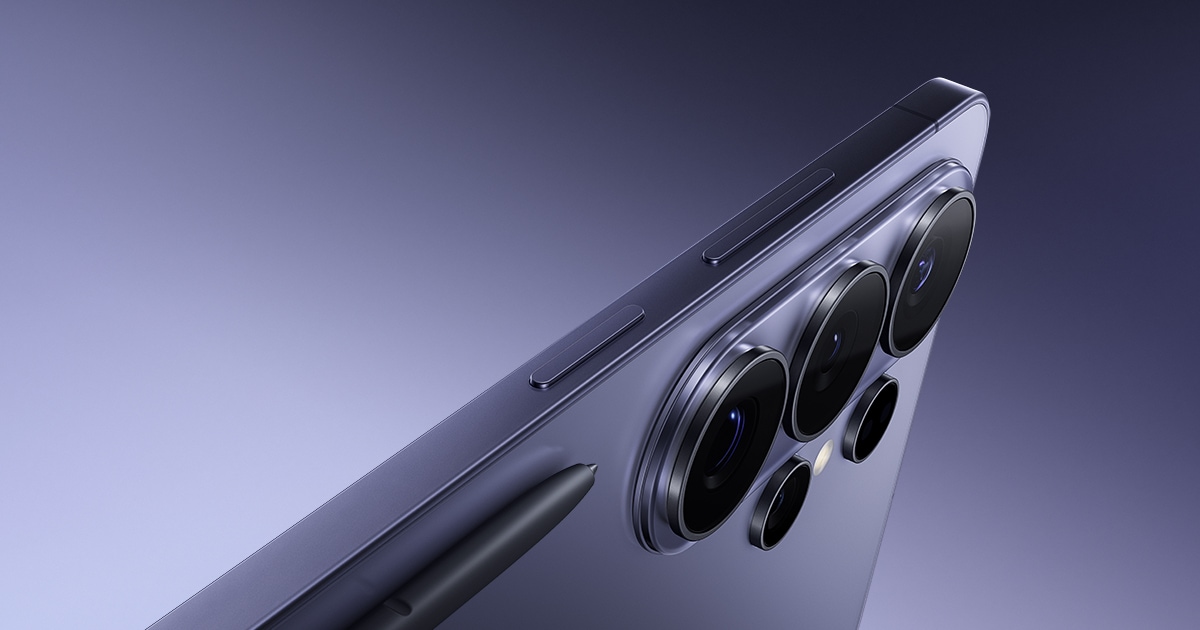
Galaxy S26 Ultra
The Galaxy S26 Ultra is Samsung's ultra model that combines a large screen, S Pen, Samsung DeX, and high-performance camera into one device. The selection criterion for the Galaxy S26 Ultra in this list is productivity when processing documents and files on the go. By applying the Galaxy S26 Ultra model to tasks like checking emails, taking meeting notes, video conferencing, and transferring large files seamlessly without a laptop, it's easy to assess whether the product’s advantages are truly necessary. Key usage elements include S Pen, Samsung DeX, and large-screen multitasking. Rather than recommending the model solely based on its high specifications, consider how much time you spend holding the Galaxy S26 Ultra and whether the frequently used apps fit this configuration. When in-store, it’s advisable to check not only the screen size but also the button placements and the range of one-handed operation required for productivity in processing documents and files on the go.
According to official information, the battery is 5,000mAh with official video playback of up to 31 hours, the screen measures 174.9mm QHD+ Dynamic AMOLED 2X with a maximum refresh rate of 120Hz, and it weighs 214g. The software support for the Galaxy S26 Ultra states ‘security updates until February 28, 2033.’ Since playback time is also measured under predetermined test conditions, we cannot assume it will perform the same in actual situations such as checking emails, taking meeting notes, video conferencing, and transferring large files without a laptop. When considering the Galaxy S26 Ultra, even if the large screen and desktop features are useful, its usefulness can diminish if it does not align with the company's security apps or PC environment. Thus, it’s necessary to compare the product's storage capacity and its unlocked or carrier contract options to calculate the total cost accurately.
Before purchasing the Galaxy S26 Ultra model, first check compatibility with corporate authentication apps, Windows/Mac connections, cloud services, USB speeds, and the necessity of a dual SIM. The provision of a charger with this product, old cable standards, and the weight after applying a case should also be included in considerations of cost and usability. On the official product page, you can check domestic model codes and storage capacities, and carrier discounts should be assessed based on the duration of use required for processing documents and files on the go. The key to selecting the Galaxy S26 Ultra lies not in the order of the list but in keeping the functions needed for your day while reducing the costs and weights associated with unnecessary features.
According to official information, the battery is 5,000mAh with official video playback of up to 31 hours, the screen measures 174.9mm QHD+ Dynamic AMOLED 2X with a maximum refresh rate of 120Hz, and it weighs 214g. The software support for the Galaxy S26 Ultra states ‘security updates until February 28, 2033.’ Since playback time is also measured under predetermined test conditions, we cannot assume it will perform the same in actual situations such as checking emails, taking meeting notes, video conferencing, and transferring large files without a laptop. When considering the Galaxy S26 Ultra, even if the large screen and desktop features are useful, its usefulness can diminish if it does not align with the company's security apps or PC environment. Thus, it’s necessary to compare the product's storage capacity and its unlocked or carrier contract options to calculate the total cost accurately.
Before purchasing the Galaxy S26 Ultra model, first check compatibility with corporate authentication apps, Windows/Mac connections, cloud services, USB speeds, and the necessity of a dual SIM. The provision of a charger with this product, old cable standards, and the weight after applying a case should also be included in considerations of cost and usability. On the official product page, you can check domestic model codes and storage capacities, and carrier discounts should be assessed based on the duration of use required for processing documents and files on the go. The key to selecting the Galaxy S26 Ultra lies not in the order of the list but in keeping the functions needed for your day while reducing the costs and weights associated with unnecessary features.
배터리 5,000mAh · 공식 비디오 재생 최대 31시간
화면 174.9mm QHD+ Dynamic AMOLED 2X · 최대 120Hz
무게 214g
소프트웨어 지원 보안 업데이트 2033년 2월 28일까지
주요 활용 S펜 · Samsung DeX · 대화면 멀티태스킹
공식 페이지 https://www.samsung.com/sec/smartphones/galaxy-s26-ultra/
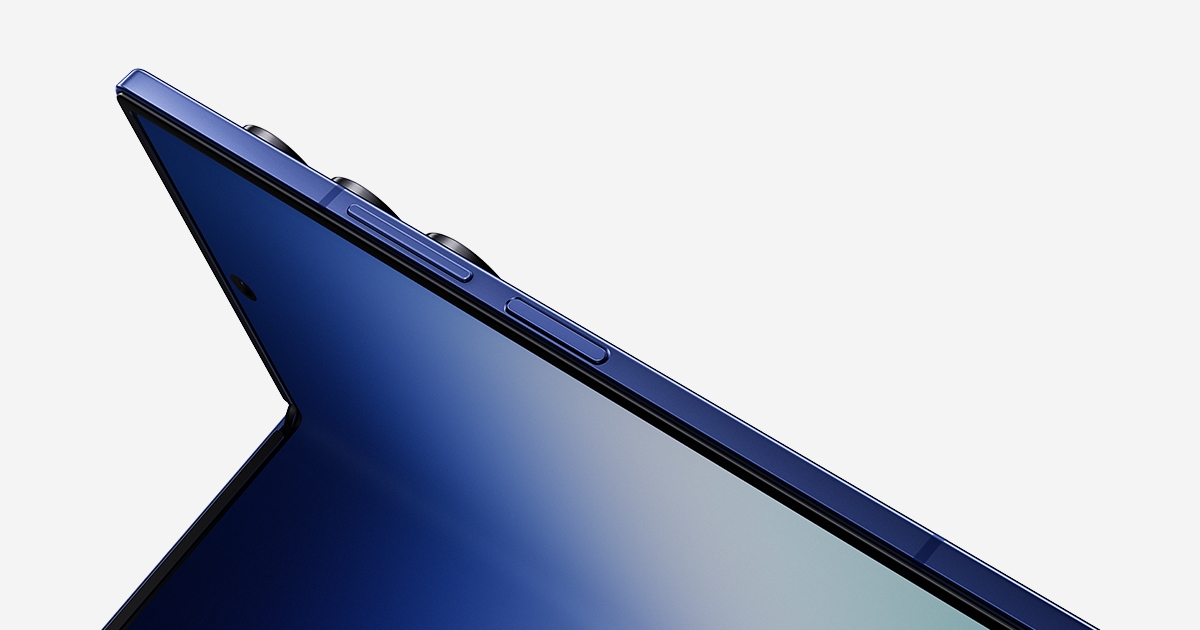
Galaxy Z Fold7
The Galaxy Z Fold7 is a foldable smartphone that provides a tablet-like display when unfolded, making it great for handling documents and apps simultaneously. The selection criterion for the Galaxy Z Fold7 in this list is productivity when processing documents and files on the go. By applying the Galaxy Z Fold7 model to tasks like checking emails, taking meeting notes, video conferencing, and transferring large files seamlessly without a laptop, it's easy to assess whether the product’s advantages are truly necessary. Key usage elements include split screen, Samsung DeX, and a foldable large screen. Rather than recommending the model solely based on high specifications, consider how much time you spend holding the Galaxy Z Fold7 and whether the frequently used apps fit this configuration. In-store, it’s advisable to check not only the screen size but also the button placements and the range of one-handed operation required for productivity in processing documents and files on the go.
According to official information, the battery is 4,400mAh, but large screen consumption needs to be checked based on usage patterns; the display is a large screen foldable designed around multi-window use, and it weighs 215g. The software support for the Galaxy Z Fold7 states ‘check support policies on the Samsung official product page.’ Since playback time is also measured under predetermined test conditions, we cannot assume it will perform the same in actual situations such as checking emails, taking meeting notes, video conferencing, and transferring large files without a laptop. When considering the Galaxy Z Fold7, even if the large screen and desktop features are useful, its usefulness can diminish if it does not align with the company's security apps or PC environment. Thus, it’s necessary to compare the product's storage capacity and its unlocked or carrier contract options to calculate the total cost accurately.
Before purchasing the Galaxy Z Fold7 model, first check compatibility with corporate authentication apps, Windows/Mac connections, cloud services, USB speeds, and the necessity of a dual SIM. The provision of a charger with this product, old cable standards, and the weight after applying a case should also be included in considerations of cost and usability. On the official product page, you can check domestic model codes and storage capacities, and carrier discounts should be assessed based on the duration of use required for processing documents and files on the go. The key to selecting the Galaxy Z Fold7 lies not in the order of the list but in keeping the functions needed for your day while reducing the costs and weights associated with unnecessary features.
According to official information, the battery is 4,400mAh, but large screen consumption needs to be checked based on usage patterns; the display is a large screen foldable designed around multi-window use, and it weighs 215g. The software support for the Galaxy Z Fold7 states ‘check support policies on the Samsung official product page.’ Since playback time is also measured under predetermined test conditions, we cannot assume it will perform the same in actual situations such as checking emails, taking meeting notes, video conferencing, and transferring large files without a laptop. When considering the Galaxy Z Fold7, even if the large screen and desktop features are useful, its usefulness can diminish if it does not align with the company's security apps or PC environment. Thus, it’s necessary to compare the product's storage capacity and its unlocked or carrier contract options to calculate the total cost accurately.
Before purchasing the Galaxy Z Fold7 model, first check compatibility with corporate authentication apps, Windows/Mac connections, cloud services, USB speeds, and the necessity of a dual SIM. The provision of a charger with this product, old cable standards, and the weight after applying a case should also be included in considerations of cost and usability. On the official product page, you can check domestic model codes and storage capacities, and carrier discounts should be assessed based on the duration of use required for processing documents and files on the go. The key to selecting the Galaxy Z Fold7 lies not in the order of the list but in keeping the functions needed for your day while reducing the costs and weights associated with unnecessary features.
배터리 4,400mAh · 사용 패턴에 따라 대화면 소모 확인 필요
화면 대화면 폴더블 · 멀티 윈도우 중심
무게 215g
소프트웨어 지원 삼성 공식 제품 페이지에서 지원 정책 확인
주요 활용 분할 화면 · Samsung DeX · 접이식 대화면
공식 페이지 https://www.samsung.com/sec/smartphones/galaxy-z-fold7/
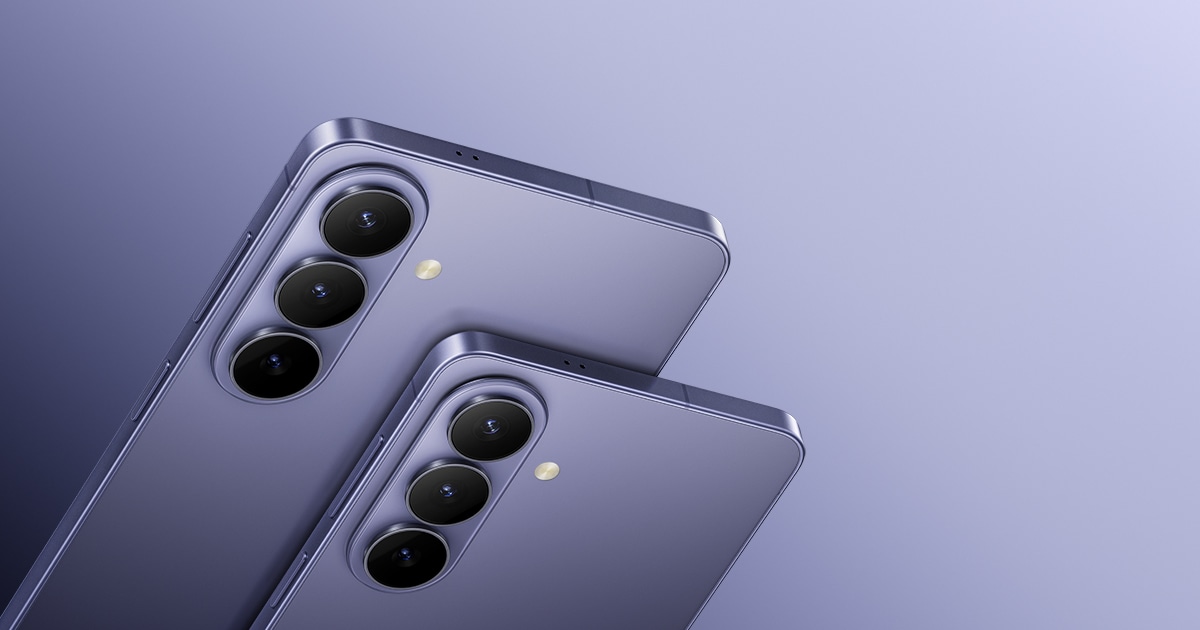
Galaxy S26+
The Galaxy S26+ is a large-screen model that is lighter than the Ultra, featuring a 169.1mm display and a 4,900mAh battery. The selection criterion for the Galaxy S26+ in this list is productivity when processing documents and files on the go. By applying the Galaxy S26+ model to tasks like checking emails, taking meeting notes, video conferencing, and transferring large files seamlessly without a laptop, it's easy to assess whether the product’s advantages are truly necessary. Key usage elements include Samsung DeX, a large screen, and a balanced weight. Rather than recommending the model solely based on high specifications, consider how much time you spend holding the Galaxy S26+ and whether the frequently used apps fit this configuration. In-store, it’s advisable to check not only the screen size but also the button placements and the range of one-handed operation required for productivity in processing documents and files on the go.
According to official information, the battery is 4,900mAh, designed for large-screen usage; the display is 169.1mm Dynamic AMOLED 2X with a maximum refresh rate of 120Hz, and it weighs 190g. The software support for the Galaxy S26+ states ‘check support expiration on the Samsung official product page.’ Since playback time is also measured under predetermined test conditions, we cannot assume it will perform the same in actual situations such as checking emails, taking meeting notes, video conferencing, and transferring large files without a laptop. When considering the Galaxy S26+, even if the large screen and desktop functions are useful, its usefulness can diminish if it does not align with the company's security apps or PC environment. Thus, it’s necessary to compare the product's storage capacity and its unlocked or carrier contract options to calculate the total cost accurately.
Before purchasing the Galaxy S26+ model, first check compatibility with corporate authentication apps, Windows/Mac connections, cloud services, USB speeds, and the necessity of a dual SIM. The provision of a charger with this product, old cable standards, and the weight after applying a case should also be included in considerations of cost and usability. On the official product page, you can check domestic model codes and storage capacities, and carrier discounts should be assessed based on the duration of use required for processing documents and files on the go. The key to selecting the Galaxy S26+ lies not in the order of the list but in keeping the functions needed for your day while reducing the costs and weights associated with unnecessary features.
According to official information, the battery is 4,900mAh, designed for large-screen usage; the display is 169.1mm Dynamic AMOLED 2X with a maximum refresh rate of 120Hz, and it weighs 190g. The software support for the Galaxy S26+ states ‘check support expiration on the Samsung official product page.’ Since playback time is also measured under predetermined test conditions, we cannot assume it will perform the same in actual situations such as checking emails, taking meeting notes, video conferencing, and transferring large files without a laptop. When considering the Galaxy S26+, even if the large screen and desktop functions are useful, its usefulness can diminish if it does not align with the company's security apps or PC environment. Thus, it’s necessary to compare the product's storage capacity and its unlocked or carrier contract options to calculate the total cost accurately.
Before purchasing the Galaxy S26+ model, first check compatibility with corporate authentication apps, Windows/Mac connections, cloud services, USB speeds, and the necessity of a dual SIM. The provision of a charger with this product, old cable standards, and the weight after applying a case should also be included in considerations of cost and usability. On the official product page, you can check domestic model codes and storage capacities, and carrier discounts should be assessed based on the duration of use required for processing documents and files on the go. The key to selecting the Galaxy S26+ lies not in the order of the list but in keeping the functions needed for your day while reducing the costs and weights associated with unnecessary features.
배터리 4,900mAh · 대화면 사용에 맞춘 용량
화면 169.1mm Dynamic AMOLED 2X · 최대 120Hz
무게 190g
소프트웨어 지원 삼성 공식 제품 페이지에서 지원 기한 확인
주요 활용 Samsung DeX · 대화면 · 균형 잡힌 무게
공식 페이지 https://www.samsung.com/sec/smartphones/galaxy-s26/
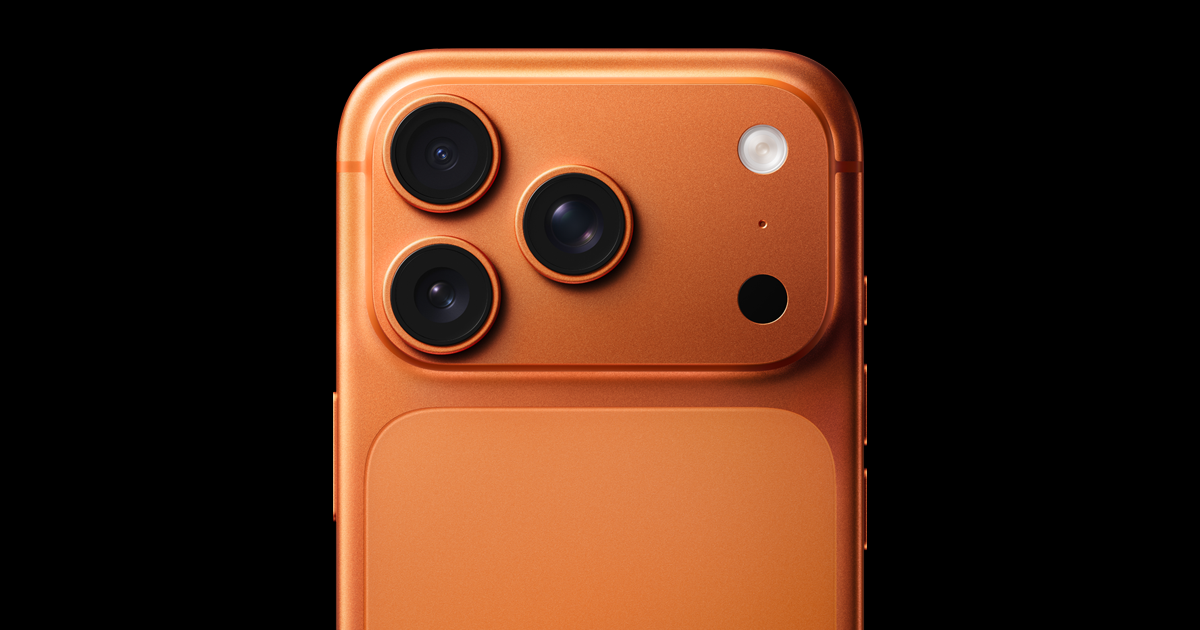
iPhone 17 Pro Max
The iPhone 17 Pro Max is a large iPhone featuring a big ProMotion display, pro-grade chip, and long video playback time. The selection criterion for the iPhone 17 Pro Max in this list is productivity when processing documents and files on the go. By applying the iPhone 17 Pro Max model to tasks like checking emails, taking meeting notes, video conferencing, and transferring large files seamlessly without a laptop, it's easy to assess whether the product’s advantages are truly necessary. Key usage elements include a large screen, high-performance GPU, and USB 3. Rather than recommending the model solely based on high specifications, consider how much time you spend holding the iPhone 17 Pro Max and whether the frequently used apps fit this configuration. In-store, it’s advisable to check not only the screen size but also the button placements and the range of one-handed operation required for productivity in processing documents and files on the go.
According to official information, the battery provides a maximum video playback time of 37 hours, the screen measures 17.4cm Super Retina XDR with ProMotion, and the weight is verified from Apple’s official product specifications. The software support for the iPhone 17 Pro Max states ‘check for iOS update availability at Apple Support.’ Since playback time is also measured under predetermined test conditions, we cannot assume it will perform the same in actual situations such as checking emails, taking meeting notes, video conferencing, and transferring large files without a laptop. When considering the iPhone 17 Pro Max, even if the large screen and desktop features are useful, its usefulness can diminish if it does not align with the company's security apps or PC environment. Thus, it’s necessary to compare the product's storage capacity and its unlocked or carrier contract options to calculate the total cost accurately.
iPhone 17 Pro Max users should check compatibility with corporate authentication apps, Windows/Mac connections, cloud services, USB speeds, and the necessity of a dual SIM before making a purchase. The provision of a charger with this product, old cable standards, and the weight after applying a case should also be included in considerations of cost and usability. On the official product page, you can check domestic model codes and storage capacities, and carrier discounts should be assessed based on the duration of use required for processing documents and files on the go. The key to selecting the iPhone 17 Pro Max lies not in the order of the list but in keeping the functions needed for your day while reducing the costs and weights associated with unnecessary features.
According to official information, the battery provides a maximum video playback time of 37 hours, the screen measures 17.4cm Super Retina XDR with ProMotion, and the weight is verified from Apple’s official product specifications. The software support for the iPhone 17 Pro Max states ‘check for iOS update availability at Apple Support.’ Since playback time is also measured under predetermined test conditions, we cannot assume it will perform the same in actual situations such as checking emails, taking meeting notes, video conferencing, and transferring large files without a laptop. When considering the iPhone 17 Pro Max, even if the large screen and desktop features are useful, its usefulness can diminish if it does not align with the company's security apps or PC environment. Thus, it’s necessary to compare the product's storage capacity and its unlocked or carrier contract options to calculate the total cost accurately.
iPhone 17 Pro Max users should check compatibility with corporate authentication apps, Windows/Mac connections, cloud services, USB speeds, and the necessity of a dual SIM before making a purchase. The provision of a charger with this product, old cable standards, and the weight after applying a case should also be included in considerations of cost and usability. On the official product page, you can check domestic model codes and storage capacities, and carrier discounts should be assessed based on the duration of use required for processing documents and files on the go. The key to selecting the iPhone 17 Pro Max lies not in the order of the list but in keeping the functions needed for your day while reducing the costs and weights associated with unnecessary features.
배터리 공식 동영상 재생 최대 37시간
화면 17.4cm Super Retina XDR · ProMotion
무게 Apple 공식 제품 사양에서 확인
소프트웨어 지원 iOS 업데이트 제공 여부를 Apple 지원에서 확인
주요 활용 대화면 · 고성능 GPU · USB 3
공식 페이지 https://www.apple.com/kr/iphone-17-pro/
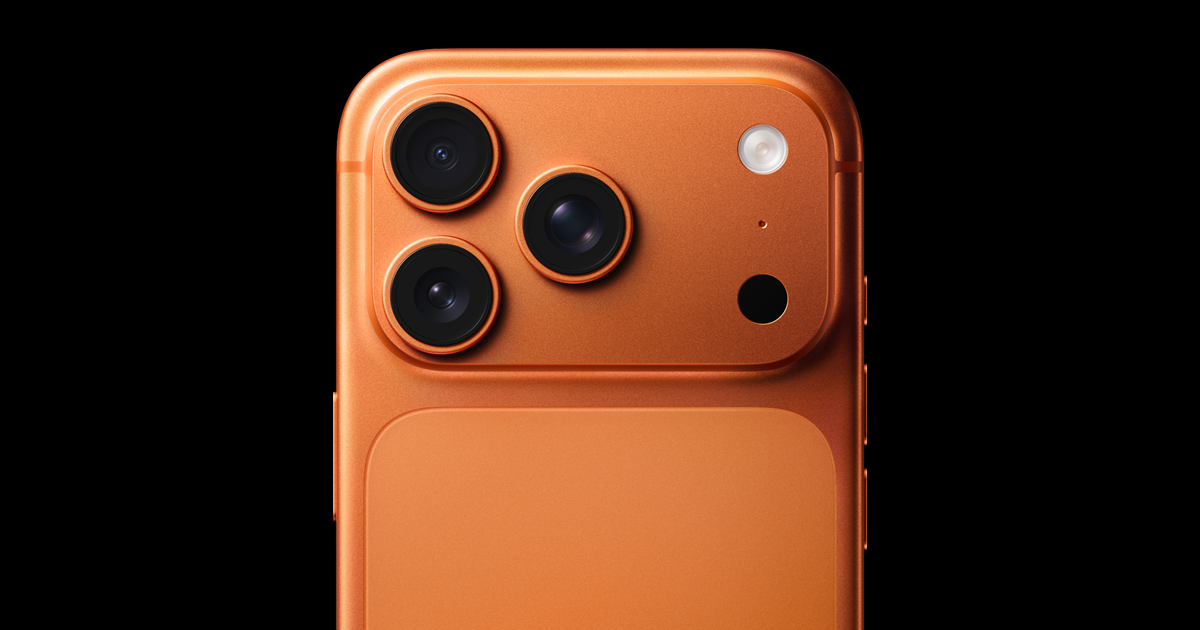
iPhone 17 Pro
The iPhone 17 Pro is a Pro model that packs ProMotion display, high-performance chip, and USB 3 connectivity into a relatively compact body. The selection criterion for the iPhone 17 Pro in this list is productivity when processing documents and files on the go. By applying the iPhone 17 Pro model to tasks like checking emails, taking meeting notes, video conferencing, and transferring large files seamlessly without a laptop, it's easy to assess whether the product’s advantages are truly necessary. Key usage elements include high-performance GPU, ProMotion, and USB 3. Rather than recommending the model solely based on high specifications, consider how much time you spend holding the iPhone 17 Pro and whether the frequently used apps fit this configuration. In-store, it’s advisable to check not only the screen size but also the button placements and the range of one-handed operation required for productivity in processing documents and files on the go.
According to official information, the battery life video playback time can be checked on the official product comparison page, the screen is Super Retina XDR with ProMotion, and the weight can be verified from Apple’s official product specifications. The software support for the iPhone 17 Pro states ‘check for iOS update availability at Apple Support.’ Since playback time is also measured under predetermined test conditions, we cannot assume it will perform the same in actual situations such as checking emails, taking meeting notes, video conferencing, and transferring large files without a laptop. When considering the iPhone 17 Pro, even if the large screen and desktop features are useful, its usefulness can diminish if it does not align with the company's security apps or PC environment. Thus, it’s necessary to compare the product's storage capacity and its unlocked or carrier contract options to calculate the total cost accurately.
iPhone 17 Pro users should check compatibility with corporate authentication apps, Windows/Mac connections, cloud services, USB speeds, and the necessity of a dual SIM before making a purchase. The provision of a charger with this product, old cable standards, and the weight after applying a case should also be included in considerations of cost and usability. On the official product page, you can check domestic model codes and storage capacities, and carrier discounts should be assessed based on the duration of use required for processing documents and files on the go. The key to selecting the iPhone 17 Pro lies not in the order of the list but in keeping the functions needed for your day while reducing the costs and weights associated with unnecessary features.
According to official information, the battery life video playback time can be checked on the official product comparison page, the screen is Super Retina XDR with ProMotion, and the weight can be verified from Apple’s official product specifications. The software support for the iPhone 17 Pro states ‘check for iOS update availability at Apple Support.’ Since playback time is also measured under predetermined test conditions, we cannot assume it will perform the same in actual situations such as checking emails, taking meeting notes, video conferencing, and transferring large files without a laptop. When considering the iPhone 17 Pro, even if the large screen and desktop features are useful, its usefulness can diminish if it does not align with the company's security apps or PC environment. Thus, it’s necessary to compare the product's storage capacity and its unlocked or carrier contract options to calculate the total cost accurately.
iPhone 17 Pro users should check compatibility with corporate authentication apps, Windows/Mac connections, cloud services, USB speeds, and the necessity of a dual SIM before making a purchase. The provision of a charger with this product, old cable standards, and the weight after applying a case should also be included in considerations of cost and usability. On the official product page, you can check domestic model codes and storage capacities, and carrier discounts should be assessed based on the duration of use required for processing documents and files on the go. The key to selecting the iPhone 17 Pro lies not in the order of the list but in keeping the functions needed for your day while reducing the costs and weights associated with unnecessary features.
배터리 공식 제품 비교 페이지에서 동영상 재생 시간 확인
화면 Super Retina XDR · ProMotion
무게 Apple 공식 제품 사양에서 확인
소프트웨어 지원 iOS 업데이트 제공 여부를 Apple 지원에서 확인
주요 활용 고성능 GPU · ProMotion · USB 3
공식 페이지 https://www.apple.com/kr/iphone-17-pro/
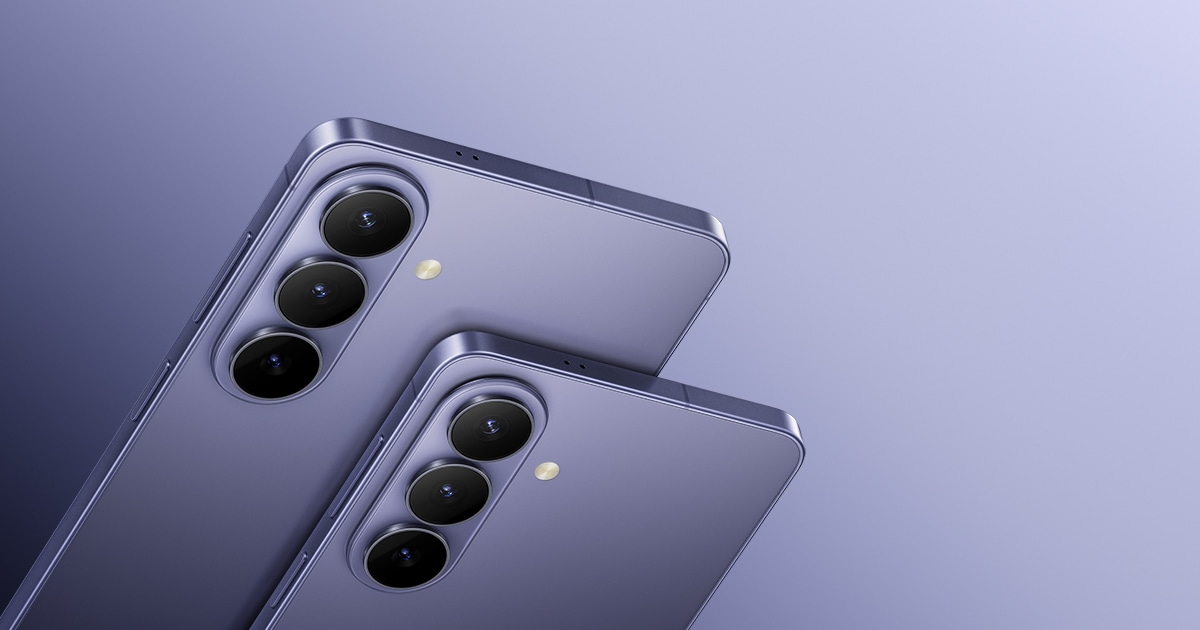
Galaxy S26
The Galaxy S26 is a basic flagship model aimed at balancing performance and portability with a 159.3mm screen and 167g weight. The selection criterion for the Galaxy S26 in this list is productivity when processing documents and files on the go. By applying the Galaxy S26 model to tasks like checking emails, taking meeting notes, video conferencing, and transferring large files seamlessly without a laptop, it's easy to assess whether the product’s advantages are truly necessary. Key usage elements include a high-performance chip, 120Hz display, and Samsung DeX. Rather than recommending the model solely based on high specifications, consider how much time you spend holding the Galaxy S26 and whether the frequently used apps fit this configuration. In-store, it’s advisable to check not only the screen size but also the button placements and the range of one-handed operation required for productivity in processing documents and files on the go.
According to official information, the battery is 4,300mAh with official video playback of up to 30 hours; the display is 159.3mm Dynamic AMOLED 2X with a maximum refresh rate of 120Hz and weighs 167g. The software support for the Galaxy S26 states ‘check support expiration on the Samsung official product page.’ Since playback time is also measured under predetermined test conditions, we cannot assume it will perform the same in actual situations such as checking emails, taking meeting notes, video conferencing, and transferring large files without a laptop. When considering the Galaxy S26, even if the large screen and desktop features are useful, its usefulness can diminish if it does not align with the company's security apps or PC environment. Thus, it’s necessary to compare the product's storage capacity and its unlocked or carrier contract options to calculate the total cost accurately.
Before purchasing the Galaxy S26 model, first check compatibility with corporate authentication apps, Windows/Mac connections, cloud services, USB speeds, and the necessity of a dual SIM. The provision of a charger with this product, old cable standards, and the weight after applying a case should also be included in considerations of cost and usability. On the official product page, you can check domestic model codes and storage capacities, and carrier discounts should be assessed based on the duration of use required for processing documents and files on the go. The key to selecting the Galaxy S26 lies not in the order of the list but in keeping the functions needed for your day while reducing the costs and weights associated with unnecessary features.
According to official information, the battery is 4,300mAh with official video playback of up to 30 hours; the display is 159.3mm Dynamic AMOLED 2X with a maximum refresh rate of 120Hz and weighs 167g. The software support for the Galaxy S26 states ‘check support expiration on the Samsung official product page.’ Since playback time is also measured under predetermined test conditions, we cannot assume it will perform the same in actual situations such as checking emails, taking meeting notes, video conferencing, and transferring large files without a laptop. When considering the Galaxy S26, even if the large screen and desktop features are useful, its usefulness can diminish if it does not align with the company's security apps or PC environment. Thus, it’s necessary to compare the product's storage capacity and its unlocked or carrier contract options to calculate the total cost accurately.
Before purchasing the Galaxy S26 model, first check compatibility with corporate authentication apps, Windows/Mac connections, cloud services, USB speeds, and the necessity of a dual SIM. The provision of a charger with this product, old cable standards, and the weight after applying a case should also be included in considerations of cost and usability. On the official product page, you can check domestic model codes and storage capacities, and carrier discounts should be assessed based on the duration of use required for processing documents and files on the go. The key to selecting the Galaxy S26 lies not in the order of the list but in keeping the functions needed for your day while reducing the costs and weights associated with unnecessary features.
배터리 4,300mAh · 공식 비디오 재생 최대 30시간
화면 159.3mm Dynamic AMOLED 2X · 최대 120Hz
무게 167g
소프트웨어 지원 삼성 공식 제품 페이지에서 지원 기한 확인
주요 활용 고성능 칩 · 120Hz 화면 · Samsung DeX
공식 페이지 https://www.samsung.com/sec/smartphones/galaxy-s26/
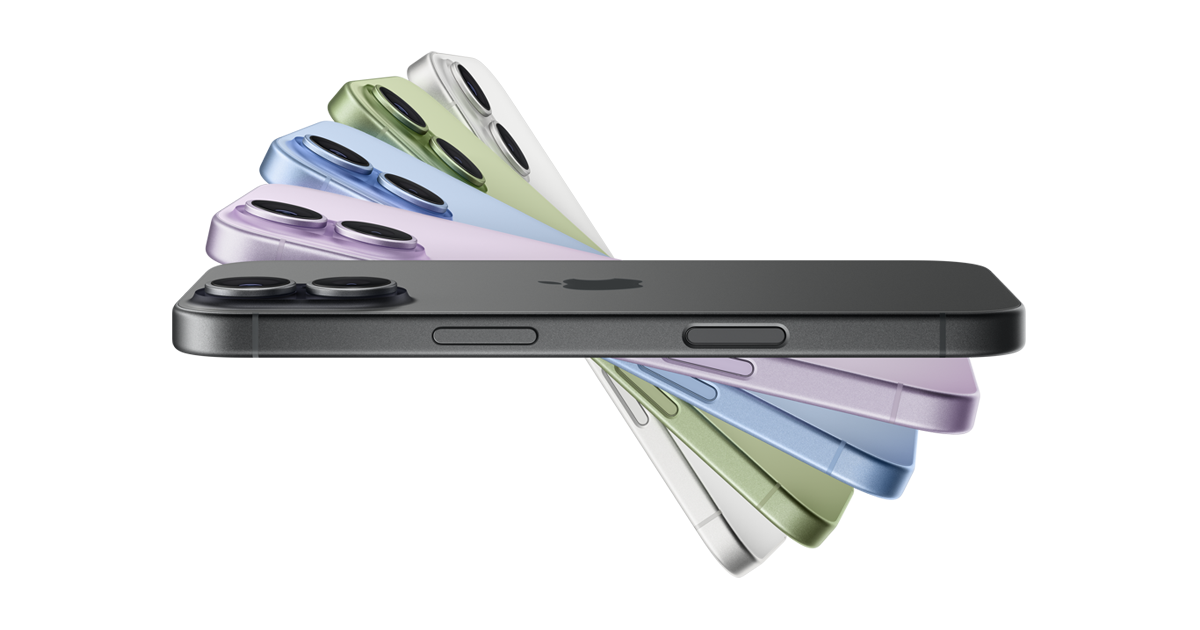
iPhone 17
iPhone 17. This is the base model featuring a 120Hz ProMotion display and an A19-series chip, weighing 177g. The selection criteria for the iPhone 17 model in this list is productivity when processing documents and files on the go. Especially when you consider the iPhone 17 model for tasks such as checking emails, taking meeting notes, video conferencing, and transferring large files without a laptop, it becomes easier to determine if the benefits of the product are truly needed. Key features include ProMotion, Apple Intelligence, and starting from 256GB, but rather than recommending it solely based on high specifications, it’s important to first consider whether the time spent holding the iPhone 17 and the frequently used apps align with this configuration. In stores, it's advisable to check not only the screen size of the iPhone 17 model but also the button placement and one-handed operation range necessary for productivity when handling documents and files on the go.
According to official information, the battery offers up to 30 hours of video playback, the display is a 15.9cm Super Retina XDR with ProMotion, and the weight is 177g. Software support information for the iPhone 17 model suggests checking with Apple support for details on iOS update availability. The playback time is measured under specific test conditions, so it cannot be definitively stated that it will perform the same in real scenarios, such as checking emails or transferring large files without a laptop. Although a larger screen and desktop features can be useful with the iPhone 17 model, its usability decreases if it does not fit the company security apps or PC environment. Therefore, it's necessary to compare total costs by calculating the storage capacity and configurations across self-purchase and carrier options for the same period.
Before purchasing the iPhone 17 model, first compare the company certification apps, Windows and Mac connectivity, cloud storage, USB speeds, and the need for dual SIM. The availability of a charging adapter, existing cable standards, and the weight after putting on a case should also be considered in terms of cost and usability. On the official product page, check the domestic model code and storage capacity, and calculate carrier discounts based on the usage period required for productivity when processing documents and files on the go. The key to selecting the iPhone 17 is not the order of the list, but rather to identify the essential functions needed for your day while reducing costs and weight for the features that won’t be used.
According to official information, the battery offers up to 30 hours of video playback, the display is a 15.9cm Super Retina XDR with ProMotion, and the weight is 177g. Software support information for the iPhone 17 model suggests checking with Apple support for details on iOS update availability. The playback time is measured under specific test conditions, so it cannot be definitively stated that it will perform the same in real scenarios, such as checking emails or transferring large files without a laptop. Although a larger screen and desktop features can be useful with the iPhone 17 model, its usability decreases if it does not fit the company security apps or PC environment. Therefore, it's necessary to compare total costs by calculating the storage capacity and configurations across self-purchase and carrier options for the same period.
Before purchasing the iPhone 17 model, first compare the company certification apps, Windows and Mac connectivity, cloud storage, USB speeds, and the need for dual SIM. The availability of a charging adapter, existing cable standards, and the weight after putting on a case should also be considered in terms of cost and usability. On the official product page, check the domestic model code and storage capacity, and calculate carrier discounts based on the usage period required for productivity when processing documents and files on the go. The key to selecting the iPhone 17 is not the order of the list, but rather to identify the essential functions needed for your day while reducing costs and weight for the features that won’t be used.
배터리 공식 동영상 재생 최대 30시간
화면 15.9cm Super Retina XDR · ProMotion
무게 177g
소프트웨어 지원 iOS 업데이트 제공 여부를 Apple 지원에서 확인
주요 활용 ProMotion · Apple Intelligence · 256GB부터
공식 페이지 https://www.apple.com/kr/iphone-17/
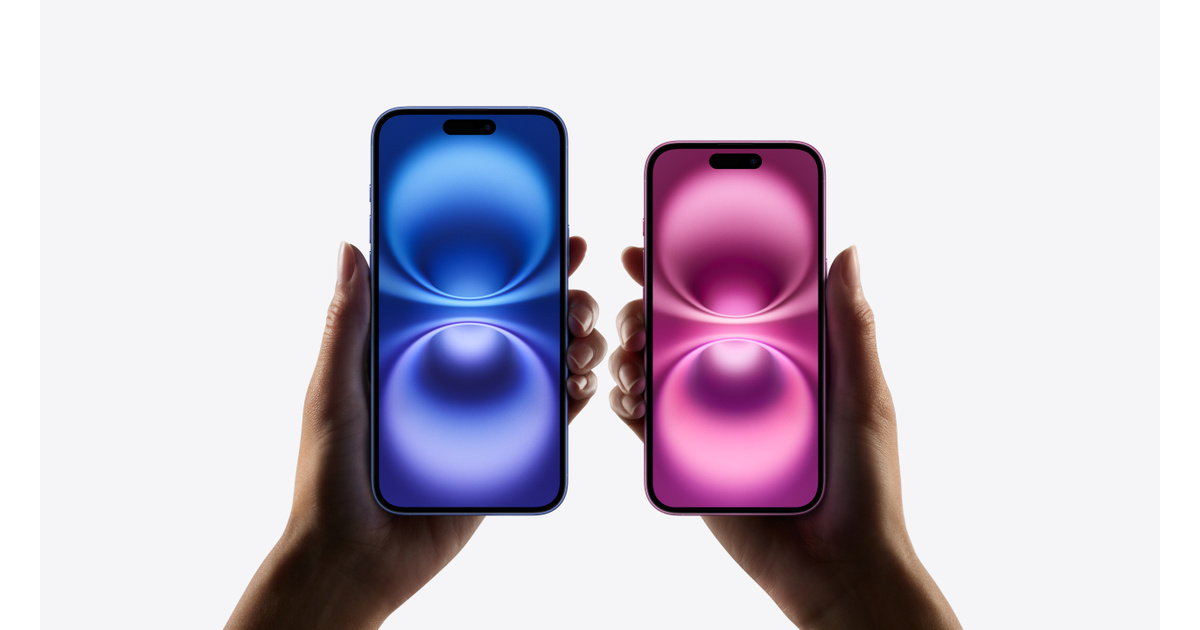
iPhone 16
iPhone 16. This is a previous-generation iPhone that provides action buttons and camera controls and allows you to compare domestic stock availability. The selection criteria for the iPhone 16 model in this list is productivity when processing documents and files on the go. Particularly, when the iPhone 16 model is applied to the flow of checking emails, taking meeting notes, video conferencing, and transferring large files without a laptop, it becomes easier to assess whether the product's advantages are genuinely necessary. Key features include action buttons, camera controls, and the Apple ecosystem, but instead of recommending it just because of its high specs, it's better to evaluate whether the time spent holding the iPhone 16 and frequently used apps match this configuration. In-store, it's beneficial to directly check not just the screen size of the iPhone 16 model, but also the button placement and one-handed operation range needed for productivity when handling documents and files on the move.
According to official information, battery playback time can be verified on Apple’s official product comparison page, the display is a 15.5cm Super Retina XDR OLED, and the weight is 170g. Software support information for the iPhone 16 model includes checking both the availability of iOS updates and the warranty from the seller. The playback time is also measured under specific test conditions, so it cannot be guaranteed to be the same in real scenarios such as email checks and large file transfers without a laptop. When considering the iPhone 16 model, even though its large screen and desktop functionality may be advantageous, its utility declines if it isn't compatible with company security apps or PC environments. Thus, it’s crucial to compare total costs by equating the storage capacity and configurations of self-purchase and carrier options over the same timeframe.
Before purchasing the iPhone 16 model, first cross-reference company-certified apps, Windows and Mac connections, cloud storage, USB speeds, and the necessity for dual SIM. The inclusion of a charging adapter, existing cable standards, and weight with a case should also be factored into cost and usability. On the official product page, confirm the domestic model code and storage capacity, and calculate carrier discounts based on the required usage period for productivity when handling documents and files on the go. The core of selecting the iPhone 16 lies not in the list’s order, but in keeping the functions you need for your day, while minimizing the costs and weight of features you won’t use.
According to official information, battery playback time can be verified on Apple’s official product comparison page, the display is a 15.5cm Super Retina XDR OLED, and the weight is 170g. Software support information for the iPhone 16 model includes checking both the availability of iOS updates and the warranty from the seller. The playback time is also measured under specific test conditions, so it cannot be guaranteed to be the same in real scenarios such as email checks and large file transfers without a laptop. When considering the iPhone 16 model, even though its large screen and desktop functionality may be advantageous, its utility declines if it isn't compatible with company security apps or PC environments. Thus, it’s crucial to compare total costs by equating the storage capacity and configurations of self-purchase and carrier options over the same timeframe.
Before purchasing the iPhone 16 model, first cross-reference company-certified apps, Windows and Mac connections, cloud storage, USB speeds, and the necessity for dual SIM. The inclusion of a charging adapter, existing cable standards, and weight with a case should also be factored into cost and usability. On the official product page, confirm the domestic model code and storage capacity, and calculate carrier discounts based on the required usage period for productivity when handling documents and files on the go. The core of selecting the iPhone 16 lies not in the list’s order, but in keeping the functions you need for your day, while minimizing the costs and weight of features you won’t use.
배터리 Apple 공식 제품 비교 페이지에서 재생 시간 확인
화면 15.5cm Super Retina XDR OLED
무게 170g
소프트웨어 지원 iOS 업데이트 제공 여부와 판매처 보증을 함께 확인
주요 활용 동작 버튼 · 카메라 컨트롤 · Apple 생태계
공식 페이지 https://www.apple.com/kr/iphone-16/
For a business smartphone, it’s more important to reduce the number of repetitive tasks than to have numerous features. A pen can be a burden in terms of weight and cost for someone who doesn't use the S Pen, and a large-screen foldable can be cumbersome if used with one hand often. Conversely, if you frequently review documents and use multiple apps while on business trips, a big screen and desktop connection can reduce the number of times you need to open your laptop.
Before purchasing, confirm compatibility with your company’s mobile security apps, certificates, and messengers. The experience of transferring files can also vary depending on whether your computer is Windows or Mac and on the cloud being used. By aligning storage space, USB speed, and the necessity of dual SIM with your actual work process, you can find the best product for you much more easily than relying on advertising slogans.
Before purchasing, confirm compatibility with your company’s mobile security apps, certificates, and messengers. The experience of transferring files can also vary depending on whether your computer is Windows or Mac and on the cloud being used. By aligning storage space, USB speed, and the necessity of dual SIM with your actual work process, you can find the best product for you much more easily than relying on advertising slogans.
At a glance
8 items
As part of the Coupang Partners program, this post may earn a commission from qualifying purchases.
Comments 0
Log in to leave a comment.
Be the first to comment.
How about these lists?


You might also like


🎲
Not ready to stop here?
Wondering what to read next is the biggest waste of time.
Let the dice decide — you won't know what pops up until you roll.
If you don't press it… won't you wonder forever? 👀
