Collection
Shopping
2026.10.08
The Records That Remain When a Secondhand Deal Goes Wrong
Real tools for organizing and preserving photos, documents, and payment records
When a problem arises in a secondhand transaction, materials with dates and originals matter more than a memory of having clearly said something at the time. Only by gathering the listing screen, the disclosure of defects, the chat, a video of the item working, the packing process, the shipping label, and the transfer record in one folder per transaction can you explain the facts quickly. If everything is stored only on your phone, the materials can disappear through device loss or automatic deletion, so you need a backup that separates originals from copies.
This list brings together eight real services for scanning documents, storing photos and videos, and sending official documents when needed. Cloud storage does not automatically guarantee the authenticity of evidence, and the full flow of a conversation plus the original files is more useful than a single edited screenshot. Do not share the other party's personal information, such as their resident registration number, bank account number, or address, unnecessarily, and keep only what is needed within a legitimate purpose such as a report or dispute mediation.
This list brings together eight real services for scanning documents, storing photos and videos, and sending official documents when needed. Cloud storage does not automatically guarantee the authenticity of evidence, and the full flow of a conversation plus the original files is more useful than a single edited screenshot. Do not share the other party's personal information, such as their resident registration number, bank account number, or address, unnecessarily, and keep only what is needed within a legitimate purpose such as a report or dispute mediation.
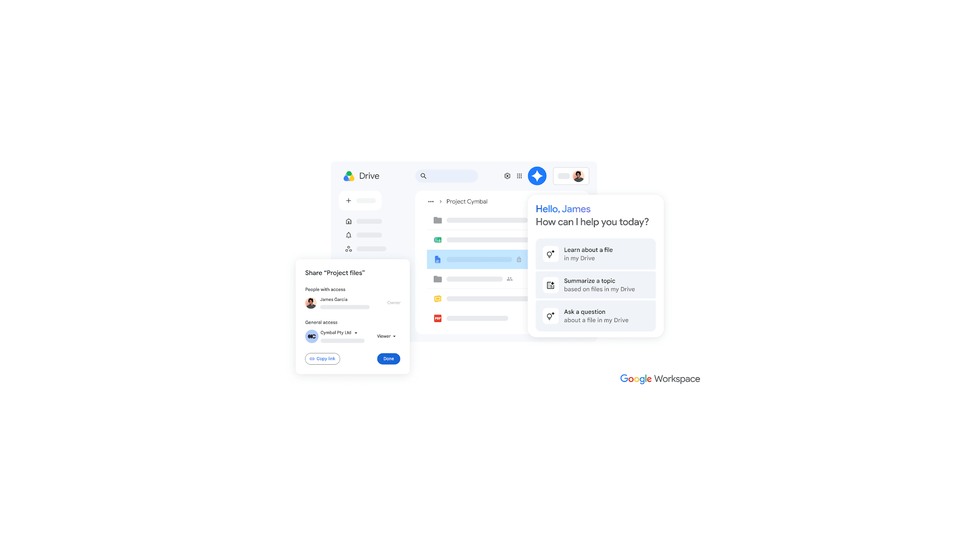
Google Drive
Google Drive made this list because it gives you the information you need when you're backing up transaction photos, videos, and PDFs by folder and checking them across devices. What the official description from Google covers and the actual appearance and working condition of a used item are two different things, so don't conclude that the seller or the product as a whole is safe based only on the results from Google Drive when you're backing up transaction photos, videos, and PDFs by folder and checking them across devices. For item #1, decide what to check based on the criterion ‘review the access permissions on shared links and your Google account's 2-Step Verification’, and record the product's identifying details and the results screen at the same time.
When you actually use it, review the access permissions on shared links and your Google account's 2-Step Verification. The checkpoint ‘review the access permissions on shared links and your Google account's 2-Step Verification’ is there so you don't miss damage or policy differences that fall outside the scope of Google Drive. In particular, if you couldn't meet the condition ‘review the access permissions on shared links and your Google account's 2-Step Verification’, consider putting the deal on hold before relying on any results. The features, supported models, and terms of use offered by Google can change, even when you're backing up transaction photos, videos, and PDFs by folder and checking them across devices, so reopen the official link right before you pay or inspect. When you keep records, note that you checked this when you're backing up transaction photos, videos, and PDFs by folder and checking them across devices, along with the date, and blur out any personal information, such as account details, addresses, or serial numbers, revealed while reviewing shared-link access permissions and your Google account's 2-Step Verification.
When you actually use it, review the access permissions on shared links and your Google account's 2-Step Verification. The checkpoint ‘review the access permissions on shared links and your Google account's 2-Step Verification’ is there so you don't miss damage or policy differences that fall outside the scope of Google Drive. In particular, if you couldn't meet the condition ‘review the access permissions on shared links and your Google account's 2-Step Verification’, consider putting the deal on hold before relying on any results. The features, supported models, and terms of use offered by Google can change, even when you're backing up transaction photos, videos, and PDFs by folder and checking them across devices, so reopen the official link right before you pay or inspect. When you keep records, note that you checked this when you're backing up transaction photos, videos, and PDFs by folder and checking them across devices, along with the date, and blur out any personal information, such as account details, addresses, or serial numbers, revealed while reviewing shared-link access permissions and your Google account's 2-Step Verification.
제공사 Google
적합한 상황 거래 사진·영상·PDF를 폴더별로 백업하고 기기 간 확인할 때
사용 전 확인 공유 링크 접근 권한과 Google 계정 2단계 인증을 점검한다
정보 확인 공식 페이지에서 기능·용도와 이용 조건을 확인
이미지 출처 https://lh3.googleusercontent.com/_HSqqBvJJpopAd2znZ8-VHWZ2-470iy7MSjVhdcJfXMF3-caNsWDwJrHQkBxbdGVg_tfsiAWOTpIzVJjARBVeHSlwXWxhQPULyP4=w1200-e365
NAVER MYBOX
NAVER MYBOX made this list because it gives you the information you need when you're auto-uploading transaction records to a Korean account and storing them by folder. What the official description from NAVER covers and the actual appearance and working condition of a used item are two different things, so don't conclude that the seller or the product as a whole is safe based only on the results from NAVER MYBOX when you're auto-uploading transaction records to a Korean account and storing them by folder. For item #2, decide what to check based on the criterion ‘check the auto-upload scope and the password and expiration date of shared links’, and record the product's identifying details and the results screen at the same time.
When you actually use it, check the auto-upload scope and the password and expiration date of shared links. The checkpoint ‘check the auto-upload scope and the password and expiration date of shared links’ is there so you don't miss damage or policy differences that fall outside the scope of NAVER MYBOX. In particular, if you couldn't meet the condition ‘check the auto-upload scope and the password and expiration date of shared links’, consider putting the deal on hold before relying on any results. The features, supported models, and terms of use offered by NAVER can change, even when you're auto-uploading transaction records to a Korean account and storing them by folder, so reopen the official link right before you pay or inspect. When you keep records, note that you checked this when you're auto-uploading transaction records to a Korean account and storing them by folder, along with the date, and blur out any personal information, such as account details, addresses, or serial numbers, revealed while checking the auto-upload scope and the password and expiration date of shared links.
When you actually use it, check the auto-upload scope and the password and expiration date of shared links. The checkpoint ‘check the auto-upload scope and the password and expiration date of shared links’ is there so you don't miss damage or policy differences that fall outside the scope of NAVER MYBOX. In particular, if you couldn't meet the condition ‘check the auto-upload scope and the password and expiration date of shared links’, consider putting the deal on hold before relying on any results. The features, supported models, and terms of use offered by NAVER can change, even when you're auto-uploading transaction records to a Korean account and storing them by folder, so reopen the official link right before you pay or inspect. When you keep records, note that you checked this when you're auto-uploading transaction records to a Korean account and storing them by folder, along with the date, and blur out any personal information, such as account details, addresses, or serial numbers, revealed while checking the auto-upload scope and the password and expiration date of shared links.
제공사 NAVER
적합한 상황 국내 계정으로 거래 자료를 자동 올리고 폴더별 보관할 때
사용 전 확인 자동 올리기 범위와 공유 링크 비밀번호·유효기간을 확인한다
정보 확인 공식 페이지에서 기능·용도와 이용 조건을 확인
이미지 출처 https://ssl.pstatic.net/static/pwe/cloud/img/mybox_og.png
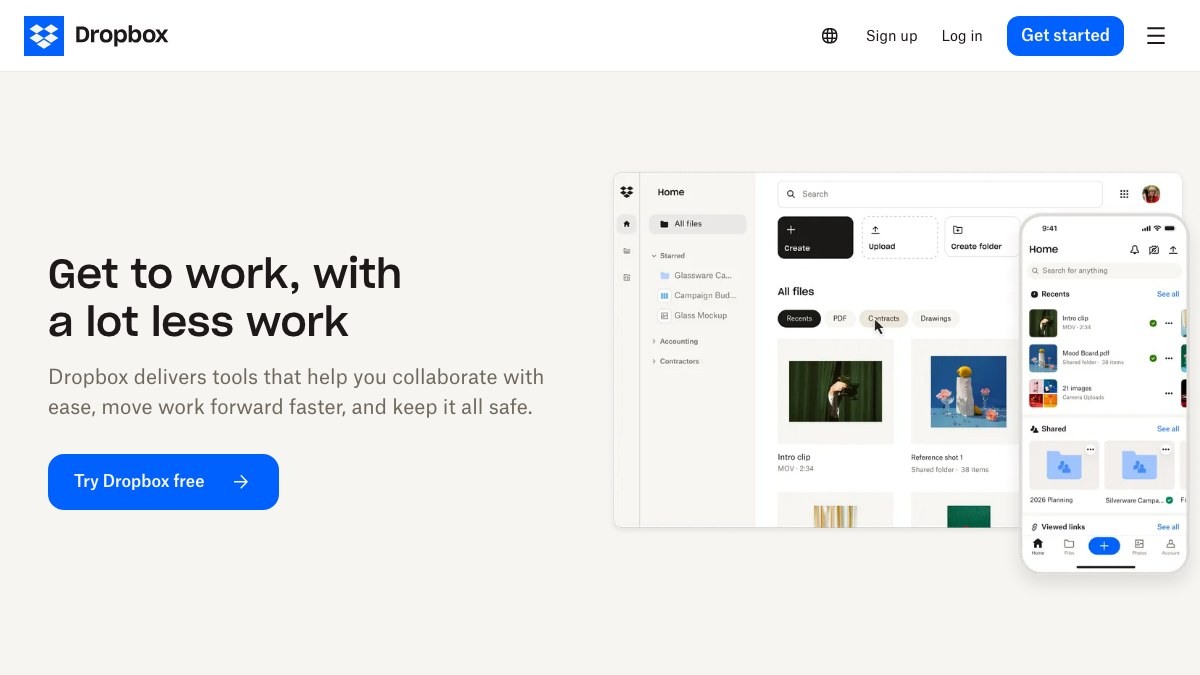
Dropbox
Dropbox made this list because it gives you the information you need when you're syncing and storing original files and their revision history across multiple devices. What the official description from Dropbox covers and the actual appearance and working condition of a used item are two different things, so don't conclude that the seller or the product as a whole is safe based only on the results from Dropbox when you're syncing and storing original files and their revision history across multiple devices. For item #3, decide what to check based on the criterion ‘check the free storage, the recovery period for deleted files, and the permissions of the people you share with’, and record the product's identifying details and the results screen at the same time.
When you actually use it, check the free storage, the recovery period for deleted files, and the permissions of the people you share with. The checkpoint ‘check the free storage, the recovery period for deleted files, and the permissions of the people you share with’ is there so you don't miss damage or policy differences that fall outside the scope of Dropbox. In particular, if you couldn't meet the condition ‘check the free storage, the recovery period for deleted files, and the permissions of the people you share with’, consider putting the deal on hold before relying on any results. The features, supported models, and terms of use offered by Dropbox can change, even when you're syncing and storing original files and their revision history across multiple devices, so reopen the official link right before you pay or inspect. When you keep records, note that you checked this when you're syncing and storing original files and their revision history across multiple devices, along with the date, and blur out any personal information, such as account details, addresses, or serial numbers, revealed while checking the free storage, the deleted-file recovery period, and sharing permissions.
When you actually use it, check the free storage, the recovery period for deleted files, and the permissions of the people you share with. The checkpoint ‘check the free storage, the recovery period for deleted files, and the permissions of the people you share with’ is there so you don't miss damage or policy differences that fall outside the scope of Dropbox. In particular, if you couldn't meet the condition ‘check the free storage, the recovery period for deleted files, and the permissions of the people you share with’, consider putting the deal on hold before relying on any results. The features, supported models, and terms of use offered by Dropbox can change, even when you're syncing and storing original files and their revision history across multiple devices, so reopen the official link right before you pay or inspect. When you keep records, note that you checked this when you're syncing and storing original files and their revision history across multiple devices, along with the date, and blur out any personal information, such as account details, addresses, or serial numbers, revealed while checking the free storage, the deleted-file recovery period, and sharing permissions.
제공사 Dropbox
적합한 상황 원본 파일과 수정 이력을 여러 기기에서 동기화해 보관할 때
사용 전 확인 무료 용량과 삭제 파일 복구 기간, 공유 대상 권한을 확인한다
정보 확인 공식 페이지에서 기능·용도와 이용 조건을 확인
이미지 출처 https://www.dropbox.com/#official-page-capture
Adobe Scan
Adobe Scan is included in this list because it provides the information you need when scanning receipts, shipping labels, and settlement documents with your phone and organizing them as PDFs. What can be confirmed from Adobe's official description and the appearance and working condition of a secondhand item are different kinds of information, so the results from Adobe Scan alone are not used to judge that the seller or the entire product is safe in the situation of scanning receipts, shipping labels, and settlement documents with your phone and organizing them as PDFs. In this fourth entry, the items to check are set according to the criterion of cross-checking that amounts, dates, and document edges were not cut off after automatic correction, and the product identification details and the result screen are recorded at the same point in time.
When actually using it, cross-check that amounts, dates, and document edges were not cut off after automatic correction. The checkpoint of cross-checking that amounts, dates, and document edges were not cut off after automatic correction is a standard for not missing damage or policy differences that fall outside the scope of Adobe Scan. In particular, if you were unable to meet the condition of cross-checking that amounts, dates, and document edges were not cut off after automatic correction, consider putting the transaction on hold before relying on any measured result. Adobe's features, supported models, and terms of use can change even in the situation of scanning receipts, shipping labels, and settlement documents with your phone and organizing them as PDFs, so open the official link again right before paying or inspecting. When keeping records, note the fact that you checked while scanning receipts, shipping labels, and settlement documents with your phone and organizing them as PDFs, along with the date, and mask personal information such as accounts, addresses, and serial numbers that came to light while cross-checking that amounts, dates, and document edges were not cut off after automatic correction.
When actually using it, cross-check that amounts, dates, and document edges were not cut off after automatic correction. The checkpoint of cross-checking that amounts, dates, and document edges were not cut off after automatic correction is a standard for not missing damage or policy differences that fall outside the scope of Adobe Scan. In particular, if you were unable to meet the condition of cross-checking that amounts, dates, and document edges were not cut off after automatic correction, consider putting the transaction on hold before relying on any measured result. Adobe's features, supported models, and terms of use can change even in the situation of scanning receipts, shipping labels, and settlement documents with your phone and organizing them as PDFs, so open the official link again right before paying or inspecting. When keeping records, note the fact that you checked while scanning receipts, shipping labels, and settlement documents with your phone and organizing them as PDFs, along with the date, and mask personal information such as accounts, addresses, and serial numbers that came to light while cross-checking that amounts, dates, and document edges were not cut off after automatic correction.
제공사 Adobe
적합한 상황 영수증·송장·합의 문서를 휴대폰으로 스캔해 PDF로 정리할 때
사용 전 확인 자동 보정 후 금액·날짜·문서 가장자리가 잘리지 않았는지 대조한다
정보 확인 공식 페이지에서 기능·용도와 이용 조건을 확인
iCloud Drive
iCloud Drive made this list because it gives you the information you need when you're backing up transaction records shot on an iPhone or iPad as original files. What the official description from Apple covers and the actual appearance and working condition of a used item are two different things, so don't conclude that the seller or the product as a whole is safe based only on the results from iCloud Drive when you're backing up transaction records shot on an iPhone or iPad as original files. For item #5, decide what to check based on the criterion ‘check your iCloud storage, Advanced Data Protection, and account recovery settings’, and record the product's identifying details and the results screen at the same time.
When you actually use it, check your iCloud storage, Advanced Data Protection, and account recovery settings. The checkpoint ‘check your iCloud storage, Advanced Data Protection, and account recovery settings’ is there so you don't miss damage or policy differences that fall outside the scope of iCloud Drive. In particular, if you couldn't meet the condition ‘check your iCloud storage, Advanced Data Protection, and account recovery settings’, consider putting the deal on hold before relying on any results. The features, supported models, and terms of use offered by Apple can change, even when you're backing up transaction records shot on an iPhone or iPad as original files, so reopen the official link right before you pay or inspect. When you keep records, note that you checked this when you're backing up transaction records shot on an iPhone or iPad as original files, along with the date, and blur out any personal information, such as account details, addresses, or serial numbers, revealed while checking your iCloud storage, Advanced Data Protection, and account recovery settings.
When you actually use it, check your iCloud storage, Advanced Data Protection, and account recovery settings. The checkpoint ‘check your iCloud storage, Advanced Data Protection, and account recovery settings’ is there so you don't miss damage or policy differences that fall outside the scope of iCloud Drive. In particular, if you couldn't meet the condition ‘check your iCloud storage, Advanced Data Protection, and account recovery settings’, consider putting the deal on hold before relying on any results. The features, supported models, and terms of use offered by Apple can change, even when you're backing up transaction records shot on an iPhone or iPad as original files, so reopen the official link right before you pay or inspect. When you keep records, note that you checked this when you're backing up transaction records shot on an iPhone or iPad as original files, along with the date, and blur out any personal information, such as account details, addresses, or serial numbers, revealed while checking your iCloud storage, Advanced Data Protection, and account recovery settings.
제공사 Apple
적합한 상황 아이폰·아이패드에서 촬영한 거래 자료를 원본 파일로 백업할 때
사용 전 확인 iCloud 저장 공간과 고급 데이터 보호·계정 복구 설정을 확인한다
정보 확인 공식 페이지에서 기능·용도와 이용 조건을 확인
이미지 출처 https://www.icloud.com/iclouddrive/#official-page-capture

Samsung Notes
Samsung Notes made this list because it gives you the information you need when you're bundling photos, memos, and scanned documents into a single transaction note on a Galaxy. What the official description from Samsung Electronics covers and the actual appearance and working condition of a used item are two different things, so don't conclude that the seller or the product as a whole is safe based only on the results from Samsung Notes when you're bundling photos, memos, and scanned documents into a single transaction note on a Galaxy. For item #6, decide what to check based on the criterion ‘make sure the exported PDF opens and review your Samsung account sync’, and record the product's identifying details and the results screen at the same time.
When you actually use it, make sure the exported PDF opens and review your Samsung account sync. The checkpoint ‘make sure the exported PDF opens and review your Samsung account sync’ is there so you don't miss damage or policy differences that fall outside the scope of Samsung Notes. In particular, if you couldn't meet the condition ‘make sure the exported PDF opens and review your Samsung account sync’, consider putting the deal on hold before relying on any results. The features, supported models, and terms of use offered by Samsung Electronics can change, even when you're bundling photos, memos, and scanned documents into a single transaction note on a Galaxy, so reopen the official link right before you pay or inspect. When you keep records, note that you checked this when you're bundling photos, memos, and scanned documents into a single transaction note on a Galaxy, along with the date, and blur out any personal information, such as account details, addresses, or serial numbers, revealed while making sure the exported PDF opens and reviewing your Samsung account sync.
When you actually use it, make sure the exported PDF opens and review your Samsung account sync. The checkpoint ‘make sure the exported PDF opens and review your Samsung account sync’ is there so you don't miss damage or policy differences that fall outside the scope of Samsung Notes. In particular, if you couldn't meet the condition ‘make sure the exported PDF opens and review your Samsung account sync’, consider putting the deal on hold before relying on any results. The features, supported models, and terms of use offered by Samsung Electronics can change, even when you're bundling photos, memos, and scanned documents into a single transaction note on a Galaxy, so reopen the official link right before you pay or inspect. When you keep records, note that you checked this when you're bundling photos, memos, and scanned documents into a single transaction note on a Galaxy, along with the date, and blur out any personal information, such as account details, addresses, or serial numbers, revealed while making sure the exported PDF opens and reviewing your Samsung account sync.
제공사 Samsung Electronics
적합한 상황 갤럭시에서 사진·메모·스캔 문서를 한 거래 노트로 묶을 때
사용 전 확인 내보낸 PDF가 열리는지 확인하고 Samsung 계정 동기화를 점검한다
정보 확인 공식 페이지에서 기능·용도와 이용 조건을 확인
Korea Post Online Certified Mail
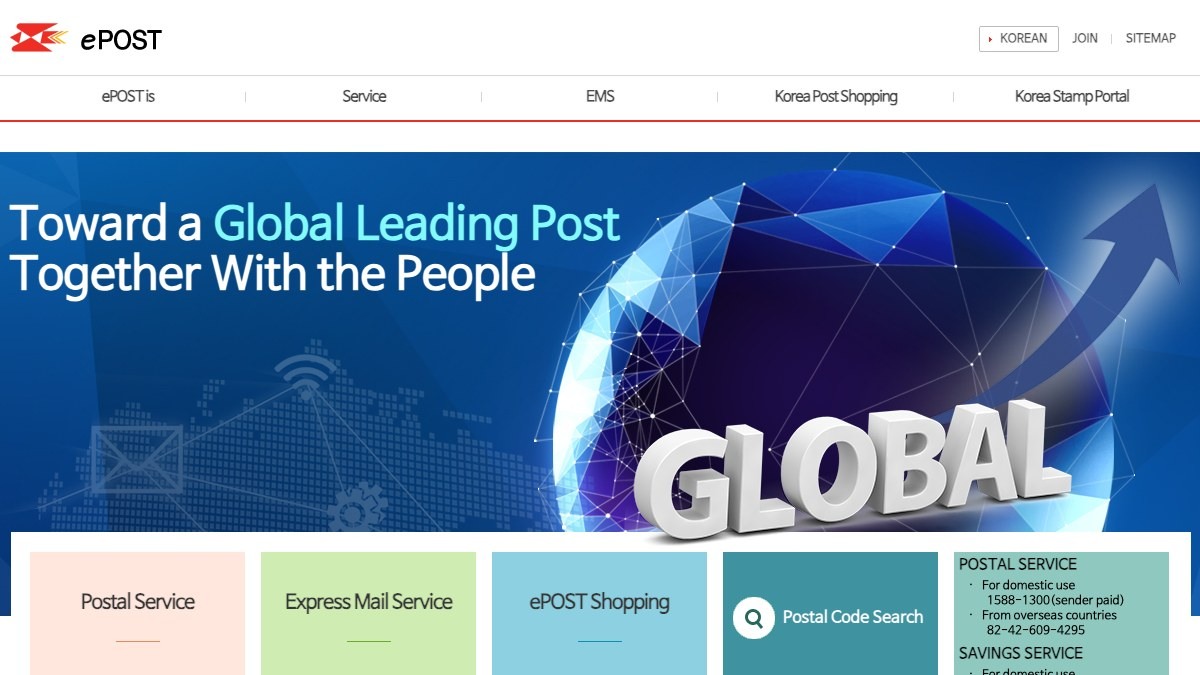
Korea Post Online Certified Mail is included in this list because it provides the information you need when leaving proof that you sent a specific statement of intent, such as a refund or return demand, as a document. What can be confirmed from the official description by Internet Korea Post and the appearance and working condition of a secondhand item are different kinds of information, so the results from Korea Post Online Certified Mail alone are not used to judge that the seller or the entire product is safe in the situation of leaving proof that you sent a specific statement of intent, such as a refund or return demand, as a document. In this seventh entry, the items to check are set according to the criterion of reviewing the recipient's address and the wording and not exaggerating the legal meaning of certified mail, and the product identification details and the result screen are recorded at the same point in time.
When actually using it, review the recipient's address and the wording and do not exaggerate the legal meaning of certified mail. The checkpoint of reviewing the recipient's address and the wording and not exaggerating the legal meaning of certified mail is a standard for not missing damage or policy differences that fall outside the scope of Korea Post Online Certified Mail. In particular, if you were unable to meet the condition of reviewing the recipient's address and the wording and not exaggerating the legal meaning of certified mail, consider putting the transaction on hold before relying on any measured result. Internet Korea Post's features, supported models, and terms of use can change even in the situation of leaving proof that you sent a specific statement of intent, such as a refund or return demand, as a document, so open the official link again right before paying or inspecting. When keeping records, note the fact that you checked while leaving proof that you sent a specific statement of intent, such as a refund or return demand, as a document, along with the date, and mask personal information such as accounts, addresses, and serial numbers that came to light while reviewing the recipient's address and the wording and not exaggerating the legal meaning of certified mail.
When actually using it, review the recipient's address and the wording and do not exaggerate the legal meaning of certified mail. The checkpoint of reviewing the recipient's address and the wording and not exaggerating the legal meaning of certified mail is a standard for not missing damage or policy differences that fall outside the scope of Korea Post Online Certified Mail. In particular, if you were unable to meet the condition of reviewing the recipient's address and the wording and not exaggerating the legal meaning of certified mail, consider putting the transaction on hold before relying on any measured result. Internet Korea Post's features, supported models, and terms of use can change even in the situation of leaving proof that you sent a specific statement of intent, such as a refund or return demand, as a document, so open the official link again right before paying or inspecting. When keeping records, note the fact that you checked while leaving proof that you sent a specific statement of intent, such as a refund or return demand, as a document, along with the date, and mask personal information such as accounts, addresses, and serial numbers that came to light while reviewing the recipient's address and the wording and not exaggerating the legal meaning of certified mail.
제공사 인터넷우체국
적합한 상황 환불·반환 요구처럼 특정 의사를 문서로 발송한 사실을 남길 때
사용 전 확인 수신 주소와 문구를 검토하고 내용증명의 법적 의미를 과장하지 않는다
정보 확인 공식 페이지에서 기능·용도와 이용 조건을 확인
이미지 출처 https://www.epost.go.kr/main/eng/Enpost_Introduction1.html#official-page-capture
Bohonara
Boho Nara is included in this list because it provides the information you need when checking how to respond to suspicious links, phishing, and malicious apps and finding a counseling channel. What can be confirmed from KISA's official description and the appearance and working condition of a secondhand item are different kinds of information, so the results from Boho Nara alone are not used to judge that the seller or the entire product is safe in the situation of checking how to respond to suspicious links, phishing, and malicious apps and finding a counseling channel. In this eighth entry, the items to check are set according to the criterion of handling urgent financial losses separately through a payment suspension at the financial institution and a police report, and the product identification details and the result screen are recorded at the same point in time.
When actually using it, handle urgent financial losses separately through a payment suspension at the financial institution and a police report. The checkpoint of handling urgent financial losses separately through a payment suspension at the financial institution and a police report is a standard for not missing damage or policy differences that fall outside the scope of Boho Nara. In particular, if you were unable to meet the condition of handling urgent financial losses separately through a payment suspension at the financial institution and a police report, consider putting the transaction on hold before relying on any measured result. KISA's features, supported models, and terms of use can change even in the situation of checking how to respond to suspicious links, phishing, and malicious apps and finding a counseling channel, so open the official link again right before paying or inspecting. When keeping records, note the fact that you checked while checking how to respond to suspicious links, phishing, and malicious apps and finding a counseling channel, along with the date, and mask personal information such as accounts, addresses, and serial numbers that came to light while handling urgent financial losses separately through a payment suspension at the financial institution and a police report.
When actually using it, handle urgent financial losses separately through a payment suspension at the financial institution and a police report. The checkpoint of handling urgent financial losses separately through a payment suspension at the financial institution and a police report is a standard for not missing damage or policy differences that fall outside the scope of Boho Nara. In particular, if you were unable to meet the condition of handling urgent financial losses separately through a payment suspension at the financial institution and a police report, consider putting the transaction on hold before relying on any measured result. KISA's features, supported models, and terms of use can change even in the situation of checking how to respond to suspicious links, phishing, and malicious apps and finding a counseling channel, so open the official link again right before paying or inspecting. When keeping records, note the fact that you checked while checking how to respond to suspicious links, phishing, and malicious apps and finding a counseling channel, along with the date, and mask personal information such as accounts, addresses, and serial numbers that came to light while handling urgent financial losses separately through a payment suspension at the financial institution and a police report.
제공사 KISA
적합한 상황 의심 링크·피싱·악성 앱 대응 정보를 확인하고 상담 경로를 찾을 때
사용 전 확인 긴급 금전 피해는 금융회사 지급정지와 경찰 신고를 별도로 진행한다
정보 확인 공식 페이지에서 기능·용도와 이용 조건을 확인
이미지 출처 http://www.boho.or.kr:80/images/common/metaimg_kisa.png
It is easier to set up a structure for transaction records from the moment you post a listing than to collect them after a problem arises. Put the listing PDF, full chat screens, the product serial number, a video of it working, a packing video, the shipping label, and the deposit record into a folder for each transaction in chronological order. Write the date and the item in the file names, leave the originals unmodified, and mask personal information in a separate copy, which also makes it easy to prepare materials for submission.
The free storage, retention policies, and sharing-link permissions of cloud services can change. Do not leave links set to anyone can view, enable two-step verification, and once the dispute is over, confirm whether there is a legal need to retain the records before clearing out sensitive information. A certified mail notice is a means of leaving proof that you conveyed your position to the other party, not a ruling that automatically confirms a refund or compensation, so if the loss is large, consult the police, a consumer counseling service, or a legal professional together with the original materials.
The free storage, retention policies, and sharing-link permissions of cloud services can change. Do not leave links set to anyone can view, enable two-step verification, and once the dispute is over, confirm whether there is a legal need to retain the records before clearing out sensitive information. A certified mail notice is a means of leaving proof that you conveyed your position to the other party, not a ruling that automatically confirms a refund or compensation, so if the loss is large, consult the police, a consumer counseling service, or a legal professional together with the original materials.
At a glance
8 items
As part of the Coupang Partners program, this post may earn a commission from qualifying purchases.
Comments 0
Log in to leave a comment.
Be the first to comment.
How about these lists?


You might also like


🎲
Not ready to stop here?
Wondering what to read next is the biggest waste of time.
Let the dice decide — you won't know what pops up until you roll.
If you don't press it… won't you wonder forever? 👀