Collection
Shopping
2026.07.02
Safe-Trade Services That Help Reduce Disputes When Buying, Selling, or Giving Away Secondhand Items
Services worth checking before and after a secondhand deal, from in-person meetup spots and safe payment to fraud lookup, parcel records, and dispute counseling
You can't judge the safety of a secondhand deal just by how the other person talks or how long their account has existed. Before sending money, check the item for sale and whether the bank account or phone number has been reported, and keep payment and conversations inside the trading platform. For in-person deals, pick a place with people around and set aside time to test the item; for parcel deals, recording the product's condition, serial number, and packing process in photos and video helps reduce disputes.
This list organizes secondhand marketplaces actually available in Korea, along with fraud lookup, parcel tracking, and consumer counseling services, in the order a deal unfolds. None of these services guarantees the other party or the item's condition, so don't rely on a single lookup result. If someone pushes you to move to an outside messenger or send money to a personal account, stop the deal, and if you suspect you've been scammed, keep your chats, transfer records, and shipping records without deleting them and check the latest guidance from the reporting agencies.
This list organizes secondhand marketplaces actually available in Korea, along with fraud lookup, parcel tracking, and consumer counseling services, in the order a deal unfolds. None of these services guarantees the other party or the item's condition, so don't rely on a single lookup result. If someone pushes you to move to an outside messenger or send money to a personal account, stop the deal, and if you suspect you've been scammed, keep your chats, transfer records, and shipping records without deleting them and check the latest guidance from the reporting agencies.

Daangn
Daangn (Karrot)
Daangn is on this list because it gives you the information you need when arranging a meetup spot and time for an in-person deal in your neighborhood. What Daangn's official description can confirm and the exterior and working condition of a used item are two different things, so don't conclude from Daangn's results alone that the seller or the whole product is safe when arranging a meetup spot and time for an in-person deal in your neighborhood. For item #1, decide what to check based on the standard ‘Don't trust the profile alone, and leave the item's condition and meeting place in the chat’, and record the product's identifying details and the result screen at the same time.
In actual use, don't trust the profile alone, and leave the item's condition and meeting place in the chat. The checkpoint ‘Don't trust the profile alone, and leave the item's condition and meeting place in the chat’ is a standard for not missing damage or policy differences that fall outside what Daangn covers. In particular, if you couldn't meet the condition ‘Don't trust the profile alone, and leave the item's condition and meeting place in the chat’, consider putting the deal on hold before looking at any test results. Daangn's features, supported models, and terms of use can change even when arranging a meetup spot and time for an in-person deal in your neighborhood, so reopen the official link right before you pay or inspect. When you keep records, note that you checked it when arranging a meetup spot and time for an in-person deal in your neighborhood along with the date, and blur out personal information such as account names, addresses, and serial numbers exposed while following ‘Don't trust the profile alone, and leave the item's condition and meeting place in the chat’.
In actual use, don't trust the profile alone, and leave the item's condition and meeting place in the chat. The checkpoint ‘Don't trust the profile alone, and leave the item's condition and meeting place in the chat’ is a standard for not missing damage or policy differences that fall outside what Daangn covers. In particular, if you couldn't meet the condition ‘Don't trust the profile alone, and leave the item's condition and meeting place in the chat’, consider putting the deal on hold before looking at any test results. Daangn's features, supported models, and terms of use can change even when arranging a meetup spot and time for an in-person deal in your neighborhood, so reopen the official link right before you pay or inspect. When you keep records, note that you checked it when arranging a meetup spot and time for an in-person deal in your neighborhood along with the date, and blur out personal information such as account names, addresses, and serial numbers exposed while following ‘Don't trust the profile alone, and leave the item's condition and meeting place in the chat’.
분류 중고거래 앱
제공사 당근
추천 활용 동네 직거래·무료나눔
적합한 상황 동네 생활권에서 직거래 장소와 시간을 조율할 때
사용 전 확인 프로필만 믿지 말고 물품 상태와 약속 장소를 채팅에 남긴다
정보 확인 공식 페이지에서 기능·용도와 이용 조건을 확인
이미지 출처 https://www.daangn.com/_remix/img_og_fallback_kr-C3u-bwMc.png

Bunjang
Bunjang is on this list because it gives you the information you need when keeping both in-app payment and shipping records for a used-goods deal by parcel. What Bunjang's official description can confirm and the exterior and working condition of a used item are two different things, so don't conclude from Bunjang's results alone that the seller or the whole product is safe when keeping both in-app payment and shipping records for a used-goods deal by parcel. For item #2, decide what to check based on the standard ‘Avoid external payment links and check the item description and what the inspection service covers’, and record the product's identifying details and the result screen at the same time.
In actual use, avoid external payment links and check the item description and what the inspection service covers. The checkpoint ‘Avoid external payment links and check the item description and what the inspection service covers’ is a standard for not missing damage or policy differences that fall outside what Bunjang covers. In particular, if you couldn't meet the condition ‘Avoid external payment links and check the item description and what the inspection service covers’, consider putting the deal on hold before looking at any test results. Bunjang's features, supported models, and terms of use can change even when keeping both in-app payment and shipping records for a used-goods deal by parcel, so reopen the official link right before you pay or inspect. When you keep records, note that you checked it when keeping both in-app payment and shipping records for a used-goods deal by parcel along with the date, and blur out personal information such as account names, addresses, and serial numbers exposed while following ‘Avoid external payment links and check the item description and what the inspection service covers’.
In actual use, avoid external payment links and check the item description and what the inspection service covers. The checkpoint ‘Avoid external payment links and check the item description and what the inspection service covers’ is a standard for not missing damage or policy differences that fall outside what Bunjang covers. In particular, if you couldn't meet the condition ‘Avoid external payment links and check the item description and what the inspection service covers’, consider putting the deal on hold before looking at any test results. Bunjang's features, supported models, and terms of use can change even when keeping both in-app payment and shipping records for a used-goods deal by parcel, so reopen the official link right before you pay or inspect. When you keep records, note that you checked it when keeping both in-app payment and shipping records for a used-goods deal by parcel along with the date, and blur out personal information such as account names, addresses, and serial numbers exposed while following ‘Avoid external payment links and check the item description and what the inspection service covers’.
분류 중고거래 플랫폼
제공사 번개장터
추천 활용 택배 거래·안전결제
적합한 상황 택배 중고거래에서 앱 내 결제와 배송 기록을 함께 남길 때
사용 전 확인 외부 결제 링크를 피하고 상품 설명과 검수 적용 범위를 확인한다
정보 확인 공식 페이지에서 기능·용도와 이용 조건을 확인
이미지 출처 https://static.bunjang.co.kr/web/ui/og-image.webp
Joonggonara
Joonggonara is on this list because it gives you the information you need when comparing listings across many kinds of items and keeping a record of the deal. What Joonggonara's official description can confirm and the exterior and working condition of a used item are two different things, so don't conclude from Joonggonara's results alone that the seller or the whole product is safe when comparing listings across many kinds of items and keeping a record of the deal. For item #3, decide what to check based on the standard ‘Check the seller info and the safe-payment address on the cafe and the app separately’, and record the product's identifying details and the result screen at the same time.
In actual use, check the seller info and the safe-payment address on the cafe and the app separately. The checkpoint ‘Check the seller info and the safe-payment address on the cafe and the app separately’ is a standard for not missing damage or policy differences that fall outside what Joonggonara covers. In particular, if you couldn't meet the condition ‘Check the seller info and the safe-payment address on the cafe and the app separately’, consider putting the deal on hold before looking at any test results. Joonggonara's features, supported models, and terms of use can change even when comparing listings across many kinds of items and keeping a record of the deal, so reopen the official link right before you pay or inspect. When you keep records, note that you checked it when comparing listings across many kinds of items and keeping a record of the deal along with the date, and blur out personal information such as account names, addresses, and serial numbers exposed while following ‘Check the seller info and the safe-payment address on the cafe and the app separately’.
In actual use, check the seller info and the safe-payment address on the cafe and the app separately. The checkpoint ‘Check the seller info and the safe-payment address on the cafe and the app separately’ is a standard for not missing damage or policy differences that fall outside what Joonggonara covers. In particular, if you couldn't meet the condition ‘Check the seller info and the safe-payment address on the cafe and the app separately’, consider putting the deal on hold before looking at any test results. Joonggonara's features, supported models, and terms of use can change even when comparing listings across many kinds of items and keeping a record of the deal, so reopen the official link right before you pay or inspect. When you keep records, note that you checked it when comparing listings across many kinds of items and keeping a record of the deal along with the date, and blur out personal information such as account names, addresses, and serial numbers exposed while following ‘Check the seller info and the safe-payment address on the cafe and the app separately’.
분류 중고거래 플랫폼
제공사 중고나라
추천 활용 다양한 상품 검색
적합한 상황 다양한 품목의 게시물을 비교하고 거래 기록을 남길 때
사용 전 확인 카페·앱의 판매자 정보와 안전결제 주소를 각각 확인한다
정보 확인 공식 페이지에서 기능·용도와 이용 조건을 확인
이미지 출처 https://web.joongna.com/#official-page-capture
TheCheat
TheCheat is on this list because it gives you the information you need when looking up whether the other party's phone number or bank account has been reported before you send money. What TheCheat's official description can confirm and the exterior and working condition of a used item are two different things, so don't conclude from TheCheat's results alone that the seller or the whole product is safe when looking up whether the other party's phone number or bank account has been reported before you send money. For item #4, decide what to check based on the standard ‘Remember that getting no search results does not guarantee safety’, and record the product's identifying details and the result screen at the same time.
In actual use, remember that getting no search results does not guarantee safety. The checkpoint ‘Remember that getting no search results does not guarantee safety’ is a standard for not missing damage or policy differences that fall outside what TheCheat covers. In particular, if you couldn't meet the condition ‘Remember that getting no search results does not guarantee safety’, consider putting the deal on hold before looking at any test results. TheCheat's features, supported models, and terms of use can change even when looking up whether the other party's phone number or bank account has been reported before you send money, so reopen the official link right before you pay or inspect. When you keep records, note that you checked it when looking up whether the other party's phone number or bank account has been reported before you send money along with the date, and blur out personal information such as account names, addresses, and serial numbers exposed while following ‘Remember that getting no search results does not guarantee safety’.
In actual use, remember that getting no search results does not guarantee safety. The checkpoint ‘Remember that getting no search results does not guarantee safety’ is a standard for not missing damage or policy differences that fall outside what TheCheat covers. In particular, if you couldn't meet the condition ‘Remember that getting no search results does not guarantee safety’, consider putting the deal on hold before looking at any test results. TheCheat's features, supported models, and terms of use can change even when looking up whether the other party's phone number or bank account has been reported before you send money, so reopen the official link right before you pay or inspect. When you keep records, note that you checked it when looking up whether the other party's phone number or bank account has been reported before you send money along with the date, and blur out personal information such as account names, addresses, and serial numbers exposed while following ‘Remember that getting no search results does not guarantee safety’.
분류 사기 조회
제공사 더치트
추천 활용 계좌·전화번호 사기 이력 확인
적합한 상황 거래 상대의 연락처나 계좌 신고 이력을 송금 전에 조회할 때
사용 전 확인 조회 결과가 없다는 사실이 안전을 보증하지 않음을 기억한다
정보 확인 공식 페이지에서 기능·용도와 이용 조건을 확인
이미지 출처 https://thecheat.co.kr/link_bg.png
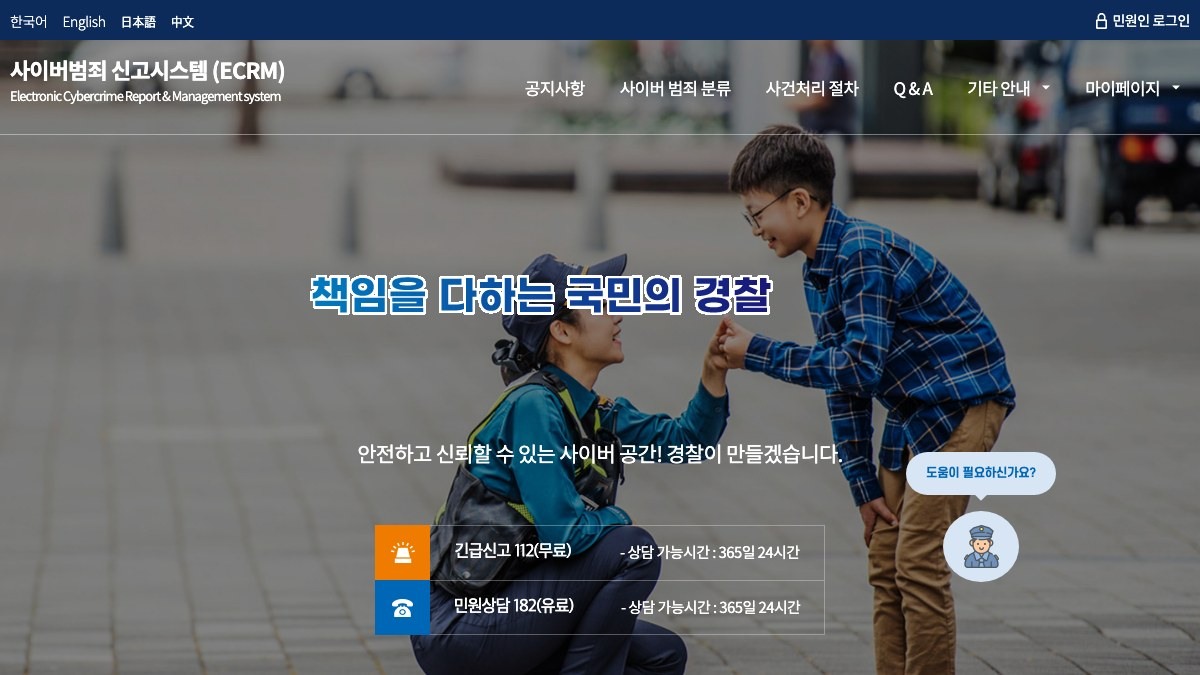
Korean National Police Agency Cybercrime Reporting System
Korean National Police Agency Cyber Crime Reporting System
The Korean National Police Agency Cyber Crime Reporting System is on this list because it gives you the information you need when organizing evidence of online trade fraud and checking the reporting procedure. What the Korean National Police Agency's official description can confirm and the exterior and working condition of a used item are two different things, so don't conclude from the Korean National Police Agency Cyber Crime Reporting System's results alone that the seller or the whole product is safe when organizing evidence of online trade fraud and checking the reporting procedure. For item #5, decide what to check based on the standard ‘Check the difference between an emergency report and an online filing, and what evidence you need’, and record the product's identifying details and the result screen at the same time.
In actual use, check the difference between an emergency report and an online filing, and what evidence you need. The checkpoint ‘Check the difference between an emergency report and an online filing, and what evidence you need’ is a standard for not missing damage or policy differences that fall outside what the Korean National Police Agency Cyber Crime Reporting System covers. In particular, if you couldn't meet the condition ‘Check the difference between an emergency report and an online filing, and what evidence you need’, consider putting the deal on hold before looking at any test results. The Korean National Police Agency's features, supported models, and terms of use can change even when organizing evidence of online trade fraud and checking the reporting procedure, so reopen the official link right before you pay or inspect. When you keep records, note that you checked it when organizing evidence of online trade fraud and checking the reporting procedure along with the date, and blur out personal information such as account names, addresses, and serial numbers exposed while following ‘Check the difference between an emergency report and an online filing, and what evidence you need’.
In actual use, check the difference between an emergency report and an online filing, and what evidence you need. The checkpoint ‘Check the difference between an emergency report and an online filing, and what evidence you need’ is a standard for not missing damage or policy differences that fall outside what the Korean National Police Agency Cyber Crime Reporting System covers. In particular, if you couldn't meet the condition ‘Check the difference between an emergency report and an online filing, and what evidence you need’, consider putting the deal on hold before looking at any test results. The Korean National Police Agency's features, supported models, and terms of use can change even when organizing evidence of online trade fraud and checking the reporting procedure, so reopen the official link right before you pay or inspect. When you keep records, note that you checked it when organizing evidence of online trade fraud and checking the reporting procedure along with the date, and blur out personal information such as account names, addresses, and serial numbers exposed while following ‘Check the difference between an emergency report and an online filing, and what evidence you need’.
특징 사이버범죄 신고
분류 공식 신고
유형 신고 채널
제공사 경찰청
추천 활용 중고거래 사기 신고
확인 포인트 피해 증거, 문자 캡처, 결제 내역
적합한 상황 온라인 거래 사기 피해 자료를 정리해 신고 절차를 확인할 때
사용 전 확인 긴급 신고와 온라인 접수의 차이 및 필요한 증빙을 확인한다
정보 확인 공식 페이지에서 기능·용도와 이용 조건을 확인
이미지 출처 https://ecrm.police.go.kr/minwon/main#official-page-capture
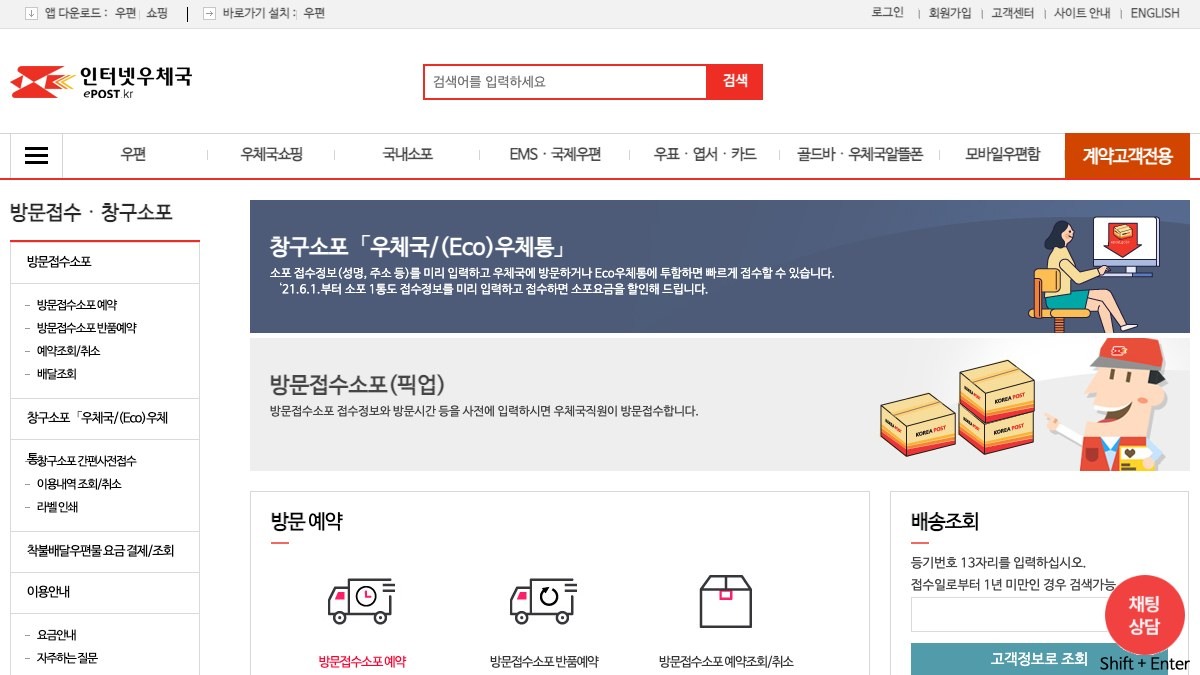
Korea Post Parcel Tracking
Korea Post Parcel Tracking is on this list because it gives you the information you need when checking a Korea Post parcel's tracking history through the official channel. What Korea Post's official description can confirm and the exterior and working condition of a used item are two different things, so don't conclude from Korea Post Parcel Tracking's results alone that the seller or the whole product is safe when checking a Korea Post parcel's tracking history through the official channel. For item #6, decide what to check based on the standard ‘Don't expose the tracking number or recipient details in public posts’, and record the product's identifying details and the result screen at the same time.
In actual use, don't expose the tracking number or recipient details in public posts. The checkpoint ‘Don't expose the tracking number or recipient details in public posts’ is a standard for not missing damage or policy differences that fall outside what Korea Post Parcel Tracking covers. In particular, if you couldn't meet the condition ‘Don't expose the tracking number or recipient details in public posts’, consider putting the deal on hold before looking at any test results. Korea Post's features, supported models, and terms of use can change even when checking a Korea Post parcel's tracking history through the official channel, so reopen the official link right before you pay or inspect. When you keep records, note that you checked it when checking a Korea Post parcel's tracking history through the official channel along with the date, and blur out personal information such as account names, addresses, and serial numbers exposed while following ‘Don't expose the tracking number or recipient details in public posts’.
In actual use, don't expose the tracking number or recipient details in public posts. The checkpoint ‘Don't expose the tracking number or recipient details in public posts’ is a standard for not missing damage or policy differences that fall outside what Korea Post Parcel Tracking covers. In particular, if you couldn't meet the condition ‘Don't expose the tracking number or recipient details in public posts’, consider putting the deal on hold before looking at any test results. Korea Post's features, supported models, and terms of use can change even when checking a Korea Post parcel's tracking history through the official channel, so reopen the official link right before you pay or inspect. When you keep records, note that you checked it when checking a Korea Post parcel's tracking history through the official channel along with the date, and blur out personal information such as account names, addresses, and serial numbers exposed while following ‘Don't expose the tracking number or recipient details in public posts’.
분류 택배 조회
제공사 우정사업본부
추천 활용 배송 기록 확인
적합한 상황 우체국 택배의 운송장 이동 기록을 공식 경로에서 확인할 때
사용 전 확인 운송장 번호와 수취 정보를 공개 게시물에 노출하지 않는다
정보 확인 공식 페이지에서 기능·용도와 이용 조건을 확인
이미지 출처 https://parcel.epost.go.kr/auth.EpostLogin.parcel#official-page-capture
CJ Logistics Parcel Tracking
CJ Logistics Parcel Tracking is on this list because it gives you the information you need when checking the pickup, transit, and delivery status of a CJ Logistics waybill. What CJ Logistics's official description can confirm and the exterior and working condition of a used item are two different things, so don't conclude from CJ Logistics Parcel Tracking's results alone that the seller or the whole product is safe when checking the pickup, transit, and delivery status of a CJ Logistics waybill. For item #7, decide what to check based on the standard ‘Look up the number yourself on the carrier's official site instead of using links in text messages’, and record the product's identifying details and the result screen at the same time.
In actual use, look up the number yourself on the carrier's official site instead of using links in text messages. The checkpoint ‘Look up the number yourself on the carrier's official site instead of using links in text messages’ is a standard for not missing damage or policy differences that fall outside what CJ Logistics Parcel Tracking covers. In particular, if you couldn't meet the condition ‘Look up the number yourself on the carrier's official site instead of using links in text messages’, consider putting the deal on hold before looking at any test results. CJ Logistics's features, supported models, and terms of use can change even when checking the pickup, transit, and delivery status of a CJ Logistics waybill, so reopen the official link right before you pay or inspect. When you keep records, note that you checked it when checking the pickup, transit, and delivery status of a CJ Logistics waybill along with the date, and blur out personal information such as account names, addresses, and serial numbers exposed while following ‘Look up the number yourself on the carrier's official site instead of using links in text messages’.
In actual use, look up the number yourself on the carrier's official site instead of using links in text messages. The checkpoint ‘Look up the number yourself on the carrier's official site instead of using links in text messages’ is a standard for not missing damage or policy differences that fall outside what CJ Logistics Parcel Tracking covers. In particular, if you couldn't meet the condition ‘Look up the number yourself on the carrier's official site instead of using links in text messages’, consider putting the deal on hold before looking at any test results. CJ Logistics's features, supported models, and terms of use can change even when checking the pickup, transit, and delivery status of a CJ Logistics waybill, so reopen the official link right before you pay or inspect. When you keep records, note that you checked it when checking the pickup, transit, and delivery status of a CJ Logistics waybill along with the date, and blur out personal information such as account names, addresses, and serial numbers exposed while following ‘Look up the number yourself on the carrier's official site instead of using links in text messages’.
분류 택배 조회
제공사 CJ대한통운
추천 활용 택배 거래 배송 확인
적합한 상황 CJ대한통운 운송장의 집화·이동·배달 상태를 확인할 때
사용 전 확인 문자 속 링크 대신 택배사 공식 사이트에서 번호를 직접 조회한다
정보 확인 공식 페이지에서 기능·용도와 이용 조건을 확인
이미지 출처 https://www.cjlogistics.com/static/pc/global/template/images/sns/sns_img_en.jpg
Naver Pay Safe Payment
Naver Pay Safe Payment is on this list because it gives you the information you need when keeping payment records and purchase-protection steps for supported transactions. What Naver Pay's official description can confirm and the exterior and working condition of a used item are two different things, so don't conclude from Naver Pay Safe Payment's results alone that the seller or the whole product is safe when keeping payment records and purchase-protection steps for supported transactions. For item #8, decide what to check based on the standard ‘Check what's covered and the cancellation and dispute procedures before you pay’, and record the product's identifying details and the result screen at the same time.
In actual use, check what's covered and the cancellation and dispute procedures before you pay. The checkpoint ‘Check what's covered and the cancellation and dispute procedures before you pay’ is a standard for not missing damage or policy differences that fall outside what Naver Pay Safe Payment covers. In particular, if you couldn't meet the condition ‘Check what's covered and the cancellation and dispute procedures before you pay’, consider putting the deal on hold before looking at any test results. Naver Pay's features, supported models, and terms of use can change even when keeping payment records and purchase-protection steps for supported transactions, so reopen the official link right before you pay or inspect. When you keep records, note that you checked it when keeping payment records and purchase-protection steps for supported transactions along with the date, and blur out personal information such as account names, addresses, and serial numbers exposed while following ‘Check what's covered and the cancellation and dispute procedures before you pay’.
In actual use, check what's covered and the cancellation and dispute procedures before you pay. The checkpoint ‘Check what's covered and the cancellation and dispute procedures before you pay’ is a standard for not missing damage or policy differences that fall outside what Naver Pay Safe Payment covers. In particular, if you couldn't meet the condition ‘Check what's covered and the cancellation and dispute procedures before you pay’, consider putting the deal on hold before looking at any test results. Naver Pay's features, supported models, and terms of use can change even when keeping payment records and purchase-protection steps for supported transactions, so reopen the official link right before you pay or inspect. When you keep records, note that you checked it when keeping payment records and purchase-protection steps for supported transactions along with the date, and blur out personal information such as account names, addresses, and serial numbers exposed while following ‘Check what's covered and the cancellation and dispute procedures before you pay’.
분류 안전결제
제공사 네이버페이
추천 활용 고가 거래 결제 보호
적합한 상황 지원되는 거래에서 결제 기록과 구매 보호 절차를 남길 때
사용 전 확인 적용 대상과 취소·분쟁 절차를 결제 전에 확인한다
정보 확인 공식 페이지에서 기능·용도와 이용 조건을 확인
이미지 출처 https://nid.naver.com/nidlogin.login?url=http%3A%2F%2Fpay.naver.com%2Fpc%2Fhistory#official-page-capture
Consumer24
Consumer24 is on this list because it gives you the information you need when finding consumer counseling and damage-relief channels and checking how to apply. What the Korea Fair Trade Commission's official description can confirm and the exterior and working condition of a used item are two different things, so don't conclude from Consumer24's results alone that the seller or the whole product is safe when finding consumer counseling and damage-relief channels and checking how to apply. For item #9, decide what to check based on the standard ‘Check that coverage may differ between person-to-person deals and deals with businesses’, and record the product's identifying details and the result screen at the same time.
In actual use, check that coverage may differ between person-to-person deals and deals with businesses. The checkpoint ‘Check that coverage may differ between person-to-person deals and deals with businesses’ is a standard for not missing damage or policy differences that fall outside what Consumer24 covers. In particular, if you couldn't meet the condition ‘Check that coverage may differ between person-to-person deals and deals with businesses’, consider putting the deal on hold before looking at any test results. The Korea Fair Trade Commission's features, supported models, and terms of use can change even when finding consumer counseling and damage-relief channels and checking how to apply, so reopen the official link right before you pay or inspect. When you keep records, note that you checked it when finding consumer counseling and damage-relief channels and checking how to apply along with the date, and blur out personal information such as account names, addresses, and serial numbers exposed while following ‘Check that coverage may differ between person-to-person deals and deals with businesses’.
In actual use, check that coverage may differ between person-to-person deals and deals with businesses. The checkpoint ‘Check that coverage may differ between person-to-person deals and deals with businesses’ is a standard for not missing damage or policy differences that fall outside what Consumer24 covers. In particular, if you couldn't meet the condition ‘Check that coverage may differ between person-to-person deals and deals with businesses’, consider putting the deal on hold before looking at any test results. The Korea Fair Trade Commission's features, supported models, and terms of use can change even when finding consumer counseling and damage-relief channels and checking how to apply, so reopen the official link right before you pay or inspect. When you keep records, note that you checked it when finding consumer counseling and damage-relief channels and checking how to apply along with the date, and blur out personal information such as account names, addresses, and serial numbers exposed while following ‘Check that coverage may differ between person-to-person deals and deals with businesses’.
특징 소비자 피해 정보
분류 소비자 상담
제공사 공정거래위원회
추천 활용 분쟁 상담 경로 확인
적합한 상황 소비자 상담과 피해구제 창구를 찾고 신청 절차를 확인할 때
사용 전 확인 개인 간 거래와 사업자 거래의 적용 범위가 다를 수 있음을 확인한다
정보 확인 공식 페이지에서 기능·용도와 이용 조건을 확인
이미지 출처 https://www.consumer.go.kr/consumer/index.do#official-page-capture
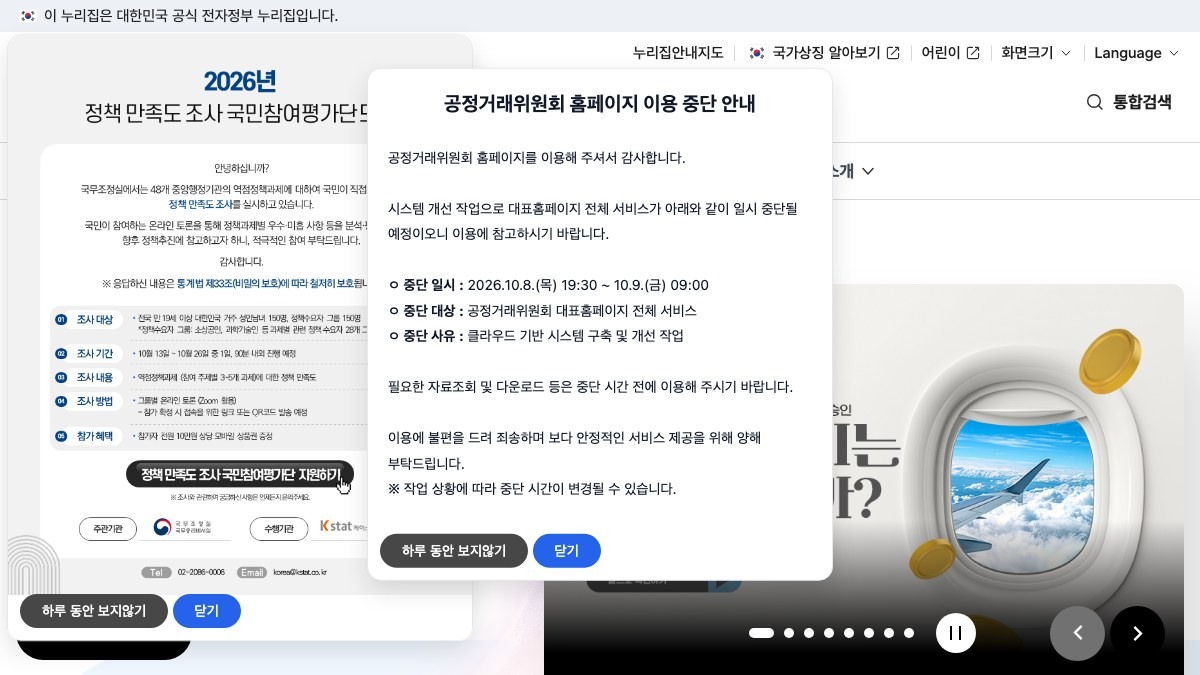
Fair Trade Commission Consumer Information
Korea Fair Trade Commission Consumer Information
The Korea Fair Trade Commission's Consumer Information service is on this list because it gives you the information you need when looking for official materials on consumer policy, business information, and disputes. What the Korea Fair Trade Commission's official description can confirm and the exterior and working condition of a used item are two different things, so don't conclude from the Korea Fair Trade Commission's Consumer Information service's results alone that the seller or the whole product is safe when looking for official materials on consumer policy, business information, and disputes. For item #10, decide what to check based on the standard ‘Check which agency handles each case and when the latest notices take effect’, and record the product's identifying details and the result screen at the same time.
In actual use, check which agency handles each case and when the latest notices take effect. The checkpoint ‘Check which agency handles each case and when the latest notices take effect’ is a standard for not missing damage or policy differences that fall outside what the Korea Fair Trade Commission's Consumer Information service covers. In particular, if you couldn't meet the condition ‘Check which agency handles each case and when the latest notices take effect’, consider putting the deal on hold before looking at any test results. The Korea Fair Trade Commission's features, supported models, and terms of use can change even when looking for official materials on consumer policy, business information, and disputes, so reopen the official link right before you pay or inspect. When you keep records, note that you checked it when looking for official materials on consumer policy, business information, and disputes along with the date, and blur out personal information such as account names, addresses, and serial numbers exposed while following ‘Check which agency handles each case and when the latest notices take effect’.
In actual use, check which agency handles each case and when the latest notices take effect. The checkpoint ‘Check which agency handles each case and when the latest notices take effect’ is a standard for not missing damage or policy differences that fall outside what the Korea Fair Trade Commission's Consumer Information service covers. In particular, if you couldn't meet the condition ‘Check which agency handles each case and when the latest notices take effect’, consider putting the deal on hold before looking at any test results. The Korea Fair Trade Commission's features, supported models, and terms of use can change even when looking for official materials on consumer policy, business information, and disputes, so reopen the official link right before you pay or inspect. When you keep records, note that you checked it when looking for official materials on consumer policy, business information, and disputes along with the date, and blur out personal information such as account names, addresses, and serial numbers exposed while following ‘Check which agency handles each case and when the latest notices take effect’.
분류 소비자 정책
제공사 공정거래위원회
추천 활용 전자상거래 제도 이해
적합한 상황 소비자 정책과 사업자 정보·분쟁 관련 공식 자료를 찾을 때
사용 전 확인 사안별 담당 기관과 최신 공지의 적용 시점을 확인한다
정보 확인 공식 페이지에서 기능·용도와 이용 조건을 확인
이미지 출처 https://www.ftc.go.kr/www/index.do#official-page-capture
Before a deal, cross-check the seller's information against the item photos, and at the payment step, double-check that the platform's safe payment address is correct. After shipping, don't stop at just getting a tracking number—confirm the movement history through the courier's official tracking. Buyers who receive an item can film the unboxing and immediately compare the components and condition against what the listing says, leaving evidence to help determine who is responsible.
If a problem comes up, rather than sending emotional messages over and over, organize the listing, chats, bank transfer records, tracking number, and unboxing video in chronological order. For signs of fraud, check the police reporting procedure, and for e-commerce and consumer disputes, check the guidance from Consumer24 and related agencies—but keep in mind that each agency's jurisdiction may differ. Service policies and reporting procedures can change, so it's best to recheck the required documents and scope of handling on the official page right before you actually file.
If a problem comes up, rather than sending emotional messages over and over, organize the listing, chats, bank transfer records, tracking number, and unboxing video in chronological order. For signs of fraud, check the police reporting procedure, and for e-commerce and consumer disputes, check the guidance from Consumer24 and related agencies—but keep in mind that each agency's jurisdiction may differ. Service policies and reporting procedures can change, so it's best to recheck the required documents and scope of handling on the official page right before you actually file.
At a glance
10 items
Daangn
중고거래 앱당근동네 직거래·무료나눔
Bunjang
중고거래 플랫폼번개장터택배 거래·안전결제
Joonggonara
중고거래 플랫폼중고나라다양한 상품 검색
TheCheat
사기 조회더치트계좌·전화번호 사기 이력 확인
Korean National Police Agency Cybercrime Reporting System
사이버범죄 신고공식 신고신고 채널
Korea Post Parcel Tracking
택배 조회우정사업본부배송 기록 확인
CJ Logistics Parcel Tracking
택배 조회CJ대한통운택배 거래 배송 확인
Naver Pay Safe Payment
안전결제네이버페이고가 거래 결제 보호
Consumer24
소비자 피해 정보소비자 상담공정거래위원회
Fair Trade Commission Consumer Information
소비자 정책공정거래위원회전자상거래 제도 이해
As part of the Coupang Partners program, this post may earn a commission from qualifying purchases.
Comments 0
Log in to leave a comment.
Be the first to comment.
How about these lists?


You might also like


🎲
Not ready to stop here?
Wondering what to read next is the biggest waste of time.
Let the dice decide — you won't know what pops up until you roll.
If you don't press it… won't you wonder forever? 👀