
Collection
Cloud
2026.10.02
Security-focused Clouds to Check Before Storing Sensitive Files
A Practical Guide to Focusing on Account Recovery and Sharing Controls Over Encryption Phrases
The cloud storage services featured in the list of ‘Security-focused Clouds to Check Before Storing Sensitive Files’ are not just simple internet spaces but tools for securely storing files that are at high risk of exposure, such as contracts and identity documents. This curated list includes actual services like Proton Drive and Sync.com to serve that purpose. The user experience can differ based on the range of end-to-end encryption, multi-factor authentication, recovery keys, and link controls, so we'll explore synchronization and recovery scenarios.
While reading the ‘Security-focused Clouds to Check Before Storing Sensitive Files’ list, it’s essential to look beyond just the free storage space and first examine the sections on ‘end-to-end encryption scope, multi-factor authentication, recovery keys, and link control.’ Synchronization for files that are at high risk of exposure, such as contracts and identity documents, is useful for preparing against device failures, but note that files deleted from one device may also vanish from the server, making them different from independent backups. As the pricing plans, support features, and storage capacities in the ‘Security-focused Clouds to Check Before Storing Sensitive Files’ list can change, it's prudent to check the official pages, and it’s best to keep a copy of important documents on other storage media too.
While reading the ‘Security-focused Clouds to Check Before Storing Sensitive Files’ list, it’s essential to look beyond just the free storage space and first examine the sections on ‘end-to-end encryption scope, multi-factor authentication, recovery keys, and link control.’ Synchronization for files that are at high risk of exposure, such as contracts and identity documents, is useful for preparing against device failures, but note that files deleted from one device may also vanish from the server, making them different from independent backups. As the pricing plans, support features, and storage capacities in the ‘Security-focused Clouds to Check Before Storing Sensitive Files’ list can change, it's prudent to check the official pages, and it’s best to keep a copy of important documents on other storage media too.
Proton Drive
Proton Drive is included in the ‘Security-focused Clouds to Check Before Storing Sensitive Files’ because its end-to-end encrypted file and photo storage features clearly show selection criteria for securely storing high-exposure files like contracts and identity documents. A key feature of Proton Drive to note in the list is the privacy-centric management of file contents and sharing recipients. The actual support scope may vary by account type, app version, and plan. Before choosing from the ‘Security-focused Clouds to Check Before Storing Sensitive Files,’ it’s advisable to check the current features and storage space on the Proton Drive official site and to test synchronization and file opening status with a small test folder.
Among the 7 in the ‘Security-focused Clouds to Check Before Storing Sensitive Files’ list, Proton Drive, being the first, is particularly useful when comparing ‘end-to-end encryption scope, multi-factor authentication, recovery keys, and link control.’ The supported environments for Proton Drive noted in this list are web, Windows, macOS, Android, and iOS. A pre-use check should ensure ‘loss of recovery options and passwords could hinder access, so manage them separately.’ Once sharing is complete, links need to be deactivated, and account passwords and recovery options should be stored in a separate secure location to easily handle potential account lockouts while storing high-exposure files like contracts and identity documents.
Among the 7 in the ‘Security-focused Clouds to Check Before Storing Sensitive Files’ list, Proton Drive, being the first, is particularly useful when comparing ‘end-to-end encryption scope, multi-factor authentication, recovery keys, and link control.’ The supported environments for Proton Drive noted in this list are web, Windows, macOS, Android, and iOS. A pre-use check should ensure ‘loss of recovery options and passwords could hinder access, so manage them separately.’ Once sharing is complete, links need to be deactivated, and account passwords and recovery options should be stored in a separate secure location to easily handle potential account lockouts while storing high-exposure files like contracts and identity documents.
제공사 Proton
주요 용도 종단간 암호화 기반 파일·사진 보관
지원 환경 웹·Windows·macOS·Android·iOS
살펴볼 특징 파일 내용과 공유 대상을 프라이버시 중심으로 관리
확인할 점 복구 수단과 비밀번호를 잃으면 접근이 어려워질 수 있어 별도 관리
이미지 출처 공식 서비스 페이지 이미지: https://proton.me/images/social/proton-drive-og.png (페이지: https://proton.me/drive)
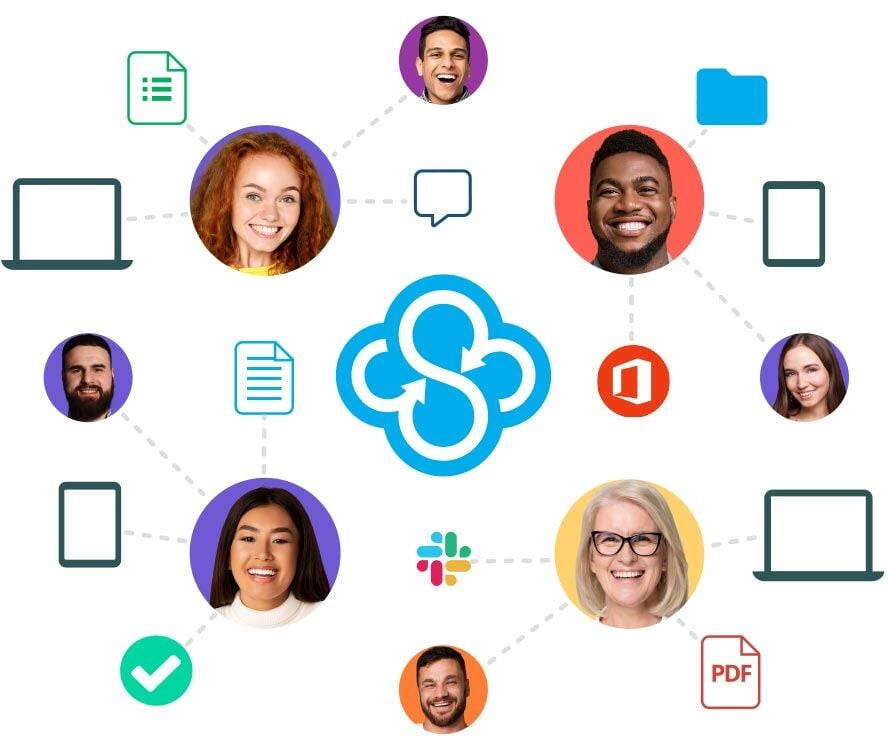
Sync.com
Sync.com features in the ‘Security-focused Clouds to Check Before Storing Sensitive Files’ as its privacy-oriented file storage and sharing capabilities clearly demonstrate selection criteria for securely storing sensitive files like contracts and identification documents. A key feature to note about Sync.com is its emphasized end-to-end encryption and sharing controls within a collaboration space. The actual support scope may vary depending on account type, app version, and plan. Before selecting from the ‘Security-focused Clouds to Check Before Storing Sensitive Files,’ it's wise to check the current features and storage space on the Sync.com official site and to verify synchronization and file opening status with a small test folder.
Sync.com, ranked second among the 7 options in the ‘Security-focused Clouds to Check Before Storing Sensitive Files’ list, is especially useful when comparing ‘end-to-end encryption scope, multi-factor authentication, recovery keys, and link control.’ The supported environments noted for Sync.com in this list are web, Windows, macOS, Android, and iOS. A pre-use check should ensure ‘test whether the devices and collaborative editing approaches fit your workflow.’ After completing sharing, deactivate the links and securely store account passwords and recovery options to easily handle potential account lockouts while handling high-exposure files like contracts and identification documents.
Sync.com, ranked second among the 7 options in the ‘Security-focused Clouds to Check Before Storing Sensitive Files’ list, is especially useful when comparing ‘end-to-end encryption scope, multi-factor authentication, recovery keys, and link control.’ The supported environments noted for Sync.com in this list are web, Windows, macOS, Android, and iOS. A pre-use check should ensure ‘test whether the devices and collaborative editing approaches fit your workflow.’ After completing sharing, deactivate the links and securely store account passwords and recovery options to easily handle potential account lockouts while handling high-exposure files like contracts and identification documents.
제공사 Sync.com
주요 용도 프라이버시 중심 파일 저장과 공유
지원 환경 웹·Windows·macOS·Android·iOS
살펴볼 특징 종단간 암호화와 공유 제어를 강조하는 협업 공간
확인할 점 사용할 기기와 공동 편집 방식이 업무 흐름에 맞는지 시험
이미지 출처 공식 서비스 페이지 이미지: https://www.sync.com/hubfs/everything-in-sync@2x.jpg (페이지: https://www.sync.com/)
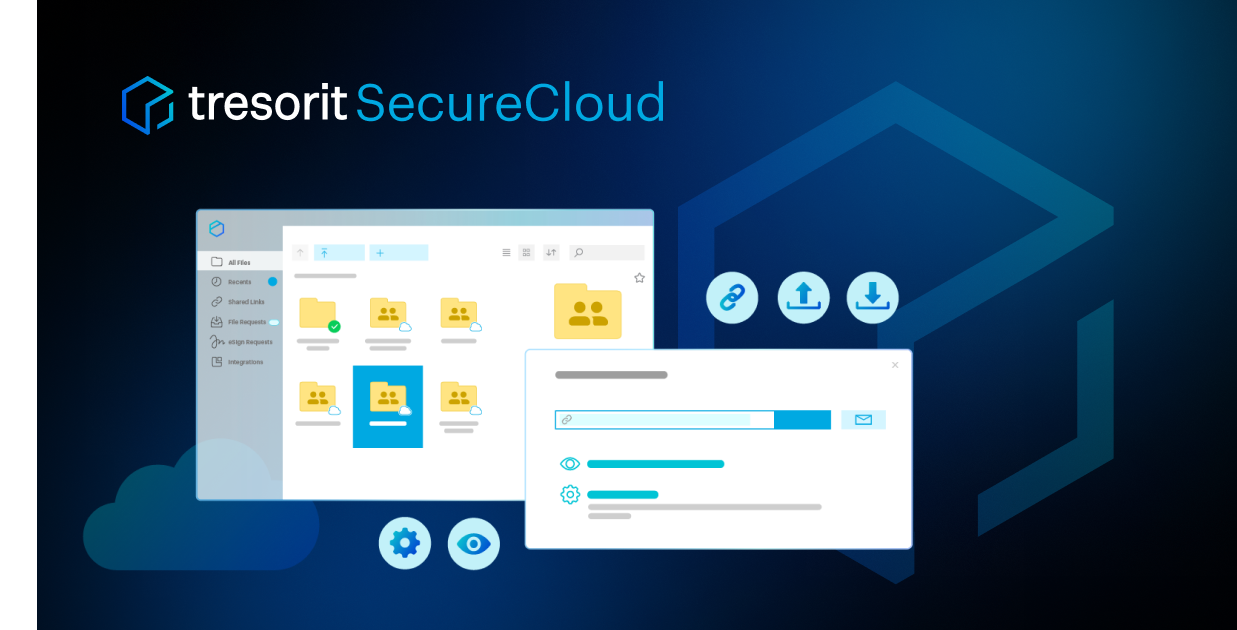
Tresorit
Tresorit is included in the ‘Security-focused Clouds to Check Before Storing Sensitive Files’ due to its file encryption sharing and document management features that clearly demonstrate selection criteria for storing sensitive files such as contracts and identity documents. Notable about Tresorit is its business-oriented storage that meticulously handles permissions and security. The actual support scope may change according to account type, app version, and plan. Before selecting from the ‘Security-focused Clouds to Check Before Storing Sensitive Files’ candidates, it’s a good idea to check the current features and storage space on the Tresorit official site and use a small test folder for synchronization and file opening status.
Ranked third among the 7 in the ‘Security-focused Clouds to Check Before Storing Sensitive Files’ list, Tresorit is particularly valuable when comparing ‘end-to-end encryption scope, multi-factor authentication, recovery keys, and link control.’ The supported environments for Tresorit noted in this list are web, Windows, macOS, Linux, Android, and iOS. Prior to usage, checks should distinguish ‘personal usage costs and the necessity of team management features.’ After sending shared links, deactivate them and securely store account passwords and recovery options in a separate safe place to easily handle potential account lockouts while managing high-exposure files like contracts and identification documents.
Ranked third among the 7 in the ‘Security-focused Clouds to Check Before Storing Sensitive Files’ list, Tresorit is particularly valuable when comparing ‘end-to-end encryption scope, multi-factor authentication, recovery keys, and link control.’ The supported environments for Tresorit noted in this list are web, Windows, macOS, Linux, Android, and iOS. Prior to usage, checks should distinguish ‘personal usage costs and the necessity of team management features.’ After sending shared links, deactivate them and securely store account passwords and recovery options in a separate safe place to easily handle potential account lockouts while managing high-exposure files like contracts and identification documents.
제공사 Tresorit
주요 용도 암호화 파일 공유와 업무 자료 관리
지원 환경 웹·Windows·macOS·Linux·Android·iOS
살펴볼 특징 권한과 보안을 세밀하게 다루는 비즈니스 지향 저장소
확인할 점 개인 이용 비용과 팀 관리 기능의 필요성을 구분
이미지 출처 공식 서비스 페이지 이미지: https://tresorit.com/hubfs/tresorit-website/Social_share_imgs/social_share_securecloud.png (페이지: https://tresorit.com/product/tresorit-secure-cloud)
MEGA
MEGA is featured in the ‘Security-focused Clouds to Check Before Storing Sensitive Files’ because its encryption storage and large file sharing capabilities clearly demonstrate selection criteria when storing sensitive files like contracts and identity documents. A highlight of MEGA in the list is the ability to share files and folders via links and access them across multiple devices. The actual support scope may vary based on account type, app version, and plan. Before selecting from the ‘Security-focused Clouds to Check Before Storing Sensitive Files’ candidates, it’s advisable to check the current features and storage space on the MEGA official website and test synchronization and file opening status with a small test folder.
Ranked fourth among the 7 in the ‘Security-focused Clouds to Check Before Storing Sensitive Files’ list, MEGA is particularly useful for comparing ‘end-to-end encryption scope, multi-factor authentication, recovery keys, and link control.’ The supported environments for MEGA noted in this list are web, Windows, macOS, Linux, Android, and iOS. Check items prior to use include ‘confirm recovery keys, transfer limits, and exposure range of shared links.’ Once sharing has concluded, deactivate the links, and securely store account passwords and recovery options to easily handle potential account lockouts while handling high-exposure files like contracts and identity documents.
Ranked fourth among the 7 in the ‘Security-focused Clouds to Check Before Storing Sensitive Files’ list, MEGA is particularly useful for comparing ‘end-to-end encryption scope, multi-factor authentication, recovery keys, and link control.’ The supported environments for MEGA noted in this list are web, Windows, macOS, Linux, Android, and iOS. Check items prior to use include ‘confirm recovery keys, transfer limits, and exposure range of shared links.’ Once sharing has concluded, deactivate the links, and securely store account passwords and recovery options to easily handle potential account lockouts while handling high-exposure files like contracts and identity documents.
제공사 MEGA
주요 용도 암호화 저장과 대용량 파일 공유
지원 환경 웹·Windows·macOS·Linux·Android·iOS
살펴볼 특징 파일과 폴더를 공유 링크로 전달하고 여러 기기에서 접근
확인할 점 복구 키와 전송 한도, 공유 링크의 노출 범위를 확인
이미지 출처 공식 서비스 페이지 이미지: https://mega.io/wp-content/uploads/mega-wordmark-light.png (페이지: https://mega.io/storage)
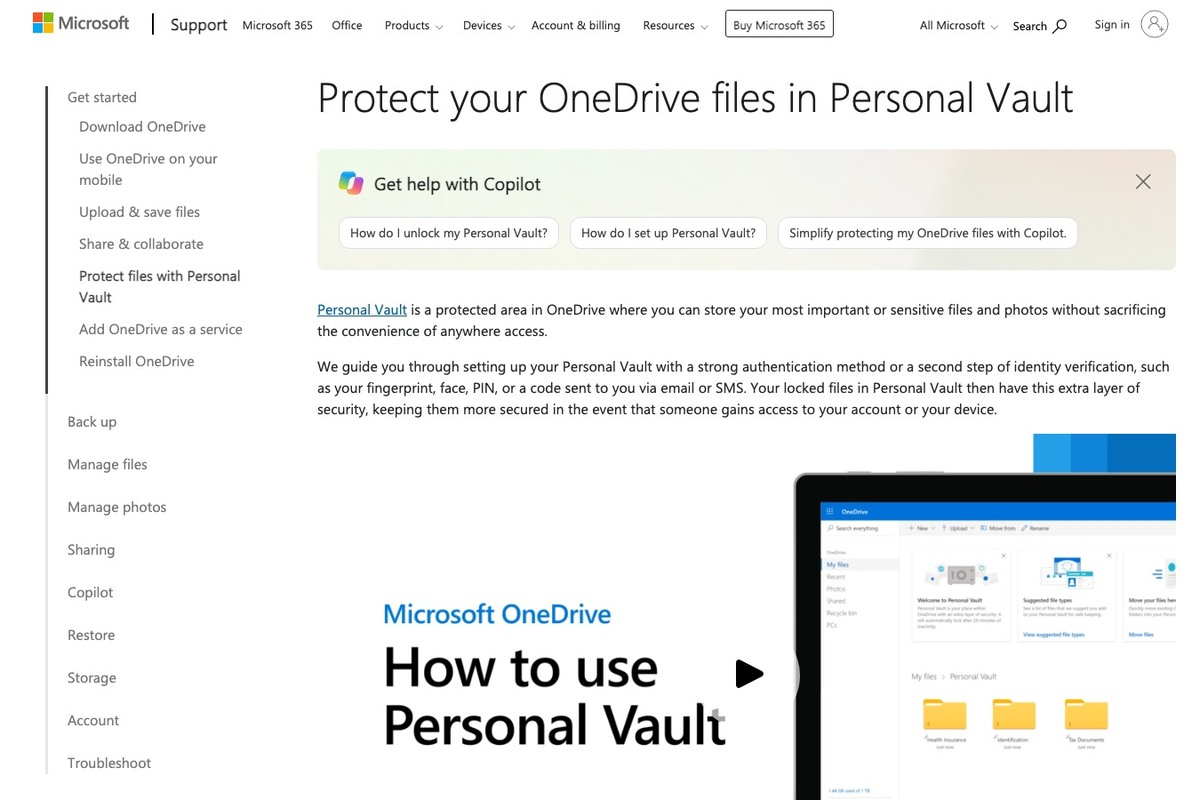
OneDrive Personal Vault
OneDrive Personal Vault is included in the ‘Security-focused Clouds to Check Before Storing Sensitive Files’ due to its additional authentication features that protect important files when storing high-risk files such as contracts and identity documents. One key characteristic of OneDrive Personal Vault to note from the list is its separate area that auto-locks after a certain period and provides an identity verification step, with the support range depending on the account, app version, and plan. Before choosing from the ‘Security-focused Clouds to Check Before Storing Sensitive Files’ candidates, checking current features on the OneDrive Personal Vault official site and testing synchronization with a small folder is recommended.
Ranked fifth among the 7 in the ‘Security-focused Clouds to Check Before Storing Sensitive Files’ list, OneDrive Personal Vault is especially valuable when comparing ‘end-to-end encryption scope, multi-factor authentication, recovery keys, and link control.’ The supported environments for OneDrive Personal Vault noted in this list are web, Windows, Android, and iOS. Pre-use checks should caution not to solely rely on one cloud for financial and identity documents and to manage recovery copies as well. After sharing, deactivate links, and securely store account passwords and recovery options to easily address potential account lockouts while managing high-exposure files like contracts and identity documents.
Ranked fifth among the 7 in the ‘Security-focused Clouds to Check Before Storing Sensitive Files’ list, OneDrive Personal Vault is especially valuable when comparing ‘end-to-end encryption scope, multi-factor authentication, recovery keys, and link control.’ The supported environments for OneDrive Personal Vault noted in this list are web, Windows, Android, and iOS. Pre-use checks should caution not to solely rely on one cloud for financial and identity documents and to manage recovery copies as well. After sharing, deactivate links, and securely store account passwords and recovery options to easily address potential account lockouts while managing high-exposure files like contracts and identity documents.
제공사 Microsoft
주요 용도 중요 파일을 추가 인증으로 보호
지원 환경 웹·Windows·Android·iOS
살펴볼 특징 일정 시간 뒤 자동 잠금되는 별도 영역과 본인 확인 단계를 제공
확인할 점 금융·신분 자료는 클라우드 한 곳만 믿지 말고 복구 사본도 관리
이미지 출처 공식 페이지 화면: https://support.microsoft.com/en-us/onedrive/protect-your-onedrive-files-in-personal-vault
iCloud+
iCloud+ is included in the ‘Security-focused Clouds to Check Before Storing Sensitive Files’ because its backup and file/photo synchronization features for Apple devices clearly show selection criteria for storing sensitive files like contracts and identity documents. Notable features of iCloud+ in the list are its natural integration with functions on iPhone, iPad, and Mac, with actual support varying by account type, app version, and plan. Before selecting from the ‘Security-focused Clouds to Check Before Storing Sensitive Files’ candidates, checking current features and storage space on the iCloud+ official site and testing synchronization with a small test folder are recommended.
Ranked sixth among the 7 in the ‘Security-focused Clouds to Check Before Storing Sensitive Files’ list, iCloud+ is particularly useful for comparing ‘end-to-end encryption scope, multi-factor authentication, recovery keys, and link control.’ The supported environments for iCloud+ noted in this list are iPhone, iPad, Mac, Windows, and web. Pre-use checks should differentiate between shared storage space and actual document sharing. After sharing links, deactivate them and securely store account passwords and recovery options in a separate safe place to address potential account lockouts while handling high-exposure files like contracts and identity documents.
Ranked sixth among the 7 in the ‘Security-focused Clouds to Check Before Storing Sensitive Files’ list, iCloud+ is particularly useful for comparing ‘end-to-end encryption scope, multi-factor authentication, recovery keys, and link control.’ The supported environments for iCloud+ noted in this list are iPhone, iPad, Mac, Windows, and web. Pre-use checks should differentiate between shared storage space and actual document sharing. After sharing links, deactivate them and securely store account passwords and recovery options in a separate safe place to address potential account lockouts while handling high-exposure files like contracts and identity documents.
제공사 Apple
주요 용도 Apple 기기 백업과 파일·사진 동기화
지원 환경 iPhone·iPad·Mac·Windows·웹
살펴볼 특징 iPhone·iPad·Mac의 시스템 기능과 자연스럽게 연결
확인할 점 저장 공간 공유와 실제 사진·문서 공유는 별개임을 구분
이미지 출처 공식 서비스 페이지 이미지: https://www.apple.com/v/icloud/ak/images/meta/og__cu0qwzuuysq6_overview.png?202609161915 (페이지: https://www.apple.com/icloud/)
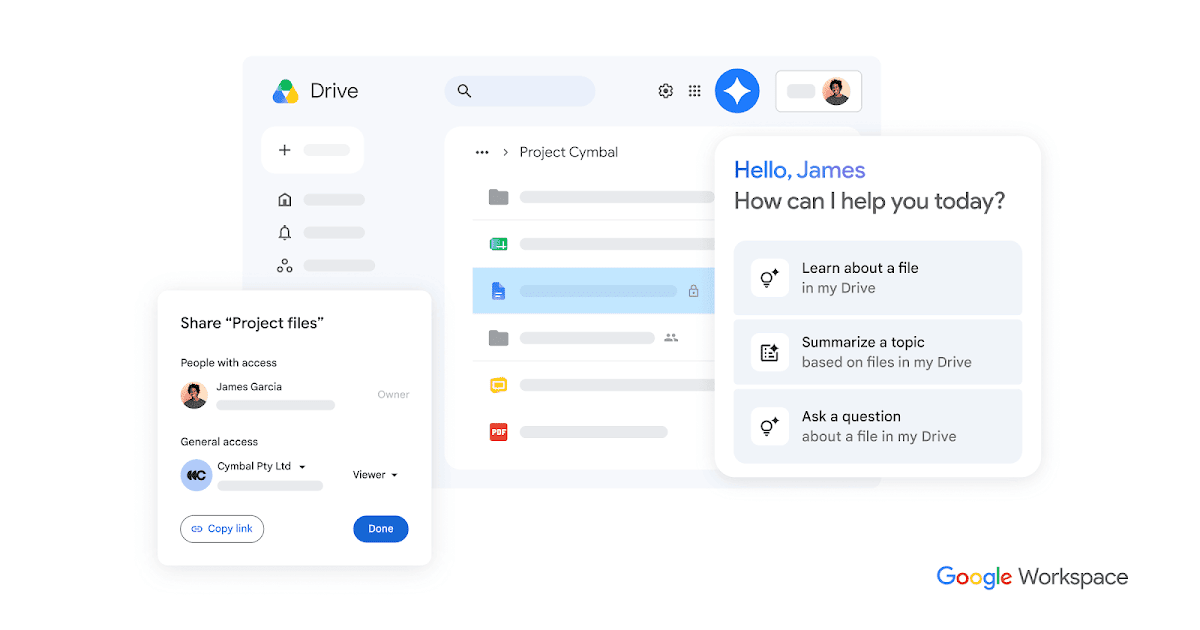
Google Drive
Google Drive is included in the ‘Security-focused Clouds to Check Before Storing Sensitive Files’ because its document and file storage as well as collaborative editing features clearly illustrate selection criteria for securely handling sensitive files like contracts and identity documents. A key characteristic of Google Drive to note in the list is its management flow involving Google Docs, Sheets, Slides, and permission sharing. The actual support scope may vary depending on account type, app version, and plan. Before choosing from the ‘Security-focused Clouds to Check Before Storing Sensitive Files’ candidates, it's advisable to check the current features and storage space on the Google Drive official site and test synchronization and file opening status with a small test folder.
Ranked seventh among the 7 in the ‘Security-focused Clouds to Check Before Storing Sensitive Files’ list, Google Drive is particularly useful for comparing ‘end-to-end encryption scope, multi-factor authentication, recovery keys, and link control.’ The supported environments for Google Drive noted in this list are web, Windows, macOS, Android, and iOS. Pre-use checks should ensure to verify public range and editing permissions of shared links before sending. After sharing links are complete, deactivate them and securely store account passwords and recovery options to easily manage potential account lockouts while storing high-exposure files like contracts and identity documents.
Ranked seventh among the 7 in the ‘Security-focused Clouds to Check Before Storing Sensitive Files’ list, Google Drive is particularly useful for comparing ‘end-to-end encryption scope, multi-factor authentication, recovery keys, and link control.’ The supported environments for Google Drive noted in this list are web, Windows, macOS, Android, and iOS. Pre-use checks should ensure to verify public range and editing permissions of shared links before sending. After sharing links are complete, deactivate them and securely store account passwords and recovery options to easily manage potential account lockouts while storing high-exposure files like contracts and identity documents.
제공사 Google
주요 용도 문서·파일 저장과 공동 편집 연결
지원 환경 웹·Windows·macOS·Android·iOS
살펴볼 특징 Google Docs·Sheets·Slides와 권한 공유를 한 흐름에서 관리
확인할 점 공유 링크의 공개 범위와 편집 권한을 전송 전에 확인
이미지 출처 공식 서비스 페이지 이미지: https://lh3.googleusercontent.com/_HSqqBvJJpopAd2znZ8-VHWZ2-470iy7MSjVhdcJfXMF3-caNsWDwJrHQkBxbdGVg_tfsiAWOTpIzVJjARBVeHSlwXWxhQPULyP4=w1200-e365 (페이지: https://workspace.google.com/products/drive/)
There isn't a one-size-fits-all best choice from the candidates listed in ‘Security-focused Clouds to Check Before Storing Sensitive Files.’ If your goal is to store files with high exposure risk like contracts and identity documents, it's quicker to jot down your operating system and file types and narrow down to the necessary features. Services with clear characteristics like Google Drive may also be inconvenient if the editing tools or device compatibility don’t fit, so try a small folder first.
After deciding on one from the ‘Security-focused Clouds to Check Before Storing Sensitive Files’ list, check the settings for ‘end-to-end encryption scope, multi-factor authentication, recovery keys, and link control’ directly. Be sure to enable multi-factor authentication and recovery options. When sharing links created for storing sensitive files, routinely check the public range and expiration status even after sending, and understand how excess files are managed when canceling the account or downgrading the plan. To uphold the list's purpose, don’t make any cloud service your sole original source; regularly restore and check some files to ensure your storage counts as a real backup.
After deciding on one from the ‘Security-focused Clouds to Check Before Storing Sensitive Files’ list, check the settings for ‘end-to-end encryption scope, multi-factor authentication, recovery keys, and link control’ directly. Be sure to enable multi-factor authentication and recovery options. When sharing links created for storing sensitive files, routinely check the public range and expiration status even after sending, and understand how excess files are managed when canceling the account or downgrading the plan. To uphold the list's purpose, don’t make any cloud service your sole original source; regularly restore and check some files to ensure your storage counts as a real backup.
한눈에 보기
7개
Proton Drive
Proton · 종단간 암호화 기반 파일·사진 보관 · 웹·Windows·macOS·Android·iOS · 파일 내용과 공유 대상을 프라이버시 중심으로 관리 · 복구 수단과 비밀번호를 잃으면 접근이 어려워질 수 있어 별도 관리 · 공식 서비스 페이지 이미지: https://proton.me/images/social/proton-drive-og.png (페이지: https://proton.me/drive)
Sync.com
Sync.com · 프라이버시 중심 파일 저장과 공유 · 웹·Windows·macOS·Android·iOS · 종단간 암호화와 공유 제어를 강조하는 협업 공간 · 사용할 기기와 공동 편집 방식이 업무 흐름에 맞는지 시험 · 공식 서비스 페이지 이미지: https://www.sync.com/hubfs/everything-in-sync@2x.jpg (페이지: https://www.sync.com/)
Tresorit
Tresorit · 암호화 파일 공유와 업무 자료 관리 · 웹·Windows·macOS·Linux·Android·iOS · 권한과 보안을 세밀하게 다루는 비즈니스 지향 저장소 · 개인 이용 비용과 팀 관리 기능의 필요성을 구분 · 공식 서비스 페이지 이미지: https://tresorit.com/hubfs/tresorit-website/Social_share_imgs/social_share_securecloud.png (페이지: https://tresorit.com/product/tresorit-secure-cloud)
MEGA
MEGA · 암호화 저장과 대용량 파일 공유 · 웹·Windows·macOS·Linux·Android·iOS · 파일과 폴더를 공유 링크로 전달하고 여러 기기에서 접근 · 복구 키와 전송 한도, 공유 링크의 노출 범위를 확인 · 공식 서비스 페이지 이미지: https://mega.io/wp-content/uploads/mega-wordmark-light.png (페이지: https://mega.io/storage)
OneDrive Personal Vault
Microsoft · 중요 파일을 추가 인증으로 보호 · 웹·Windows·Android·iOS · 일정 시간 뒤 자동 잠금되는 별도 영역과 본인 확인 단계를 제공 · 금융·신분 자료는 클라우드 한 곳만 믿지 말고 복구 사본도 관리 · 공식 페이지 화면: https://support.microsoft.com/en-us/onedrive/protect-your-onedrive-files-in-personal-vault
iCloud+
Apple · Apple 기기 백업과 파일·사진 동기화 · iPhone·iPad·Mac·Windows·웹 · iPhone·iPad·Mac의 시스템 기능과 자연스럽게 연결 · 저장 공간 공유와 실제 사진·문서 공유는 별개임을 구분 · 공식 서비스 페이지 이미지: https://www.apple.com/v/icloud/ak/images/meta/og__cu0qwzuuysq6_overview.png?202609161915 (페이지: https://www.apple.com/icloud/)
Google Drive
Google · 문서·파일 저장과 공동 편집 연결 · 웹·Windows·macOS·Android·iOS · Google Docs·Sheets·Slides와 권한 공유를 한 흐름에서 관리 · 공유 링크의 공개 범위와 편집 권한을 전송 전에 확인 · 공식 서비스 페이지 이미지: https://lh3.googleusercontent.com/_HSqqBvJJpopAd2znZ8-VHWZ2-470iy7MSjVhdcJfXMF3-caNsWDwJrHQkBxbdGVg_tfsiAWOTpIzVJjARBVeHSlwXWxhQPULyP4=w1200-e365 (페이지: https://workspace.google.com/products/drive/)
이 포스팅은 쿠팡 파트너스 활동의 일환으로, 이에 따른 일정액의 수수료를 제공받습니다.
댓글 0
로그인 후 댓글을 작성할 수 있습니다.
첫 댓글을 남겨보세요.
이런 리스트는 어때요?


이런 리스트도 추천해요


🎲
여기서 멈추기엔 아쉽잖아?
다음에 뭘 볼지 고민하는 시간이 제일 아까워.
주사위가 대신 골라줄게 — 무슨 리스트가 튀어나올지는 굴려봐야 알지.
안 누르면… 평생 궁금하지 않겠어? 👀
