
Collection
Lighting
2026.09.28
Monitor Lighting That Brightens Your Desk Instead of the Screen
A collection of actual products comparing asymmetric lighting, remote control, and backlight differences based on official specifications
A light bar that sits atop your monitor is a tool for illuminating your keyboard and documents without taking up desk space. Each product features different lighting methods to minimize screen reflections, lighting range, color temperature adjustments, as well as remote control and automatic brightness functions. This list compares actual models focusing on top features, from high-functionality to simple touch types.
Before purchasing, it's essential to measure the thickness and curvature of the monitor's top and the webcam position first, rather than just focusing on price. Laptops or very thin OLED screens may not hold regular clips securely, and monitors with protruding backs can cause interference. While lighting cannot be claimed to cure eye fatigue, it's more accurate to approach it as an auxiliary tool aimed at reducing differences between screen brightness and ambient light, making it easier to view your workspace comfortably.
Before purchasing, it's essential to measure the thickness and curvature of the monitor's top and the webcam position first, rather than just focusing on price. Laptops or very thin OLED screens may not hold regular clips securely, and monitors with protruding backs can cause interference. While lighting cannot be claimed to cure eye fatigue, it's more accurate to approach it as an auxiliary tool aimed at reducing differences between screen brightness and ambient light, making it easier to view your workspace comfortably.
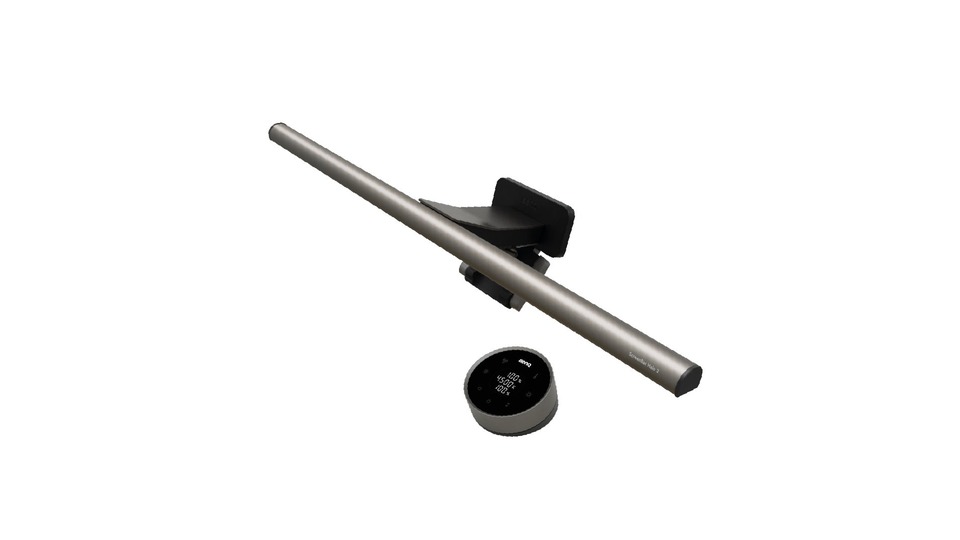
BenQ ScreenBar Halo 2
The 'BenQ ScreenBar Halo 2' introduced in the 'Monitor Lighting That Brightens Your Desk Instead of the Screen' list is the actual product from BenQ. According to the official product page, the lighting type combines front task lighting and back bias lighting, while power and control are managed through a wireless controller, automatic brightness, and motion detection. This upper model combines both front and rear lighting with a display window on the wireless controller. Therefore, the BenQ ScreenBar Halo 2 is great for comparisons when focusing on desks that use curved monitors and backlighting. When choosing the ScreenBar Halo 2 from the list, ensure there aren't similarly named generational or regional models by checking the product number and packaging markings in the provided link.
Before purchasing the BenQ ScreenBar Halo 2, the first thing to check is to verify the
Before purchasing the BenQ ScreenBar Halo 2, the first thing to check is to verify the
브랜드 BenQ
모델 ScreenBar Halo 2
조명 유형 전면 작업등+후면 바이어스 조명
전원·조작 무선 컨트롤러·자동 조도·동작 감지
추천 환경 곡면 모니터와 후면광을 함께 쓰는 책상
구매 전 확인 모니터 곡률·두께와 웹캠 장착 공간을 확인하자.
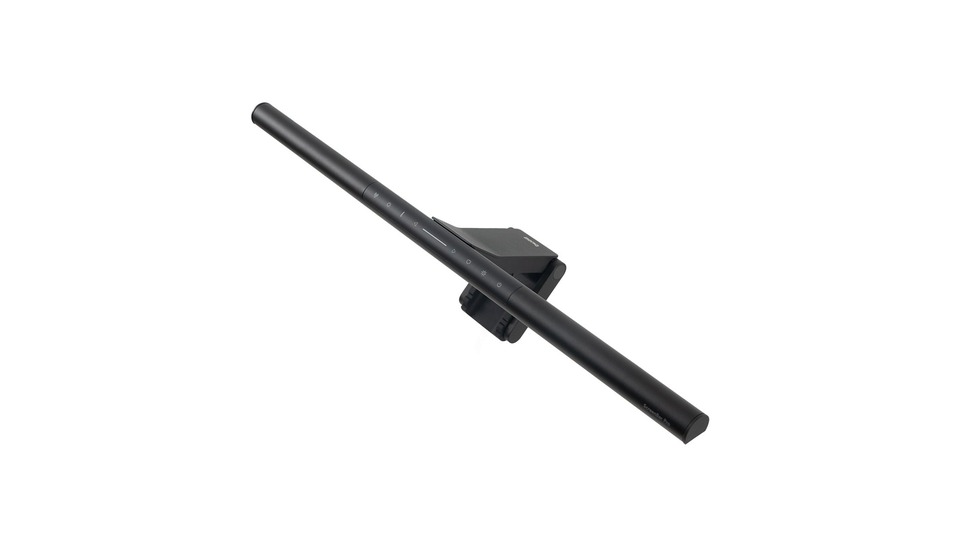
BenQ ScreenBar Pro
The 'BenQ ScreenBar Pro' introduced in the 'Monitor Lighting That Brightens Your Desk Instead of the Screen' list is the actual product from BenQ. According to the official product page, the lighting type is a wide asymmetric monitor light, while power and control methods are defined by body buttons, automatic brightness, and automatic on/off functionality. This product is designed to provide 500lx over an area of 85×50cm. Therefore, the BenQ ScreenBar Pro is best for comparisons when focusing on wide desks and large monitor workspaces. When choosing the ScreenBar Pro from the list, ensure there aren't similarly named generational or regional models by verifying the product number and packaging markings in the provided link.
Before purchasing the BenQ ScreenBar Pro, the first item to check is to confirm the “compatible thickness of 0.43-6.5cm and curvature conditions of 1000-1800R.” When placing the BenQ ScreenBar Pro as monitor lighting for your desk, note the installation space dimensions, power or charging location, and required minimum and maximum brightness in order. If the BenQ ScreenBar Pro used for desk lighting includes an app or wireless control, check your mobile phone's operating system and hub/router requirements as well. The official link from BenQ is for verifying specifications, while domestic stock, prices, warranties, and components for the ScreenBar Pro as a candidate for monitor lighting will take priority from the purchasing source at the time of buying.
Before purchasing the BenQ ScreenBar Pro, the first item to check is to confirm the “compatible thickness of 0.43-6.5cm and curvature conditions of 1000-1800R.” When placing the BenQ ScreenBar Pro as monitor lighting for your desk, note the installation space dimensions, power or charging location, and required minimum and maximum brightness in order. If the BenQ ScreenBar Pro used for desk lighting includes an app or wireless control, check your mobile phone's operating system and hub/router requirements as well. The official link from BenQ is for verifying specifications, while domestic stock, prices, warranties, and components for the ScreenBar Pro as a candidate for monitor lighting will take priority from the purchasing source at the time of buying.
브랜드 BenQ
모델 ScreenBar Pro
조명 유형 광범위 비대칭 모니터 라이트
전원·조작 본체 버튼·자동 조도·자동 켜짐/꺼짐
추천 환경 넓은 책상과 큰 모니터 작업면
구매 전 확인 호환 두께 0.43~6.5cm와 1000~1800R 곡률 조건을 확인하자.
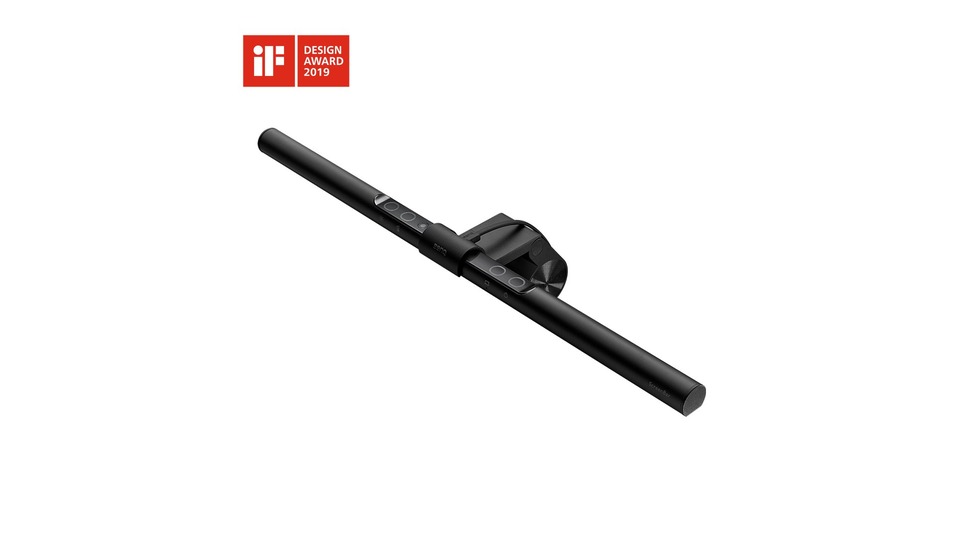
BenQ ScreenBar
The 'BenQ ScreenBar' introduced in the 'Monitor Lighting That Brightens Your Desk Instead of the Screen' list is the actual product from BenQ. According to the official product page, the lighting type is an asymmetric monitor light, while power and control methods are distinguished by body buttons and automatic brightness. Launched in 2017 as the basic model series, the control section is integrated into the lamp body. Therefore, the BenQ ScreenBar is great for comparisons when focusing on minimal desk setups that simplify functionality. When choosing the ScreenBar from the list, ensure there aren't similarly named generational or regional models by comparing the product number and packaging markings in the provided link.
Before purchasing the BenQ ScreenBar, the first thing to check is to ensure there is enough space to press the top button and check the USB power location.” When placing the BenQ ScreenBar for desk lighting, note the installation space dimensions, power or charging location, and required minimum and maximum brightness in order. If the BenQ ScreenBar used for desk lighting includes an app or wireless control, check your mobile phone's operating system and hub/router conditions as well. The official link from BenQ is for specification verification, while domestic stock, prices, warranties, and components for the ScreenBar as a candidate for monitor lighting will take priority from the purchasing source at the time of buying.
Before purchasing the BenQ ScreenBar, the first thing to check is to ensure there is enough space to press the top button and check the USB power location.” When placing the BenQ ScreenBar for desk lighting, note the installation space dimensions, power or charging location, and required minimum and maximum brightness in order. If the BenQ ScreenBar used for desk lighting includes an app or wireless control, check your mobile phone's operating system and hub/router conditions as well. The official link from BenQ is for specification verification, while domestic stock, prices, warranties, and components for the ScreenBar as a candidate for monitor lighting will take priority from the purchasing source at the time of buying.
브랜드 BenQ
모델 ScreenBar
조명 유형 비대칭 모니터 라이트
전원·조작 본체 버튼·자동 조도
추천 환경 기능을 단순화한 미니멀 책상
구매 전 확인 상단 버튼을 누를 공간과 USB 전원 위치를 확인하자.
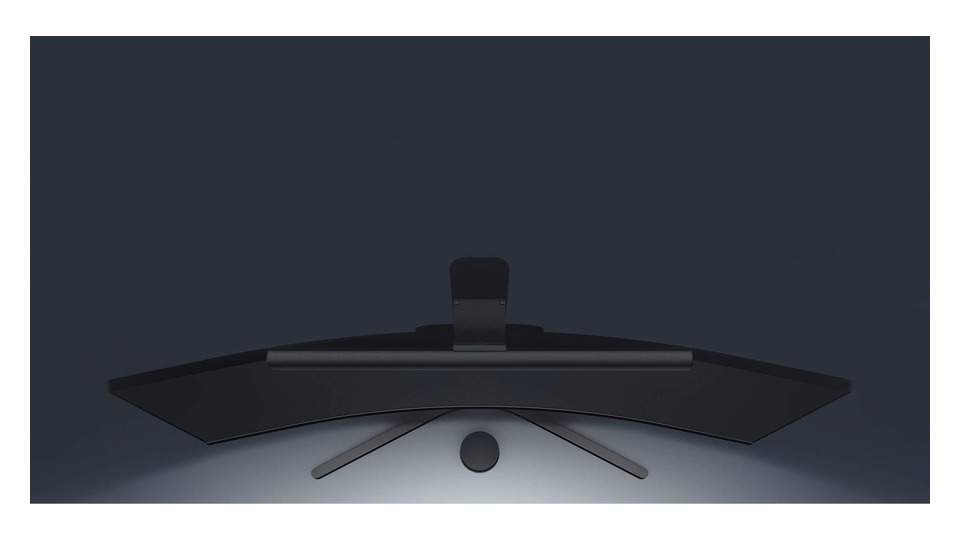
Xiaomi Mi Computer Monitor Light Bar
The 'Xiaomi Mi Computer Monitor Light Bar' introduced in the 'Monitor Lighting That Brightens Your Desk Instead of the Screen' list is the actual product from Xiaomi. According to the official product page, the lighting type is a magnetic rotating asymmetric light while power and control methods are categorized under a 2.4GHz wireless dial and USB-C power. It offers Ra90 color rendering, brightness, and color temperature adjustments, along with a 25-degree magnetic rotation structure. Therefore, the Xiaomi Mi Computer Monitor Light Bar is great for comparisons when focusing on desk setups that consider both price and wireless operation. When choosing the Mi Computer Monitor Light Bar from the list, ensure there aren’t similarly named generational or regional models by checking the product number and packaging markings in the provided link.
Before purchasing the Xiaomi Mi Computer Monitor Light Bar, the first item to check is to verify “the actual fixation state of thickness between 1-32mm and curved screens.” When placing the Xiaomi Mi Computer Monitor Light Bar as monitor lighting to brighten your desk, note the installation space dimensions, power or charging location, and required minimum and maximum brightness in order. If the Xiaomi Mi Computer Monitor Light Bar included an app or wireless control for desk lighting, check your mobile phone's operating system and hub/router conditions as well. The official link from Xiaomi is for specification verification, while domestic stock, prices, warranties, and components for the Mi Computer Monitor Light Bar as a candidate for monitor lighting will take priority from the purchasing source at the time of buying.
Before purchasing the Xiaomi Mi Computer Monitor Light Bar, the first item to check is to verify “the actual fixation state of thickness between 1-32mm and curved screens.” When placing the Xiaomi Mi Computer Monitor Light Bar as monitor lighting to brighten your desk, note the installation space dimensions, power or charging location, and required minimum and maximum brightness in order. If the Xiaomi Mi Computer Monitor Light Bar included an app or wireless control for desk lighting, check your mobile phone's operating system and hub/router conditions as well. The official link from Xiaomi is for specification verification, while domestic stock, prices, warranties, and components for the Mi Computer Monitor Light Bar as a candidate for monitor lighting will take priority from the purchasing source at the time of buying.
브랜드 Xiaomi
모델 Mi Computer Monitor Light Bar
조명 유형 자석 회전형 비대칭 라이트
전원·조작 2.4GHz 무선 다이얼·USB-C 전원
추천 환경 가격과 무선 조작을 함께 보는 책상
구매 전 확인 1~32mm 두께와 곡면 화면의 실제 고정 상태를 확인하자.
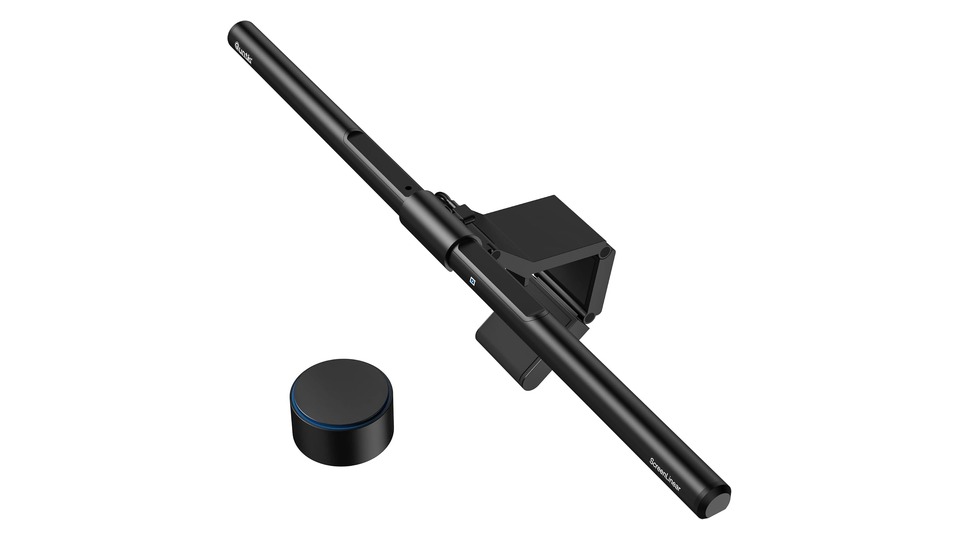
Quntis ScreenLinear Pro+
The 'Quntis ScreenLinear Pro+' introduced in the 'Monitor Lighting That Brightens Your Desk Instead of the Screen' list is the actual ScreenLinear Pro+ 20.1-inch product from Quntis. According to the official product page, the lighting type is a dual-use flat and curved monitor light, with power and control methods categorized as a wireless dial, automatic brightness, and a 2-hour timer. It supports color temperature adjustment between 3000-6500K and CRI 95, as well as automatic dimming, all in a 51cm product. Therefore, the Quntis ScreenLinear Pro+ is great for comparisons when focusing on medium-budget desks that require a long bar and remote control. When choosing the ScreenLinear Pro+ 20.1-inch from the list, ensure there aren't similarly named generational or regional models by checking the product number and packaging markings in the provided link.
Before purchasing the Quntis ScreenLinear Pro+, the first thing to check is to verify “the clip range and warranty/power conditions when purchasing abroad.” When placing the Quntis ScreenLinear Pro+ as monitor lighting to brighten your desk, note the installation space dimensions, power or charging location, and required minimum and maximum brightness in order. If the Quntis ScreenLinear Pro+ used for desk lighting includes an app or wireless control, check your mobile phone's operating system and hub/router conditions as well. The official link from Quntis is for specification verification, while domestic stock, prices, warranties, and components for the ScreenLinear Pro+ 20.1-inch as a candidate for monitor lighting will take priority from the purchasing source at the time of buying.
Before purchasing the Quntis ScreenLinear Pro+, the first thing to check is to verify “the clip range and warranty/power conditions when purchasing abroad.” When placing the Quntis ScreenLinear Pro+ as monitor lighting to brighten your desk, note the installation space dimensions, power or charging location, and required minimum and maximum brightness in order. If the Quntis ScreenLinear Pro+ used for desk lighting includes an app or wireless control, check your mobile phone's operating system and hub/router conditions as well. The official link from Quntis is for specification verification, while domestic stock, prices, warranties, and components for the ScreenLinear Pro+ 20.1-inch as a candidate for monitor lighting will take priority from the purchasing source at the time of buying.
브랜드 Quntis
모델 ScreenLinear Pro+ 20.1형
조명 유형 곡면·평면 겸용 모니터 라이트
전원·조작 무선 다이얼·자동 밝기·2시간 타이머
추천 환경 긴 바와 리모컨이 필요한 중간 예산 책상
구매 전 확인 클립 범위와 해외 구매 시 보증·전원 조건을 확인하자.
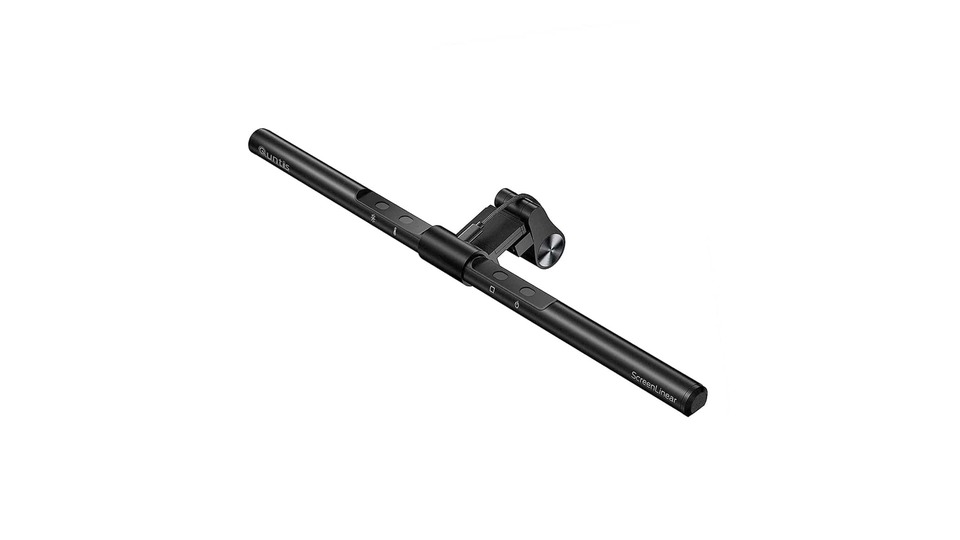
Quntis ScreenLinear Basic
The 'Quntis ScreenLinear Basic' introduced in the 'Monitor Lighting That Brightens Your Desk Instead of the Screen' list is the actual ScreenLinear Basic 15.7-inch product from Quntis. According to the official product page, the lighting type is a touch-operated small monitor light, while power and control methods are categorized as body touch, automatic brightness, and USB power. This basic model features touch controls for color temperature and brightness adjustments with a 15.7-inch bar. Therefore, the Quntis ScreenLinear Basic is great for comparisons when focusing on small monitors and simple desk configurations. When choosing the ScreenLinear Basic 15.7-inch from the list, ensure there aren't similarly named generational or regional models by verifying the product number and packaging markings in the provided link.
Before purchasing the Quntis ScreenLinear Basic, the first thing to check is “the configuration that does not include a remote control and the clip dimensions for the top of the monitor.” When placing the Quntis ScreenLinear Basic for desk lighting, note the installation space dimensions, power or charging location, and required minimum and maximum brightness in order. If the Quntis ScreenLinear Basic used for desk lighting includes an app or wireless control, check your mobile phone's operating system and hub/router conditions as well. The official link from Quntis is for specification verification, while domestic stock, prices, warranties, and components for the ScreenLinear Basic 15.7-inch as a candidate for monitor lighting will take priority from the purchasing source at the time of buying.
Before purchasing the Quntis ScreenLinear Basic, the first thing to check is “the configuration that does not include a remote control and the clip dimensions for the top of the monitor.” When placing the Quntis ScreenLinear Basic for desk lighting, note the installation space dimensions, power or charging location, and required minimum and maximum brightness in order. If the Quntis ScreenLinear Basic used for desk lighting includes an app or wireless control, check your mobile phone's operating system and hub/router conditions as well. The official link from Quntis is for specification verification, while domestic stock, prices, warranties, and components for the ScreenLinear Basic 15.7-inch as a candidate for monitor lighting will take priority from the purchasing source at the time of buying.
브랜드 Quntis
모델 ScreenLinear Basic 15.7형
조명 유형 터치식 소형 모니터 라이트
전원·조작 본체 터치·자동 밝기·USB 전원
추천 환경 작은 모니터와 단순한 데스크 구성
구매 전 확인 리모컨이 없는 구성과 모니터 상단 클립 치수를 확인하자.
If you want both backlighting and a wireless controller, the ScreenBar Halo 2 is a great option; if you prioritize a wide workspace and automatic on/off functions, the ScreenBar Pro is best. If you prefer simple controls, the basic ScreenBar is suitable. Xiaomi and Quntis products offer features like wireless remote or automatic brightness at a lower initial cost for comparison.
Before installation, take photos of not just the monitor's thickness but also the screen bezel, curvature, top ventilation, and camera position. Decide whether to draw USB power from the monitor or use a separate adapter. In practical use, factors like the angle that prevents lighting from reflecting on the screen and the range that evenly covers the entire document may be more important than frequently changing color temperatures.
Before installation, take photos of not just the monitor's thickness but also the screen bezel, curvature, top ventilation, and camera position. Decide whether to draw USB power from the monitor or use a separate adapter. In practical use, factors like the angle that prevents lighting from reflecting on the screen and the range that evenly covers the entire document may be more important than frequently changing color temperatures.
한눈에 보기
6개
BenQ ScreenBar Halo 2
BenQ · ScreenBar Halo 2 · 전면 작업등+후면 바이어스 조명 · 무선 컨트롤러·자동 조도·동작 감지 · 곡면 모니터와 후면광을 함께 쓰는 책상 · 모니터 곡률·두께와 웹캠 장착 공간을 확인하자.
BenQ ScreenBar Pro
BenQ · ScreenBar Pro · 광범위 비대칭 모니터 라이트 · 본체 버튼·자동 조도·자동 켜짐/꺼짐 · 넓은 책상과 큰 모니터 작업면 · 호환 두께 0.43~6.5cm와 1000~1800R 곡률 조건을 확인하자.
BenQ ScreenBar
BenQ · ScreenBar · 비대칭 모니터 라이트 · 본체 버튼·자동 조도 · 기능을 단순화한 미니멀 책상 · 상단 버튼을 누를 공간과 USB 전원 위치를 확인하자.
Xiaomi Mi Computer Monitor Light Bar
Xiaomi · Mi Computer Monitor Light Bar · 자석 회전형 비대칭 라이트 · 2.4GHz 무선 다이얼·USB-C 전원 · 가격과 무선 조작을 함께 보는 책상 · 1~32mm 두께와 곡면 화면의 실제 고정 상태를 확인하자.
Quntis ScreenLinear Pro+
Quntis · ScreenLinear Pro+ 20.1형 · 곡면·평면 겸용 모니터 라이트 · 무선 다이얼·자동 밝기·2시간 타이머 · 긴 바와 리모컨이 필요한 중간 예산 책상 · 클립 범위와 해외 구매 시 보증·전원 조건을 확인하자.
Quntis ScreenLinear Basic
Quntis · ScreenLinear Basic 15.7형 · 터치식 소형 모니터 라이트 · 본체 터치·자동 밝기·USB 전원 · 작은 모니터와 단순한 데스크 구성 · 리모컨이 없는 구성과 모니터 상단 클립 치수를 확인하자.
이 포스팅은 쿠팡 파트너스 활동의 일환으로, 이에 따른 일정액의 수수료를 제공받습니다.
댓글 0
로그인 후 댓글을 작성할 수 있습니다.
첫 댓글을 남겨보세요.
이런 리스트는 어때요?


이런 리스트도 추천해요


🎲
여기서 멈추기엔 아쉽잖아?
다음에 뭘 볼지 고민하는 시간이 제일 아까워.
주사위가 대신 골라줄게 — 무슨 리스트가 튀어나올지는 굴려봐야 알지.
안 누르면… 평생 궁금하지 않겠어? 👀
