
Collection
Lighting
2026.09.29
Lighting that Expands Game Colors Beyond the Screen
A Look at Actual Gaming Lighting by Camera, HDMI, and PC App Integration Methods
Screen-integrated lighting extends the colors of the game display to the wall behind the monitor and around the desk, reducing visual contrast and enhancing immersion in the scenes. However, the methods of reading the screen via a camera, analyzing HDMI signals, and having a PC app calculate colors directly differ in supported devices, latency, and installation complexity. This list compares actual products from Govee and Philips Hue by their integration methods and installation locations.
For consoles and set-top boxes, HDMI synchronization devices are convenient, but you need to verify resolution, refresh rate, and VRR pass conditions. The PC app method is neat because it doesn't require a separate camera, but it may require a supported operating system and a hub like the Hue Bridge. The strips behind the screen need to be matched to the monitor's size and curvature, and light bars and ropes can also be used for desk scenes and audio reactions in addition to screen integration.
For consoles and set-top boxes, HDMI synchronization devices are convenient, but you need to verify resolution, refresh rate, and VRR pass conditions. The PC app method is neat because it doesn't require a separate camera, but it may require a supported operating system and a hub like the Hue Bridge. The strips behind the screen need to be matched to the monitor's size and curvature, and light bars and ropes can also be used for desk scenes and audio reactions in addition to screen integration.
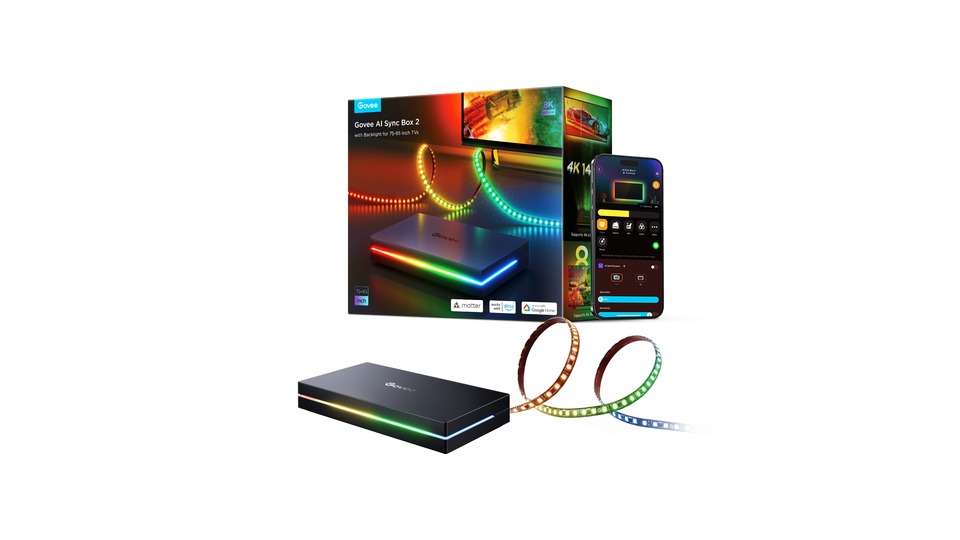
Govee AI Sync Box Kit 2
The ‘Govee AI Sync Box Kit 2’ is a prime example of an HDMI 2.1 RGBWIC screen interaction kit in lighting that expands game colors beyond the screen. It features a box that analyzes HDMI signals and strips and light bars that extend screen colors to the desk behind. Power and control methods are HDMI Sync Box and Govee Home, and it is especially suitable for high refresh rate consoles and PC gaming displays. Within the same brand, components, voltage, and integration features can vary by generation and sales region, so it is safer to check the official specifications based on model number H6604.
First, check the supported resolution, VRR, ALLM, and screen size configuration. Measure the width, height, and attachment surfaces of the place where you will put the Govee AI Sync Box Kit 2, and verify whether its light directly enters the eyes of people or the screen. If the Govee AI Sync Box Kit 2 uses an app, check the conditions for the hub, Wi-Fi, and account, and if it has exchangeable light sources, match them with the specified sockets and maximum allowed power. The official link for Govee AI Sync Box Kit 2 is for checking features, so domestic stock, price, and warranty conditions should be confirmed at the time of purchase from the retailer.
First, check the supported resolution, VRR, ALLM, and screen size configuration. Measure the width, height, and attachment surfaces of the place where you will put the Govee AI Sync Box Kit 2, and verify whether its light directly enters the eyes of people or the screen. If the Govee AI Sync Box Kit 2 uses an app, check the conditions for the hub, Wi-Fi, and account, and if it has exchangeable light sources, match them with the specified sockets and maximum allowed power. The official link for Govee AI Sync Box Kit 2 is for checking features, so domestic stock, price, and warranty conditions should be confirmed at the time of purchase from the retailer.
브랜드 Govee
모델 H6604
조명 유형 HDMI 2.1 RGBWIC 화면 연동 키트
전원·조작 HDMI Sync Box·Govee Home
추천 환경 고주사율 콘솔과 PC 게임 화면
구매 전 확인 지원 해상도·VRR·ALLM과 화면 크기 구성을 확인하자.
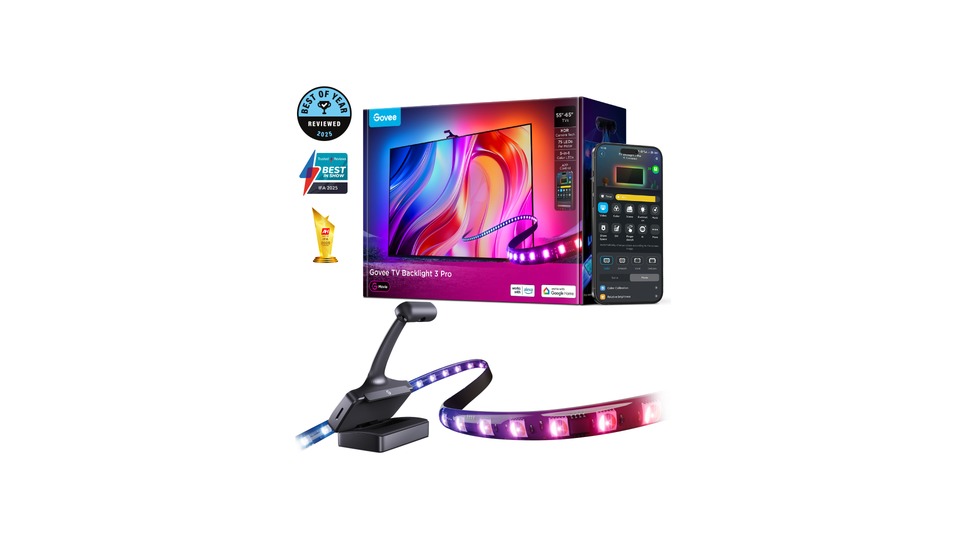
Govee TV Backlight 3 Pro
The ‘Govee TV Backlight 3 Pro’ is a representative example of a triple-camera RGBWWIC TV backlight in lighting that expands game colors beyond the screen. A triple-lens camera reads the color of the TV screen and reflects it in real-time on the RGBWWIC strip at the back. Power and control methods are top camera, Govee Home, and DreamView, and it's particularly suited for 55-65 inch TVs connected to a console. Like other products from the same brand, components, voltage, and integration features can vary depending on generation and sales region, making it safer to verify the official specifications based on model name H66A0.
First, check the screen size options, camera calibration, and the type of bezel that can be installed. Measure the width, height, and attachment surface of the place to set the Govee TV Backlight 3 Pro, and confirm that its light doesn’t directly hit people's eyes or the screen. If the Govee TV Backlight 3 Pro uses an app, check the hub, Wi-Fi, and account conditions, and if it has exchangeable light sources, ensure they match the indicated sockets and maximum allowed power. The official link for Govee TV Backlight 3 Pro is for feature verification, so domestic stock, price, and warranty conditions must be checked at the time of purchase.
First, check the screen size options, camera calibration, and the type of bezel that can be installed. Measure the width, height, and attachment surface of the place to set the Govee TV Backlight 3 Pro, and confirm that its light doesn’t directly hit people's eyes or the screen. If the Govee TV Backlight 3 Pro uses an app, check the hub, Wi-Fi, and account conditions, and if it has exchangeable light sources, ensure they match the indicated sockets and maximum allowed power. The official link for Govee TV Backlight 3 Pro is for feature verification, so domestic stock, price, and warranty conditions must be checked at the time of purchase.
브랜드 Govee
모델 H66A0
조명 유형 트리플 카메라 RGBWWIC TV 백라이트
전원·조작 상단 카메라·Govee Home·DreamView
추천 환경 콘솔을 연결한 55~65인치 TV
구매 전 확인 화면 크기 옵션과 카메라 보정, 설치 가능한 베젤을 확인하자.
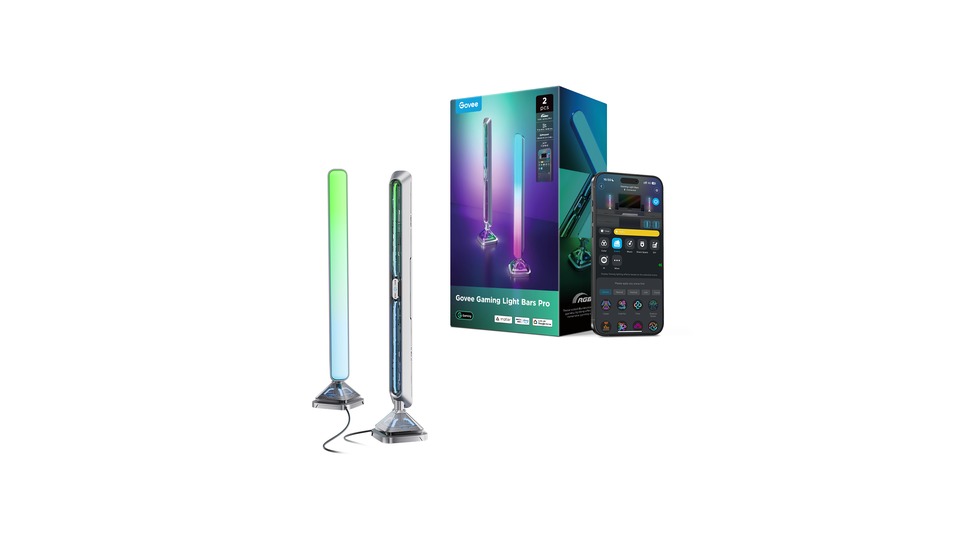
Govee Gaming Light Bars Pro
The ‘Govee Gaming Light Bars Pro’ is a representative example of a desk RGBIC screen interaction light bar in lighting that expands game colors beyond the screen. The two light bars placed on both sides of the monitor extend colors in sync with the screen and audio. Power and control methods are Govee Desktop, app, and voice control, making it especially suitable for monitors ranging from 24 to 32 inches. Within the same brand, components, voltage, and integration features can vary by generation and sales region, so it is safer to verify the official specifications based on model name Gaming Light Bars Pro.
First, check the required PC app for screen interaction and the installation orientation. Measure the width, height, and attachment surface of the place to set the Govee Gaming Light Bars Pro and verify that its light does not directly hit people’s eyes or the screen. If the Govee Gaming Light Bars Pro uses an app, check the hub, Wi-Fi, and account conditions, and if it has exchangeable light sources, ensure they match the indicated sockets and maximum allowed power. The official link for Govee Gaming Light Bars Pro is for feature verification, so domestic stock, price, and warranty conditions should be checked at the time of purchase.
First, check the required PC app for screen interaction and the installation orientation. Measure the width, height, and attachment surface of the place to set the Govee Gaming Light Bars Pro and verify that its light does not directly hit people’s eyes or the screen. If the Govee Gaming Light Bars Pro uses an app, check the hub, Wi-Fi, and account conditions, and if it has exchangeable light sources, ensure they match the indicated sockets and maximum allowed power. The official link for Govee Gaming Light Bars Pro is for feature verification, so domestic stock, price, and warranty conditions should be checked at the time of purchase.
브랜드 Govee
모델 Gaming Light Bars Pro
조명 유형 책상형 RGBIC 화면 연동 라이트 바
전원·조작 Govee Desktop·앱·음성 제어
추천 환경 24~32인치 모니터 양옆
구매 전 확인 화면 연동에 필요한 PC 앱과 설치 방향을 확인하자.
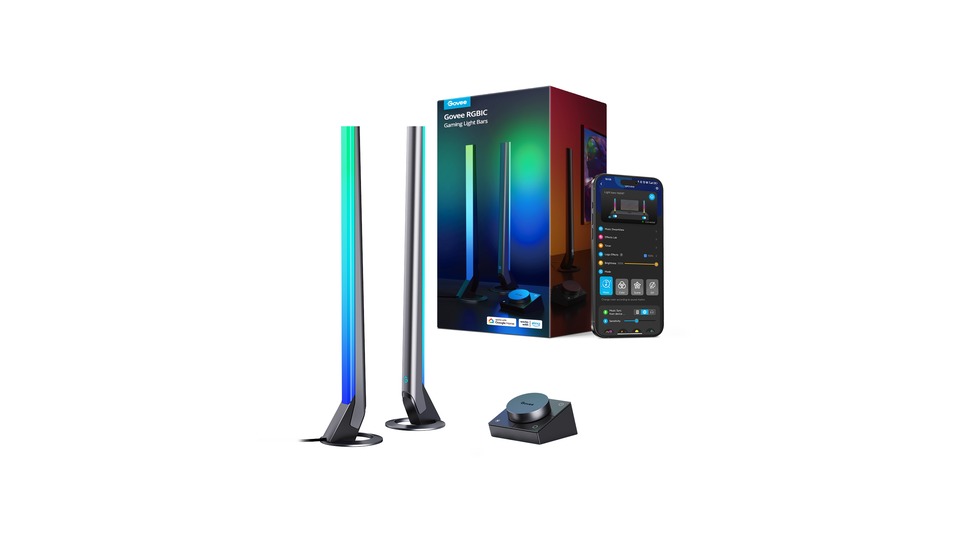
Govee RGBIC Wi-Fi Gaming Light Bars
The ‘Govee RGBIC Wi-Fi Gaming Light Bars’ is a representative example of RGBIC audio and DreamView light bars in lighting that expands game colors beyond the screen. The two vertical bars provide divided colors and music-reactive scenes and can integrate with other Govee devices. Power and control methods are Govee Home, Wi-Fi, and Bluetooth, making it especially suitable for small gaming desks and music-reactive lighting. Within the same brand, components, voltage, and integration features can vary by generation and sales region, so it is safer to confirm the official specifications based on model number H6047.
First, check the conditions for connecting to DreamView, as it is not a standalone screen recognition device. Measure the width, height, and attachment surface of the place to set the Govee RGBIC Wi-Fi Gaming Light Bars and ensure that its light doesn’t directly hit people's eyes or the screen. If the Govee RGBIC Wi-Fi Gaming Light Bars utilize an app, verify the hub, Wi-Fi, and account conditions, and if there are interchangeable light sources, make sure they correspond to the specified sockets and maximum allowed power. The official link for Govee RGBIC Wi-Fi Gaming Light Bars is for feature confirmation, so domestic stock, price, and warranty conditions should be checked at the time of purchase.
First, check the conditions for connecting to DreamView, as it is not a standalone screen recognition device. Measure the width, height, and attachment surface of the place to set the Govee RGBIC Wi-Fi Gaming Light Bars and ensure that its light doesn’t directly hit people's eyes or the screen. If the Govee RGBIC Wi-Fi Gaming Light Bars utilize an app, verify the hub, Wi-Fi, and account conditions, and if there are interchangeable light sources, make sure they correspond to the specified sockets and maximum allowed power. The official link for Govee RGBIC Wi-Fi Gaming Light Bars is for feature confirmation, so domestic stock, price, and warranty conditions should be checked at the time of purchase.
브랜드 Govee
모델 H6047
조명 유형 RGBIC 오디오·DreamView 라이트 바
전원·조작 Govee Home·Wi-Fi·Bluetooth
추천 환경 작은 게임 책상과 음악 반응 조명
구매 전 확인 단독 화면 인식 장치가 아니라 DreamView 연결 조건을 확인하자.
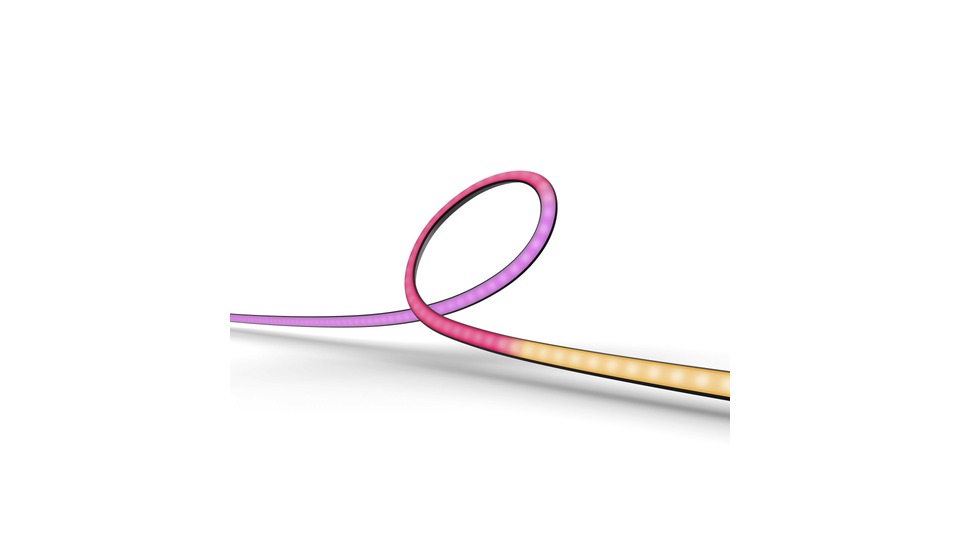
Philips Hue Play Gradient Lightstrip for PC
The ‘Philips Hue Play Gradient Lightstrip for PC’ is a representative example of a PC app-integrated gradient monitor strip in lighting that expands game colors beyond the screen. It attaches behind 24-27 inch monitors to express multiple colors simultaneously and reacts according to the PC screen. Power and control methods are the Hue Sync desktop app and Hue Bridge, especially suitable for single monitors of 24-27 inches. Within the same brand, components, voltage, and integration features can vary by generation and sales region, so it is safer to verify the official specifications based on model number 046677578299.
First, check for discontinuation, regional stock, and Hue Bridge requirements. Measure the width, height, and attachment surfaces of the place where you will put the Philips Hue Play Gradient Lightstrip for PC, and confirm that its light does not directly enter the eyes of people or the screen. If the Philips Hue Play Gradient Lightstrip for PC uses an app, check the hub, Wi-Fi, and account conditions, and if it has exchangeable light sources, ensure they match the specified sockets and maximum allowed power. The official link for Philips Hue Play Gradient Lightstrip for PC is for feature verification, so domestic stock, price, and warranty conditions should be checked at the time of purchase.
First, check for discontinuation, regional stock, and Hue Bridge requirements. Measure the width, height, and attachment surfaces of the place where you will put the Philips Hue Play Gradient Lightstrip for PC, and confirm that its light does not directly enter the eyes of people or the screen. If the Philips Hue Play Gradient Lightstrip for PC uses an app, check the hub, Wi-Fi, and account conditions, and if it has exchangeable light sources, ensure they match the specified sockets and maximum allowed power. The official link for Philips Hue Play Gradient Lightstrip for PC is for feature verification, so domestic stock, price, and warranty conditions should be checked at the time of purchase.
브랜드 Philips Hue
모델 046677578299
조명 유형 PC 앱 연동 그라데이션 모니터 스트립
전원·조작 Hue Sync 데스크톱 앱·Hue Bridge
추천 환경 24~27인치 단일 모니터
구매 전 확인 단종·지역 재고와 Hue Bridge 필수 조건을 확인하자.
To create an HDMI-based console setup all at once, the Govee AI Sync Box Kit 2 and the TV Backlight 3 Pro are key comparison points for reading the TV screen without changing the HDMI path. The Gaming Light Bars Pro and H6047 bars widen the scope of light when placed on either side of the desk, while the Hue Play Gradient PC is naturally suited for existing Hue users using the Hue Bridge and desktop app. Since each product has different synchronization input methods, make sure to check your gaming device first.
Strong color changes and rapid flashing can increase eye strain, so keep them dimmer than the screen and install them facing the wall so that the light source is not directly visible. HDMI devices must check the resolution, refresh rate, HDR, and VRR pass conditions while in use. Adhesive strips should be installed without blocking air vents, and you should ensure there’s enough slack for cables and cameras when moving the monitor.
Strong color changes and rapid flashing can increase eye strain, so keep them dimmer than the screen and install them facing the wall so that the light source is not directly visible. HDMI devices must check the resolution, refresh rate, HDR, and VRR pass conditions while in use. Adhesive strips should be installed without blocking air vents, and you should ensure there’s enough slack for cables and cameras when moving the monitor.
한눈에 보기
5개
Govee AI Sync Box Kit 2
Govee · H6604 · HDMI 2.1 RGBWIC 화면 연동 키트 · HDMI Sync Box·Govee Home · 고주사율 콘솔과 PC 게임 화면 · 지원 해상도·VRR·ALLM과 화면 크기 구성을 확인하자.
Govee TV Backlight 3 Pro
Govee · H66A0 · 트리플 카메라 RGBWWIC TV 백라이트 · 상단 카메라·Govee Home·DreamView · 콘솔을 연결한 55~65인치 TV · 화면 크기 옵션과 카메라 보정, 설치 가능한 베젤을 확인하자.
Govee Gaming Light Bars Pro
Govee · Gaming Light Bars Pro · 책상형 RGBIC 화면 연동 라이트 바 · Govee Desktop·앱·음성 제어 · 24~32인치 모니터 양옆 · 화면 연동에 필요한 PC 앱과 설치 방향을 확인하자.
Govee RGBIC Wi-Fi Gaming Light Bars
Govee · H6047 · RGBIC 오디오·DreamView 라이트 바 · Govee Home·Wi-Fi·Bluetooth · 작은 게임 책상과 음악 반응 조명 · 단독 화면 인식 장치가 아니라 DreamView 연결 조건을 확인하자.
Philips Hue Play Gradient Lightstrip for PC
Philips Hue · 046677578299 · PC 앱 연동 그라데이션 모니터 스트립 · Hue Sync 데스크톱 앱·Hue Bridge · 24~27인치 단일 모니터 · 단종·지역 재고와 Hue Bridge 필수 조건을 확인하자.
이 포스팅은 쿠팡 파트너스 활동의 일환으로, 이에 따른 일정액의 수수료를 제공받습니다.
댓글 0
로그인 후 댓글을 작성할 수 있습니다.
첫 댓글을 남겨보세요.
이런 리스트는 어때요?


이런 리스트도 추천해요


🎲
여기서 멈추기엔 아쉽잖아?
다음에 뭘 볼지 고민하는 시간이 제일 아까워.
주사위가 대신 골라줄게 — 무슨 리스트가 튀어나올지는 굴려봐야 알지.
안 누르면… 평생 궁금하지 않겠어? 👀
